ChatGPT makes images from a plain description inside the same chat you use for everything else, and the free plan includes image generation, though it is limited and slower than on paid plans.
Best of · 22 tools ranked
Best Free AI Image Generators
Find the best free AI image generators by what the free plan lets you make before a card is asked for. Some renew an allowance every day, some give a single signup bonus, and some hand over pictures you may only use for fun. Each entry shows where the allowance, watermark or license stops you.
Updated 3 October 2026Ranked by our score, worked out from each vendor’s own pages.How we score →All AI Image Generation →
Our top 3 Free AI Image Generators
Start here if you want a free plan that keeps going. Base Stable Diffusion images are unlimited, a small credit allowance arrives each login day, and the free plan allows commercial use.
Worth opening if you already live in Adobe's world and want to see its own models next to ones from other companies.
Best free AI chat assistants that make images
2 picksA chat assistant spends one allowance on both your messages and your pictures, so a free account gives a few images, not a batch. ChatGPT draws more slowly on the free plan, while Gemini uses Nano Banana 2 on any Google account. Reach for ChatGPT when the picture belongs to a conversation already running, and Gemini when your files and phone live in Google.
#ToolScoreFree plan gives youPaid from
Unlimited text chat, limited deep research
Paid $8/moShow detailsHide details01 ChatGPT: Best for images from a chat you already use8.8Score 8.8 out of 10Unlimited text chat, limited deep research$8/moVisit site ↗ReviewDetailsCloseShow more about ChatGPT
Unlimited text chat, limited deep research
Paid $8/mo
Show detailsHide detailsChatGPT: Best for images from a chat you already use
8.8Score 8.8 out of 10Unlimited text chat, limited deep research$8/moVisit site ↗ReviewDetailsClose
ChatGPT makes images from a plain description inside the same chat you use for everything else, and the free plan includes image generation, though it is limited and slower than on paid plans. That makes it the quickest way to try an idea or a rough visual. For more images in a day, the Go plan raises the limit. Choose NightCafe or starryai when you want a dedicated image generator instead.
- The Free plan includes unlimited text chats with GPT-6 Luna, subject to abuse guardrails.
- Web search is included on every individual plan, including Free.
- Go, the cheapest paid plan, still does not unlock GPT-6.1 Sol, GPT-6 Astra or GPT-6 Sol, and may include ads.
Image generation with Nano Banana 2
Paid $4.99/moShow detailsHide details02 Gemini: Best for Nano Banana images in Google's assistant7.9Score 7.9 out of 10Image generation with Nano Banana 2$4.99/moVisit site ↗ReviewDetailsCloseShow more about Gemini
Image generation with Nano Banana 2
Paid $4.99/mo
Show detailsHide detailsGemini: Best for Nano Banana images in Google's assistant
7.9Score 7.9 out of 10Image generation with Nano Banana 2$4.99/moVisit site ↗ReviewDetailsClose
Gemini generates images with Nano Banana 2, so anyone with a Google account can make pictures from a description without a separate app, on the phone or the web. Paid subscribers also get Nano Banana Pro for regenerating images, and Google AI Plus doubles the usage limits. Pick it over ChatGPT if your files, email and phone already run on Google.
- Gemini is free to use with any personal Google account, with Google's Flash models included.
- Google AI Pro at $19.99 a month includes Gemini 4 Argon, Google's newest frontier model.
- The free plan's context window is capped at 32,000 tokens, far below the 1 million tokens on Pro and Ultra.
Best free AI art platforms
4 picksSearching for a free AI art generator? These four meter themselves differently. NightCafe Creator and Artbreeder leave base generation uncapped, Playform allows a large daily batch of watermarked drafts and charges credits only for clean downloads, and Dream hands out a few credits each day. Pick by whether you want volume, remixing, a sketch route or a style library.
#ToolScoreFree plan gives youPaid from
5 credits/day, public generations, limited features
✓ No watermarkPaid $12.49/moShow detailsHide details03 NightCafe Creator: Best for daily challenges and many models8.6Score 8.6 out of 105 credits/day, public generations, limited features✓ No watermark$12.49/moVisit site ↗ReviewDetailsCloseShow more about NightCafe Creator
5 credits/day, public generations, limited features
✓ No watermarkPaid $12.49/mo
Show detailsHide detailsNightCafe Creator: Best for daily challenges and many models
8.6Score 8.6 out of 105 credits/day, public generations, limited features✓ No watermark$12.49/moVisit site ↗ReviewDetailsClose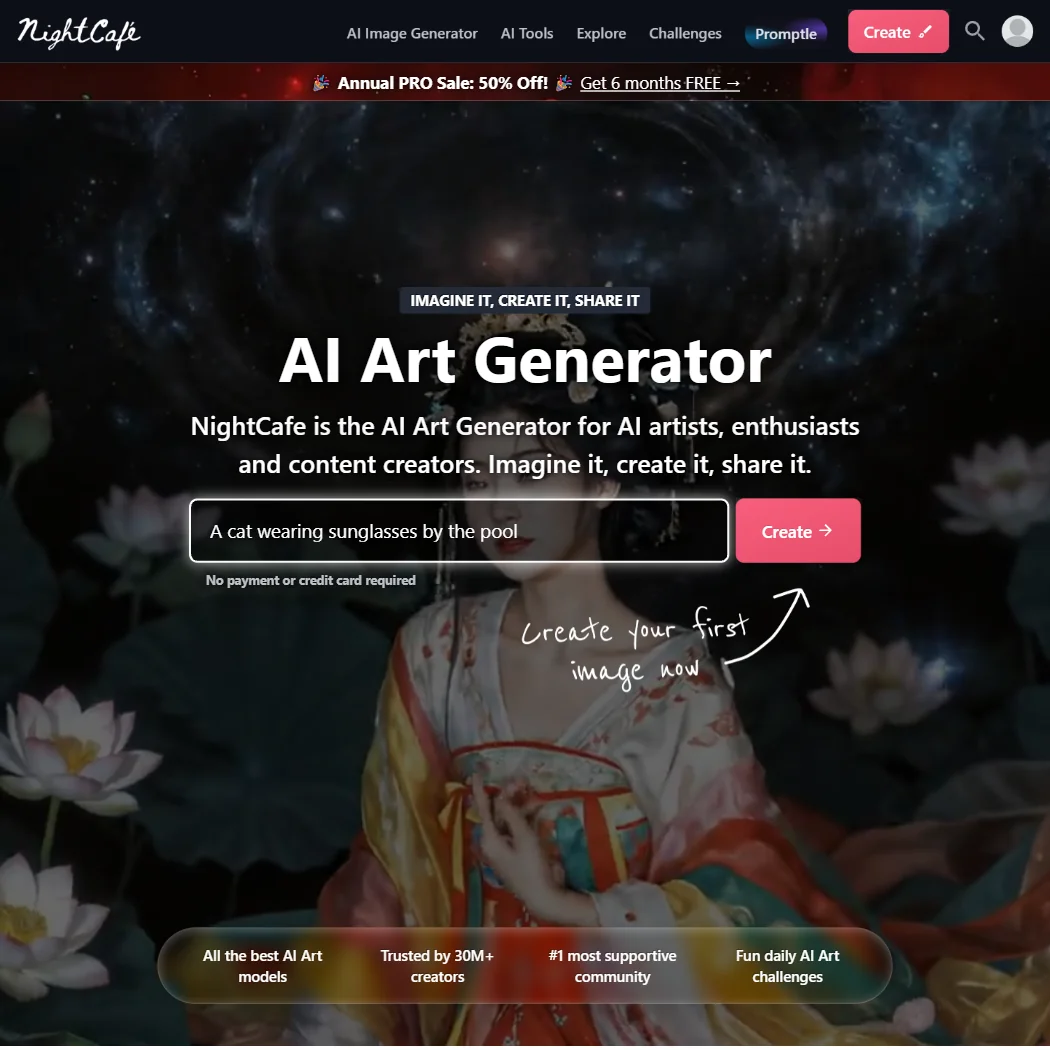
Start here if you want a free plan that keeps going. Base Stable Diffusion images are unlimited, a small credit allowance arrives each login day, and the free plan allows commercial use. The trade is privacy: free creations go into the public feed, and only a paid plan keeps them private. There is no phone app, just a browser shortcut, so starryai suits a phone better.
- Every user can create unlimited base Stable Diffusion images for free, with commercial use allowed on the free plan.
- Paid plans unlock more than 50 image models, including Flux, GPT Image, Seedream and Ideogram.
- There is no native phone app; using NightCafe on a phone means adding the website to the home screen from a browser.
Unlimited base Splicer generation, slow Collager
✓ No watermarkPaid $8.99/moShow detailsHide details04 Artbreeder: Best for mixing and remixing existing images7.3Score 7.3 out of 10Unlimited base Splicer generation, slow Collager✓ No watermark$8.99/moVisit site ↗ReviewDetailsCloseShow more about Artbreeder
Unlimited base Splicer generation, slow Collager
✓ No watermarkPaid $8.99/mo
Show detailsHide detailsArtbreeder: Best for mixing and remixing existing images
7.3Score 7.3 out of 10Unlimited base Splicer generation, slow Collager✓ No watermark$8.99/moVisit site ↗ReviewDetailsClose
Pick it if you like blending images together more than writing prompts. Base Splicer generation is unlimited without credits, and slower Collager generation is free too. Every image on any plan is released as CC0, so anyone can reuse yours, commercially included. There is no official phone app and no tool to train on your own images. NightCafe Creator suits prompt-led work better.
- Every plan, including free, gives unlimited base Splicer generation without spending credits.
- Paid tiers include a 2048px high-resolution download upscaled from the 512px base image.
- Every image made on Artbreeder, on any plan, must be released under Creative Commons CC0, so it can be reused by anyone else too.
100 free generations/day with watermark, 2 credits to download, 500 MB storage, results saved 30 days
✕ WatermarkedPaid $10/moShow detailsHide details05 Playform: Best for sketch, style and face tools7.3Score 7.3 out of 10100 free generations/day with watermark, 2 credits to download, 500 MB storage, results saved 30 days✕ Watermarked$10/moVisit site ↗ReviewDetailsCloseShow more about Playform
100 free generations/day with watermark, 2 credits to download, 500 MB storage, results saved 30 days
✕ WatermarkedPaid $10/mo
Show detailsHide detailsPlayform: Best for sketch, style and face tools
7.3Score 7.3 out of 10100 free generations/day with watermark, 2 credits to download, 500 MB storage, results saved 30 days✕ Watermarked$10/moVisit site ↗ReviewDetailsClose
This one rewards experimenting: the free plan allows a large number of generations each day, all watermarked until you spend credits to download a clean copy. Upscaling up to 4x is free on every plan. It promises not to train its general models on your content, and you hold commercial rights. It is web only, with no gallery to browse.
- Playform does not use content you submit or generate to train or fine-tune its general-purpose image models.
- You own all intellectual property in the images you generate, and retain full commercial rights to them.
- Every free-plan generation carries a watermark, which costs 2 credits per image to remove.
5 daily credits, standard styles, watermarked
✕ Watermarked↻ Daily creditsPaid $19.99/moShow detailsHide details06 Dream: Best for a big style library on mobile6.1Score 6.1 out of 105 daily credits, standard styles, watermarked✕ Watermarked↻ Daily credits$19.99/moVisit site ↗ReviewDetailsCloseShow more about Dream
5 daily credits, standard styles, watermarked
✕ Watermarked↻ Daily creditsPaid $19.99/mo
Show detailsHide detailsDream: Best for a big style library on mobile
6.1Score 6.1 out of 105 daily credits, standard styles, watermarked✕ Watermarked↻ Daily credits$19.99/moVisit site ↗ReviewDetailsClose
A phone-friendly way to browse a long list of named styles on a few credits each day. The free plan covers basic image generation with standard styles only, and exports carry a watermark that disappears on a paid plan. Editing is by text prompt alone, with no outpainting or upscaling. Choose it for casual styled pictures, and starryai if a watermark is a dealbreaker.
- Dream offers 145 named style presets across four model generations.
- Paid plans include unlimited image generation alongside video generation.
- Free-tier exports carry a watermark.
Best free AI image models
4 picksAnyone after an AI image generator with no watermark can start with Leonardo.Ai, Ideogram or Recraft, whose free exports come out clean. What separates them is the job: Leonardo.Ai for choosing between many models, Ideogram for lettering that reads, Recraft for vector files, and Adobe Firefly for a single login across image, video and audio.
#ToolScoreFree plan gives youPaid from
Limited free generations each day across image, video, audio
? Watermark not stated↻ Daily creditsPaid $9.99/moShow detailsHide details07 Adobe Firefly: Best for Creative Cloud users trying Adobe's models8.1Score 8.1 out of 10Limited free generations each day across image, video, audio? Watermark not stated↻ Daily credits$9.99/moVisit site ↗ReviewDetailsCloseShow more about Adobe Firefly
Limited free generations each day across image, video, audio
? Watermark not stated↻ Daily creditsPaid $9.99/mo
Show detailsHide detailsAdobe Firefly: Best for Creative Cloud users trying Adobe's models
8.1Score 8.1 out of 10Limited free generations each day across image, video, audio? Watermark not stated↻ Daily credits$9.99/moVisit site ↗ReviewDetailsClose
Worth opening if you already live in Adobe's world and want to see its own models next to ones from other companies. The free plan gives limited daily generations across image, video and audio, and Adobe does not train on your content by default. Paid plans are annual commitments billed monthly. Text to Image has no seed or negative prompt field, so Leonardo.Ai gives finer control.
- The free plan gives limited daily generations across image, video and audio models at no cost.
- Adobe will not use your content to train its models, except content you choose to submit to Adobe Stock, which is opt-in.
- No paid plan has a true month-to-month price; every one is an annual commitment paid in monthly instalments.
150 fast tokens a day plus a 150-token bank, public creations
✓ No watermarkPaid $12/moShow detailsHide details08 Leonardo.Ai: Best for one workspace over many models8.0Score 8.0 out of 10150 fast tokens a day plus a 150-token bank, public creations✓ No watermark$12/moVisit site ↗ReviewDetailsCloseShow more about Leonardo.Ai
150 fast tokens a day plus a 150-token bank, public creations
✓ No watermarkPaid $12/mo
Show detailsHide detailsLeonardo.Ai: Best for one workspace over many models
8.0Score 8.0 out of 10150 fast tokens a day plus a 150-token bank, public creations✓ No watermark$12/moVisit site ↗ReviewDetailsClose
A good free pick when you want to compare many companies' models under one login. The free plan renews a daily batch of tokens with a small bank on top, on web, iOS and Android. Its own models accept a fixed seed and a negative prompt. Free creations are public, and a paid subscription is what makes them private. For free output with clear commercial terms, look at Ideogram.
- The free plan gives 150 Fast Tokens a day plus a 150 Token Bank, at no cost.
- Its own models accept a fixed seed, a negative prompt field and adjustable prompt enhancement for precise control.
- Leonardo does not offer vector output.
Weekly slow credits, one generation at a time
✓ No watermarkPaid $20/moShow detailsHide details09 Ideogram: Best for readable text inside images7.6Score 7.6 out of 10Weekly slow credits, one generation at a time✓ No watermark$20/moVisit site ↗ReviewDetailsCloseShow more about Ideogram
Weekly slow credits, one generation at a time
✓ No watermarkPaid $20/mo
Show detailsHide detailsIdeogram: Best for readable text inside images
7.6Score 7.6 out of 10Weekly slow credits, one generation at a time✓ No watermark$20/moVisit site ↗ReviewDetailsClose
The free pick when words must be legible inside the picture, such as posters and covers. You can try Ideogram 4.0 on weekly slow credits, with one generation running or queued at a time. Ownership and commercial use apply on every plan, free included. The catch is privacy: it trains on what you generate and upload, with no opt-out, and private generations are paid.
- A free plan lets you try Ideogram 4.0 before paying, with weekly credits for eligible accounts.
- Every plan gives full ownership and unrestricted commercial use of what you generate, with no separate paid tier required for those rights.
- Ideogram trains on what you generate and upload by default, with no opt-out on the Free, Plus, Pro or Team plans.
Limited free credits
✓ No watermarkPaid $12/moShow detailsHide details10 Recraft: Best for SVG vectors from a generator6.9Score 6.9 out of 10Limited free credits✓ No watermark$12/moVisit site ↗ReviewDetailsCloseShow more about Recraft
Limited free credits
✓ No watermarkPaid $12/mo
Show detailsHide detailsRecraft: Best for SVG vectors from a generator
6.9Score 6.9 out of 10Limited free credits✓ No watermark$12/moVisit site ↗ReviewDetailsClose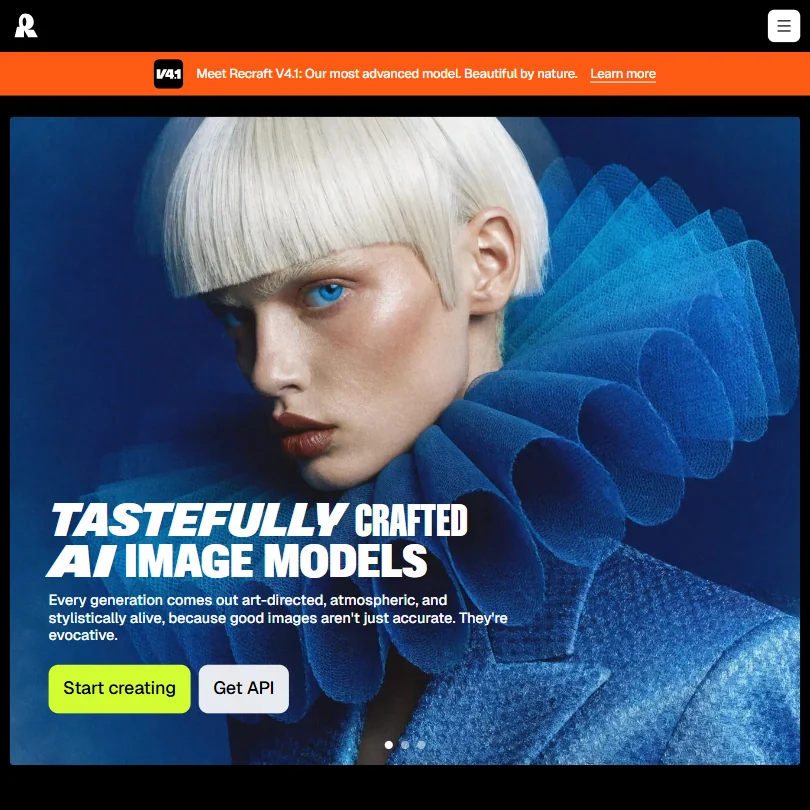
Use the free plan to try vector generation, not to ship work. Daily generations and uploads are capped, and the models are Recraft's own. Free images are public and owned by Recraft, with no commercial use, so rights arrive only with a paid plan. It runs on web, iOS and Android. If you need clean commercial terms at no cost, Ideogram is the better start.
- Recraft outputs vector files directly, alongside raster images, through its own AI vector generator and SVG converter.
- One account reaches Recraft's own V4.1 model family and a roster of other companies' models, including Nano Banana, Flux, Ideogram and Seedream.
- The free plan permits no commercial use, and its images are public and owned by Recraft, not the person who made them.
Best free brand and product image tools
4 picksAn AI product photo generator is what PromeAI is built to be, with sketch, product and headshot tools sharing one coin balance. Stockimg AI covers logos and social graphics, exactly.ai trains a style from a brand's own artwork, and ComicInk draws comic pages. Three of these four keep commercial use behind a paid step, and ComicInk does not.
#ToolScoreFree plan gives youPaid from
Free account with limited features, no commercial use
✕ WatermarkedPaid $12/moShow detailsHide details11 Stockimg AI: Best for logos and social posts in one place7.8Score 7.8 out of 10Free account with limited features, no commercial use✕ Watermarked$12/moVisit site ↗ReviewDetailsCloseShow more about Stockimg AI
Free account with limited features, no commercial use
✕ WatermarkedPaid $12/mo
Show detailsHide detailsStockimg AI: Best for logos and social posts in one place
7.8Score 7.8 out of 10Free account with limited features, no commercial use✕ Watermarked$12/moVisit site ↗ReviewDetailsClose
Choose this for logos, posters and social graphics rather than art. The free account is real, and commercial use is reserved for paying subscribers, which rules it out for client work on a free account. Exports can be PNG, JPG, SVG or PDF. You own what you create, and posts can be scheduled to five networks.
- Stockimg AI's terms assign full ownership of everything you create to you, the creator.
- Images and designs export as PNG, JPG, SVG or PDF.
- Commercial use of your creations is limited to paying subscribers, not available on the free account.
5 free credits/day, first style model training free, watermarked outputs, no licensed downloads
✕ WatermarkedNot listedShow detailsHide details12 exactly.ai: Best for private style models for brands7.1Score 7.1 out of 105 free credits/day, first style model training free, watermarked outputs, no licensed downloads✕ WatermarkedNot listedVisit site ↗ReviewDetailsCloseShow more about exactly.ai
5 free credits/day, first style model training free, watermarked outputs, no licensed downloads
✕ WatermarkedNot listed
Show detailsHide detailsexactly.ai: Best for private style models for brands
7.1Score 7.1 out of 105 free credits/day, first style model training free, watermarked outputs, no licensed downloads✕ WatermarkedNot listedVisit site ↗ReviewDetailsClose
Built for brands rather than casual play. The first style model trains free, and a small daily allowance lets you preview results, which are watermarked until you buy a license for that specific image. There is no monthly plan at all, so cost grows with every download you license. Your training images and outputs stay private. Pick it only if a trained brand style is the goal.
- The first style model trains for free, and 5 free credits a day let you generate preview images before paying for anything.
- Training images and generated outputs stay private and are never used to train exactly.ai's general models.
- Generated previews carry a watermark until you buy a commercial license for that specific image.
Free plan, limits not published
? Watermark not statedPaid $19/moShow detailsHide details13 PromeAI: Best for sketch and product photo work6.1Score 6.1 out of 10Free plan, limits not published? Watermark not stated$19/moVisit site ↗ReviewDetailsCloseShow more about PromeAI
Free plan, limits not published
? Watermark not statedPaid $19/mo
Show detailsHide detailsPromeAI: Best for sketch and product photo work
6.1Score 6.1 out of 10Free plan, limits not published? Watermark not stated$19/moVisit site ↗ReviewDetailsClose
Best tried by designers and shop owners who want sketch, product and headshot tools in one place. A free plan exists on an ongoing basis, not as a timed trial. Commercial licensing is withheld on the Free and Base plans and begins on Standard, so treat free output as personal. It is web only, and Consistency Rendering keeps a product or character looking the same.
- Consistency Rendering trains a custom model on your own images so a character or product keeps the same look across a series of generations.
- Its Design Templates library offers schema-driven generators for posters, product visuals, headshots, thumbnails, mockups and story formats.
- Commercial use is withheld on the Free and Base plans and only begins on Standard at $39 a month ($29 a month billed yearly).
One-time 100 credits at signup, no card needed
? Watermark not statedOne-off creditsPaid $9.99/moShow detailsHide details14 Comicink: Best for comic panels with the same characters5.0Score 5.0 out of 10One-time 100 credits at signup, no card needed? Watermark not statedOne-off credits$9.99/moVisit site ↗ReviewDetailsCloseShow more about Comicink
One-time 100 credits at signup, no card needed
? Watermark not statedOne-off creditsPaid $9.99/mo
Show detailsHide detailsComicink: Best for comic panels with the same characters
5.0Score 5.0 out of 10One-time 100 credits at signup, no card needed? Watermark not statedOne-off credits$9.99/moVisit site ↗ReviewDetailsClose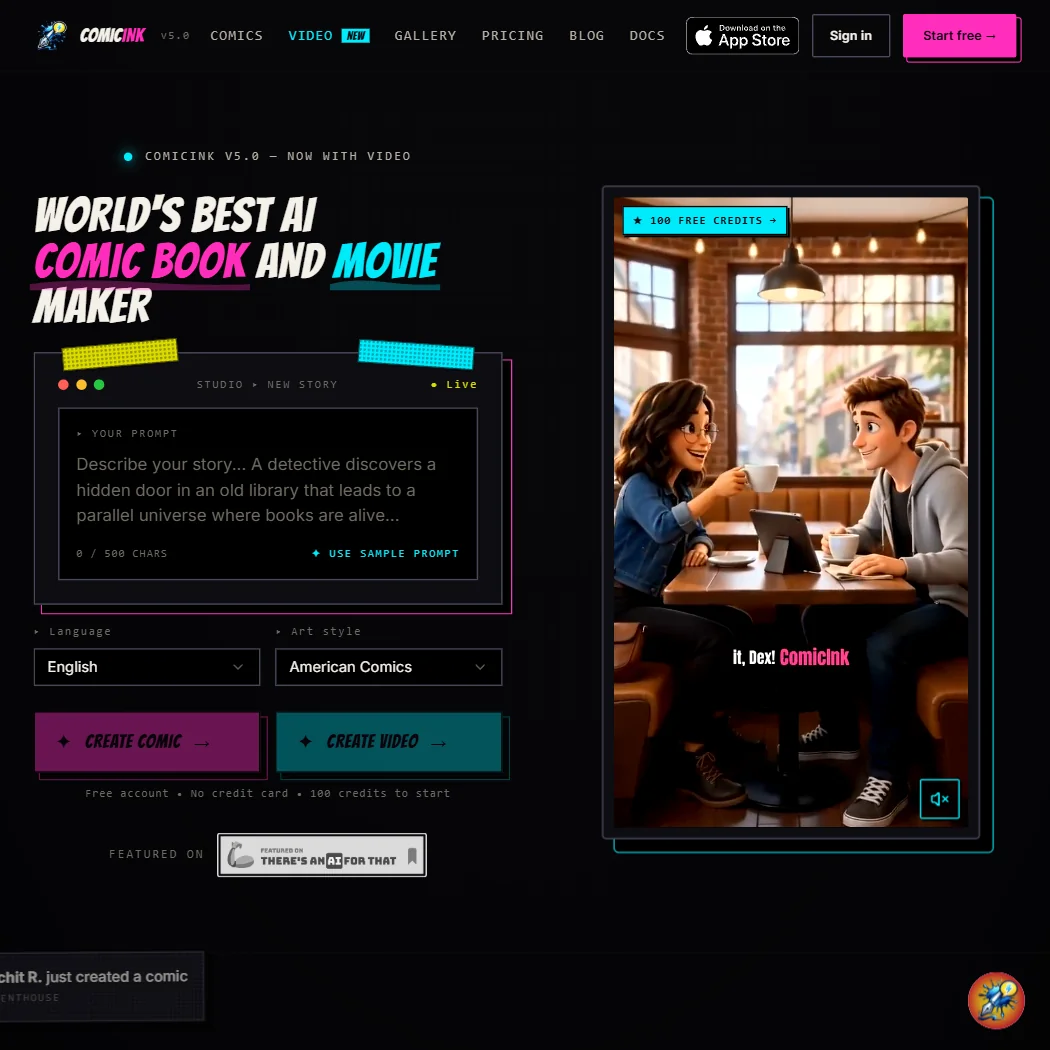
The odd one out here: its free account is a one-time signup bonus with no card needed, not a monthly allowance. What you make belongs to you and may be used commercially from any account. Its Character Lock keeps a hero consistent across pages, and it is on the web and iOS. It has no batch generation and no API, so it suits one short story at a time.
- ComicInk grants full commercial use of what you create on every account, not just paid ones.
- ComicInk does not use your content to train its own AI models.
- ComicInk's free tier is a one-time 100-credit signup bonus, not a recurring monthly free plan.
Best free AI headshot generators
3 picks#ToolScoreFree plan gives youPaid from
Free plan, limits not published
? Watermark not statedPaid $35/moShow detailsHide details15 Aragon#1 of 3 AI headshot generators7.4Score 7.4 out of 10Free plan, limits not published? Watermark not stated$35/moVisit site ↗ReviewDetailsCloseShow more about Aragon
Free plan, limits not published
? Watermark not statedPaid $35/mo
Show detailsHide detailsAragon#1 of 3 AI headshot generators
7.4Score 7.4 out of 10Free plan, limits not published? Watermark not stated$35/moVisit site ↗ReviewDetailsClose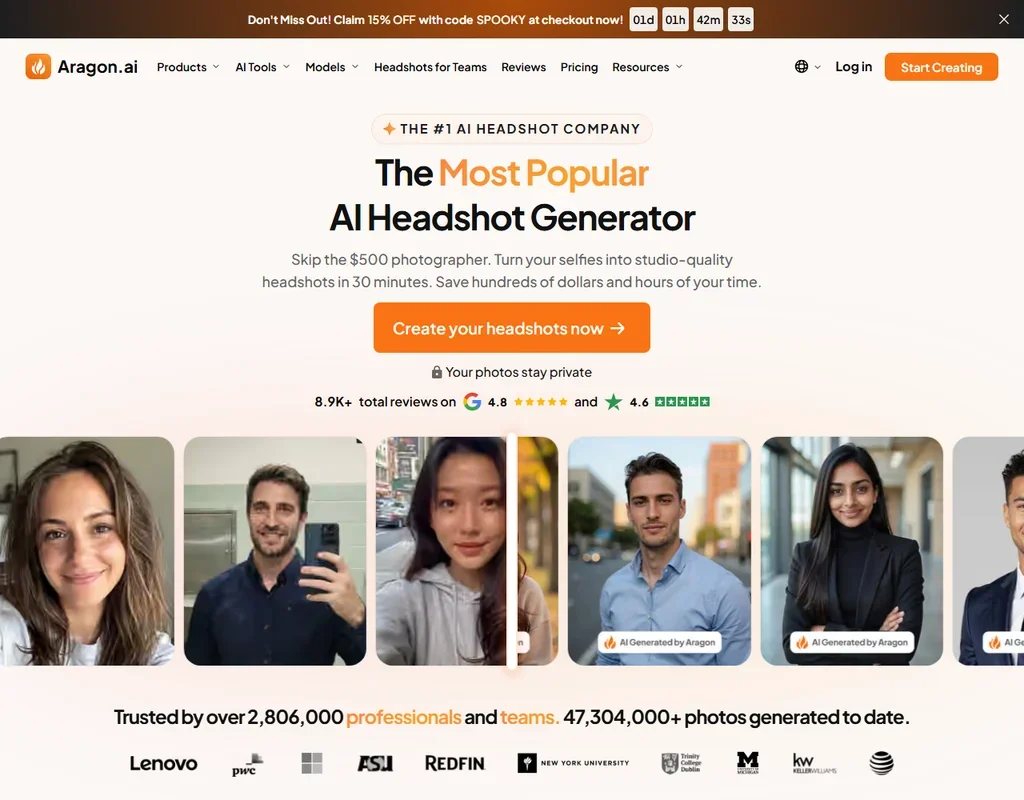
- Executive delivers 100 headshots in every attire and background within 15 minutes.
- Aragon regenerates your photos at no extra cost if you are unhappy with them.
- Basic and Standard headshots come out at 896 x 1088 pixels.
Free plan, limits not published
? Watermark not statedPaid $29/moShow detailsHide details16 HeadshotPro#2 of 3 AI headshot generators7.2Score 7.2 out of 10Free plan, limits not published? Watermark not stated$29/moVisit site ↗ReviewDetailsCloseShow more about HeadshotPro
Free plan, limits not published
? Watermark not statedPaid $29/mo
Show detailsHide detailsHeadshotPro#2 of 3 AI headshot generators
7.2Score 7.2 out of 10Free plan, limits not published? Watermark not stated$29/moVisit site ↗ReviewDetailsClose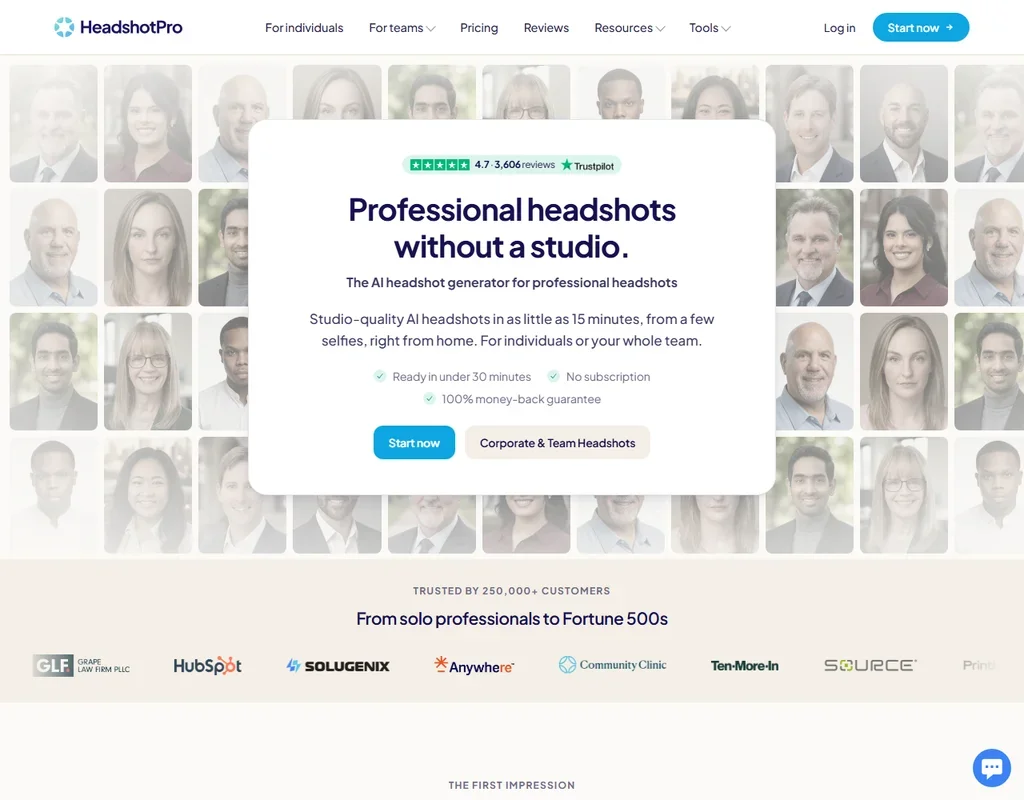
- Packages are paid once, with no subscription, and team credits never expire.
- Every package comes with a redo or a full refund if the results do not look like you.
- On Basic, backdrop and outfit styles are preselected; picking from the full library starts on Professional.
Free plan, limits not published
? Watermark not statedPaid $35/moShow detailsHide details17 BetterPic#3 of 3 AI headshot generators6.3Score 6.3 out of 10Free plan, limits not published? Watermark not stated$35/moVisit site ↗ReviewDetailsCloseShow more about BetterPic
Free plan, limits not published
? Watermark not statedPaid $35/mo
Show detailsHide detailsBetterPic#3 of 3 AI headshot generators
6.3Score 6.3 out of 10Free plan, limits not published? Watermark not stated$35/moVisit site ↗ReviewDetailsClose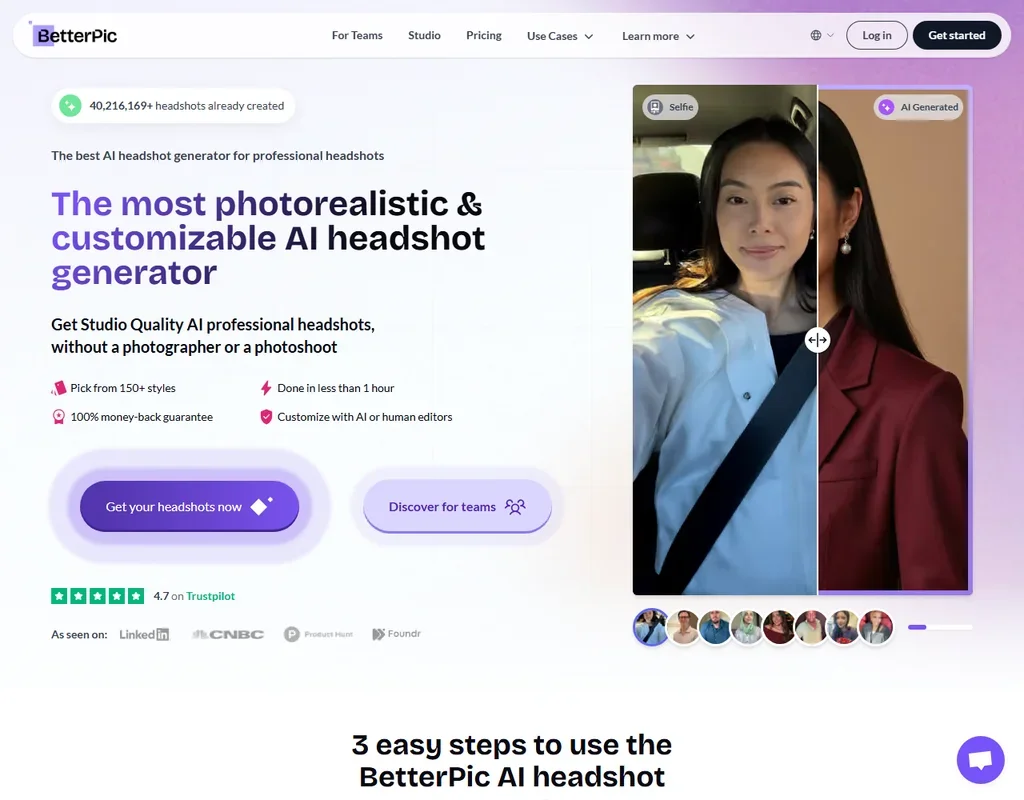
- Every package delivers 4K headshots with a commercial licence.
- A free generator gives 10 4K headshots before you pay.
- Refunds cover 7 days and only before your model training starts.
More free AI image tools
5 picksThe last four share nothing except a free entry. starryai is a phone-first generator with a daily batch, neural.love folds image, video and audio tools into one credit pool, Gencraft guides generation from sketches or a character, and Stablecog runs open models on a slow free queue. Take starryai for clean daily pictures, and neural.love when editing matters.
#ToolScoreFree plan gives youPaid from

#18starryai: Best for phone users wanting daily free images
Up to 25 images a day, no watermark, you keep copyright
✓ No watermarkNot listedShow detailsHide details18starryai: Best for phone users wanting daily free imagesn/aUp to 25 images a day, no watermark, you keep copyright✓ No watermarkNot listedVisit site ↗ReviewDetailsCloseShow more about starryai
#18starryai: Best for phone users wanting daily free images
Up to 25 images a day, no watermark, you keep copyright
✓ No watermarkNot listed
Show detailsHide detailsstarryai: Best for phone users wanting daily free images
n/aUp to 25 images a day, no watermark, you keep copyright✓ No watermarkNot listedVisit site ↗ReviewDetailsClose
The most generous daily allowance for phone users: up to 25 images a day with no watermark, in native iOS and Android apps, plus a signup grant on top. Ownership and commercial use are included. It builds on Stable Diffusion and has a free upscaler that reaches 4K. The paid Unlimited tier has no published price, so work out what you need from the free plan first.
- Every account can generate up to 25 images a day for free with no watermark.
- starryai runs as native apps on both iOS and Android, not just the web.
- starryai sells a paid Unlimited Pro tier but publishes no price for it anywhere on its site.

#19neural.love: Best for image, video and audio in one place
Limited tool access, watermarked, basic editing included
✕ WatermarkedPaid $11 (€10)/moShow detailsHide details19neural.love: Best for image, video and audio in one placen/aLimited tool access, watermarked, basic editing included✕ Watermarked$11 (€10)/moVisit site ↗ReviewDetailsCloseShow more about neural.love
#19neural.love: Best for image, video and audio in one place
Limited tool access, watermarked, basic editing included
✕ WatermarkedPaid $11 (€10)/mo
Show detailsHide detailsneural.love: Best for image, video and audio in one place
n/aLimited tool access, watermarked, basic editing included✕ Watermarked$11 (€10)/moVisit site ↗ReviewDetailsClose
Free access that spans image, video and audio tools, with basic upscaling, uncropping and background removal included. Art Generator output may be used commercially even on the free plan, but it is released as CC0, so nobody owns it, you included. Free content is watermarked, free generations are not private, and video needs a paid plan. It does not train on your uploads.
- Commercial use of Art Generator output is allowed on every plan, including Free.
- neural.love does not use uploaded files to train its AI algorithms, or for any purpose beyond the processing a user has agreed to.
- Art Generator output is created and distributed under a CC0 license, so nobody, including the user, owns the images generated.

#20Gencraft: Best for character and sketch guided generation
Daily prompts, amount not published, kept 30 days
? Watermark not stated↻ Daily creditsNot listedShow detailsHide details20Gencraft: Best for character and sketch guided generationn/aDaily prompts, amount not published, kept 30 days? Watermark not stated↻ Daily creditsNot listedVisit site ↗ReviewDetailsCloseShow more about Gencraft
#20Gencraft: Best for character and sketch guided generation
Daily prompts, amount not published, kept 30 days
? Watermark not stated↻ Daily creditsNot listed
Show detailsHide detailsGencraft: Best for character and sketch guided generation
n/aDaily prompts, amount not published, kept 30 days? Watermark not stated↻ Daily creditsNot listedVisit site ↗ReviewDetailsClose
A fit for experimenting with guided tools like Character Guide and Sketch Guide on a daily allowance, whose size is not published. Free images carry a noncommercial Creative Commons license, so selling them needs a paid subscription, and free creations are kept for 30 days. Subscribers own their images permanently. For a free plan with commercial rights, NightCafe Creator is the safer route.
- Character Guide keeps a character consistent across generations.
- Subscribers own their generated images, and that ownership persists after the subscription ends.
- Gencraft publishes no price for its paid Pro tier anywhere on the site.
Free plan, limits not published
? Watermark not statedPaid $49/moShow detailsHide detailsShow more about Dreamwave

Free plan, limits not published
? Watermark not statedPaid $49/mo
Show detailsHide details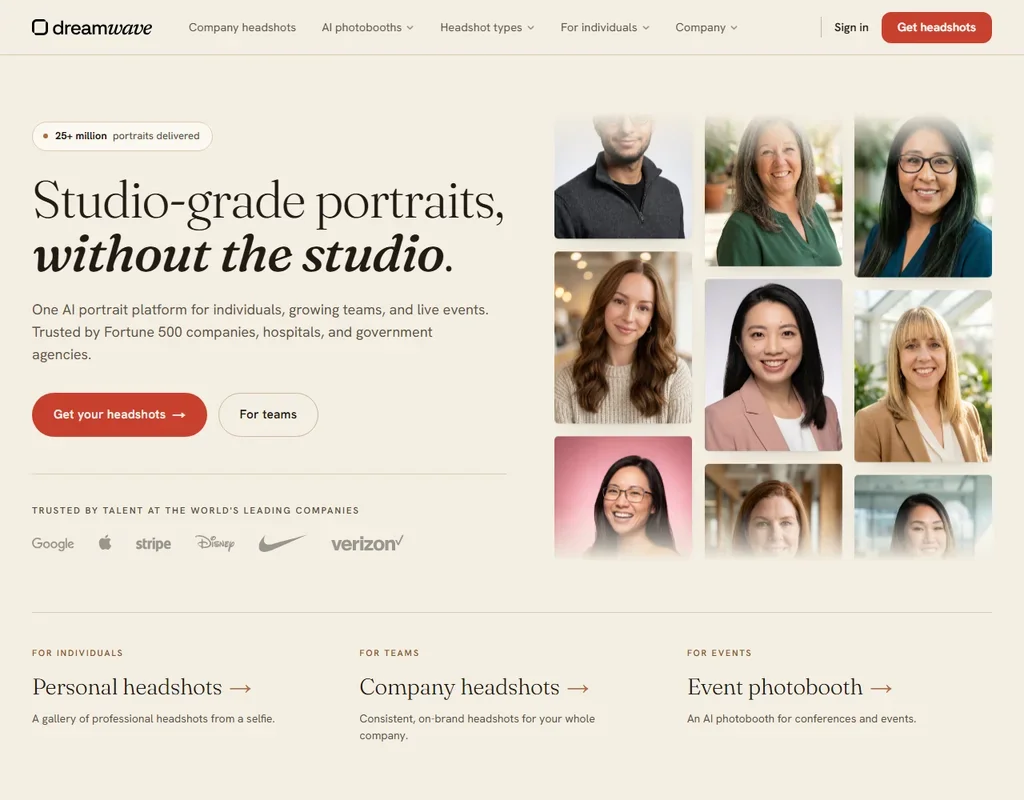
- A single clear photo is all you need to upload.
- Your likeness is never used to train AI models, not even anonymously.
- Individual package prices are not public and appear only inside the app.
#22Stablecog: Best for cheap generations on open models
20 images/day, slow generation, public images, personal use only
✕ WatermarkedPaid $11 (€10)/moShow detailsHide details22Stablecog: Best for cheap generations on open modelsn/a20 images/day, slow generation, public images, personal use only✕ Watermarked$11 (€10)/moVisit site ↗ReviewDetailsCloseShow more about Stablecog
#22Stablecog: Best for cheap generations on open models
20 images/day, slow generation, public images, personal use only
✕ WatermarkedPaid $11 (€10)/mo
Show detailsHide detailsStablecog: Best for cheap generations on open models
n/a20 images/day, slow generation, public images, personal use only✕ Watermarked$11 (€10)/moVisit site ↗ReviewDetailsClose
A renewing allowance rather than a one-off trial: free generation is slow, one image per run, and images are posted publicly. Use is personal only until a paid plan, which also makes images private. It runs several open models behind one site and has a documented API. There is no inpainting or background removal, so Ideogram or Leonardo.Ai suit edit-heavy work.
- The free plan renews 20 images every day, with no expiry, rather than a one-time trial.
- A documented public API covers both generation and upscaling, so the same models can be built on directly.
- Free-plan images are public and restricted to personal use, so commercial use requires at least the Starter plan.
How to choose a free AI image generator
Free image generators differ less in how good the pictures look than in what you are allowed to do with them afterward. Some put a watermark on every file, some post your images in a public feed, and some give you the picture but not the right to sell it. A few release everything you make into the public domain. This guide sorts the tools by the kind of image you make, shows what each free plan rations, and then checks rights, privacy and the point where free stops being enough.
Start with the job, not the tool
Most people reach for an image generator for one of five jobs, and each job has a tool on this page built around it.
- Art and experiments. Making pictures for the pleasure of it, with many styles to try. NightCafe Creator offers a long list of models and a public gallery, Starryai and Dream are built for phones, and Gencraft adds character and sketch tools.
- Text and design work. Posters, logos and anything with words in it. Ideogram is built around readable lettering, Recraft produces real SVG vectors, and Adobe Firefly generates inside the Adobe apps many designers already use.
- Product and brand images. Stockimg AI makes product shots, logos and social posts in one place, Exactly.ai trains a private style model on your own artwork, and PromeAI covers product photography, architecture and interiors.
- Remixing and reworking. Artbreeder blends and remixes images rather than starting from a prompt, and Playform offers sketch, style and face tools.
- Comics and stories. ComicInk turns a story into panels with the same characters throughout.
ChatGPT and Gemini also make images, and for a quick one-off they may be all you need. The table names a first pick and a fallback for each task.
| Job | Start with | Runner-up, and the trade-off |
|---|---|---|
| Daily free art on a phone | Starryai | Dream also runs on phones, but its free exports carry a watermark |
| Try many models for free | NightCafe Creator | Leonardo AI has a large model roster too, with commercial use held for paid plans |
| Poster or logo with words | Ideogram | Recraft makes vectors, though its free images are public and owned by Recraft |
| Image inside a design app | Adobe Firefly | Ideogram runs on the web and iOS and lists commercial use on every plan |
| Product photos | Stockimg AI | PromeAI covers more scenes, but commercial use starts on its Standard plan |
| Art you can remix | Artbreeder | Playform offers 100 generations a day, each watermarked until you pay to download it clean |
| A comic with fixed characters | ComicInk | Leonardo AI keeps characters consistent as one feature among many |
What you actually get for free
Every free plan counts something, and the unit tells you how a normal week will go.
- Daily credits. NightCafe Creator gives 5 credits on each login day and unlimited base Stable Diffusion images. Leonardo AI gives 150 fast tokens a day, and Dream gives 5 credits a day for basic styles. Exactly.ai gives 5 credits a day, which a few quick tries will use up.
- Daily image counts. Starryai allows up to 25 images a day without a watermark, which is a generous amount for a hobbyist. Stablecog allows 20 slow images a day, and Playform allows 100 generations a day with a watermark. Recraft limits you to 3 generations per style a day.
- Queue-based plans. Ideogram gives weekly slow credits and runs one generation at a time. Artbreeder allows unlimited base Splicer generation and slow, queued Collager generation without credits.
- One-time credits. ComicInk gives 100 credits at signup and does not renew them, so treat it as a trial.
- Allowances without a stated number. Adobe Firefly, Gencraft, Stockimg AI, neural.love and PromeAI all have free plans, and their sites describe the allowance in general terms.
Both assistants ration in a similar way. ChatGPT's free plan includes limited, slower image generation, and Gemini makes images with Nano Banana 2.
Which tool fits which creator
- Hobbyists. Start with NightCafe Creator, because ownership and commercial use come with the free tier and the daily challenges give you a reason to return. Add Starryai when you want a phone app with 25 free images a day.
- Social media marketers. Start with Starryai or Artbreeder, because both list commercial rights and both leave the free tier without a watermark. Add Stockimg AI when you need branded posts, though commercial use there requires a paid plan.
- Designers. Start with Ideogram for lettering, because it lists ownership and commercial use on every plan, including free. Add Recraft once you need SVG vectors and can pay for its commercial rights.
- Adobe users. Start with Adobe Firefly, because it works inside the apps you already use and does not train on your content. Add Ideogram for images that need legible text.
- Illustrators and comic makers. Start with ComicInk for panels with consistent characters, and Playform for sketch conversion and style transfer. Both say your content is not used for training.
- Brand teams. Start with Exactly.ai, because it trains a style on your own images and sells commercial licenses per download. Add PromeAI for product and interior renders.
Where free plans stop
| Limit | Tools | What happens when you hit it |
|---|---|---|
| Daily count | NightCafe Creator (5 credits), Starryai (25 images), Leonardo AI (150 tokens), Stablecog (20 images), Dream (5 credits) | It renews the next day, so waiting costs hours |
| Watermark | Playform, Dream, neural.love, Exactly.ai | Playform charges 2 credits to download an image clean, and the others need a paid plan or a license |
| Public by default | NightCafe Creator, Leonardo AI, Recraft, Stablecog, neural.love | Private generation needs a paid plan |
| Rights held back | Leonardo AI, Stockimg AI, Recraft, Stablecog, Gencraft, PromeAI | Commercial use begins on a paid plan |
Working inside these limits means treating free generations as sketches. Make your drafts on a free plan, pick the one image worth keeping, and only then decide whether the rights or the clean download justify paying.
What you give up by staying free
The loss is more than volume. Several free plans hold back privacy, so what you make appears in a public feed. NightCafe Creator, Leonardo AI and Recraft all post free creations publicly by default. Recraft goes further, and says free images are owned by Recraft, not by the person who made them.
The second loss is capability. Stockimg AI keeps persistent model training and character consistency for its custom Enterprise plan, and Gencraft keeps custom model training for subscribers. Speed is held back too: Stablecog's free images generate slowly, and NightCafe Creator's priority queue starts on a paid tier.
Privacy and who owns the image
Most of these tools say something about training and ownership, and the two matter if you upload your own photos or sell what you make. Five tools say your content is not used for training, two let you opt out, and one does the opposite.
| Tool | Training on your content |
|---|---|
| Adobe Firefly | Not used for training |
| neural.love | Not used for training |
| Playform | Not used for training |
| Exactly.ai | Not used for training |
| ComicInk | Not used for training |
| Leonardo AI | You can opt out |
| Recraft | You can opt out |
| Ideogram | Trains by default, with no opt-out on any plan |
Upload your own photos only to the first five, or to Leonardo AI and Recraft once you have opted out. On ownership, NightCafe Creator, Starryai, Adobe Firefly, Ideogram and ComicInk say you own your output, and ComicInk says from any account. Artbreeder and neural.love work differently, because every Artbreeder image and the neural.love Art Generator output are released under CC0, which means anyone may reuse it. Gencraft's free images carry a Creative Commons noncommercial license.
Mistakes to avoid
- Assuming free means commercial. Gencraft's free images are noncommercial, Stablecog's free plan is personal use only, and Leonardo AI, Recraft and PromeAI keep commercial rights for paid plans. Check the plan before an image goes on a product.
- Posting watermarked files. Playform, Dream, neural.love and Exactly.ai mark free outputs, and a watermark on a client post looks careless. Use a tool without one, or budget for the clean download.
- Forgetting that free means public. NightCafe Creator and Leonardo AI publish free generations by default. Leave unreleased product shots and personal photos out of them.
- Expecting to own a CC0 image. Artbreeder and neural.love release their images into the public domain, so you cannot stop others from using the same file. That suits blog art and is a poor fit for a logo.
- Uploading private references to Ideogram. It trains on your uploads by default with no opt-out, so keep client work and personal photos elsewhere.
When to move up a plan
You have outgrown a free plan when you ration your own ideas, or when an image needs a right the free plan withholds. Waiting a day for credits, hiding a watermark in a crop, or leaving a client image out of a gallery are the signs.
| If you are | Upgrade to | What changes |
|---|---|---|
| Selling prints or posts | Leonardo AI Essential | Commercial use and private generation, with 8,500 fast tokens a month |
| Making many images a month | Stablecog Starter | 2,000 images a month, faster generation, private images and commercial use |
| Doing client design work | Recraft Basic | 1,000 credits a month, commercial rights and private generations |
| Keeping drafts private | NightCafe Creator AI Enthusiast | Private generations with 500 credits a month |
| Working in Adobe apps | Adobe Firefly Standard | 2,000 generative credits a month |
| Sharing clean downloads | Playform Pro | Unlimited watermark-free downloads and 30 roll-over credits a month |
ChatGPT and Gemini scale in a simple way. ChatGPT Go costs $8 a month and raises image limits, and Plus costs $20 and expands them. Google AI Plus costs $4.99 a month and doubles Gemini's limits, and Google AI Pro costs $19.99 and gives 4 times the limits, with Nano Banana Pro added on paid plans.
Billing choices change the real cost. Adobe Firefly paid plans are annual commitments paid in monthly instalments, and Recraft and Stockimg AI both list a lower monthly price on yearly billing. Leonardo AI has no free trial of a paid plan, and neural.love shows its prices in euros.
Using two free tools together
Because each free plan rations something different, two of them can cover a project that neither finishes alone.
- Explore widely. Spend NightCafe Creator's daily credits or Starryai's 25 daily images on drafts and styles.
- Refine one image. Take the best result to Ideogram for lettering, or to Playform for style changes.
- Check the rights. Confirm the commercial terms of the tool that made the final file before you publish it.
For a social campaign, make the artwork in Starryai, add the headline text in Ideogram, and keep Adobe Firefly for anything that goes into a design file.
What would this stack cost you?
Add our top picks (ChatGPT, NightCafe Creator, Adobe Firefly and 3 more) to the calculator and see the monthly total, then swap in the plans you would pay for.
How we picked
Every tool here is ranked by its score, and each score is worked out from the vendor’s own published pages: pricing, plans, features and terms. No score is adjusted by hand. 17 of the 22 tools have enough published facts to show a score, and on average 87% of each score comes from facts the vendor publishes. The facts behind these scores were checked between 22 September 2026 and 31 October 2026.
Scores compare tools that do the same job, which is why the list is grouped by job: a video editor and a grammar checker are never ranked against each other.
| Ranked as | On this page | What we score | Scoring guide |
|---|---|---|---|
| AI art platforms8 reviewed | 8 | 4 criteria, 20 checked facts: what you can make with it, the community around it, rights and privacy, pricing and what you get free | How we score these → |
| AI image generators7 reviewed | 4 | 5 criteria, 26 checked facts: what it makes, control and automation, rights and privacy, pricing, openness and support | How we score these → |
| Brand and product image tools8 reviewed | 4 | 4 criteria, 19 checked facts: the imagery it is built for, getting volume out, rights and privacy, pricing | How we score these → |
| AI headshot generators5 reviewed | 4 | 4 criteria, 13 checked facts: what you get, speed and effort, pricing, your photos and trust | How we score these → |
| AI assistants23 reviewed | 2 | 4 criteria, 13 checked facts: what it can do, where it works, pricing, privacy and trust | How we score these → |
Common questions
Is there a free AI image generator with no watermark?
Yes, several. starryai gives up to 25 images a day without a watermark, and NightCafe Creator, Leonardo.Ai, Ideogram, Artbreeder and Recraft also export clean on their free plans. Playform, Dream, Stablecog, neural.love, exactly.ai and Stockimg AI mark free output. Clean does not mean free to sell, so check the license line before you publish anything.
What is the best free AI art generator for a phone?
starryai is built as a mobile-first app, with native iOS and Android versions and a daily free batch. Leonardo.Ai and Recraft run on both platforms too, and Ideogram has an iOS app. NightCafe Creator has no installed app, only a website you can add to the home screen, so it suits a laptop better.
Is ChatGPT image generation free?
The free plan includes image generation, though it is limited and slower than on paid plans. Go, at $8 a month, raises the image limits, and Plus, at $20 a month, expands them again. Anyone who only needs the odd picture can stay on the free plan, and heavier use is better placed on a dedicated image tool.
Can I make AI images in Gemini for free?
Yes, a Google account is enough. Gemini makes images with Nano Banana 2, and paid plans add Nano Banana Pro. Google AI Plus, at $4.99 a month, doubles the usage limits, and Google AI Pro, at $19.99 a month, gives four times as much. The free allowance suits occasional pictures rather than a project.
Is there a free AI product photo generator?
PromeAI has an ongoing free plan with product, sketch and headshot tools, but its commercial licensing starts at the Standard plan, so treat free output as personal. exactly.ai gives daily credits and trains a brand style for free, with previews watermarked until you buy a license. Stockimg AI offers a free account with limited features.
Can I upscale an AI image for free?
Yes, on a few tools. Playform upscales up to 4x for free and without limit on every plan, starryai has a free upscaler that reaches 4K, and neural.love includes basic image upscaling on its free plan. Stablecog stops at upscaling for editing. Upscale the one image you plan to use, not every draft.
Can I make a logo with a free AI image generator?
Recraft makes vector files and Stockimg AI exports SVG, but neither free plan covers client work. Recraft's free images are public and owned by Recraft, and Stockimg AI reserves commercial use for subscribers. Use the free plans to explore ideas, then pay for the one tool whose rights match the finished logo.