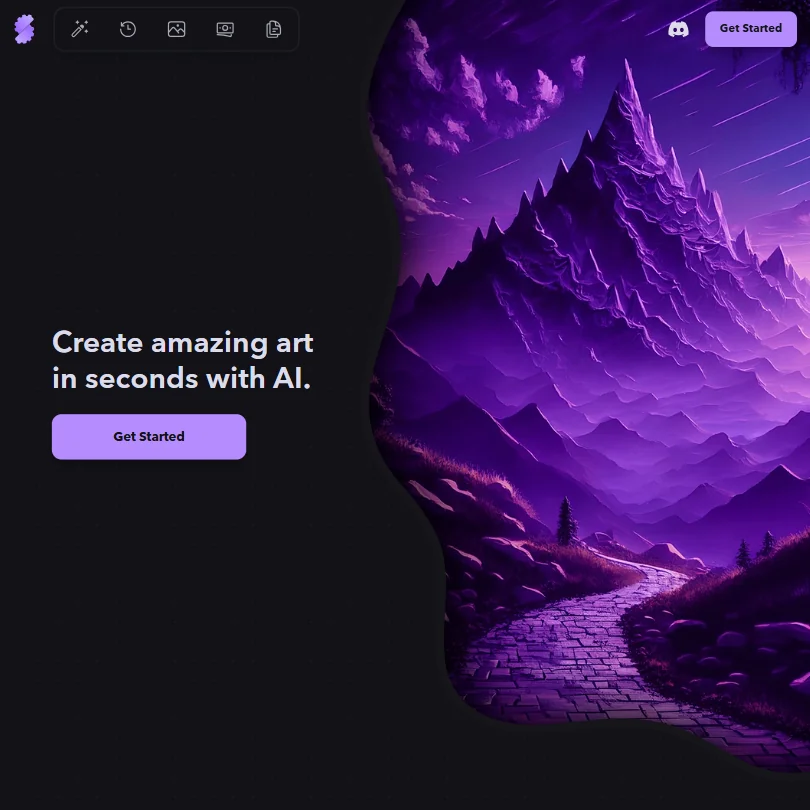
Stablecog is a web-based art platform that runs open image models, including FLUX.1 and Stable Diffusion 3, behind one interface with a documented API and euro-denominated pricing. It generates and upscales images but does not edit or restyle them beyond that, so what decides whether it suits you is whether a straightforward multi-model generator is enough on its own.
What is Stablecog?
Stablecog is a company registered in Oregon, United States. It does not build its own image model; it serves eight open, third-party models, including FLUX.1, Stable Diffusion 3, Kandinsky 2.2, SDXL, SSD-1B, Luna Diffusion, 22h Diffusion and Waifu Diffusion, through one web app.
What you can make with Stablecog
The free plan renews 20 images every day, with generation capped at one image per run, no parallel generations, and images posted publicly; it is for personal use only. Paid plans lift commercial use, make generations private, and raise the monthly image count: Starter gives 2,000 images a month, Pro gives 6,000, and Ultimate gives 12,000.
Generation supports up to four images per prompt in one run, and a dedicated Upscale endpoint enlarges finished images. Stablecog has no inpainting, outpainting or background removal, so editing stops at upscaling. It offers no saved style reference, no character consistency across generations, no pose or structure control, and no option to train a custom model on your own images.
A public gallery lists new, trending and top images with search. Stablecog runs no challenges or contests.
Working with other people
Stablecog has a documented public API for generation and upscaling, so the same models can be built on directly. It runs on the web only, with no desktop or mobile app.
Stablecog pricing: what each plan gives
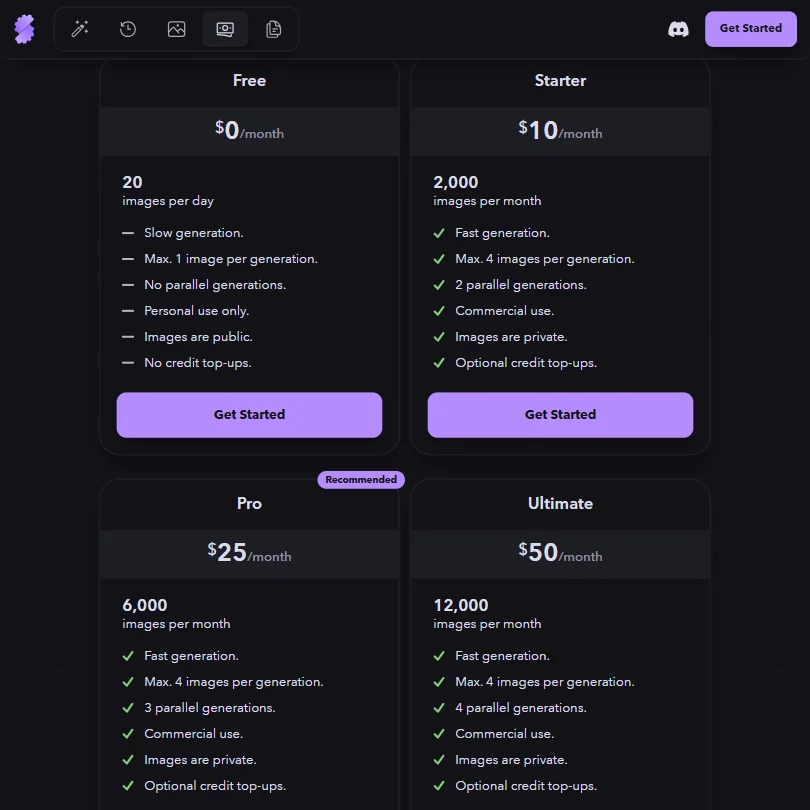
Free costs €0 a month and gives 20 images a day, with generation slowed, capped at one image per run, no parallel generations, and images kept public; it is personal use only, with no credit top-ups.
Starter costs €10 a month for 2,000 images. Pro costs €25 a month for 6,000 images. Ultimate costs €50 a month for 12,000 images. Prices are shown only in euros, with no monthly to yearly switch and no free trial of the paid plans.
Rights and privacy
Images made while subscribed to Starter, Pro or Ultimate can be used commercially and are kept private; free-plan images remain public and personal use only. Stablecog's own indemnification clause runs from the user to the company, not the other way, so there is no promise from Stablecog to defend a user's rights to an image. Its privacy policy explains the legal bases it relies on under the GDPR and UK GDPR.
Support runs by email, with the Guide and Docs pages serving as a self-serve help center.
Who Stablecog suits
Stablecog suits people who want quick access to a spread of open image models, such as FLUX.1 and Stable Diffusion 3, through one interface or API, without needing to edit, restyle or fine-tune what comes out. Its flat euro pricing and per-plan image counts make cost predictable for straightforward generation and upscaling.
It suits less well anyone who needs inpainting, background removal, pose control or a trained custom style, since none of those exist on the platform, or anyone on the free plan who needs commercial rights or private generations, since both require a Starter subscription or higher.
Frequently Asked Questions
How much does Stablecog cost?
Free costs €0 a month for 20 images a day, personal use only. Starter costs €10 a month for 2,000 images, Pro costs €25 a month for 6,000 images, and Ultimate costs €50 a month for 12,000 images, each with commercial use and private generations.
How many models does Stablecog offer?
Stablecog currently serves eight open image models, including FLUX.1, Stable Diffusion 3, Kandinsky 2.2 and SDXL, through one web app and a public API.
Can I edit or inpaint an image in Stablecog?
No. Stablecog has no inpainting, outpainting or background removal; a dedicated Upscale endpoint is the only editing feature it offers.
Can I use Stablecog images commercially?
Yes, but only on a paid plan. Images made while subscribed to Starter, Pro or Ultimate can be used commercially; free-plan images are for personal use only and stay public.