ChatGPT Go costs $8 a month and raises the free plan's limits on image creation, alongside more messages, uploads and longer memory.
Best of · 10 tools ranked
Best AI Image Generators Under $10/mo
A cheap plan for an AI image generator can mean a generous pool, a thin one, or no plan at all because the tool bills by the picture. This page sorts the options under $10 a month by what the entry price buys, who owns the result and where you would outgrow it.
Updated 3 October 2026Ranked by our score, worked out from each vendor’s own pages.How we score →All AI Image Generation →
Our top 3 AI Image Generators Under $10/mo
A monthly credit pool arrives with the entry tier, on top of the free daily allowance, spread across Adobe's own models and those from other companies.
Paying here adds credits to spend on faster and higher-resolution output, including a 2048px download, beyond the unlimited base mixing the free plan gives.
Best AI chat assistants that make images under $10
2 picks#ToolScoreEntry plan includesStarts at
Go: Best for longer conversations; more messages, uploads, image creation, longer memory
✓ Free plan tooFrom $8Show detailsHide details01 ChatGPT: Best for more images in the chat you use8.8Score 8.8 out of 10Go: Best for longer conversations; more messages, uploads, image creation, longer memory✓ Free plan too$8Visit site ↗ReviewDetailsCloseShow more about ChatGPT
Go: Best for longer conversations; more messages, uploads, image creation, longer memory
✓ Free plan tooFrom $8
Show detailsHide detailsChatGPT: Best for more images in the chat you use
8.8Score 8.8 out of 10Go: Best for longer conversations; more messages, uploads, image creation, longer memory✓ Free plan too$8Visit site ↗ReviewDetailsClose
ChatGPT Go costs $8 a month and raises the free plan's limits on image creation, alongside more messages, uploads and longer memory. For someone who already uses ChatGPT for writing or research, that is the cheapest way to make images regularly without a second subscription. The newest models wait for Plus. Pick Midjourney instead if images are the main job and their style matters more than convenience.
- The Free plan includes unlimited text chats with GPT-6 Luna, subject to abuse guardrails.
- Web search is included on every individual plan, including Free.
- Go, the cheapest paid plan, still does not unlock GPT-6.1 Sol, GPT-6 Astra or GPT-6 Sol, and may include ads.
Google AI Plus: Get 2x higher usage limits
✓ Free plan tooFrom $4.99Show detailsHide details02 Gemini: Best for the cheapest assistant that makes images7.9Score 7.9 out of 10Google AI Plus: Get 2x higher usage limits✓ Free plan too$4.99Visit site ↗ReviewDetailsCloseShow more about Gemini
Google AI Plus: Get 2x higher usage limits
✓ Free plan tooFrom $4.99
Show detailsHide detailsGemini: Best for the cheapest assistant that makes images
7.9Score 7.9 out of 10Google AI Plus: Get 2x higher usage limits✓ Free plan too$4.99Visit site ↗ReviewDetailsClose
Google AI Plus costs $4.99 a month and doubles Gemini's usage limits, and paid subscribers get Nano Banana Pro for regenerating images on top of Nano Banana 2. It is the lowest entry price for an assistant that also makes pictures. Choose it over ChatGPT Go if you live in Google's apps, and Firefly if you want a dedicated image tool trained on licensed content.
- Gemini is free to use with any personal Google account, with Google's Flash models included.
- Google AI Pro at $19.99 a month includes Gemini 4 Argon, Google's newest frontier model.
- The free plan's context window is capped at 32,000 tokens, far below the 1 million tokens on Pro and Ultra.
Best AI image models under $10
4 picks#ToolScoreEntry plan includesStarts at
Firefly Standard: 2,000 credits/mo
✓ Free plan tooFrom $9.99Show detailsHide details03 Adobe Firefly: Best for people who want Adobe's own models8.1Score 8.1 out of 10Firefly Standard: 2,000 credits/mo✓ Free plan too$9.99Visit site ↗ReviewDetailsCloseShow more about Adobe Firefly
Firefly Standard: 2,000 credits/mo
✓ Free plan tooFrom $9.99
Show detailsHide detailsAdobe Firefly: Best for people who want Adobe's own models
8.1Score 8.1 out of 10Firefly Standard: 2,000 credits/mo✓ Free plan too$9.99Visit site ↗ReviewDetailsClose
A monthly credit pool arrives with the entry tier, on top of the free daily allowance, spread across Adobe's own models and those from other companies. Paid plans are annual commitments paid monthly, so there is no month by month exit. Content is not used for training by default. If you want seed and negative prompt fields, Midjourney offers both.
- The free plan gives limited daily generations across image, video and audio models at no cost.
- Adobe will not use your content to train its models, except content you choose to submit to Adobe Stock, which is opt-in.
- No paid plan has a true month-to-month price; every one is an annual commitment paid in monthly instalments.
From $0.04Show detailsHide details04 Black Forest Labs: Best for developers paying per FLUX image7.2Score 7.2 out of 10$0.04Visit site ↗ReviewDetailsCloseShow more about Black Forest Labs
From $0.04
Show detailsHide detailsBlack Forest Labs: Best for developers paying per FLUX image
7.2Score 7.2 out of 10$0.04Visit site ↗ReviewDetailsClose
There is no subscription here, which is the point: you buy credits and pay per image on FLUX models, with commercial rights and ownership on every generation. Some models are open weights if you want to self-host. It is built for developers calling an API, not for casual browsing, and there is no free tier. Prompts feed training by default unless you email to opt out.
- Credits cost $0.01 each with no subscription, for example 4 credits, $0.04, per image on FLUX.1 Kontext [pro].
- Every generation through the API comes with full commercial rights and output ownership, with no separate license.
- There is no free tier and no free trial.
Creator: 2000 credits/month (no rollover); end-to-end generation and editing; essential customer support
From $0.03Show detailsHide details05 Stability AI: Best for developers wanting Stable Diffusion by the image6.7Score 6.7 out of 10Creator: 2000 credits/month (no rollover); end-to-end generation and editing; essential customer support$0.03Visit site ↗ReviewDetailsCloseShow more about Stability AI
Creator: 2000 credits/month (no rollover); end-to-end generation and editing; essential customer support
From $0.03
Show detailsHide detailsStability AI: Best for developers wanting Stable Diffusion by the image
6.7Score 6.7 out of 10Creator: 2000 credits/month (no rollover); end-to-end generation and editing; essential customer support$0.03Visit site ↗ReviewDetailsClose
Pay per image on Stable Diffusion, at a few cents each, with no monthly commitment. Editing covers inpainting, outpainting, background removal and 4K upscaling, which cheap subscription tools often skip. Individuals and organizations under a revenue threshold may self-host under its community license at no cost. There is no consistent character feature. Choose it when editing tools matter.
- Pay-as-you-go pricing runs as low as 3 credits, $0.03, per image with no subscription required.
- The Community License lets individuals and organizations under $1M in annual revenue self-host the model for free.
- There is no recurring free tier; the 25 signup credits are a one-time bonus.
Basic: Limited generations (~200 image jobs / month)
From $10Show detailsHide details06 Midjourney: Best for stylised images with a flat monthly fee6.0Score 6.0 out of 10Basic: Limited generations (~200 image jobs / month)$10Visit site ↗ReviewDetailsCloseShow more about Midjourney
Basic: Limited generations (~200 image jobs / month)
From $10
Show detailsHide detailsMidjourney: Best for stylised images with a flat monthly fee
6.0Score 6.0 out of 10Basic: Limited generations (~200 image jobs / month)$10Visit site ↗ReviewDetailsClose
This is the lowest way in to a flat subscription, with a limited number of image jobs each month and no free plan or trial before it. Commercial use is included from that plan, though firms above a revenue line must be on a higher tier. Prompts train the model with no opt-out, and there is no API. For a safer privacy position at this price, Adobe Firefly is the alternative.
- Every subscriber owns what they create and may use it commercially from the cheapest paid plan.
- Midjourney turns a still image into a 5-second video as well as generating stills, alongside style reference, seed and negative prompt controls.
- There is no free plan and no free trial, so there is no way to try Midjourney before paying.
Best AI art platforms under $10
2 picks#ToolScoreEntry plan includesStarts at
Starter: 1200 Credits/year (~12000 SDXL images)
✓ Free plan tooFrom $8.99Show detailsHide details07 Artbreeder: Best for remixing images on a small budget7.3Score 7.3 out of 10Starter: 1200 Credits/year (~12000 SDXL images)✓ Free plan too$8.99Visit site ↗ReviewDetailsCloseShow more about Artbreeder
Starter: 1200 Credits/year (~12000 SDXL images)
✓ Free plan tooFrom $8.99
Show detailsHide detailsArtbreeder: Best for remixing images on a small budget
7.3Score 7.3 out of 10Starter: 1200 Credits/year (~12000 SDXL images)✓ Free plan too$8.99Visit site ↗ReviewDetailsClose
Paying here adds credits to spend on faster and higher-resolution output, including a 2048px download, beyond the unlimited base mixing the free plan gives. Credits are counted by the year rather than the month, which is worth planning around. Every image is released as CC0 even on a paid plan, so it is poor for exclusive artwork. If you outgrow it, the next tier up adds a bigger pool.
- Every plan, including free, gives unlimited base Splicer generation without spending credits.
- Paid tiers include a 2048px high-resolution download upscaled from the 512px base image.
- Every image made on Artbreeder, on any plan, must be released under Creative Commons CC0, so it can be reused by anyone else too.
Plus: Unlimited generations with watermark, 1 credit per download, 2x/4x upscale free, video clips, bulk download, 2 GB storage
✓ Free plan tooFrom $10Show detailsHide details08 Playform: Best for artists drafting freely, paying per download7.3Score 7.3 out of 10Plus: Unlimited generations with watermark, 1 credit per download, 2x/4x upscale free, video clips, bulk download, 2 GB storage✓ Free plan too$10Visit site ↗ReviewDetailsCloseShow more about Playform
Plus: Unlimited generations with watermark, 1 credit per download, 2x/4x upscale free, video clips, bulk download, 2 GB storage
✓ Free plan tooFrom $10
Show detailsHide detailsPlayform: Best for artists drafting freely, paying per download
7.3Score 7.3 out of 10Plus: Unlimited generations with watermark, 1 credit per download, 2x/4x upscale free, video clips, bulk download, 2 GB storage✓ Free plan too$10Visit site ↗ReviewDetailsClose
Drafting without a cap is the draw: the entry plan keeps the watermark, charging a single credit per clean download. Free 2x and 4x upscaling and short video clips come with it, plus bulk download. Watermark-free unlimited downloads wait on the tier above. That makes it fit people who make many drafts and keep few, and Artbreeder is the pick if remixing matters more.
- Playform does not use content you submit or generate to train or fine-tune its general-purpose image models.
- You own all intellectual property in the images you generate, and retain full commercial rights to them.
- Every free-plan generation carries a watermark, which costs 2 credits per image to remove.
Best brand and product image tools under $10
2 picks#ToolScoreEntry plan includesStarts at
09 Pebblely#6 of 8 brand and product image tools5.4Score 5.4 out of 10Lite$9Visit site ↗ReviewDetailsCloseShow more about Pebblely
Pebblely#6 of 8 brand and product image tools
5.4Score 5.4 out of 10Lite$9Visit site ↗ReviewDetailsClose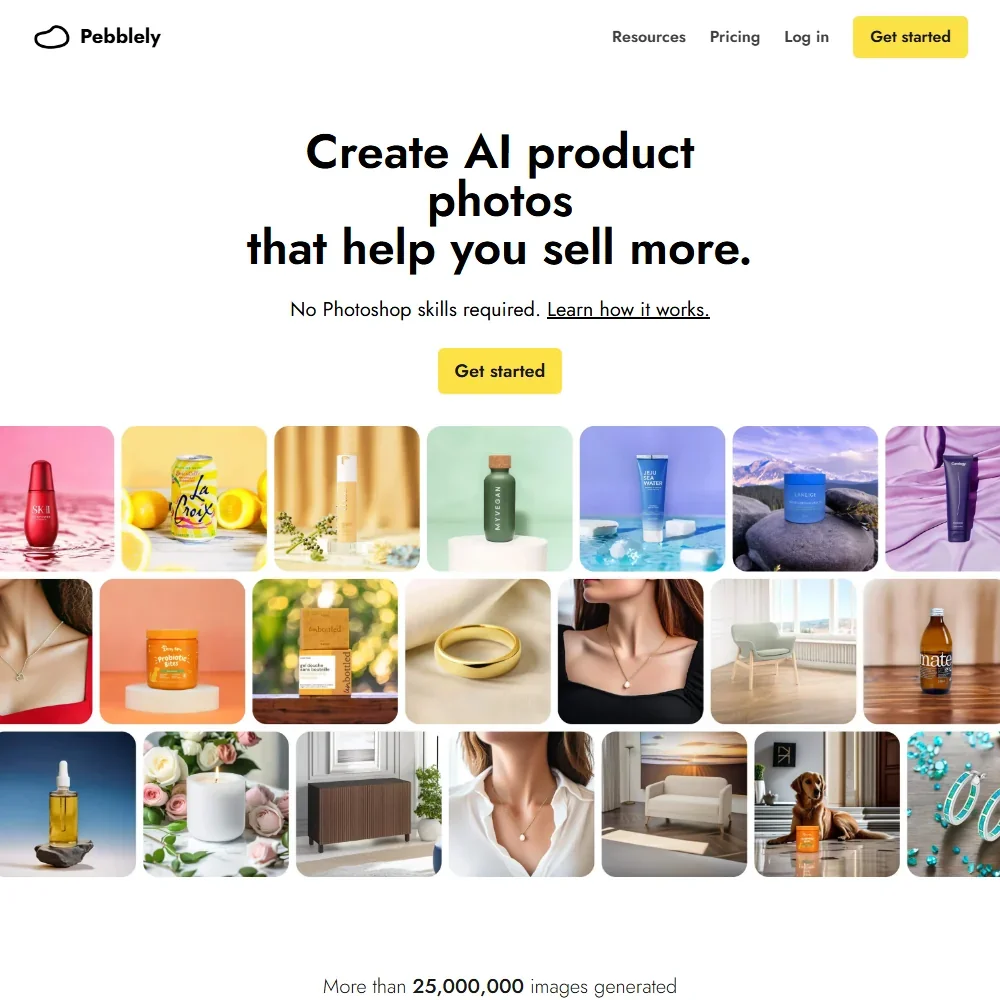
- Uploaded and generated images are not used for any AI training.
- Pebblely extracts the text on your product photo to keep labels and packaging copy correct.
- There is no free trial and no refunds.
✓ Free plan tooFrom $9.99Show detailsHide details10 Comicink: Best for comic pages with a consistent hero5.0Score 5.0 out of 10✓ Free plan too$9.99Visit site ↗ReviewDetailsCloseShow more about Comicink
✓ Free plan tooFrom $9.99
Show detailsHide detailsComicink: Best for comic pages with a consistent hero
5.0Score 5.0 out of 10✓ Free plan too$9.99Visit site ↗ReviewDetailsClose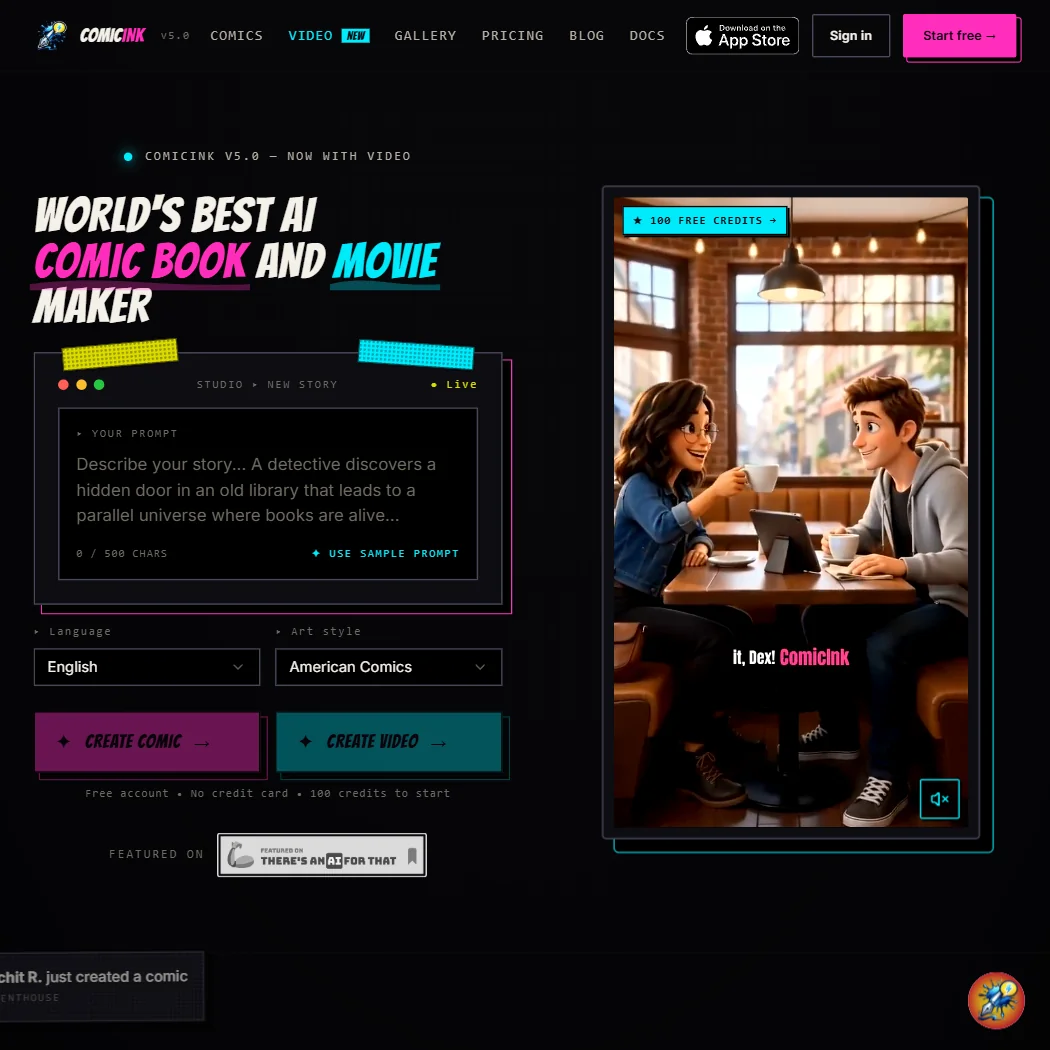
For storytellers, the entry plan adds a recurring monthly credit pool, enough for roughly thirty comic pages, over the one-time signup bonus. Character Lock keeps your hero looking the same, and commercial rights and ownership belong to you on every account. There is no batch generation or API, so heavy production needs a different tool. If you want general images instead of panels, choose Playform.
- ComicInk grants full commercial use of what you create on every account, not just paid ones.
- ComicInk does not use your content to train its own AI models.
- ComicInk's free tier is a one-time 100-credit signup bonus, not a recurring monthly free plan.
How to choose an AI image generator under $10 a month
Spending under $10 on images does not buy one thing. In one product it is a monthly pool of credits, in another a charge per download, and in a third there is no monthly fee at all, only a price for each picture. The tools also differ on questions that matter to anyone who sells or posts their work: whether the file carries a watermark, who owns the result, and whether your prompts train the next model. This guide sorts the tools by job, explains what each kind of plan counts, and then covers rights, privacy and when a bigger plan pays for itself.
Start with the job, not the tool
Each tool here suits one kind of picture better than the others.
- Design and editing in Adobe apps. Adobe Firefly generates inside the same web app and tools many designers already use, and it also covers video and audio.
- Remixing and sketch art. Artbreeder makes images by blending and remixing rather than by prompting, and Playform converts sketches, transfers styles and keeps faces consistent.
- Prompt-driven art. Midjourney builds its own image and video models, with style and character references.
- Building images into an app or workflow. Black Forest Labs sells its FLUX models by the image, and Stability AI does the same with Stable Diffusion. Both offer an API and open-weights or self-hosted options.
- Comics and stories. ComicInk turns a story into comic panels with the same characters throughout.
ChatGPT and Gemini cover quick, everyday images and cost little. The table gives a first pick and a fallback for each task.
| Job | Start with | Runner-up, and the trade-off |
|---|---|---|
| Edit or generate inside Adobe apps | Adobe Firefly | Artbreeder has no dedicated upscaling tool, so Firefly suits finished work better |
| Remix images instead of prompting | Artbreeder | Playform adds sketch and face tools, but its generations carry a watermark |
| Highest-quality prompt art | Midjourney | Adobe Firefly offers a free plan, which Midjourney does not |
| Pay only for the images you make | Stability AI | Black Forest Labs charges a little more per image and has no free tier |
| Add image generation to a product | Black Forest Labs | Stability AI gives a small one-time bundle of signup credits to try first |
| Make a comic | ComicInk | Playform offers face-consistent portraits and sketch tools, but it is not built around stories |
What the price actually buys
Four different units are on sale at this price, and the same ten dollars goes a different distance in each.
- Monthly credits. Adobe Firefly Standard includes 2,000 generative credits, and ComicInk Basic includes 1,500 credits, about 30 comic pages. Artbreeder Starter lists 1,200 credits a year, about 12,000 SDXL images.
- Job counts. Midjourney Basic allows roughly 200 image jobs a month, so a heavy week can use the month's allowance.
- Charges per download. Playform Plus gives unlimited generations with a watermark, charges 1 credit per download and includes 2x and 4x upscaling. You can try as much as you like and only pay for what you keep.
- Pay per image. Black Forest Labs and Stability AI charge 1 cent per credit with no monthly fee. Stable Image Core costs 3 credits, 3 cents an image, so 10 dollars buys about 333 images, and Black Forest Labs lists images from 4 cents, about 250 for the same money.
ChatGPT Go at $8 a month raises its image limits, and Google AI Plus at $4.99 a month doubles Gemini's limits. Both sit under the budget, though neither is an image tool first.
Which tool fits which creator
- Casual creators and hobbyists. Start with Artbreeder, because the free plan allows unlimited base generation and every image is released as CC0, free for anyone to reuse. Add ChatGPT or Gemini for quick pictures, since both have free image options.
- Social media marketers. Start with Adobe Firefly, because it lists commercial use and does not train on your content. Add Artbreeder for background images, remembering that its output is released as CC0.
- Designers. Start with Adobe Firefly for work inside the Adobe apps, and add Playform when a sketch needs to become a finished look.
- Illustrators and comic makers. Start with ComicInk for panels with consistent characters, where your content is not used for training. Add Playform for style transfer and sketch conversion.
- Artists selling prints. Start with Midjourney, because commercial use is included from the first paid plan and you own your output. Companies with more than $1,000,000 a year in gross revenue must be on the Pro or Mega plan.
- Developers. Start with Black Forest Labs if you want FLUX through an API, or Stability AI for Stable Diffusion. Either can be self-hosted, and the Stability Community License is free for individuals and organizations under $1M in annual revenue.
Where the entry plans stop
| Limit | Tools | What happens when you hit it |
|---|---|---|
| Monthly credit pool | Adobe Firefly (2,000), ComicInk (1,500), Artbreeder (1,200 a year) | You wait for the next period or take a larger plan |
| Monthly job count | Midjourney Basic (about 200 image jobs) | Fast generation runs out, so you move up or wait |
| Watermark and download credits | Playform Plus | Generations stay watermarked and each download costs a credit |
| Balance runs out | Black Forest Labs, Stability AI | You top up, since there is no monthly cap to wait out |
Sensible budgeting here means picking the unit that matches your habit. A creator who generates dozens of images to find one good one is better off with unlimited generation and a charge per download. A creator who knows exactly what they want is better off paying per image.
What the cheapest plan leaves out
The cheapest plan leaves out choice more than quality. Midjourney, Black Forest Labs and Stability AI have no recurring free tier. Midjourney has no free trial at all, and Black Forest Labs has no free tier or trial. Stability AI gives a one-time bonus of 25 signup credits. That means you cannot test the tool on your own prompts before paying, so judge with the free plans on the other tools first.
Some features also sit above the entry price. Stability AI's custom model training is an Enterprise self-hosted upgrade, Playform keeps watermark-free unlimited downloads for Pro, and Midjourney lists SD and HD video generation on Standard and above. Adobe's cheapest plan also holds a smaller credit pool than its higher plans.
Privacy and who owns the image
Seven tools sit on this page and their positions on training are not alike, which matters if you upload your own photos or sell what you make.
| Tool | Training on your content |
|---|---|
| Adobe Firefly | Not used for training |
| Playform | Not used for training |
| ComicInk | Not used for training |
| Stability AI | You can opt out |
| Black Forest Labs | Trains by default, opt out by emailing the company |
| Midjourney | Trains on prompts and interactions, no opt-out |
Keep uploaded photos with the first three, and use Midjourney for work you are comfortable sharing. All seven list commercial use, and Adobe Firefly, Playform, ComicInk, Midjourney, Black Forest Labs and Stability AI say you own your output. Artbreeder is the exception that proves the rule, because every image made there is released under CC0, so anyone may reuse it.
Mistakes to avoid
- Judging by the monthly headline. A pay-per-image tool has no monthly price, so its cost depends on your habit. Count how many finished images you need in a month before comparing.
- Subscribing to Midjourney blind. There is no free plan or trial. Try your prompt style in a free tool first, and expect your prompts to train the model.
- Missing the annual commitment. Adobe Firefly's paid plans are annual commitments paid in monthly instalments. Read the term before you start.
- Treating CC0 as ownership. Artbreeder images belong to the public domain, and you cannot stop someone else from using the same file.
- Exporting on Playform without a plan. Watermarked generations are fine for drafts, but a client piece needs a clean download. Work out how many credits that will take.
When to move up a plan
You have outgrown a sub-$10 plan when you ration your ideas instead of your credits, or when you need a right the entry tier does not give. Rewriting a prompt to save a credit, avoiding video because it costs too much, or leaving a file in draft because a download costs a credit are all signs.
| If you are | Move up to | What changes |
|---|---|---|
| Producing client work every week | Adobe Firefly Pro | 4,000 credits a month instead of 2,000 |
| Downloading many finished images | Playform Pro | Unlimited watermark-free downloads and 30 roll-over credits |
| Creating at volume with Midjourney | Midjourney Standard | A larger plan that lists SD and HD video generation, with Pro and Mega above it for large companies |
| Building a product | Stability AI Creator | 2,000 credits a month and end-to-end generation and editing, with no rollover |
| Making more art with Artbreeder | Artbreeder Advanced | 3,300 credits a year, about 33,000 SDXL images |
| Using an assistant daily | ChatGPT Plus or Google AI Pro | ChatGPT Plus costs $20 and expands limits, and Google AI Pro costs $19.99 and gives 4 times Gemini's limits |
Stability AI's subscription credits do not roll over, while a pay-as-you-go balance simply sits until you use it. Adobe Firefly's monthly price assumes an annual term, and Midjourney has no trial to soften the first month.
Using two tools together
Because the cheap plans meter different things, one tool can cover the drafts and another the final file.
- Draft with the free option. Use ChatGPT or Gemini, or Artbreeder's free base generation, to find the idea.
- Finish in the tool that fits. Move the winner to Adobe Firefly for design work or Midjourney for finished art.
- Check the rights. Confirm the commercial terms and watermark of the final tool before you publish.
A comic maker can plan panels in ComicInk and use Playform's upscaling for print versions.
What would this stack cost you?
Add our top picks (ChatGPT, Adobe Firefly, Artbreeder and 1 more) to the calculator and see the monthly total, then swap in the plans you would pay for.
How we picked
Every tool here is ranked by its score, and each score is worked out from the vendor’s own published pages: pricing, plans, features and terms. No score is adjusted by hand. All 10 tools have enough published facts to be scored, and on average 90% of each score comes from facts the vendor publishes. The facts behind these scores were checked between 22 September 2026 and 29 October 2026.
Scores compare tools that do the same job, which is why the list is grouped by job: a video editor and a grammar checker are never ranked against each other.
| Ranked as | On this page | What we score | Scoring guide |
|---|---|---|---|
| AI image generators7 reviewed | 4 | 5 criteria, 26 checked facts: what it makes, control and automation, rights and privacy, pricing, openness and support | How we score these → |
| AI assistants23 reviewed | 2 | 4 criteria, 13 checked facts: what it can do, where it works, pricing, privacy and trust | How we score these → |
| AI art platforms8 reviewed | 2 | 4 criteria, 20 checked facts: what you can make with it, the community around it, rights and privacy, pricing and what you get free | How we score these → |
| Brand and product image tools8 reviewed | 2 | 4 criteria, 19 checked facts: the imagery it is built for, getting volume out, rights and privacy, pricing | How we score these → |
Common questions
What is the cheapest AI image generator?
Google AI Plus is the lowest flat price at $4.99 a month, and it doubles Gemini's usage limits. ChatGPT Go costs $8, and Artbreeder Starter $8.99. If you make few pictures, Stability AI is cheaper still, at about 3 cents for a Stable Image Core image with nothing to subscribe to. Your monthly volume decides which is lowest.
Does Midjourney have a free trial?
No. Midjourney has no free plan and no free trial, so every user pays from the first image. The Basic plan costs $10 a month and covers about 200 image jobs. Ownership and commercial use are included from that plan, although a company above $1M in yearly revenue must be on Pro or Mega to use images commercially.
Is there an AI image generator with no subscription?
Yes. Black Forest Labs sells credits at a cent each, and a FLUX.1 Kontext [pro] picture costs 4 credits. Stability AI bills as little as 3 credits, or $0.03, for Stable Image Core. Both give commercial rights and ownership with every image, and both run through an API as well as a browser playground.
Is Adobe Firefly worth it for under $10 a month?
Firefly Standard is $9.99 a month, with 2,000 credits, and is billed as a yearly commitment in monthly instalments. It suits people who want vector output, an API, and Adobe's position that your content is not used for training. Image prompts have no seed or negative prompt field, which matters to anyone chasing exact repeats.
Is ChatGPT Go enough for image generation?
Go costs $8 a month and raises the free plan's image limits, with more messages, uploads and memory on top. That is enough for regular pictures beside everyday chat use. It is not a heavy-volume tool, and the newest models and larger image allowances sit on Plus, so a daily image maker is better served by a dedicated generator.
Is Google AI Plus worth it for AI images?
At $4.99 a month it doubles Gemini's usage limits, and paid plans add Nano Banana Pro alongside Nano Banana 2 for regenerating images. For someone already inside Google's apps this is the least expensive route to more pictures. Google AI Pro, at $19.99, gives four times the limits, which only pays off with steady daily use.
Can I remove the Playform watermark on a cheap plan?
Yes, one image at a time. Playform Plus generates without a cap, but exports carry a watermark until you spend 1 credit on a clean download. The free plan charges 2 credits for the same job. Pro, at $30 a month, makes watermark-free downloads unlimited, so it suits anyone who keeps most of what they draw.