A monthly credit pot covers text to speech, speech to text, sound effects, voice design and music, plus three projects in Studio, so you can try most of the studio before paying.
Best of · 17 tools ranked
Best Free AI Audio Tools
Find the best free AI audio tools by what a free plan lets you take away: speech you can download, songs you can post, or a recording cleaned up. Each entry shows its watermark, attribution rule and commercial-use position, because on audio those decide whether a free file is usable. Pick the kind of tool first, then compare the limits inside it.
Updated 3 October 2026Ranked by our score, worked out from each vendor’s own pages.How we score →All AI Audio Tool →
Our top 3 Free AI Audio Tools
Free generations let you hear what the model does with your lyrics and genre, but they stay owned by Mureka, cannot be downloaded and must credit Mureka if shared.
Two hours of processing renew every month with all the basic AI algorithms, which is enough to level and denoise a regular podcast.
Best free AI voice generators
7 picksWhether you want a free AI voice generator or free text to speech, the meter decides how far you get. ElevenLabs refills a credit pot each month, Typecast and WellSaid let you generate without limit and count only downloads, and Speechify caps voices and speed instead. Murf blocks downloads altogether. Pick ElevenLabs for range, Typecast for scripts you rework, Notevibes for clean audio from articles.
#ToolScoreFree plan gives youPaid from
10k credits/month; Text to Speech, Speech to Text, Sound Effects, Voice Design, Music, 3 Projects in Studio
✓ No watermark↻ Renews monthlyPaid $6/moShow detailsHide details01 ElevenLabs: Best for voice cloning and multi-voice dialogue8.5Score 8.5 out of 1010k credits/month; Text to Speech, Speech to Text, Sound Effects, Voice Design, Music, 3 Projects in Studio✓ No watermark↻ Renews monthly$6/moVisit site ↗ReviewDetailsCloseShow more about ElevenLabs
10k credits/month; Text to Speech, Speech to Text, Sound Effects, Voice Design, Music, 3 Projects in Studio
✓ No watermark↻ Renews monthlyPaid $6/mo
Show detailsHide detailsElevenLabs: Best for voice cloning and multi-voice dialogue
8.5Score 8.5 out of 1010k credits/month; Text to Speech, Speech to Text, Sound Effects, Voice Design, Music, 3 Projects in Studio✓ No watermark↻ Renews monthly$6/moVisit site ↗ReviewDetailsClose
A monthly credit pot covers text to speech, speech to text, sound effects, voice design and music, plus three projects in Studio, so you can try most of the studio before paying. The catch is licensing: free output carries no commercial license, and your audio trains the models unless you opt out. Pick it over Murf AI when you need audio you can actually download, since Murf blocks downloads on its free plan.
- More than 11,000 voices are available across 70+ languages through the Eleven v3 model.
- Instant voice cloning is available from the cheapest paid plan, with professional cloning opening on Creator.
- The free plan carries no commercial license, so its output cannot be used commercially without upgrading.
Listen up to 1.5x speed, 10 robotic voices, text-to-speech features only
? Watermark not statedPaid $29/moShow detailsHide details02 Speechify: Best for listening to documents and PDFs7.5Score 7.5 out of 10Listen up to 1.5x speed, 10 robotic voices, text-to-speech features only? Watermark not stated$29/moVisit site ↗ReviewDetailsCloseShow more about Speechify
Listen up to 1.5x speed, 10 robotic voices, text-to-speech features only
? Watermark not statedPaid $29/mo
Show detailsHide detailsSpeechify: Best for listening to documents and PDFs
7.5Score 7.5 out of 10Listen up to 1.5x speed, 10 robotic voices, text-to-speech features only? Watermark not stated$29/moVisit site ↗ReviewDetailsClose
This is a reading app first: the free Reader needs no card and covers text to speech with ten robotic-sounding voices and playback up to 1.5x speed. Voice cloning, dubbing and the full voice library sit in Speechify Studio, a separate product. Take it over ElevenLabs when the goal is listening to PDFs and articles on every device rather than producing audio files. Its policy says it does not train on your data.
- An ongoing free plan lets you try the Reader with no credit card before paying for Premium.
- Premium billed annually works out to about $11.58 a month, a clear discount against the $29 monthly rate.
- The free plan limits you to 10 robotic sounding voices and playback speeds capped at 1.5x.
3,000 credits (about 5 min), unlimited voice generation and playback, 3 projects, 1GB storage
✕ WatermarkedPaid $4.50/moShow detailsHide details03 Typecast: Best for expressive voiceovers from a phone7.1Score 7.1 out of 103,000 credits (about 5 min), unlimited voice generation and playback, 3 projects, 1GB storage✕ Watermarked$4.50/moVisit site ↗ReviewDetailsCloseShow more about Typecast
3,000 credits (about 5 min), unlimited voice generation and playback, 3 projects, 1GB storage
✕ WatermarkedPaid $4.50/mo
Show detailsHide detailsTypecast: Best for expressive voiceovers from a phone
7.1Score 7.1 out of 103,000 credits (about 5 min), unlimited voice generation and playback, 3 projects, 1GB storage✕ Watermarked$4.50/moVisit site ↗ReviewDetailsClose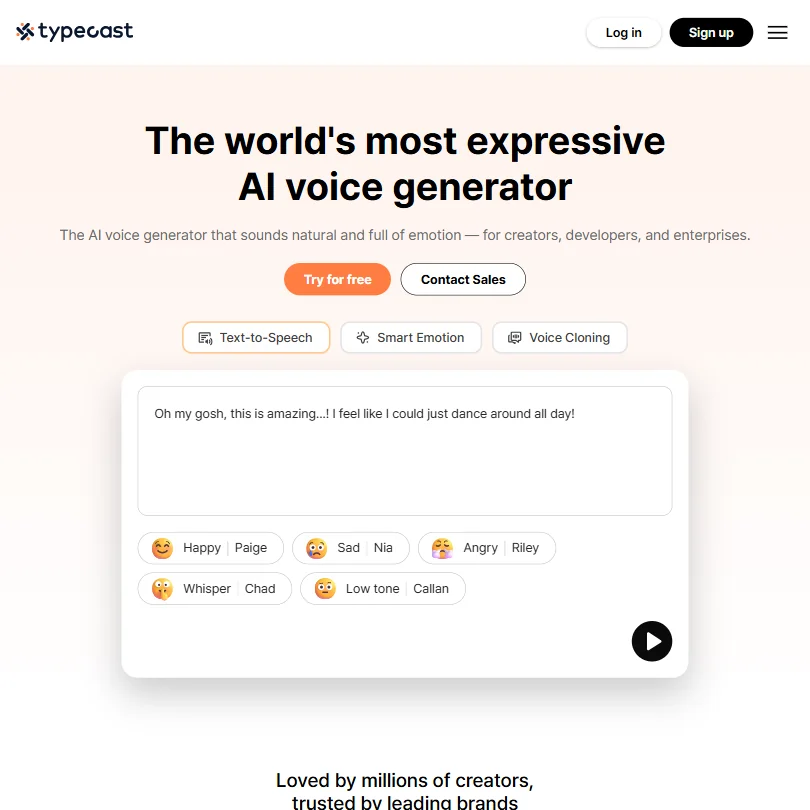
Generate and listen as much as you like, then spend a small download allowance only on the takes you keep. That makes it the most forgiving free plan for scripts you rework many times. The price is attribution on every download, no commercial license and trial voices. Choose it over Murf AI when you need actual files, and note that it ships native iOS and Android apps.
- The free plan allows unlimited generation and playback, with 3,000 lifetime download credits.
- Voice cloning comes in two forms: instant cloning from a 5-second sample and professional cloning from a 5-minute sample.
- The Free plan carries no commercial licence and requires attribution on every download.
10 projects, 10 min voice generation, 1 editor, no downloads, no commercial rights
✕ WatermarkedPaid $29/moShow detailsHide details04 Murf AI: Best for auditioning voices for slides and courses7.0Score 7.0 out of 1010 projects, 10 min voice generation, 1 editor, no downloads, no commercial rights✕ Watermarked$29/moVisit site ↗ReviewDetailsCloseShow more about Murf AI
10 projects, 10 min voice generation, 1 editor, no downloads, no commercial rights
✕ WatermarkedPaid $29/mo
Show detailsHide detailsMurf AI: Best for auditioning voices for slides and courses
7.0Score 7.0 out of 1010 projects, 10 min voice generation, 1 editor, no downloads, no commercial rights✕ Watermarked$29/moVisit site ↗ReviewDetailsClose
The free plan is an audition room: ten minutes of voice generation and ten projects, with no downloads at all and no commercial rights, so nothing you make leaves Murf. Use it to hear how your slides or course script sound across a library of 200-plus voices before paying. If you need a file now, Typecast or ElevenLabs hand one over. Its Canva, PowerPoint and Articulate links matter once you subscribe.
- Murf Studio has an ongoing free plan with no credit card required, giving 10 minutes of voice generation before you pay anything.
- The library runs to 200+ voices across 30+ languages and accents.
- The free plan blocks commercial use and downloads entirely, so anything you make on it stays unusable outside Murf.
Free plan, limits not published
✓ No watermarkPaid $8/moShow detailsHide details05 Notevibes: Best for watermark-free narration from articles6.5Score 6.5 out of 10Free plan, limits not published✓ No watermark$8/moVisit site ↗ReviewDetailsCloseShow more about Notevibes
Free plan, limits not published
✓ No watermarkPaid $8/mo
Show detailsHide detailsNotevibes: Best for watermark-free narration from articles
6.5Score 6.5 out of 10Free plan, limits not published✓ No watermark$8/moVisit site ↗ReviewDetailsClose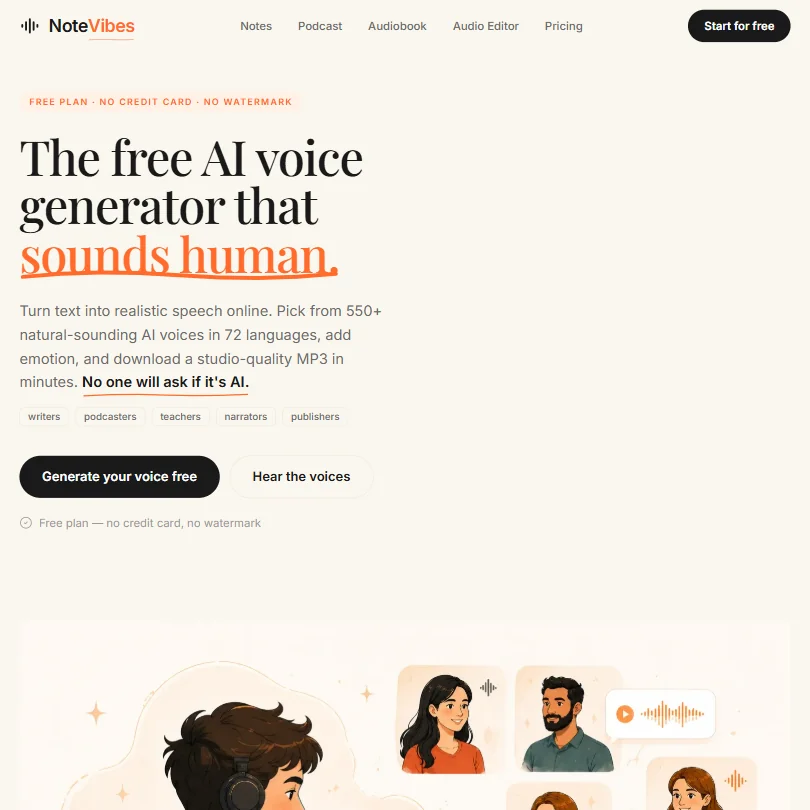
No card, no watermark and a limited credit allowance, which makes it a clean way to turn a pasted article, PDF, DOCX or slide deck into narration. The free plan is for personal projects: full commercial rights sit on the top Pro plan, and there is no voice cloning. Choose it over Speechify when you want finished audio from a document rather than a reader app, and over Typecast when attribution would be a problem.
- Notevibes has an ongoing free plan that needs no card and puts no watermark on its output.
- The Pro plan's voice library runs to 550+ voices across 72 languages.
- Full commercial usage rights are limited to the Pro plan; Personal is for personal, non-commercial use only.
Pay per use from $0, credits never expire, all voice models and API
✓ No watermarkPaid $0 to start/moShow detailsHide details06 Resemble AI: Best for developers paying only per use6.4Score 6.4 out of 10Pay per use from $0, credits never expire, all voice models and API✓ No watermark$0 to start/moVisit site ↗ReviewDetailsCloseShow more about Resemble AI
Pay per use from $0, credits never expire, all voice models and API
✓ No watermarkPaid $0 to start/mo
Show detailsHide detailsResemble AI: Best for developers paying only per use
6.4Score 6.4 out of 10Pay per use from $0, credits never expire, all voice models and API✓ No watermark$0 to start/moVisit site ↗ReviewDetailsClose
There is no monthly fee to start: you pay per second of audio, credits never expire, and the free entry still includes every voice model, voice cloning and the full API. That suits developers building voice into a product, and the watermarking and deepfake detection are unusual extras. It is a poor fit for casual users, since there is no music or sound design and no mobile app. ElevenLabs is friendlier to non-coders.
- Resemble AI uniquely combines voice generation, audio watermarking, and deepfake detection under one roof, a combination not found in competing platforms.
- The Chatterbox model family offers multiple variants including Turbo for speed, Multilingual, Nano for lighter workloads, and DramaBox for expressive content.
- Resemble AI does not offer music generation or sound design capabilities, limiting its appeal to users who need a broader audio creation toolkit.
Unlimited generation, 3 download minutes a month, no commercial use
✕ Watermarked↻ Renews monthlyPaid $19/moShow detailsHide details07 WellSaid: Best for licensed narrator voices, never trained on5.7Score 5.7 out of 10Unlimited generation, 3 download minutes a month, no commercial use✕ Watermarked↻ Renews monthly$19/moVisit site ↗ReviewDetailsCloseShow more about WellSaid
Unlimited generation, 3 download minutes a month, no commercial use
✕ Watermarked↻ Renews monthlyPaid $19/mo
Show detailsHide detailsWellSaid: Best for licensed narrator voices, never trained on
5.7Score 5.7 out of 10Unlimited generation, 3 download minutes a month, no commercial use✕ Watermarked↻ Renews monthly$19/moVisit site ↗ReviewDetailsClose
Generate and retake as often as you like with a curated set of voices, then download three minutes a month without commercial rights. Voices come from licensed actors and WellSaid never trains on customer data, on any plan. Pick it over ElevenLabs when your scripts are confidential or your client asks about voice licensing. It will not clone a voice and cannot write dialogue between speakers.
- WellSaid's free Trial tier needs no card and allows unlimited generation and retakes before you download anything.
- WellSaid does not use customer data to train its model, on any plan.
- The free Trial tier's output carries no commercial usage rights; only Starter and higher plans do.
Best free AI music generators
5 picksMusic plans trade rights for volume. For a free AI music generator with vocals, Suno renews its credits daily and Udio caps daily and monthly use, though neither lets you sell the result, and Mureka's free output cannot be downloaded. SOUNDRAW suits instrumental beds you only preview for now, while AIVA gives three instrumental downloads a month with a credit line attached.
#ToolScoreFree plan gives youPaid from
Free songs, non-commercial, credit Mureka
✕ WatermarkedPaid $8/moShow detailsHide details08 Mureka: Best for auditioning song ideas before paying8.2Score 8.2 out of 10Free songs, non-commercial, credit Mureka✕ Watermarked$8/moVisit site ↗ReviewDetailsCloseShow more about Mureka
Free songs, non-commercial, credit Mureka
✕ WatermarkedPaid $8/mo
Show detailsHide detailsMureka: Best for auditioning song ideas before paying
8.2Score 8.2 out of 10Free songs, non-commercial, credit Mureka✕ Watermarked$8/moVisit site ↗ReviewDetailsClose
Free generations let you hear what the model does with your lyrics and genre, but they stay owned by Mureka, cannot be downloaded and must credit Mureka if shared. Song editing and reference-track uploads are paid-only as well. Choose it over Udio when you expect to subscribe, because on Pro and Premier the ownership and full commercial rights of what you make pass to you.
- Pro and Premier subscribers own the songs they generate, with full commercial rights.
- Premier includes stem separation of up to twelve stems, plus MIDI and DAW session downloads.
- The free tier forbids commercial use and requires giving Mureka attribution credit.
50 credits daily, free models, no commercial use
✓ No watermark↻ Daily creditsPaid $8/moShow detailsHide details09 Suno: Best for full songs with vocals daily8.1Score 8.1 out of 1050 credits daily, free models, no commercial use✓ No watermark↻ Daily credits$8/moVisit site ↗ReviewDetailsCloseShow more about Suno
50 credits daily, free models, no commercial use
✓ No watermark↻ Daily creditsPaid $8/mo
Show detailsHide detailsSuno: Best for full songs with vocals daily
8.1Score 8.1 out of 1050 credits daily, free models, no commercial use✓ No watermark↻ Daily credits$8/moVisit site ↗ReviewDetailsClose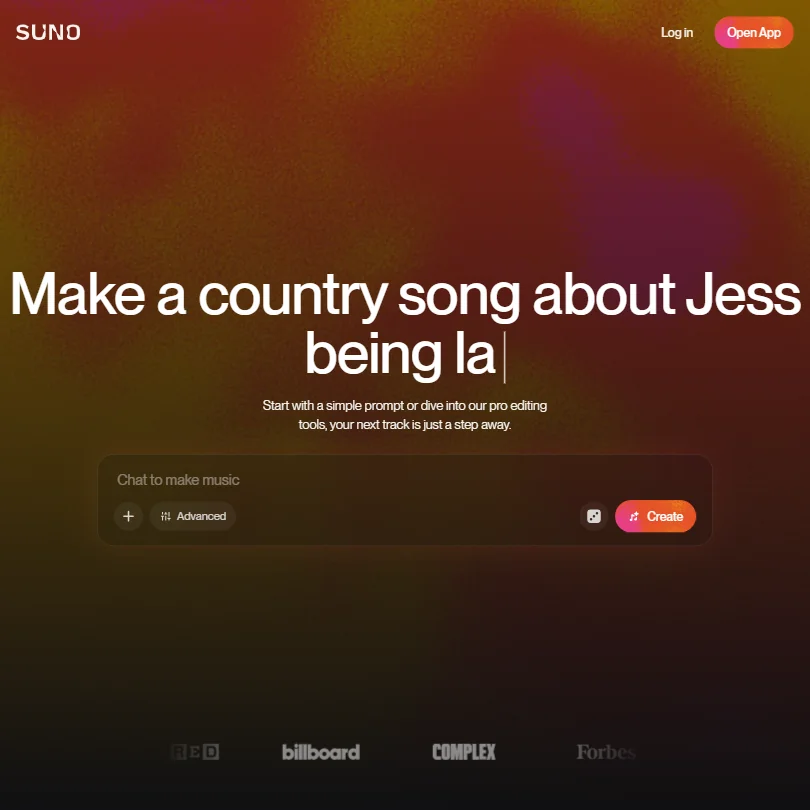
Credits arrive every day and never expire, which makes this the plan to open when you want a full song with lyrics and vocals from one prompt. Everything stays personal and non-commercial, with no stem separation and no song downloads, and no ownership is assigned to you. Udio blocks downloads on every plan, while Suno's paid plans bring commercial rights and ownership, so Suno is the one to grow into.
- The free plan gives 50 credits a day forever and never expires.
- Pro and Premier assign you full ownership of songs generated from your prompts.
- The free plan has no commercial rights and no stem separation at all.
Generate and preview tracks without limit; downloads need a paid plan
✕ WatermarkedPaid $16.99/moShow detailsHide details10 SOUNDRAW: Best for auditioning instrumental background music5.0Score 5.0 out of 10Generate and preview tracks without limit; downloads need a paid plan✕ Watermarked$16.99/moVisit site ↗ReviewDetailsCloseShow more about SOUNDRAW
Generate and preview tracks without limit; downloads need a paid plan
✕ WatermarkedPaid $16.99/mo
Show detailsHide detailsSOUNDRAW: Best for auditioning instrumental background music
5.0Score 5.0 out of 10Generate and preview tracks without limit; downloads need a paid plan✕ Watermarked$16.99/moVisit site ↗ReviewDetailsClose
Build instrumental tracks from a genre and mood picker as often as you like, favorite them and change them block by block. What you cannot do on a free account is download or use any of them. That makes it a try-before-you-buy tool for background music, with no vocals or lyrics at all. Suno's free plan is the one to open if you want songs with a singer, though those are personal-use only.
- Every paid plan, starting with Creator, includes commercial use across YouTube, product videos, client work, radio and TV.
- Tracks are built from blocks that can be added, removed or reworked in Mixer Mode by instrument group.
- Every plan grants only a non-exclusive licence to use a track, never ownership of the music itself.
10 credits/day, 100 credits/month, up to 4 songs simultaneously, 3 full-length generations per day
✓ No watermark↻ Daily creditsPaid $10/moShow detailsHide details11 Udio: Best for songs for your own listening5.0Score 5.0 out of 1010 credits/day, 100 credits/month, up to 4 songs simultaneously, 3 full-length generations per day✓ No watermark↻ Daily credits$10/moVisit site ↗ReviewDetailsCloseShow more about Udio
10 credits/day, 100 credits/month, up to 4 songs simultaneously, 3 full-length generations per day
✓ No watermark↻ Daily creditsPaid $10/mo
Show detailsHide detailsUdio: Best for songs for your own listening
5.0Score 5.0 out of 1010 credits/day, 100 credits/month, up to 4 songs simultaneously, 3 full-length generations per day✓ No watermark↻ Daily credits$10/moVisit site ↗ReviewDetailsClose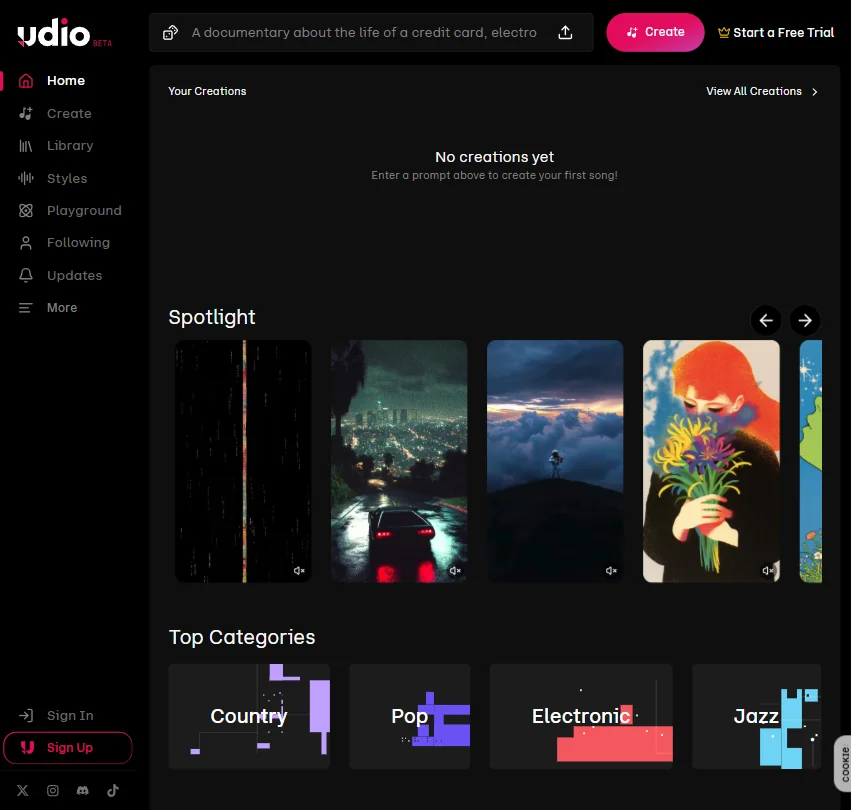
Ten credits a day, 100 a month, three full-length songs a day and up to four generating at once, with vocals, your own lyrics, extend and remix all included. The ceiling is severe: output is personal and non-commercial on every plan, nothing can be downloaded, and Udio owns what you make. Pick it over Suno for tinkering inside the app, not for songs you plan to release.
- The free plan needs no card and gives a daily and monthly credit quota to start with.
- A one-time 7-day trial lets you test a subset of Standard features before subscribing.
- Output is restricted to personal, non-commercial use on every plan, including the paid ones.
3 downloads/month, MP3 & MIDI only, up to 3 min tracks, no monetization, credit to AIVA required
✕ Watermarked↻ Renews monthlyNot listedShow detailsHide details12 AIVA AI: Best for orchestral-style instrumental pieces4.6Score 4.6 out of 103 downloads/month, MP3 & MIDI only, up to 3 min tracks, no monetization, credit to AIVA required✕ Watermarked↻ Renews monthlyNot listedVisit site ↗ReviewDetailsCloseShow more about AIVA AI
3 downloads/month, MP3 & MIDI only, up to 3 min tracks, no monetization, credit to AIVA required
✕ Watermarked↻ Renews monthlyNot listed
Show detailsHide detailsAIVA AI: Best for orchestral-style instrumental pieces
4.6Score 4.6 out of 103 downloads/month, MP3 & MIDI only, up to 3 min tracks, no monetization, credit to AIVA required✕ Watermarked↻ Renews monthlyNot listedVisit site ↗ReviewDetailsClose
Three downloads a month in MP3 or MIDI, tracks up to three minutes, and a clear rule: AIVA keeps the copyright, you may not monetize, and you must credit AIVA. It composes instrumental and orchestral music, with no vocals, and can start from an audio or MIDI file you upload. Only the Pro plan hands copyright to you. Choose it over Soundraw if you want something to take away on a free account.
- You can upload an audio or MIDI track as an influence for the style AIVA composes.
- The Pro plan hands you full copyright over what you make, with unrestricted monetization.
- The free plan keeps copyright with AIVA, forbids monetization entirely, and requires crediting AIVA.
Best free audio cleanup tools
3 picksA free AI audio enhancer is metered by time or file length. Auphonic gives two hours of processing every month and stamps a jingle on the result, while Adobe Podcast takes one short file at a time under daily caps. Choose Auphonic to level a regular show in a monthly batch, and Adobe Podcast to rescue one noisy recording and then edit it from the transcript.
#ToolScoreFree plan gives youPaid from
2 hours a month, all basic AI algorithms, Auphonic jingle added
✕ Watermarked↻ Renews monthlyPaid $13/moShow detailsHide details13 Auphonic: Best for monthly podcast levelling and cleanup7.2Score 7.2 out of 102 hours a month, all basic AI algorithms, Auphonic jingle added✕ Watermarked↻ Renews monthly$13/moVisit site ↗ReviewDetailsCloseShow more about Auphonic
2 hours a month, all basic AI algorithms, Auphonic jingle added
✕ Watermarked↻ Renews monthlyPaid $13/mo
Show detailsHide detailsAuphonic: Best for monthly podcast levelling and cleanup
7.2Score 7.2 out of 102 hours a month, all basic AI algorithms, Auphonic jingle added✕ Watermarked↻ Renews monthly$13/moVisit site ↗ReviewDetailsClose
Two hours of processing renew every month with all the basic AI algorithms, which is enough to level and denoise a regular podcast. Finished files carry an Auphonic jingle, there is no speech recognition, and multitrack sessions stop at 20 minutes. Unused hours do not carry over. Pick it over Adobe Podcast when you want a monthly batch levelled and published to your host; a full API comes with it.
- The free tier processes 2 hours of audio every month on an ongoing basis, not a time limited trial.
- It levels, denoises and normalizes loudness to a target like -16 LUFS in one pass, and cuts filler words and silence automatically.
- Free tier output carries an Auphonic jingle, and multitrack productions are capped under 20 minutes on the free tier and base plans.
10 minutes, previews only (no downloads)
? Watermark not statedPaid $9.99/moShow detailsHide details14 LALAL.AI#3 of 5 audio cleanup tools5.6Score 5.6 out of 1010 minutes, previews only (no downloads)? Watermark not stated$9.99/moVisit site ↗ReviewDetailsCloseShow more about LALAL.AI
10 minutes, previews only (no downloads)
? Watermark not statedPaid $9.99/mo
Show detailsHide detailsLALAL.AI#3 of 5 audio cleanup tools
5.6Score 5.6 out of 1010 minutes, previews only (no downloads)? Watermark not stated$9.99/moVisit site ↗ReviewDetailsClose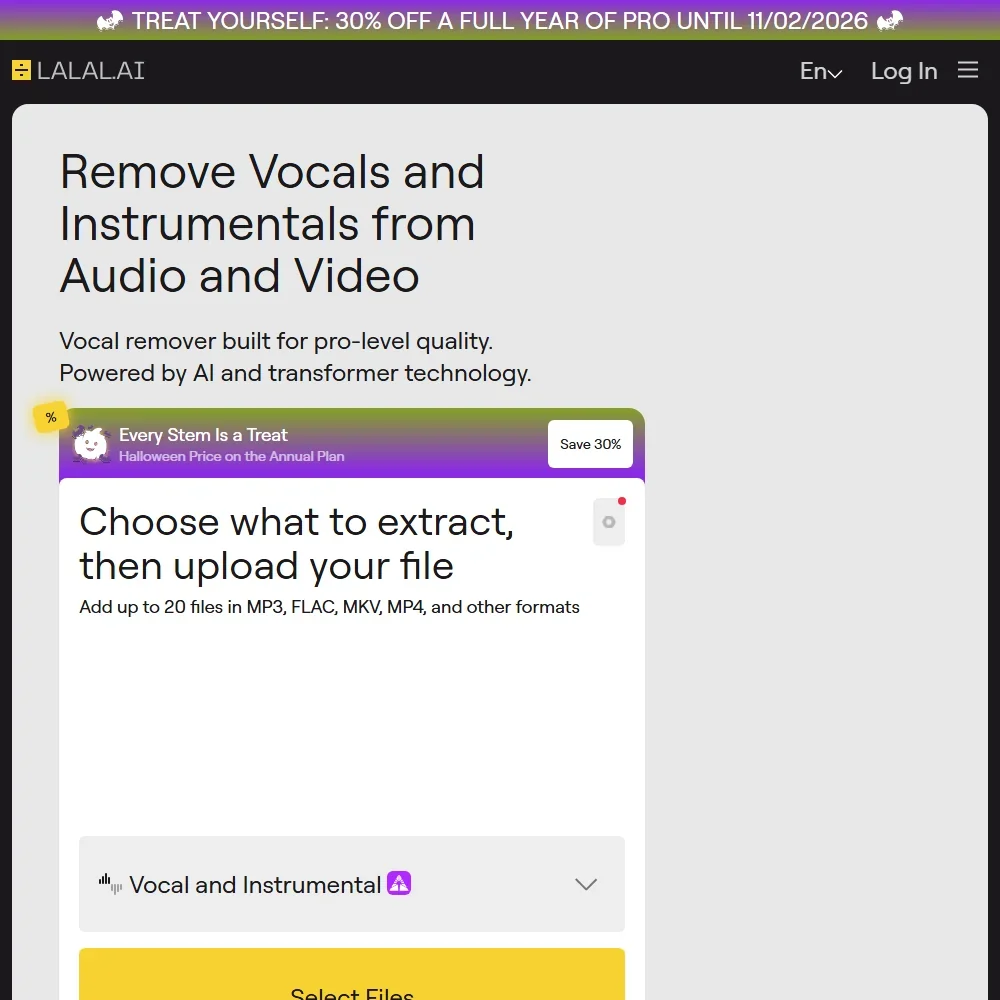
- LALAL.AI separates audio with its own neural networks, including Andromeda for vocals and Lyra for on-device processing.
- It runs on the web, Windows, macOS, Linux, iOS and Android, with a VST3 plugin for music software on Pro.
- The free Starter plan shows previews but does not include result downloads.
Access to Enhance Speech, captioning, music removal, transcription, recording, and editing in browser
✕ WatermarkedPaid $19.99/moShow detailsHide details15 Adobe Podcast: Best for quick browser cleanup of speech5.3Score 5.3 out of 10Access to Enhance Speech, captioning, music removal, transcription, recording, and editing in browser✕ Watermarked$19.99/moVisit site ↗ReviewDetailsCloseShow more about Adobe Podcast
Access to Enhance Speech, captioning, music removal, transcription, recording, and editing in browser
✕ WatermarkedPaid $19.99/mo
Show detailsHide detailsAdobe Podcast: Best for quick browser cleanup of speech
5.3Score 5.3 out of 10Access to Enhance Speech, captioning, music removal, transcription, recording, and editing in browser✕ Watermarked$19.99/moVisit site ↗ReviewDetailsClose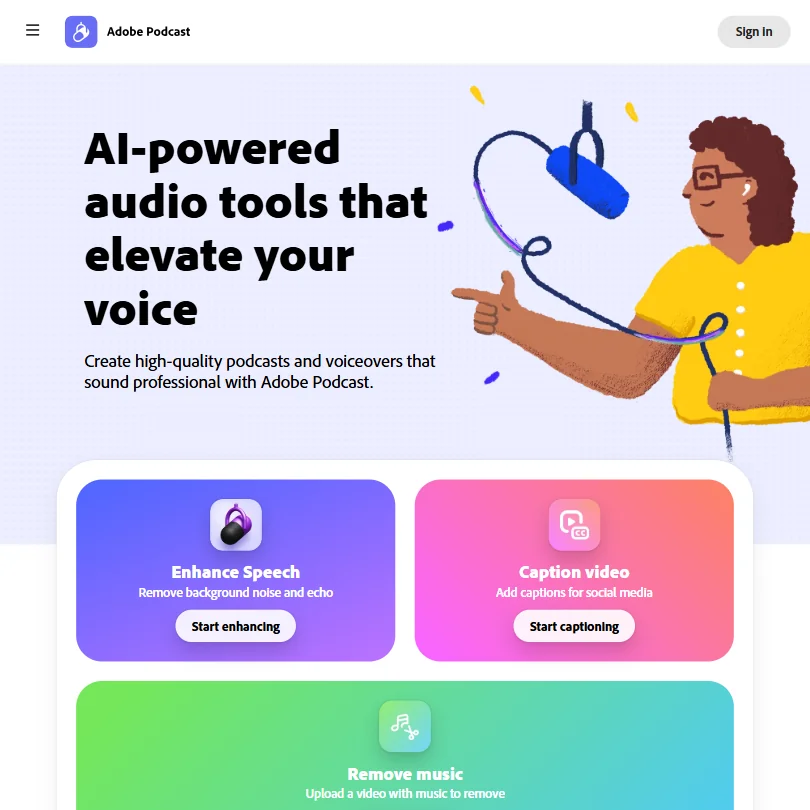
The browser tool removes background noise and echo, evens out loudness, transcribes, captions and lets you edit a multi-track recording by deleting words in the transcript. The free tier handles short files, one at a time, with daily caps and no strength adjustment. There is no automatic filler-word or silence cutting. Choose it over Auphonic for a single noisy recording; you can opt out of model training.
- Enhance Speech removes background noise and echo and normalizes loudness on every plan.
- Studio imports multi-participant recordings from Zoom, Restream, StreamYard or Riverside and keeps each track separate for editing.
- Premium is no longer sold on its own; the only paid tier is the $19.99-a-month Firefly Pro plan, bundled with unrelated Firefly generative credits.
More free AI audio tools
2 picksThese three share only a free way in. Resemble AI is a pay-per-use voice platform with audio watermarking and deepfake detection, aimed at developers. Pronounce AI coaches non-native speakers on English pronunciation in real time. Yaps does dictation and voice notes on your own device. Choose Resemble to build voice into a product, Pronounce AI to practise speaking, Yaps for private notes.
#ToolScoreFree plan gives youPaid from

#16Pronounce AI: Best for practising spoken English
Limited features
? Watermark not statedPaid $12/moShow detailsHide details16Pronounce AI: Best for practising spoken Englishn/aLimited features? Watermark not stated$12/moVisit site ↗ReviewDetailsCloseShow more about Pronounce AI
#16Pronounce AI: Best for practising spoken English
Limited features
? Watermark not statedPaid $12/mo
Show detailsHide detailsPronounce AI: Best for practising spoken English
n/aLimited features? Watermark not stated$12/moVisit site ↗ReviewDetailsClose
A speech coach rather than a voice generator, it analyzes your pronunciation in real time, corrects spoken grammar and runs conversation practice for non-native English speakers. A free plan with limited features exists, and the paid Pro and Unlimited plans carry the pronunciation, grammar and fluency tools, with live AI calls on Unlimited. It works on the web, in a Chrome extension for Zoom and Meet, and in a Windows app, with no mobile app.
- Real-time pronunciation analysis provides immediate feedback without waiting for a human tutor.
- Chrome extension integrates directly into live Zoom and Google Meet calls for in-context coaching.
- Limited platform availability, web and Windows only, with no confirmed native mobile app.
Mobile app: basic dictation, voice notes and two read-aloud voices
✓ No watermarkPaid $15/moShow detailsHide details17 Yaps: Best for private dictation on a phone5.0Score 5.0 out of 10Mobile app: basic dictation, voice notes and two read-aloud voices✓ No watermark$15/moVisit site ↗ReviewDetailsCloseShow more about Yaps
Mobile app: basic dictation, voice notes and two read-aloud voices
✓ No watermarkPaid $15/mo
Show detailsHide detailsYaps: Best for private dictation on a phone
5.0Score 5.0 out of 10Mobile app: basic dictation, voice notes and two read-aloud voices✓ No watermark$15/moVisit site ↗ReviewDetailsClose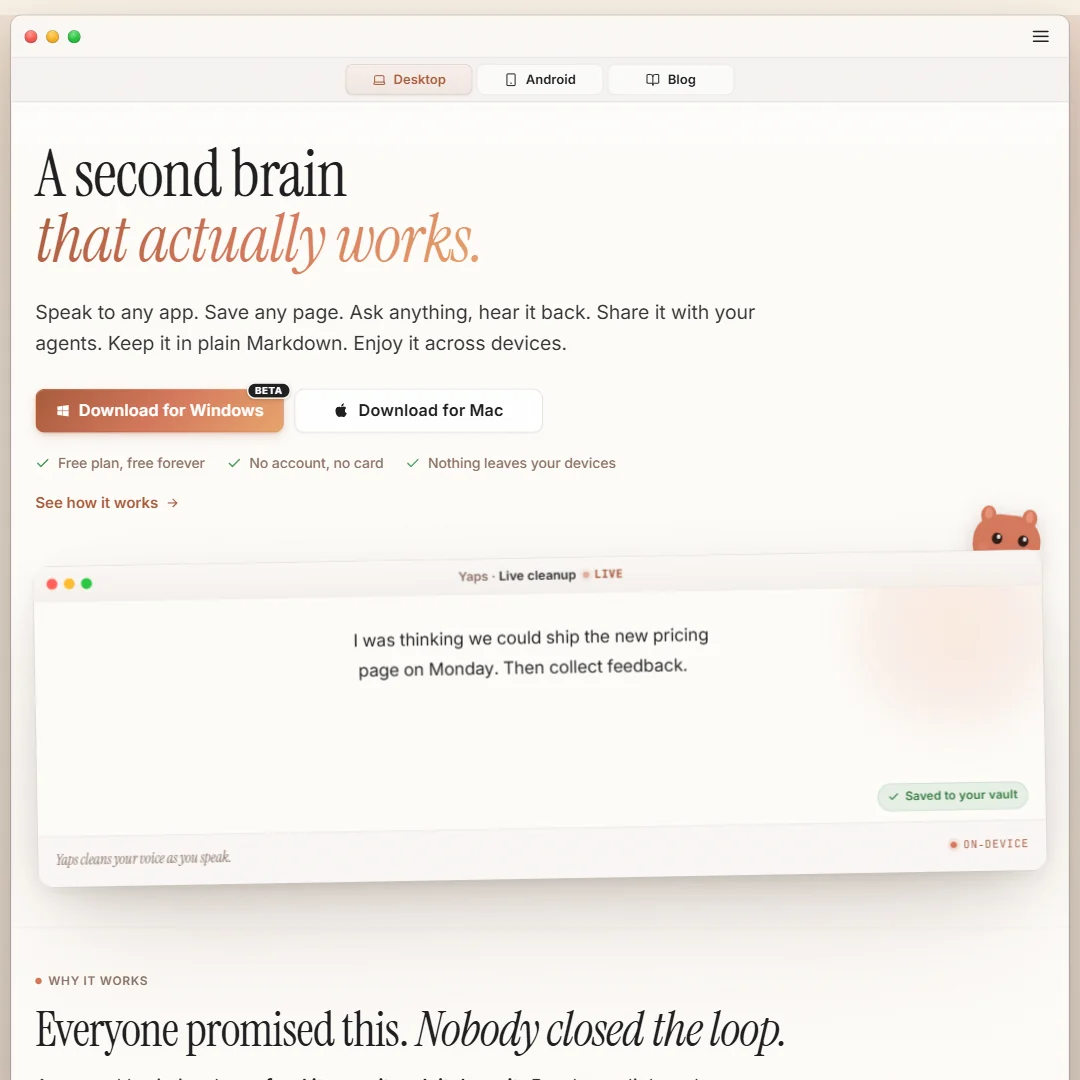
The free app runs on Android, iPhone and iPad with no account or card, handling voice typing, voice notes with local search and read-aloud in two voices. Processing happens on your device, so recordings stay put. Transcribing audio and video files, translation and voice cloning belong to the paid desktop toolkit, which opens with a seven-day trial. Pick it over Speechify's Reader when privacy matters more than voice choice.
- The free mobile app needs no account or card to start using.
- Core dictation, transcription and translation run entirely on the device rather than a cloud service.
- The free plan is mobile-only, limited to two read-aloud voices and basic dictation.
How to choose a free AI audio tool
Free audio plans differ less in what they can make than in what you are allowed to do with it. One tool lets you hear a voice but never download it, another hands over a file and asks for a credit line, and a third gives you a clean file you may not use in a paid project. The sections ahead match each tool to a job, show what its meter counts, and then cover the rights and privacy terms that decide whether a free file is usable.
Start with the job, not the tool
The sixteen tools on this page do five different jobs, and few of them overlap.
- Narration and voiceover. Turning a script into speech. ElevenLabs, Typecast, Murf AI, WellSaid and Notevibes generate voiceovers, while Speechify reads documents and articles aloud to you rather than producing files for an audience.
- Songs and music. Suno, Udio and Mureka write full songs with vocals, and Soundraw and AIVA compose instrumentals for background use.
- Cleanup, editing and transcription. Auphonic levels and cleans finished recordings, Adobe Podcast enhances speech and edits through its transcript, and Yaps handles dictation and transcription on your own device.
- Voice for developers. Resemble AI sells voice generation, cloning, deepfake detection and audio watermarking through an API, billed by use.
- Speaking practice. Pronounce AI coaches English pronunciation, spoken grammar and fluency.
After you know which row you belong in, the table gives a first pick and a second option with its catch.
| Job | Start with | Runner-up, and the trade-off |
|---|---|---|
| Narrate a video or slides for your own use | Typecast | ElevenLabs refills a monthly pot, but its free output carries no commercial license |
| Audition voices before you buy | Murf AI | Typecast lets you leave with a file after listening, at the cost of an attribution line |
| Listen to articles and PDFs | Speechify | Notevibes produces narration you can keep, with no watermark |
| Voiceover with no card and no watermark | Notevibes | ElevenLabs gives finer voice controls on a monthly credit pot |
| Build voice into an app | Resemble AI | ElevenLabs is quicker to try by hand but suits listening more than shipping |
| Hear a song idea with vocals | Suno | Udio adds editing tools in the app, though it blocks downloads on every plan |
| Preview instrumental music | Soundraw | AIVA allows three downloads a month, with credit and no monetization |
| Clean up a podcast episode | Auphonic | Adobe Podcast edits by deleting words in the transcript but takes one short file at a time |
| Dictate or transcribe privately | Yaps | Adobe Podcast transcribes in the browser and lets you opt out of training |
| Speak English more clearly | Pronounce AI | Nothing else on this page coaches speech |
What you actually get for free
Each kind of tool measures something different, so one free plan can last a week and another an afternoon.
- Voice generators. Credits, minutes or downloads, depending on the tool. ElevenLabs refills 10,000 credits every month. Murf AI gives 10 minutes of generation and no downloads. Typecast and WellSaid let you generate and retake without limit and ration only the files you take away, 5 minutes a month on Typecast and 3 on WellSaid. For a normal week of short videos that is a few clips, not a series.
- Music generators. Daily credits or download slots. Suno gives 50 credits a day, roughly 10 songs. Udio gives 10 credits a day up to 100 a month, with 3 full-length songs a day. AIVA counts downloads, three a month with tracks up to 3 minutes. Soundraw counts nothing because its free account never downloads.
- Audio cleanup. Hours or file length. Auphonic processes 2 hours a month, resetting each month with no carry-over. Adobe Podcast takes short files one at a time.
- Developer tools. Usage. Resemble AI starts at zero and charges from $0.0002 per second of audio, and its credits never expire.
- Dictation. The device. Yaps gives away a mobile app with voice typing, voice notes and read-aloud in two voices, and the desktop toolkit sits behind Pro.
Anyone who makes small things often is better served by daily credits, so a quiet week costs nothing. Anyone who rewrites scripts repeatedly should choose a tool that meters downloads rather than generation, retaking until the take is right and then downloading once. One large job a month suits a monthly pot, such as ElevenLabs credits or Auphonic's two hours.
Which tool fits which creator
- Podcasters. Start with Auphonic, which levels and cleans finished episodes and includes a REST API and command line client on the free tier, though it adds a jingle until you subscribe. Add Adobe Podcast for rough recordings, since it enhances speech and edits through the transcript.
- Video creators. Start with Typecast for narration, because generation is unlimited and you pay only to download, with an attribution line. Add Soundraw for background music, noting that its free account cannot download anything yet.
- Musicians and songwriters. Start with Suno for song ideas with vocals, using the daily credits freely. Add Mureka when you plan to own what you make, since ownership transfers on Pro and Premier, and AIVA for instrumentals you can download and credit.
- Developers using speech APIs. Start with Resemble AI, which includes voice cloning, deepfake detection and a full API on a pay-as-you-go plan and lists commercial rights. Add ElevenLabs when you want to test voices by hand first.
- Course makers and presenters. Start with Murf AI for auditioning voices, since its integrations reach Canva, Articulate 360, Captivate and Google Slides. Add WellSaid when licensed narrator voices matter.
- Students and busy readers. Start with Speechify, which reads PDFs and articles aloud and does not train on your data. Add Pronounce AI if you are also working on spoken English.
Where free plans stop
| Limit | Tools | What happens when you hit it |
|---|---|---|
| No downloads | Murf AI, Udio, Soundraw | You can hear the result, but nothing leaves the app |
| Small download allowance | Typecast (5 minutes), WellSaid (3 minutes a month), AIVA (3 downloads a month) | Later files wait for the next month or a paid plan |
| Credit line | Typecast, Mureka, AIVA | Every share must name the tool, which rules out client work |
| Audible mark | Auphonic | A jingle is added to the finished audio until you subscribe |
| No commercial use | ElevenLabs, Suno, Mureka, Typecast, Murf AI, WellSaid, Udio, AIVA | Ads, monetized video and client projects need a paid plan, and Udio never allows them |
Limits like these reward careful order of work. Audition in places where downloads are blocked, such as Murf AI, and make the keeper elsewhere. Spend your small download allowance on finished takes and draft inside the part of the plan that has no meter. And treat a credit line as a deadline: it works for a hobby project and stops working the day a client pays you.
What you give up by staying free
The first loss is the file. On Murf AI, Udio and Soundraw the free plan lets you listen and nothing more, so bringing anything home means buying a plan. The second is the rights. ElevenLabs keeps its commercial license, instant voice cloning and the larger credit pot for Starter, and Suno holds back stem separation, a priority queue and ownership for its paid plans.
Quality and breadth go too. Speechify's free plan has 10 robotic voices and speeds up to 1.5x, while Premium opens more than 1,000 voices, 60 languages and 5x speed. Typecast's free tier limits video to 720p and keeps the full voice set for Basic. Auphonic's free tier has no speech recognition, and Adobe Podcast keeps bulk uploads and separate level controls for Firefly Pro.
Privacy and who hears your voice
Where your audio goes matters as much as how it sounds, particularly with client scripts or your own voice. Training terms vary widely on this page.
| Tool | Training on your content |
|---|---|
| ElevenLabs | On by default, you can opt out |
| Suno | Prompts and outputs train its models |
| Udio | Prompts and output train its models |
| WellSaid | Never, on any plan |
| Speechify | Not used to train models |
| Typecast | Uploaded voice samples carry your consent to AI training |
| Adobe Podcast | You can opt out |
Yaps processes recordings on your device, which makes it the closest thing to private dictation here. For client scripts, choose WellSaid or Speechify, or switch training off in ElevenLabs and Adobe Podcast after you sign up. On ownership of music, Suno assigns it on paid plans, Mureka on Pro and Premier, and AIVA on Pro. Udio keeps ownership on every plan, and Soundraw grants a license instead of ownership. Resemble AI lists commercial rights for its pay-as-you-go plan.
Mistakes to avoid
- Publishing a free Suno or Udio song. Suno's free plan is personal use only, and Udio allows no commercial use on any plan, and it blocks downloads as well. Treat both as sketchpads.
- Forgetting the credit line. Typecast, Mureka and AIVA require a credit on free output. Put it in the description before you publish, or move to a paid plan.
- Spending Typecast downloads on drafts. You have only 5 minutes a month. Generate and retake as much as you like, and download the final take once.
- Cleaning a podcast with Auphonic and forgetting the jingle. The free tier adds it to finished audio. Check the file before you upload the episode.
- Uploading a voice sample without reading the terms. Typecast asks for your consent to AI training on uploads. Use your own voice only if you are comfortable with that.
When it is worth paying
The signs are practical. You choose which takes to keep instead of which sound best, you add a credit line to client work, or a daily limit sets your schedule. At that point the paid plan buys time.
| If you are | Upgrade to | What changes |
|---|---|---|
| Posting voiceovers | ElevenLabs Starter | Commercial license, instant voice cloning, three times the credits |
| Narrating courses | Typecast Basic | All voices, a commercial license, 60 minutes of download credits a month |
| Releasing songs | Suno Pro | Commercial rights, ownership, two stem types, a priority queue |
| Needing WAV and stems | Mureka Premier | WAV, up to twelve stems and MIDI, which Pro leaves out |
| Scoring videos | Soundraw Creator | Unlimited MP3 downloads and commercial use as background music |
| Producing a podcast | Auphonic S | Nine hours a month, no jingle, speech recognition |
Annual rates are lower at WellSaid, Murf AI, Speechify, Notevibes and Yaps, so try one month at the monthly price before committing. Udio and Yaps offer seven-day trials of their paid plans. Resemble AI avoids the choice entirely by billing per use.
Using two free tools together
Pairing works here because each free plan meters a different thing.
- Audition first. Judge the pacing and tone of your script inside Murf AI's generation allowance, which cannot download.
- Produce the file. Generate the final take in Typecast or ElevenLabs, where a download is allowed.
- Finish the sound. Run the result through Auphonic's monthly hours to level it.
For music, sketch a song with vocals in Suno's daily credits. If you only need a backing track for a video, take an instrumental download from AIVA and credit it.
What would this stack cost you?
Add our top picks (ElevenLabs, Mureka, Auphonic and 1 more) to the calculator and see the monthly total, then swap in the plans you would pay for.
How we picked
Every tool here is ranked by its score, and each score is worked out from the vendor’s own published pages: pricing, plans, features and terms. No score is adjusted by hand. 16 of the 17 tools have enough published facts to show a score, and on average 90% of each score comes from facts the vendor publishes. The facts behind these scores were checked between 21 September 2026 and 28 October 2026.
Scores compare tools that do the same job, which is why the list is grouped by job: a video editor and a grammar checker are never ranked against each other.
| Ranked as | On this page | What we score | Scoring guide |
|---|---|---|---|
| AI voice generators8 reviewed | 7 | 4 criteria, 19 checked facts: what you can make, workflow and output, pricing, privacy and trust | How we score these → |
| AI music generators5 reviewed | 5 | 4 criteria, 16 checked facts: what you can make, workflow and output, pricing and rights, privacy and trust | How we score these → |
| Audio cleanup tools5 reviewed | 3 | 4 criteria, 20 checked facts: what it fixes, workflow and output, pricing, privacy and trust | How we score these → |
| AI transcription tools5 reviewed | 1 | 4 criteria, 21 checked facts: what you get from a recording, workflow and output, pricing, privacy and trust | How we score these → |
Common questions
Is there a free AI voice generator with no watermark?
Yes. ElevenLabs, Notevibes and Resemble AI list watermark-free output on their free entry. Typecast requires attribution on every download, and Murf AI blocks downloads altogether. Clean audio is not the same as audio you may sell: ElevenLabs free output has no commercial license, and full commercial rights at Notevibes sit on its top plan, while Resemble AI lists commercial rights.
Which free plan can read a PDF or web article aloud?
Speechify's free Reader reads documents aloud on web, desktop and phone, using ten robotic voices at speeds up to 1.5x. Notevibes converts an uploaded PDF, DOCX, PPTX, image or pasted web article into narration you can keep. ElevenLabs offers a separate ElevenReader app on iOS for PDFs, ePubs and articles.
Is there free AI voice cloning?
Not on the free plans here. Cloning sits on paid steps: ElevenLabs offers instant cloning from Starter and professional cloning on Creator, Typecast adds a cloning slot with Pro, and Resemble AI charges a monthly fee per cloned voice on top of pay-per-use audio. WellSaid and Notevibes offer no self-serve cloning, and Speechify keeps cloning in its separate Studio product.
Which free AI music generator lets me upload my own audio?
Suno's free plan accepts uploads of up to eight minutes of audio. AIVA can start a piece from an audio or MIDI file you supply. Mureka locks reference-track uploads and editing behind Pro and Premier, and Udio's audio upload belongs to its paid Standard plan. Anything you create on these free plans stays personal use.
Can I post free AI songs on YouTube or Spotify?
Not from these free plans. Suno, Udio and Mureka restrict free output to personal, non-commercial use, AIVA forbids monetization and requires a credit, and SOUNDRAW offers no downloads at all on a free account. Ownership only transfers on paid tiers: Suno Pro and Premier, Mureka Pro and Premier, and AIVA Pro. Udio keeps ownership on every plan.
Which free tool removes background noise from a recording?
Adobe Podcast removes background noise and echo with Enhance Speech and also normalizes loudness, but it handles one short file at a time. Auphonic denoises and levels up to two hours of audio a month, adds its jingle to the result, and includes an API and command line client. Both are built for speech, so music is not what they are for.
Is there free AI transcription?
Some free plans include it. ElevenLabs lists speech to text on its free tier, and Adobe Podcast transcribes in the browser and exports TXT, DOCX or PDF. Yaps does dictation and voice notes on its free phone app, while transcribing audio and video files needs its Pro plan. Auphonic's free tier has no speech recognition.