SOUNDRAW builds instrumental tracks from a genre, mood and instrument selection, and does not sing or write lyrics. What decides whether it suits you is the licence: every plan grants a right to use what you make, never ownership, and downloading anything at all requires a paid plan.

What is SOUNDRAW?
SOUNDRAW is headquartered in Tokyo, Japan. It runs entirely in the browser, with no desktop or mobile app and no offline mode; an active internet connection is needed to generate and edit a track.
Making music with SOUNDRAW
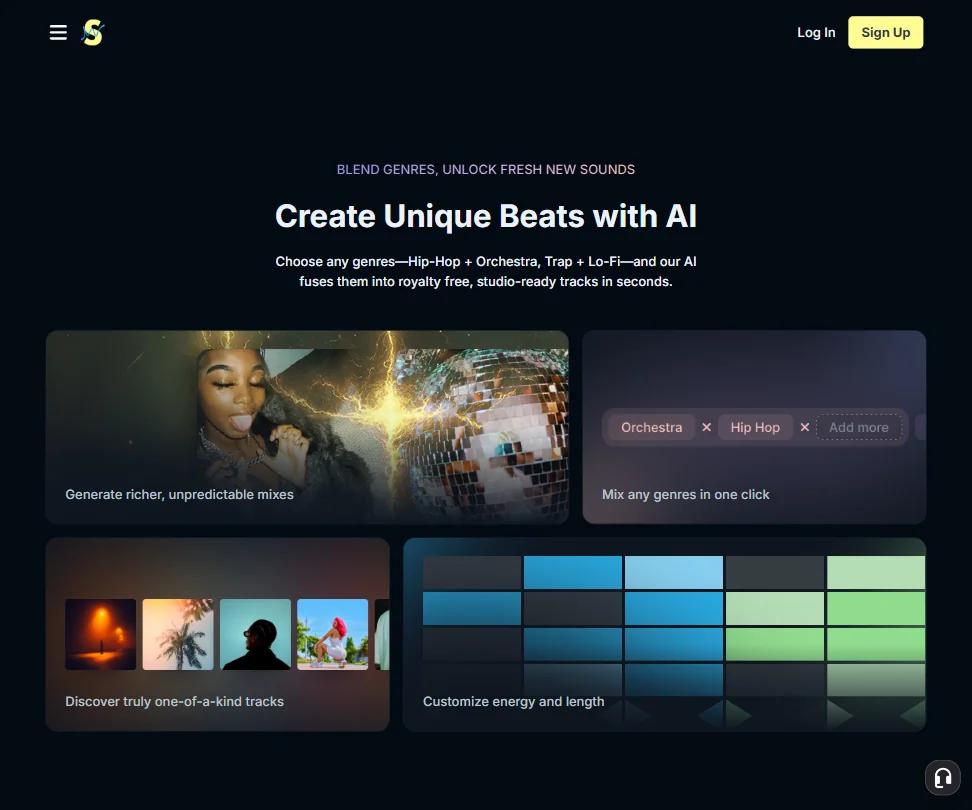
SOUNDRAW does not generate vocals or lyrics, though you can add your own afterward in separate audio software. There is no audio-upload or reference-track input; every track is built from your choice of genre, mood and instruments. A song is divided into blocks that can be added, removed or reworked, and Mixer Mode lets you change individual instrument groups within it. A single track tops out at five minutes; a longer piece means manually joining several exported sections outside the app.
Who owns what you make
SOUNDRAW's terms grant a licence to use the generated music, described as non-exclusive, non-transferable and non-sublicensable; you own only the creative elements you personally add, not the SOUNDRAW-generated track itself. SOUNDRAW trains its AI exclusively on original beats and compositions produced in-house, owning the master recordings and publishing rights behind everything it trains on. Every track carries a worldwide, perpetual licence, so posting it to platforms like YouTube, Spotify or TikTok does not trigger a copyright claim against you.
Working with other people
There is no shared team workspace; every plan is an individual account. A separate SOUNDRAW API product is sold apart from the web app, priced at $29.99 a month for up to 100 songs and $300 a month for up to 1,000 songs.
SOUNDRAW pricing: what each plan gives

The free account lets you generate, customize and favorite tracks without limit, but you cannot download or otherwise use anything you make until you subscribe. There is no time-limited trial of a paid licence.
The paid tiers, Creator, Artist Starter, Artist Pro and Artist Unlimited, are billed monthly or annually, with the annual term paid upfront at a lower monthly rate; Creator costs $19.99 a month ($16.99 billed annually), Artist Starter $39.99 ($29.99), Artist Pro $59.99 ($35.99) and Artist Unlimited $99.99 ($50); the page often shows a lower promotional price beside these. Creator, the cheapest paid tier, includes unlimited monthly downloads in MP3 and covers personal and commercial use across YouTube, UGC, product videos, tutorials, livestreams, social media, video games, up to one physical store, client work, hold music, radio and TV. Distributing and monetizing songs on Spotify or Apple Music starts on Artist Starter, not Creator, and WAV and stem-file downloads unlock from Artist Pro up. Enterprise has no published price and is reached by contacting SOUNDRAW.
Privacy and support
SOUNDRAW is GDPR compliant in how it handles personal data. Support is available through live chat and a help center.
Who SOUNDRAW suits
SOUNDRAW suits anyone who wants a fast instrumental track built from a genre and mood picker, with commercial use included from the cheapest paid plan, and who is comfortable working with a licence rather than owning the music outright. It also suits anyone who wants to shape the result afterward, since blocks and instrument groups can be reworked directly.
It suits less well anyone who needs sung vocals or lyrics, since SOUNDRAW generates instrumentals only, or anyone who wants to shape a track from an uploaded reference, since generation starts from genre and mood selections instead. A free account also gives no way to download or use a track until you pay.
Screenshots
How SOUNDRAW compares
SOUNDRAW scores 5.0 out of 10 among the AI music generators we rate. These two do the same job and are the closest to it, compared on what each vendor publishes.
Udio
SOUNDRAW gives you a licence to use your tracks and includes commercial use from its cheapest paid plan; Udio forbids commercial use on every tier and has switched off downloading completely, on every plan. SOUNDRAW builds instrumental tracks from genre, mood and instrument choices, with no vocals; Udio generates full songs with sung vocals from your own lyrics. SOUNDRAW starts at $19.99 a month; Udio's paid plans start at $10 a month.
Pick Udio if you want sung vocals from your own lyrics over instrumentals.
Pick SOUNDRAW if you want commercial use and actual downloads, not a locked platform.
AIVA AI
SOUNDRAW and AIVA AI both make instrumental music with no sung vocals. SOUNDRAW starts at $19.99 a month; AIVA AI is priced in euros, from 15 euros a month plus VAT. SOUNDRAW never hands over ownership, even on paid plans, you only get a licence; AIVA AI does grant full ownership, but only on its top plan. SOUNDRAW builds tracks from genre, mood and instrument choices and adds downloadable stems on its higher tiers; AIVA AI can instead start from audio you upload as a reference.
Pick AIVA AI if you want full ownership on the top plan and audio-based input.
Pick SOUNDRAW if you want downloadable stems without needing to own the track.
Frequently Asked Questions
What does SOUNDRAW cost?
The free account lets you generate and preview tracks but not download them. Paid plans, from Creator up to Artist Unlimited, are billed monthly or annually, from $19.99 a month for Creator.
Can SOUNDRAW generate vocals or lyrics?
No. It generates instrumental tracks only; you can add your own vocals or lyrics afterward using separate audio software.
Do I own the tracks SOUNDRAW makes?
No, you get a licence to use them, described as non-exclusive, non-transferable and non-sublicensable. You own only what you personally add on top of the generated track.
Does SOUNDRAW offer an API?
Yes, as a separate product from the web app, priced at $29.99 a month for up to 100 songs and $300 a month for up to 1,000 songs.









