Pro turns Grammarly from a corrector into a rewriter: full sentence rewrites, tone adjustment, plagiarism and AI detection, and a far larger monthly count of AI prompts than the free plan.
Best of · 21 tools ranked
Best AI Writing Tools Under $30/mo
Find the best AI writing tools under $30 a month if you need more than a free tier and less than a team contract. This range covers proofreaders, paraphrasers, citation-based academic writers and bulk generators. The takes explain what the plan at this level adds, where a stricter cap remains and which tool to move to when your work outgrows it.
Updated 3 October 2026Ranked by our score, worked out from each vendor’s own pages.How we score →All AI Writing Tool →
Our top 3 AI Writing Tools Under $30/mo
For this budget Prime covers nearly everything a researcher does: unlimited language editing, AI detection with a bigger word count per scan, reference checks and unlimited journal submission checks.
Premium suits an educator or editor who checks a lot of text, with a large monthly word count, an advanced scan, multilingual detection and report downloads.
Best AI writing assistants under $30
7 picksAn AI writing assistant under $30 a month either corrects what you wrote or rewords it, and the plans count prompts, rewrites or nothing at all. Grammarly is the all-round pick across apps, while LanguageTool is the multilingual one. QuillBot and Wordtune suit daily rewording. ProWritingAid fits long manuscripts, and HyperWrite works from the browser with a monthly message count.
#ToolScoreEntry plan includesStarts at
Pro: Full sentence rewrites, tone adjustment, plagiarism/AI detection, 2,000 AI prompts/month, 7-day free trial
✓ Free plan tooFrom $12Show detailsHide details01 Grammarly: Best for writing help across every app8.3Score 8.3 out of 10Pro: Full sentence rewrites, tone adjustment, plagiarism/AI detection, 2,000 AI prompts/month, 7-day free trial✓ Free plan too$12Visit site ↗ReviewDetailsCloseShow more about Grammarly
Pro: Full sentence rewrites, tone adjustment, plagiarism/AI detection, 2,000 AI prompts/month, 7-day free trial
✓ Free plan tooFrom $12
Show detailsHide detailsGrammarly: Best for writing help across every app
8.3Score 8.3 out of 10Pro: Full sentence rewrites, tone adjustment, plagiarism/AI detection, 2,000 AI prompts/month, 7-day free trial✓ Free plan too$12Visit site ↗ReviewDetailsClose
Pro turns Grammarly from a corrector into a rewriter: full sentence rewrites, tone adjustment, plagiarism and AI detection, and a far larger monthly count of AI prompts than the free plan. A seven-day trial is included. What pushes teams on is Enterprise, which adds unlimited prompts, single sign-on and data loss prevention. Choose it over Wordtune if proofreading across apps and devices comes first.
- Grammarly works across an impressive range of platforms including Chrome, Safari, Firefox, Edge, Windows, Mac, iOS, Android, Microsoft Word, and Google Docs.
- The plagiarism checker is built directly into the editor rather than being a separate export tool, a useful workflow for academic and content marketing use.
- The free plan is significantly limited, though it does include tone detection and 100 AI prompts a month alongside basic grammar, spelling, and punctuation; most meaningful features still require a paid Pro subscription.
Premium
✓ Free plan tooFrom $19.95Show detailsHide details02 QuillBot: Best for paraphrasing and citations in one account7.3Score 7.3 out of 10Premium✓ Free plan too$19.95Visit site ↗ReviewDetailsCloseShow more about QuillBot
Premium
✓ Free plan tooFrom $19.95
Show detailsHide detailsQuillBot: Best for paraphrasing and citations in one account
7.3Score 7.3 out of 10Premium✓ Free plan too$19.95Visit site ↗ReviewDetailsClose
Premium is the plan for people who paraphrase every day, and annual billing is far cheaper than monthly. The wide toolset sits behind one login: ten rewrite modes, grammar and plagiarism checks, a summarizer, translator and citation generator in APA, MLA and Chicago. Teams is the route for shared use. Some of the newer tools feel less refined than the paraphraser.
- Offers ten paraphrasing modes, which is significantly more than most competitors that typically offer three or four.
- Comprehensive feature set includes grammar checker, plagiarism detector, citation generator (APA, MLA, Chicago), AI Detector, Summarizer, and Translator covering 50+ languages.
- Pricing is almost entirely invisible on the homepage, making it difficult to evaluate cost before committing.
Advanced: 30 rewrites/day, 15 AI summarizations/month, unlimited AI recommendations, spelling & grammar checks; 3-day free trial
✓ Free plan tooFrom $4.89Show detailsHide details03 Wordtune: Best for keeping your voice while rewording5.8Score 5.8 out of 10Advanced: 30 rewrites/day, 15 AI summarizations/month, unlimited AI recommendations, spelling & grammar checks; 3-day free trial✓ Free plan too$4.89Visit site ↗ReviewDetailsCloseShow more about Wordtune
Advanced: 30 rewrites/day, 15 AI summarizations/month, unlimited AI recommendations, spelling & grammar checks; 3-day free trial
✓ Free plan tooFrom $4.89
Show detailsHide detailsWordtune: Best for keeping your voice while rewording
5.8Score 5.8 out of 10Advanced: 30 rewrites/day, 15 AI summarizations/month, unlimited AI recommendations, spelling & grammar checks; 3-day free trial✓ Free plan too$4.89Visit site ↗ReviewDetailsClose
Advanced triples the daily rewrites of the free tier and lifts the monthly summaries, and Unlimited drops the caps altogether. A three-day trial of the paid plans is available. It runs on its own AI21 models and not a generic wrapper, so output has a distinct style. It has no plagiarism checker, so pick QuillBot if you want one.
- Built on proprietary AI models from AI21 Labs, not a generic GPT wrapper, giving it a distinct output style.
- Fact-verified AI suggestions claim to cross-check generated content against five or more sources before surfacing.
- No WordPress integration, limiting utility for content publishers who work directly in CMS environments.
Premium: Many more grammar, style and spelling corrections, more app integrations
✓ Free plan tooFrom $4.99Show detailsHide details04 LanguageTool: Best for private proofreading in many languages5.5Score 5.5 out of 10Premium: Many more grammar, style and spelling corrections, more app integrations✓ Free plan too$4.99Visit site ↗ReviewDetailsCloseShow more about LanguageTool
Premium: Many more grammar, style and spelling corrections, more app integrations
✓ Free plan tooFrom $4.99
Show detailsHide detailsLanguageTool: Best for private proofreading in many languages
5.5Score 5.5 out of 10Premium: Many more grammar, style and spelling corrections, more app integrations✓ Free plan too$4.99Visit site ↗ReviewDetailsClose
Premium raises the text-field limit well beyond the free plan, adds unlimited AI paraphrasing and a style guide, and the Teams plan adds user management plus a shared dictionary and style guide. It is a privacy-minded, GDPR-compliant checker that supports 30+ languages and works in Word, Docs, Gmail and Outlook. Its AI covers sentence rewording, not drafting from scratch.
- Supports grammar, style, and spelling checking across 30+ languages including multiple dialects, making it genuinely useful for multilingual users.
- Has been operational since 2003, predating most competitors including Grammarly, indicating long-term stability and refinement.
- The tool is narrower in scope than competitors like Grammarly, which may disappoint users expecting a full-featured writing assistant.
Premium: Unlimited word count, Unlimited report runs, Unlimited Rephrases, 5 Sparks per day, Advanced style improvements, Custom style guide, Snippets, 25+ writing analysis reports, Customizable suggestions, Terminology management, Author comparison, Citations, Collaboration, Unlimited document storage,
✓ Free plan tooFrom $10Show detailsHide details05 ProWritingAid: Best for style reports for serious fiction4.5Score 4.5 out of 10Premium: Unlimited word count, Unlimited report runs, Unlimited Rephrases, 5 Sparks per day, Advanced style improvements, Custom style guide, Snippets, 25+ writing analysis reports, Customizable suggestions, Terminology management, Author comparison, Citations, Collaboration, Unlimited document storage,✓ Free plan too$10Visit site ↗ReviewDetailsCloseShow more about ProWritingAid
Premium: Unlimited word count, Unlimited report runs, Unlimited Rephrases, 5 Sparks per day, Advanced style improvements, Custom style guide, Snippets, 25+ writing analysis reports, Customizable suggestions, Terminology management, Author comparison, Citations, Collaboration, Unlimited document storage,
✓ Free plan tooFrom $10
Show detailsHide detailsProWritingAid: Best for style reports for serious fiction
4.5Score 4.5 out of 10Premium: Unlimited word count, Unlimited report runs, Unlimited Rephrases, 5 Sparks per day, Advanced style improvements, Custom style guide, Snippets, 25+ writing analysis reports, Customizable suggestions, Terminology management, Author comparison, Citations, Collaboration, Unlimited document storage,✓ Free plan too$10Visit site ↗ReviewDetailsClose
Premium gives unlimited word count, unlimited reports and rephrases, 25+ analysis reports and a custom style guide. Premium Pro goes further with more Sparks, Chapter Critiques and author workshops, and lifetime versions of both exist. English only. It plugs into Scrivener. Choose it over Paperpal when the manuscript is a novel, not a journal article.
- Offers 25+ writing reports including pacing analysis, dialogue tag tracking, and repeated phrase detection that go far beyond surface-level grammar checks.
- Integrates with Scrivener, a major differentiator over Grammarly that fiction writers in long-form workflows genuinely value.
- Runs on a proprietary AI model with no recognizable third-party AI partnership, which may raise questions about model quality and transparency.
Premium: 250 AI Messages per Month, 3 Custom Personas, Citations + Real-Time Info, Hundreds of AI Tools, Unlimited TypeAheads
✓ Free plan tooFrom $16Show detailsHide details06 HyperWrite: Best for writing and research in the browser3.5Score 3.5 out of 10Premium: 250 AI Messages per Month, 3 Custom Personas, Citations + Real-Time Info, Hundreds of AI Tools, Unlimited TypeAheads✓ Free plan too$16Visit site ↗ReviewDetailsCloseShow more about HyperWrite
Premium: 250 AI Messages per Month, 3 Custom Personas, Citations + Real-Time Info, Hundreds of AI Tools, Unlimited TypeAheads
✓ Free plan tooFrom $16
Show detailsHide detailsHyperWrite: Best for writing and research in the browser
3.5Score 3.5 out of 10Premium: 250 AI Messages per Month, 3 Custom Personas, Citations + Real-Time Info, Hundreds of AI Tools, Unlimited TypeAheads✓ Free plan too$16Visit site ↗ReviewDetailsClose
Premium supplies a monthly message count, three custom personas, citations with real-time information and hundreds of tools, and Ultra makes messages unlimited and adds ten personas plus early features. TypeAhead completion is unlimited on both. It lives in a Chrome extension and web editor, with no mobile app or grammar checker. A browser-based researcher gets more from it than a long-form novelist.
- The Chrome extension integrates natively into Gmail, Google Docs, and virtually any web interface, eliminating the need to switch tabs while writing.
- Scholar AI connects to millions of peer-reviewed articles in real time and provides citations alongside generated content, a feature most competitors lack entirely.
- No plagiarism checker is included, which is a notable gap for academic and professional users.
Hemingway Editor 3 (desktop): One-time purchase per licence, Mac or Windows; works offline; does not include the AI features
✓ Free plan tooFrom $25Show detailsHide details07 Hemingway Editor#7 of 7 AI writing assistants3.3Score 3.3 out of 10Hemingway Editor 3 (desktop): One-time purchase per licence, Mac or Windows; works offline; does not include the AI features✓ Free plan too$25Visit site ↗ReviewDetailsCloseShow more about Hemingway Editor
Hemingway Editor 3 (desktop): One-time purchase per licence, Mac or Windows; works offline; does not include the AI features
✓ Free plan tooFrom $25
Show detailsHide detailsHemingway Editor#7 of 7 AI writing assistants
3.3Score 3.3 out of 10Hemingway Editor 3 (desktop): One-time purchase per licence, Mac or Windows; works offline; does not include the AI features✓ Free plan too$25Visit site ↗ReviewDetailsClose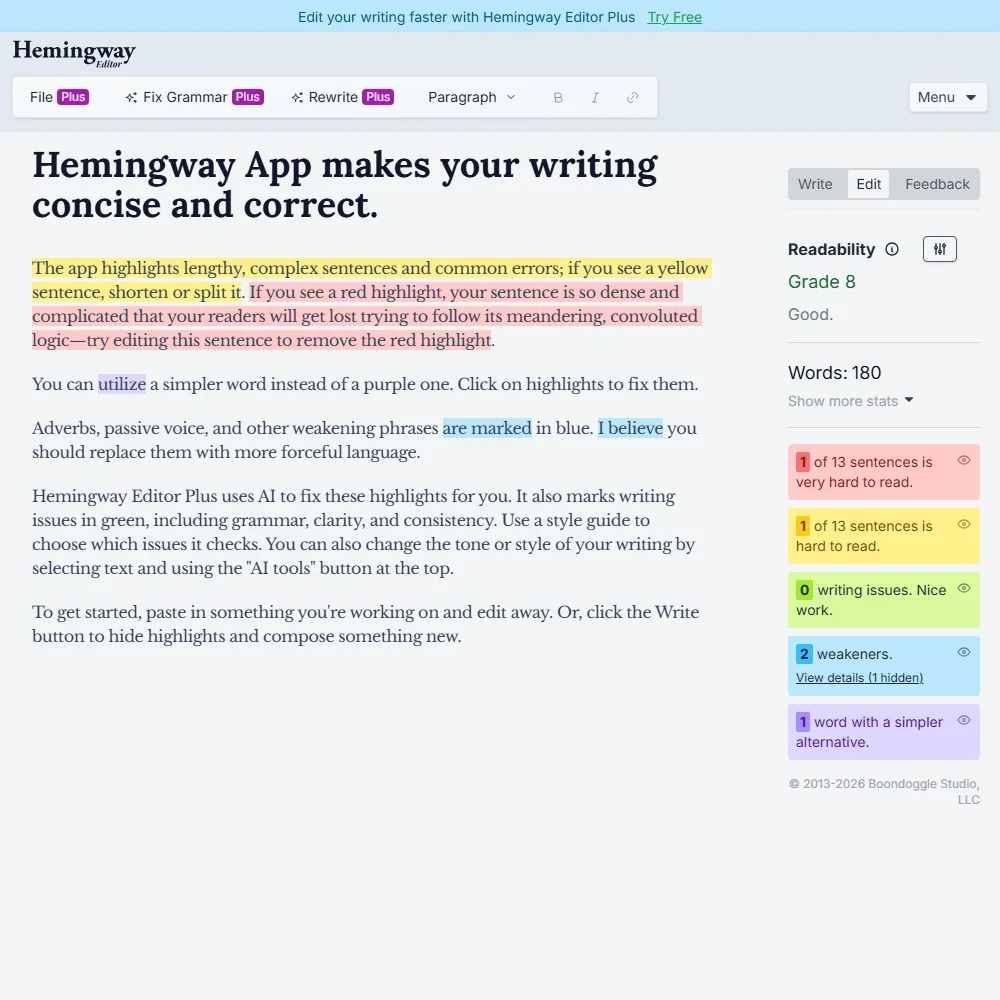
- The free web editor scores readability and highlights wordy sentences, passive voice and adverbs.
- Advanced grammar fixes are unlimited on every Editor Plus plan and do not use AI credits.
- There is no browser extension, Word or Google Docs add-in, or mobile app.
Best academic writing tools under $30
2 picksThese two tools split the academic job in half. Paperpal edits and checks a manuscript, with unlimited language editing and a monthly plagiarism pool on Prime. Jenni AI helps draft from your own sources, and its plans count autocompletes and full-paper Reviews instead. Choose Paperpal when the paper is written and Jenni AI when it still needs writing.
#ToolScoreEntry plan includesStarts at
Prime: Multi-year option: $229 for 2 years or $289 for 3 years
✓ Free plan tooFrom $12Show detailsHide details08 Paperpal: Best for academics submitting to journals8.2Score 8.2 out of 10Prime: Multi-year option: $229 for 2 years or $289 for 3 years✓ Free plan too$12Visit site ↗ReviewDetailsCloseShow more about Paperpal
Prime: Multi-year option: $229 for 2 years or $289 for 3 years
✓ Free plan tooFrom $12
Show detailsHide detailsPaperpal: Best for academics submitting to journals
8.2Score 8.2 out of 10Prime: Multi-year option: $229 for 2 years or $289 for 3 years✓ Free plan too$12Visit site ↗ReviewDetailsClose
For this budget Prime covers nearly everything a researcher does: unlimited language editing, AI detection with a bigger word count per scan, reference checks and unlimited journal submission checks. Cheaper plans come from longer billing periods, so monthly is the expensive route. It stays narrow by design. Pair it with Jenni AI if you also want drafting help grounded in citations.
- Built specifically for academic and research writing, trained on scholarly literature and journal submission standards rather than general web content.
- Offers over 30 journal-specific readiness checks in a single pre-submission workflow, a feature rarely found in competing tools.
- Highly specialized focus means it is not useful for general-purpose writing tasks outside academia.
Plus: 5,000 autocompletes/month, unlimited PDF uploads, 500 AI edits, 500 AI chat, 10 Reviews/month
✓ Free plan tooFrom $30Show detailsHide details09 Jenni AI: Best for cited drafts from your own PDFs6.0Score 6.0 out of 10Plus: 5,000 autocompletes/month, unlimited PDF uploads, 500 AI edits, 500 AI chat, 10 Reviews/month✓ Free plan too$30Visit site ↗ReviewDetailsCloseShow more about Jenni AI
Plus: 5,000 autocompletes/month, unlimited PDF uploads, 500 AI edits, 500 AI chat, 10 Reviews/month
✓ Free plan tooFrom $30
Show detailsHide detailsJenni AI: Best for cited drafts from your own PDFs
6.0Score 6.0 out of 10Plus: 5,000 autocompletes/month, unlimited PDF uploads, 500 AI edits, 500 AI chat, 10 Reviews/month✓ Free plan too$30Visit site ↗ReviewDetailsClose
Plus is the first plan that lets you draft all week: thousands of autocompletes a month, unlimited PDF uploads, hundreds of AI edits and chat messages, and ten full-paper Reviews. Pro removes every limit and adds priority support, but the jump in cost is steep. Every suggestion can be traced to a source. Choose it over Paperpal when drafting, not editing, is the problem.
- Grounded autocomplete cites real, traceable academic sources rather than fabricating references like general chatbots do.
- Over 10,000 citation styles supported, covering virtually every journal format a researcher could encounter.
- Not suitable for marketing teams, SEO writers or content creators, with no brand voice controls or bulk generation.
Best AI detectors and humanizers under $30
5 picksA free AI detector gets you started, and a paid one earns its place on volume, so the plans here count words scanned or rewritten. GPTZero is the dedicated checker. Smodin and Wrizzle AI bundle a humanizer with other tools, Conch AI adds study features, and WordAI is an article rewriter priced well above the rest.
#ToolScoreEntry plan includesStarts at
Premium: 300,000 words per month; Advanced AI Scan, multilingual AI detection, AI reports, AI Highlights in Chrome
✓ Free plan tooFrom $12.99Show detailsHide details10 GPTZero: Best for verifying who wrote a text7.8Score 7.8 out of 10Premium: 300,000 words per month; Advanced AI Scan, multilingual AI detection, AI reports, AI Highlights in Chrome✓ Free plan too$12.99Visit site ↗ReviewDetailsCloseShow more about GPTZero
Premium: 300,000 words per month; Advanced AI Scan, multilingual AI detection, AI reports, AI Highlights in Chrome
✓ Free plan tooFrom $12.99
Show detailsHide detailsGPTZero: Best for verifying who wrote a text
7.8Score 7.8 out of 10Premium: 300,000 words per month; Advanced AI Scan, multilingual AI detection, AI reports, AI Highlights in Chrome✓ Free plan too$12.99Visit site ↗ReviewDetailsClose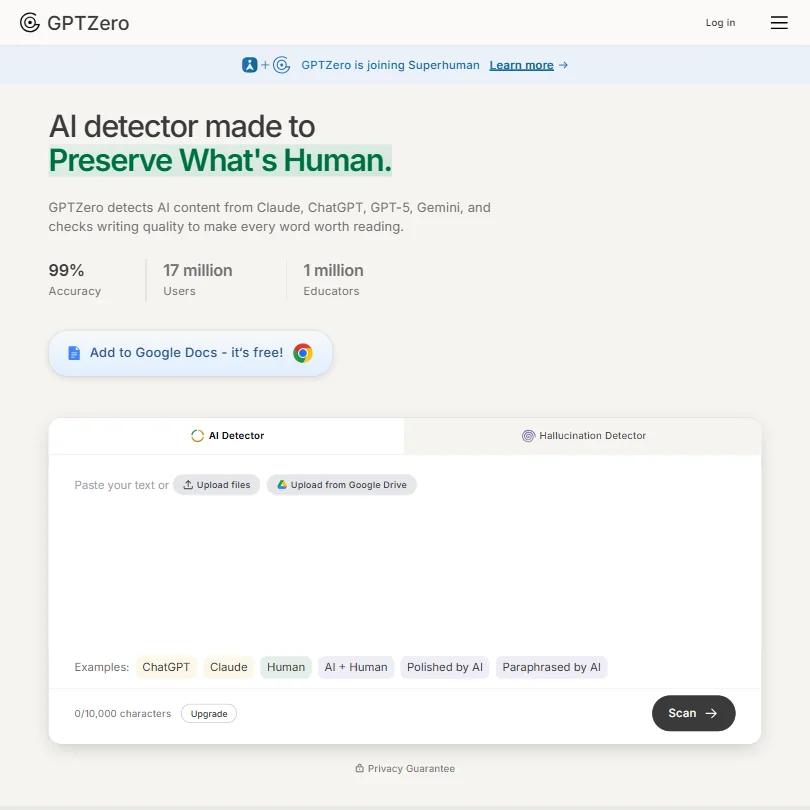
Premium suits an educator or editor who checks a lot of text, with a large monthly word count, an advanced scan, multilingual detection and report downloads. Professional, the next step, raises the allowance again and adds batch scanning and learning management integration. The accuracy figure on its site is the vendor's own claim. It is a checker, so use Smodin if you also want a writing tool.
- Sentence-level AI detection granularity allows users to pinpoint exactly which parts of a document are flagged as AI-generated.
- Batch uploading supports up to 250 files at once, making it a practical time-saver for educators grading large sets of essays.
- The 99% accuracy figure is GPTZero's own claim, so treat it as a marketing number rather than a guarantee.
Starter: All AI tools included: AI Detector, Humanizer, Plagiarism Checker, AI Writer, AI Chat, Career Toolkit
From $10Show detailsHide details11 Smodin: Best for students juggling several checks7.2Score 7.2 out of 10Starter: All AI tools included: AI Detector, Humanizer, Plagiarism Checker, AI Writer, AI Chat, Career Toolkit$10Visit site ↗ReviewDetailsCloseShow more about Smodin
Starter: All AI tools included: AI Detector, Humanizer, Plagiarism Checker, AI Writer, AI Chat, Career Toolkit
From $10
Show detailsHide detailsSmodin: Best for students juggling several checks
7.2Score 7.2 out of 10Starter: All AI tools included: AI Detector, Humanizer, Plagiarism Checker, AI Writer, AI Chat, Career Toolkit$10Visit site ↗ReviewDetailsClose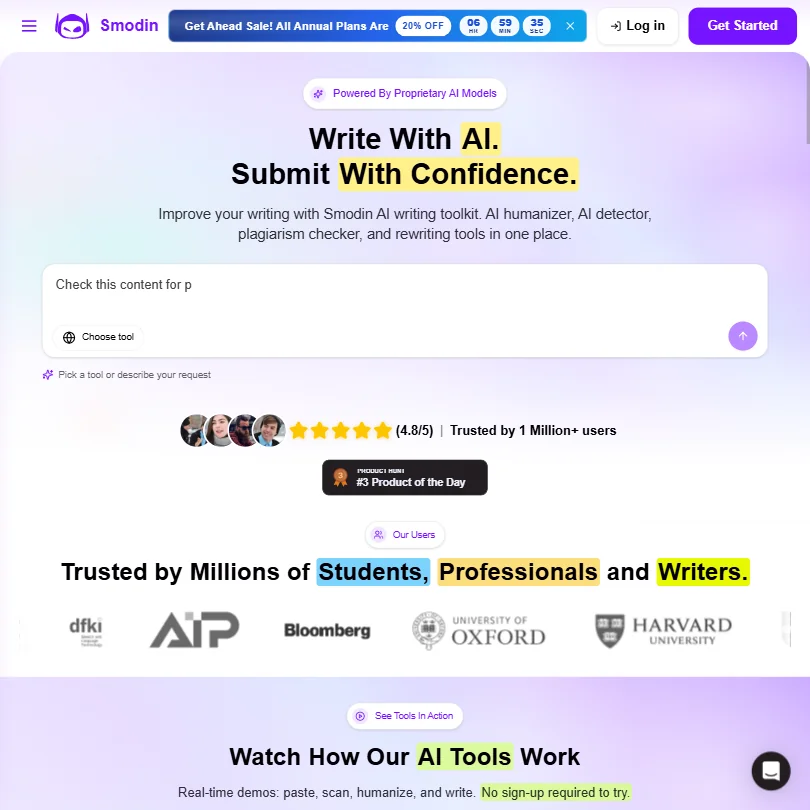
Smodin's Starter includes the detector, humanizer, plagiarism checker, AI writer, chat and career toolkit in a single subscription. It charges immediately and has no trial, which makes the first month a commitment. Premium is for volume: bulk processing, unlimited writing output, longer chat memory and priority support. Students wanting several checks in one place get more here than at Wrizzle AI.
- Smodin bundles an AI essay writer, plagiarism checker, and AI humanizer into one subscription, eliminating the need for multiple separate tools.
- The platform supports over 100 languages with depth that goes beyond the thin multilingual wrappers common in competing tools.
- The AI humanizer feature is described as having a short half-life, likely to become unreliable as AI detection tools continue to improve.
Standard: Unlimited GPT-4.1-mini access in 30+ AI writer tools, 100,000 words/month with advanced model in 30+ AI writing tools, 20,000 words/month in AI detector, 10,000 words/month in AI humanizer, 200 chats/month in ChatPDF
✓ Free plan tooFrom $7.99Show detailsHide details12 Wrizzle AI: Best for high word volume on a budget6.1Score 6.1 out of 10Standard: Unlimited GPT-4.1-mini access in 30+ AI writer tools, 100,000 words/month with advanced model in 30+ AI writing tools, 20,000 words/month in AI detector, 10,000 words/month in AI humanizer, 200 chats/month in ChatPDF✓ Free plan too$7.99Visit site ↗ReviewDetailsCloseShow more about Wrizzle AI
Standard: Unlimited GPT-4.1-mini access in 30+ AI writer tools, 100,000 words/month with advanced model in 30+ AI writing tools, 20,000 words/month in AI detector, 10,000 words/month in AI humanizer, 200 chats/month in ChatPDF
✓ Free plan tooFrom $7.99
Show detailsHide detailsWrizzle AI: Best for high word volume on a budget
6.1Score 6.1 out of 10Standard: Unlimited GPT-4.1-mini access in 30+ AI writer tools, 100,000 words/month with advanced model in 30+ AI writing tools, 20,000 words/month in AI detector, 10,000 words/month in AI humanizer, 200 chats/month in ChatPDF✓ Free plan too$7.99Visit site ↗ReviewDetailsClose
Wrizzle works on monthly word pools, so check your own volume first. Standard covers 100,000 advanced-model words, while Premium raises that to 300,000 and enlarges the detector, humanizer and ChatPDF pools. Beyond those pools the lighter model is unlimited. It suits freelancers who turn out many short pieces. The company behind it publishes little, so judge the output yourself before paying annually.
- Offers a no-login free tier with five generations per day, which is more generous than most competing tools.
- Bundles over 30 writing tools into a single platform, including an AI Text Generator, Paraphraser, Humanizer, and ChatPDF.
- Founding date, headquarters, and user base are all unknown, which raises credibility concerns for a paid product.
Limitless
✓ Free plan tooFrom $30Show detailsHide details13 Conch AI: Best for essays plus flashcards and notes3.9Score 3.9 out of 10Limitless✓ Free plan too$30Visit site ↗ReviewDetailsCloseShow more about Conch AI
Limitless
✓ Free plan tooFrom $30
Show detailsHide detailsConch AI: Best for essays plus flashcards and notes
3.9Score 3.9 out of 10Limitless✓ Free plan too$30Visit site ↗ReviewDetailsClose
Conch AI has a single paid plan, Limitless, plus a seven-day money-back guarantee instead of a trial. It earns its place with flashcards, mind maps and smart notes alongside rewriting and a citation tool. There is no plagiarism checker, so students who submit work to a checker should look at Smodin. It runs as a Chrome extension and web app, with no native phone apps.
- Bundles writing assistance, rewriting, study tools, and citation generation into a single platform, reducing the need for multiple subscriptions.
- Rewriting and paraphrasing tools help students revise drafts they have already written.
- ConchBib citation tool can be hit-or-miss, sometimes producing inaccurate citations that require manual correction before submission.
Monthly: Full feature access including AI rewriter, bulk rewriting, API access, pass AI detection
From $27Show detailsHide details14 WordAi: Best for bulk article rewriting at scale3.2Score 3.2 out of 10Monthly: Full feature access including AI rewriter, bulk rewriting, API access, pass AI detection$27Visit site ↗ReviewDetailsCloseShow more about WordAi
Monthly: Full feature access including AI rewriter, bulk rewriting, API access, pass AI detection
From $27
Show detailsHide detailsWordAi: Best for bulk article rewriting at scale
3.2Score 3.2 out of 10Monthly: Full feature access including AI rewriter, bulk rewriting, API access, pass AI detection$27Visit site ↗ReviewDetailsClose
WordAi does one job, rewriting whole articles, and does it in volume, with bulk rewriting, an API and as many as 1,000 variations of one piece. There is no free plan, only a three-day trial. The yearly plan has the same features as monthly at a much lower monthly rate, and Enterprise covers high throughput. It is a rewriting engine, so look elsewhere for grammar or drafting.
- Uses meaning-based rewriting rather than simple synonym swapping, preserving the original intent of the content.
- Generates up to 1,000 variations per article, making it well-suited for high-volume SEO campaigns.
- No brand voice controls, meaning output cannot be tailored to a specific tone or style.
Best AI resume builders under $30
3 picks#ToolScoreEntry plan includesStarts at
Pro: Unlimited resumes, AI interviews and downloads, all templates, one expert resume review a month.
✓ Free plan tooFrom $29Show detailsHide details15 Rezi#1 of 7 AI resume builders7.6Score 7.6 out of 10Pro: Unlimited resumes, AI interviews and downloads, all templates, one expert resume review a month.✓ Free plan too$29Visit site ↗ReviewDetailsCloseShow more about Rezi
Pro: Unlimited resumes, AI interviews and downloads, all templates, one expert resume review a month.
✓ Free plan tooFrom $29
Show detailsHide detailsRezi#1 of 7 AI resume builders
7.6Score 7.6 out of 10Pro: Unlimited resumes, AI interviews and downloads, all templates, one expert resume review a month.✓ Free plan too$29Visit site ↗ReviewDetailsClose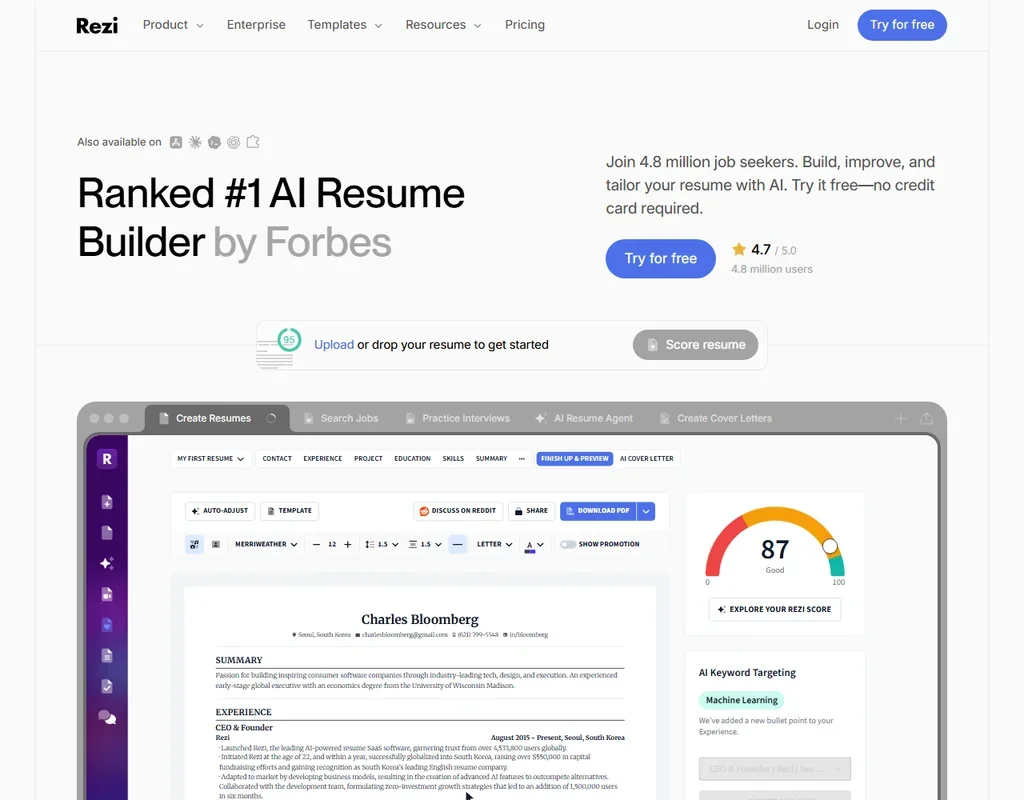
- The Lifetime plan gives all features for one payment of $149.
- The Rezi Score rates a resume against 23 key metrics for applicant tracking systems.
- The free plan allows 1 resume, 1 AI interview and 3 PDF downloads.
Teal+ weekly: $13 every 7 days; monthly figure is the 4.33-week equivalent.
✓ Free plan tooFrom $29Show detailsHide details16 Teal#2 of 7 AI resume builders7.5Score 7.5 out of 10Teal+ weekly: $13 every 7 days; monthly figure is the 4.33-week equivalent.✓ Free plan too$29Visit site ↗ReviewDetailsCloseShow more about Teal
Teal+ weekly: $13 every 7 days; monthly figure is the 4.33-week equivalent.
✓ Free plan tooFrom $29
Show detailsHide detailsTeal#2 of 7 AI resume builders
7.5Score 7.5 out of 10Teal+ weekly: $13 every 7 days; monthly figure is the 4.33-week equivalent.✓ Free plan too$29Visit site ↗ReviewDetailsClose
- Unlimited resumes, unlimited job tracking and unlimited PDF downloads are on the free plan.
- A match score from 0 to 100% weighs your resume's keywords, skills and experience against a job description.
- Resumes export as PDF, with no Word download.
Premium monthly: Billed every month.
✓ Free plan tooFrom $24Show detailsHide details17 Kickresume#4 of 7 AI resume builders5.7Score 5.7 out of 10Premium monthly: Billed every month.✓ Free plan too$24Visit site ↗ReviewDetailsCloseShow more about Kickresume
Premium monthly: Billed every month.
✓ Free plan tooFrom $24
Show detailsHide detailsKickresume#4 of 7 AI resume builders
5.7Score 5.7 out of 10Premium monthly: Billed every month.✓ Free plan too$24Visit site ↗ReviewDetailsClose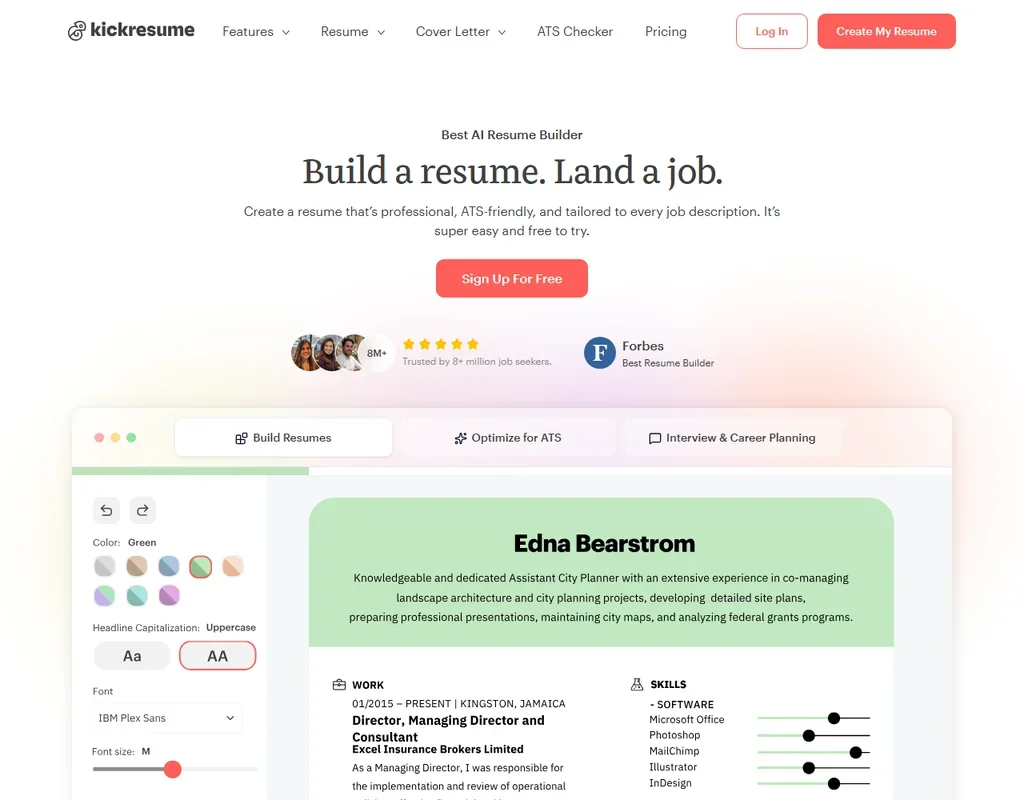
- Resumes, cover letters and downloads are unlimited on the free plan.
- Premium billed yearly costs $8 a month.
- The AI writer and AI cover letters are Premium features.
Best AI copywriting tools under $30
3 picksCopywriting plans sell output, and the three here sell it differently. Rytr writes short copy from templates with no generation cap on its paid plans. ContentBot counts monthly words and adds automation and bulk imports for regular publishers. Lavender does not write for you, it coaches cold sales emails in Gmail or Outlook, which suits reps and nobody else.
#ToolScoreEntry plan includesStarts at
✓ Free plan tooFreeShow detailsHide details18 Lavender: Best for reply-focused cold email coaching4.7Score 4.7 out of 10✓ Free plan tooFreeVisit site ↗ReviewDetailsCloseShow more about Lavender
✓ Free plan tooFree
Show detailsHide detailsLavender: Best for reply-focused cold email coaching
4.7Score 4.7 out of 10✓ Free plan tooFreeVisit site ↗ReviewDetailsClose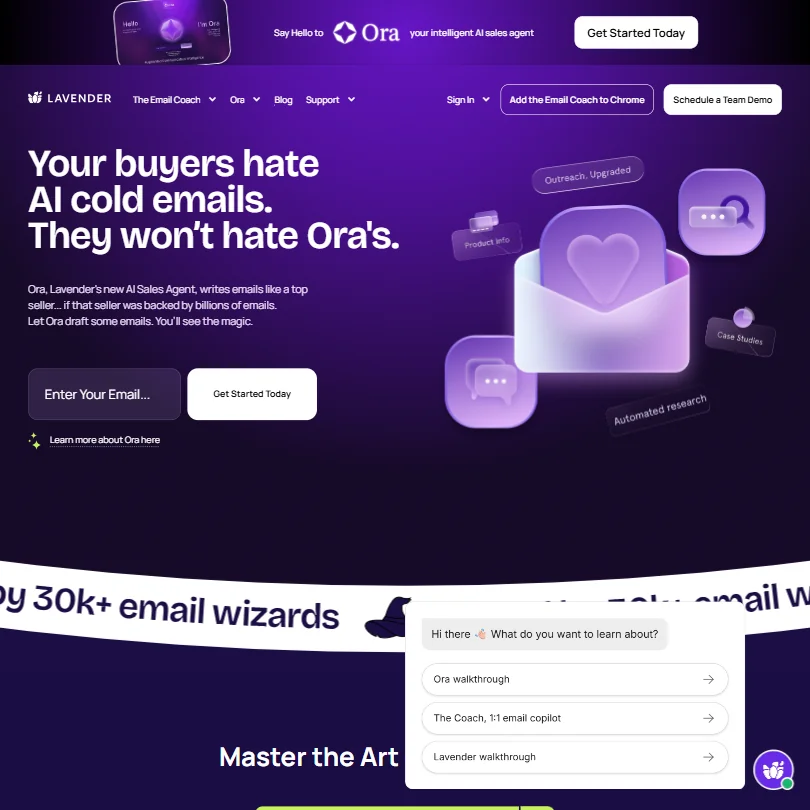
The paid tiers matter if cold email is your job: Individual adds the full coaching inside Gmail or Outlook, while Team adds a dashboard, analytics and manager insights. Month-to-month terms are available and a seven-day trial exists. The score is based on reply data from sales emails. It is no help for anything else, so it works best beside a general tool such as Rytr.
- Real-time email scoring gives instant, actionable feedback while you draft, flagging issues like salesy subject lines or 'I'-led openers with suggested fixes.
- Built specifically for sales outbound email, meaning its AI is trained on actual reply-rate performance data rather than generic writing norms.
- No integrations with Google Docs or CMS platforms, limiting usefulness for teams who work outside the core sales stack.
Starter: 50,000 words/mo
From $9Show detailsHide details19 ContentBot: Best for scheduled and bulk content pipelines4.1Score 4.1 out of 10Starter: 50,000 words/mo$9Visit site ↗ReviewDetailsCloseShow more about ContentBot
Starter: 50,000 words/mo
From $9
Show detailsHide detailsContentBot: Best for scheduled and bulk content pipelines
4.1Score 4.1 out of 10Starter: 50,000 words/mo$9Visit site ↗ReviewDetailsClose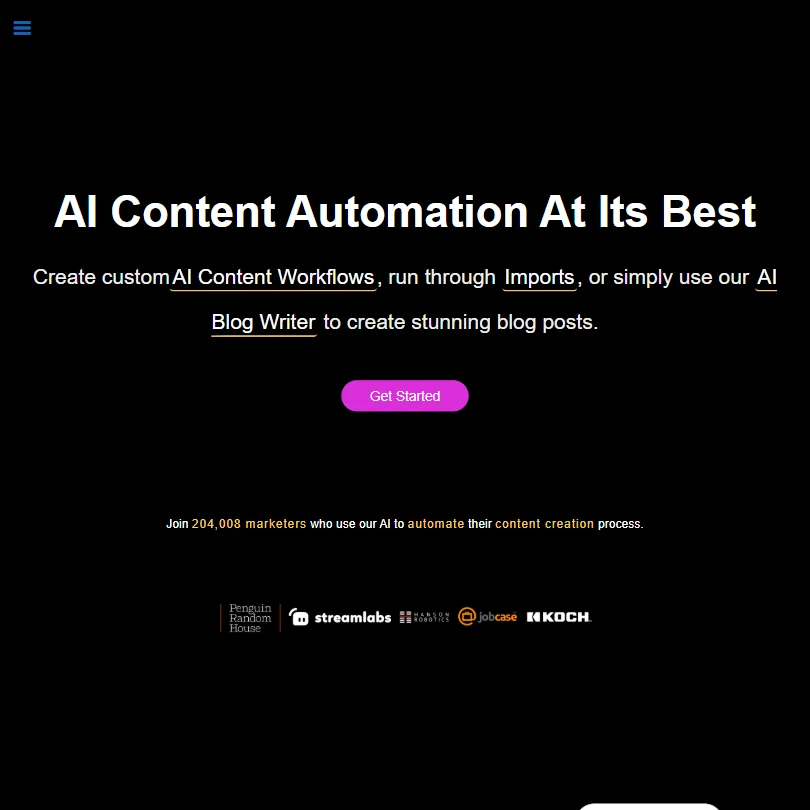
ContentBot rewards people with a content calendar. Its AI Flows run on triggers and schedules, CSV imports process prompts in bulk, and it supports 110+ languages. Starter, Premium and Premium+ step up the monthly words, with prepaid usage as an alternative. There is no free plan or trial. Its SEO scoring is lighter than a dedicated tool, so it suits blog output, not SEO research.
- The AI Flows feature automates content with triggers, inputs and scheduled pipelines, going beyond simple prompt-and-response generation.
- The CSV Import feature allows bulk prompt jobs with output routed to docs or email, making it genuinely useful for agencies producing content at volume.
- The tool has rough edges that cause some users to tolerate rather than enjoy the product, suggesting UX and polish are ongoing weaknesses.
Unlimited: Unlimited generations, 1 custom tone of voice, 50 plagiarism checks/month, 1 language Billed annually (2 months free).
✓ Free plan tooFrom $9Show detailsHide details20 Rytr: Best for templates for marketers and freelancers4.1Score 4.1 out of 10Unlimited: Unlimited generations, 1 custom tone of voice, 50 plagiarism checks/month, 1 language Billed annually (2 months free).✓ Free plan too$9Visit site ↗ReviewDetailsCloseShow more about Rytr
Unlimited: Unlimited generations, 1 custom tone of voice, 50 plagiarism checks/month, 1 language Billed annually (2 months free).
✓ Free plan tooFrom $9
Show detailsHide detailsRytr: Best for templates for marketers and freelancers
4.1Score 4.1 out of 10Unlimited: Unlimited generations, 1 custom tone of voice, 50 plagiarism checks/month, 1 language Billed annually (2 months free).✓ Free plan too$9Visit site ↗ReviewDetailsClose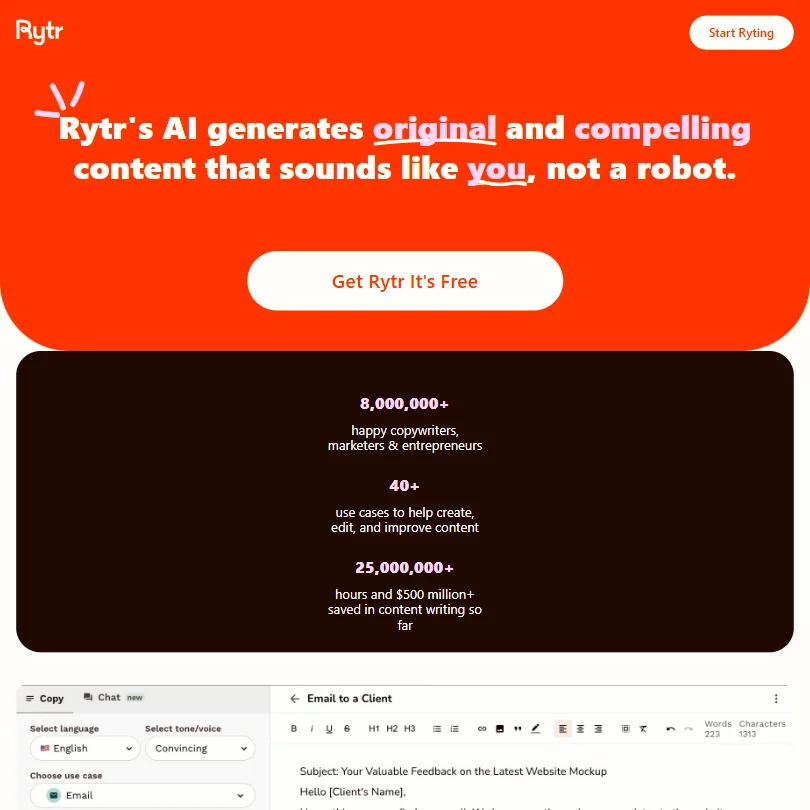
Choose Rytr when you want a template for every small task: 40+ use cases, 20+ tones and a built-in plagiarism check. Unlimited and Premium differ on custom tones, plagiarism checks and languages, not on generation counts. It reaches its ceiling sooner than the homepage suggests, and My Voice can wander on longer pieces. Wrizzle AI gives more tools, though Rytr's commercial rights are explicit.
- Extremely affordable pricing at $9/month for unlimited output makes it accessible for budget-conscious freelancers and small businesses.
- Library of 40-plus templates covers a wide range of short-form content needs including product descriptions, email copy, social captions, and SEO meta titles.
- The tool has a clear capability ceiling that freelancers and marketers will hit faster than the homepage implies.
More AI writing tools under $30
1 pickSudowrite stands alone because it writes fiction, not business text. You buy monthly credits, and Professional is where the Feedback tool for screenplays and novels arrives. Max brings the largest pool with credits that roll over for 12 months. Novelists get the most from it, and anyone writing emails or essays should look at the other sections.
#ToolScoreEntry plan includesStarts at

#21Sudowrite: Best for story drafts with a consistent world
Hobby & Student: 225,000 credits per month; free trial, no card needed
From $10Show detailsHide details21Sudowrite: Best for story drafts with a consistent worldn/aHobby & Student: 225,000 credits per month; free trial, no card needed$10Visit site ↗ReviewDetailsCloseShow more about Sudowrite
#21Sudowrite: Best for story drafts with a consistent world
Hobby & Student: 225,000 credits per month; free trial, no card needed
From $10
Show detailsHide detailsSudowrite: Best for story drafts with a consistent world
n/aHobby & Student: 225,000 credits per month; free trial, no card needed$10Visit site ↗ReviewDetailsClose
Think of credits as fuel. Hobby and Student suits students and casual writers, Professional provides a much larger pool and the Feedback tool, and Max adds the biggest pool with credits that carry over for twelve months. Monthly billing gives fewer credits on Professional than annual. Commercial rights are listed. It writes fiction only, so a novelist should pair it with ProWritingAid for revision.
- Built exclusively for fiction writing from the ground up, not a repurposed business-copy tool with a creative mode added on.
- Proprietary Muse model was designed specifically for creative writing, unlike generic AI models adapted for narrative use.
- Narrow feature scope means it is entirely unsuitable for non-fiction, blog posts, ad copy, or any business writing use case.
How to choose an AI writing tool under $30 a month
With a budget of this size, a real subscription is on the table, and the choice shifts from what you can try to what you will open every day. The tools differ most in what they meter: prompts, messages, words, credits or scans. A plan that counts the thing you do most is worth more than a cheaper plan that counts something else. This guide goes through the jobs these tools cover, what each kind of plan counts, where the ceilings sit and how to pay less for the same thing.
Start with the job, not the tool
The tools on this page cluster around five jobs, and picking the job first removes most of the list.
- Everyday writing help. Grammar, tone and rewording wherever you type. Grammarly works in browsers, Word, Google Docs and on phones, QuillBot paraphrases, Wordtune rewrites sentences, LanguageTool covers more than 30 languages, and HyperWrite sits in the browser as an assistant.
- Academic writing. Drafting with sources and preparing a paper. Jenni AI drafts with citations, Paperpal edits and checks a manuscript, and Conch AI adds study tools for students.
- Detecting and humanizing. GPTZero detects, Smodin and Wrizzle AI bundle a detector with a humanizer, and WordAI rewrites articles in bulk.
- Marketing and sales copy. Rytr and ContentBot generate copy, and Lavender coaches cold emails.
- Fiction and long edits. Sudowrite drafts novels and screenplays, and ProWritingAid reads finished chapters with 25 or more reports.
Once the job is clear, the table below names a first pick and one alternative.
| Job | Start with | Runner-up, and the trade-off |
|---|---|---|
| Proofread and rewrite in every app | Grammarly | LanguageTool corrects in 30+ languages and costs less on longer plans, but it paraphrases rather than drafts |
| Paraphrase every day | QuillBot | Wordtune Unlimited removes the rewrite cap and adds summaries |
| Edit a journal manuscript | Paperpal | ProWritingAid reports go deeper, in English only |
| Draft a paper from sources | Jenni AI | Paperpal suits the editing pass once a draft exists |
| Check student work for AI text | GPTZero | Paperpal scans for AI inside a manuscript tool |
| Rewrite articles in bulk | WordAI | ContentBot adds scheduled flows and CSV imports for new content |
| Write cold sales emails | Lavender | Rytr handles other kinds of copy, in one language on Unlimited |
| Draft a novel | Sudowrite | ProWritingAid edits the finished draft and links to Scrivener |
| Make study notes and flashcards | Conch AI | Jenni AI grounds its writing in citations |
What the price actually buys
Paying for a plan means buying a count, and each kind of tool sells a different one.
- Writing assistants. Prompts or messages. Grammarly Pro includes 2,000 AI prompts a month, about 65 a day, and adds full sentence rewrites, plagiarism checks and AI detection. HyperWrite Premium includes 250 messages a month, about 8 a day, with citations and real-time information.
- Academic tools. Autocompletes, edits, Reviews and plagiarism words. Jenni AI Plus gives 5,000 autocompletes, 500 AI edits and 10 Reviews a month. Paperpal Prime makes editing unlimited and sets a plagiarism pool of 10,000 words.
- Detectors and humanizers. Words scanned or rewritten. GPTZero Premium covers 300,000 words a month, and Wrizzle Premium covers 50,000 detector words and 20,000 humanizer words.
- Copywriting tools. Words generated, or nothing. ContentBot Premium includes 150,000 words a month, and Rytr Premium has unlimited generations with 100 plagiarism checks.
- Fiction tools. Credits. Sudowrite Professional gives 1,000,000 credits a month, or 450,000 on monthly billing.
If you write a little each day, a prompt count of 65 a day is generous. If you write in bursts, a monthly pool of words or credits can be spent on a single deadline.
Which tool fits which writer
- Students. Start with Jenni AI while you draft, because citations stay unlimited and the paid plan lifts autocompletes to 5,000 a month. Add Paperpal for the final language pass, and Conch AI for its study tools.
- Researchers and academics. Start with Paperpal, because it combines editing, plagiarism checks, AI detection and journal submission checks, and it does not train on your text. Add Jenni AI when you are building a first draft from sources.
- Teachers. Start with GPTZero, because Premium offers downloadable reports and Professional scans up to 250 files at once. Add Paperpal for a second scan of a disputed paper.
- Working professionals. Start with Grammarly, because it follows you into email, documents and the phone. Add HyperWrite if you want an assistant that drafts replies inside the browser.
- Content marketers. Start with ContentBot for long posts and Rytr for short copy, since both list commercial use as allowed. Add WordAI when old articles need a fresh rewrite at volume.
- Salespeople. Start with Lavender, because it scores a cold email as you write it in Gmail or Outlook. It covers English only, so pair it with a general tool.
- Novelists. Start with Sudowrite for the draft and ProWritingAid for the edit, since ProWritingAid connects to Scrivener and runs reports a novelist can act on.
Where the entry plans stop
Paying removes the first limit on most of these tools and often reveals a second one.
| Limit | Tools | What happens when you hit it |
|---|---|---|
| Monthly count | Grammarly Pro (2,000 prompts), HyperWrite Premium (250 messages), ContentBot Premium (150,000 words) | You wait for next month or take the tier above, such as HyperWrite Ultra or ContentBot Premium+ |
| Review and autocomplete counts | Jenni AI Plus (5,000 autocompletes, 10 Reviews) | Pro removes the limits, at more than double the price of Plus |
| Size of one scan | Paperpal Prime (10,000 words per AI detection scan) | Longer text goes through in sections |
| Held for the tier above | GPTZero (batch scanning), Sudowrite (Feedback tool), ProWritingAid (Chapter Critiques) | The feature needs Professional, Professional and Premium Pro |
A student drafting daily meets a Jenni AI limit first, while a weekly publisher meets a word count first. Look at which count you used up in the last month of work and treat that as the number to buy. Jenni AI Pro costs more than twice Plus, so it helps to plan the month around Plus.
What the cheapest plan leaves out
A plan under $30 is a full plan for most jobs, but a few tools still keep features for a higher tier. Grammarly keeps unlimited prompts, custom roles and data loss prevention for Enterprise. Smodin keeps premium models, advanced humanization and bulk processing for Premium. LanguageTool puts user management and a team style guide in its Teams plan.
Some limits are about scale rather than features. Wrizzle runs on a lighter model that can drift over long pieces, and HyperWrite's message count suits an assistant, not a drafting engine. Team seats and shared libraries are a separate purchase on Lavender, QuillBot and LanguageTool, so a group of writers will want to price the team plans before settling on a personal one.
Privacy and who sees your text
Drafts you have not published, such as research, client work and personal writing, deserve a tool that says how it treats them. Four tools on this page state that your text is not used for training, and two let you switch training off.
| Tool | Training on your text |
|---|---|
| Wrizzle AI | Not used for training |
| ProWritingAid | Not used for training |
| LanguageTool | Not used for training |
| Paperpal | Not used for training |
| Grammarly | You can opt out |
| Wordtune | You can opt out |
Use the first four for anything sensitive, and turn training off in Grammarly and Wordtune before you paste in private text. For generated text, commercial rights are the question. Sudowrite, ContentBot and Rytr each list commercial use as allowed, which matters when you hand the result to a client.
Mistakes to avoid
- Paying for overlap. A Smodin subscription includes a detector, a humanizer and a plagiarism checker, so a separate subscription for each is often wasted money.
- Choosing by the monthly price alone. WordAI, QuillBot and Paperpal each cost far less per month on an annual plan than on a monthly one. Work out what you will use for twelve months before you pick.
- Spending Reviews on rough drafts. Jenni AI Plus has 10 Reviews a month, and each one covers a whole paper. Save them for the draft you are close to finishing.
- Trusting one detector. GPTZero's accuracy figure is the vendor's own claim. Read the highlighted sentences, and check a borderline result with a second tool such as Paperpal.
- Buying a lifetime license too early. ProWritingAid's lifetime plan costs about three and a third years of its annual plan. Use the annual plan for a year and then decide.
When to move up a plan
An entry plan stops fitting when you start arranging your week around its counts. Running out of prompts before the month ends, paying for two tools that do the same job, or adding colleagues who need shared settings are the usual signs.
| If you are | Upgrade to | What changes |
|---|---|---|
| Drafting a thesis chapter by chapter | Jenni AI Pro | Autocomplete, edits, chat and Reviews all unlimited |
| Writing fiction at volume | Sudowrite Max | A pool of 2,000,000 credits that rolls over for 12 months |
| Editing chapters daily | ProWritingAid Premium Pro | 50 Sparks and 3 Chapter Critiques a day |
| Chatting with an AI all day | HyperWrite Ultra | Unlimited messages and 10 custom personas |
| Scanning whole classes | GPTZero Professional | 500,000 words a month and up to 250 files at once |
| Running a proofreading team | LanguageTool Teams | User management, a shared dictionary and a team style guide |
Refund and trial terms differ widely. Grammarly gives a 7-day trial, Wordtune and WordAI give 3 days, and WordAI also refunds within 30 days if you have rewritten fewer than 10 articles. Conch AI offers a 7-day guarantee and ProWritingAid a 3-day money-back window.
Using two tools together
Pay for the tool you open every day, and let a free or cheaper plan handle the rest.
- Pay for the daily tool. Pick the one that hits a limit every week, such as Grammarly Pro or QuillBot Premium.
- Add a free plan for the gaps. Wordtune gives 10 rewrites a day and LanguageTool keeps its grammar checks open.
- Scan last. Run any AI or plagiarism check on the version you plan to submit.
For a thesis, pay for Jenni AI Plus while drafting, then move the text to Paperpal's free plan for edits and its 7,000 monthly plagiarism words.
What would this stack cost you?
Add our top picks (Grammarly, Paperpal, GPTZero and 3 more) to the calculator and see the monthly total, then swap in the plans you would pay for.
How we picked
Every tool here is ranked by its score, and each score is worked out from the vendor’s own published pages: pricing, plans, features and terms. No score is adjusted by hand. 20 of the 21 tools have enough published facts to show a score, and on average 96% of each score comes from facts the vendor publishes. The facts behind these scores were checked between 15 September 2026 and 31 October 2026.
Scores compare tools that do the same job, which is why the list is grouped by job: a video editor and a grammar checker are never ranked against each other.
| Ranked as | On this page | What we score | Scoring guide |
|---|---|---|---|
| AI writing assistants7 reviewed | 7 | 5 criteria, 20 checked facts: what it helps with, pricing, where it works, teams and control, privacy and security | How we score these → |
| AI detectors and humanizers5 reviewed | 5 | 5 criteria, 20 checked facts: detecting AI text, rewriting, pricing, where it works, teams and trust | How we score these → |
| AI resume builders7 reviewed | 3 | 4 criteria, 15 checked facts: job-search tools, getting your resume out, pricing, privacy and trust | How we score these → |
| AI copywriting tools6 reviewed | 3 | 5 criteria, 19 checked facts: brand and content, pricing, where the copy goes, teams and control, privacy and security | How we score these → |
| Academic writing tools2 reviewed | 2 | 5 criteria, 17 checked facts: research and citations, checking your work, pricing, where you write, privacy and security | How we score these → |
Common questions
Is Grammarly Pro or LanguageTool Premium better value?
It depends on the job. Grammarly Pro brings whole-sentence rewrites, tone changes, plagiarism and AI detection and 2,000 AI prompts a month. LanguageTool Premium brings unlimited AI paraphrasing, a style guide and very long text fields across 30+ languages, but has no plagiarism checker. Choose Grammarly for rewriting with checks, and LanguageTool for multilingual correction.
What is the best AI paraphrasing tool for students under $30?
QuillBot Premium is the dedicated paraphraser, with a plagiarism checker, a humanizer and a Word add-in alongside the web app. Wordtune Unlimited has no rewrite cap but no plagiarism checker. Smodin Starter bundles a detector, humanizer and plagiarism checker. If you rewrite daily, QuillBot's annual plan is cheaper than paying month to month.
Can an AI humanizer get my text past an AI detector?
Several tools here list a humanizer: Smodin, Wrizzle AI, Conch AI, QuillBot, Grammarly and ContentBot. WordAI lists passing AI detection as a plan feature. Detectors differ from one another, so run the result through GPTZero or Paperpal's scan before you submit, and read the flagged sentences yourself instead of trusting a single score.
Is there an AI writing tool under $30 that works inside Microsoft Word?
Grammarly, Paperpal, QuillBot, LanguageTool and ProWritingAid all list a Microsoft Word integration, and most of them work in Google Docs too. Wordtune and GPTZero list Google Docs as well. HyperWrite runs as a Chrome extension across Gmail and Google Docs, so it suits writing in the browser more than writing inside desktop Word.
Which cheap AI writing tools have a phone app?
Grammarly, Wordtune and QuillBot list iOS and Android apps, and Sudowrite has an Android app. Conch AI works through a mobile browser rather than a dedicated app, and GPTZero has no mobile app. Most of the rest rely on a browser extension, which matters if you mostly write on a phone.
What is the best AI writing tool under $30 for a novel?
Sudowrite drafts fiction using credits, with a Feedback tool on Professional and credit rollover on Max. ProWritingAid edits a finished draft, with Chapter Critiques on Premium Pro and a Scrivener link. Draft in Sudowrite, then revise in ProWritingAid. If you already have a draft and only want editing, ProWritingAid alone is the cheaper route.
Is a lifetime AI writing tool license worth it?
ProWritingAid sells one here. Premium Lifetime costs about three and a third years of the annual Premium plan, so it pays off if you will use the tool that long, and Premium Pro Lifetime follows the same logic. If your needs may change, annual billing is the safer choice, since you can stop whenever the work does.