
The picture that comes back is interesting. Not flashy. Interesting. Launched in 2021, the tool has quietly grown without making much noise in the AI writing conversation. That's either a sign it doesn't deserve the noise, or a sign it's genuinely bad at marketing itself. Probably some of both.
What is ContentBot?
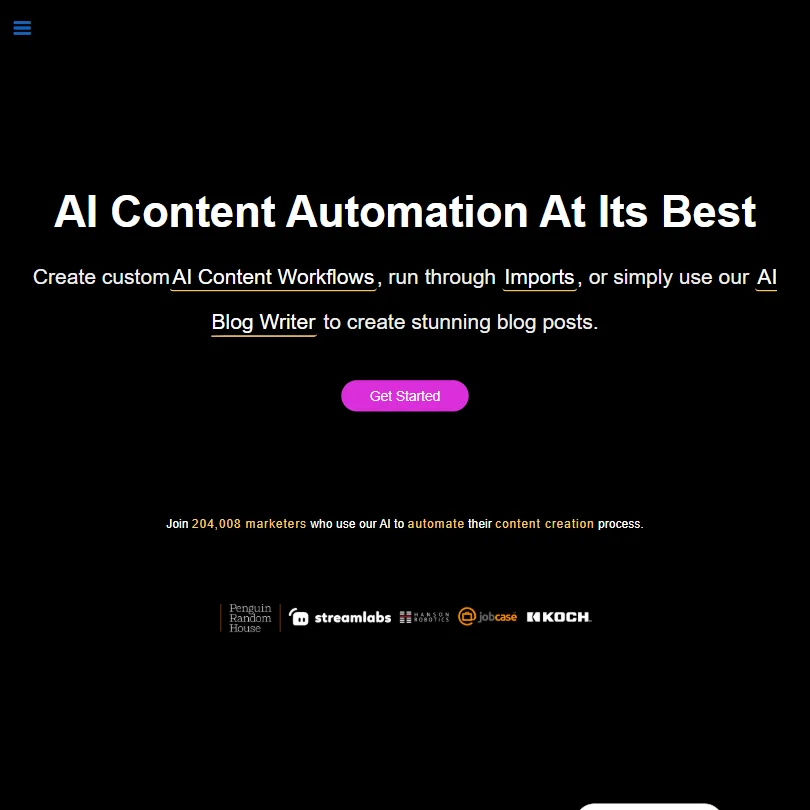
An AI writing tool built around content automation. Not "write me a blog post" automation, but the kind where you configure a trigger, feed it inputs, and route content through a pipeline on a schedule. That's the actual pitch. The AI Flows feature is what separates it from the hundred other GPT-4 wrappers competing for the same budget, and it's the reason some marketing teams stick around despite the rough edges elsewhere in the product.
It covers long-form blog writing, short-form ad copy, and landing page creation. There's a WordPress plugin and a Chrome extension. Over 110 languages supported. That's a real breadth for a tool that isn't backed by venture money the way Jasper is.
ContentBot Features: What You Actually Get

The core offering is the AI Blog Writer v4.0. Full posts, intro generation, bullet expansion. Standard stuff, mostly. What's less standard is the Import feature, which lets you run bulk prompt jobs through a CSV and get output routed to docs or email. Genuinely useful for agencies, or anyone producing at volume.
The Humanizer feature rewrites AI-generated content to reduce detection likelihood. We're not here to debate the ethics. It exists, people use it, ContentBot built it in deliberately, and that tells you something about who they're building for.
There's also a drag-and-drop blog builder and a tool called InstructBot for custom prompts. SEO support shows up through intelligent linking features inside the blog writer. Not a dedicated SEO research layer like Surfer SEO. Enough to keep the writing pointed in the right direction, though.
Honestly, the automation angle is the strongest part. Most competitors offer templates and call it done. ContentBot is building repeatable workflows, and for content marketers producing at scale, that's a meaningful difference.
ContentBot AI Output Quality: Is It Good Enough?
GPT-4 under the hood, same as most of the field. Baseline quality is fine. The differentiator is how ContentBot prompts and structures that output.
Blog output needs editing before it's publishable, as with most AI writers.
The uniqueness score attached to long-form output is a nice touch in theory. That's worth factoring in if you're publishing at volume and can't afford to check everything manually.
Don't read "v4.0" as a meaningful generational leap. The versioning implies a lot, but nothing points to a dramatic quality jump over earlier versions. That's typical of tools in this category when they increment version numbers.
Is ContentBot Easy to Use?
The research gets a bit wobbly here. ContentBot has a lot of features, and the interface tries to hold all of them. Not always gracefully.
The drag-and-drop builder works. The Flows setup is where users hit friction. There's a real learning curve getting automation pipelines configured correctly. Not broken, just not obvious. Know that before you go in expecting a five-minute onboarding.
The Chrome extension and WordPress plugin genuinely help for users who live in those environments. The extension supports Google Docs, per ContentBot's own Chrome Web Store listing, which even records a past fix specifically related to Google Docs functionality. Worth being clear on what that means, though. This is extension-based support, not a native Google Docs add-on. A content team that runs its editorial process inside Google Docs will notice the difference between the two.
ContentBot Pricing: Is It Worth the Cost?
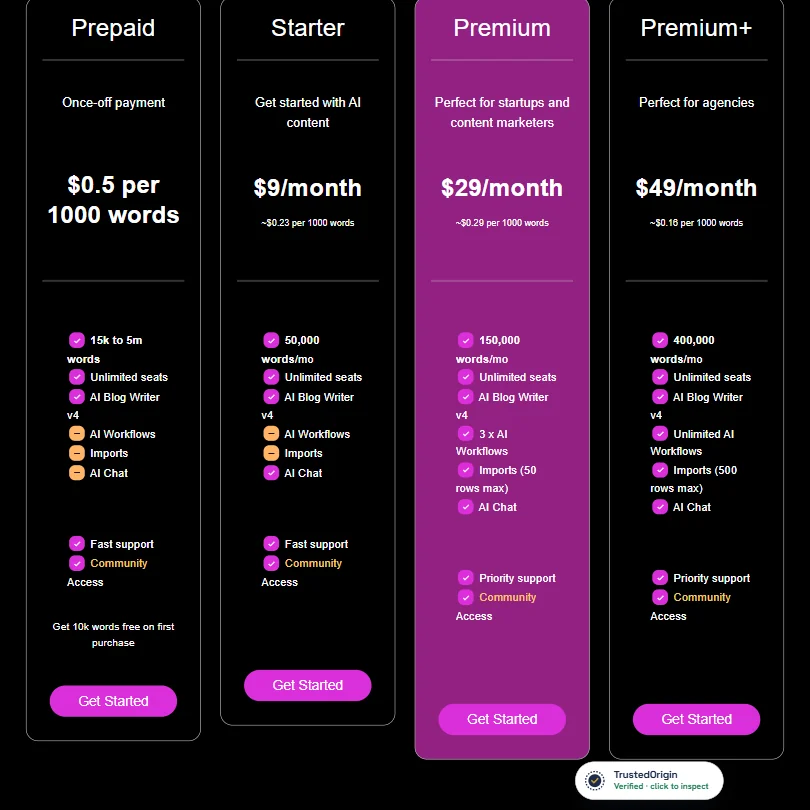
ContentBot publishes pricing on its homepage: Starter at $9/month, Premium at $29/month, and Premium+ at $49/month, plus a pay-as-you-go Prepaid option, at least not in a form we could reliably verify. There's a free trial. No free tier. Beyond that, you're clicking into the tool to find out what things actually cost.
That's a problem. Not a dealbreaker, but a problem. It creates friction.
No public refund policy either. For context, Jasper makes both pricing tiers and refund terms visible upfront. ContentBot doesn't. Fair or not, that asymmetry registers during evaluation.
ContentBot vs Jasper: Which Is Better?
Jasper is the obvious comparison point. More features, more integrations, more brand-voice tooling, and a bigger overall footprint in the market.
Where ContentBot makes an argument is automation. Jasper's AI Workflows exist, but ContentBot's AI Flows and bulk Import system are more central to the product, not a secondary feature bolted on later. If you need to run 200 pieces of content through a pipeline on a schedule, ContentBot is built for that in a way Jasper isn't.
Teams needing deep brand voice controls and enterprise-grade consistency will find Jasper the safer bet. Content volume at lower cost, ContentBot's argument holds. Neither fits every situation, and Koala AI is worth a look for SEO-heavy long-form work if both miss the mark.
Who Should Use ContentBot? (And Who Shouldn't)
Digital marketers running high-volume content operations. That's the fit. The automation features are built for people who treat content like a production line.
Solo bloggers and founders. They'll probably find the workflow complexity doesn't pay off at low volume. Simpler tools exist for that use case, and the Flows setup will feel like overkill.
Teams expecting broad integrations will hit a wall. WordPress is well covered. ContentBot also has a documented Zapier integration with its own API documentation, though that API appears built primarily to support the Zapier connection rather than serving as a general-purpose developer API. Don't go in expecting open-ended programmatic access. For teams running complex stacks, that distinction matters.
ContentBot Review Verdict
There's a genuine idea at the center of this product. Automated content pipelines for marketers who need volume. Real use case. Not everyone is building for it. The GPT-4 output is on par with the field, and the automation features are the strongest part of the product by a clear margin.
The integration layer is thinner than competitors at this tier. The Flows learning curve puts off users who want something quick to spin up. Not fatal flaws. Eyes-open flaws.
We've seen worse tools in this category. We've also seen better-documented ones. If content automation is the actual job to be done, ContentBot earns a trial. If you want a polished all-in-one writing assistant with broad native integrations, keep looking.
Frequently Asked Questions
Does ContentBot have a free plan?
No free plan. There's no free trial, but your first purchase comes with a 10,000-word bonus to test the product.
What is the ContentBot Humanizer feature?
A rewriting tool that takes AI-generated content and reworks it to make AI detection tools less likely to flag it. ContentBot built this in as a deliberate core feature, not a workaround. Whether that's useful or concerning depends entirely on what you're producing and for whom.
Is ContentBot good for SEO content?
There's an SEO angle built into the blog writer, including intelligent linking features. Not a dedicated SEO research tool the way Surfer SEO is. Enough for standard SEO-focused blog writing. The output is a solid starting point that needs a human pass before publishing. That's probably the honest framing for most AI writing tools right now, not just this one.