
Smodin is a product that's genuinely trying to be five things at once, and mostly pulling it off, with some real caveats buried in the details.
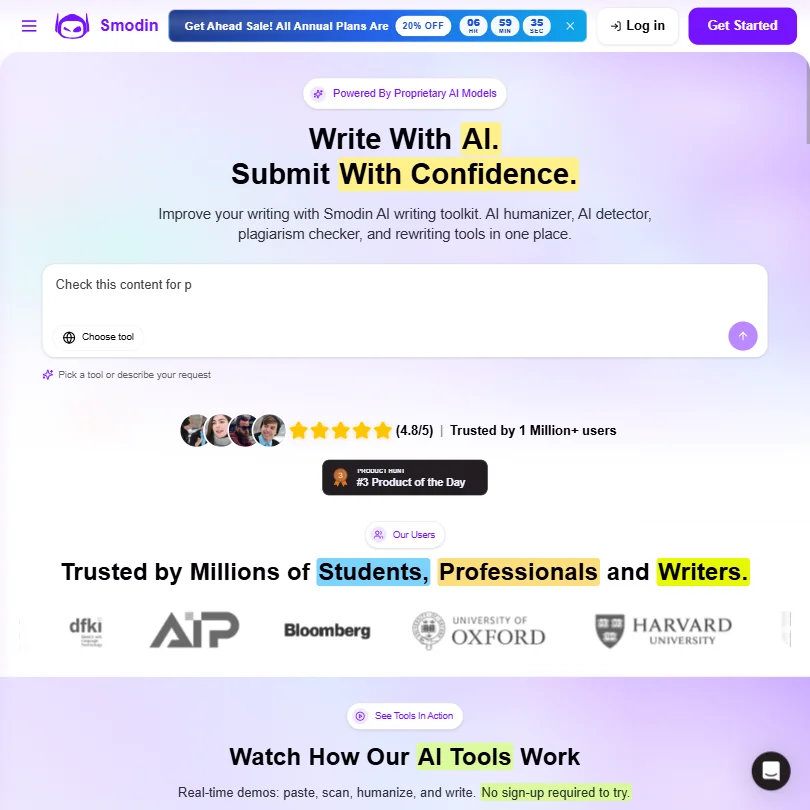
Founded in 2021 and based in Las Vegas, Smodin targets students, bloggers, and content teams who want writing help, plagiarism detection, and AI humanization without paying for three separate subscriptions. Whether that bundled approach actually works is worth unpacking.
What is Smodin?
Smodin pitches itself as an all-in-one writing platform. The core offer is an AI essay writer combined with a plagiarism checker and an AI humanizer, all sitting inside the same workspace. That's the short version of what they sell.
The longer version includes a paraphraser, a text summarizer, a multi-language translator, an AI grader, auto citation tools, and something they call the Omni chatbot. The tool supports over 100 languages, which is one of the more honest differentiators. Most competing tools in this space are effectively English-first with thin multilingual wrappers. Smodin's language support seems to go deeper, though test specific language pairs before calling it reliable.
The Chrome Extension brings the workspace into Google Docs. API access is available, extended on the Premium plan. No WordPress integration. No Zapier. Those gaps matter, and we'll get to them.
Smodin Features: What You Actually Get
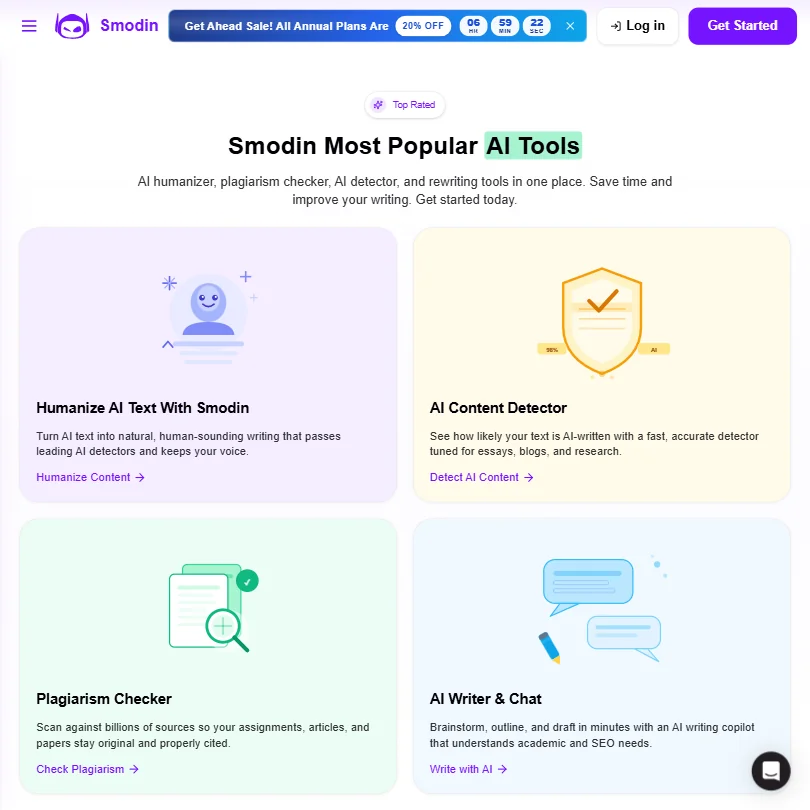
The feature list is long. Maybe too long. Smodin covers long-form writing for essays and research drafts. It handles short-form copy for ads and pitch decks. Paraphrasing and rewriting are both built in. The plagiarism checker is native, not a third-party bolt-on.
The AI humanizer is the feature that keeps coming up in user discussions. The promise is that it rewrites AI-generated text to bypass AI detection tools. That's an arms race, and the humanizer works until it doesn't. As detection tools get better, this feature has a short half-life. Users who need this today should re-evaluate in six months.
The AI Grader is the most unusual feature on the roster. It grades your own content before you submit it, which is useful for students who aren't sure if their essay meets the standard. User commentary on how accurate the grading is runs thin, so test it on your own work.
Bulk processing and custom AI templates are locked to the Premium plan at $16/month. The Chrome Extension is also Premium-only. A one-off unauthenticated Quick Scan lets you test the detector before you pay, but there's no ongoing free plan.
Smodin AI Output Quality: Is It Good Enough?
Smodin runs on a proprietary model, not GPT-4 or Claude. That's a deliberate choice, and it comes with trade-offs.
Essays, summaries, paraphrased passages.
Is Smodin Easy to Use?
The interface is web-based, no download required. That's fine. Most tools in this category work that way now.
Smodin lists ten-plus features on the homepage. Getting to the specific tool you need requires a bit of hunting, especially on first use. Not a dealbreaker. But not great either.
The Chrome Extension, when you unlock it on Premium, brings things closer to where the work actually happens. Google Docs integration is the practical use case there. For students writing in Docs, that's probably the most useful access point on the whole platform.
The help center is described as basic. Expect to figure most of it out yourself.
Smodin Pricing: Is It Worth the Cost?
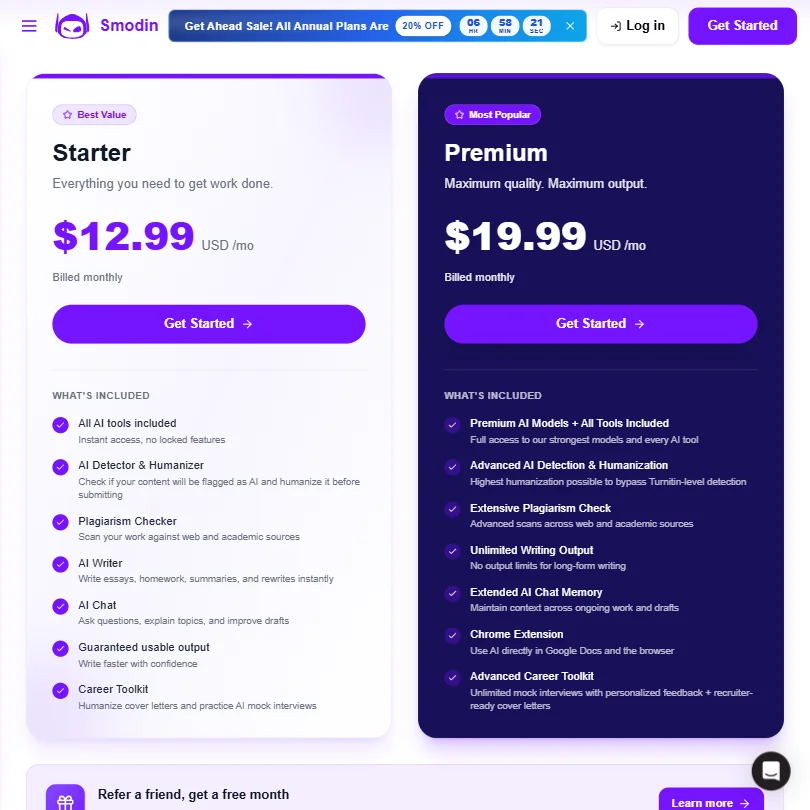
Three tiers. Starter at $10/month billed annually. Premium at $16/month.
For what's on offer, $16/month is not unreasonable. The problem is what's locked where. The Chrome Extension, bulk processing, custom templates, and 24/7 priority email support all require Premium. That's a lot of features concentrated at the top tier for what amounts to a $6 jump.
The pricing page lists no enterprise plans, seats-based pricing, or team tiers. That's a ceiling. Content teams that grow past a handful of users have nowhere to go except the API. The refund policy is not published, which is an avoidable transparency problem.
QuillBot, which is the most direct comparison, runs at a similar price point. Jasper AI costs significantly more but is built for teams. Koala AI is worth a look for content creators and SEOs who mostly need long-form articles and don't need the humanizer or plagiarism checker.
Smodin vs QuillBot: Which Is Better?
QuillBot wins on paraphrasing. That's been its core function since launch, and it's had years to refine it. Smodin's paraphrasing is competent but not best-in-class.
Smodin wins on breadth. QuillBot doesn't have a built-in plagiarism checker, an AI humanizer, and an essay writer in one place. If you're a student who needs all three, paying for QuillBot plus a separate plagiarism tool is more expensive than Smodin Premium.
The honest comparison: QuillBot is a sharper tool for one job. Smodin is a blunter tool for five jobs. Which one you want depends on what you're actually doing. For students who live inside a writing workflow that needs detection, humanization, and paraphrasing in one place, Smodin has a real argument.
One genuine differentiator is that Smodin's multilingual support is a genuine edge over QuillBot for non-English users. If you're writing in French, Spanish, or a less common language, the language coverage matters.
Who Should Use Smodin? (And Who Shouldn't)
Students writing essays in multiple languages. That's the clearest fit. The combination of AI writing, auto citation, AI grading, and plagiarism checking is built around that workflow.
Bloggers who want a light content toolkit without paying Jasper prices. Smodin handles basic SEO-aware copy and drafting well enough for that. Not a power tool. Functional.
Content teams at scale should look elsewhere. The lack of team pricing, the absent CMS integrations, and no Zapier support mean Smodin doesn't fit into a professional content operation cleanly. Jasper AI is the more obvious move for teams that need brand voice, collaboration, and integrations baked in.
Anyone who needs image generation won't find it here. Smodin doesn't do it.
Smodin Review Verdict
Smodin is a crowded platform trying to solve a real problem. The bundled approach makes sense for its core audience, students and solo content creators who don't want multiple subscriptions. The pricing is accessible. The multilingual support is genuine. The AI humanizer is useful right now, even if its long-term reliability is questionable.
The weak spots are real. Support documentation is thin and enterprise options don't exist. The refund policy being invisible isn't a small thing.
We've seen worse tools charge more and get more attention. Smodin at $16/month, for the specific user who needs what it bundles, is fair value. For everyone else, there are sharper options.
Frequently Asked Questions
Is Smodin free to use?
Yes, there's a free plan. It gives you access to the core tools with limits on usage and output quality. Most of the features worth using regularly, including the Chrome Extension and bulk processing, require the Premium plan at $16/month.
Does Smodin work for professional content teams?
Not really, at least not at scale. There's no team pricing, no CMS integration, and no Zapier connection. The API is available and could fill some gaps for technical teams, but there's no built-in workflow for collaborative content operations. It's built for individuals.
How does Smodin's AI humanizer actually work?
It rewrites AI-generated text with the goal of making it less detectable by AI content detectors. We don't know the specifics of the method since Smodin hasn't published technical details. AI detection tools are improving constantly, so treat this feature as useful now and unpredictable later.