
This lavender review sits somewhere between "useful niche tool" and "not quite ready to be your whole strategy." That gap is worth understanding before you sign up.
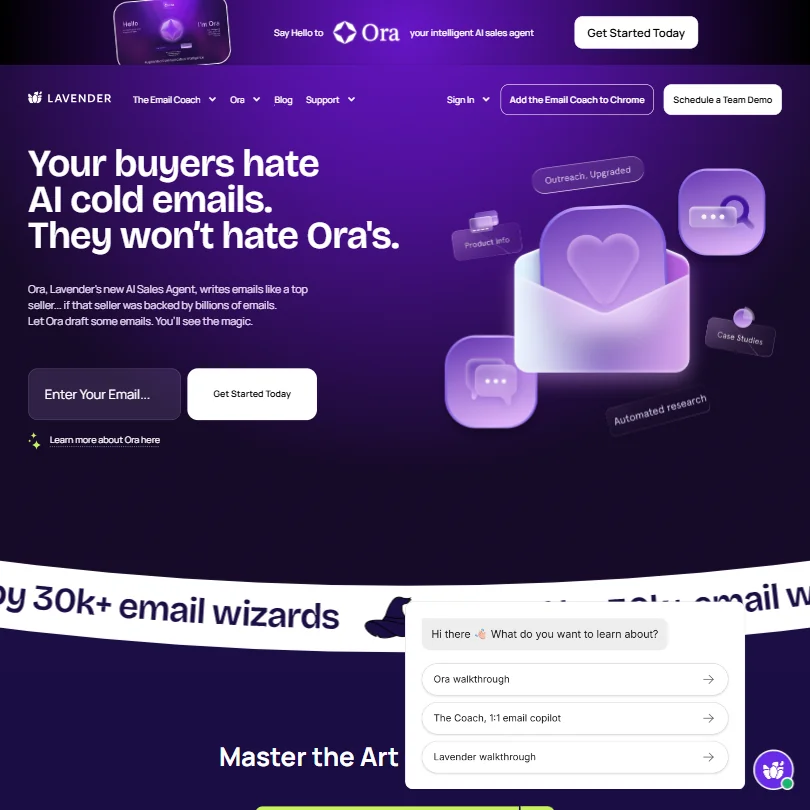
Lavender launched in 2020 out of New York. It was built specifically for sales reps writing cold outreach. Not a general-purpose AI writing tool. Not a content marketing play. Outbound sales emails, full stop. That focus is both its best quality and its biggest limitation.
What is Lavender?
Lavender bills itself as an email coach, not just an AI writer. The core product runs as a Chrome extension and lives inside Gmail or Outlook. You draft an email, and Lavender scores it in real-time, tells you what's wrong, and suggests fixes on the fly. It also pulls in prospect data, surfacing personality insights based on the recipient's public information. The idea is that you should know whether someone responds better to blunt brevity or a warmer opener before you hit send.
That's the pitch, more or less. What separates Lavender from a generic AI copywriting tool is that it's trained specifically on sales email performance data, not just general writing norms. The AI model combines OpenAI's GPT with Lavender's own fine-tuned models trained on what actually gets replies. That's not nothing.
Integrations cover the main sales stack. Gmail and Outlook natively. Then Outreach, Salesloft, HubSpot, Apollo, Groove, and Gong. No Google Docs. No CMS connections. That's expected given the use case, but worth flagging if your team lives anywhere outside those tools.
Lavender Features: What You Actually Get
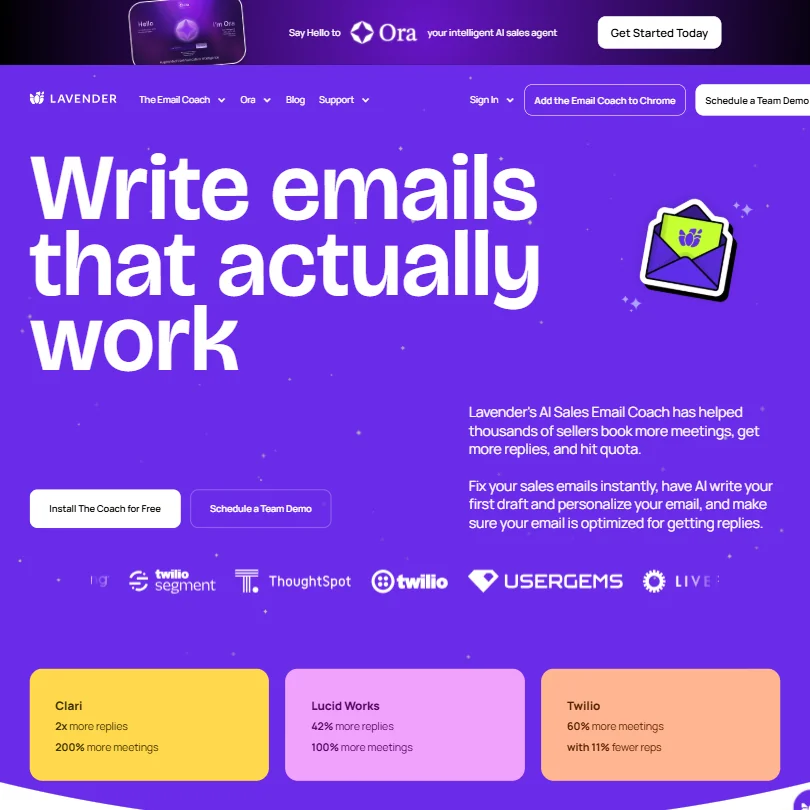
The real-time email scoring is the headline feature. You write, Lavender grades. It flags emails that are too long, subject lines that are too salesy, openers that lead with "I" (which data apparently hates). Each flag comes with a suggested fix. You can accept or ignore.
Then there's the Personalization Assistant. It surfaces prospect data from LinkedIn and other public sources, and it maps that data to communication preferences. Practically speaking, this means Lavender might tell you this person tends to respond to data-driven framing, so lead with numbers. Whether that's always right is another question. We're a bit skeptical of personality profiling based on LinkedIn activity, honestly.
AI first draft generation is in there too. You can prompt Lavender to write the email from scratch. It's not long-form. Not even close. The tool doesn't do blog posts or anything beyond short sales emails. That's a deliberate design choice, and for SDRs, it's probably fine. For anyone expecting an all-purpose AI content writer, wrong door.
Email templates exist and they're scored against best practices before you use them. Paraphrasing and rewriting tools let you rework a draft that's already close. Reply-rate coaching feedback runs continuously while you write, though it isn't a grammar or spelling checker.
What's missing is notable too. No plagiarism checker. No brand voice settings. No bulk generation. If you're writing sequences of 50 personalized emails at once, Lavender isn't built for that volume in one shot. Worth knowing upfront.
Lavender AI Output Quality: Is It Good Enough?
Not immediately. Over time. The coaching model works when you actually pay attention to the feedback instead of dismissing it.
The AI draft quality lands squarely in "good starting point, needs editing" territory. Not bad. Not impressive enough to send without reviewing. It saves time on the first draft but still requires a human pass before anything goes out. AI drafts for outbound email aren't finished products anywhere yet.
The personality insights feature got more mixed reactions. We don't buy the idea that it's reliable enough to replace your own read of a prospect. Use it as a nudge, not a verdict.
Is Lavender Easy to Use?
Honestly, yes. The Chrome extension approach keeps it out of your way until you need it. You're not context-switching to a separate app. You open Gmail, start writing, and the panel sits alongside your draft. For sales reps who live in their inbox, that's the right design call.
The onboarding isn't complex. Install the extension, connect your email client, and the coaching kicks in immediately. There's a help center, though it's fairly basic. Email support exists. Live chat, unclear. There's no community hub or forum, which matters if you run into something the docs don't cover.
The learning curve is low for the core coaching features. The Personalization Assistant takes slightly longer to trust, mostly because you need a few interactions to calibrate whether its read on a prospect matches your own. New SDRs seem to pick it up faster than experienced reps, possibly because experienced reps have more ingrained habits to override.
Lavender Pricing: Is It Worth the Cost?
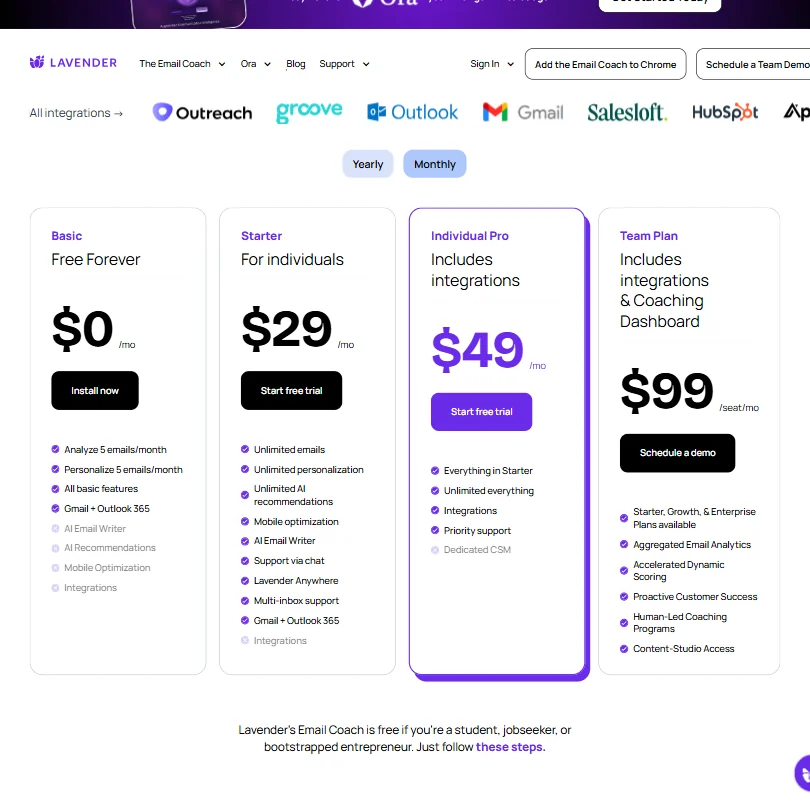
Messy. There's a free plan, no credit card required. That's real and available. Beyond that, Individual Pro runs $45/mo and the Team Plan $89/mo per seat, both billed annually. The Team Plan runs $89/mo per seat, billed annually, and includes a Coaching Dashboard.
That's a problem. Not a dealbreaker, but a problem. . Might not be the case here, but the opacity doesn't help.
For context: 16 of the 30 AI writing tools we've reviewed offer a free plan. Lavender is in that group, so the entry point is reasonable. Whether the paid tiers are priced fairly relative to Regie.ai or Copy.ai is easier to judge now that Lavender's own tiers ($27/$45/$89 per month, billed annually) are known.
Lavender vs Regie.ai: Which Is Better?
Both tools are built for sales teams. That's where the similarity ends, roughly.
Regie.ai leans harder into sequence automation and multi-channel content. It'll help you write LinkedIn messages and call scripts, not just emails. Lavender stays firmly in email territory and doubles down on the coaching angle. Real-time scoring and feedback is what Lavender does that Regie.ai doesn't emphasize as strongly.
The right choice depends on whether you want coaching or content generation. Lavender teaches your reps to write better emails over time. Regie.ai generates more content faster with less coaching. Different use cases. Regie.ai also has more visible pricing, which matters if you're making a budget decision without a sales call.
One thing to note: Lavender's integration with Outreach and Salesloft means it fits neatly inside an existing sales stack. Regie.ai has its own sequence features that might overlap with tools you already pay for. Worth mapping out before choosing either.
Who Should Use Lavender? (And Who Shouldn't)
SDRs and AEs writing cold outbound email. That's the fit. Specifically, reps who want to get better at writing, not just churn more volume. The coaching model rewards attention and repetition.
Sales teams on Outreach, Salesloft, or HubSpot will get the most from the native integrations. The experience breaks down outside those platforms.
Solo founders doing their own outreach could use it too. The free plan gives enough to evaluate whether the scoring is useful.
Not for you if you need bulk sequence generation or multi-channel content. Not for content marketers. Not for anyone expecting a general-purpose AI writer.
Lavender Review Verdict
Lavender is a real product with a clear purpose. For sales email specifically, the real-time coaching approach is more useful than a generic AI draft tool. The integration depth with major sales platforms is solid.
But the gaps are real too. The personality profiling feature is interesting and probably oversold. No brand voice controls. English only.
Compared to the 30 AI writing tools we've reviewed in this category, Lavender sits below the median, and most of that gap comes from what it doesn't do rather than what it does badly. It does its narrow job reasonably well. That job just isn't big enough for teams that need more.
If your team writes cold email and nothing else, give the free plan a real try. If you need something broader, look at what else is out there. For teams that want AI writing across more content types and still want to stay in a sales-adjacent workflow, Copy.ai's GTM-focused features cover more ground.