Pick this if you want one checker that follows you into the browser, Word, Google Docs and your phone.
Best of · 21 tools ranked
Best Free AI Writing Tools
Find the best free AI writing tools by what the free plan lets you do before a card is needed. Some cover correction and tone, some rewrite sentences, and a few build whole drafts or check for AI text. The takes below show where each allowance runs out, so you can pick one that matches the job you actually have.
Updated 3 October 2026Ranked by our score, worked out from each vendor’s own pages.How we score →All AI Writing Tool →
Our top 3 Free AI Writing Tools
Researchers get the most useful free allowance on this page. Language editing, the writing features, AI detection scans and plagiarism checks are all included with caps, and the plagiarism allowance resets each calendar month.
This is the free pick when your question is whether a text was written by AI. The free plan is limited, and the detector highlights at sentence level so you can see which passages are flagged.
Best free AI writing assistants
7 picksWriting assistants check and reword what you have already written, and their free plans are where most people start. Grammarly and LanguageTool cover grammar, spelling and punctuation for free, with LanguageTool working across more than 30 languages. QuillBot and Wordtune are rewriters first, capped by uses a day or a month. ProWritingAid and HyperWrite give enough to try them, not to finish a long piece.
#ToolScoreFree plan gives youPaid from
Write without mistakes, see writing tone, 100 AI prompts/month
↻ Renews monthlyPaid $12/moShow detailsHide details01 Grammarly: Best for everyday grammar and tone checks8.3Score 8.3 out of 10Write without mistakes, see writing tone, 100 AI prompts/month↻ Renews monthly$12/moVisit site ↗ReviewDetailsCloseShow more about Grammarly
Write without mistakes, see writing tone, 100 AI prompts/month
↻ Renews monthlyPaid $12/mo
Show detailsHide detailsGrammarly: Best for everyday grammar and tone checks
8.3Score 8.3 out of 10Write without mistakes, see writing tone, 100 AI prompts/month↻ Renews monthly$12/moVisit site ↗ReviewDetailsClose
Pick this if you want one checker that follows you into the browser, Word, Google Docs and your phone. The free plan covers grammar, spelling and punctuation, adds tone detection and gives you a monthly allowance of AI prompts, with a single brand tone. Full sentence rewrites, plagiarism checks and AI detection sit behind Pro. If rewording matters more than correcting, Wordtune is the closer fit.
- Grammarly works across an impressive range of platforms including Chrome, Safari, Firefox, Edge, Windows, Mac, iOS, Android, Microsoft Word, and Google Docs.
- The plagiarism checker is built directly into the editor rather than being a separate export tool, a useful workflow for academic and content marketing use.
- The free plan is significantly limited, though it does include tone detection and 100 AI prompts a month alongside basic grammar, spelling, and punctuation; most meaningful features still require a paid Pro subscription.
Free plan, limits not published
Paid $19.95/moShow detailsHide details02 QuillBot: Best for paraphrasing with many rewrite modes7.3Score 7.3 out of 10Free plan, limits not published$19.95/moVisit site ↗ReviewDetailsCloseShow more about QuillBot
Free plan, limits not published
Paid $19.95/mo
Show detailsHide detailsQuillBot: Best for paraphrasing with many rewrite modes
7.3Score 7.3 out of 10Free plan, limits not published$19.95/moVisit site ↗ReviewDetailsClose
Choose QuillBot when paraphrasing is your main job. It offers ten rewriting modes, including Formal and Academic, next to a grammar checker, summarizer, translator and citation generator. Usage is capped each month, and Premium removes the squeeze. Its pricing is hard to read before you sign up. For journal rules and reference checks, Paperpal goes further.
- Offers ten paraphrasing modes, which is significantly more than most competitors that typically offer three or four.
- Comprehensive feature set includes grammar checker, plagiarism detector, citation generator (APA, MLA, Chicago), AI Detector, Summarizer, and Translator covering 50+ languages.
- Pricing is almost entirely invisible on the homepage, making it difficult to evaluate cost before committing.
10 rewrites/day, 3 AI summarizations/month, unlimited spelling & grammar checks
↻ Renews monthlyPaid $4.89/moShow detailsHide details03 Wordtune: Best for rewording sentences as you type5.8Score 5.8 out of 1010 rewrites/day, 3 AI summarizations/month, unlimited spelling & grammar checks↻ Renews monthly$4.89/moVisit site ↗ReviewDetailsCloseShow more about Wordtune
10 rewrites/day, 3 AI summarizations/month, unlimited spelling & grammar checks
↻ Renews monthlyPaid $4.89/mo
Show detailsHide detailsWordtune: Best for rewording sentences as you type
5.8Score 5.8 out of 1010 rewrites/day, 3 AI summarizations/month, unlimited spelling & grammar checks↻ Renews monthly$4.89/moVisit site ↗ReviewDetailsClose
Wordtune suits anyone who knows what they want to say and needs it phrased better. The Basic plan gives a daily number of rewrites, a few summaries each month and unlimited spelling and grammar checks. The rewrite cap is what you will notice first, and grammar depth is lighter than Grammarly. It runs in the browser, in Google Docs and on iOS and Android.
- Built on proprietary AI models from AI21 Labs, not a generic GPT wrapper, giving it a distinct output style.
- Fact-verified AI suggestions claim to cross-check generated content against five or more sources before surfacing.
- No WordPress integration, limiting utility for content publishers who work directly in CMS environments.
Grammar, spelling and punctuation checks, limited suggestions
Paid $4.99/moShow detailsHide details04 LanguageTool: Best for grammar checks across many languages5.5Score 5.5 out of 10Grammar, spelling and punctuation checks, limited suggestions$4.99/moVisit site ↗ReviewDetailsCloseShow more about LanguageTool
Grammar, spelling and punctuation checks, limited suggestions
Paid $4.99/mo
Show detailsHide detailsLanguageTool: Best for grammar checks across many languages
5.5Score 5.5 out of 10Grammar, spelling and punctuation checks, limited suggestions$4.99/moVisit site ↗ReviewDetailsClose
If you write in more than one language, start with LanguageTool. The free plan checks grammar, spelling and punctuation in the browser extensions and the web editor, across 30+ languages and dialects. Suggestions per check are limited, and style guides and unlimited AI paraphrasing need Premium. It does not generate text, so look at Rytr or Wrizzle for drafting from a prompt.
- Supports grammar, style, and spelling checking across 30+ languages including multiple dialects, making it genuinely useful for multilingual users.
- Has been operational since 2003, predating most competitors including Grammarly, indicating long-term stability and refinement.
- The tool is narrower in scope than competitors like Grammarly, which may disappoint users expecting a full-featured writing assistant.
500 words per check, 2 reports a day, 10 rephrases a day
Paid $10/moShow detailsHide details05 ProWritingAid: Best for long-form fiction and Scrivener users4.5Score 4.5 out of 10500 words per check, 2 reports a day, 10 rephrases a day$10/moVisit site ↗ReviewDetailsCloseShow more about ProWritingAid
500 words per check, 2 reports a day, 10 rephrases a day
Paid $10/mo
Show detailsHide detailsProWritingAid: Best for long-form fiction and Scrivener users
4.5Score 4.5 out of 10500 words per check, 2 reports a day, 10 rephrases a day$10/moVisit site ↗ReviewDetailsClose
Novelists who live in Scrivener should know this one, but expect a demo. The free plan allows a short word count per check, two report runs a day, a few Sparks and some Rephrases. That is enough to see the reports and not enough to edit a chapter. Premium removes the word cap. For a free tool that handles longer text, LanguageTool is easier to live with.
- Offers 25+ writing reports including pacing analysis, dialogue tag tracking, and repeated phrase detection that go far beyond surface-level grammar checks.
- Integrates with Scrivener, a major differentiator over Grammarly that fiction writers in long-form workflows genuinely value.
- Runs on a proprietary AI model with no recognizable third-party AI partnership, which may raise questions about model quality and transparency.
Limited monthly credits; paid plans add more messages
↻ Renews monthlyPaid $16/moShow detailsHide details06 HyperWrite: Best for drafting email inside the browser3.5Score 3.5 out of 10Limited monthly credits; paid plans add more messages↻ Renews monthly$16/moVisit site ↗ReviewDetailsCloseShow more about HyperWrite
Limited monthly credits; paid plans add more messages
↻ Renews monthlyPaid $16/mo
Show detailsHide detailsHyperWrite: Best for drafting email inside the browser
3.5Score 3.5 out of 10Limited monthly credits; paid plans add more messages↻ Renews monthly$16/moVisit site ↗ReviewDetailsClose
HyperWrite makes sense if most of your writing happens in Gmail, Google Docs or other web pages, because the Chrome extension finishes sentences as you type. The free tier is a small bundle of monthly credits, and it is easy to run out before you have tried everything. Paid plans raise the message count and add custom personas. It has no grammar checker or plagiarism check.
- The Chrome extension integrates natively into Gmail, Google Docs, and virtually any web interface, eliminating the need to switch tabs while writing.
- Scholar AI connects to millions of peer-reviewed articles in real time and provides citations alongside generated content, a feature most competitors lack entirely.
- No plagiarism checker is included, which is a notable gap for academic and professional users.
Web editor: readability score and highlights, no AI
Paid $25/moShow detailsHide details07 Hemingway Editor#7 of 7 AI writing assistants3.3Score 3.3 out of 10Web editor: readability score and highlights, no AI$25/moVisit site ↗ReviewDetailsCloseShow more about Hemingway Editor
Web editor: readability score and highlights, no AI
Paid $25/mo
Show detailsHide detailsHemingway Editor#7 of 7 AI writing assistants
3.3Score 3.3 out of 10Web editor: readability score and highlights, no AI$25/moVisit site ↗ReviewDetailsClose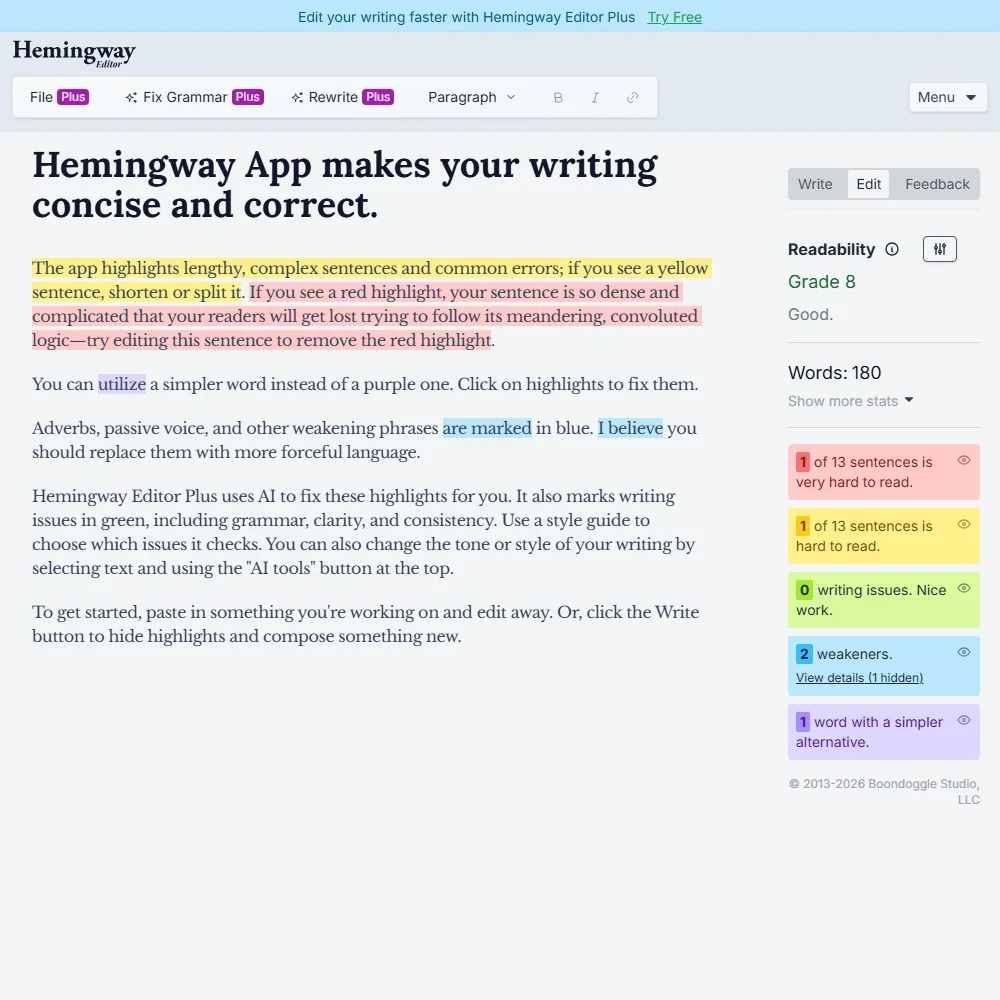
- The free web editor scores readability and highlights wordy sentences, passive voice and adverbs.
- Advanced grammar fixes are unlimited on every Editor Plus plan and do not use AI credits.
- There is no browser extension, Word or Google Docs add-in, or mobile app.
Best free academic writing tools
2 picksAcademic writing tools are built around papers rather than posts. Paperpal gives the fullest free allowance here, with language edits, AI detection and a plagiarism check that resets every month. Jenni AI suits drafting from your own sources, with unlimited citations and a few autocompletes a day. Pick by whether you are polishing a manuscript or writing one.
#ToolScoreFree plan gives youPaid from
200 suggestions/month language editing, 5 uses/day writing features, 5 AI detection scans/day (1,200 words), 7,000 words/month plagiarism, 5 PDF uploads/month
↻ Renews monthlyPaid $12/moShow detailsHide details08 Paperpal: Best for journal papers and research manuscripts8.2Score 8.2 out of 10200 suggestions/month language editing, 5 uses/day writing features, 5 AI detection scans/day (1,200 words), 7,000 words/month plagiarism, 5 PDF uploads/month↻ Renews monthly$12/moVisit site ↗ReviewDetailsCloseShow more about Paperpal
200 suggestions/month language editing, 5 uses/day writing features, 5 AI detection scans/day (1,200 words), 7,000 words/month plagiarism, 5 PDF uploads/month
↻ Renews monthlyPaid $12/mo
Show detailsHide detailsPaperpal: Best for journal papers and research manuscripts
8.2Score 8.2 out of 10200 suggestions/month language editing, 5 uses/day writing features, 5 AI detection scans/day (1,200 words), 7,000 words/month plagiarism, 5 PDF uploads/month↻ Renews monthly$12/moVisit site ↗ReviewDetailsClose
Researchers get the most useful free allowance on this page. Language editing, the writing features, AI detection scans and plagiarism checks are all included with caps, and the plagiarism allowance resets each calendar month. PDF uploads run out quickly, and Prime lifts the limits. It is trained on scholarly writing, so for everyday email or blog drafts Grammarly is the better choice.
- Built specifically for academic and research writing, trained on scholarly literature and journal submission standards rather than general web content.
- Offers over 30 journal-specific readiness checks in a single pre-submission workflow, a feature rarely found in competing tools.
- Highly specialized focus means it is not useful for general-purpose writing tasks outside academia.
10 AI autocompletes/day, 10 PDF uploads, 5 AI chat messages, 3 Reviews, unlimited citations
Paid $30/moShow detailsHide details09 Jenni AI: Best for citation-backed academic drafting6.0Score 6.0 out of 1010 AI autocompletes/day, 10 PDF uploads, 5 AI chat messages, 3 Reviews, unlimited citations$30/moVisit site ↗ReviewDetailsCloseShow more about Jenni AI
10 AI autocompletes/day, 10 PDF uploads, 5 AI chat messages, 3 Reviews, unlimited citations
Paid $30/mo
Show detailsHide detailsJenni AI: Best for citation-backed academic drafting
6.0Score 6.0 out of 1010 AI autocompletes/day, 10 PDF uploads, 5 AI chat messages, 3 Reviews, unlimited citations$30/moVisit site ↗ReviewDetailsClose
Academic writers who want sources attached to every suggestion should try this first. Free use means a few AI autocompletes and chat messages each day, a small number of full-paper Reviews a month, unlimited citations and PDF uploads to ground the writing in. You will hit the caps mid-draft if you write daily. Paperpal is the stronger choice if you mostly edit existing text.
- Grounded autocomplete cites real, traceable academic sources rather than fabricating references like general chatbots do.
- Over 10,000 citation styles supported, covering virtually every journal format a researcher could encounter.
- Not suitable for marketing teams, SEO writers or content creators, with no brand voice controls or bulk generation.
Best free AI detectors and humanizers
3 picksDetectors tell you whether text reads as AI written, and humanizers rewrite it so it does not. GPTZero is the detector to start with, flagging sentence by sentence. Wrizzle needs no login and bundles a humanizer with more than thirty small tools, while Conch AI adds study tools on daily credits. Free use here is counted by the day, so test before a deadline.
#ToolScoreFree plan gives youPaid from
10,000 words a month, 1 Advanced Scan, 5 AI Highlights in the Chrome extension
↻ Renews monthlyPaid $12.99/moShow detailsHide details10 GPTZero: Best for checking text for AI writing7.8Score 7.8 out of 1010,000 words a month, 1 Advanced Scan, 5 AI Highlights in the Chrome extension↻ Renews monthly$12.99/moVisit site ↗ReviewDetailsCloseShow more about GPTZero
10,000 words a month, 1 Advanced Scan, 5 AI Highlights in the Chrome extension
↻ Renews monthlyPaid $12.99/mo
Show detailsHide detailsGPTZero: Best for checking text for AI writing
7.8Score 7.8 out of 1010,000 words a month, 1 Advanced Scan, 5 AI Highlights in the Chrome extension↻ Renews monthly$12.99/moVisit site ↗ReviewDetailsClose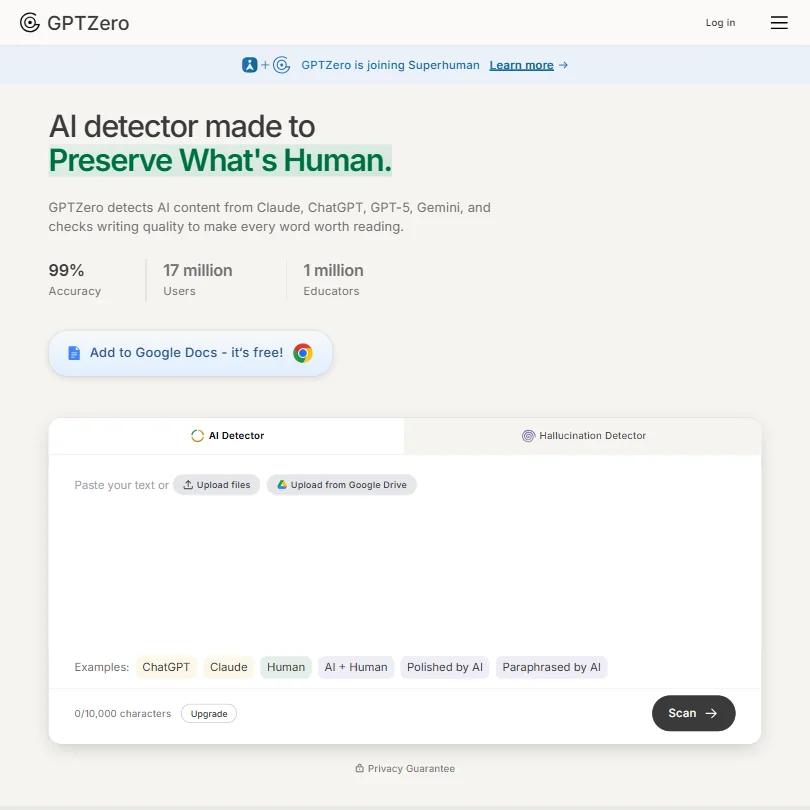
This is the free pick when your question is whether a text was written by AI. The free plan is limited, and the detector highlights at sentence level so you can see which passages are flagged. Premium adds the advanced scan, report downloads and multilingual detection. It checks text and does not write any, and there is no mobile app.
- Sentence-level AI detection granularity allows users to pinpoint exactly which parts of a document are flagged as AI-generated.
- Batch uploading supports up to 250 files at once, making it a practical time-saver for educators grading large sets of essays.
- The 99% accuracy figure is GPTZero's own claim, so treat it as a marketing number rather than a guarantee.
No-login free access to its writing tools
Paid $7.99/moShow detailsHide details11 Wrizzle AI: Best for quick drafts without an account6.1Score 6.1 out of 10No-login free access to its writing tools$7.99/moVisit site ↗ReviewDetailsCloseShow more about Wrizzle AI
No-login free access to its writing tools
Paid $7.99/mo
Show detailsHide detailsWrizzle AI: Best for quick drafts without an account
6.1Score 6.1 out of 10No-login free access to its writing tools$7.99/moVisit site ↗ReviewDetailsClose
Wrizzle is the easiest place to start because the free tier needs no login, and it gives you a handful of generations each day across a bundle of more than thirty writing tools, including a paraphraser and humanizer. The daily count is the limit, so it suits occasional jobs, not a weekly newsletter. A lighter model can lose structure on long pieces, so keep drafts short.
- Offers a no-login free tier with five generations per day, which is more generous than most competing tools.
- Bundles over 30 writing tools into a single platform, including an AI Text Generator, Paraphraser, Humanizer, and ChatPDF.
- Founding date, headquarters, and user base are all unknown, which raises credibility concerns for a paid product.
Daily credits that renew, plus rewriting and study tools
↻ Daily creditsPaid $30/moShow detailsHide details12 Conch AI: Best for students wanting study tools too3.9Score 3.9 out of 10Daily credits that renew, plus rewriting and study tools↻ Daily credits$30/moVisit site ↗ReviewDetailsCloseShow more about Conch AI
Daily credits that renew, plus rewriting and study tools
↻ Daily creditsPaid $30/mo
Show detailsHide detailsConch AI: Best for students wanting study tools too
3.9Score 3.9 out of 10Daily credits that renew, plus rewriting and study tools↻ Daily credits$30/moVisit site ↗ReviewDetailsClose
Conch AI is aimed at students, with rewriting plus flashcards, mind maps and smart notes in one place. The free tier works on daily credits that renew, so you can use it a little every day. It has no plagiarism checker and no integrations beyond the Chrome extension and web app. The citation tool can slip, so check references before you submit.
- Bundles writing assistance, rewriting, study tools, and citation generation into a single platform, reducing the need for multiple subscriptions.
- Rewriting and paraphrasing tools help students revise drafts they have already written.
- ConchBib citation tool can be hit-or-miss, sometimes producing inaccurate citations that require manual correction before submission.
Best free AI resume builders
7 picks#ToolScoreFree plan gives youPaid from
Free plan, limits not published
Paid $29/moShow detailsHide details13 Rezi#1 of 7 AI resume builders7.6Score 7.6 out of 10Free plan, limits not published$29/moVisit site ↗ReviewDetailsCloseShow more about Rezi
Free plan, limits not published
Paid $29/mo
Show detailsHide detailsRezi#1 of 7 AI resume builders
7.6Score 7.6 out of 10Free plan, limits not published$29/moVisit site ↗ReviewDetailsClose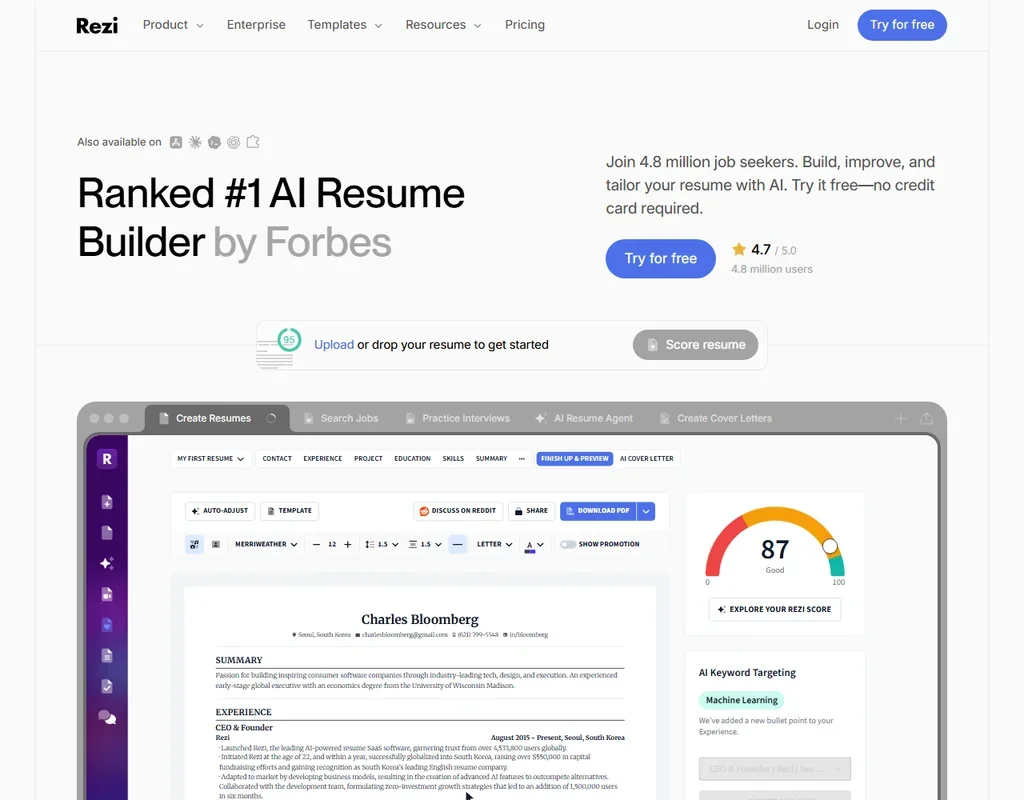
- The Lifetime plan gives all features for one payment of $149.
- The Rezi Score rates a resume against 23 key metrics for applicant tracking systems.
- The free plan allows 1 resume, 1 AI interview and 3 PDF downloads.
Free plan, limits not published
Paid $29/moShow detailsHide details14 Teal#2 of 7 AI resume builders7.5Score 7.5 out of 10Free plan, limits not published$29/moVisit site ↗ReviewDetailsCloseShow more about Teal
Free plan, limits not published
Paid $29/mo
Show detailsHide detailsTeal#2 of 7 AI resume builders
7.5Score 7.5 out of 10Free plan, limits not published$29/moVisit site ↗ReviewDetailsClose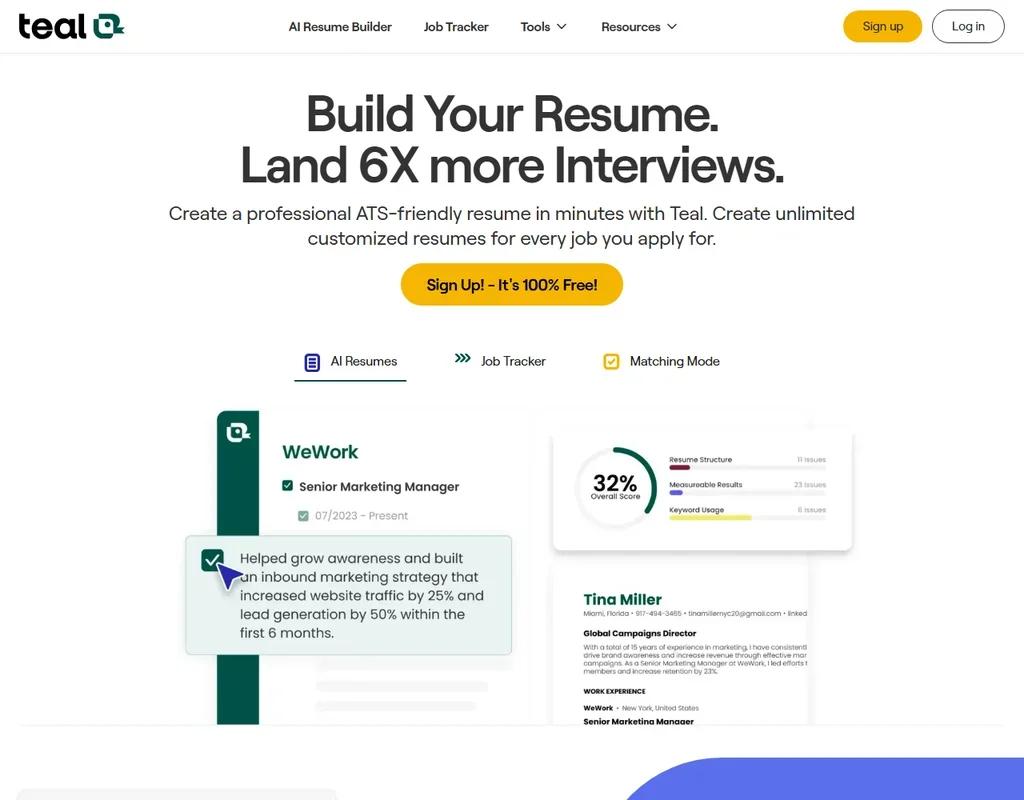
- Unlimited resumes, unlimited job tracking and unlimited PDF downloads are on the free plan.
- A match score from 0 to 100% weighs your resume's keywords, skills and experience against a job description.
- Resumes export as PDF, with no Word download.
Free plan, limits not published
Paid $49.95/moShow detailsHide details15 Jobscan#3 of 7 AI resume builders6.5Score 6.5 out of 10Free plan, limits not published$49.95/moVisit site ↗ReviewDetailsCloseShow more about Jobscan
Free plan, limits not published
Paid $49.95/mo
Show detailsHide detailsJobscan#3 of 7 AI resume builders
6.5Score 6.5 out of 10Free plan, limits not published$49.95/moVisit site ↗ReviewDetailsClose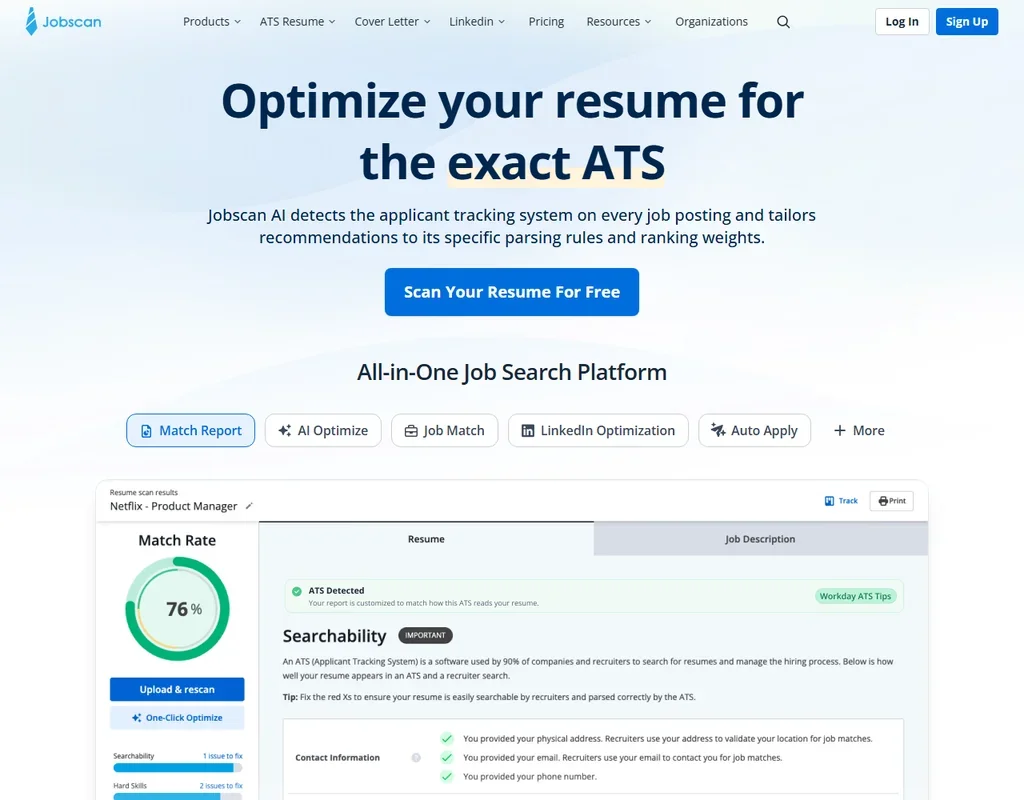
- The free plan gives 5 resume scans a month with ATS and recruiter findings.
- Auto Apply sends an application only after you approve it.
- The 7-day free trial turns into an $89.95 quarterly charge unless cancelled before it ends.
Free plan, limits not published
Paid $24/moShow detailsHide details16 Kickresume#4 of 7 AI resume builders5.7Score 5.7 out of 10Free plan, limits not published$24/moVisit site ↗ReviewDetailsCloseShow more about Kickresume
Free plan, limits not published
Paid $24/mo
Show detailsHide detailsKickresume#4 of 7 AI resume builders
5.7Score 5.7 out of 10Free plan, limits not published$24/moVisit site ↗ReviewDetailsClose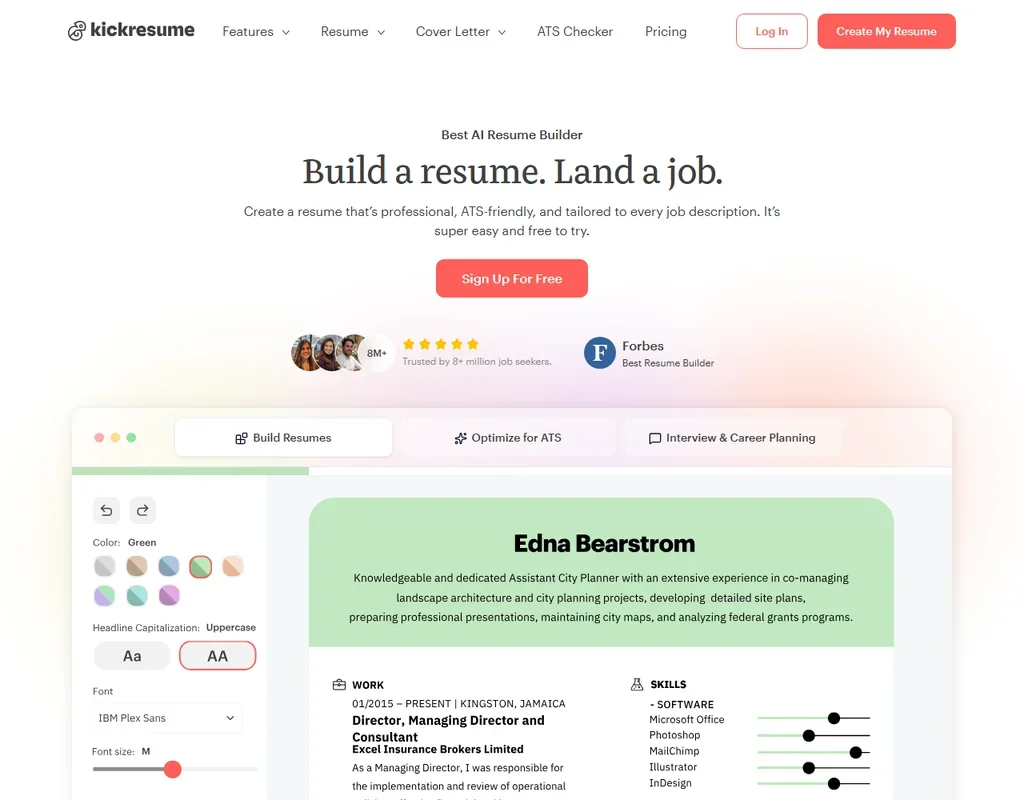
- Resumes, cover letters and downloads are unlimited on the free plan.
- Premium billed yearly costs $8 a month.
- The AI writer and AI cover letters are Premium features.
Free plan, limits not published
Paid $39/moShow detailsHide details17 Enhancv#5 of 7 AI resume builders5.0Score 5.0 out of 10Free plan, limits not published$39/moVisit site ↗ReviewDetailsCloseShow more about Enhancv
Free plan, limits not published
Paid $39/mo
Show detailsHide detailsEnhancv#5 of 7 AI resume builders
5.0Score 5.0 out of 10Free plan, limits not published$39/moVisit site ↗ReviewDetailsClose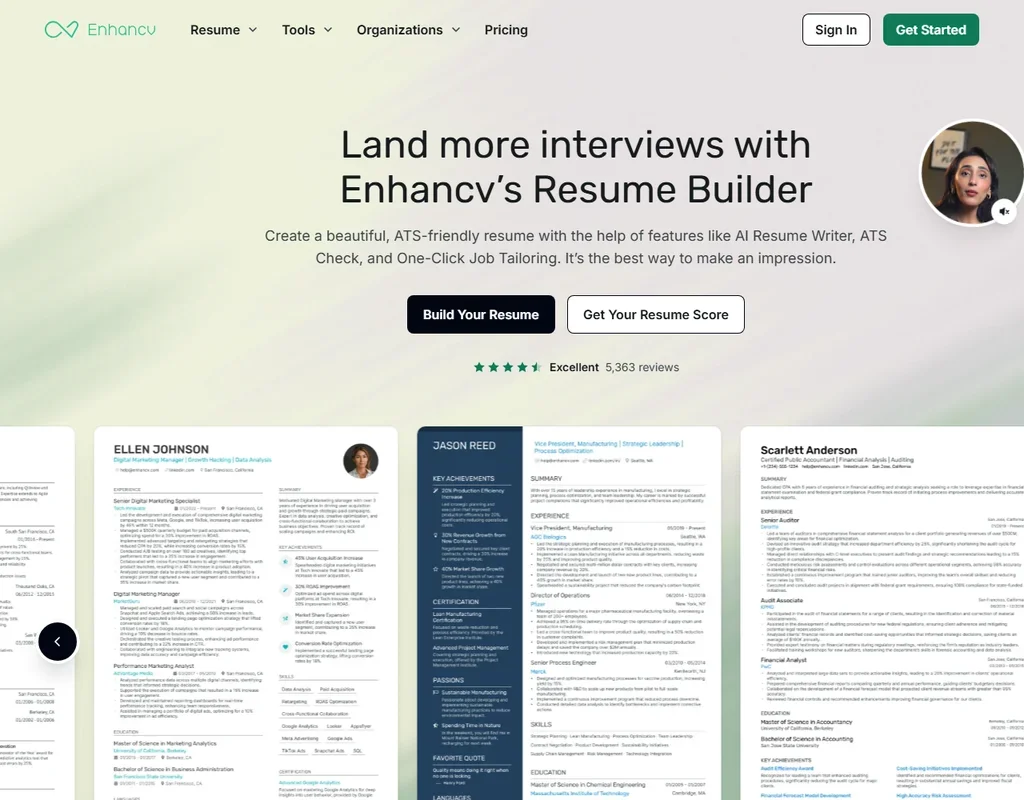
- AI mock interviews build likely questions and answers from your resume and the job description.
- All templates and design tools are open on the free plan.
- The free plan lasts 7 days and puts Enhancv branding on the resume.
Free plan, limits not published
Paid $49/moShow detailsHide details18 Resume Worded#6 of 7 AI resume builders4.9Score 4.9 out of 10Free plan, limits not published$49/moVisit site ↗ReviewDetailsCloseShow more about Resume Worded
Free plan, limits not published
Paid $49/mo
Show detailsHide detailsResume Worded#6 of 7 AI resume builders
4.9Score 4.9 out of 10Free plan, limits not published$49/moVisit site ↗ReviewDetailsClose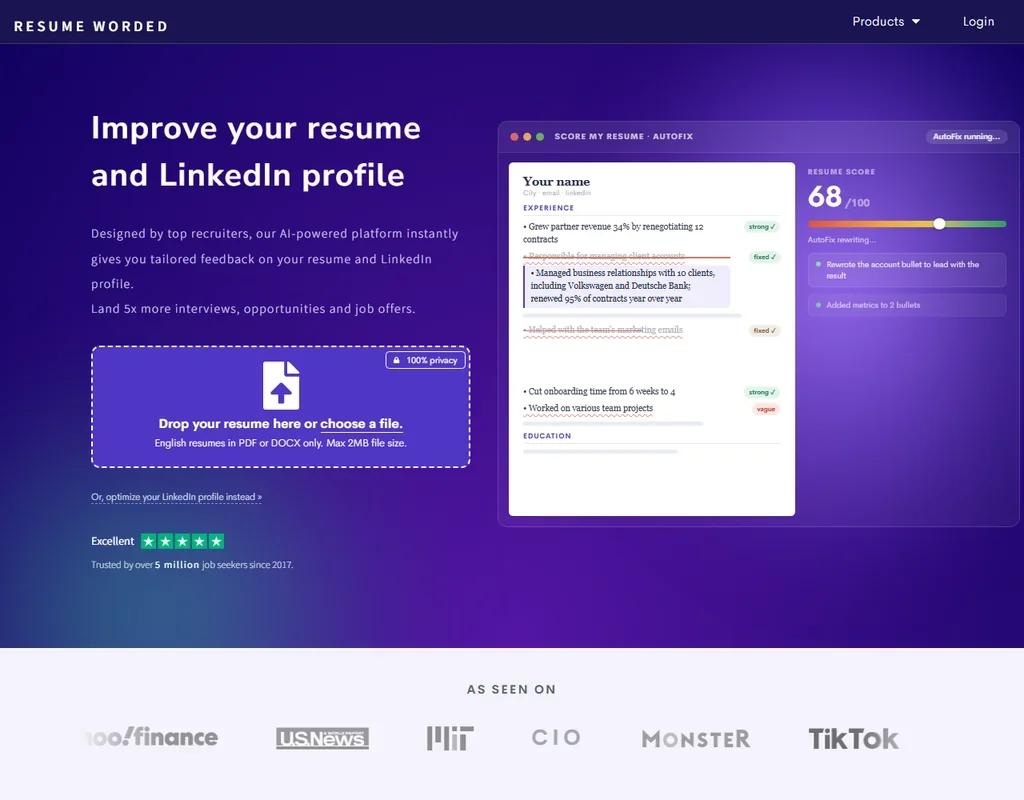
- Score My Resume grades a resume from 0 to 100 using recruiter checks.
- AutoFix exports the rewritten resume to PDF, Word or plain text.
- The full reports, line-by-line analysis and AI rewriting are Pro features.
Free plan, limits not published
Paid $40/moShow detailsHide details19 Huntr#7 of 7 AI resume builders4.5Score 4.5 out of 10Free plan, limits not published$40/moVisit site ↗ReviewDetailsCloseShow more about Huntr
Free plan, limits not published
Paid $40/mo
Show detailsHide detailsHuntr#7 of 7 AI resume builders
4.5Score 4.5 out of 10Free plan, limits not published$40/moVisit site ↗ReviewDetailsClose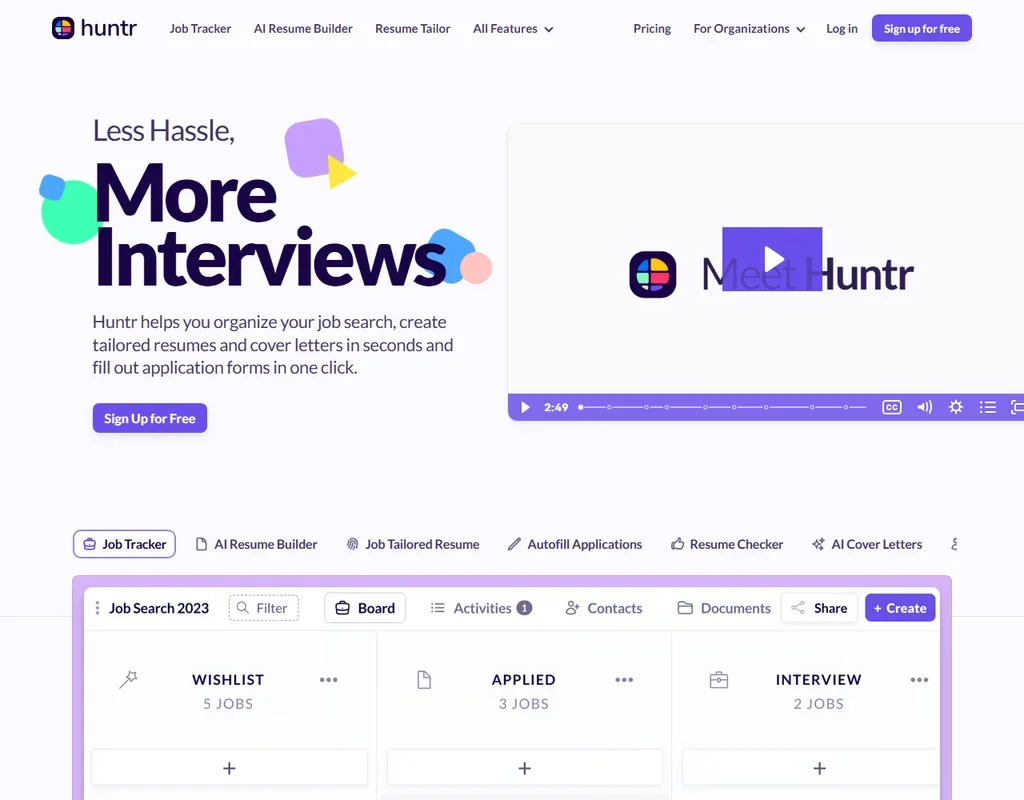
- Resumes download as PDF for free, with all 7 templates on the free plan.
- Application autofill from the Chrome extension is unlimited on the free plan.
- The free plan includes 2 job-tailored resumes and a few AI credits.
Best free AI copywriting tools
2 picksCopywriting tools write short marketing text from a template rather than editing your own. Rytr gives a monthly character allowance across more than forty use cases, enough for product descriptions and captions. Lavender coaches cold sales emails inside Gmail or Outlook and needs no card to install. Both are narrow, so choose the one that matches the copy you write most.
#ToolScoreFree plan gives youPaid from
Install the Coach for free, no credit card required; limited usage
Not listedShow detailsHide details20 Lavender: Best for coaching cold sales emails4.7Score 4.7 out of 10Install the Coach for free, no credit card required; limited usageNot listedVisit site ↗ReviewDetailsCloseShow more about Lavender
Install the Coach for free, no credit card required; limited usage
Not listed
Show detailsHide detailsLavender: Best for coaching cold sales emails
4.7Score 4.7 out of 10Install the Coach for free, no credit card required; limited usageNot listedVisit site ↗ReviewDetailsClose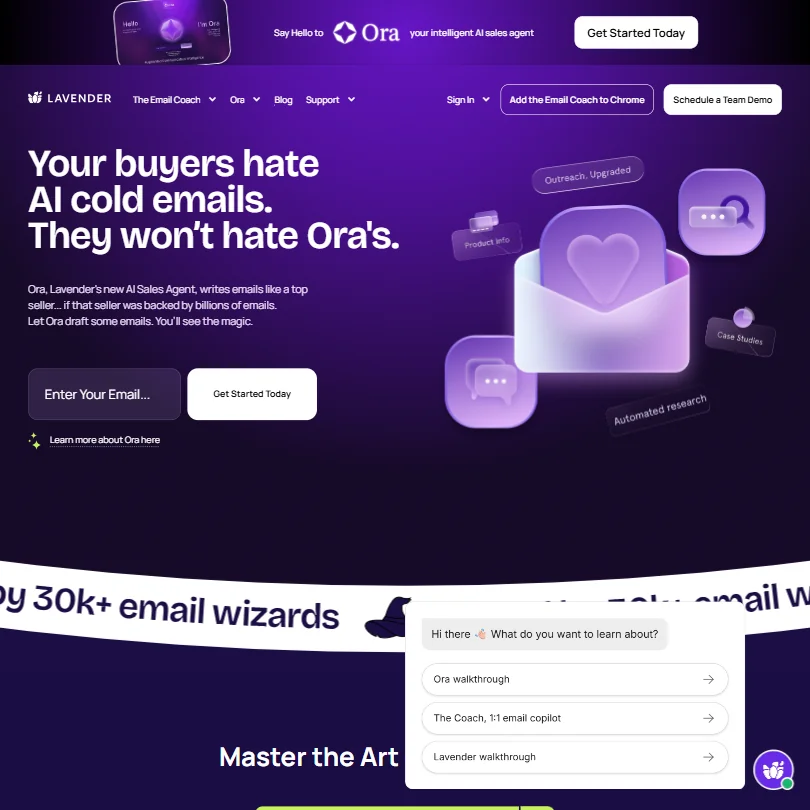
This one is for salespeople and nobody else. Installing the Coach costs nothing and needs no card, and it scores cold emails as you draft in Gmail or Outlook. Usage on the free plan is limited, and the paid tiers add the full coaching and team dashboard. It is English only and cannot write blog posts or reports, so general writers should use Rytr instead.
- Real-time email scoring gives instant, actionable feedback while you draft, flagging issues like salesy subject lines or 'I'-led openers with suggested fixes.
- Built specifically for sales outbound email, meaning its AI is trained on actual reply-rate performance data rather than generic writing norms.
- No integrations with Google Docs or CMS platforms, limiting usefulness for teams who work outside the core sales stack.
10K characters/month, 40+ use cases, 20+ tones, Chrome extension, 1 language
↻ Renews monthlyPaid $9/moShow detailsHide details21 Rytr: Best for short marketing copy from templates4.1Score 4.1 out of 1010K characters/month, 40+ use cases, 20+ tones, Chrome extension, 1 language↻ Renews monthly$9/moVisit site ↗ReviewDetailsCloseShow more about Rytr
10K characters/month, 40+ use cases, 20+ tones, Chrome extension, 1 language
↻ Renews monthlyPaid $9/mo
Show detailsHide detailsRytr: Best for short marketing copy from templates
4.1Score 4.1 out of 1010K characters/month, 40+ use cases, 20+ tones, Chrome extension, 1 language↻ Renews monthly$9/moVisit site ↗ReviewDetailsClose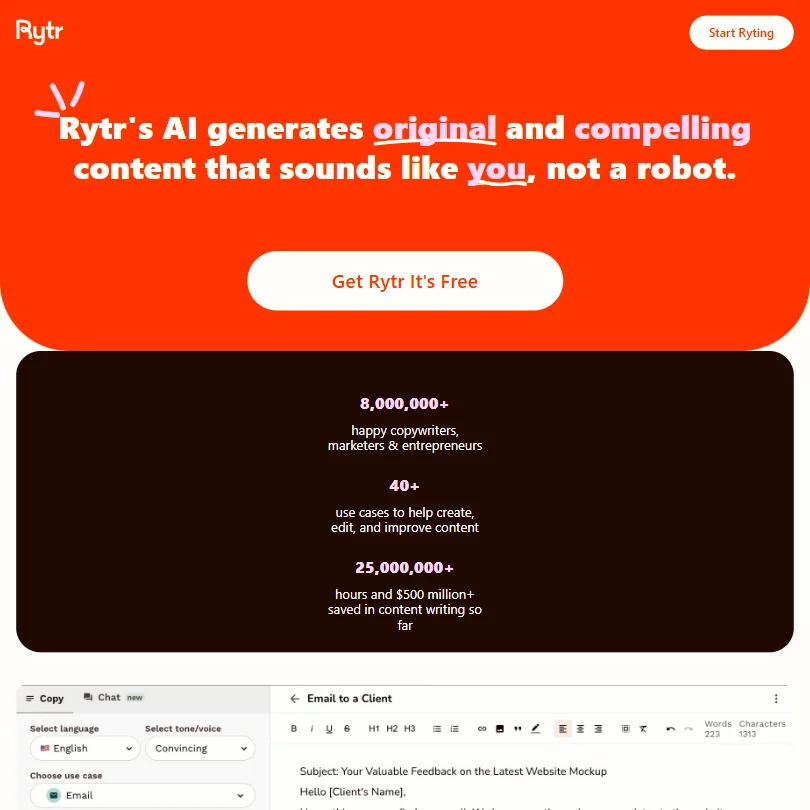
Rytr is the practical choice for short marketing copy: product descriptions, email openers, social captions. The free plan gives a monthly character allowance, over forty use cases, a long list of tones and a Chrome extension, in one language. Once the allowance is gone you wait or pay. Commercial use is listed as allowed. For other languages, check Wrizzle or Paperpal.
- Extremely affordable pricing at $9/month for unlimited output makes it accessible for budget-conscious freelancers and small businesses.
- Library of 40-plus templates covers a wide range of short-form content needs including product descriptions, email copy, social captions, and SEO meta titles.
- The tool has a clear capability ceiling that freelancers and marketers will hit faster than the homepage implies.
How to choose a free AI writing tool
Free AI writing tools look alike on their home pages and behave very differently once you start using them. The difference is rarely what they can do. It is what the free plan counts, when that count runs out, and what happens to your text along the way. This guide walks through those three things, then matches the tools on this page to the kind of writing you actually do.
Start with the job, not the tool
Most writing work falls into one of four jobs, and very few tools do all four well on a free plan.
- Correcting. Fixing grammar, spelling and punctuation in text you wrote yourself. Grammarly and LanguageTool are built for this, and both leave the basic checking open on their free plans.
- Rewording. Saying the same thing better: shorter, more formal, clearer. Wordtune and QuillBot are rewriters first, and their free plans count every rewrite.
- Drafting. Producing new text from a prompt. Rytr, Wrizzle and HyperWrite do this, and for academic work Jenni AI drafts with citations attached.
- Checking. Asking whether a text reads as AI written, or whether it overlaps with something already published. GPTZero is the dedicated detector here, and Paperpal adds AI detection and plagiarism checks inside an academic editor.
Once you know which job comes up most, the choice narrows quickly.
| Job | Start with | Runner-up, and the trade-off |
|---|---|---|
| Proofread an email, essay or report | Grammarly | LanguageTool has no AI prompt count to run down, but its free checks return a limited number of suggestions |
| Write or proofread in several languages | LanguageTool | Grammarly also covers many languages, though full sentence rewrites sit behind Pro |
| Prepare a manuscript for a journal | Paperpal | ProWritingAid gives deeper reports, but its free check stops at 500 words |
| Draft a paper from your own sources | Jenni AI | Paperpal suits you better once the draft exists and needs editing |
| Rephrase a paragraph several ways | QuillBot | Wordtune shows its daily cap plainly, which makes planning easier |
| Check whether text reads as AI written | GPTZero | Paperpal runs five scans a day of up to 1,200 words each |
| Write short ad or product copy | Rytr | Wrizzle needs no login, which helps for a one-off job |
| Write a cold sales email | Lavender | Rytr drafts outreach text, but it will not score it |
What you actually get for free
Each kind of tool rations something different, which is why one free plan lasts a month and another lasts an afternoon.
- Grammar checkers. The checking is free; the AI on top is rationed. Grammarly's free plan corrects grammar, spelling and punctuation without a cap and adds tone detection, then allows 100 AI prompts a month, about three a day if you spread them out. LanguageTool works the same way across more than 30 languages, but trims how many suggestions each check returns.
- Rewriters. Every rewrite counts. Wordtune allows 10 rewrites a day and 3 summaries a month, with spelling and grammar checks left open. Ten rewrites is plenty for tidying the key sentences of an email and far too few for reworking an article. The allowance renews daily and does not bank, so a quiet Tuesday does not buy you extra on Wednesday.
- Academic tools. Light work is loose; the heavy jobs are rationed. Paperpal allows 200 language suggestions a month, 5 AI detection scans a day and 7,000 words of plagiarism checking a month, so a thesis chapter fits but a whole thesis needs spreading across months. Jenni AI keeps citations unlimited, which is the part students use constantly, and rations 10 autocompletes a day and 3 full-paper Reviews a month.
- Detectors and humanizers. The hardest to judge for free, because a single long scan can use a large share of the allowance. Paperpal's free scans stop at 1,200 words each, so a long essay is checked in sections. Wrizzle counts 5 generations a day across all of its tools, so two rewrites leave three for everything else.
- Copywriting tools. Characters are the meter. Rytr gives 10,000 a month, which covers a few dozen product descriptions or captions and very little long-form text.
Which tool fits which writer
- Students. You get the most from pairing a drafting tool with an editing tool. Jenni AI keeps citations unlimited while you draft, and Paperpal handles language edits and the plagiarism check at the end. Conch AI adds flashcards and mind maps for revision, on daily credits that suit a little work every day.
- Researchers and academics. Start with Paperpal. It is trained on scholarly writing, its plagiarism allowance resets every month, and it does not use your text for training, which matters for unpublished work. ProWritingAid is worth a look for its reports, but its 500-word free check is a demo rather than a working plan.
- Freelance and content writers. You need a checker that follows you everywhere. Grammarly runs in the browser, in Word, in Google Docs and on the phone, which makes it the default for anyone writing in many places. Add Wordtune for the sentences that need rephrasing rather than correcting.
- Writing in a second language. Start with LanguageTool. It checks more than 30 languages and dialects, so it handles a document that mixes languages, and it does not train on your text.
- Salespeople. One tool here is built for you. Lavender scores cold emails as you write them in Gmail or Outlook, and installing it needs no card. It is English only and does nothing else, so it sits alongside a general writing tool rather than replacing one.
- Marketers writing short copy. Rytr serves you best. Forty-plus use cases cover product descriptions, email openers and social captions, and commercial use is listed as allowed.
Where free plans stop
| Limit | Tools | What happens when you hit it |
|---|---|---|
| Daily count | Wrizzle (5 generations), Wordtune (10 rewrites), Jenni AI (10 autocompletes), Paperpal (5 scans), ProWritingAid (2 reports) | It renews the next day, so waiting costs hours, not money |
| Monthly count | Grammarly (100 AI prompts), Paperpal (200 suggestions, 7,000 plagiarism words), Rytr (10,000 characters), Jenni AI (3 Reviews) | You wait for the new month or move to a paid plan |
| Size of one check | ProWritingAid (500 words), Paperpal (1,200 words per scan) | Longer text has to be checked in pieces |
| Paid-only features | Grammarly (sentence rewrites, plagiarism, AI detection), LanguageTool (style guides, unlimited paraphrasing) | That part needs Pro or Premium |
The way to live inside these limits is to match the meter to your habit. A daily cap rewards short, regular sessions. A monthly cap rewards planning, so spend scarce allowances such as plagiarism words and full-paper Reviews on the final draft, never the first. A size cap means splitting a long document and checking the chapters that matter most. Two tools that reset on different schedules also cover each other well.
What you give up by staying free
The obvious loss is volume, but it is not the only one. Several tools hold back whole features rather than just counting usage: Grammarly keeps full sentence rewrites, plagiarism checks and AI detection for Pro, and LanguageTool keeps style guides and unlimited paraphrasing for Premium. If those are the features you came for, the free plan is a preview.
Quality can differ too. Wrizzle's free tier runs a lighter model that can lose structure on long pieces, so it works best for short drafts. And free plans are built for one person: shared style guides, team dashboards and admin controls sit on paid tiers across the board.
Privacy and who sees your text
If you paste in unpublished research, client work or personal writing, how a tool treats that text matters more than any feature. Four tools on this page say they do not train on your text, and two let you switch training off yourself.
| Tool | Training on your text |
|---|---|
| Paperpal | Not used for training |
| LanguageTool | Not used for training |
| ProWritingAid | Not used for training |
| Wrizzle | Not used for training |
| Grammarly | You can opt out |
| Wordtune | You can opt out |
Keep sensitive drafts to those six, and switch training off in Grammarly and Wordtune right after you sign up. Commercial use matters most for tools that generate text rather than correct it. Rytr lists commercial use as allowed. Checkers and rewriters work on words you wrote, so what they return stays your text.
Mistakes to avoid
- Running a detector on a draft. Every scan spends allowance, and drafts change. Scan the version you plan to submit, and if passages are flagged, rewrite them yourself and re-scan only those sections.
- Treating one detector score as a verdict. GPTZero highlights sentence by sentence so you can see what triggered it. Read the flagged sentences, and use a second check such as Paperpal's scan before drawing conclusions.
- Letting a rewriter change your meaning. Rewriters optimize for flow, not accuracy. Read every rewrite of a technical or legal sentence before accepting it.
- Trusting generated citations blindly. Citation features save time but can slip, and Conch AI's in particular. Open each source before it goes into a submitted paper.
- Spending a monthly pot in the first week. Grammarly's AI prompts and Rytr's characters do not come back until the month turns. Use them on finished work.
When it is worth paying
You have outgrown a free plan when you start planning your writing around its limit instead of around the work. Holding back a plagiarism check until the 1st, cutting every document into 500-word pieces, or choosing which sentences deserve one of your ten rewrites are all signs.
The first upgrade worth paying for depends on what you write.
| If you are | Upgrade to | What changes |
|---|---|---|
| A student or researcher | Paperpal Prime | Edits and writing features uncapped, plagiarism checking up to 10,000 words a month |
| A fiction writer | ProWritingAid Premium | No word cap, the full set of reports |
| Proofreading every day | Grammarly Pro | Sentence rewrites and plagiarism checks arrive together |
Billing period changes the price more than the plan does. Paperpal Prime costs less than half as much per month billed yearly as month to month, and Wrizzle, Rytr, QuillBot and ProWritingAid also drop noticeably on annual billing. ProWritingAid sells a lifetime license as well. If you are not sure you will keep a tool, pay monthly for one month, finish the job that needed the upgrade, and decide afterwards. Grammarly and Lavender offer 7-day trials and Wordtune 3 days; ProWritingAid has a 3-day money-back window and Conch AI a 7-day guarantee.
Using two free tools together
Because their limits differ, two free tools often cover a job that neither handles alone.
- Draft or rephrase in Wordtune or QuillBot.
- Proofread the result in LanguageTool or Grammarly, which does not touch your rewrite allowance.
- Check last. Run the plagiarism or AI scan on the version you plan to submit.
For academic work, draft in Jenni AI until the daily autocompletes run out, then move the text to Paperpal for language edits and the plagiarism check. Paperpal's monthly pot is separate from Jenni's daily one, so the two together go much further than either alone.
What would this stack cost you?
Add our top picks (Grammarly, Paperpal, GPTZero and 2 more) to the calculator and see the monthly total, then swap in the plans you would pay for.
How we picked
Every tool here is ranked by its score, and each score is worked out from the vendor’s own published pages: pricing, plans, features and terms. No score is adjusted by hand. All 21 tools have enough published facts to be scored, and on average 94% of each score comes from facts the vendor publishes. The facts behind these scores were checked between 15 September 2026 and 31 October 2026.
Scores compare tools that do the same job, which is why the list is grouped by job: a video editor and a grammar checker are never ranked against each other.
| Ranked as | On this page | What we score | Scoring guide |
|---|---|---|---|
| AI writing assistants7 reviewed | 7 | 5 criteria, 20 checked facts: what it helps with, pricing, where it works, teams and control, privacy and security | How we score these → |
| AI resume builders7 reviewed | 7 | 4 criteria, 15 checked facts: job-search tools, getting your resume out, pricing, privacy and trust | How we score these → |
| AI detectors and humanizers5 reviewed | 3 | 5 criteria, 20 checked facts: detecting AI text, rewriting, pricing, where it works, teams and trust | How we score these → |
| Academic writing tools2 reviewed | 2 | 5 criteria, 17 checked facts: research and citations, checking your work, pricing, where you write, privacy and security | How we score these → |
| AI copywriting tools6 reviewed | 2 | 5 criteria, 19 checked facts: brand and content, pricing, where the copy goes, teams and control, privacy and security | How we score these → |
Common questions
Which free AI writing tool has the most generous limits?
It depends on the meter. Paperpal gives the largest monthly pot for academic work, with 200 edits and 7,000 plagiarism words. Rytr gives 10,000 characters of generated copy, and Wrizzle needs no login. Grammarly leaves checking uncapped but counts AI prompts. Pick the tool whose cap matches your habit: daily for short sessions, monthly for heavy bursts.
Can I use free AI writing tools for client or commercial work?
Rytr lists commercial use as allowed. Grammar checkers and rewriters such as LanguageTool, Grammarly and Wordtune work on your own words, so the text you send stays yours. Tools that write whole paragraphs from a prompt are where commercial terms matter most, so look for an explicit commercial-use line before selling or publishing generated copy for a client.
Do free AI writing tools train on my text?
It differs by tool. Paperpal, LanguageTool, ProWritingAid and Wrizzle say they do not train on your text. Grammarly and Wordtune let you opt out. For unpublished research or private documents, choose from those six and check the privacy settings after signing up.
Which free tool is best for checking grammar in several languages?
LanguageTool is the starting point, with checks in 30+ languages and dialects in its browser extensions and web editor. Grammarly covers up to about 30 languages, and Paperpal also lists 30+. LanguageTool is built around correction rather than generating text, so pair it with a drafting tool if you need that.
Is a free AI detector reliable enough to settle an argument?
Treat it as a prompt for a closer look, not a verdict. GPTZero highlights text sentence by sentence, which helps you see which passages triggered it, and its accuracy figure is its own claim. Running a second detector, such as Paperpal's scan, and reading the flagged sentences yourself gives a more balanced picture than any single score.
What is the best free option for students on a tight deadline?
Combine two. Draft with Jenni AI, whose citations are unlimited, then edit in Paperpal, where the monthly pot of plagiarism words is separate. Conch AI adds flashcards and mind maps. Check the free allowances against your document length early, because 500-word and 1,200-word checks force long essays to be split.
Can I keep using a free plan for good, or will it expire?
Lavender, Conch AI and Jenni AI all describe permanent free tiers, and Lavender and Jenni AI need no card. The catch is the meter, not time: daily counts renew each day and monthly ones each month, so a free plan keeps working as long as your needs fit inside it.