SAASINSPECTOR
Cleanvoice AI logo

Cleanvoice AI Review

Podcasters, media agencies, and content creators who want to automate audio/video editing and remove filler words, noise, and silences

Visit Cleanvoice AIFrom $11/mo

Research-based review. We analyzed vendor documentation, customer reviews on G2, Capterra, and Reddit, and live pricing — not hands-on testing yet. We update as our team puts tools through real workflows.

The verdict

Cleanvoice AI is a web-based audio cleanup tool built for podcasters who want to skip the manual editing process — handling filler words, background noise, breath sounds, and silence in a single upload. Founded in Berlin in 2021, it supports 20+ languages for filler word detection and includes transcription and basic content generation. With a score context shaped more by thin review data than verified user feedback, it suits solo and interview podcasters wanting a fast cleanup pass, not a full production suite.

Pros

  • Filler word detection works across 20+ languages, which holds up well according to user reports.
  • Supports multitrack editing, making it viable for interview-style podcasts with separate guest tracks.
  • Transcription is bundled in without requiring a separate tool or subscription.
  • Studio Sound feature attempts to enhance recording quality after the fact, not just remove noise.
  • Simple upload-and-download workflow requires no audio editing knowledge or software installation.
  • Show notes and social content generation are included, adding some content production value.
  • Silence cutting, breath removal, and mouth sound detection are all available in a single pass.
  • Transcription output supports multiple download formats for flexibility in post-production workflows.

Cons

  • No desktop or mobile app — the tool is entirely web-based with no offline functionality.
  • Very thin verified review base with no meaningful presence on G2, Capterra, or Trustpilot.
  • Social content generation and show notes feel like bolted-on features rather than polished core strengths.
  • No text-to-speech, voice cloning, or music generation, making it unsuitable as a creative production tool.
  • The 15,000+ podcasters figure on their homepage is unverified and not backed by a traceable review base.
  • It is purely a cleanup tool and not a full editing environment, meaning users still need separate software for full production.
From $11/moFree plan NoFree trial Yes

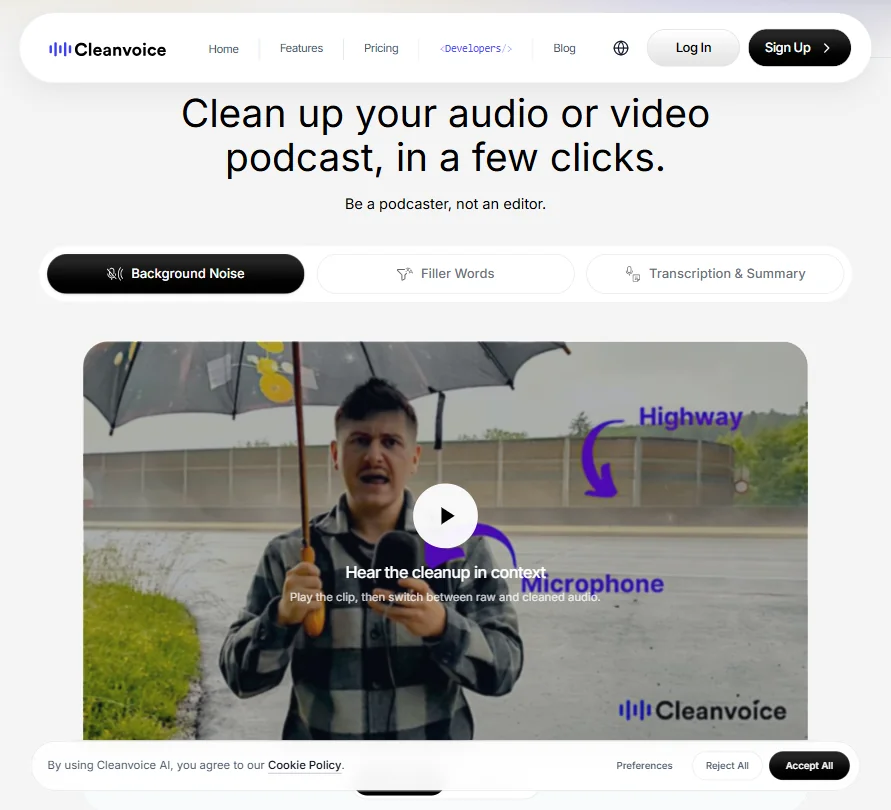
Cleanvoice AI homepage screenshot
Cleanvoice AI — Homepage

Podcasters hate editing. Not a controversial take. What's more interesting is how many tools have tried to solve it, and how few actually reduce the workload without adding new ones. We pulled vendor docs, Product Hunt threads, and Reddit discussions to build this out, because the formal review trail on Cleanvoice AI is thinner than we'd like. No meaningful G2 presence. No Trustpilot profile worth citing. Capterra is sparse. So we leaned harder on community sources and vendor documentation than we normally would, and we're calling that out upfront.

Founded in 2021 and based in Berlin, Cleanvoice has built around a simple pitch. Record your podcast, upload it, let the AI clean it up. The 15,000+ podcasters number appears on their homepage, which is a data point, not a verified review base. Worth keeping that distinction in mind.

What is Cleanvoice AI?

Web-based. No desktop app, no mobile app. You upload a file, configure what you want removed, and download a cleaned version. That's the full interaction model.

The core functions cover filler word removal, background noise reduction, mouth sound and breath removal, and silence cutting. Filler word detection across 20+ languages is the most notable technical claim they make, and based on community reports, it's one that actually holds up reasonably well. Transcription comes bundled. Show notes and social content generation are in there too, though those feel like additions bolted on to justify a broader pitch rather than genuine core strengths.

Honestly, the scope is clear. This isn't trying to be Descript. It's not a full editing environment. It's a cleanup pass before you export, and it doesn't pretend otherwise.

Cleanvoice AI Features: Voice, Music & Audio Capabilities

Cleanvoice AI features screenshot
Cleanvoice AI — Features

No text-to-speech. No voice cloning. No music generation. Non-starters if you're looking for a creative audio production tool.

What it does have: filler word removal and breath and mouth sound detection sit at the center of the feature set. Background noise removal is there, silence trimming is there, and they call their audio enhancer Studio Sound, which processes recordings to improve quality after the fact. Multitrack editing is also supported, which matters specifically for interview formats with separate guest tracks.

The transcription output supports multiple download formats. Social content generation adds podcast summaries and chapter markers, two useful things for distribution workflows. Beyond that, don't expect content repurposing at the level of Descript.

Batch file upload is supported, which is a practical win for anyone managing a back catalog or running multiple shows. API access exists, with docs and a playground on their site. There's also a Make (formerly Integromat) integration for no-code automation. Zapier isn't there. Adobe Audition integration isn't there either.

We don't buy the framing that this replaces a full production workflow. It doesn't. But for what it targets, the feature set is coherent and reasonably complete.

Cleanvoice AI Audio Quality: How Natural Does It Sound?

This is where the thin formal review base actually hurts the analysis. Without a real pool of G2 or Capterra data, we relied on Product Hunt comments and Reddit threads to gauge output quality. That's a limitation we're acknowledging, not hiding.

The picture that emerges is mostly positive, with caveats. Users report that filler word removal works well on clean recordings with clear speech. The AI catches "um," "uh," and similar hesitations without creating jarring cuts, most of the time. Background noise removal draws more mixed feedback. Heavy noise environments push the AI toward artifacts, particularly on voices with non-native accents or strong regional inflection. That's not a surprise, but it's a real constraint.

The Studio Sound enhancer gets positive mentions in several threads from solo podcasters recording in untreated rooms. The improvement is real, apparently. That tracks. No software plugin closes the gap that a proper acoustic setup creates, and Cleanvoice isn't claiming otherwise.

Over-aggressive silence removal came up in a handful of complaints. The pacing of the final output felt rushed in those cases, where natural conversational rhythm got cut too tight. Edge case. Worth knowing if your format depends on timing.

Cleanvoice AI Voice Cloning & Customization: How Deep Does It Go?

Short answer: it doesn't. No voice cloning, no custom voice styles, no text-to-speech output.

Voice cloning specifically. ElevenLabs covers that ground, and covers it well. Cleanvoice is a cleanup tool, not a voice generation platform. The distinction matters and it's not subtle.

What customization exists lives in editing configuration. Silence threshold settings give some control over how aggressively dead air gets trimmed. You can adjust what gets removed and to what degree. That's functional customization for the use case. Not deep.

Not sure that holds up as a differentiator, honestly. The real value is in detection accuracy, not configuration depth. The configuration is just enough to prevent the tool from being a black box.

Is Cleanvoice AI Easy to Use?

The workflow is about as simple as these tools get. Upload a file, select what to clean, download the result. No timeline editor to navigate, no audio engineering knowledge required.

That simplicity is genuinely useful for the audience they're targeting. Solo podcasters with no audio background get a functional result without a learning curve. The no-credit-card free trial with 30 minutes of processing is a smart onboarding move, and genuinely no-strings attached, which is rarer than it should be in this category.

Web-only is a tradeoff. You're dependent on a browser session and a file upload for every project. For longer files or slower connections, that's a real friction point. Several Reddit users flagged processing time as a concern on larger files, and that tracks with what you'd expect from an upload-based model.

Support is bot-based chat plus email. The help center exists but doesn't go deep. No community forum, which means peer troubleshooting mostly happens on Reddit anyway. Not ideal.

Cleanvoice AI Pricing: Is It Worth It for Creators & Businesses?

Cleanvoice AI pricing screenshot
Cleanvoice AI — Pricing

Two pricing models are on offer. Pay as You Go and a monthly Subscription tier, with a yearly toggle also available on the subscription side.

On the Pay as You Go side: $11 gets you 5 hours at $2.20 per hour, $20 gets you 10 hours at $2.00 per hour, and $45 gets you 30 hours at $1.50 per hour. Credits purchased are valid for two months, per the vendor's own description.

The Subscription tiers cut the per-hour rate significantly. The $11 per month subscription doubles the Pay as You Go entry point, giving you 10 hours at $1.10 per hour instead of 5 hours at $2.20. The $30 tier covers 30 hours at $1.00 per hour. The $90 tier covers 100 hours at $0.90 per hour. Unused credits carry within the subscription period. All plans include the full feature set, including Filler Words Remover, Mouth Sounds and Breath Remover, Background Noise Remover, Studio Sound, Silence Remover, Timeline Export, Video Podcast Editing, and Transcription and Summary. No feature gating between tiers.

The 30-minute free plan with no credit card is real and reasonably generous for a first look.

Where we'd push back: the refund policy isn't publicly stated anywhere on the pricing page. Users committing to $30 or $90 per month can't easily find out what happens if they're unsatisfied. We looked. Nothing there. That's a flag before you commit.

For light users, $11 Pay as You Go is reasonable. A solo podcaster recording one or two episodes per week won't burn through 5 hours quickly. For anyone scaling up, $90 per month gets tighter depending on whether output quality holds at volume. Compare that to Auphonic, which offers a free tier with 2 hours of monthly processing and paid plans starting lower. Different feature set, but worth running the comparison if budget is the primary constraint.

Cleanvoice AI vs Adobe Podcast: Which AI Audio Tool Wins?

Adobe Podcast, now folded into Adobe's broader suite, focuses heavily on speech enhancement and noise removal, with a clean browser-based interface and the backing of a company with serious audio engineering resources. Cleanvoice targets a similar problem but from a different angle. Neither one is the obvious winner across the board.

Adobe Podcast's enhancement tool is strong on voice clarity. Cleanvoice's scope advantage is real: Adobe doesn't offer filler word removal, silence trimming, or multitrack editing in the same workflow. Cleanvoice bundles all of that into a single upload-and-download process. For podcasters who want filler removal specifically, Adobe Podcast doesn't compete there.

The tradeoff is ecosystem. Adobe Podcast connects into Creative Cloud for users already there. Cleanvoice doesn't integrate with Adobe Audition or any Adobe product. If you're already paying for Creative Cloud, Adobe Podcast's features are functionally free for basic use. If you're not in that ecosystem, that argument evaporates.

For raw noise removal quality, Adobe has the edge on most listening tests we've seen cited. Pick based on which problem is bigger for your format.

Who Should Use Cleanvoice AI? (And Who Shouldn't)

Solo podcasters recording in imperfect environments. That's the clearest fit. The tool was built for people who record in spare bedrooms, not studios, and who want to publish without spending hours in an editor.

Media agencies processing high volumes of interview content are also a reasonable match, especially at the 100-hour subscription tier with API access.

Who shouldn't? Anyone who needs voice generation or cloning. Creative audio production work. Cleanvoice won't help there and doesn't claim to. Teams running complex multi-person productions with heavy post-production needs will also hit the ceiling quickly.

Video podcasters are explicitly a supported use case. Cleanvoice handles video file uploads, not just audio, which matters if you're running a dual-format show and don't want to split your cleanup workflow across two tools.

Cleanvoice AI Review Verdict

Cleanvoice AI does what it says. That's not faint praise. A lot of tools in this category oversell and underdeliver. Cleanvoice is more honest about its scope, and the feature set matches the pitch reasonably well.

The filler word removal is legitimately good, especially for English-language content. The multilingual support is a real differentiator if you're producing in anything other than English. The subscription pricing math strongly favors the monthly plan over Pay as You Go, given that $11 per month gets you twice the hours that $11 in credits does. That's a meaningful gap that Cleanvoice doesn't exactly shout about, but it's visible in the pricing breakdown.

What holds it back is the support infrastructure. No community forum, bot-based chat, a help center that doesn't go deep. If you hit an edge case, you're mostly on your own. The missing refund policy is a concern, not a dealbreaker, but a flag.

Fair. For the audience it's built for, it earns its place in the workflow. For anyone outside that audience, the limitations are real and don't disappear by upgrading a plan.

Frequently Asked Questions

Does Cleanvoice AI work on video files, not just audio?

Yes. Video Podcast Editing is listed as an included feature across all plans. You can upload a video and the tool applies cleanup functions, including filler word removal and noise reduction, to the audio track. The output is a cleaned video file, which is practical if you're running both an audio and a video version of the same show.

How accurate is the filler word removal across different languages?

User reports suggest it performs best on English-language content with clean recordings. The 20+ language support is real, and several non-English users on Product Hunt have reported it working reasonably well. Heavy accents and background noise reduce accuracy, so results will vary depending on recording conditions as much as language. Clean source audio is doing a lot of the work here.

Is there an API available for developers or agencies?

Yes. Cleanvoice has a REST API with documentation and a playground available on their site, plus a Make integration for no-code workflows. Custom API endpoints are part of the enterprise tier, which sits above the public 100-hour plan and requires a conversation with their team. Worth confirming the specifics directly before assuming the standard API covers everything you need at scale.

Cleanvoice AI is featured in

Alternatives to Cleanvoice AI

See all Cleanvoice AI alternatives →

Other AI Audio Tool options we've reviewed.

User reviews

Review Cleanvoice AI

Your rating

Reviews are moderated and appear once approved.