
What is Voiceflow?
Founded in 2019 and based in Toronto, Voiceflow started life as a voice assistant design tool. It has since moved hard into enterprise AI agent territory. The current pitch is about owning your customer experience end to end, from the first chatbot message to the handoff to a human agent to the analytics that tell you what went wrong.
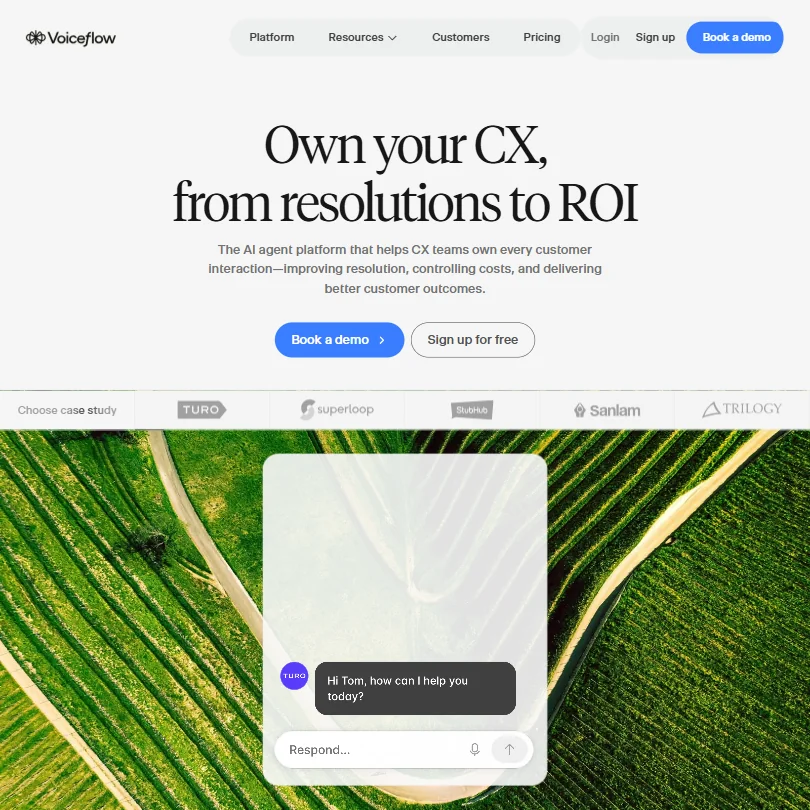
The platform sits between no-code design tools and serious production infrastructure. That's a hard position to hold. Voiceflow does it better than most. Their canvas-based visual workflow builder is the piece that gets praised most consistently across G2 threads, particularly from teams that include both designers and developers. Non-technical people design the conversation flows. Developers reach into the code editor when they need to. The two sides don't constantly step on each other, which is rarer than you'd think.
Over 200,000 users and 4,000+ customers, by their own numbers. The volume of G2 reviews makes them hard to dismiss outright.
Voiceflow Features: Workflows, AI Agents & Automation Capabilities
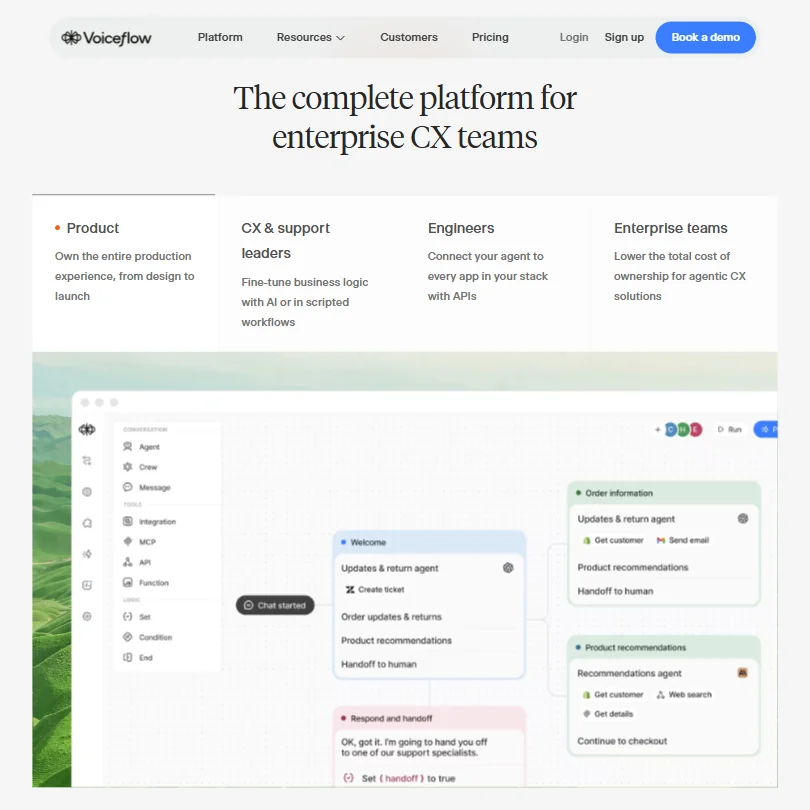
The core product is the visual builder. You map out conversation flows on a canvas, connect them to knowledge bases, plug in your LLM of choice, and push to production. That's the basic loop.
What separates Voiceflow from a generic chatbot builder is what they call the Agentic Context Engine, their proprietary layer that manages how agents stay on task, when to follow scripted paths, and when to let the AI improvise. In practice, it means you can build agents that don't immediately go off the rails the moment a user asks something unexpected. We've seen other platforms promise this. Voiceflow's case studies make it look more credible than most.
The feature set breaks into a few recognizable clusters. Design side: visual builder, conditional logic (both scripted and AI-driven), and a code editor for custom JavaScript. Runtime side: webhooks, API connections, phone and voice channels, and a web chat widget. Production side: separate development, staging, and production environments, real-time team collaboration, and an observability suite that includes LLM-powered conversation evaluation.
Honestly, the observability piece surprised us. Most tools in this category treat monitoring as an afterthought. Voiceflow appears to have built a proper evaluation layer, where you can review conversations at scale and catch quality issues before they become customer complaints. Human agent handoff is also included, and it reads like a design primitive rather than a feature bolted on after the fact.
Worth confirming with sales: the platform reports vendor-stated metrics of 500 ms voice latency and 300,000 messages per minute throughput capacity. Those are their numbers, not independently verified, but they're the figures displayed publicly.
Voiceflow Automation Power: How Complex Can Your Workflows Get?
The Turo case study is the one Voiceflow leads with most often. Turo built a multilingual AI support agent in two months without heavy engineering involvement. Trilogy automated around 60% of support interactions across 90 products in 12 weeks. StubHub International got an AI support agent into production in 90 days.
Real numbers from real companies. We're not in the habit of taking case study metrics at face value, but the pattern across all three points to the same conclusion: Voiceflow compresses time-to-production for CX automation.
On paper, the automation capability is deep. You can mix deterministic scripted workflows with AI-driven paths inside the same flow. Conditional branching works on both rule-based logic and model output. Webhooks and API calls appear to be production-grade, not the hobbyist-tier versions you find in lighter no-code tools.
The platform is LLM-agnostic, which matters more than it might sound. You can connect OpenAI or Anthropic, bring your own model, or use Voiceflow Core, their proprietary option. For enterprise teams that have procurement opinions about specific vendors, this flexibility is genuinely meaningful, not just a checkbox.
Ask about scheduled runs and batch trigger types. Teams whose workflows depend on time-based triggers should confirm that directly with sales before committing.
Voiceflow AI Agent Capabilities: What Can It Actually Do Autonomously?
This is where the Agentic Context Engine actually earns its name.
Voiceflow's agents operate around what they call "agentic playbooks." Structured instruction sets that give the AI guardrails and global behavior rules. The agent doesn't freestyle off a raw prompt. It works within a defined space, with explicit boundaries on what it can decide autonomously versus what it escalates to a human. That's a sane architecture. The alternative, handing the LLM full control and hoping for the best, is how you get support agents that confidently tell customers wrong things.
Live agent handoff connects directly into this design. When an agent reaches the edge of its defined playbook, it routes to a human agent and the conversation context travels with it. The human doesn't start cold. In G2 reviews, this handoff behavior is one of the more consistently praised design choices. CX teams don't want autonomous agents that get stuck.
Ask how the agent behaves when a knowledge base contains conflicting information, and how errors in external API calls surface to the end user. The observability suite suggests these are handled thoughtfully. Any platform that keeps error behavior behind a demo wall deserves skepticism. Worth pressing on in your sales call.
The Sanlam Studios case study is worth reading if you're curious about financial services applications. They built an AI financial coach that generates leads and routes to human advisors. Sanlam reports that 45% of the financial-service offers made by the AI coach resulted in conversations with human advisers, which is a meaningful offer-to-lead rate for that sector. That's a real production deployment, not a demo.
Is Voiceflow Easy to Set Up Without Code?
Easier than Rasa. Harder than most people expect.
Non-technical users can get a basic conversational agent running through the visual builder without writing any code. The canvas is drag-and-drop, flow logic is visual, and the LLM connection is abstracted behind a clean interface. For initial setup, the bar isn't high.
Where things get complicated is production. Real enterprise agents need custom integrations, API connections to CRM systems, and careful handling of edge cases. That's where the code editor appears, and that's also where you'll want a developer nearby. Voiceflow seems to know this. Their positioning talks explicitly about non-technical teams alongside engineering lift, and the StubHub case study, which highlights empowering non-technical people, still describes the engineering experience as smooth. Implying engineers were present. Fair. That's realistic for enterprise-grade CX automation.
Real-time collaboration and multi-environment deployment are included in the platform. A designer can be building in the development environment while a developer reviews staging. For teams that have both roles, that's a real workflow improvement, not a marketing feature.
The current site distinguishes two tracks: agencies and partners get multi-client workspace management and white-labeling tools, while businesses get implementation support that's either self-serve or fully managed. Two distinct operating models in one platform. That's an unusual thing to support cleanly. Whether they actually do it cleanly is worth confirming in a demo.
Voiceflow pricing: what each plan gives

This is where we got frustrated. Free plan exists. Enterprise tier exists behind a "Book a demo" button. Everything in between is invisible.
There's no public pricing page with plan tiers, and no numbers for mid-tier plans. You either sign up and see what you're offered, or you book a call. Reddit threads from 2024 and 2025 agree: nobody posts actual prices because the pricing is largely quote-based above the free tier. The agency track on the current site advertises transparent, usage-based billing and a free trial with no credit card required. Ask for the specific price points for that usage-based model.
That's a deliberate choice, not an oversight. Some enterprise platforms operate this way. But it makes comparison shopping genuinely difficult. You can't stack Voiceflow against Zapier or Make on a per-seat or per-operation basis without investing in a sales conversation first.
Pricing opacity is the main complaint, and it's a recurring theme in Reddit threads. For CX teams trying to build internal business cases, this creates real friction. Your VP of Finance will ask for a number. You won't have one until you've already spent time in the funnel.
Compared to Make or Zapier, which publish detailed pricing tiers publicly, Voiceflow is operating in a different model. Not wrong. Just different. Know that going in.
Voiceflow vs Botpress: Which Automation Platform Wins?
Botpress is the most direct comparison. Both are visual agent builders. Both support LLM integrations. Both try to serve developers and non-technical builders at the same time.
The meaningful differences sit in positioning and depth. Botpress skews more developer-centric, its default audience is closer to an engineer who wants fine-grained control. Voiceflow has pushed harder into enterprise CX, with the production infrastructure that comes with that territory: separate environments, an observability suite, real handoff design.
In G2 reviews, Voiceflow reviewers from CX or customer support roles consistently flag the collaboration features and the design canvas quality. Botpress reviewers tend to skew more technical. That split is real and consistent.
Dialogflow comes up in comparisons frequently. The feedback we kept seeing was that Dialogflow's NLU is strong but the overall developer experience is frustrating. Voiceflow wins on usability, particularly for teams that include non-developers. Ada and Intercom Fin are more opinionated about the support workflow out of the box. Voiceflow gives you more design control but asks you to assemble more of the pipeline yourself. That trade-off is genuine and neither option is obviously correct.
Kore.ai competes at the enterprise end and appears to have more out-of-the-box legacy system integrations. For organizations with very specific infrastructure requirements, it's worth comparing the two. Voiceflow's edge is flexibility and the bring-your-own-LLM architecture.
Who Should Use Voiceflow? (And Who Shouldn't)
Clearest fit: CX teams at mid-market and enterprise companies.
Specifically, teams that want to own the design of their support agent without outsourcing it entirely to a vendor's pre-built product. Teams that have at least some developer access, even if day-to-day work is done by non-technical staff. The agency track is also a real use case, with multi-client workspace management and white-labeling tools listed explicitly in the current product. For shops building conversational AI on behalf of clients, the infrastructure appears purpose-built for that model.
Who shouldn't bother. Small businesses needing a simple FAQ bot. There are lighter tools for that. Also, teams with zero developer access and genuinely complex integration requirements. The visual builder will get you far, but not all the way.
Voiceflow is not a plug-and-play tool. It's a platform you build on. If you need something configurable in an afternoon and never touched again, look elsewhere.
Voiceflow Review Verdict
What Voiceflow has built is genuinely impressive in scope. The Agentic Context Engine, the LLM-agnostic architecture, the production observability layer, the human handoff design that travels conversation context across the transition. These don't read like bolted-on features. They read like first principles.
The case studies are strong. The G2 score is hard to argue with across thousands of customers. The visual builder is the most-praised piece in reviews, and for good reason. Connecting design and engineering is a real problem in conversational AI, and Voiceflow has done more to solve it than most competitors in this category.
The pricing opacity is a real problem. Not a dealbreaker for enterprise teams with a budget and a procurement process, but genuinely irritating for anyone trying to run a fast internal evaluation. Mid-tier pricing isn't published, and it's the single biggest thing holding this platform back from being a straightforward recommendation at every level. Ask how many integrations there are. Core connections like OpenAI, Anthropic, webhooks, and REST APIs appear solid. Ask whether your specific CRM or ticketing system has a native connector, or whether you'll need custom API work.
Neither complaint changes the fundamental verdict. For CX teams building real AI support agents at scale, Voiceflow is one of the more mature platforms available. Not cheap, not simple, not for everyone. Very good at the specific job it's been designed to do.
Frequently Asked Questions
Does Voiceflow have a free plan?
Yes, and from what we could confirm across user reports, it's a working one rather than a sandboxed demo. You can build and publish agents on it. The exact limits aren't fully documented publicly, but multiple accounts confirm it's usable for small-scale builds or initial evaluation. The agency track also lists a free trial with no credit card required as a distinct offer.
What AI models does Voiceflow support?
The platform works with OpenAI and Anthropic as named providers, plus a bring-your-own-model path for custom LLMs, and Voiceflow Core as their proprietary option. The key point is that you're not locked to one provider's pricing or performance trajectory. For enterprise teams with procurement constraints around specific vendors, that flexibility has real operational value.
Is Voiceflow good for non-technical users?
Partially. The visual canvas is genuinely accessible to non-developers for building and iterating on conversation flows. But production-grade agents with custom integrations will need developer involvement at some point. Every enterprise case study they publish mentions engineers somewhere in the process. Keep that in mind when scoping the project internally.







