Eleven years in. Over 20 percent market share. A core product that costs nothing. We pulled vendor documentation, Reddit threads from 2023 and 2024, Capterra reviews, and community forum posts before arriving at any conclusions here. The picture that comes back is genuinely unusual, and not in the way most tools are unusual.
What we kept seeing was a split reaction. Disbelief that the free tier is real, then a slower frustration once users started mapping which features live behind add-ons. Both reactions are legitimate. Both tell you something true about this tool.
What is tawk.to?
Founded in 2013, headquartered in Newark, Delaware, and now claiming 3 billion monthly interactions on their homepage. We'd normally discount a number that large. Third-party market share trackers back it up in rough terms, though. It's genuinely massive.
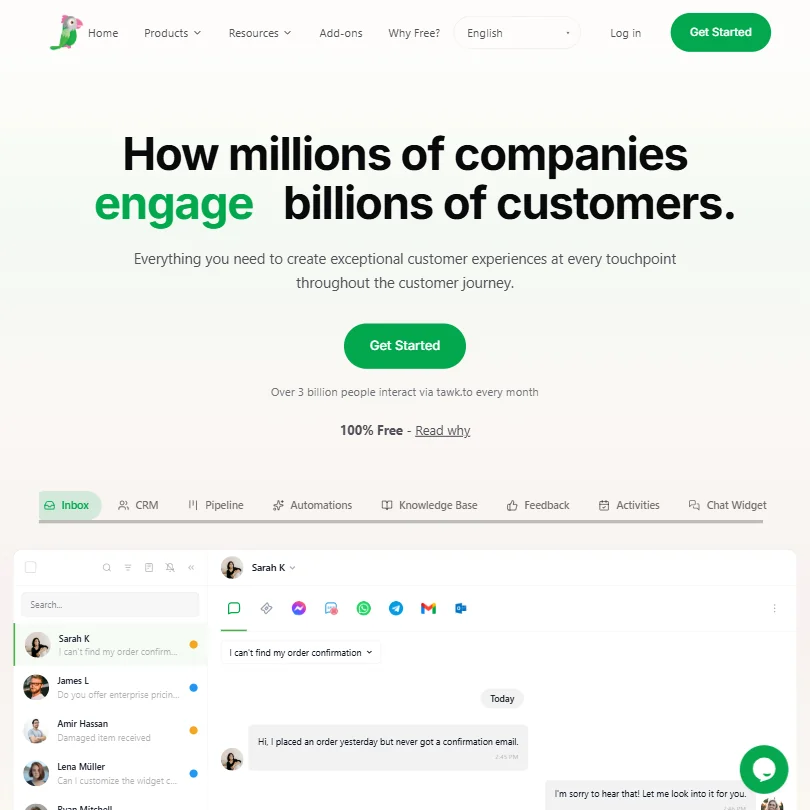
tawk.to's core product is a free live chat widget that has grown into something closer to a full customer communication suite: built-in CRM, ticketing, an omnichannel inbox, a knowledge base, an email channel, and now an AI layer sitting on top of all of it. The full surface area of what you'd call AI customer service software is there, at least on paper.
The monetisation model is what confuses people. No seat fees. No per-agent billing. Revenue comes from add-ons, branding removal being the most obvious, with AI automation features and hired agent services further down the list. The core platform, with unlimited agents and full chat history, costs nothing.
Honestly, it takes a moment to accept. We're not complaining about free software. We're noting that users who arrive expecting a trial frequently don't realise there isn't one, because the free tier is the product.
tawk.to Features: Chatbot, Helpdesk & Support Automation Breakdown
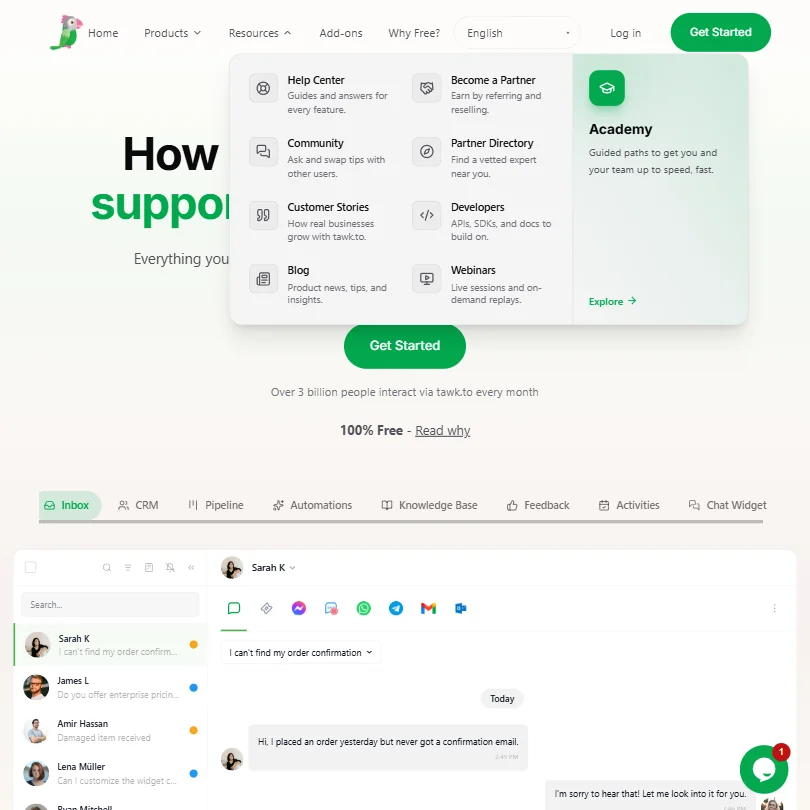
The omnichannel inbox is the operational centre of the platform. Messages from the chat widget, email, WhatsApp, and SMS land in one place. That matters for teams tired of toggling tabs. The inbox connects directly to contact records in the built-in CRM, which tracks organisations and segments contacts using tags.
Ticketing is built in too. Assignees, priorities, statuses, and resolution tracking all live on the same contact record as the chat history. We've seen tools charge meaningful per-seat fees just for that level of helpdesk integration, so finding it here at zero dollars is notable.
The AI side is newer. tawk.to's AI chatbot pulls from a knowledge base you feed it, via uploaded documents or by pointing it at live URLs. Your team can review and correct AI answers over time, which is the right feedback mechanism. Whether it performs as well in practice as the documentation implies is a separate question. Granular user reports on AI accuracy over time are scarce, which may mean people aren't leaning on it heavily yet.
Human handover is supported. When the AI can't handle a query, it escalates to a live agent with the full conversation history intact. Context preservation sounds minor. It isn't. Losing context mid-handover is a daily annoyance for support teams, and tawk.to at least addresses it architecturally.
Customer support automation via triggers and canned responses has been in the platform for years. The newer AI-driven automation layer sits on top of that older infrastructure. The two don't always feel like a single coherent system, based on user reports, but they cover the functional basics.
Not great: SLA management isn't publicly documented. Sentiment analysis isn't listed. White-label options beyond basic branding removal aren't clear from first-party materials. Teams with compliance or reseller needs will feel that gap.
tawk.to Bot Quality: How Well Does It Handle Real Customer Queries?
The documentation claims instant resolution of routine questions across 45-plus languages. That's the claim. What we kept finding in community threads is that bot quality depends almost entirely on how well the knowledge base is built and maintained.
That tracks with how retrieval-based AI chatbots work across the category. Good content in, decent answers out. Vague or outdated content in, embarrassing replies that route every query to a human anyway. tawk.to's AI support agent isn't an exception to that pattern. It's a knowledge base retriever with a language model on top. Fair.
The custom training mechanism, where your team reviews and corrects AI responses, is a practical approach. It's not the same as fine-tuning a model, but for a support team building out coverage over time, it's close enough. The lower setup barrier matters too: you can point it at existing documentation URLs and have it start answering from day one, without needing structured training data first.
Multilingual support is documented at 45-plus languages for content, with 8 named interface languages. Response quality probably isn't consistent across all 45. The high-traffic languages almost certainly perform better, so test Arabic or Turkish yourself before assuming parity.
Reddit threads from 2024 flag generic or repetitive answers when the knowledge base has gaps. Expected behaviour, not a bug. But worth knowing if you're counting on the AI to absorb volume without human backup standing by.
tawk.to Channel Coverage: Which Platforms Does It Support?
The channel list is decent for a free tool. Live chat on web is the obvious core. WhatsApp and SMS are supported. Email routes through the unified inbox. Voice is listed too, though first-party documentation on how that works is light.
Apps exist for iOS, Android, macOS, and Windows. That's a wider desktop client presence than most competitors bother with.
Integrations are more selective. Shopify is there. Zapier is there. WordPress and Squarespace work for widget embedding. tawk.to publicly documents HubSpot connectivity through Zapier, including a workflow that adds a new contact to HubSpot when a chat ends; a native Salesforce integration is not clearly documented in current first-party materials. That gap matters for teams whose CRM is either of those platforms. The JavaScript API gives developers room to build custom connections, but that's development time, not a native handshake.
The absence of a confirmed native Slack integration is mildly surprising at this scale. Teams routing internal support alerts through Slack will need Zapier in the middle. Compared to Intercom, which maintains a deeper native integration library, tawk.to feels appropriately matched to its price point. You're not paying per seat, and the integrations reflect that trade.
Is tawk.to Easy to Set Up and Manage?
Consistent praise from users, across multiple review platforms, lands here. Getting the chat widget live takes minutes. The JavaScript snippet is short. Shopify and WordPress installs are well documented. The Help Center covers FAQs, an Academy section, developer docs, and a community forum.
Live support is 24/7, 365 days a year. Human support. Not a bot. At the free tier, that's genuinely rare. Most zero-dollar-per-month tools offer a knowledge base and an email ticket queue that replies in three days. Finding around-the-clock live chat support at no cost came up repeatedly in Capterra-style reviews as a standout experience, and we cross-referenced enough mentions to take it seriously.
Day-to-day management sounds reasonable from user accounts. The inbox is navigable. Agent assignment works. Mobile apps are functional. Where it gets messy is in more advanced configuration, particularly automation rules and AI knowledge base management. Users who try to set up complex workflows report a learning curve that the clean UI doesn't quite prepare you for.
The dashboard improved noticeably in recent years. Older screenshots from 2019 look like a different product. The current version is cleaner. Not beautiful, but functional enough that it doesn't slow people down.
tawk.to Pricing: Is It Worth It for Support Teams?
The core platform is free. Unlimited agents, unlimited chats, unlimited concurrent chats, unlimited sites, and chat history stored indefinitely until deletion. tawk.to documents those limits explicitly. That's the genuine offer, and it's as unusual in 2025 as it was when they launched it.
Add-ons are where money enters. Branding removal costs extra. AI chatbot features beyond the basics sit behind additional costs, with separately documented limits on message volume and pages. Hired agents, where tawk.to supplies staffed support agents on your behalf, are a separate paid service entirely.
Specific add-on prices aren't listed in detail. You have to dig into account settings or contact them to see the full menu. That's a mild irritation, and not a minor one for teams trying to forecast costs.
What we can say with confidence: tawk.to is almost certainly cheaper than Zendesk, Intercom, or LiveChat for any team over five agents. A 10-agent team on Zendesk's Suite Professional plan is spending roughly $1,150 per month or more. On tawk.to, that same team spends nothing on the base platform. The math isn't close.
The trade is feature depth and integration breadth. Teams that need Salesforce sync, advanced SLA management, or serious reporting will hit the edges of what tawk.to covers. Our concern isn't that the free model is fake. It's that add-on pricing transparency is poor enough that teams can't easily predict actual monthly costs once they start layering things on. That's a planning problem.
tawk.to vs Zendesk: Which Customer Service AI Wins?
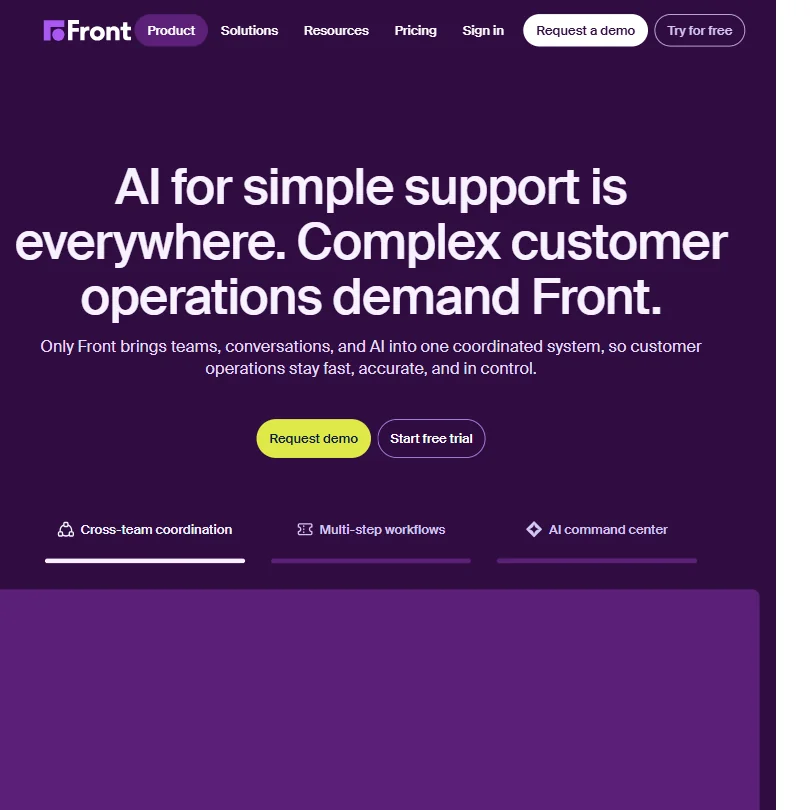
Zendesk is the category anchor. Large enterprises run entire support operations on it. The AI layer is more mature, better documented, and more deeply integrated with their ticketing system. Analytics are substantially better. SLA management is built in and configurable. The integration library runs to hundreds of native connections.
tawk.to wins on exactly one axis. Cost. A 10-agent team pays nothing for the base tawk.to platform. On Zendesk Suite Professional, that same team is looking at roughly $1,150 per month or more.
Not really a feature competition. The tawk.to versus Zendesk comparison is a budget conversation, and framing it as anything else wastes everyone's time. Small businesses and startups that don't need enterprise-level reporting or compliance features will struggle to justify Zendesk's pricing. A 50-person support team with complex routing and SLA requirements will probably find tawk.to's feature set doesn't hold up.
The middle ground is trickier. Mid-sized businesses with real volume but tight margins might start on tawk.to and hit its limits. What those limits actually look like in practice isn't well documented publicly, which makes the decision harder than it should be. Zendesk offers free trials; tawk.to skips the trial model entirely in favour of the permanent free tier. Different approaches to the same acquisition problem. Worth knowing before you commit time to setup.
Who Should Use tawk.to? (And Who Shouldn't)
Small businesses running lean support teams. Clearest fit. Zero per-seat cost, functional helpdesk, a live chat widget that takes an afternoon to install. For a five-person company needing basic AI helpdesk functionality without a software budget, this is an obvious answer.
E-commerce teams on Shopify. The native integration exists. The chat widget is the kind of thing customers actually use before checkout, and multilingual support helps if you're selling internationally.
Teams with deep Salesforce or HubSpot dependencies. Not the right fit. Native integrations aren't there, and the JavaScript API workaround requires developer time. That's a real cost even when the software is free.
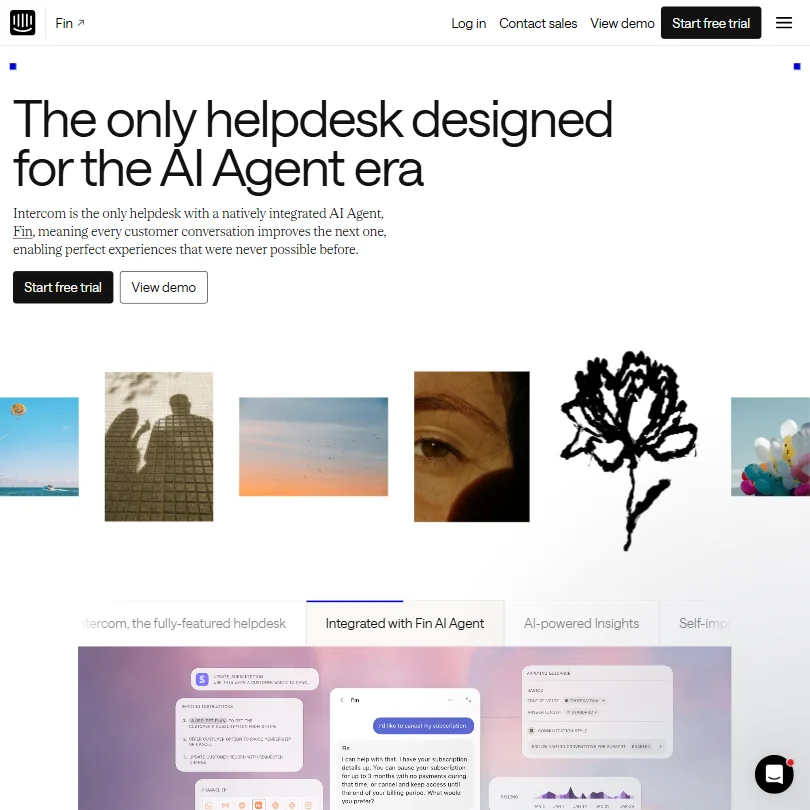
Enterprise teams needing SLA management, advanced reporting, or compliance-level documentation should look elsewhere. Fin by Intercom or Zendesk's AI tier would cover that ground more reliably, at a much higher price. Agencies and resellers hit an ambiguity problem too: white-label options aren't clearly documented in first-party materials, and if branding matters for client deployments, you'll need to confirm what's actually available before committing.
tawk.to Review Verdict
Eleven years after launch. Over 3 billion monthly interactions. A 20-plus percent market share hold. That's not a fluke, and it's not explained by marketing spend. The free model is the thing, and it works.
The free tier is real. We cross-referenced the documentation carefully. Unlimited agents, unlimited chats, full chat history stored until deletion, a built-in CRM, functional ticketing. The catch is add-ons with opaque pricing and a feature ceiling that becomes visible once teams push past basic support workflows.
The AI layer is newer and less battle-tested than what you'd get from a mature enterprise platform. The integration library has gaps. Analytics are not a strength. What tawk.to does well, it does at a price point that makes direct comparisons almost unfair.
Our read: genuinely worth deploying for small to mid-sized teams that need live chat and basic helpdesk functionality without a budget. Not the tool for teams needing deep analytics or complex automation at scale. Both of those statements are true at once.
Better public documentation on add-on pricing and AI feature limits would help. Teams can't plan accurately without going through a sales conversation first, and that undermines an otherwise unusually transparent free model.
How tawk.to compares
tawk.to scores 6.5 out of 10 among the helpdesks we rate. These three do the same job and are the closest to it, compared on what each vendor publishes.
Tidio
tawk.to's AI Assist drafts replies for your human agents; Tidio's Lyro answers customers on its own, but its separate Copilot, not Lyro, helps agents. tawk.to holds no SOC 2, HIPAA or SSO certification; Tidio has SOC 2 and HIPAA. Tidio does not offer a customer-facing help center, which tawk.to does. Tidio connects to Zendesk, Intercom, Salesforce and HubSpot; tawk.to's integrations are limited to Shopify and Zapier.
Pick Tidio if you need soc 2 or hipaa and more integrations.
Pick tawk.to if you want a help center and AI that drafts agent replies.
Intercom
tawk.to's core platform is free forever; Intercom has no free tier and starts at $39 a month. Intercom holds SOC 2, HIPAA, ISO 27001 and SSO certification; tawk.to has none of these. Intercom supports voice and Slack as channels, which tawk.to does not offer. Removing vendor branding costs $29 a month on tawk.to; on Intercom it comes with the Advanced plan at no extra charge.
Pick Intercom if you need compliance certifications and voice support.
Pick tawk.to if you want a free forever platform with no seat price.
Zendesk
tawk.to's core platform is free forever, with no seat price; Zendesk's cheapest paid plan is $25 a month. Zendesk holds SOC 2, HIPAA, ISO 27001 and SSO certification, none of which tawk.to has. Zendesk offers phone support alongside email and chat; tawk.to's support channels are live chat, email and community. Zendesk also publishes data regions across five locations, which tawk.to does not state.
Pick Zendesk if you need compliance certifications and phone support.
Pick tawk.to if you want a free platform with no seat price.
Frequently Asked Questions
Is tawk.to actually free, or is there a catch?
The core platform is genuinely free. tawk.to explicitly documents unlimited agents, unlimited chat volume, unlimited concurrent chats, unlimited sites, and indefinite chat history storage. The catch is add-ons. Removing tawk.to branding from the widget costs extra, and more advanced AI features carry separately documented limits and costs. For most small businesses, the free tier covers the basics without touching those extras.
How does tawk.to's AI chatbot compare to competitors?
It's a retrieval-based system that answers from a knowledge base you build and maintain. That puts it in the same general category as most customer support automation tools, not ahead of them. The feedback loop, where your team corrects AI answers over time, is useful. Teams expecting a sophisticated out-of-the-box AI agent may find it underwhelming until the knowledge base is well populated. We don't buy the idea that 45-plus language support means consistent quality across all 45.
Can tawk.to replace a paid helpdesk like Zendesk or Intercom?
For small teams with straightforward support needs, it handles a meaningful portion of what those platforms do. For teams needing SLA tracking, advanced reporting, or deep integrations with enterprise CRMs, probably not. Pressure-testing the free tier before any platform switch is the honest advice here. The free tier costs nothing to run in parallel for a few weeks, and that test will answer more than any review will.