Over 5,800 reviews on G2 alone. Capterra crossed 4,086 as of early June 2026. That's not a thin sample, and the signal in it is consistent enough to draw real conclusions from. Zendesk was founded in Copenhagen in 2007, eventually relocated to San Francisco, and has spent nearly two decades expanding well past what anyone would call a simple ticketing tool. The question now isn't whether it's big. It's whether big still earns its price tag.

What is Zendesk?
Customer service platform that started narrow and grew into something genuinely difficult to summarize. Email support, live chat, phone, social messaging, self-service knowledge bases, and an AI layer the company calls Zendesk AI, built partly in-house and partly through an acquisition of Forethought. That acquisition matters more than the marketing around it suggests, and we'll come back to it.
The omnichannel pitch is real. Over 100,000 businesses use the platform. More than 22,000 are using the AI products specifically, per figures on their homepage. Not small numbers.
The Forethought piece means Zendesk's AI agents can operate across service environments without requiring a full migration away from an existing stack. That's a meaningful differentiator. Whether the execution consistently matches that promise is a separate question, and the reviews we cross-referenced have some things to say about that gap.
Zendesk Features: Chatbot, Helpdesk & Support Automation Breakdown

The ticketing system is mature. Very mature. Almost two decades of iteration, and most reviewers across G2 and Capterra agree the core layer, routing, triggers, automations, skills-based assignment, holds up. That part isn't where the interesting arguments happen.
The AI is where things get more complicated. The Resolution Learning Loop is the concept Zendesk pushes hardest, the idea being that every resolved interaction feeds back into the AI agents, making them incrementally more accurate over time. Vendors say a lot of things. This one tracks with what we kept seeing in longer G2 reviews from operations managers who'd been on the platform for two or more years. Not universal praise, but a consistent enough pattern to take seriously.
The knowledge base ships with Suite plans and includes what Zendesk calls freshness management, which flags articles that may be outdated. Genuinely useful. Smaller platforms skip that entirely. SLA management also lives in the Suite tier, not locked behind an enterprise paywall, which is worth flagging because several competitors treat it as an upgrade.
Zendesk Copilot is the agent-assistance layer that continues guiding human agents after they take over from the AI. It's not just a handover button. There's also an Admin Copilot and a version for knowledge teams, both named explicitly in the Suite Professional and Suite Enterprise tiers. Whether a given team needs all of that depends heavily on headcount and workflow complexity.
The Action Builder and App Builder let teams create custom AI workflows without writing a lot of code. No-code claims deserve skepticism in general. But mid-size operations teams in G2 reviews describe it as genuinely usable, not just technically possible on paper.
Zendesk Bot Quality: How Well Does It Handle Real Customer Queries?
Eighty percent automation. That's the figure on Zendesk's homepage. Aggressive. G2 and Capterra reviews show qualified versions of that number. The actual automation rate reported by real teams depends heavily on knowledge base quality and query complexity. Honest.
Intent and sentiment detection are built into the bot, which means it's attempting to understand what someone wants and whether they're frustrated, not just matching keywords. For routine queries, password resets and basic FAQs and order status, reviewers in e-commerce and SaaS support roles consistently say it handles the predictable volume reliably.
Complex multi-step queries are murkier. Reddit threads from 2024 and 2025 describe situations where the bot loops unhelpfully or misroutes before escalating. Not catastrophic. Just friction that compounds over volume.
Honestly, the 80% figure looks achievable for teams with clean knowledge bases and narrow query types. Teams with messy documentation or wide product complexity should probably model something lower and plan accordingly.
Multilingual support covers 40-plus languages. Real number, not a "select markets" footnote. For global support operations, that matters and it's one of the cleaner differentiators at this tier.
Zendesk Channel Coverage: Which Platforms Does It Support?
Email, live chat, phone, social messaging, WhatsApp, web forms. All of it included within the Suite plans, not assembled from add-ons at the base level. That's a point in Zendesk's favor against several competitors who still treat mobile messaging as a premium feature.
The Forethought layer extends this further, allowing Zendesk AI to operate inside environments where the core product isn't the primary tool. That matters for enterprise accounts committed to another CRM who don't want to migrate everything to get AI agents working.
Slack and Microsoft Teams are both supported. Shopify integration exists for e-commerce teams. The marketplace runs over 1,000 apps. We cross-referenced a few niche integration reviews, and the Jira connection gets mentioned positively by engineering-adjacent support teams with some regularity.
API access is full and documented at developer.zendesk.com. Important for larger teams building custom integrations outside the marketplace, and the documentation quality is better than average for enterprise software of this age.
Channel coverage is genuinely one of the stronger parts of the product. We've seen platforms at similar price points that still treat social messaging as an afterthought. Zendesk doesn't.
Is Zendesk Easy to Set Up and Manage?
Mixed. Not negative overall, but divided in ways that matter depending on team size. Small teams with limited IT resources consistently flag that initial setup takes longer than expected. The platform is large, and for teams that need a simple email queue with a bot, the configuration overhead feels disproportionate to the goal.
G2 reviewers from companies with 50-plus support agents rate the setup experience considerably better. The platform rewards teams that have someone dedicated to administering it, at minimum one person who actually understands the routing logic and automation triggers. Without that, the powerful configuration options stay unconfigured and the cost-per-value ratio suffers.
The documentation is genuinely good. Zendesk Academy has real courses. Community forums are active. That's not always true for enterprise software and it's worth acknowledging.
For smaller teams, this remains a fair concern. The Copilot, the Action Builder, the Quick Reports feature visible on the Suite Professional tier, all of it sits behind a learning curve. We've seen worse onboarding in this category. We've also seen simpler ones. Freshdesk consistently gets rated faster to spin up for lean teams, and that's not an accident.
Zendesk Pricing: Is It Worth It for Support Teams?
No free plan. There never has been. A 14-day trial exists and doesn't require a credit card, which is fine as trials go.
The Support Team plan starts at $25 per agent per month paid monthly, the entry-level tier covering email, ticketing, prebuilt analytics dashboards, and basic automations. Suite Team sits at $69 per agent per month and adds AI Agents, Knowledge Base, Action Builder, omnichannel routing, and telephony. Suite Professional jumps to $149 per agent per month and is where most of the AI features people are actually evaluating Zendesk for come together, including Admin Copilot, App Builder, Writing Tools, Quick Reports, skills-based routing, and IVR phone tree. Suite Enterprise with Copilot adds Intelligent Triage, Auto Assist, Generative AI for Voice, approval workflows, sandbox environment, and custom agent roles, with pricing available only through sales.
For a 10-person team on Suite Professional, that's $1,490 a month before any add-ons. That compounds fast.
A recurring frustration appears in Reddit threads from 2024 and 2025. Teams that started on lower-tier plans and scaled up were surprised by how quickly per-seat costs stacked. Add-ons layer on top. AI automation features aren't fully available at the lower tiers, which means the sticker price at entry understates the real cost for teams that want what Zendesk actually advertises.
Pricing is our main concern with Zendesk for smaller teams. Not great. The product is capable, but the value equation doesn't work cleanly below roughly 15 to 20 agents. Below that threshold, there are cheaper ways to get most of what Zendesk does. The math changes for larger teams with complex needs, and the per-seat cost becomes easier to absorb across a bigger agent base.
Ask about the refund policy, especially if you're budgeting with real precision.
Zendesk vs Intercom: Which Customer Service AI Wins?
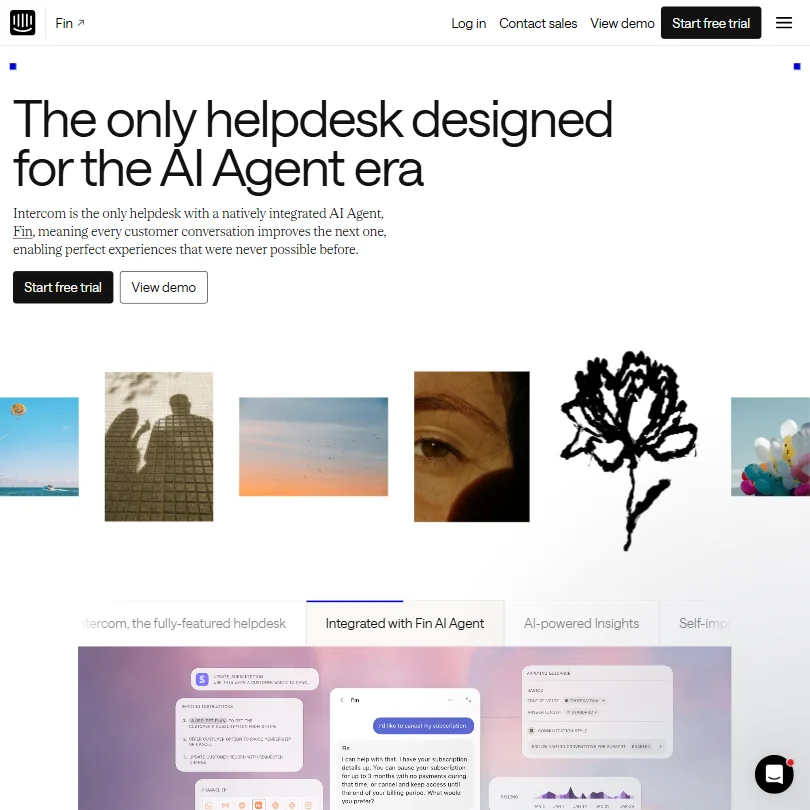
The comparison surfaces constantly in Reddit and G2 discussions. Both are mature platforms. Both have invested heavily in AI. Both charge a lot. Neither is a budget option.
Intercom has leaned hard into the conversational, messaging-first model. Their AI product, Fin, is purpose-built for chat resolution and has a strong reputation in that specific lane. We've covered Fin separately, and the bot quality there is worth a direct look if chat automation is the primary use case.
Zendesk's edge is breadth in ticket management scenarios, a more established enterprise history, and a larger app marketplace. SLA management is more mature. If a team needs deep helpdesk functionality alongside AI, Zendesk tends to win that comparison in our cross-referenced research.
Where Intercom wins is user experience, particularly for smaller product-led teams. The interface is cleaner. Setup is faster. For a 5-person startup support team, Intercom often fits better in practice.
The honest read: these two tools are targeting slightly different buyers now, even though they overlap significantly. Zendesk is the stronger pick when ticket management and complex routing are central. Intercom is the stronger pick when the primary surface is chat and the team is lean.
Pricing-wise, broadly comparable at the mid tier. Neither is cheap.
Who Should Use Zendesk? (And Who Shouldn't)
Mid-size to enterprise support teams. That's the real fit. Companies with 20-plus agents, complex routing needs, and enough admin bandwidth to configure the platform properly show up consistently satisfied.
E-commerce brands with high support volume should look closely. The Shopify integration is solid and the ticket volume management features are strong. That said, if e-commerce is the only use case, Gorgias is purpose-built for that environment and worth a direct comparison before committing.
Small teams under 10 agents without a dedicated admin. Not the fit. The platform will work. It just won't work at its potential without someone who knows it well, and that person costs money on top of the per-seat fees.
Lean startups. Too much overhead, too much cost, not enough simple onboarding for the speed they usually need.
Companies already embedded in Salesforce or HubSpot have real reasons to stay interested. The native integrations are well-maintained, and the Forethought layer means the existing CRM setup doesn't have to be abandoned to get AI agents functional.
Zendesk Review Verdict
Eighteen years in, Zendesk is still a reference-point product. That's not nothing. The ticketing system is as mature as anything in this category. The AI layer has real substance behind it, not just marketing copy. The channel coverage is wide, and the Suite Professional tier at $149 per agent per month packs in enough, Admin Copilot, App Builder, skills-based routing and IVR phone tree, to justify serious evaluation for teams at scale.
The Resolution Learning Loop and Forethought integration are what actually differentiate Zendesk from the field right now, and both take time to show value. Neither is a quick win. For teams that can invest in proper setup and have the agent volume to justify the cost, they do appear to deliver. Consistently enough that we're not dismissing the claim.
The pricing model is the drag. Not because it's uniquely bad for enterprise software, but because the gap between the $25 Support Team entry point and the tiers where the AI actually performs is wider than it looks at first. Add Suite Enterprise with Copilot and you're in a contract conversation with no published price to anchor against. That's a deliberate choice. Frustrating.
The Trustpilot score of 2.2 is worth acknowledging, though Trustpilot skews toward consumer complaints and one-off bad experiences. G2 and Capterra scores from actual business users are a better operational read. The 4,086-plus Capterra reviews crossed that count by June 2026, and the pattern in them is broadly positive for teams using the product as intended.
We'd point teams that need a proper enterprise-grade support platform toward Zendesk, provided the budget and internal admin resources are real. Smaller teams should look at lighter alternatives until they hit the scale where Zendesk's complexity becomes an asset instead of overhead.
Frequently Asked Questions
Does Zendesk have a free plan?
No. There's a 14-day free trial that doesn't require a credit card, but no permanent free tier. The cheapest paid plan is Support Team at $25 per agent per month paid monthly, and that tier is missing most of the AI features people are actually evaluating Zendesk for. The AI Agents, Knowledge Base, and Action Builder don't appear until Suite Team at $69 per agent per month.
What AI model does Zendesk use?
Zendesk runs its own proprietary AI, branded as Zendesk AI, combined with the Forethought AI agents it acquired. It doesn't rely on a single public model. The Forethought layer specifically is what allows the AI agents to operate across external platforms, not just inside the native Zendesk environment, which is the more practically interesting part of the architecture.
Is Zendesk good for small businesses?
Depends on what small means. Teams of 10 to 20 agents with a dedicated support admin can make it work, especially on Suite Professional. Teams smaller than that will likely find the configuration overhead and per-seat cost harder to justify against what they actually need. There are lighter tools in this category that cost significantly less and get leaner teams up and running faster. Fair.