We've pulled vendor documentation, crawled Reddit threads from support and operations teams, and cross-referenced what Front's marketing says against what actual users report. Founded in 2013, out of San Francisco, Front has had over a decade to figure out what customer operations teams need. Largely, it has. But there are a few things worth knowing before you sign up.
What is Front?
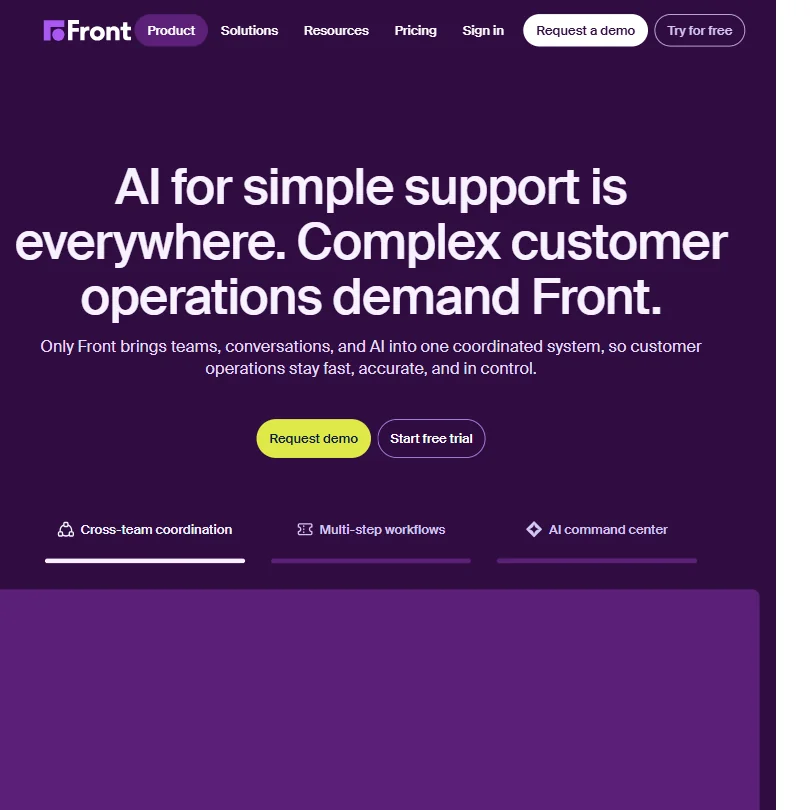
Front isn't trying to be a basic helpdesk. The pitch they push hardest is coordination: bringing team inboxes, omnichannel conversations, and AI automation into one place, specifically for operations teams that can't afford dropped context between departments. That's a narrower target than Zendesk or Freshdesk aim for. Narrower, but more honest.
Over 9,300 companies use it, which isn't a massive number compared to some category giants, but it tracks with their focus on B2B and complex workflows rather than chasing volume. They're not trying to be everything to everyone.
The core product covers shared inboxes and ticket routing alongside a live chat tool and a knowledge base. Then there's what they call their AI Autopilot agent, which handles incoming requests without human input on simpler cases, and Copilot, which assists agents in real time. Two different AI modes. One for autonomous resolution, one for assistance. That distinction matters, and we'll come back to it.
Industries listed on their site run from logistics and manufacturing through to financial services and travel. These are sectors where multi-step, multi-department support requests are normal, not edge cases. Honestly, that specificity is more reassuring than the generic "works for everyone" positioning you see from some competitors.
Front Features: Chatbot, Helpdesk & Support Automation Breakdown
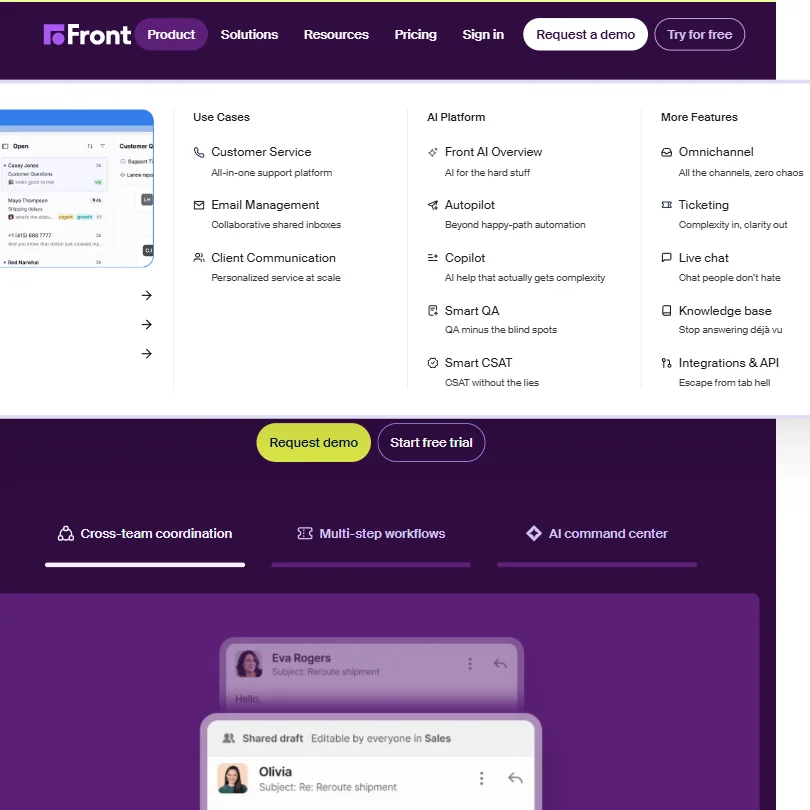
There's a lot here. We'll focus on what actually moved the needle in user reports and their own documentation.
The AI Autopilot is the centerpiece. Front claims it can resolve up to 70% of incoming requests autonomously. Big number. We're skeptical of it as a blanket stat, since resolution rates vary wildly depending on the complexity of what's coming in. But the user reports we found don't suggest it's fabricated either. Teams handling repetitive operational queries seem to hit numbers close to that. Teams dealing with genuinely nuanced requests, less so.
Ticket management is solid. Routing, escalation, and SLA tracking are all present, and actually functional according to the reviews we read. The SLA tracking in particular got positive mentions from operations managers who'd come from Zendesk.
Email automation runs on rules and macros. The Starter plan, at $35 per seat per month for up to 10 seats, caps you at 10 automation rules. Professional, at $85 per seat per month for up to 50 seats, raises that to 20. Unlimited rules and macros only arrive on Enterprise, which is annual-only and requires a demo to price. That tiered gating is a pattern across Front's feature set. You get access to things gradually as you pay more. Fair enough as a model, but worth mapping against your actual needs before you commit to a tier.
The knowledge base is no-code on Starter. Multi-language support lands on Enterprise only. Smart CSAT, which uses AI to infer satisfaction from conversation content rather than waiting for customers to complete a survey, is genuinely interesting. Customer-facing survey response rates are notoriously low. Getting AI to fill in the gaps is a reasonable workaround. We haven't tested it, but the concept holds up.
The CRM section is native to the platform and integrates with Salesforce and HubSpot, which covers most of the bases for B2B teams. Not flashy. Just functional.
Front Bot Quality: How Well Does It Handle Real Customer Queries?
Most AI chatbots for support are fine at FAQ-style deflection. Front's Autopilot is explicitly built to go further: multi-step requests, cross-team workflows, requests that don't fit neatly into a decision tree. That's the claim, anyway.
From what we found across user reports, the bot performs well when it's properly configured with relevant knowledge base content. What was more interesting is that several users noted it handles escalation to human agents with actual context intact. No summary loss. No starting over from scratch. That's what separates it from a simpler deflection bot.
The Copilot mode, aimed at assisting live agents rather than replacing them, came up positively in reviews from teams dealing with technically complex products. Agents said it surfaced relevant information faster than searching manually. That tracks with what Front's documentation describes, so no discrepancy there.
Worth noting: Front's AI uses a proprietary model rather than building directly on top of a named third-party like OpenAI. That can be a black box concern for teams that care about transparency in model behavior. We didn't find specific user complaints about it, but it's worth asking them about directly if model provenance matters to you.
Bot quality is one of Front's cleaner strengths in our research. Not gimmicky. Built around the actual workflows it's supposed to handle.
Front Channel Coverage: Which Platforms Does It Support?
Channel coverage is broad. Email, live chat, SMS, and WhatsApp are all supported, along with social channels and voice/telephony. Slack is listed as a native channel too, not just an integration, which matters for internal coordination on support tickets.
The Front shared inbox concept ties all of this together. Rather than running separate tools for email and chat and social, everything lands in one place. Teams that have tried to coordinate across separate inboxes know how much gets dropped. That's the actual problem Front is solving here.
Platforms covered: web, iOS, and Android, plus a Chrome extension. The mobile experience is where we'd pump the brakes. The iOS app sits at 3.4 out of 5 from around 171 ratings. The Android app is around 2.6 out of 5 from over 500 reviews. The Android rating in particular is poor, not a minor quibble. G2 reviewers flag mobile performance as an area needing work, and a few Reddit threads from support team members echo that. For desktop-first teams this probably doesn't matter much. For teams that need agents working on mobile regularly, it's worth a harder look before committing.
The omnichannel setup itself works, based on our research. The mobile app is the one honest weak spot in the channel story.
Is Front Easy to Set Up and Manage?
This is where things get less clean. Setting up Front takes real effort. That's not a criticism exactly, it's a reflection of what the platform is designed to handle. Complex workflow configuration for multi-department teams isn't a 30-minute job. Users who expected it to be expressed frustration. Users who came in prepared for a proper implementation generally reported a smoother experience.
Front offers an Academy, a Help Center, a Developer Portal, and a Community forum. The Academy in particular got positive mentions from admins figuring out the system for the first time. The documentation is more thorough than average for this category. That said, their support entry point is a bot. Getting to a human takes a step or two.
Teams without a dedicated ops person to run the implementation should factor that into the timeline. Enterprise buyers get custom onboarding, which helps. Starter and Professional tier buyers are largely doing it themselves. Custom integrations via the API are documented well, but that's still a resource investment. Smaller teams should be realistic about whether they have the bandwidth.
Front Pricing: Is It Worth It for Support Teams?
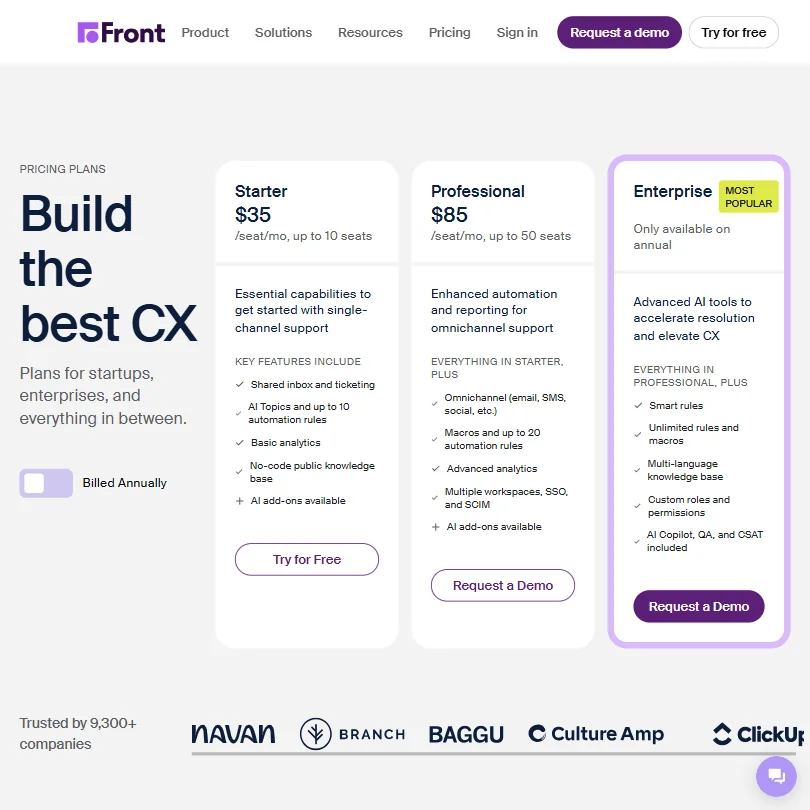
Three tiers. Starter at $35 per seat per month, capped at 10 seats. Professional at $85 per seat per month, capped at 50 seats. Enterprise is annual-only with no public price. No free plan. There is a 14-day free trial, which Front documents clearly in their pricing FAQ, their Help Center, and their main product page. At least they're upfront about the trial length, even if the Enterprise price stays gated behind a demo request.
The jump from $35 to $85 is steep. That's where you get macros expanding to 20 rules, advanced analytics, and multiple workspaces with SSO and SCIM. For teams that need those features, the Starter plan is essentially a trial with training wheels. Many users will find themselves needing Professional within a few months. Factor $85 into your budget conversation, not $35.
Enterprise adds smart rules, unlimited rules and macros, multi-language knowledge base, custom roles and permissions, and AI Copilot with QA and CSAT included. If you're at that scale, the annual-only commitment is probably fine. If you're not, the question is whether Professional gets you there.
Refund policy isn't stated publicly. We'd push on that directly during any sales conversation. No free plan puts Front in the minority in this category, where a meaningful share of the tools we track do offer one. For smaller teams testing the water, that's a genuine barrier.
We don't think Front is overpriced for what it delivers. But the tier structure means the product you're buying at $35 is meaningfully different from the one at $85. Be honest with yourself about which one you actually need before the trial ends.
Front vs Zendesk: Which Customer Service AI Wins?
Zendesk is the obvious comparison. Both tackle omnichannel support for mid-to-large teams, but they come from different directions.
Zendesk is built around ticketing first. Mature product, massive ecosystem, well-understood. Front is built around communication and coordination first. Tickets exist, but the philosophy is that conversations between teams and customers should flow naturally, not get processed into queue items.
Users who've switched from Zendesk to Front tend to mention two things. First, that collaboration inside tickets is better in Front, particularly internal comments and shared drafts. Second, that Front's reporting is lighter. Zendesk's analytics are more mature, and if your team runs on dashboards, that gap is real.
The Front AI Copilot competes reasonably well against Zendesk's AI assistant features. Neither is dramatically ahead of the other based on what we've read. Both require configuration to perform well.
If you're a pure e-commerce shop with high ticket volume and simple queries, neither of these is the obvious pick. Something like Gorgias is probably a better fit there.
Who Should Use Front? (And Who Shouldn't)
B2B operations teams. That's the core fit. Specifically, teams where support requests cross departments, require internal context-sharing, and involve multi-step resolution. Logistics, financial services, tech companies with complex products. These are the users Front was built for.
Customer success teams and account managers also come up repeatedly in positive reviews. The shared inbox and internal collaboration features suit workflows where multiple people touch a single customer relationship.
Solo operators or very small teams without dedicated ops resources. Probably not. The setup complexity and pricing structure work against you at that scale.
E-commerce brands focused on high-volume, transactional support. Front can technically handle it, but it's not where the product excels, and you'd be paying for coordination features you won't use.
Teams that need deep custom reporting out of the box. Look elsewhere first, or budget for API work to pull the data you need.
Front Review Verdict
Front is a genuinely good product for the right kind of team. Not a universal answer to customer support automation, but a well-built tool for the specific problem it's targeting.
The AI Autopilot is credible. The coordination features are real differentiators. The knowledge base, CSAT inference, and omnichannel coverage are all solid. What holds it back is the setup burden, the absence of a free plan, the Android app that sits at 2.6 out of 5, and the fact that meaningful functionality sits behind the Professional tier at $85, not the Starter at $35.
B2B teams that have tried to coordinate customer operations across departments using a patchwork of tools. This is probably what they've been looking for. The collaboration-first design philosophy is coherent and solves a real problem rather than chasing feature count.
Teams that need simple, fast deflection at low cost. This isn't it. Lighter options exist that won't ask for a full implementation.
We'd recommend Front without hesitation to the team it's built for. Go in with realistic expectations about setup time, take the 14-day trial seriously, and have an honest conversation with yourself about whether you're actually a $35-per-seat buyer or an $85-per-seat buyer on day one.
How Front compares
Front scores 7.6 out of 10 among the helpdesks we rate. These three do the same job and are the closest to it, compared on what each vendor publishes.
Zendesk
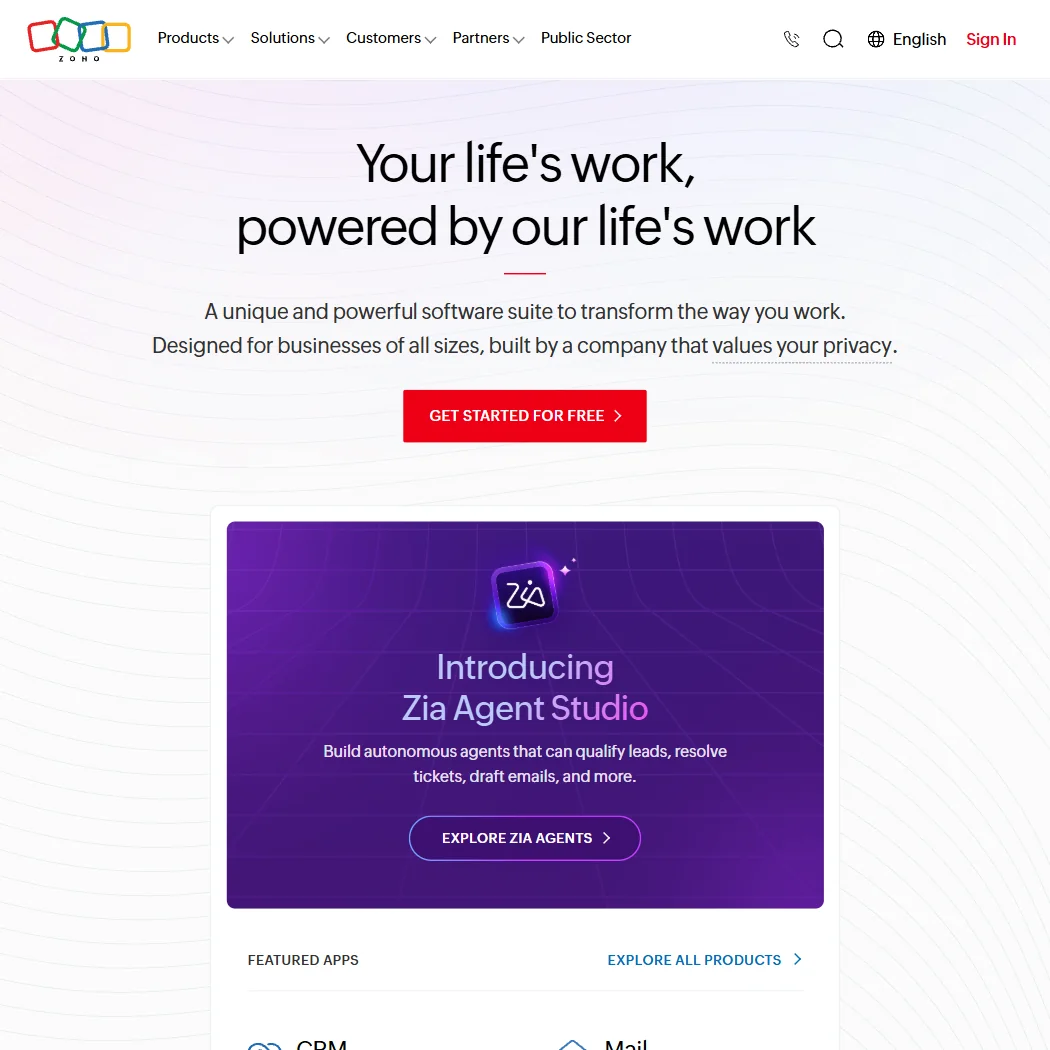
Zendesk's cheapest plan costs $25 a month per agent against Front's $35 for Starter, and Zendesk also covers five data regions against Front's two. Front counters on AI privacy: it states plainly that customer data does not train its AI models, while Zendesk trains its own machine learning models on sanitized customer data shared across accounts. Front also removes chat widget branding from its Professional plan; Zendesk only removes it on Enterprise. Both connect to Salesforce, HubSpot, Shopify and Slack.
Pick Zendesk if you want a lower price and more data regions.
Pick Front if keeping your data out of AI training matters.
Intercom
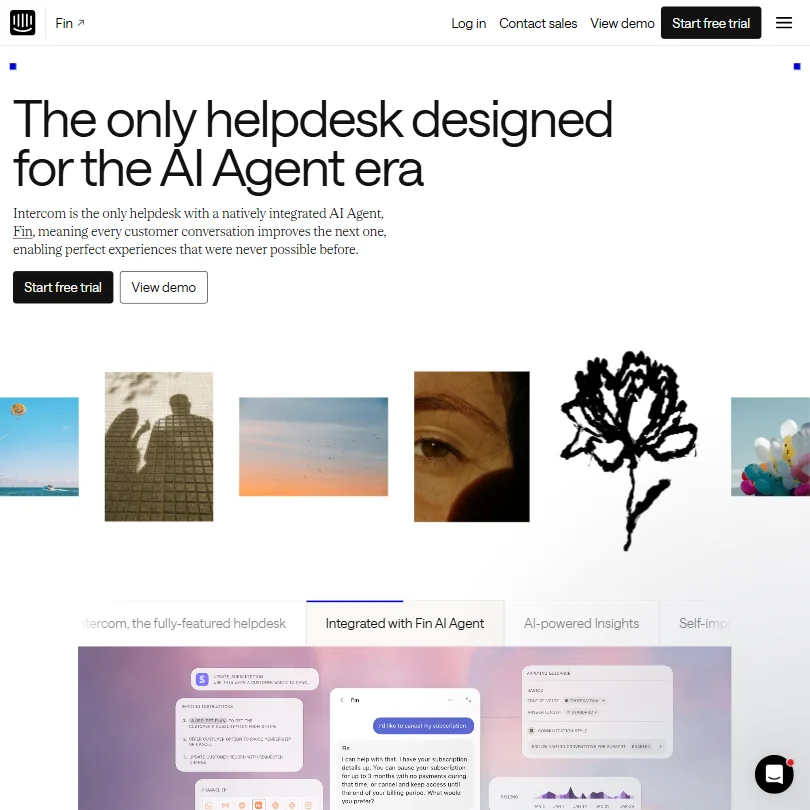
Front costs $35 a month per seat on Starter, just under Intercom's $39 for Essential. Front does not train its AI on customer data at all; Intercom lets customers opt out instead, which is a weaker default position. Intercom's AI answers in 45 languages against Front's 18, and its Fin AI Agent draws on more knowledge sources, including live syncs from Zendesk, Salesforce and other helpdesks; Front's AI reads only its own help center. Both are HIPAA compliant and ISO 27001 certified.
Pick Intercom if you want more AI languages and broader knowledge sources.
Pick Front if no opt-out needed, your data never trains the AI.
Help Scout
Help Scout has a genuine free plan for up to 100 contacts a month; Front has no free tier, starting at $35 a month for Starter. Front is ISO 27001 certified and covers two data regions, US and EU; Help Scout is not ISO certified and hosts only in the US. Help Scout counters with a lower entry price on its cheapest paid plan, $30 against Front's $35, and both promise not to train their AI on customer data.
Pick Help Scout if you want to start free before paying anything.
Pick Front if you need ISO 27001 certification and an EU region.
Frequently Asked Questions
Does Front have a free plan?
No. Front doesn't offer a free plan. There is a 14-day free trial, which they document clearly across their pricing FAQ, Help Center, and main product page. Starter gets a "Try for Free" button. Professional and Enterprise require a demo request. You won't get a surprise about trial length, at least.
How does Front's AI Autopilot compare to a standard support chatbot?
Standard chatbots are mostly good at routing FAQ questions. Front's Autopilot is built to handle multi-step, cross-departmental requests and maintain conversation context through escalation to human agents. Whether it hits their claimed 70% autonomous resolution rate depends heavily on how well it's configured and how complex your incoming requests actually are. Don't take that number as a guarantee. We don't.
Is Front good for small teams?
Depends on what "small" means. Teams of 10 to 20 people handling complex B2B support can get a lot from it, but they'll need someone willing to do a proper setup. Teams of two or three people with simple support workflows will find it over-engineered and expensive relative to simpler alternatives. The platform rewards operational investment. Not every small team has that to spare.