
DesignsAI is a web platform that turns a single brief into branding, images, video, slide decks and audio, routing each task to whichever AI model suits it. What decides whether it fits you is whether you want generation and automation, since the current product does not include an image editor, a vector editor or any of the older single-purpose design tools it once offered.

What is DesignsAI?
DesignsAI is made by Pixlr Pte. Ltd., a company headquartered in Singapore. It runs only in the browser, with no dedicated mobile app. An AI Agent sits at the center of the product, routing each brief to Claude, ChatGPT, Gemini or Grok rather than relying on one model for everything.
Six generators make up the current line-up: Branding, Image, Video, Storyboard, Slides and Audio. A separate Workflows feature automates steps around those generators by connecting to outside apps.
What you can make with DesignsAI
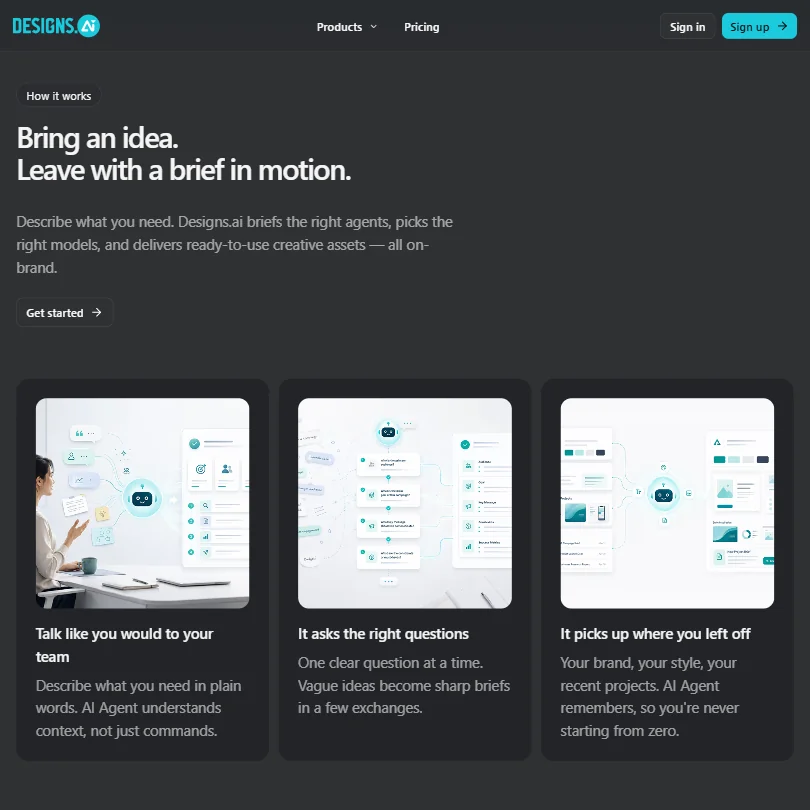
Branding, Image, Video and Slides all start from a text prompt; Branding can also start from a company URL, building out a full brand kit from that alone. The Image tool generates custom visuals, but there is no way to edit an existing photo inside it: no background removal, no object erase or replace, and no upscaling are mentioned anywhere in its feature list.
There is no vector editor and no way to generate an editable vector or SVG from a prompt. There is no mockup tool for placing a design onto a product photo, no print-ordering service, and no stock photo library, since every visual is described as AI-generated rather than sourced. The Video tool generates a clip from a prompt; it is not a timeline editor. Templates are limited to what DesignsAI names directly, such as email marketing templates built from your brand assets, rather than a browsable template gallery.
Working with other people
A brand kit keeps logos, colors, typography and other assets in one place across every generator. Design approval workflows can be customized, and audit trails track design activity, which supports review before something ships, though DesignsAI does not support real-time co-editing. There is no public API for the design tools themselves.
A separate Workflows feature connects to Google Drive, Gmail, Notion, Slack, Google Calendar, GitHub, Linear, Dropbox, LinkedIn, Zoom, Figma, Google Sheets, Pinterest and YouTube, automating steps like pulling in a file or posting a draft. That sits alongside the design generators rather than inside them. DesignsAI runs only on the web.
DesignsAI pricing: what each plan gives

There is no free plan and no free trial: every tier is paid from the start. Go costs $9.90 a month, or $8.30 a month billed yearly, for one user. Go's normal allowance is 500 credits a month, though a stated offer currently doubles that to 1,000 credits until 31 December.
Plus costs $39 a month for two users, with no yearly price published for it; a 50% off offer is currently running at $19.50 a month until 31 December. Pro costs €79 a month, or €55.80 a month billed yearly, for five users. Enterprise costs €639 a month, or €533 a month billed yearly, for 30 users, alongside a separate custom Enterprise option sold through Contact Sales.
Commercial use is allowed on every plan, covering client projects and professional deliverables; the license agreement excludes only design resources marked editorial or unreleased.
Privacy and support
DesignsAI states it is GDPR compliant and displays a SOC compliance badge site-wide, though neither the badge nor its pages give further audit detail. There is no single sign-on option.
Support runs through a contact form and WhatsApp chat. Pricing tiers add priority email and chat support on Plus and Pro, and 24/7 dedicated support on Enterprise.
Who DesignsAI suits
DesignsAI suits teams that want one brief to produce branding, images, video, a deck and audio together, with a brand kit and an approval workflow keeping the output consistent, and that already use apps like Notion, Slack or Gmail that the Workflows feature can connect to.
It suits less well anyone who needs to edit an existing photo, build a vector graphic, place a design into a mockup, order prints or draw from a stock library, since none of those exist in the current product. It also does not fit teams needing a mobile app, a public API or single sign-on.
How DesignsAI compares
DesignsAI scores 3.6 out of 10 among the AI graphic design tools we rate. These three do the same job and are the closest to it, compared on what each vendor publishes.
Canva
Canva includes a free plan; DesignsAI does not, though DesignsAI's paid plan starts at $9.90 a month against Canva's $18. Canva includes AI image editing, product and print mockups, stock photos and fonts, and video editing; DesignsAI has none of these. DesignsAI connects to 14 apps through its workflow automation feature, more than Canva's 6 integrations, but lists no export formats and has no public API, both of which Canva has.
Pick Canva if you need image editing, mockups or stock content built in.
Pick DesignsAI if you want workflow automation across more connected apps and a lower price.
Adobe Express
Adobe Express has a free plan and starts at $9.99 a month; DesignsAI has no free plan and starts at $9.90. Express adds AI image editing, product and print mockups, video editing, a stock library and social scheduling, none of which DesignsAI offers. DesignsAI connects to 14 apps against Express's 13, and both include a brand kit and templates.
Pick Adobe Express if you want a free plan, mockups, video or social scheduling.
Pick DesignsAI if you want its app integrations for automated delivery.
Hotpot.ai
DesignsAI has no free plan; Hotpot.ai does, with no account needed, though its paid tier starts close by at $10 a month against DesignsAI's $9.90. Hotpot.ai includes AI image editing such as background and object removal, and product mockups; DesignsAI has neither. DesignsAI includes a brand kit and connects to 14 apps through its workflow automation feature, well ahead of Hotpot.ai's none. DesignsAI states GDPR compliance; Hotpot.ai does not.
Pick Hotpot.ai if you want image editing tools and a free plan with no account.
Pick DesignsAI if you want a brand kit and workflow automation to more connected apps.
Frequently Asked Questions
Does DesignsAI have a free plan?
No. There is no free plan and no free trial. The cheapest tier, Go, costs $9.90 a month, or $8.30 a month billed yearly.
What does DesignsAI cost?
Go costs $9.90 a month for one user, Plus costs $39 a month for two users, Pro costs €79 a month for five users, and Enterprise costs €639 a month for 30 users. Yearly billing lowers Go to $8.30 a month, Pro to €55.80 a month and Enterprise to €533 a month.
Which AI models power DesignsAI?
An AI Agent routes each brief to Claude, ChatGPT, Gemini or Grok rather than using a single model for everything.
Can I use what DesignsAI makes commercially?
Yes. Commercial use is allowed on every plan for businesses of any size, including client projects, with only design resources marked editorial or unreleased excluded under the license agreement.











