Every score is worked out from the vendor's own pages · How we score →Disclosure
SAASINSPECTOR
Sketch logo

Sketch Review

As a UI design tool, Sketch pairs a Mac app with a companion web workspace, built for shared design systems, clickable prototypes and developer handoff. It connects to outside AI clients over MCP rather than running its own model, and there is no free plan.

Visit Sketch →From $14/mo

Research-based review. Features and prices are checked on the vendor's own website, and the score is worked out from those facts. We haven't tested it hands-on yet.

The verdict

Sketch suits Mac-based design teams already invested in its workflow, but Figma runs across more platforms and offers a genuine free plan alongside paid tiers.

Pros

  • An open sourced .fig file importer lets a Figma project be dragged onto Sketch to bring the design across.
  • Collaborators can co-edit the same document in real time and comment directly on a design or prototype.
  • A Mac-only licence can be bought once for $120 per seat and kept, rather than paid for as a subscription.
  • Connecting an MCP client such as Claude or Cursor lets that client generate and edit Sketch documents from a written prompt.

Cons

  • There is no free plan; only a 30-day trial precedes a paid subscription or the Mac-only licence.
  • The native app runs on Mac only, with no Windows or Android version.
  • AI generation depends on connecting a separate outside AI client rather than a model built into Sketch.
From $14/moFree plan NoFree trial Yes
6.8/10

Spec Score

Sketch against 8 AI UI design tools
#8
of 8 AI UI design tools
-0.5
vs the average
93%
from published facts
Ahead of other AI UI design tools
Teams and platforms+3.1Workflow and output+1.2
Behind other AI UI design tools
What you can make-2.3Pricing-1.5Privacy and trust-0.8
Every criterion
Tap a row for the facts
What you can make5.5
-2.3 vs 7.8 avg17.6 of 32 points
Clickable prototypesyes2 / 2
Shared design systemsyes2 / 2
Code it exports to0 code targets0 / 2
Specs and inspect for developersyes1.5 / 1.5
Turns a screenshot, sketch or URL into a designno0 / 1.5
Built-in user testingno0 / 1
Why these numbers

Shared design systems: Listed in the plan comparison table; also 'Design systems & components' Symbols/Libraries on the features page.

Code it exports to: Counted from code_frameworks. No specific output framework (React, HTML, Vue, etc.) is named; the MCP-based design-to-code path depends on whichever stack the connected AI client targets.

Turns a screenshot, sketch or URL into a design: Only available via a third-party Community plugin (UXarts), not a native Sketch feature; checked AI, features and design pages, no built-in screenshot/sketch-to-design import found.

Built-in user testing: Checked prototype and collaborate pages for user testing/research; only found comments/feedback on prototypes, no built-in user-testing panel or participant research tool.

Workflow and output8.8
+1.2 vs 7.6 avg15.8 of 18 points
File formats it exports4 export formats1.8 / 2.5
Imports Figma filesyes2 / 2
Apps it connects to7 integrations1.5 / 2
Several people edit at onceyes2 / 2
Comments and approvalyes1.5 / 1.5
Why these numbers

File formats it exports: Counted from export_formats. Checked features/export pages for pptx, mp4, gif, html, react and figma export; not found as native export targets (the MCP/design-to-code path writes code directly into a connected AI client's project rather than exporting a file in a named framework format).

Apps it connects to: Counted from integrations. Plugins & Integrations directory; page says listings are 'automatically generated based on developer submissions' and Sketch 'does not check each plugin.' Slack is the one official (By Sketch) integration; the rest are third-party plugins listed on Sketch's own directory.

Pricing6.0
-1.5 vs 7.5 avg12 of 20 points
Cheapest paid plan, monthly$144 / 5
Free planno0 / 3
Commercial use allowedyes2 / 2
Why these numbers

Cheapest paid plan, monthly: Cheapest paid plan on the monthly term. Checked both the Yearly/Monthly toggle and the USD/EUR currency selector live in browser (default rendered EUR, switched to USD).

Free plan: No perpetual free tier; only a 30-day free trial then a paid subscription or the Mac-only licence. Pricing FAQ also has a 'Why is there no free plan?' question.

Commercial use allowed: Terms give the user ownership of their content with no commercial-use restriction found; not gated by plan tier.

Teams and platforms9.5
+3.1 vs 6.4 avg11.4 of 12 points
Where it runs3 platforms3 / 3.5
APIyes2.5 / 2.5
Template libraryyes2 / 2
Single sign-onyes2 / 2
Why these numbers

Where it runs: Counted from platforms. Native app is Mac-only; web app works in any browser (counted as web); iOS/iPad app is for viewing, mirroring and playing prototypes ('View & Mirror on iOS Beta'). No Windows or Android app found.

API: This is Sketch's Plugin API for extending the app; no separate public REST/data API for external integrations was found on the pages checked.

Single sign-on: Listed as a Professional/Enterprise feature in the plan comparison table.

Privacy and trust6.0
-0.8 vs 6.8 avg10.8 of 18 points
Does not train AI on what you uploadnot published, half points2 / 4
SOC 2no0 / 2
GDPRyes1.5 / 1.5
Ways to reach support3 support channels2.5 / 2.5
Why these numbers

SOC 2: The SOC2 certification named on the security page belongs to AWS (the host), not to Sketch B.V. itself; Sketch's own compliance section names GDPR and ISO 27001 but no Sketch-issued SOC 2 report.

Ways to reach support: Counted from support_channels. Contact form routes to email reply; Community Discord counted as community; Documentation/Help Center as help_center. No live chat or phone found.

yesnonot published average for AI UI design tools
How the Spec Score works

Scored from what Sketch publishes on its own site. Not a hands-on test.

Compared with 9 AI UI design tools. Facts checked 27 Sep 2026.

A fact the vendor does not publish gets half the points, or the typical value for a number, and says so. It never counts as a no. How we score.

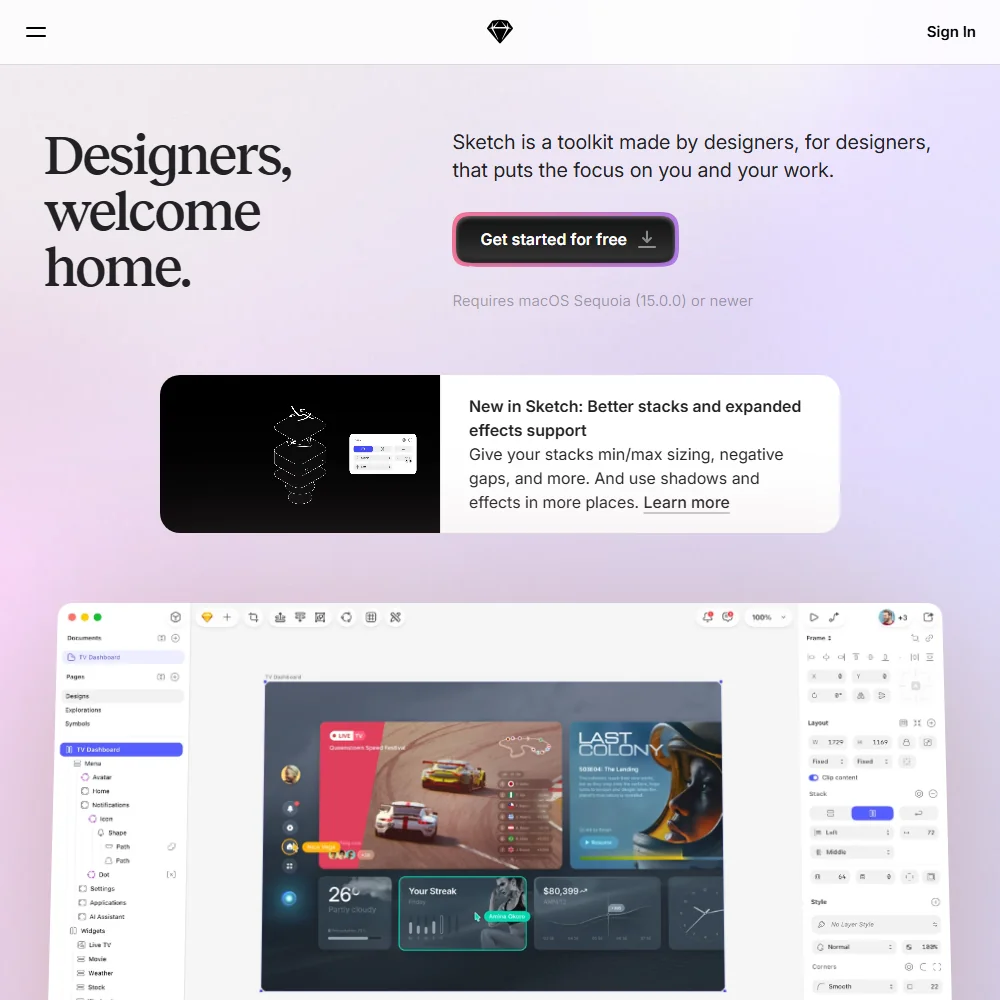
Sketch is a Mac-native interface design app with a companion web workspace, built for people already working inside macOS rather than a browser. Whether it suits you turns on whether you want a native Mac editor with a one-time licence option, or need a cross-platform, cloud-first tool instead.
Sketch homepage screenshot
Sketch, Homepage

What is Sketch?

Sketch is made by Sketch B.V., a company registered in the Netherlands. It runs as a native macOS app, with a browser-based web workspace and a companion iOS app for viewing, mirroring and playing prototypes; there is no Windows or Android version.

Its AI features work through a local MCP server rather than a model built into Sketch itself. Connecting an outside AI client such as Claude, Cursor or Codex lets that client read and write Sketch documents directly, with no separate credits or add-ons sold by Sketch for the connection.

Designing interfaces in Sketch

Prototypes can be built and shared with swipe, tap, hover and press interactions, and Libraries hold shared Symbols, Layer Styles, Color Variables and Frame templates that carry across documents. A .fig file importer, which Sketch has open sourced, lets a Figma file be dragged onto the app to bring a project across.

With an MCP-connected AI client attached, that client can generate and edit Sketch documents from a written prompt, and take a frame in Sketch and build it out in code. Developer Handoff lets developers inspect designs, download assets and copy values and CSS for free, without an MCP connection.

Working with other people

Collaborators can co-edit the same document in real time and follow each other as they present, and comments can be left directly on a design or a prototype. Sketch has an official Slack integration, alongside a directory of third-party plugins such as Notion, Jira, Zeplin and ProtoPie that Sketch does not check individually.

A Plugin API lets developers build and submit their own Sketch plugins. Single sign-on with SAML is available, and the app runs on Mac, in a browser, and on iOS for viewing prototypes.

Sketch pricing: what each plan gives
Sketch pricing screenshot
Sketch, Pricing

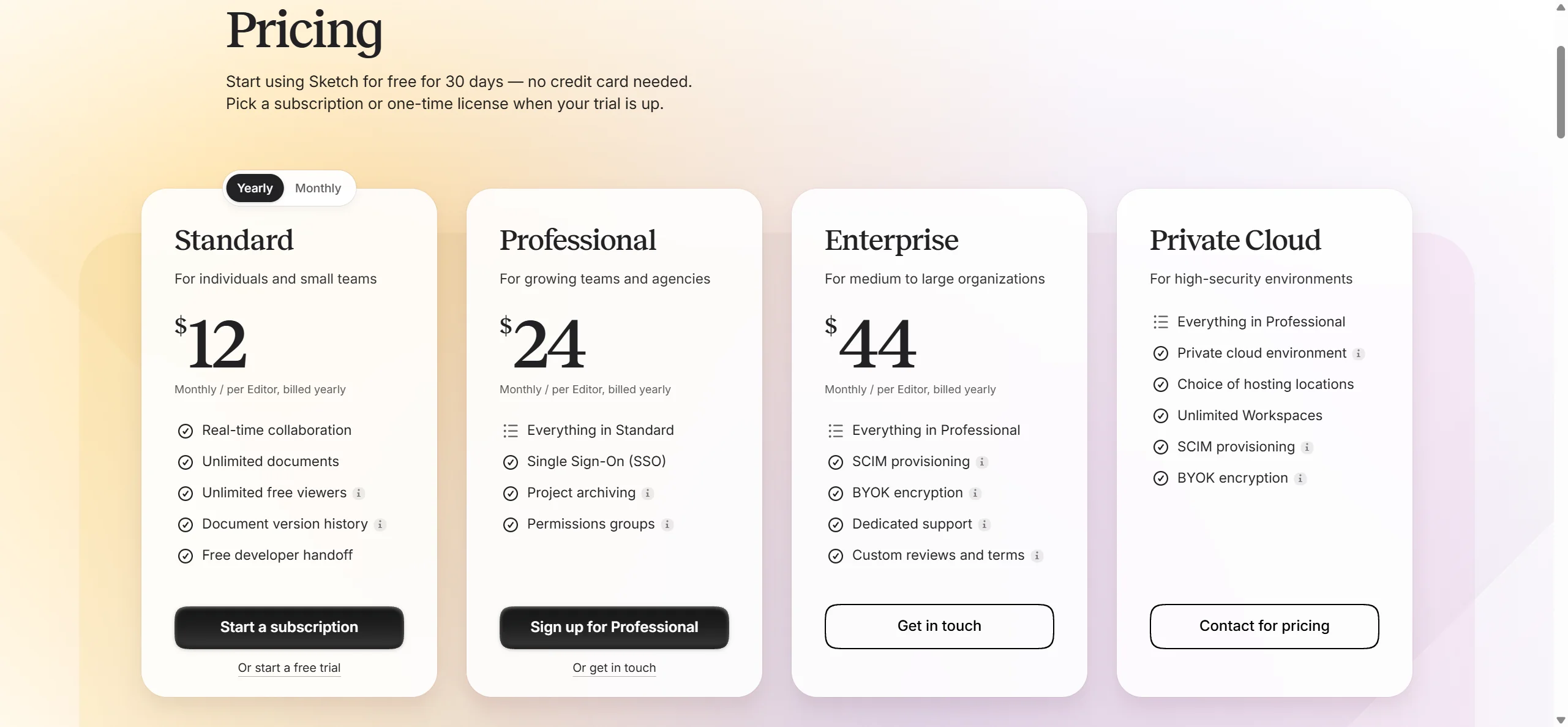
There is no free plan; Sketch offers a 30-day free trial with no credit card required instead. Standard is $14 a month per editor billed monthly, or $12 a month billed yearly. Professional is $24 a month per editor, billed yearly only, with no separate monthly rate published. Enterprise is $44 a month per editor, also billed yearly only.

A Mac-only licence is sold separately as a one-time purchase of $120 per seat, which includes one year of app updates; it works offline as installed software and is yours to keep, with no collaboration features, online document sharing or iOS preview.

Privacy and support

Sketch does not itself hold a SOC 2 report; the certification on its security page belongs to AWS, the infrastructure it hosts on. Sketch complies with GDPR and extends that to customers outside the EU as well, and its terms leave content ownership with the user. Single sign-on is available on Professional and Enterprise. Support runs through email, a community Discord and a help centre.

Who Sketch suits

Sketch suits designers already working on a Mac who want a native app, real-time collaboration and a Figma import path, and who are comfortable driving AI work through an external client such as Claude or Cursor connected over MCP rather than a feature built into the app. The one-time Mac-only licence also suits someone who wants to own their copy outright and work offline.

It suits less well anyone on Windows or Android, since no native app exists for either, or anyone looking for a free tier to start on, since Sketch offers only a time-limited trial before a subscription or one-time purchase is required.

Frequently Asked Questions

Is Sketch free to use?

No. Sketch offers a 30-day free trial, after which you choose a Standard, Professional or Enterprise subscription, or buy the Mac-only licence outright.

Can Sketch open Figma files?

Yes. Sketch has an open sourced .fig file importer that lets you drag a Figma file onto the app to bring the design across.

Does Sketch have its own AI model?

No. Sketch runs a local MCP server that connects to outside AI clients such as Claude, Cursor and Codex, and those clients read and write Sketch documents rather than Sketch running a model of its own.

Who owns the designs I make in Sketch?

You do. Sketch's terms state that you remain the owner of the content you create, and Sketch complies with GDPR for customers both inside and outside the EU.

Sketch is featured in

Alternatives to Sketch

See all Sketch alternatives →

Other AI Design Tool options we've reviewed.

Figma logo

Figma

Product teams wanting one shared workspace for design systems, prototypes and developer handoff

8.1
Rank #2 of 8 AI UI design tools
Best:Teams and platforms10
Weakest:What you can make7
Free plan: yesFree trial: noAPI: yes
Price not publishedFree plan
96% from published facts · checked 19 Sep
→
Canva logo

Canva

Small teams making branded social posts, print and video without hiring a designer

7.8
Rank #3 of 8 AI graphic design tools
Best:Teams and platforms10
Weakest:What you can make7
Free plan: yesFree trial: yesAPI: yes
From $18Free plan
90% from published facts · checked 19 Sep
→
Visme logo

Visme

Brand teams producing polished decks and reports that export to almost any format

6.9
Rank #3 of 5 AI presentation makers
Best:Workflow and output7.2
Weakest:Teams and platforms5.5
Free plan: yesFree trial: noAPI: no
From $29Free plan
85% from published facts · checked 26 Sep
→
Adobe Firefly logo

Adobe Firefly

Creative Cloud users who want generation inside the apps they already use, from a vendor that does not train on their content

8.1
Rank #1 of 7 AI image generators
Best:Rights and privacy9.2
Weakest:Openness and support3
Weights published under a named licence: noDoes not train on what you make: yes
From $9.99Free plan
78% from published facts · checked 8 Oct
→
Krea logo

Krea

Designers who want one of the broadest model menus, plus a node canvas, an AI agent and an API

9.4
Rank #1 of 13 multi-model AI platforms
Best:For video10
Weakest:Privacy and trust7.2
SOC 2: yesOffers Veo 3.1: yesOffers Nano Banana Pro: yes
From $9Free plan
93% from published facts · checked 28 Oct
→
Wix logo

Wix

Small business owners building a site and store themselves, with a phone line for help

8.0
Rank #1 of 7 AI website builders
Best:Teams and platforms9.5
Weakest:Pricing7
Free plan: yesFree trial: noAPI: yes
From $17Free plan
85% from published facts · checked 19 Sep
→

User reviews

Review Sketch

Your rating

Reviews are moderated and appear once approved.