Pictory is headquartered in Delaware.
What is Pictory?
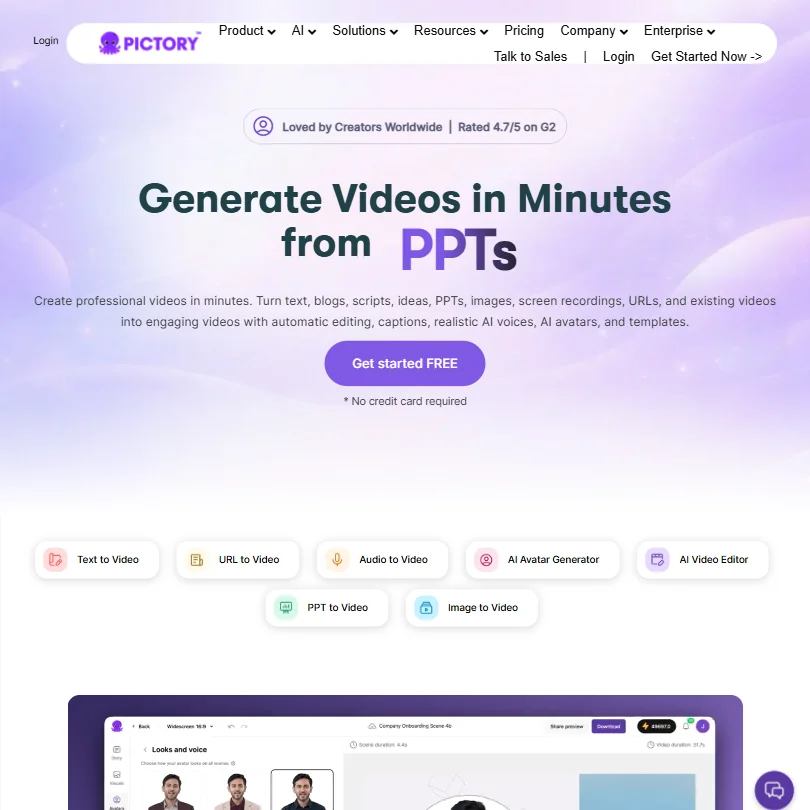
Web-based AI video from text. That's the core. Scripts, blog URLs, PowerPoint files, screen recordings. You bring the content, Pictory builds the video. No camera required, no editing background required, no timeline to manage.
The workflow is clean by design. Pick an input type, paste content or upload a file, and Pictory segments it into scenes, pulls licensed stock visuals, adds voiceover, drops in captions, and outputs something publishable. What separates it from simpler tools is the model stack: Pixverse 5.5, Veo 3.1, Flux for generation, and ElevenLabs for voices. Veo 3.1 is Google's video generation model. Having it as an available backend is not a nothing feature.
Honestly, the range of input types is what makes Pictory interesting. Most competitors pick a lane. Pictory tries to cover the whole field, and largely pulls it off.
Pictory Features: Video Generation, Editing & AI Capabilities
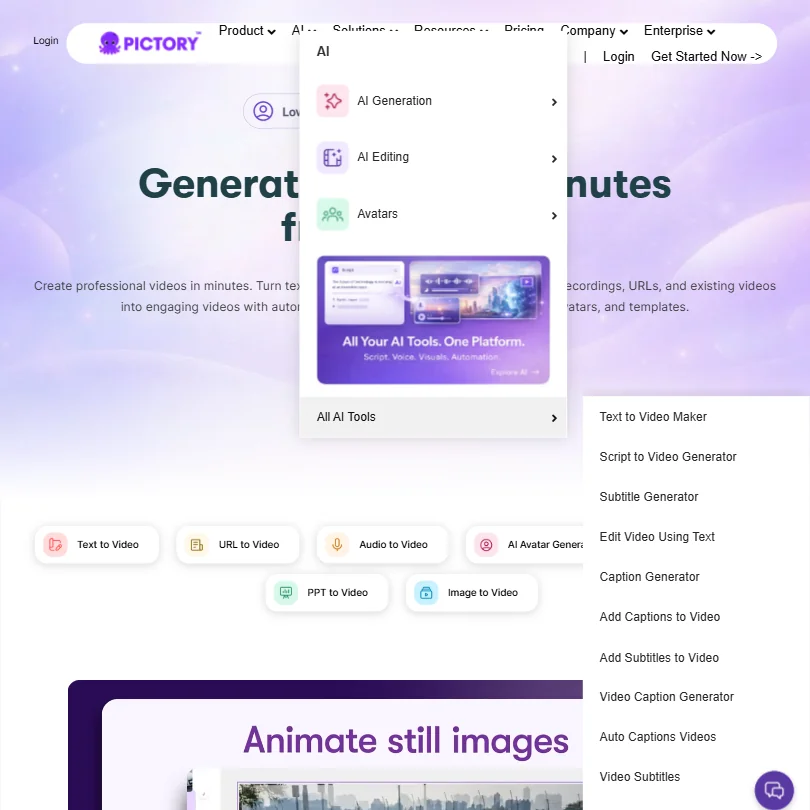
Generation comes first. Feed Pictory a blog URL and it pulls the content, builds a script summary, and constructs a video. The URL-to-video workflow eliminates the copy-paste step entirely.
PPT-to-video is another core feature. Drop in a presentation, get a narrated video out. Timing isn't always perfect.
On the editing side, Pictory runs text-based video editing. Edit the transcript, the video follows. Auto scene segmentation runs on input. B-roll pulls from Getty Images and Storyblocks automatically. Auto captions and subtitles come standard across paid plans, with export in .srt, .vtt, and .txt formats. That matters for accessibility work and cross-platform repurposing.
The automation angle is worth flagging. Zapier and Make integrations mean teams can build workflows where content drops in one end and video comes out the other. Batch video production via API access is available too, which is a real differentiator at the team level. Not every competitor in this category offers that.
Voice cloning lands on Professional and above. Two voices per user. Not generous, but functional. Standard TTS voices cover 7 languages. ElevenLabs voices push that to 29.
Pictory Video Quality: How Good Does the Output Actually Look?
Depends on the plan. Starter exports at 720p. Professional and Team get 1080p. That's a real quality ceiling on the entry tier, worth factoring in before committing to the $29 monthly price.
Stock footage quality is generally decent. Getty Images and Storyblocks are reputable libraries with wide coverage. Clean, inoffensive, not distracting. Nobody's mistaking this for custom production.
The multi-model backend is where things get more interesting. Having Pixverse 5.5 and Veo 3.1 as options means generated visual quality has risen meaningfully compared to earlier versions. Flux handles image generation. The combination gives Pictory more flexibility than tools running a single generation model.
Where output drops: anything requiring precise visual-content alignment. A sentence about digital transformation landing on a clip of someone shaking hands. That sort of thing. Output quality is strong for structured content and shakier for abstract topics. You can manually swap visuals, but that adds time to the workflow.
We've seen worse from tools charging more. Fair.
Pictory AI Avatars & Voiceover: How Realistic Are They?
The avatar feature is newer. Stock video avatars come on all paid plans. Custom avatars land on Professional and above, capped at two per user. Pictory's homepage describes the output as "realistic delivery," which is vendor language we'd normally flag hard.
They work for internal communications, training content, and explainer videos. Anything requiring emotional nuance or authenticity is a harder sell.
Voiceover is where Pictory earns more consistent praise. The ElevenLabs integration is the reason. ElevenLabs voices across 29 languages are a genuine upgrade over the standard TTS tier. The standard voices in 7 languages are functional. Flat, but functional.
Voice cloning being capped at two per user on Professional is a real constraint. Small teams working across multiple presenters will hit that wall quickly. The Team plan doesn't meaningfully change that picture.
If AI avatars are the primary use case, HeyGen goes deeper on that specific feature. Pictory's avatars are capable but they're not the headline act. The voice quality is the stronger story here.
Is Pictory Easy to Use?
Broadly, yes. The interface is web-only, which keeps setup simple. No installation. A Chrome extension adds a quick-capture layer on top of that.
The text-based editing clicks quickly once you're in it. Edit the words, the video updates. Where the learning curve shows is in customizing templates and managing scene layouts.
The Team plan includes professional onboarding, which suggests Pictory knows their more complex workflows need a guided introduction. We'd agree with that. The basics are fast. The full workflow takes a few sessions to internalize. Not bulletproof.
Pictory Pricing: Is It Worth It for Creators & Teams?
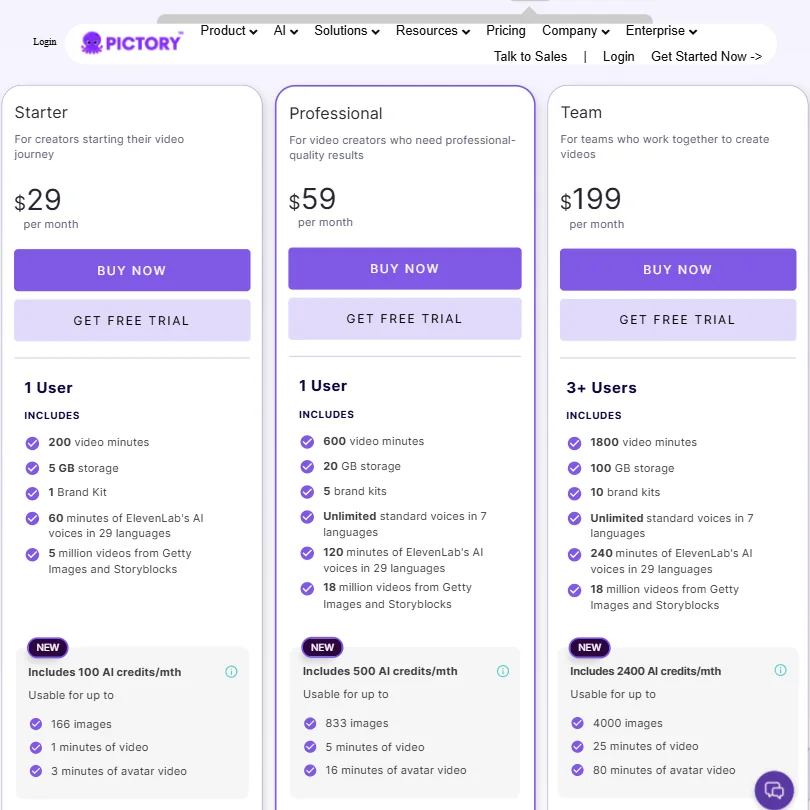
Three public tiers. Starter at $29 per month on monthly billing, $25 if paid annually. Professional at $59 per month, Team at $199. Enterprise is custom. Those are the figures visible on the current pricing page.
The gap between Starter and Professional is small in dollar terms but significant in features. 720p versus 1080p export alone makes Professional the obvious choice for anyone publishing publicly. Add in voice cloning and custom avatars, and Starter starts looking like a trial tier with a monthly fee attached. The Starter plan includes 200 video minutes, 5 GB storage, and 100 AI credits per month. Professional bumps that to 600 video minutes, 20 GB storage, and 500 AI credits, plus 5 brand kits versus the single Brand Kit on Starter. Team pushes to 1800 video minutes, 100 GB storage, and 2400 AI credits for 3 or more users.
Synthesia's Starter costs $19 a month, or $14 billed yearly, which is lower than Pictory's month-to-month price. That's a real positioning issue worth naming. The lack of a permanent free tier is a genuine friction point for individual creators or anyone who wants to use Pictory occasionally. 21 out of 34 AI video tools we've reviewed offer a permanent free plan. Pictory doesn't. The 14-day trial window is enough to evaluate the core workflows, but you're committing to paid from day 15.
Ask about the refund policy before you pay. Monthly buyers are trusting the product before they can fully check whether the trial covered everything relevant to their workflow.
We're not convinced the jump from $59 to $199 is well justified. That's a steep step for teams who don't need all 1800 video minutes per month.
Pictory vs Synthesia: Which AI Video Tool Is Better?
Different tools for different jobs. Synthesia is built around AI avatars as the primary output. Write a script, pick a presenter avatar, get a talking-head video. It's the cleaner workflow for that specific use case, and it's where enterprise L&D teams tend to land.
Pictory plays a wider game. Blog-to-video and URL-to-video are things Synthesia doesn't do. The stock footage backbone, the multi-format input handling, the Zapier automation. Those are Pictory's territory.
Avatar quality is where Synthesia holds an edge. Their presenter avatars are more polished and their custom avatar options go deeper at the enterprise level. Pictory's avatars are functional but not the main event. On pricing, Synthesia's annual Starter rate is currently lower than Pictory's, and Synthesia's Starter is $19 month to month against Pictory's $29, so Synthesia is the cheaper entry point on either billing cycle.
Pictory is the stronger choice for content repurposing at volume. Synthesia is the call for talking-head presenter videos at scale. Those use cases don't overlap as much as the shared category label suggests.
Against InVideo and Lumen5, Pictory holds up well. The model integrations and voice quality give it a real edge over both. HeyGen is the closer competitor on the avatar side specifically.
Who Should Use Pictory? (And Who Shouldn't)
Content marketers running a blog or content library. That's the clearest fit. The URL-to-video workflow was built for them, and the reviews from that group are the most consistently positive.
Educators and corporate trainers doing slide-based content. The PPT-to-video pipeline saves meaningful time. Several L&D team reviews describe cutting production time significantly after switching to Pictory.
Solo creators and small agencies producing social video at volume. The Zapier integration and API access make automated pipelines genuinely viable. That's a real use case and the tool supports it.
Who shouldn't use it. Anyone whose primary need is high-quality talking-head avatar videos, there are better tools for that. Anyone who needs a free tier to justify the cost. Teams who need more than two custom avatars per user will find the limits frustrating quickly.
Advanced video editors looking for precise control will find Pictory's AI-driven scene management limiting. Speed and precision are different priorities, and this tool is built for speed. Not a criticism, just a fact worth knowing before you sign up.
Pictory Review Verdict
Pictory earns its user base. The text-to-video and blog-to-video workflows are genuinely useful. The ElevenLabs voice integration is strong. The model stack, with Veo 3.1 and Flux in the mix, is more substantial than most competitors offer at this price point.
Real friction points exist though. No permanent free tier puts it at a disadvantage against most of the category. The Starter plan's 720p ceiling is annoying for anyone publishing publicly. The refund policy silence is a trust gap the company should fix. The jump from $59 to $199 per month for Team feels unearned for lower-volume teams.
Pricing is the biggest concern. At $25 per month annually, in a category where the median sits lower, Pictory needs to justify the gap. For content marketers running volume, it does. For everyone else, the math is less obvious.
The case for Pictory is strong when text-based content repurposing is the core workflow. It's not the right tool for everything. But for the use cases it's built for, it competes well and the quality holds up. We'd recommend it with eyes open on the pricing and the free-tier absence.
How Pictory compares
Pictory scores 5.8 out of 10 among the text to video tools we rate. These two do the same job and are the closest to it, compared on what each vendor publishes.
Lumen5
Pictory has no free plan but offers a 14 day trial, while Lumen5 gives you a free plan to start on; both charge $29 a month for their cheapest paid tier. Pictory generates new AI footage instead of only arranging stock, and adds lip sync for avatar narration, features Lumen5's site does not list. Pictory also holds SOC 2 and publishes a public API, neither of which Lumen5 offers. Lumen5 counters with single sign on support that Pictory lacks.
Pick Lumen5 if you want a free plan with single sign on included.
Pick Pictory if you want AI generated footage and lip sync.
Zebracat
Pictory's cheapest paid plan is $29 a month with a 14 day trial in place of a free plan; Zebracat charges $39 a month but does give you a free plan. Pictory turns a PDF or slide deck into a video, something Zebracat's site does not describe. Zebracat instead posts finished videos straight to YouTube, TikTok and Instagram, a feature Pictory does not have. Pictory also holds SOC 2, a certification Zebracat's privacy policy does not mention.
Pick Zebracat if you want a free plan and direct social posting.
Pick Pictory if you need PDF to video and SOC 2 compliance.
Frequently Asked Questions
Does Pictory have a free plan?
No. Pictory offers a 14-day free trial but no permanent free tier. That puts it in the minority in this category, where 21 out of 34 tools we've reviewed do offer a free plan. The trial window is enough to test the core workflows, but you'll need to commit to a paid plan to keep using it after day 14.
What's the difference between Pictory's Starter and Professional plans?
More than the price gap suggests. Starter caps exports at 720p, includes 200 video minutes, 5 GB storage, and a single Brand Kit, and doesn't include voice cloning or custom avatars. Professional unlocks 1080p export, 600 video minutes, 20 GB storage, 5 brand kits, and voice cloning capped at two voices per user. For anyone publishing video publicly, Starter is hard to recommend. Professional is where the product actually delivers on its quality claims.
Is Pictory good for a text to video AI workflow?
Yes, and it's one of the more capable options in the category for that specific use case. The URL-to-video and script-to-video pipelines work reliably, the stock library integration is solid, and the Zapier automation makes it scalable for teams running volume. Where it gets shaky is on abstract or metaphor-heavy content, where the AI's visual matching is less reliable. Concrete, structured content plays to its strengths.











