Free gives you 2,000 completions a month. The $10 Pro plan removes that count with unlimited completions and next edit suggestions, and adds model selection, code review, the cloud agent and third party agents such as Claude Code and Codex, plus $15 of monthly credits.
Best of · 15 tools ranked
Best AI Developer Tools Under $10/mo
Find the best AI coding tools under $10 a month by looking at what the money removes: a monthly count, a daily quota or a credit cap. Some plans cost nothing and some sit right at the ceiling, so the list is grouped by kind and says where each limit bites, whether you can bring your own key, and what happens to your code.
Updated 22 October 2026Ranked by our score, worked out from each vendor’s own pages.How we score →All AI Developer Tool →
Our top 3 AI Developer Tools Under $10/mo
Starter is the free entry: one active developer, unlimited repos and 50 credits a month, one standard review per credit.

BLACKBOX AI: #1 in more AI developer tools
From $10 · free plan
Pro is the paid plan in range: $10 of model credits spread across 400+ models, plus unlimited free agent requests.
Best AI coding assistants under $10
9 picksAt this price a free AI coding assistant sits beside paid plans at the ceiling, so the question is what the money removes. GitHub Copilot Pro and Zed Pro replace a monthly count with unlimited completions or predictions, JetBrains AI Pro adds credits to local completion, and Cline and Aider stay free if you bring a key. Pick Copilot Pro for breadth, Zed Pro for a dedicated editor.
#ToolScoreEntry plan includesStarts at
Pro: Access to Cloud agent and code review, Unlimited code completion and next edit suggestions, Access to 3rd party agents (Claude Code and Codex), Model selection, $15 monthly total credits for Pro
✓ Free plan tooFreeShow detailsHide details01 GitHub Copilot: Best for unlimited completions in your current IDE8.5Score 8.5 out of 10Pro: Access to Cloud agent and code review, Unlimited code completion and next edit suggestions, Access to 3rd party agents (Claude Code and Codex), Model selection, $15 monthly total credits for Pro✓ Free plan tooFreeVisit site ↗ReviewDetailsCloseShow more about GitHub Copilot
Pro: Access to Cloud agent and code review, Unlimited code completion and next edit suggestions, Access to 3rd party agents (Claude Code and Codex), Model selection, $15 monthly total credits for Pro
✓ Free plan tooFree
Show detailsHide detailsGitHub Copilot: Best for unlimited completions in your current IDE
8.5Score 8.5 out of 10Pro: Access to Cloud agent and code review, Unlimited code completion and next edit suggestions, Access to 3rd party agents (Claude Code and Codex), Model selection, $15 monthly total credits for Pro✓ Free plan tooFreeVisit site ↗ReviewDetailsClose
Free gives you 2,000 completions a month. The $10 Pro plan removes that count with unlimited completions and next edit suggestions, and adds model selection, code review, the cloud agent and third party agents such as Claude Code and Codex, plus $15 of monthly credits. Premium models like Opus sit on Pro+, which is the usual reason to climb. Pick Pro over Zed Pro if you want to stay in VS Code or a JetBrains IDE.
- Trained on massive real-world codebases hosted on GitHub, giving it contextual depth that standalone AI tools cannot replicate.
- Autocomplete functionality is the most-used and most reliable feature, and the core of the product experience.
- Struggles with unusual architectures or opinionated codebases where its suggestions become less accurate or relevant.
Plus: Base weekly usage pool shared with Grok, Grok models only (no Claude, GPT or Gemini), no cloud agents or Bugbot; includes Grok Chat, Voice, Imagine, Build and X Premium perks
✓ Free plan tooFrom $8Show detailsHide details02 Cursor: Best for Cursor's editor on Grok models8.2Score 8.2 out of 10Plus: Base weekly usage pool shared with Grok, Grok models only (no Claude, GPT or Gemini), no cloud agents or Bugbot; includes Grok Chat, Voice, Imagine, Build and X Premium perks✓ Free plan too$8Visit site ↗ReviewDetailsCloseShow more about Cursor
Plus: Base weekly usage pool shared with Grok, Grok models only (no Claude, GPT or Gemini), no cloud agents or Bugbot; includes Grok Chat, Voice, Imagine, Build and X Premium perks
✓ Free plan tooFrom $8
Show detailsHide detailsCursor: Best for Cursor's editor on Grok models
8.2Score 8.2 out of 10Plus: Base weekly usage pool shared with Grok, Grok models only (no Claude, GPT or Gemini), no cloud agents or Bugbot; includes Grok Chat, Voice, Imagine, Build and X Premium perks✓ Free plan too$8Visit site ↗ReviewDetailsClose
Plus at $8 a month, or $80 a year, swaps the free plan's limited agent and Chat requests for a weekly usage pool shared with Grok, and bundles Grok Chat, Voice, Imagine and X Premium perks. It runs Grok models only: Claude, GPT and Gemini, cloud agents and Bugbot reviews start on Premium at $30, above this page. Privacy Mode keeps code out of training. Pick it over Copilot Pro for Cursor's agent-first editor at the lowest price.
- Cursor is a full IDE fork of VS Code, preserving familiar muscle memory, extensions, and keybindings while deeply integrating AI as the primary interface.
- Runs its own Grok and Composer models on every plan and adds Claude and Gemini on Premium and up, so developers can pick the right model for each task.
- Cursor requires replacing your existing editor entirely rather than functioning as a plugin, which is a significant commitment for developers invested in their current setup.
✓ Free plan tooFreeShow detailsHide details03 Cline: Best for open source with your own key7.2Score 7.2 out of 10✓ Free plan tooFreeVisit site ↗ReviewDetailsCloseShow more about Cline
✓ Free plan tooFree
Show detailsHide detailsCline: Best for open source with your own key
7.2Score 7.2 out of 10✓ Free plan tooFreeVisit site ↗ReviewDetailsClose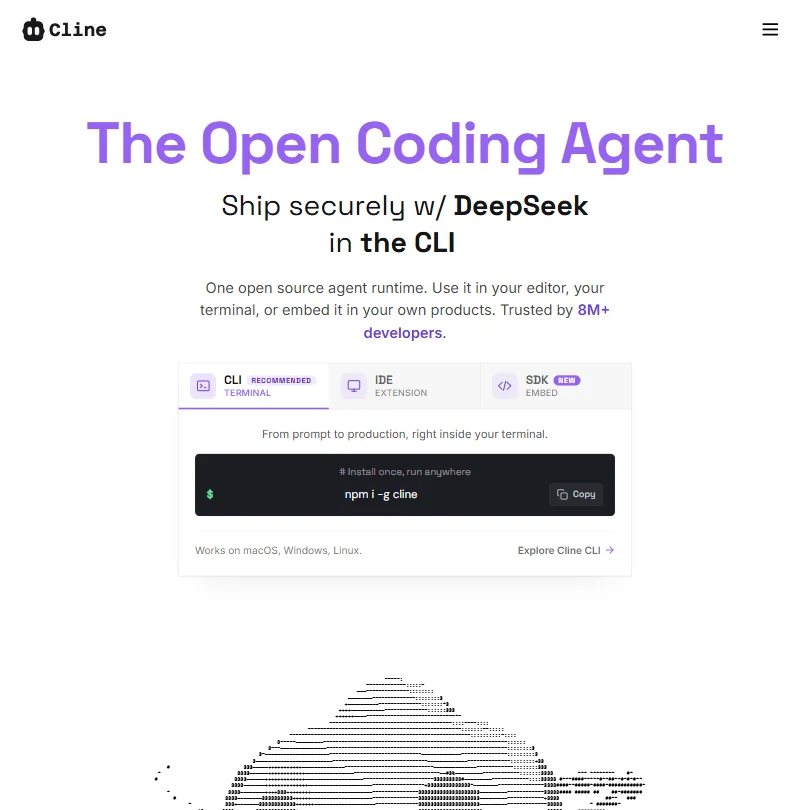
Cline is already at the floor. The open source core is free, and the bill is whatever your model provider charges, so cost follows how much you prompt and which model you choose. There is no paid tier to climb to. It supports VS Code and local models, and the listing says your code is not used for training. Pick it over Aider for an editor, and over Copilot Pro to choose the model yourself.
- Fully open-source runtime gives developers complete control over the underlying model and infrastructure.
- Model-agnostic architecture supports GPT-4o, Claude, and open-weights models, avoiding vendor lock-in.
- The tool requires developers to manage their own API keys and model infrastructure unless they pay for ClinePass.
✓ Free plan tooFrom $8Show detailsHide details04 OpenAI Codex: Best for small coding jobs on a flat fee7.2Score 7.2 out of 10✓ Free plan too$8Visit site ↗ReviewDetailsCloseShow more about OpenAI Codex
✓ Free plan tooFrom $8
Show detailsHide detailsOpenAI Codex: Best for small coding jobs on a flat fee
7.2Score 7.2 out of 10✓ Free plan too$8Visit site ↗ReviewDetailsClose
Go costs $8 a month and brings Codex to lightweight coding tasks, while the free plan explores quick ones in the desktop app. The $20 Plus plan, above this budget, is where Codex reaches the web, the CLI and the IDE extension and where usage becomes a few focused sessions each week. No fixed Go allowance is published. Pick it over Aider if you want a hosted agent on a flat fee rather than a provider bill that varies.
- The Codex CLI is open source under Apache-2.0 and runs on macOS, Windows and Linux.
- Cloud tasks on Plus and above end in a commit or a pull request, and @codex review works on pull requests.
- Plus gives a few focused coding sessions each week, and Go is meant for lightweight coding tasks.
Pro: Unlimited edit predictions, $5 of tokens included, usage-based billing beyond $5, 14-day free trial
✓ Free plan tooFrom $0Show detailsHide details05 Zed: Best for a fast editor with hosted tokens7.2Score 7.2 out of 10Pro: Unlimited edit predictions, $5 of tokens included, usage-based billing beyond $5, 14-day free trial✓ Free plan too$0Visit site ↗ReviewDetailsCloseShow more about Zed
Pro: Unlimited edit predictions, $5 of tokens included, usage-based billing beyond $5, 14-day free trial
✓ Free plan tooFrom $0
Show detailsHide detailsZed: Best for a fast editor with hosted tokens
7.2Score 7.2 out of 10Pro: Unlimited edit predictions, $5 of tokens included, usage-based billing beyond $5, 14-day free trial✓ Free plan too$0Visit site ↗ReviewDetailsClose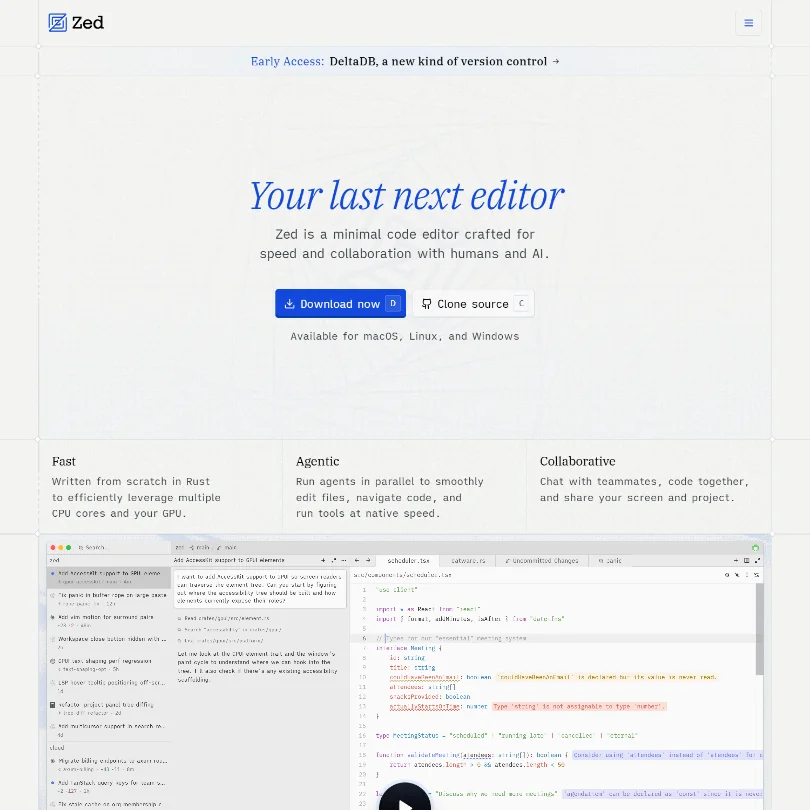
Personal is free with 2,000 accepted edit predictions, and unlimited use with your own API keys or an external agent. The $10 Pro plan removes the prediction count and adds $5 of tokens, then bills by usage beyond that. Pay for Pro if you want hosted models without managing keys; stay free if you already pay a provider. Choose it over Copilot Pro for a dedicated editor with local model support.
- Built from the ground up in Rust, delivering genuine GPU-accelerated and multi-core performance that users consistently describe as noticeably faster than VS Code, especially on large files.
- Zed owns the entire stack, rendering, AI, and collaboration, rather than being a plugin layered onto another editor, giving it architectural coherence competitors lack.
- Windows support arrived later than macOS and Linux, suggesting platform parity may still lag for Windows-first developers.
All Product Packs: Best offer, Includes 10 IDEs, Air, 3 extensions, 2 profilers, and JetBrains AI Pro, First year: US $299.00, Second year: US $239.00, Third year onwards: US $179.00
✓ Free plan tooFrom $10Show detailsHide details06 JetBrains: Best for developers living in JetBrains IDEs7.1Score 7.1 out of 10All Product Packs: Best offer, Includes 10 IDEs, Air, 3 extensions, 2 profilers, and JetBrains AI Pro, First year: US $299.00, Second year: US $239.00, Third year onwards: US $179.00✓ Free plan too$10Visit site ↗ReviewDetailsCloseShow more about JetBrains
All Product Packs: Best offer, Includes 10 IDEs, Air, 3 extensions, 2 profilers, and JetBrains AI Pro, First year: US $299.00, Second year: US $239.00, Third year onwards: US $179.00
✓ Free plan tooFrom $10
Show detailsHide detailsJetBrains: Best for developers living in JetBrains IDEs
7.1Score 7.1 out of 10All Product Packs: Best offer, Includes 10 IDEs, Air, 3 extensions, 2 profilers, and JetBrains AI Pro, First year: US $299.00, Second year: US $239.00, Third year onwards: US $179.00✓ Free plan too$10Visit site ↗ReviewDetailsClose
The free tier already gives unlimited local code completion with limited AI credits, and the $10 AI Pro plan is the entry paid step. It comes with a 30-day trial, and subscriptions carry a 30-day money-back guarantee. AI Pro is also bundled in larger packs priced above this page. Pick it over Copilot Pro if your day is spent in these IDEs, where you can bring your own key or run local models.
- Deep IDE integration means no context-switching, the AI layer sits directly inside IntelliJ, PyCharm, WebStorm, and other JetBrains tools developers already use daily.
- Multi-model backend pulls from GPT-4, Claude, and Google Gemini/Codey, so teams aren't locked into a single vendor's approach to code generation.
- The AI Assistant is an add-on to an existing ecosystem, making it a poor fit for developers who don't already use JetBrains IDEs.
Pro Tier: Increased limits of agentic requests, Java and .NET app transformation, identity center support, IP indemnity
✓ Free plan tooFrom $0Show detailsHide details07 AWS: Best for projects built around AWS6.5Score 6.5 out of 10Pro Tier: Increased limits of agentic requests, Java and .NET app transformation, identity center support, IP indemnity✓ Free plan too$0Visit site ↗ReviewDetailsCloseShow more about AWS
Pro Tier: Increased limits of agentic requests, Java and .NET app transformation, identity center support, IP indemnity
✓ Free plan tooFrom $0
Show detailsHide detailsAWS: Best for projects built around AWS
6.5Score 6.5 out of 10Pro Tier: Increased limits of agentic requests, Java and .NET app transformation, identity center support, IP indemnity✓ Free plan too$0Visit site ↗ReviewDetailsClose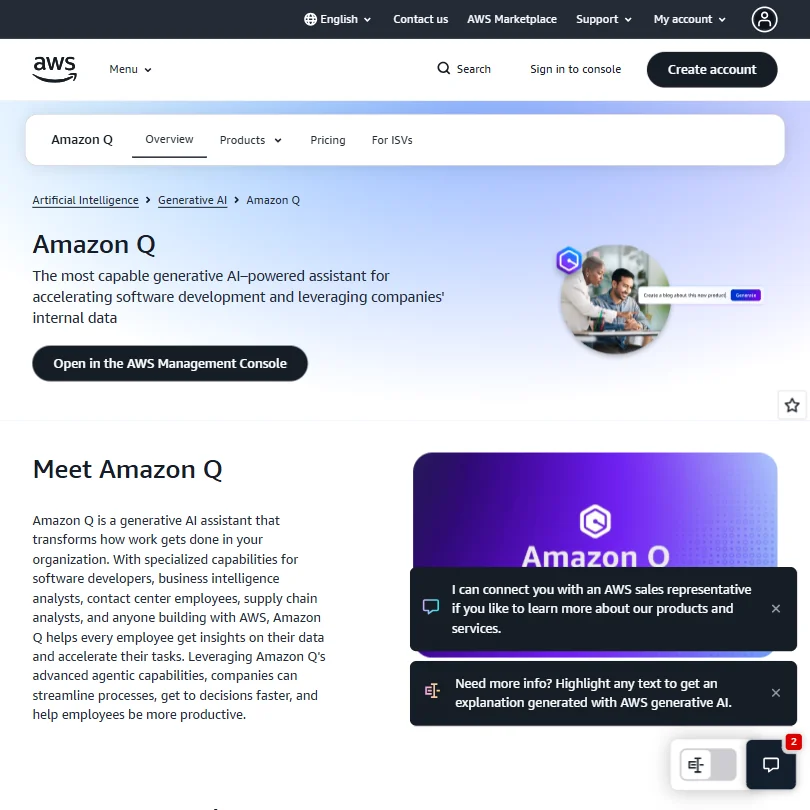
Amazon Q Developer's free tier gives a limited number of agentic requests a month with the latest Claude models, in an IDE or the CLI. The paid Pro tier sits above this budget and raises those limits, with Java and .NET app transformation, identity center support and IP indemnity. Transformation is the clearest reason to move up. Pick it over Cline if you would rather not manage keys.
- Amazon Q Developer integrates directly into popular IDEs like VS Code and JetBrains, as well as the CLI and AWS Management Console, making it accessible in existing workflows.
- Offers a broad feature set including inline multi-line code suggestions, natural language code generation, test writing, debugging, and security scanning with automated fix suggestions.
- Amazon Q is not a single product but a fragmented family of tools, making it genuinely confusing for buyers to understand what they are actually purchasing.
✓ Free plan tooFreeShow detailsHide details08 Aider: Best for terminal editing with any provider6.4Score 6.4 out of 10✓ Free plan tooFreeVisit site ↗ReviewDetailsCloseShow more about Aider
✓ Free plan tooFree
Show detailsHide detailsAider: Best for terminal editing with any provider
6.4Score 6.4 out of 10✓ Free plan tooFreeVisit site ↗ReviewDetailsClose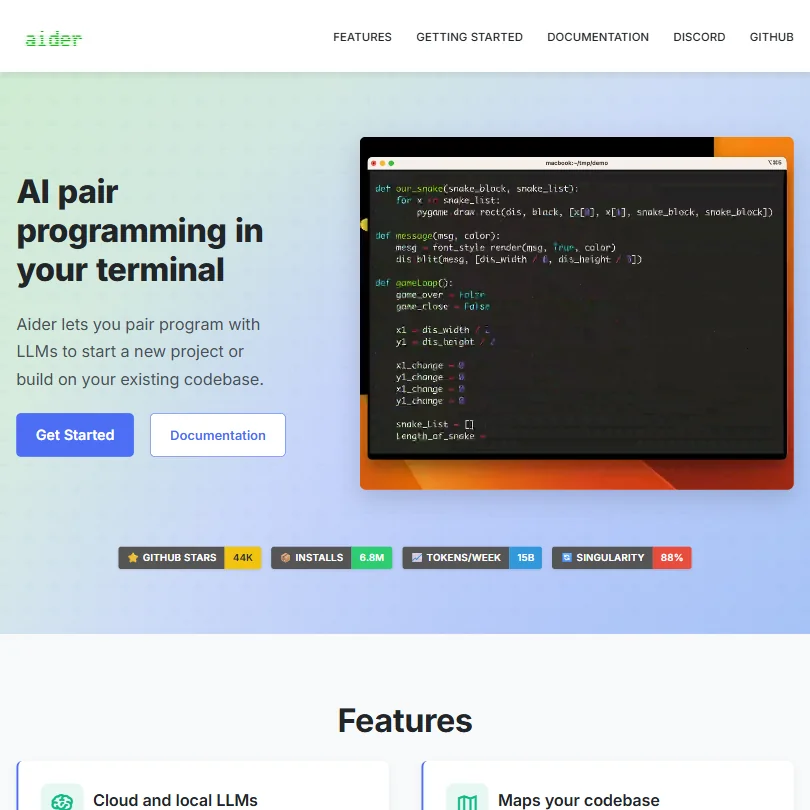
Aider has no plan to buy. It is open source, and the bill is whatever your model provider charges, whether OpenAI, Anthropic, DeepSeek or a local model, which can land under this budget or over it depending on how much code you push through. It runs in your terminal, works with git and states no training on your code. Pick it over Cline if the terminal is where you already work.
- Terminal-native interface keeps workflow focused with no browser tabs or sidebar widgets cluttering the experience.
- Works with multiple LLMs including Claude 3.7 Sonnet, OpenAI o1, and DeepSeek R1, giving users cost and performance flexibility.
- No inline autocomplete or tab-complete behavior, which will disappoint developers expecting a GitHub Copilot-style experience.
Google AI Plus: Expanded Jules limits
✓ Free plan tooFrom $4.99Show detailsHide details09 Jules: Best for queued GitHub fixes on a Google plan5.0Score 5.0 out of 10Google AI Plus: Expanded Jules limits✓ Free plan too$4.99Visit site ↗ReviewDetailsCloseShow more about Jules
Google AI Plus: Expanded Jules limits
✓ Free plan tooFrom $4.99
Show detailsHide detailsJules: Best for queued GitHub fixes on a Google plan
5.0Score 5.0 out of 10Google AI Plus: Expanded Jules limits✓ Free plan too$4.99Visit site ↗ReviewDetailsClose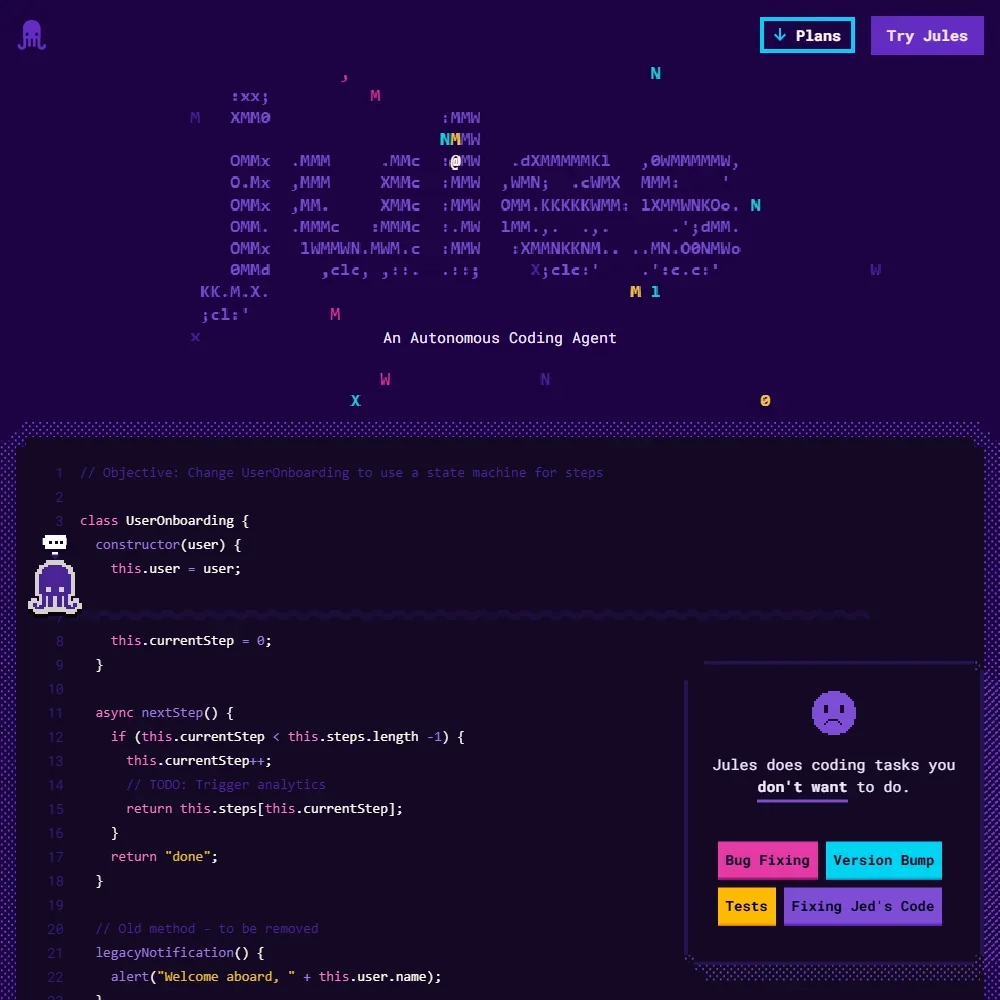
Jules has no price of its own. The free plan already runs 15 tasks a day, three at a time, and Google AI Plus at $4.99 a month expands those limits. The bigger step, 100 tasks a day and 15 at once, comes with Google AI Pro, above this page. Each task runs in a cloud VM and ends in a pull request. Pick it over OpenAI Codex Go for an agent that works while you do something else.
- The free plan gives 15 tasks a day and 3 running at once, and it does not expire.
- Each task runs in a fresh cloud machine and the changes come back as a pull request.
- Jules does not suggest code as you type, and its chat sits outside your editor.
Best code review and security tools under $10
2 picksA free AI code review plan and a credit-based paid one answer different questions. Greptile's Starter gives a single developer 50 review credits a month at no cost, while Qodo has no free plan and sells credits that stretch to a set number of reviews, after a 14-day trial. Pick Greptile to try reviews on a personal project, and Qodo when a team can predict its monthly pull requests.
#ToolScoreEntry plan includesStarts at
Pro: Unlimited repos, 50 credits/seat, $1 per additional credit, unlimited users, custom rules, unlimited external app connections Custom pricing available for annual contracts.
✓ Free plan tooFreeShow detailsHide details10 Greptile: Best for trying reviews on a personal project7.6Score 7.6 out of 10Pro: Unlimited repos, 50 credits/seat, $1 per additional credit, unlimited users, custom rules, unlimited external app connections Custom pricing available for annual contracts.✓ Free plan tooFreeVisit site ↗ReviewDetailsCloseShow more about Greptile
Pro: Unlimited repos, 50 credits/seat, $1 per additional credit, unlimited users, custom rules, unlimited external app connections Custom pricing available for annual contracts.
✓ Free plan tooFree
Show detailsHide detailsGreptile: Best for trying reviews on a personal project
7.6Score 7.6 out of 10Pro: Unlimited repos, 50 credits/seat, $1 per additional credit, unlimited users, custom rules, unlimited external app connections Custom pricing available for annual contracts.✓ Free plan tooFreeVisit site ↗ReviewDetailsClose
Starter is the free entry: one active developer, unlimited repos and 50 credits a month, one standard review per credit. A second developer pushes you to Pro, a per-seat plan priced well above this budget that includes 50 credits per seat and sells extra credits individually. Pro also adds custom rules and unlimited users. Pick Starter over Qodo when you want a permanent free plan, not a trial.
- Indexes the entire codebase into a graph structure covering files, functions, and dependencies, not just the diff being reviewed.
- Catches breaking changes in files three or more layers removed from the PR, which most diff-only tools miss.
- Earlier versions had a significant false positive noise problem, which required a dedicated v4 release to address.
Pro Team (2,500 credits): ~18 reviews/mo; includes agentic PR review, rules system, Git + IDE integrations, dashboard & analytics; up to 30 users Approx. $0.012/credit × 2,500.
From $0.01Show detailsHide details11 Qodo: Best for teams that know their review volume6.2Score 6.2 out of 10Pro Team (2,500 credits): ~18 reviews/mo; includes agentic PR review, rules system, Git + IDE integrations, dashboard & analytics; up to 30 users Approx. $0.012/credit × 2,500.$0.01Visit site ↗ReviewDetailsCloseShow more about Qodo
Pro Team (2,500 credits): ~18 reviews/mo; includes agentic PR review, rules system, Git + IDE integrations, dashboard & analytics; up to 30 users Approx. $0.012/credit × 2,500.
From $0.01
Show detailsHide detailsQodo: Best for teams that know their review volume
6.2Score 6.2 out of 10Pro Team (2,500 credits): ~18 reviews/mo; includes agentic PR review, rules system, Git + IDE integrations, dashboard & analytics; up to 30 users Approx. $0.012/credit × 2,500.$0.01Visit site ↗ReviewDetailsClose
There is no free plan: Qodo gives a 14-day trial with no card, and open source projects can apply for free access. After that it is credit based, and the smallest pack covers roughly 18 reviews a month. Costs are hard to predict until you know your review volume, which is what pushes small teams toward bigger packs. Pick it over Greptile when you want agentic review with rules and Git and IDE integrations.
- Indexes the full codebase including dependencies, PR history, and ticket systems, not just the diff being reviewed.
- Living rules system learns your team's coding standards over time and enforces them automatically across all repos.
- Founded in 2023, making it a relatively young platform with limited long-term track record compared to established competitors.
More AI developer tools under $10
4 picksThese tools solve other problems. Blackbox AI Pro spreads $10 of credits over 400+ models, Windsurf's free plan runs on a daily quota, Galileo monitors LLM applications, Mintlify builds documentation, and AskCodi Desktop is a local app for your own model keys. Pick Windsurf for an editor, Mintlify for docs, Blackbox for model variety.
#ToolScoreEntry plan includesStarts at
#12BLACKBOX AI: Best for many models under one login
Pro: $10 worth of model credits, 400+ models, unlimited free agent requests
✓ Free plan tooFrom $10Show detailsHide details12BLACKBOX AI: Best for many models under one loginn/aPro: $10 worth of model credits, 400+ models, unlimited free agent requests✓ Free plan too$10Visit site ↗ReviewDetailsCloseShow more about BLACKBOX AI
#12BLACKBOX AI: Best for many models under one login
Pro: $10 worth of model credits, 400+ models, unlimited free agent requests
✓ Free plan tooFrom $10
Show detailsHide detailsBLACKBOX AI: Best for many models under one login
n/aPro: $10 worth of model credits, 400+ models, unlimited free agent requests✓ Free plan too$10Visit site ↗ReviewDetailsClose
Pro is the paid plan in range: $10 of model credits spread across 400+ models, plus unlimited free agent requests. Because the free plan is described as unlimited, Pro is about model variety rather than access. Pro Plus adds multi-agent runs, the app builder and a coding agent for 35+ IDEs, which is what pushes people past it. Choose it over Windsurf when one login to many models matters most.
- The Chairman LLM architecture automatically dispatches competing agents in parallel and selects the best result, removing the burden of manual model selection from users.
- Supports 50+ programming languages and integrates with 35+ IDEs, giving it unusually broad compatibility across developer environments.
- Figma-to-code conversion is locked behind the $40/month Pro Max tier, creating a real cost barrier for solo developers who would benefit most from it.

#13Galileo AI: Best for watching an LLM feature in production
Pro: 50,000 traces/month, standard RBAC, advanced analytics, dedicated Slack support; scales by traces
✓ Free plan tooFrom $0Show detailsHide details13Galileo AI: Best for watching an LLM feature in productionn/aPro: 50,000 traces/month, standard RBAC, advanced analytics, dedicated Slack support; scales by traces✓ Free plan too$0Visit site ↗ReviewDetailsCloseShow more about Galileo AI
#13Galileo AI: Best for watching an LLM feature in production
Pro: 50,000 traces/month, standard RBAC, advanced analytics, dedicated Slack support; scales by traces
✓ Free plan tooFrom $0
Show detailsHide detailsGalileo AI: Best for watching an LLM feature in production
n/aPro: 50,000 traces/month, standard RBAC, advanced analytics, dedicated Slack support; scales by traces✓ Free plan too$0Visit site ↗ReviewDetailsClose
Free is the whole story at this price: 5,000 traces a month, unlimited users and unlimited custom evals, with bot chat for support. The paid Pro plan raises traces to 50,000 but costs far above this budget, so trace volume is what pushes you up. It does not write code; it measures how LLM apps and agents behave. Pick it over the coding tools here when you ship an AI feature.
- Luna models reduce LLM-as-judge evaluation costs by 96% compared to running full LLM evaluators, making large-scale evals financially viable.
- Seamlessly connects offline evaluation during development with real-time production monitoring in a single unified workflow.
- Galileo does not offer code generation, autocomplete, or refactoring features, making it unsuitable for general developer productivity use cases.

#14Mintlify: Best for documentation for a small project
Pro: Everything in Starter plus Agent, Assistant, Automations, Preview deployments, Admin APIs; 10,000 AI credits/month with $0.01/credit overages
✓ Free plan tooFreeShow detailsHide details14Mintlify: Best for documentation for a small projectn/aPro: Everything in Starter plus Agent, Assistant, Automations, Preview deployments, Admin APIs; 10,000 AI credits/month with $0.01/credit overages✓ Free plan tooFreeVisit site ↗ReviewDetailsCloseShow more about Mintlify
#14Mintlify: Best for documentation for a small project
Pro: Everything in Starter plus Agent, Assistant, Automations, Preview deployments, Admin APIs; 10,000 AI credits/month with $0.01/credit overages
✓ Free plan tooFree
Show detailsHide detailsMintlify: Best for documentation for a small project
n/aPro: Everything in Starter plus Agent, Assistant, Automations, Preview deployments, Admin APIs; 10,000 AI credits/month with $0.01/credit overages✓ Free plan tooFreeVisit site ↗ReviewDetailsClose
The free Starter plan carries the full platform, a custom domain, the web editor, authentication, an MCP server and an API playground, so docs for a small project cost nothing. The Agent, Assistant, Automations and preview deployments begin on Pro, a very large step above this budget. Pick Starter over self-hosting Docusaurus if you would rather not host, and skip it if your goal is editing code.
- Mintlify serves over 20,000 companies including Anthropic, Coinbase, and HubSpot, demonstrating strong product-market fit in developer documentation.
- The platform offers solid Git sync with both GitHub and GitLab, making it easy to integrate into existing developer workflows.
- Mintlify does not offer code completion, debugging, or test generation, making it narrowly focused compared to broader developer tools.

#15AskCodi: Best for a desktop app on your own keys
Starter: 16M tokens/month, all AI models, custom agents & orchestration, email support
✓ Free plan tooFreeShow detailsHide details15AskCodi: Best for a desktop app on your own keysn/aStarter: 16M tokens/month, all AI models, custom agents & orchestration, email support✓ Free plan tooFreeVisit site ↗ReviewDetailsCloseShow more about AskCodi
#15AskCodi: Best for a desktop app on your own keys
Starter: 16M tokens/month, all AI models, custom agents & orchestration, email support
✓ Free plan tooFree
Show detailsHide detailsAskCodi: Best for a desktop app on your own keys
n/aStarter: 16M tokens/month, all AI models, custom agents & orchestration, email support✓ Free plan tooFreeVisit site ↗ReviewDetailsClose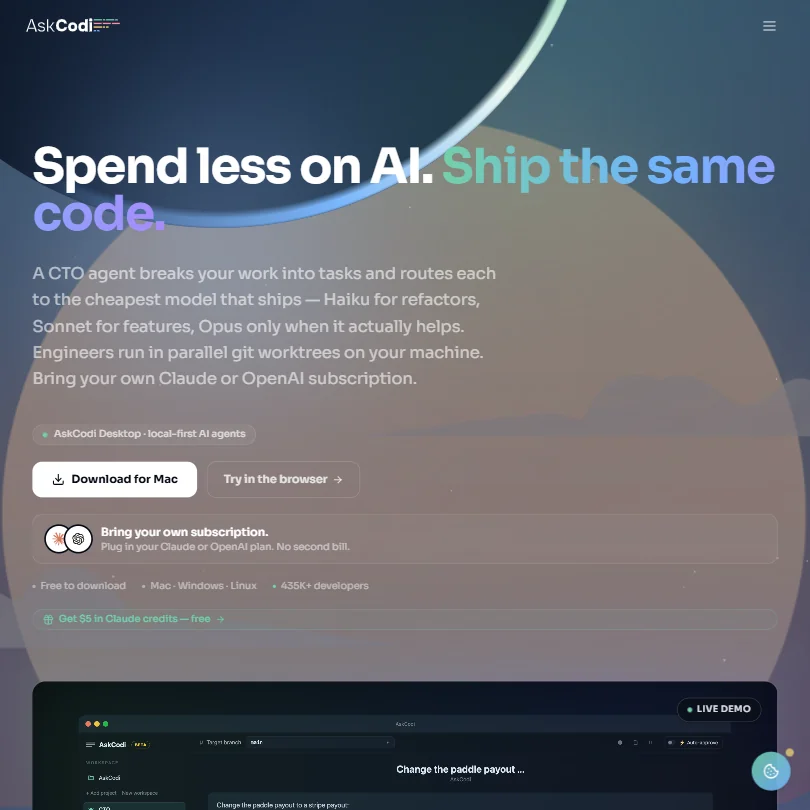
The desktop app is free, and the free plan adds free models, 100K one-time tokens, custom agents and an OpenAI-compatible API. Starter, at $20, is above this budget and adds 16M tokens a month, so the one-time pot running out is the push. The cheaper route is to pay your own provider account directly. Pick it over Aider if you prefer a desktop app to a terminal.
- Multi-agent orchestration system breaks features into parallel tasks across isolated git branches, reducing bottlenecks in complex development work.
- A dedicated CTO agent routes subtasks to specialist agents for tests, security, and refactoring, providing a structured engineering workflow.
- AskCodi doesn't fit neatly into the standard AI coding assistant category, which may confuse users expecting a straightforward code completion tool.
How to choose an AI developer tool under $10 a month
Below $10 a month, an AI developer tool is usually one of three things: a free plan with a ceiling, a $10 plan that removes the ceiling, or software that costs nothing while you pay a model provider directly. The headline price therefore says little about your real bill. What matters is what the plan counts, which models and editors it works with, and whether your code can stay on your machine. This guide takes those in turn and ends with when a paid plan earns its fee.
Start with the job, not the tool
The tools here cover five jobs, and the right entry plan depends on which one you do most.
- Completing code in your editor. GitHub Copilot, Zed, JetBrains AI, Windsurf, AWS and BLACKBOX AI all offer suggestions and chat on a free or $10 plan. Their differences are the editor each works in and how the allowance is counted.
- Running an agent on your own model. Cline, Aider and AskCodi cost nothing to install, and you connect a model key or a local model. Cline lives in VS Code, Aider in the terminal, and AskCodi in a desktop app for Mac, Windows and Linux.
- Reviewing pull requests. Greptile and Qodo read changes with the whole codebase in view. Greptile has a free plan for one developer, while Qodo has a 14-day trial and a $30 plan.
- Writing documentation. Mintlify builds documentation that updates itself, and its Starter plan is free.
- Monitoring AI applications. Galileo evaluates applications built on language models and is aimed at AI and machine learning engineers rather than everyday coding.
Match the job and your editor with the table below.
| Job | Start with | Runner-up, and the trade-off |
|---|---|---|
| Suggestions in VS Code or JetBrains | GitHub Copilot | JetBrains AI, which is built for its own IDEs |
| A fast editor with its own predictions | Zed | Windsurf, a VS Code based app on a daily quota |
| An agent on a model you choose | Cline | Aider in the terminal, or AskCodi on the desktop |
| Many models for $10 | BLACKBOX AI | GitHub Pro, with fewer models and more tools around the editor |
| Reviews on one developer's pull requests | Greptile | Qodo, with a trial rather than a free plan |
| Docs for a developer product | Mintlify | Pro is $540 a month, so most teams stay on Starter |
| Evaluating a model based application | Galileo | Free for unlimited users, with 5,000 traces a month |
What the price actually buys
Each kind of tool counts something different, so a $10 plan can stretch to a whole month or not.
- Editor assistants. Copilot's free tier caps completions at 2,000 a month, and the $10 Pro plan makes completions and next edit suggestions unlimited. Zed's free plan gives 2,000 accepted edit predictions, and its $10 Pro gives unlimited predictions with $5 of tokens included. JetBrains AI starts free with limited credits and unlimited local completion, with AI Pro at $10.
- Multi-model plans. BLACKBOX AI's $10 Pro includes $10 of model credits, access to over 400 models and unlimited free agent requests.
- Free tools on your own key. Aider's cost is your own LLM API usage, and Cline's open source core is free. AskCodi's free plan includes 100,000 one-off tokens, and its $20 Starter gives 16 million tokens a month.
- Reviewers. Greptile's Starter covers 50 reviews a month for one active developer, and Qodo's $30 plan covers about 18 reviews, around $1.70 each.
Which tool fits which developer
- Students and hobbyists. Begin with GitHub Copilot Free, whose monthly allowance suits learning and practice. Add Aider if you have a model key and want a terminal agent.
- Solo developers wanting an editor. Start with Zed, which lists local models, bring-your-own-key and 2,000 accepted predictions free. Add Windsurf for its agent, which runs on a daily quota.
- JetBrains users. Start with JetBrains AI, because the free tier lists unlimited local completion in the IDE you already use. Add GitHub Copilot, which also lists JetBrains support.
- Developers who want models to choose from. Start with BLACKBOX AI for 400 models and unlimited free agent requests at $10. Add Cline when you want to run the agent against your own key.
- Privacy-minded developers. Start with Cline or Aider, both run locally and both say they never train on your code. Add Zed, which lists local models too.
- Maintainers of small projects. Start with Greptile for a free review quota, and add Qodo, which says open source projects can apply for free access.
Where the entry plans stop
| Limit | Tools | What happens when you hit it |
|---|---|---|
| Monthly completions | GitHub Copilot Free | The count renews, or Pro makes it unlimited at $10 |
| Accepted predictions | Zed | Your own API keys lift it, or Pro at $10 |
| Daily quota | Windsurf | Heavier use moves to Pro at $20 |
| Agent requests | AWS | Limited per month, with Pro at $19 for more |
| Reviews or credits | Greptile, Qodo | $1 per extra credit at Greptile, and credit packs at Qodo |
| A token pot | AskCodi | 100,000 tokens are spent once, then Starter at $20 |
| Traces | Galileo | 5,000 a month free, then Pro at $150 |
A monthly count rewards planning. Keep agent requests for work that touches several files, and let unlimited completion cover routine typing. Where you bring your own key, set a spending limit with your provider first, because the tool will not stop at a figure you did not choose.
What the cheapest plan leaves out
A $10 plan removes the count, and holds back the surroundings. GitHub's Pro adds a cloud agent, code review and model selection, while Pro+ at $39 brings premium models and audit logs. Zed's Business plan adds model policies and data controls at $30 a seat, and Mintlify's Pro adds its agent, assistant and preview deployments at $540 a month, so the free Starter is the plan most people will use.
Support is thin and so is team tooling. Galileo's free plan has bot chat support only, Cline lists community support, and AskCodi's free plan points to the community. Aider has no team seats at all. Teams that need single sign-on or governance reach for Enterprise or custom pricing.
Privacy and who sees your code
Cline, Zed, JetBrains, Aider and Qodo say they do not train on your code. GitHub and AWS give you an opt out. A zero data retention option is listed by BLACKBOX AI, Greptile, Qodo, Galileo and AskCodi, and BLACKBOX AI turns training off by default on its Enterprise tier.
| Tool | Training on your code |
|---|---|
| Cline, Zed, JetBrains, Aider, Qodo | Not used for training |
| GitHub, AWS | You can opt out |
Cline, Zed, JetBrains, Aider and AskCodi list local models, so code can stay on your machine entirely. On a hosted tool, switch off sharing when you sign up and ask for zero retention before connecting a private repository.
Mistakes to avoid
- Paying $10 for a count you never reach. Copilot's free tier stops at 2,000 completions a month. Measure a normal month before buying Pro.
- Treating free software as a free bill. Aider and AskCodi carry no price to install, but a long agent session still spends paid tokens. Set a limit with your provider.
- Choosing by model count. BLACKBOX AI lists over 400 models, but your $10 of credits is the real limit. Pick the one or two models you will use and watch the credits.
- Reading Qodo as a free plan. It has a 14-day trial and no free plan, so test it on a real pull request in the first week.
- Buying Mintlify Pro for the docs. The free Starter includes a custom domain, web editor, authentication, MCP server and API playground. Upgrade only for the agent and assistant.
When to move up a plan
The usual sign is planning your day around a counter: skipping a suggestion to save it, waiting on a reset, or holding back a review.
| If you are | Move up to | What changes |
|---|---|---|
| Typing in an editor all day | GitHub Pro | Unlimited completions, model selection, third party agents |
| Using Zed daily | Zed Pro | Unlimited predictions and $5 of tokens |
| Wanting many models | BLACKBOX AI Pro | $10 of credits and unlimited free agent requests |
| In a JetBrains IDE | JetBrains AI Pro | The paid AI plan, with a 30-day trial |
| Reviewing for a team | Greptile Pro at $30 a seat | 50 credits a seat and custom rules |
Zed Pro includes a 14-day trial, JetBrains AI Pro a 30-day trial, Greptile a 14-day trial and GitHub a 30-day Enterprise trial with Copilot. Try the paid tier before you commit to a month of it.
Using two cheap tools together
A free editor assistant and a free agent rarely compete, because they count different things.
- Type in the editor. Copilot Free, Zed or JetBrains AI covers suggestions as you work.
- Delegate the big task. Cline or Aider on your own key handles multi-file changes without touching the editor allowance.
- Review the result. Greptile's free quota gives a second pass on the pull request.
For documentation, host the docs on Mintlify's free Starter and keep Zed or Cline for the code itself.
What would this stack cost you?
Add our top picks (GitHub Copilot, Greptile, BLACKBOX AI) to the calculator and see the monthly total, then swap in the plans you would pay for.
How we picked
Every tool here is ranked by its score, and each score is worked out from the vendor’s own published pages: pricing, plans, features and terms. No score is adjusted by hand. 11 of the 15 tools have enough published facts to show a score, and on average 95% of each score comes from facts the vendor publishes. The facts behind these scores were checked between 14 September 2026 and 22 October 2026.
Scores compare tools that do the same job, which is why the list is grouped by job: a video editor and a grammar checker are never ranked against each other.
| Ranked as | On this page | What we score | Scoring guide |
|---|---|---|---|
| AI coding assistants16 reviewed | 10 | 5 criteria, 17 checked facts: agents and your codebase, pricing, model freedom, privacy and security, where it works | How we score these → |
| Code review and security tools5 reviewed | 2 | 5 criteria, 14 checked facts: review quality, security scanning, pricing, fits your stack, privacy and deployment | How we score these → |
Common questions
Is GitHub Copilot free enough, or is Pro worth ten dollars?
GitHub Copilot free counts 2,000 completions a month, and Pro removes the count with unlimited completions plus model selection and the cloud agent. If completions are your main use, the upgrade is easy to justify. If you mostly prompt an agent, compare it with Zed Pro's included tokens or a free tool you bring a key to.
What is a good Cursor free alternative under $10 a month?
Windsurf's free plan is the nearest editor, with its Cascade agent on a daily quota. Zed Pro and GitHub Copilot Pro both sit at ten dollars, one a dedicated editor with included tokens, the other an extension with unlimited completions. Cline and Aider cost nothing beyond your own model key. Cursor's Plus plan is $8 but runs only Cursor's own Grok models, with no cloud agents, Claude or GPT.
How much will I pay my model provider on top of a cheap tool?
Tools that use your own key, such as Cline, Aider and AskCodi, pass each request to your provider, so the bill follows how much you prompt. Plans with included credits cap the spend: $15 on Copilot Pro, $10 on Blackbox AI Pro and $5 of tokens on Zed Pro. Pick credits for a predictable month, keys for flexibility.
Which cheap AI coding tool gives the widest choice of models?
Blackbox AI Pro lists 400+ models behind one login, with $10 of credits. Zed accepts keys from Anthropic, OpenAI, Google and others, and Aider works with providers such as OpenAI, Anthropic and DeepSeek. GitHub Copilot Pro adds model selection and access to Claude Code and Codex. Amazon Q Developer is the narrowest, built on Claude models.
Is there an AI code generator free that keeps my code private?
Aider and Cline run on your machine, can use local models and state that your code is not used for training. Zed and JetBrains also list local models and no training. A hosted route such as Amazon Q Developer offers an opt-out instead. Local plus no training is the strongest combination on this page.
Does a ten dollar plan include the best models?
Mostly not. GitHub Copilot Pro includes model selection, but premium models such as Opus start on Pro+. Zed Pro includes $5 of tokens before billing by use, and Blackbox AI Pro carries $10 of credits across many models. If you need the top models every day, a bring-your-own-key tool such as Cline or Aider lets you pick the model yourself.