Every score is worked out from the vendor's own pages · How we score →Disclosure
SAASINSPECTOR
Spark Mail logo

Spark Mail Review

Spark Mail is an AI email app for Mac, Windows, iPhone, iPad and Android from Readdle. It is best at keeping several inboxes in check: it sorts new mail, drafts replies in your voice, takes meeting notes without a bot and lets a team share and discuss email.

Visit Spark Mail →From $10/mo

Research-based review. Features and prices are checked on the vendor's own website, and the score is worked out from those facts. We haven't tested it hands-on yet.

The verdict

Worth paying for if you manage several inboxes and want AI drafting and bot-free meeting notes in one app, though the best AI features need Pro.

Pros

  • Smart Inbox sorts new email into personal, newsletter and notification categories on every plan, with unlimited email accounts.
  • Meeting Notes transcribes and summarizes meetings with no bot joining, in any meeting tool.
  • Spark does not use your data to train any AI model.
  • The AI Assistant's index of your emails and meeting notes is stored only on your device.

Cons

  • The free plan gets a limited AI preview, and free users cannot buy AI add-ons.
  • Auto-Drafts, Autopilot and full-history search are on Pro.
  • Spark has no public developer API and no MCP server.
From $10/moFree plan YesFree trial Yes
7.0/10

Spec Score

Spark Mail against 9 AI calendar, email and memory apps
#1
of 9 AI calendar, email and memory apps
+0.8
vs the average
95%
from published facts
Ahead of other AI calendar, email and memory apps
Pricing+2.3What it runs for you+1.6
Behind other AI calendar, email and memory apps
Where it works-1.7
Every criterion
Tap a row for the facts
What it runs for you6.5
+1.6 vs 4.9 avg26 of 40 points
Plans your calendar for youno0 / 1.5
Calendars it connects3 calendars1.5 / 1.5
Booking linksno0 / 1
Task listno0 / 1
Email accounts it works with3 email providers1 / 1
Drafts email repliesyes1 / 1
Sorts your inboxyes1 / 1
Meeting notesyes1 / 1
Keeps your data on your computeryes1 / 1
Why these numbers

Plans your calendar for you: Spark helps schedule meetings and share availability; it does not place tasks or focus time on the calendar.

Calendars it connects: Counted from calendars_supported. Outlook calendars through Exchange or Office 365.

Booking links: Personal booking links are announced as coming soon. Spark can already share available time slots inside an email.

Task list: No task list inside Spark; emails can be set aside, snoozed, given reminders or assigned to teammates, and sent to task apps such as Todoist or Asana.

Email accounts it works with: Counted from email_providers.

Drafts email replies: Writing Assistant drafts on Plus; Auto-Drafts are on Pro.

Sorts your inbox: Smart Inbox on every plan; AI email summaries on Plus; Autopilot rules on Pro.

Meeting notes: Recorded on Spark Desktop for Mac and Windows. 5 lifetime on Free, 40 a month on Plus, unlimited on Pro within the AI quota.

Keeps your data on your computer: The AI Assistant's index stays on your device; prompts still go to cloud AI providers, and push notifications and team features use Spark's servers.

Where it works5.5
-1.7 vs 7.2 avg11 of 20 points
Where it runs4 platforms3.5 / 4
APIno0 / 2
Other AI tools can reach your data in itno0 / 2
Apps it connects to15 integrations2 / 2
Why these numbers

Where it runs: Counted from platforms. No web app is offered.

API: No public developer API. Spark CLI gives AI agents local access to email, calendar, contacts and meeting notes through Spark Desktop.

Other AI tools can reach your data in it: Agents connect through Spark CLI, a local command-line tool on Mac and Windows, rather than an MCP server or a ChatGPT or Claude connector. Pro gets triage access, other plans read access.

Apps it connects to: Counted from integrations. Task and note apps from the integrations list; HubSpot is a Pro feature on the pricing page. The list also includes Dropbox, Google Drive, Box, TickTick and others.

Pricing8.8
+2.3 vs 6.5 avg19.4 of 22 points
Cheapest paid plan, monthly$105 / 5
Free planyes2 / 2
AI on the cheapest paid planlimited1.8 / 3
Why these numbers

Cheapest paid plan, monthly: Cheapest paid plan on the monthly term. US view. Enterprise is quoted by sales. AI usage beyond a plan's monthly quota can be topped up with a one-time add-on.

AI on the cheapest paid plan: Plus includes Spark +AI on a monthly quota; Pro adds a higher quota, unlimited meeting notes, Autopilot and Auto-Drafts.

Privacy and trust7.3
-0.3 vs 7.6 avg13.1 of 18 points
Does not train AI on your datayes3.5 / 3.5
SOC 2not published, half points1 / 2
GDPRyes1.5 / 1.5
Single sign-onnot published, half points0.5 / 1
Ways to reach support2 support channels0.8 / 2
Why these numbers

Does not train AI on your data: AI providers may keep inputs for up to 30 days for abuse monitoring, then delete them.

Ways to reach support: Counted from support_channels. Spark Knowledge Base help centre with a contact form; the privacy policy also mentions an optional AI chat for support questions.

yesnonot published average for AI calendar, email and memory apps
How the Spec Score works

Scored from what Spark Mail publishes on its own site. Not a hands-on test.

Compared with 9 AI calendar, email and memory apps. Facts checked 29 Oct 2026.

A fact the vendor does not publish gets half the points, or the typical value for a number, and says so. It never counts as a no. How we score.

Spark Mail is an email app for Mac, Windows, iPhone, iPad and Android that sorts your inbox, drafts replies with AI, takes meeting notes without a bot and lets a team work on email together. It has a free plan, and the AI comes on the paid plans with a monthly quota. What decides whether it suits you is how much AI drafting, meeting capture and history search you need, since each plan sets its own limits.
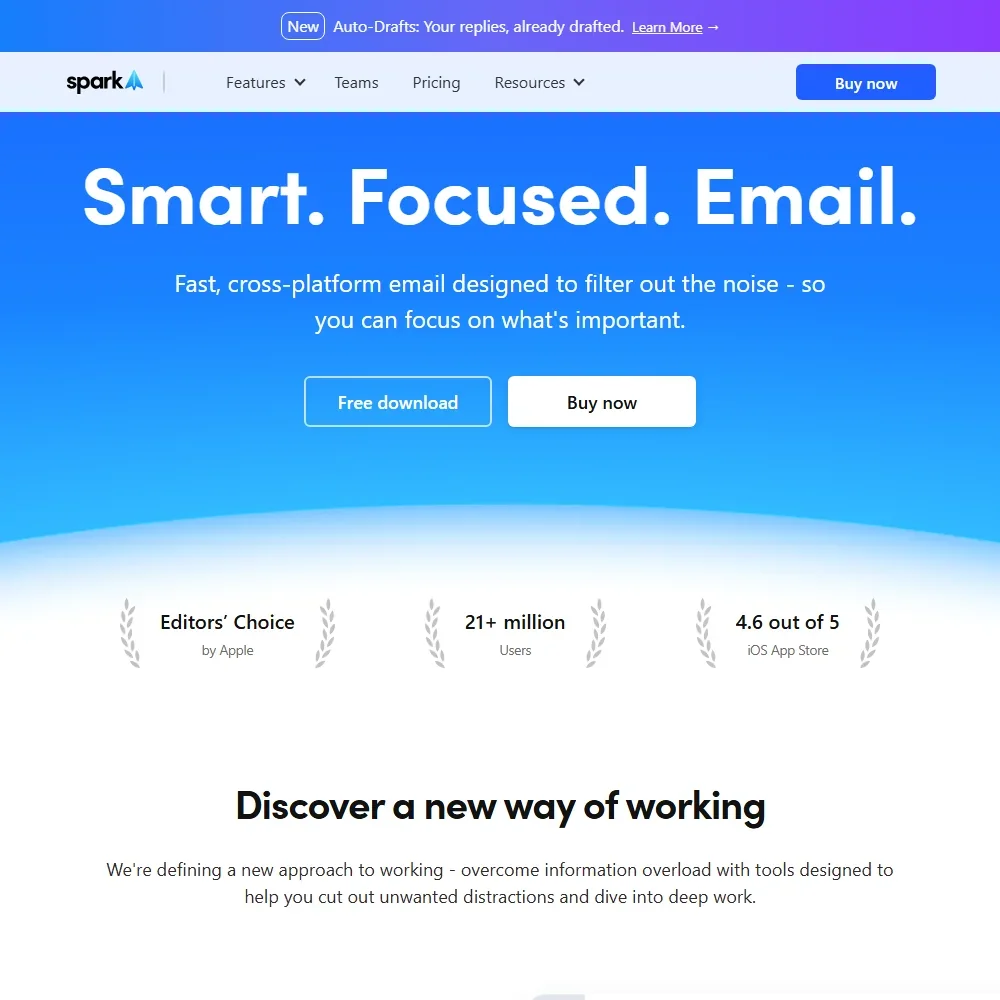
Spark Mail homepage screenshot
Spark Mail, Homepage

What is Spark Mail?

Spark is made by Readdle, through Spark Mail Limited in Dublin, Ireland. It is an installed app for Mac, Windows, iPhone, iPad, Android and Apple Watch that signs in with your own email accounts, and the content of your emails stays on the server of your email provider.

Spark works with Gmail, iCloud, Yahoo, Exchange, Outlook, Kerio Connect and other IMAP and EWS accounts, and you can add as many accounts as you like on every plan. The app is available in English, German, Simplified Chinese, Ukrainian, Russian, Spanish, French, Italian, Japanese and Portuguese, and it follows your device language.

What Spark Mail does for your day

Smart Inbox, on every plan, sorts new email into personal, newsletter and notification categories. Plus adds AI email summaries and the Writing Assistant for drafting, and Pro adds Autopilot rules and Auto-Drafts, which write draft replies in your voice for you to review, edit and send.

The AI Assistant works across your emails, attachments, calendar and meeting notes. It searches one month of history on Free, one year on Plus and your full history on Pro. Spark builds a private, local index of your emails and meeting notes that is stored only on your device, while your prompts still go to cloud AI providers.

Spark's AI runs through Azure OpenAI Service, OpenAI, Claude by Anthropic and Vertex AI by Google, and Spark may switch between these providers. Some models also run on your device.

Meeting Notes transcribes and summarizes a meeting with no bot joining the call, and it works with any meeting tool, including Google Meet, Zoom and Microsoft Teams. Recording happens in Spark Desktop for Mac and Windows. The free plan gets 5 meeting notes in total, Plus 40 a month and Pro unlimited within the AI quota.

The built-in calendar supports the Google, Exchange, Office 365 and iCloud calendars tied to your email accounts. Spark helps you schedule meetings and can share your available time slots inside an email, though it does not place tasks or focus time on your calendar. There is no task list inside Spark: emails can be set aside, snoozed, given reminders or assigned to teammates, and you can send them to task and note apps.

Spark CLI is a local command-line tool on Mac and Windows that connects AI agents to your email, calendar, contacts and meeting notes. Pro gets triage access through it and the other plans read access. Spark has no public developer API and no MCP server.

Working with other people

Teams in Spark share threads and drafts, leave private comments on emails and work from shared inboxes, with advanced collaboration on Pro. The free plan allows 2 active collaborators and 10 assignments per team.

Integrations send emails to task and note apps including Todoist, Notion, Asana, Trello, TickTick, Evernote and OneNote, connect to Slack, Dropbox, Google Drive and Box, and link to HubSpot on Pro.

Spark Mail pricing: what each plan gives
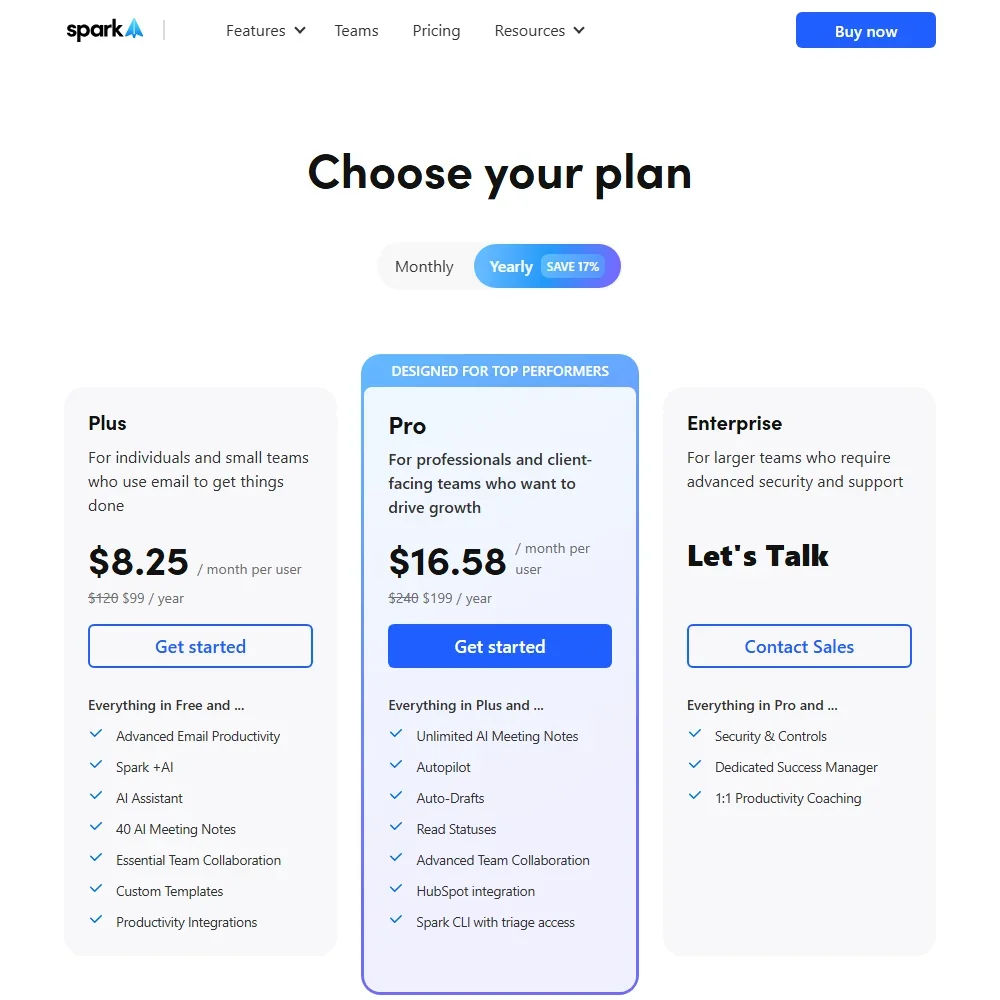
Spark Mail pricing screenshot
Spark Mail, Pricing

The Free plan includes Smart Inbox, unlimited email accounts, smart notifications and the calendar. Its AI is a limited preview: the AI Assistant over one month of history and 5 meeting notes in total. Free users cannot buy AI add-ons.

Plus costs $10 per user a month, or $8.25 a month billed yearly ($99 a year). It includes Spark +AI with an Extended monthly credit quota, 40 meeting notes a month and the AI Assistant over one year of history. Pro costs $20 per user a month, or $16.58 a month billed yearly ($199 a year), with a High credit quota, unlimited meeting notes within it, full-history search, Autopilot, Auto-Drafts and HubSpot. Enterprise is priced on request, with a Custom quota and added security and controls.

Plus and Pro both come with a 7-day free trial when you subscribe in the app. AI use beyond a plan's monthly quota can be topped up with a one-time add-on.

Privacy and security

Spark does not train AI on your email. Its privacy policy reads: "We do not use your data to train any AI model." The AI providers may keep inputs for up to 30 days for abuse monitoring and then delete them.

Your email content stays on your email provider's server, and the AI Assistant's index stays on your device, while push notifications and team features run through Spark's servers. Spark sets its data retention periods by the data minimization principle of the GDPR. Support runs through the Spark Knowledge Base help center and a contact form.

Who Spark Mail suits

Spark suits people who juggle several email accounts and want one app that sorts the inbox, drafts replies and takes notes in their meetings without a bot. Small teams that share an inbox or need to discuss emails privately get those tools in the same app, and Pro users who work with AI agents can connect them through Spark CLI.

It suits less well anyone who wants serious AI on the free plan, since it gets a limited preview and cannot buy add-ons. Auto-drafting, Autopilot and full-history search are on Pro, and the app keeps no task list of its own.

Frequently Asked Questions

How much does Spark Mail cost?

Spark has a free plan. Plus costs $10 per user a month or $8.25 a month billed yearly, Pro costs $20 or $16.58 billed yearly, and Enterprise is priced on request. Plus and Pro have a 7-day free trial in the app.

Does Spark record meetings with a bot?

No. Meeting Notes records in Spark Desktop for Mac and Windows with no bot joining, and it works with any meeting tool. Free gets 5 meeting notes in total, Plus 40 a month and Pro unlimited within the AI quota.

Which AI models does Spark use?

Spark's AI runs through Azure OpenAI Service, OpenAI, Claude by Anthropic and Vertex AI by Google, and it may switch between them. Some models also run on your device.

Does Spark Mail train AI on my email?

No. Spark does not use your data to train any AI model, and its AI providers may keep inputs for up to 30 days for abuse monitoring before deleting them.

Spark Mail is featured in

Alternatives to Spark Mail

See all Spark Mail alternatives →

Other AI Productivity Tool options we've reviewed.

Glean logo

Glean

Large companies that want AI search and agents across their own apps, bought through a sales team

Unranked: no like-for-like peers
Free plan: noFree trial: yesAPI: yes
Price not publishedNo free plan
→
Asana logo

Asana

Teams that plan across many projects with goals, portfolios, timelines and intake forms

7.2
Rank #7 of 9 AI work management tools
Best:Privacy and trust8
Weakest:Working with others7
Free plan: yesFree trial: noAPI: yes
From $13.49Free plan
73% from published facts · checked 26 Sep
→
ChatGPT logo

ChatGPT

People who want images, voice, memory and deep research in one assistant, starting on a free plan

8.8
Rank #1 of 20 AI assistants
Best:What it can do10
Weakest:Privacy and trust6.2
Free plan: yesFree trial: noAPI: yes
From $8Free plan
100% from published facts · checked 16 Oct
→
Jamie logo

Jamie

Professionals who want private meeting notes with no recording kept, and storage and processing in Europe

6.8
Rank #15 of 20 AI meeting assistants
Best:Where it works10
Weakest:What it captures4.5
Keeps the meeting video: no
From $27 (€25)Free plan
87% from published facts · checked 21 Sep
→
Read AI logo

Read AI

Anyone who wants a personal meeting coach on the free plan, plus in-person meetings captured through the phone app

8.2
Rank #6 of 20 AI meeting assistants
Best:Where it works10
Weakest:Privacy and trust7.5
Keeps the meeting video: yes
From $19.75Free plan
98% from published facts · checked 21 Sep
→
monday logo

monday

Teams who want board-based projects with AI meeting notes and answers about their whole workspace built in

8.1
Rank #4 of 9 AI work management tools
Best:Privacy and trust10
Weakest:Working with others4
Free plan: yesFree trial: noAPI: yes
From $12Free plan
96% from published facts · checked 22 Sep
→

User reviews

Review Spark Mail

Your rating

Reviews are moderated and appear once approved.