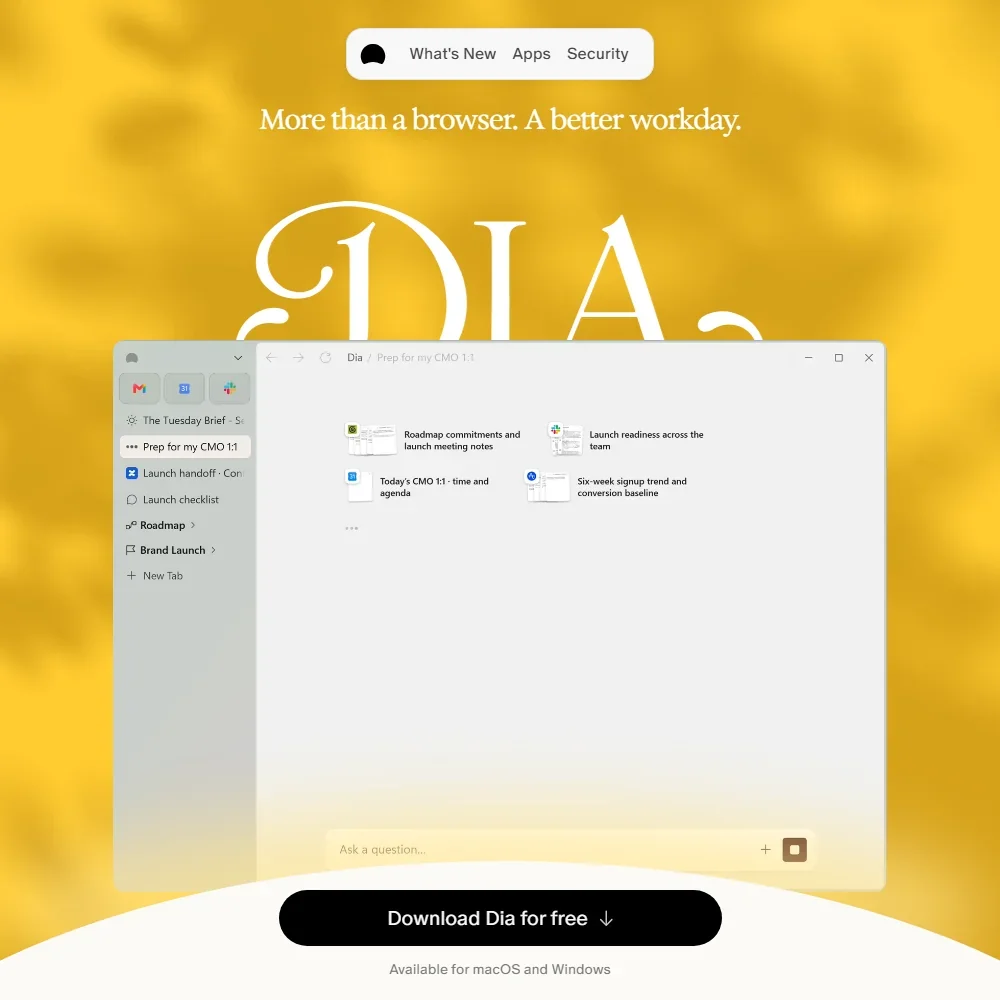
Dia is a web browser for Mac and Windows with an AI assistant built into it that can read your open tabs and the work apps you connect. The browser itself is free, but the free plan is the browser without AI: the assistant comes on two paid plans after a 14-day trial. What decides whether it suits you is whether you want an assistant that works across your tabs and work apps enough to pay a monthly fee for it.
What is Dia?
Dia is made by The Browser Company of New York, Inc., based in Brooklyn, New York, in the United States. It is an installed desktop browser for macOS and Windows, and the AI features run on a Dia account.
Your browsing data stays on your device. When you make an AI request, Dia sends only what the request needs, such as your prompt and the relevant page context, through its servers to its AI partners.
Browsing with Dia
As a browser, Dia offers profiles and tab groups, split view, picture-in-picture, a built-in ad and tracker blocker and sync across your devices. All of that is on the free plan, and it keeps working when the trial ends.
The AI sits in a chat that reads your tabs and the apps you connect, and you can ask it to find, summarize, draft or build what you need. Answers draw on web search results shown inline, with clickable citations. From chat, Dia can also create calendar invites, search and draft emails and fill in forms on a page.
Dia runs on its AI partners' models, and its only model of its own is a small router that runs on your device. The chat reads PDFs and images, including PDFs and images attached in Slack. Skills are saved prompts you can run again, and profiles and tab groups keep separate kinds of work apart.
Dia is phasing out its memory feature and deleting existing memory data. In its place, the assistant pulls context when it needs it from your history, your past chats and your connected tools.
The apps Dia connects to include Slack, Gmail, Google Calendar, Google Drive, Notion, Granola, Loom, GitHub, LinkedIn, Linear, Figma, Microsoft Teams, Outlook, SharePoint and Zoom. Atlassian's Jira and Confluence also connect, and you can request a connection to any of the top 400 SaaS apps.
Dia for companies
Dia for Work is the company version. It adds single sign-on through SAML, device management through MDM and admin controls, and an organization can switch off content sharing for everyone at once. It is priced on request through Dia's sales team.
Dia pricing: what each plan gives
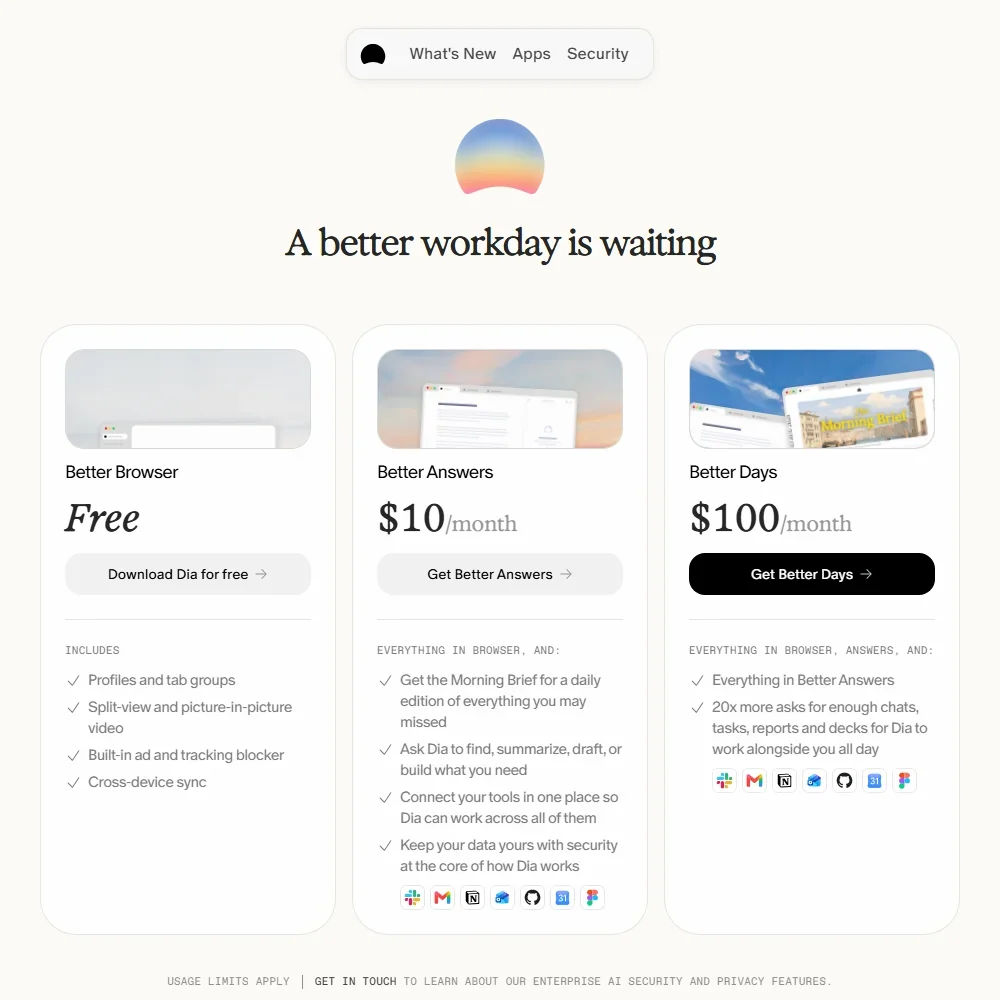
The Free plan is the browser with no AI features. Every new user starts with a 14-day free trial of the Better Days plan, and no credit card is needed. When the trial ends, Dia keeps working as a browser and the AI features pause.
Better Answers costs $10 a month and adds the AI assistant. Better Days costs $100 a month and includes everything in Better Answers with 20 times more asks. Both are individual plans, and both come with a monthly allowance measured in Tasks. Extra usage is sold in $20 credit blocks.
The paid plans are rolling out to new Mac users first. Existing users and Dia on Windows keep their current access for now.
Privacy and security
Dia can train its models on what you put into it unless you opt out. Its privacy policy puts it this way: "If you want to opt-out from our use of your User Content to train our models, you may do so in the privacy section of your account settings." Dia has zero data retention agreements with its AI partners.
The Browser Company completed a SOC 2 Type II examination for Dia covering security, confidentiality and privacy, and the report is available on request. The privacy policy covers your rights under the EU and UK GDPR, and the help center takes GDPR requests. Single sign-on through SAML works with most identity providers, including Google, Okta and Microsoft Entra ID. Support runs by email and through a help center.
Who Dia suits
Dia suits people who spend their working day in a browser and across apps like Slack, Gmail, Notion and Google Calendar, and who want one assistant that can read their tabs and those apps, draft emails, set up invites and fill in forms. Mac users are first in line for the paid plans, and anyone can test the full Better Days plan for two weeks without a card.
It suits less well anyone who wants AI for free, since the free plan is the browser alone. Heavy users face a big step from Better Answers to Better Days, and anyone who does not want their content used for training needs to opt out in their account settings.
Frequently Asked Questions
Is Dia free?
The browser is free, but the free plan has no AI features. New users get a 14-day trial of Better Days with no credit card, and after that the AI needs Better Answers at $10 a month or Better Days at $100 a month.
Which apps can Dia's assistant read?
Your open tabs, plus connected apps including Slack, Gmail, Google Calendar, Google Drive, Notion, Granola, Loom, GitHub, LinkedIn, Linear, Figma, Microsoft Teams, Outlook, SharePoint, Zoom, Jira and Confluence.
What is the difference between Better Answers and Better Days?
Better Days includes everything in Better Answers with 20 times more asks. Both plans measure their monthly allowance in Tasks, and extra usage is sold in $20 credit blocks.
Does Dia train AI on my data?
It can, unless you opt out in the privacy section of your account settings. Dia has zero data retention agreements with its AI partners, and Dia for Work lets an organization switch off content sharing for everyone.