Mem is an AI notes app that captures your notes and meetings, keeps track of the tasks and projects inside them and answers questions across everything you have saved. It has a free plan and a ladder of monthly plans that differ mainly in how much you can do each month. What decides whether it suits you is how many notes, messages and hours of meeting capture you need, since every plan is measured in those allowances.
What is Mem?
Mem is made by Mem Labs, Inc. It runs on the web and has apps for Windows, Mac and iOS. Sign-in is with a Google account, and notes are stored in Mem's cloud: edits you make offline are saved on your device and sync once you are back online.
Mem officially supports English across all its features, including Voice Mode, Deep Search, Chat and Copilot. Other languages may work but are not officially supported.
What Mem does for your day
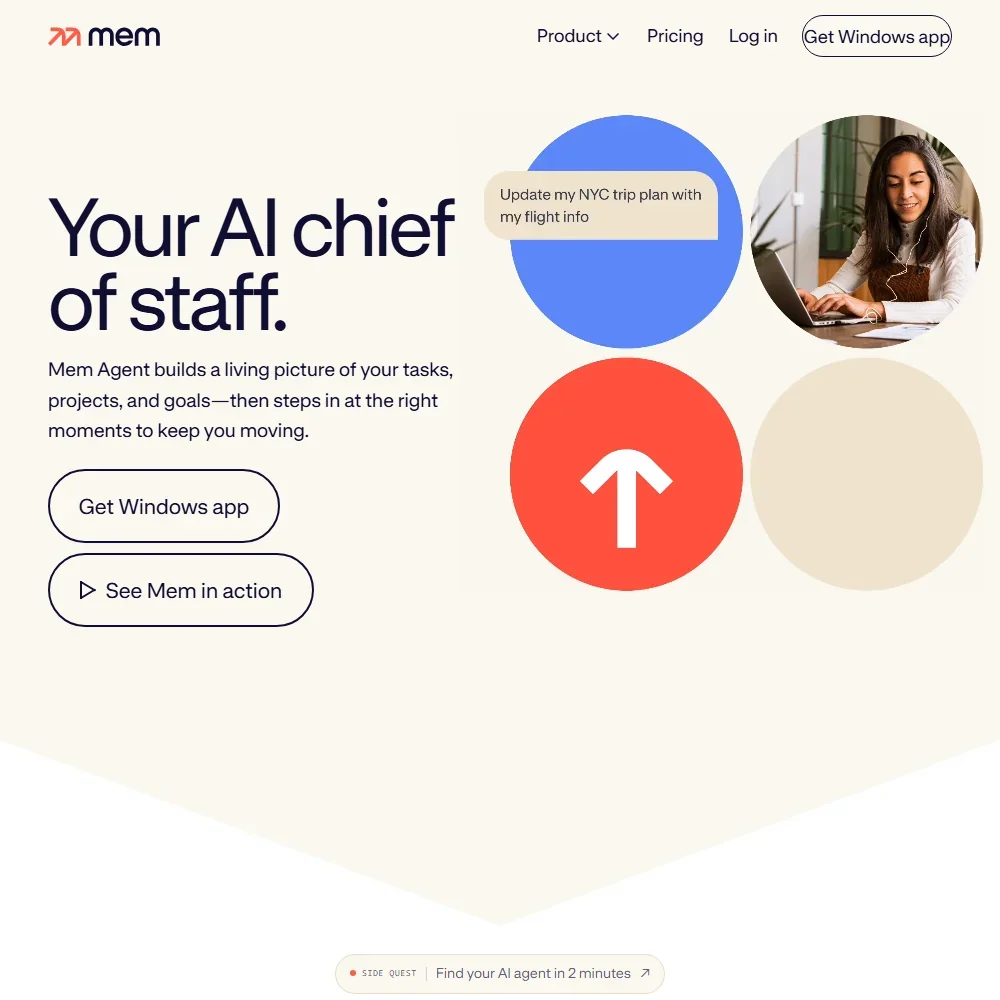
Mem's core is a notes app with an AI agent on top. Mem Agent reads your notes, detects the tasks and projects in them and keeps track of them, and the number of open tasks and projects it tracks at once rises with your plan. It can check your calendar, wait when you are busy and try again with the details you need, though it does not place tasks or focus time on your calendar.
Mem connects to Google Calendar and Microsoft Outlook. The calendar shows your meetings so you can prepare meeting notes in Mem, and it does not offer booking links. For the meetings themselves, start Voice Mode in a note and Mem records, transcribes and turns the conversation into detailed meeting notes. No bot joins the call. Full meeting capture needs the Windows app or the Mac app on Apple Silicon, which records the audio locally before transcription, and transcription is in English only.
Mem is not an email client. You can forward emails to save@mem.ai to turn them into organized notes, and on Mem Pro and up you can connect Gmail as a source of context. Mem does not write replies inside your email account or sort your inbox.
Mem Chat lets you ask anything across your workspace: it reads the relevant notes and gives an answer, and it can recall information, summarize recent work, organize notes into collections and draft new content from past notes. It runs on several language models. On Pro plans you pick the model yourself, while Free and Plus use the one Mem chooses.
Connections link Mem to outside sources such as Gmail, Slack and Todoist, and they start on Mem Pro, along with custom routines. WhatsApp works as a channel for messaging Mem, a Chrome web clipper saves pages, and Zapier links other apps.
Working with other people
Notes are private by default and can be shared with teammates. Sharing, Shared Collections and AI-powered workflows let a group work from the same knowledge, with no separate team plan.
Mem's MCP server connects your AI tools to Mem and works with Claude, ChatGPT, Claude Code CLI, Codex CLI and Gemini CLI. The Mem API lets developers create notes, search the knowledge base and organize collections.
Mem pricing: what each plan gives
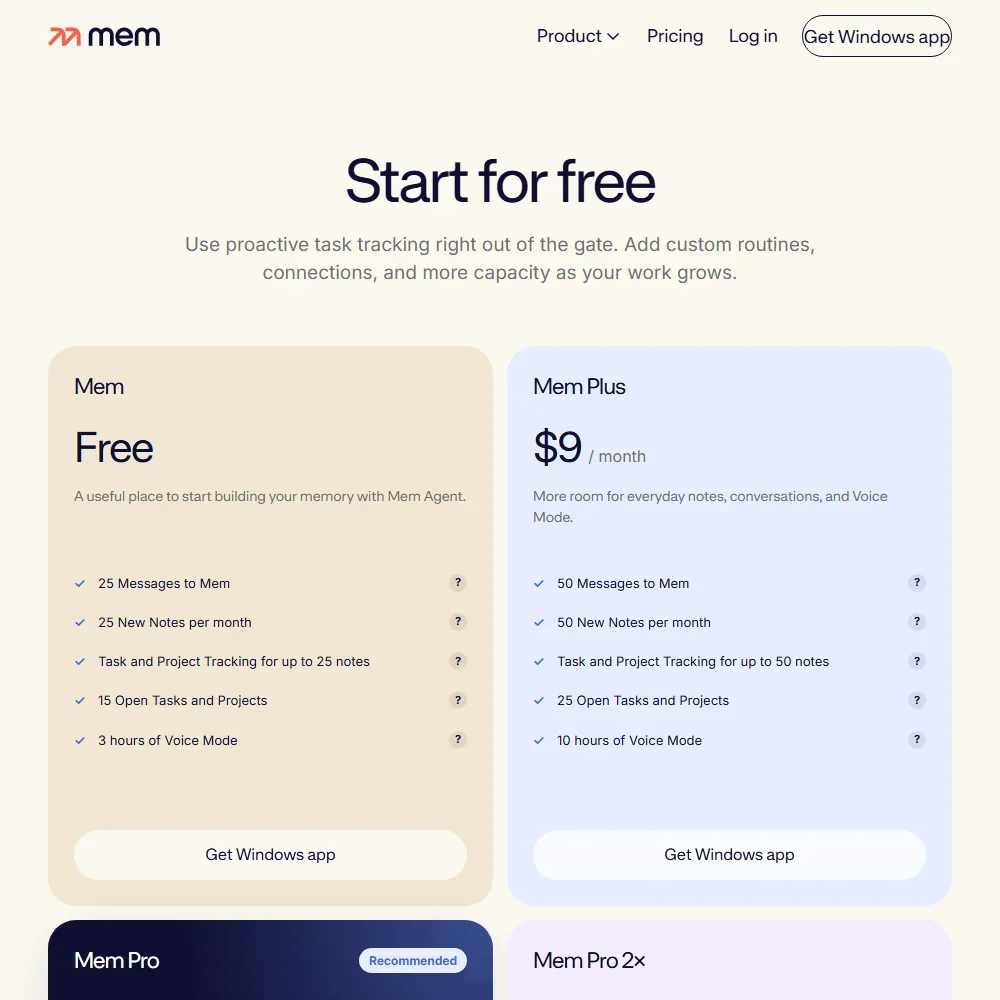
Every plan is a personal plan at one monthly price, and its allowances reset each billing period. The Free plan gives 25 messages to Mem, 25 new notes a month, task and project tracking for up to 25 notes, 15 open tasks and projects and 3 hours of Voice Mode.
Mem Plus costs $9 a month and raises the allowances to 50 messages, 50 new notes a month, tracking for up to 50 notes, 25 open tasks and projects and 10 hours of Voice Mode. Mem Pro costs $29 a month with 100 messages, 100 new notes, one custom routine, one connection, 25 hours of Voice Mode and the model picker.
Above that, Mem Pro 2x costs $49 a month, Mem Pro 5x $99, Mem Pro 10x $149 and Mem Pro 20x $199. Each scales the allowances of messages, notes, routines, connections and Voice Mode hours, and Mem Pro 20x can add Extra Usage in $50 monthly units.
Privacy and security
Mem does not train AI on your notes. Its privacy policy reads: "We do not use your personal information, notes, or the information we collect via third parties (e.g. Google Workspace APIs) to develop, improve, or train any generalized AI and/or ML models."
Mem is SOC 2 Type II compliant. Sign-in is with a Google account only, and there is no SAML single sign-on. Support runs by email at support@mem.ai, through a help center and in the Mem Slack community, where you can talk to the team and share feature requests.
Who Mem suits
Mem suits people who think in notes and want an assistant that remembers for them: it pulls tasks out of what you write, follows up on them and answers questions across everything you have saved. Windows and Apple Silicon Mac users who want bot-free meeting notes in English get them inside the same app.
It suits less well heavy note-takers on the lower plans, since the free plan allows 25 new notes a month and Plus 50. Connections to Gmail, Slack and Todoist and the model picker start on Mem Pro, and English is the one officially supported language, with Google as the one way to sign in.
Frequently Asked Questions
How much does Mem cost?
Mem has a free plan. Paid plans are monthly: Mem Plus at $9, Mem Pro at $29, then Mem Pro 2x, 5x, 10x and 20x at $49, $99, $149 and $199, each with larger allowances.
Does Mem record meetings with a bot?
No. You start Voice Mode in a note and Mem records, transcribes and writes up the meeting without a bot joining. Full meeting capture needs the Windows app or the Apple Silicon Mac app, and transcription is in English.
Can I connect Mem to Claude or ChatGPT?
Yes. Mem's MCP server works with Claude, ChatGPT, Claude Code CLI, Codex CLI and Gemini CLI, and the Mem API lets developers create and search notes.
Does Mem train AI on my notes?
No. Mem does not use your personal information, notes or data from connected services to develop, improve or train any generalized AI or ML models.