
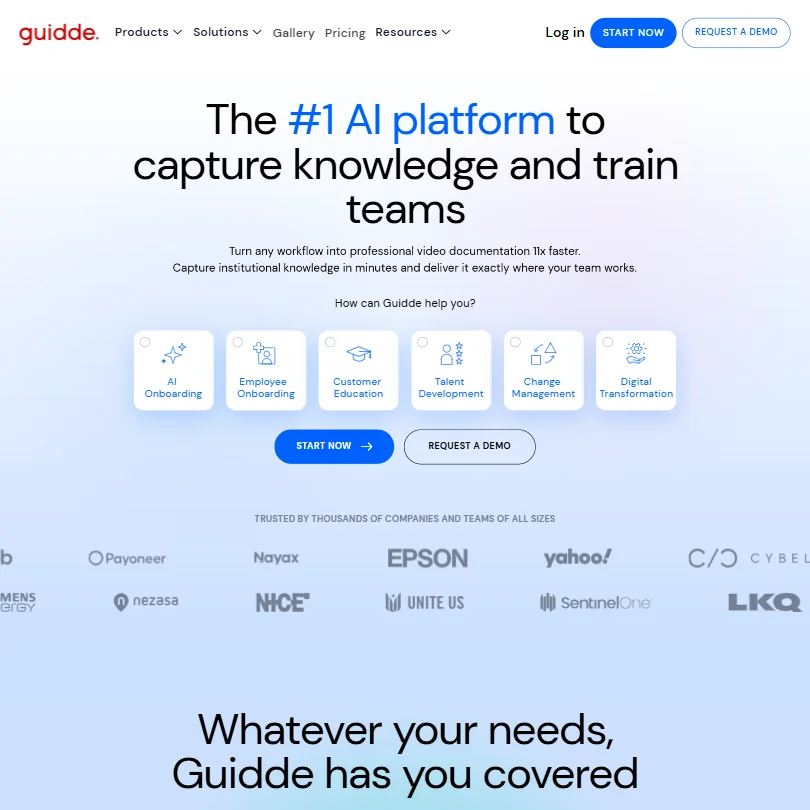
Four years in and Guidde still flies under the radar of most software procurement lists. That's partly category confusion: is it a video tool, a documentation tool, or something else. The answer is somewhere between all three, which doesn't help in a market where buyers sort by category.
What is Guidde?
Founded in 2021 and based in Tel Aviv, Guidde positions itself as an AI Digital Adoption Platform, which the company abbreviates to ADAP. The pitch is that subject matter experts, not video producers or instructional designers, should be able to create narrated how-to video guides in minutes and then push those guides directly into the tools where work actually happens. Salesforce, Zendesk, Workday. Content appears in context, not inside a training portal that nobody opens voluntarily.
The Chrome extension is the core. You record a browser workflow, Guidde generates narration, adds captions, and produces a shareable guide. That's the loop. There's also a desktop app for recording outside the browser and mobile capture if you need it.
Our research now shows active profiles on both G2 and Capterra. G2 lists 88 reviews on Guidde's seller page as of our last check, and Capterra has an active listing as well. Earlier versions of this review noted the absence. That's corrected here.
Guidde Features: Video Generation, Editing & AI Capabilities
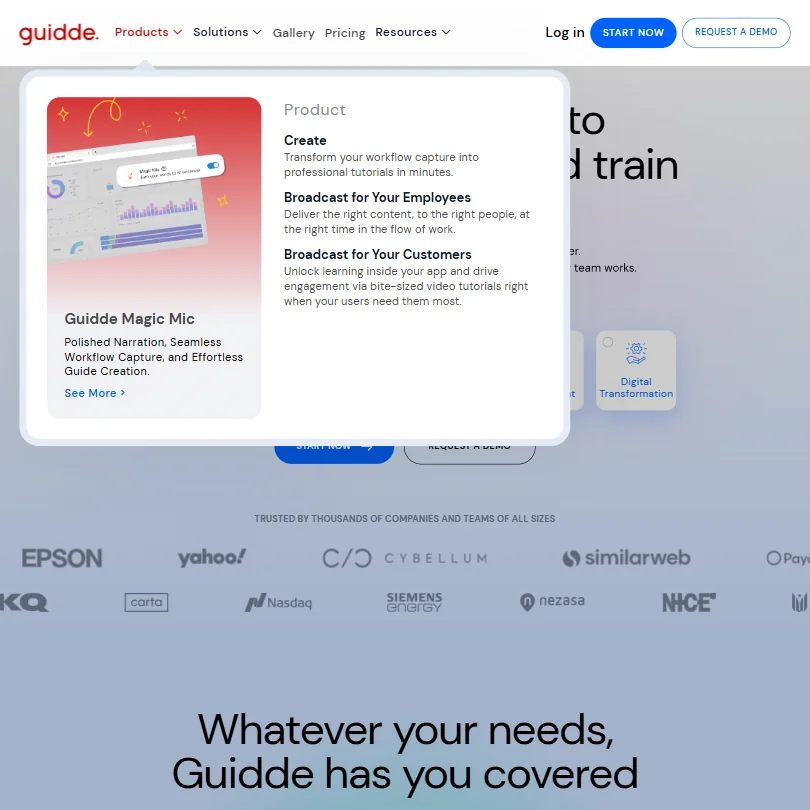
The feature surface is wider than the homepage suggests. Screen captures become narrated step-by-step guides automatically. PDFs and PowerPoint files get converted into AI-narrated video, which is less common and genuinely useful for teams who already have content in those formats.
Editing runs through a drag-and-drop interface with auto-split, version history, and AI-generated storyboarding. You can add transitions and a stock music library. Export covers MP4, GIF, PowerPoint, and PDF, though resolution specifics aren't published anywhere we could locate. That's a gap. Teams evaluating this category usually want to know what "MP4 export" actually means in practice before signing a contract.
Multi-language translation runs across 50-plus languages. Pro gives you 200-plus text-to-speech voices. Business and Enterprise push that to 400-plus. Bulk translation workflows are Enterprise-only, which tracks for the price point.
Voice cloning is listed as an add-on at Business tier, but pricing and limits don't surface publicly. Honestly, that's a pattern with features like this. When the number isn't on the pricing page, the number gets discussed on a sales call.
Team collaboration and role-based access scale with the plan. Free users get shared links. Real approval workflows are a Business and Enterprise conversation, and the content review feature, including required approvals, designated reviewers, and the ability to block sharing until a guide is approved, is Enterprise only. Not Business plus Enterprise. Enterprise.
Guidde Video Quality: How Good Does the Output Actually Look?
Cinematic output isn't the point. Nobody using Guidde is making brand videos. The output is functional: clean screen recordings, auto-generated captions, AI narration layered in, simple visual treatments like click indicators and step highlights.
What we kept seeing across user reports is that the AI narration holds up for straightforward workflows but loses precision when the steps get complex or context-dependent. Generic narration in software training content is a real problem, because precision is the entire value of documentation in that context. A narration that's close but not exact is sometimes worse than no narration at all.
Visual quality for screen-capture guides appears solid for internal documentation and customer-facing help content. Background customization and background removal are available. Fair. For this use case, those are extras, not deciding factors.
Guidde AI Avatars & Voiceover: How Realistic Are They?
Virtual Avatar is an add-on. Not bundled into any base plan. The default experience is voiceover with an optional webcam bubble during recording. AI avatars cost extra, and like voice cloning, the specific pricing isn't publicly surfaced.
The 400-plus TTS voices on Business and Enterprise is a real number. Fifty-plus language support for voiceover and translation is genuinely useful for teams running international user bases. We're skeptical that all 400 voices are meaningfully distinct from one another, but the breadth is real.
Voice cloning as a paid add-on is a meaningful differentiator if the output is actually good, and that's the part we can't verify cleanly. User feedback on the voice cloning feature specifically is thin in the reviews we cross-referenced. Thin reviews on a specific feature usually mean one of two things: people aren't using it yet, or they're not impressed enough to mention it.
Avatar-first AI video is a different category. Synthesia is the reference point there, built from the ground up for lifelike presenter avatars in L&D contexts, which is precisely the audience Guidde is also targeting.
Is Guidde Easy to Use?
The Chrome extension path is the simplest entry. Record, let the AI generate the guide, make edits, share. Most user accounts describe the initial recording experience as fast. Friction shows up in the editing step, particularly when users need to correct AI errors in the generated narration script or customize the output beyond the defaults.
Desktop and mobile capture exist. Most feedback we found was centered on the browser extension workflow, which suggests that's where most users actually operate day to day.
Guidde compares favorably for ease of use relative to what it replaces, which is typically a screen recorder plus a manual voiceover session plus a separate editing tool. Against that baseline, this is faster. Against Loom for quick async video, the experience is more involved, because Guidde is doing more.
Not steep. Real but short.
Guidde Pricing: Is It Worth It for Creators & Teams?
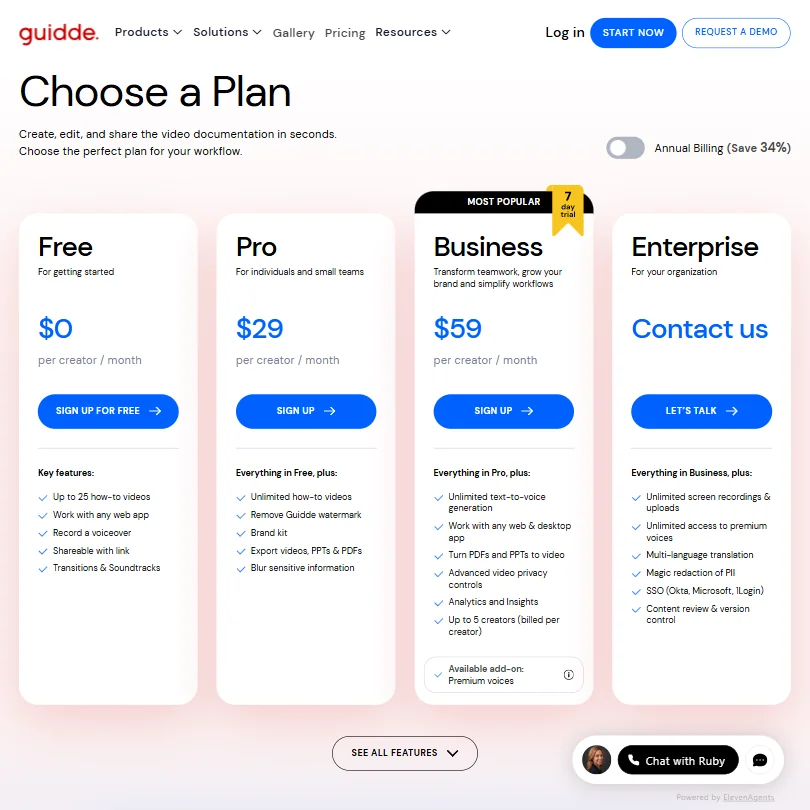
Four plans. Free allows up to 25 how-to videos with shareable links and voiceover recording. No watermark removal on free. Pro is listed at $29 per creator per month on the current pricing page. Business sits at $59 per creator per month. Enterprise is contact-based.
Worth noting that the pricing page shows a 7-day trial flag on Business specifically. No credit card required, which is the right call for a product asking teams to change a documentation workflow.
The jump from $29 to $59 is where smaller teams slow down, because Business is where the more substantial collaboration features appear, along with the 400-plus voice library and the ability to work with both web and desktop apps. That's a real difference in capability, but it needs to justify itself against what a team at that size actually uses.
No refunds on unused time. Access runs to the end of the billing cycle, then stops. Standard SaaS policy, but the 7-day trial window is tight enough that it's worth being deliberate about what you test and when.
Guidde vs Loom: Which AI Video Tool Is Better?
Not the same product. People compare them because both involve recording your screen, but the intended output and delivery mechanism are different enough that framing this as a head-to-head misses the point.
Loom is built for async communication. Send a video instead of sending an email. Speed is the value. Where Loom wins is simplicity: record, share, done. No narration to review, no storyboard to adjust, no approval workflow to configure.
Guidde is building a documentation library. AI narration, multi-language translation, in-app delivery into Zendesk and Confluence, and a structured content workflow are not Loom features. Loom doesn't try to push content into a help desk at the moment someone needs it. Guidde does.
Scribe and Tango are closer comparisons in the documentation-first lane. Neither goes as far on the video side.
Who Should Use Guidde? (And Who Shouldn't)
L&D teams at mid-size companies. Clearest fit. Teams producing training content across multiple languages without a dedicated video production resource. The workflow is built around that exact problem.
Customer success and support operations also fit, particularly teams already inside Zendesk, Freshdesk, or Salesforce who want in-context video guidance without maintaining a separate knowledge base.
Solo creators and small content teams. Not the right fit. The tool's strengths are in structured, repeatable documentation workflows and enterprise tool integration. One-off explainer videos don't need this much infrastructure. HeyGen is the more sensible option for solo creators who want polished AI avatar video without the enterprise overhead.
Guidde Review Verdict
The browser-extension-to-AI-narrated-guide pipeline works. For teams sitting on a backlog of undocumented workflows, Guidde is a genuine time saver. The integrations into enterprise tools are a real differentiator against competitors who stop at "export a link and paste it somewhere."
The gaps are also real. Voice cloning and avatar pricing are opaque. Export resolution specs aren't published. The content review and approval workflow is Enterprise only, not Business, which matters for teams evaluating the $59 tier expecting full quality control functionality. API access is acknowledged publicly by Guidde for Enterprise customers, but a readily discoverable technical reference with documented endpoints and authentication specs doesn't appear to exist, which creates friction for teams evaluating custom integrations.
The 7-day Business trial is the right move. Run one real documentation project through it before committing to the annual rate.
Frequently Asked Questions
Does Guidde offer a free plan?
Yes, and it's functional for limited needs. Free covers up to 25 how-to videos with shareable links and voiceover recording. Watermark removal requires a paid plan, so anything shared externally carries Guidde branding until you upgrade. For internal use only, the free plan is usable. For external-facing content, it isn't.
What integrations does Guidde support?
The list covers the tools you'd expect in an enterprise documentation context. Zendesk and Freshdesk connect to support workflows. Confluence and SharePoint handle knowledge management. There's SCORM export for LMS platforms, which matters for formal training environments. API access is confirmed for Enterprise customers per Guidde's own 2026 material, but a public technical reference with documented endpoints and request schemas isn't readily discoverable, which is a legitimate concern for engineering teams doing integration due diligence.
How does Guidde compare to Scribe?
Scribe generates step-by-step guides with screenshots, primarily as written documentation. Fast for simple process documentation. Guidde adds AI narration, multi-language translation, and in-app delivery through its Digital Adoption Platform layer, none of which Scribe offers. Scribe wins on speed for straightforward text-based guides. Guidde wins when the output needs to be video, multilingual, or embedded contextually inside another enterprise tool.











