We pulled vendor docs, pricing pages, and whatever public feedback existed on DocsBot before writing this. That last part was harder than expected. DocsBot isn't listed on G2 or Capterra, and Trustpilot turns up nothing. So our research leaned harder on Reddit, Product Hunt threads, and the vendor's own documentation than we'd normally like. The signal is thinner in spots, and we'll flag where that affects our confidence.
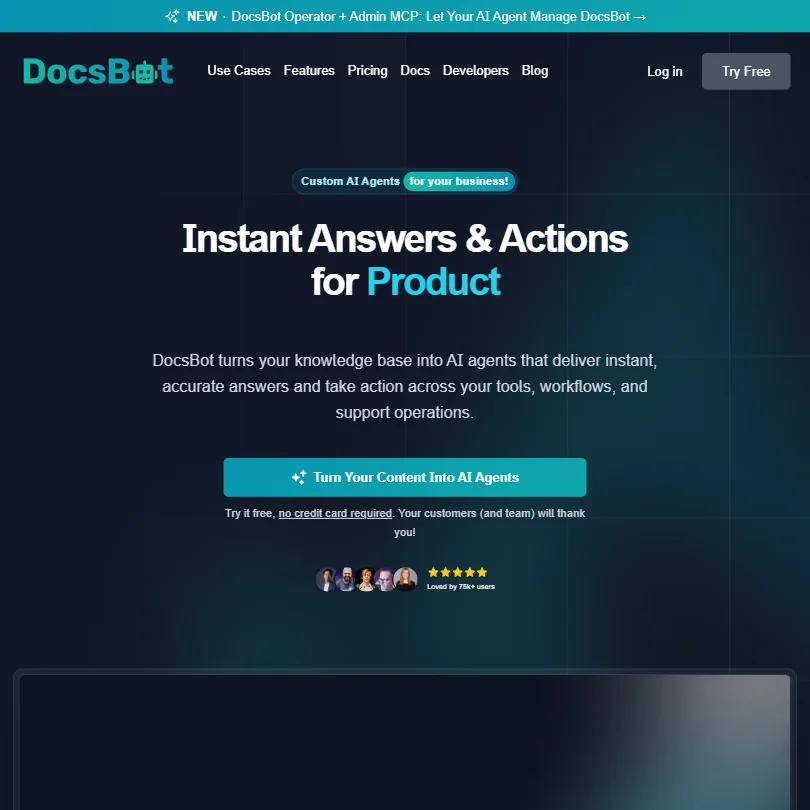
Founded in 2022. Quietly built to 75,000 users and over 3,000 businesses. Not a household name, but not nothing either.
What is DocsBot?
DocsBot sits in a specific lane. You feed it your existing documentation and it turns that content into a functional AI chatbot. No coding required. The core idea is that most businesses already have the knowledge sitting in PDFs, Notion pages, Confluence wikis, and a dozen other places. DocsBot indexes all of that and builds an agent that can answer questions from it.
The 37+ supported source types are the headline feature. That number covers website sitemaps and Google Drive files, and also YouTube video transcriptions and Zendesk Guide articles, and a few others. A genuinely wide net. We dug into the developer docs and it checks out.
Use cases split roughly two ways: external customer support bots and internal knowledge assistants for teams. DocsBot pushes both equally. Fair. The underlying setup is identical for either.
DocsBot Features: Chatbot, Helpdesk & Support Automation Breakdown
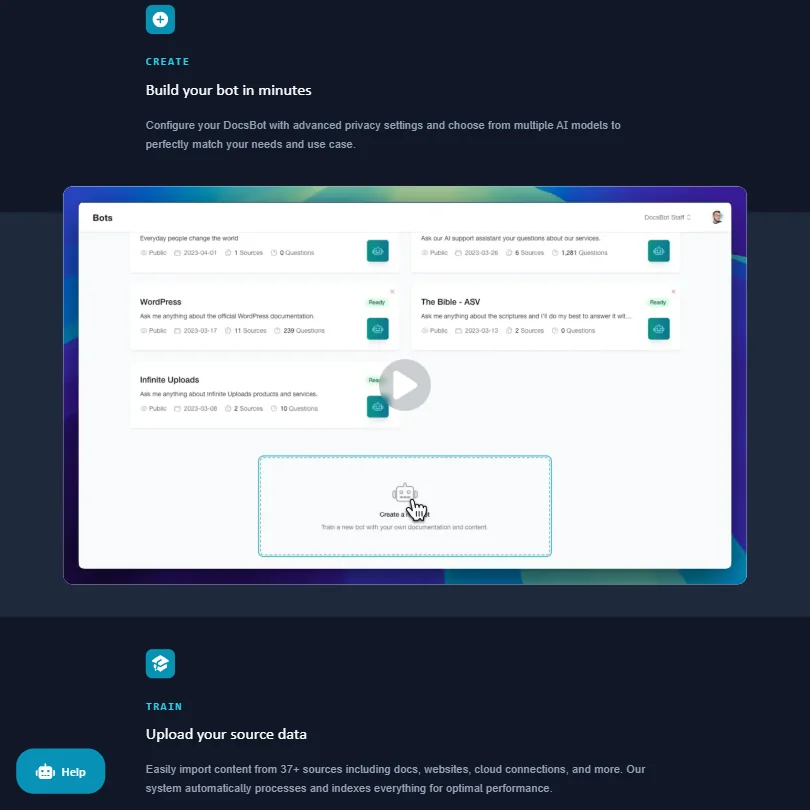
The AI chatbot builder is where DocsBot earns its keep. You point it at your content sources, it indexes them, and the resulting bot answers questions grounded in that content. You can layer in custom Q&A pairs on top for fine-tuning, which helps with edge cases the indexed content doesn't cover cleanly.
Ticket escalation is not a native DocsBot feature; escalation relies on your existing helpdesk. Help Scout integration is included there too. Freshdesk and Zendesk can feed training data. What's absent is a native live chat interface or an agent inbox. DocsBot handles the bot layer and escalates when it can't. What happens after that lives somewhere else entirely.
Honestly, that gap matters more than the feature list suggests. Teams wanting one platform to manage the full support conversation won't find it here.
On the automation side, AI Actions and a Skills Library handle workflow triggers, and the Standard plan ($149/mo) adds the ability to build, validate, and publish those skills. Zapier connections extend this further. Voice agents are listed as a feature. We saw Product Hunt comments referencing the voice agent launch positively, but detailed feedback on real-world performance is thin.
Sentiment analysis and white-label widget options both start at Business ($499/mo). The API has full REST access, and remote MCP connections appear as early as the Personal plan ($49/mo).
DocsBot Bot Quality: How Well Does It Handle Real Customer Queries?
This is where the limited review trail hurts. No structured user feedback on answer accuracy the way we'd get from a G2 presence. What we did find: Product Hunt threads from 2023 and 2024 were generally positive about answer relevance when training content was well-structured. A few users noted the bot defaulted to vague responses when indexed content was incomplete or ambiguous. That tracks with how retrieval-augmented systems behave generally.
DocsBot supports multiple AI models, including OpenAI GPT and Azure OpenAI, and you can switch between them. Model selection flexibility means you're not locked into one provider's quality ceiling, and you can make cost tradeoffs depending on query volume. Useful.
One thing we kept seeing in Reddit threads: output quality is tightly coupled to source content quality. That's not a DocsBot-specific problem. It's just how these systems work. Patchy documentation produces patchy answers. Worth keeping in mind before you point it at a half-finished knowledge base.
DocsBot Channel Coverage: Which Platforms Does It Support?
Web widget is the core deployment. Slack integration opens up the internal knowledge assistant angle. Beyond those two, the channel list is short.
No WhatsApp. No SMS. No native email channel and no mobile SDK listed. Zapier and Make connections can technically bridge to other surfaces, but that's DIY routing, not native coverage. We cross-referenced the docs and didn't find anything we missed.
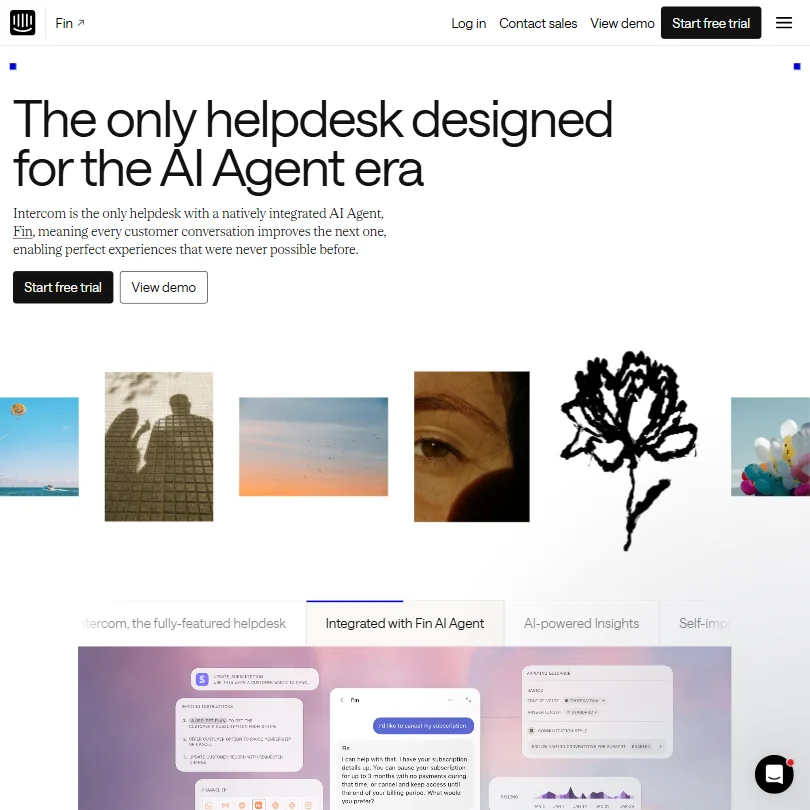
For a documentation AI assistant deployed on a website or inside Slack, the coverage is fine. For teams wanting the bot to appear wherever their customers already are, it's not enough. Tools like Fin cover a broader channel surface natively if that's a priority.
Is DocsBot Easy to Set Up and Manage?
Probably DocsBot's clearest strength. Setup is fast. The free plan requires no credit card, and the bot is running against your content within minutes if your sources are tidy. Product Hunt commenters mentioned this consistently. Quick to launch, reasonably intuitive interface.
The no-code setup process is real, not marketing language. You pick your sources, point DocsBot at them, indexing runs automatically. Resync is supported for content that changes. Q&A fine-tuning is straightforward for non-technical users.
The free plan has no 30-day bot lifetime. That's odd. The plan itself doesn't expire, but the bot does after a month and needs to be recreated. Minor friction, but worth knowing before you build something you plan to keep.
DocsBot Pricing: Is It Worth It for Support Teams?
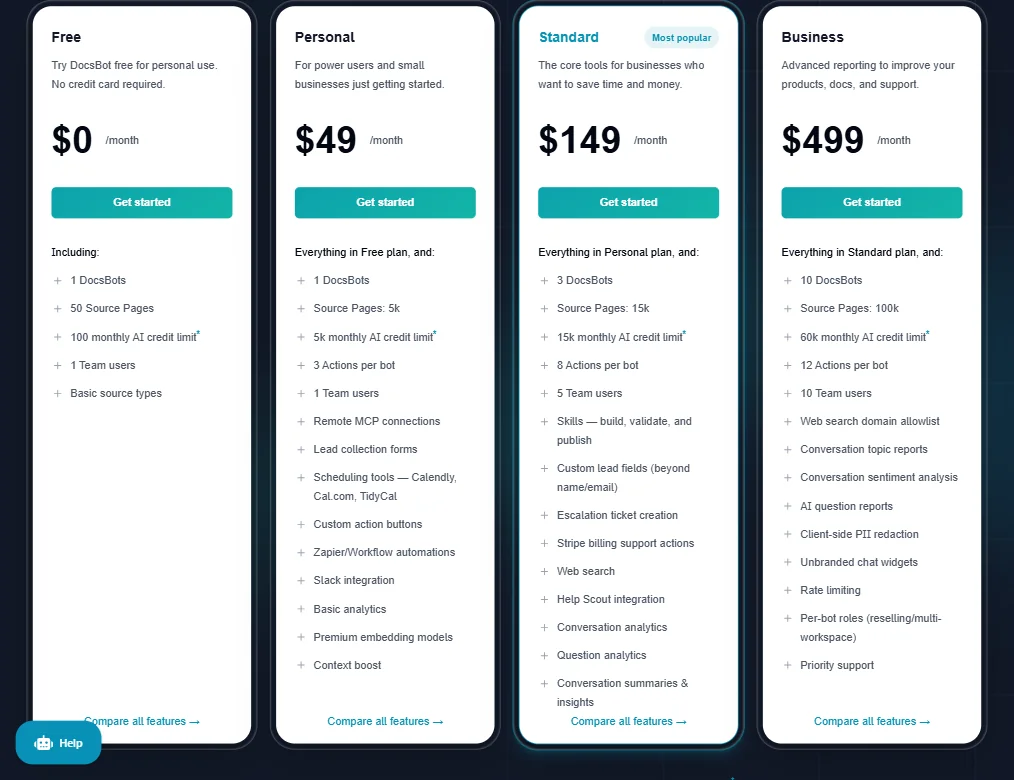
Personal runs $49/mo. Standard is $149/mo. Business is $499/mo. Enterprise is custom pricing.
Against the category, $49/mo sits near the expensive end for what you get at that tier. The category median for AI customer service tools runs around $29/mo. DocsBot starts $20 above that, and the Personal plan is limited enough, one bot and capped source pages, that serious use cases push you to Standard pretty quickly.
There's a 14-day money-back guarantee. No free trial in the traditional sense, though the free plan gets you a working bot with no expiration date. Functional for evaluation purposes.
The jump from $49 to $149 is steep. Ticket escalation relies on your existing helpdesk, not a paid tier. Sentiment analysis and white-label widgets don't appear until Business ($499/mo). For a small business doing real customer support, $149/mo is probably the minimum viable purchase. That's not cheap for a single-channel bot with no native agent interface. Not great.
We don't think it's overpriced in absolute terms. We are skeptical it delivers good value relative to what the same money gets you elsewhere in the category.
DocsBot vs Intercom Fin: Which Customer Service AI Wins?
Intercom built Fin as an agent on top of a full support platform. DocsBot built DocsBot as a bot you plug into wherever you need it. Different starting points entirely.
Fin has a native inbox, a ticketing workflow, and deep channel coverage. DocsBot has broader content source ingestion and more flexibility in what you train the model on. If the question is which handles support conversations better end-to-end, Fin wins. Complete product for a support team.
Where DocsBot holds its own: content source breadth and deployment speed. Fin is built around Intercom's ecosystem. DocsBot is built to work with whatever documentation you already have, wherever it lives. That's genuinely useful for small teams that don't want to migrate their entire support stack.
Fin's pricing is also higher at scale. DocsBot is cheaper if the bot-only use case is genuinely what you need. But the moment you need agent tools, the comparison stops being fair to DocsBot. It just doesn't have them.
Who Should Use DocsBot? (And Who Shouldn't)
Small product teams with dense documentation. That's the sweet spot. You've got a knowledge base in Notion or Confluence, customers keep asking the same questions, and you want a bot that answers from that content without building anything from scratch.
Developer teams wanting a Slack bot that answers questions about internal docs. Support teams wanting agents to query knowledge faster. DocsBot handles both without much overhead.
Businesses needing channel breadth beyond web and Slack should look elsewhere. Same for anyone who needs a native agent interface or built-in CRM connections. There's no Salesforce integration and no HubSpot. You'd bridge through Zapier, and that adds fragility.
E-commerce support teams. No Shopify integration, no order management hooks. Wrong tool.
DocsBot Review Verdict
DocsBot does one thing well and knows it. Training a bot on your existing documentation is fast, the source coverage is genuinely broad, and the setup asks almost nothing of non-technical users. Real points in its favor.
The problems cluster around the edges. No native live chat, no agent inbox, thin channel coverage. Pricing starts above the category median and escalates quickly once you need the features that matter for actual support operations. The absence of any G2 or Capterra presence means there's no structured feedback to check our read against, which is its own kind of signal.
We wouldn't dismiss it. For documentation-heavy teams who need a fast, embeddable AI assistant without a full helpdesk layer, DocsBot is a reasonable pick. Narrow fit, though. Step outside that lane and the product's limits become obvious fast.
How DocsBot compares
DocsBot scores 7.1 out of 10 among the AI chatbot builders we rate. These two do the same job and are the closest to it, compared on what each vendor publishes.
Botpress
Botpress runs its own helpdesk, Botpress Desk, with a shared inbox, a hosted help center and automation rules; DocsBot has none of those and instead adds AI answers on top of a helpdesk you already use, like Zendesk or Freshdesk. DocsBot's cheapest plan is $49 a month against Botpress at $189 a month, and DocsBot answers in 100 languages. Botpress keeps an audit log from its Plus plan, something DocsBot does not offer at all.
Pick Botpress if you want a built in helpdesk with audit logging.
Pick DocsBot if price and language coverage matter more than a helpdesk.
Chatbase
Chatbase includes a built in help desk that creates tickets from AI conversations; DocsBot has no ticketing of its own and relies on the helpdesk you already run. Chatbase starts at $40 a month against DocsBot's $49 a month, and both include a free plan. DocsBot answers in 100 languages against Chatbase's 95, though Chatbase connects to Gorgias and Intercom, which DocsBot does not list.
Pick Chatbase if you want built in ticketing and slightly more integrations.
Pick DocsBot if you want the most languages and already have a helpdesk.
Frequently Asked Questions
Does DocsBot work without a developer?
Yes, and that's one of its stronger claims. The setup is genuinely no-code. You point it at your content sources, it indexes them, and a working bot comes out the other side. Non-technical users can handle the full setup. The API is available for developers who want deeper integration, but nothing requires it.
What happens when the free plan bot doesn't expire?
The free plan itself doesn't disappear, but the bot you built does not expire, so you never need to recreate it. Odd design choice. We're not sure what purpose it serves beyond nudging you toward a paid plan. Worth factoring in before you invest time building something on the free tier.
Can DocsBot replace a full customer support platform?
Not really. It handles the bot layer well and supports human handoff and ticket escalation on higher plans. But there's no agent inbox, no email channel, and no reporting dashboard built for support teams. It's a bot you add to your support setup, not a platform that replaces it.