Every score is worked out from the vendor's own pages · How we score →Disclosure
SAASINSPECTOR
Playground logo

Playground Review

Playground is an AI graphic design studio built for print-on-demand sellers and crafters. Describe a t-shirt, sticker or poster in plain words, or start from a template, and it produces the design, a product mockup and a print-ready file, with connections to the shops and print services sellers already use.

Visit Playground →From $15/mo

Research-based review. Features and prices are checked on the vendor's own website, and the score is worked out from those facts. We haven't tested it hands-on yet.

The verdict

Worth paying for if you run a one-person merch or Cricut business and want designs, mockups and print files in one place, as long as you accept its training terms.

Pros

  • Commercial use is included on every plan, the free plan too.
  • Etsy, Printify, Printful and RankHero connect through MCP inside Claude or ChatGPT.
  • Pro and up export a finished design as a layered SVG, one layer per color, ready for Cricut Design Space.
  • The mockup generator places designs on t-shirts, hoodies, phones and mugs and is free to use.

Cons

  • The terms give Playground a perpetual license to your inputs and outputs, including to improve its models, with no opt-out.
  • Background removal, upscaling and SVG export are not on the free plan.
  • There is no team plan, shared editing or brand kit.
From $15/moFree plan YesFree trial No
4.9/10

Spec Score

Playground against 8 AI graphic design tools
#6
of 8 AI graphic design tools
-1.5
vs the average
96%
from published facts
Ahead of other AI graphic design tools
Nothing clearly above the average
Behind other AI graphic design tools
Teams and platforms-3.8Privacy and trust-3.2Workflow and output-1.7
Every criterion
Tap a row for the facts
What you can make5.0
-0.4 vs 5.4 avg16 of 32 points
Edits vector artworkno0 / 2
Generates editable vectors from a promptyes2 / 2
AI image editing (erase, expand, relight)yes1.5 / 1.5
Product and print mockupsyes1.5 / 1.5
Edits or animates videono0 / 1.5
Stock photos, graphics and fonts includedno0 / 1
Orders printed productsno0 / 0.5
Why these numbers

Edits vector artwork: Playground does not edit vector paths. It converts a finished design into a layered SVG, one layer per colour.

Generates editable vectors from a prompt: Pro and up; Free has no SVG vectorization.

AI image editing (erase, expand, relight): Also object removal and style swaps. Background removal and upscaling are on Pro and up.

Product and print mockups: T-shirts, hoodies, phones, mugs and more.

Edits or animates video: Playground makes still images only: graphics, merch designs, posters and mockups.

Stock photos, graphics and fonts included: Playground offers templates but no stock photo, graphics or font library.

Orders printed products: Playground does not print. Designs go to Printify or Printful, which print and ship, or are downloaded for any store.

Workflow and output4.0
-1.7 vs 5.7 avg7.2 of 18 points
File formats it exports2 export formats1 / 3
Apps it connects to7 integrations1.5 / 2
Several people edit at onceno0 / 2
Comments and approvalno0 / 1.5
APIyes1.5 / 1.5
Why these numbers

File formats it exports: Counted from export_formats. Layered SVG export is on Pro and up (cricut page: 'export a layered SVG for your Cricut').

Apps it connects to: Counted from integrations. Etsy, Printify, Printful and RankHero connect through MCP in Claude or ChatGPT. Cricut Design Space takes Playground's SVG files.

Several people edit at once: Playground is built for one person per account. The plans and product pages list no shared editing or team workspace.

Comments and approval: No comments or approval feature is listed on the pricing or product pages.

API: Pro Plus, on request through a form. Playground also connects to Claude and ChatGPT through MCP.

Pricing9.0
+0.1 vs 8.9 avg18 of 20 points
Cheapest paid plan, monthly$154 / 5
Free planyes3 / 3
Commercial use allowedyes2 / 2
Why these numbers

Cheapest paid plan, monthly: Cheapest paid plan on the monthly term. Pro: 150 monthly credits, 75 images every 3 hours on Playground v3, premium templates, upscaling and background removal, 2K editing. Pro Plus: 1,000 monthly credits, unlimited Playground v3 generations, 4K editing, priority support and API access.

Teams and platforms1.5
-3.8 vs 5.3 avg1.8 of 12 points
Where it runs2 platforms1.5 / 3.5
Brand kitno0 / 2.5
Publishes or schedules to socialno0 / 2.5
Single sign-onno0 / 1.5
Why these numbers

Where it runs: Counted from platforms. iOS app on the App Store. No Android app is linked.

Brand kit: Playground has no brand kit. Designs start from a template or a prompt; the plan comparison lists models, credits, downloads, SVG export, templates and editing only.

Publishes or schedules to social: No publishing or scheduling to social networks. Designs are downloaded or sent to Etsy, Printify and Printful.

Single sign-on: Sign-in with Google or Apple only; no SAML single sign-on for organisations.

Privacy and trust3.5
-3.2 vs 6.7 avg6.3 of 18 points
Does not train AI on what you uploadno0 / 4
SOC 2not published, half points1 / 2
GDPRyes1.5 / 1.5
Ways to reach support2 support channels1 / 2.5
Why these numbers

Does not train AI on what you upload: The terms give Playground a perpetual licence to inputs and outputs, including to improve its models. No opt-out is offered.

Ways to reach support: Counted from support_channels. Priority support on Pro Plus.

yesnonot published average for AI graphic design tools
How the Spec Score works

Scored from what Playground publishes on its own site. Not a hands-on test.

Compared with 9 AI graphic design tools. Facts checked 29 Oct 2026.

A fact the vendor does not publish gets half the points, or the typical value for a number, and says so. It never counts as a no. How we score.

Playground is an AI graphic design studio for print-on-demand sellers and crafters: you describe a t-shirt, sticker or poster in plain words, and it builds the design, a mockup and a print-ready file. Whether it suits you depends on how many premium-model images you need each month and whether you sell through Etsy, Printify or Printful.
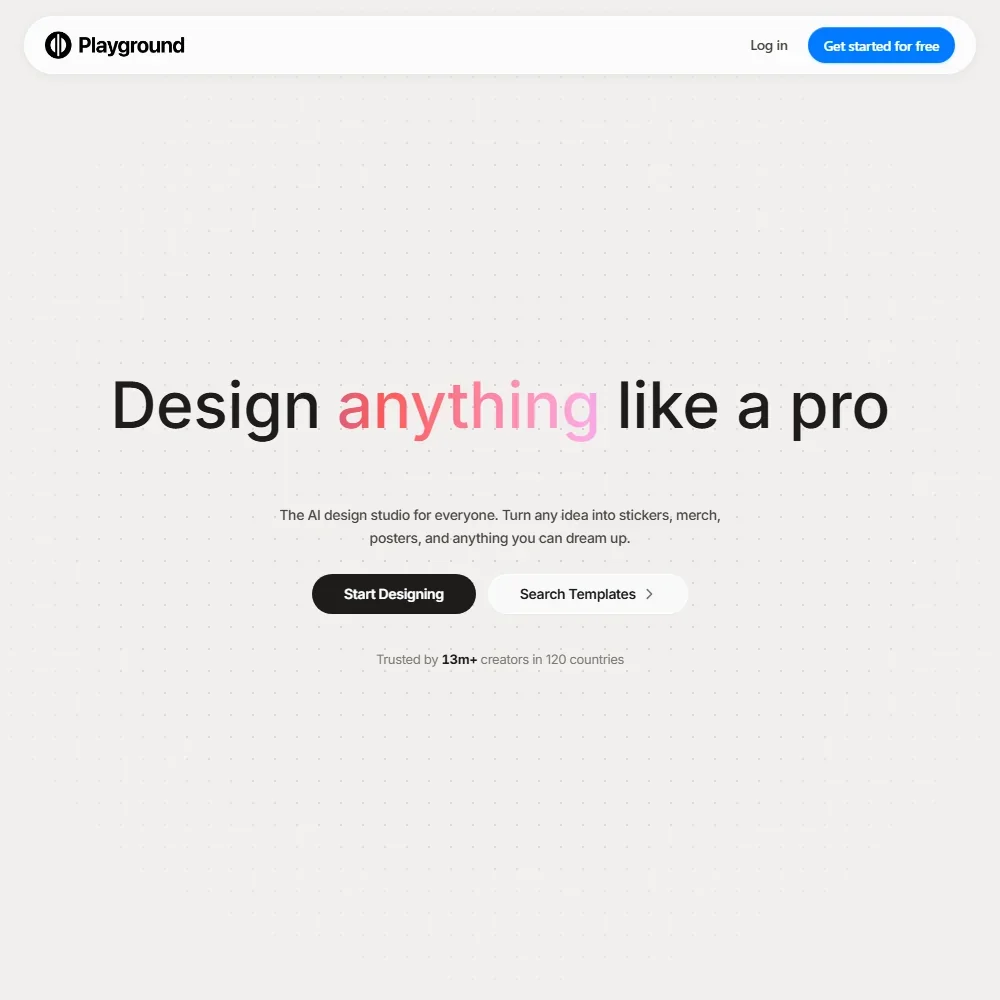
Playground homepage screenshot
Playground, Homepage

What is Playground?

Playground is made by AI Playground, Inc., a company registered in the United States. It is no longer sold as a general image generator: the product is now built around designs that end up on merchandise, in shop listings and on cutting machines. It runs in the browser and as an iOS app.

The site and customer support are in English only. Commercial use of what you make is included on every plan, the free one too, so a design from a free account can go straight onto a product you sell.

Designing with Playground

A design starts from a template or a prompt. Playground has thousands of templates across 24 categories, with premium templates on Pro and up. With a prompt, you describe the logo, t-shirt, sticker, poster, card or social post you want, and the AI picks the color, style and layout.

The images come from a set of models: Playground v3, Muse Image, GPT Image 2, GPT Image 2.5, Nano Banana, Nano Banana Pro and Seedream. Muse Image is the default for free accounts and GPT Image 2.5 Flare is the default for paid ones.

Editing covers object removal, style swaps, resizing and AI extension of an image. Pro edits images up to 2048 by 2048 pixels, and Pro Plus goes up to 4K. Background removal and upscaling are on Pro and up.

The mockup generator places your design on t-shirts, hoodies, phones, mugs and more, and is free to use. A finished design downloads as a transparent PNG with a listing mockup. On Pro and up, Playground also converts a finished design into a layered SVG, one layer per color, ready for Cricut Design Space. It does not edit vector paths.

Playground makes still images only, with no video editing. It has no stock photo, graphics or font library and no brand kit, so each design begins from a template or a prompt.

Working with other people

Playground is built for one person per account. Pro and Pro Plus are single-account subscriptions, there is no team plan, and there is no shared editing, commenting or approval step.

The seller connections run through AI assistants. Etsy, Printify, Printful and RankHero connect to Playground through MCP inside Claude or ChatGPT, so you can work on listings and products from a chat. Playground does not print anything itself: Printify or Printful print and ship, or you download the files for any store. Nothing is published or scheduled to social networks from the app.

API access is on Pro Plus, on request through a form.

Playground pricing: what each plan gives
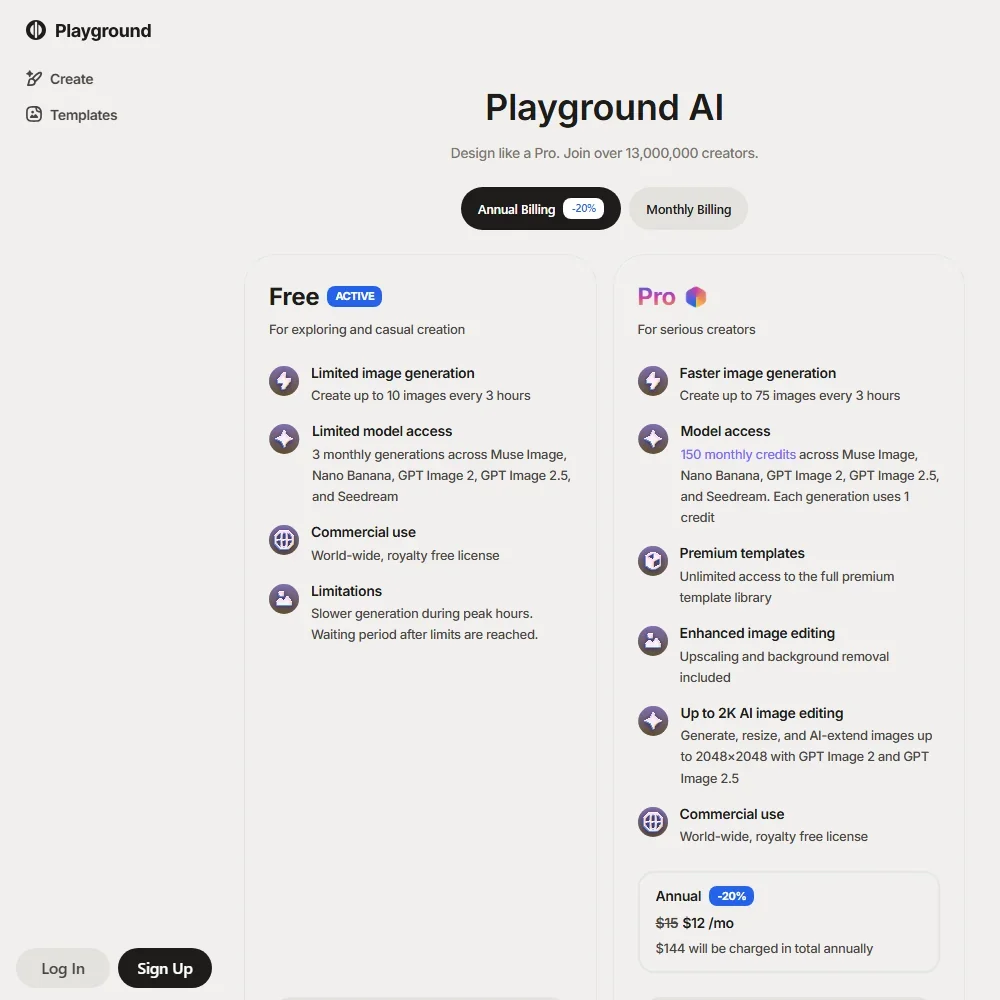
Playground pricing screenshot
Playground, Pricing

The Free plan has no time limit and lets you create up to 10 images every 3 hours. Within that, Playground v3 allows 5 image edits every 3 hours, and GPT Image 2, Seedream and Nano Banana allow 3 image edits a month. You can download 2 designs a day, generation is slower at peak hours, and background removal, upscaling and SVG vectorization are not included.

Pro costs $15 a month, or $12 a month billed yearly ($144 a year). It gives 150 monthly credits across Muse Image, Nano Banana, GPT Image 2, GPT Image 2.5 and Seedream, where each image uses 1 credit and Nano Banana Pro uses 4. On top of the credits come up to 75 Playground v3 images every 3 hours, premium templates, upscaling, background removal and 2K editing.

Pro Plus costs $45 a month, or $36 a month billed yearly ($432 a year). It gives 1,000 monthly credits across all models including Nano Banana Pro, unlimited Playground v3 generations, 4K editing, priority support and API access. Extra credits can be bought on top of either plan. There is no free trial of Pro or Pro Plus.

Privacy and security

Playground's terms give it a perpetual license to what you put in and what you make, including to improve its own models, and there is no opt-out.

The privacy policy sets out your rights under the GDPR and the California Consumer Privacy Act. You sign in with Google, Apple or an email and password; there is no single sign-on for organizations. Support runs by email and through a help center, with priority support on Pro Plus.

Who Playground suits

Playground suits solo print-on-demand sellers and crafters who want to go from an idea to a mockup and a print file in one place. The Etsy, Printify and Printful connections, layered SVG export for Cricut and commercial use on every plan make it a practical studio for a one-person merch shop.

It suits less well teams, since there is no shared workspace, comments or team plan, and anyone who needs a brand kit or a stock library. Designers who mind their uploads being used to improve the models should also look elsewhere, because the terms allow that with no opt-out.

Frequently Asked Questions

How much does Playground cost?

Playground has a free plan with up to 10 images every 3 hours and 2 downloads a day. Pro costs $15 a month ($12 a month billed yearly) with 150 credits, and Pro Plus costs $45 a month ($36 billed yearly) with 1,000 credits and API access.

Which AI models does Playground use?

Playground offers Playground v3, Muse Image, GPT Image 2, GPT Image 2.5, Nano Banana, Nano Banana Pro and Seedream. Free accounts get a few edits a month on GPT Image 2, Seedream and Nano Banana. Pro spends 1 credit per image, or 4 for Nano Banana Pro, and Pro Plus gives 1,000 credits across all models.

Can I sell products made with Playground designs?

Yes. Commercial use is included on Free, Pro and Pro Plus. Designs can go to Printify or Printful for printing and shipping, or be downloaded as PNG files, and as layered SVG files on Pro and up.

Does Playground use my designs to train its models?

It can. The terms give Playground a perpetual license to your inputs and outputs, including to improve its models, with no opt-out.

Playground is featured in

Alternatives to Playground

See all Playground alternatives →

Other AI Design Tool options we've reviewed.

Figma logo

Figma

Product teams wanting one shared workspace for design systems, prototypes and developer handoff

8.1
Rank #2 of 8 AI UI design tools
Best:Teams and platforms10
Weakest:What you can make7
Free plan: yesFree trial: noAPI: yes
Price not publishedFree plan
96% from published facts · checked 19 Sep
→
Canva logo

Canva

Small teams making branded social posts, print and video without hiring a designer

7.8
Rank #3 of 8 AI graphic design tools
Best:Teams and platforms10
Weakest:What you can make7
Free plan: yesFree trial: yesAPI: yes
From $18Free plan
90% from published facts · checked 19 Sep
→
Visme logo

Visme

Brand teams producing polished decks and reports that export to almost any format

6.9
Rank #3 of 5 AI presentation makers
Best:Workflow and output7.2
Weakest:Teams and platforms5.5
Free plan: yesFree trial: noAPI: no
From $29Free plan
85% from published facts · checked 26 Sep
→
Adobe Firefly logo

Adobe Firefly

Creative Cloud users who want generation inside the apps they already use, from a vendor that does not train on their content

8.1
Rank #1 of 7 AI image generators
Best:Rights and privacy9.2
Weakest:Openness and support3
Weights published under a named licence: noDoes not train on what you make: yes
From $9.99Free plan
78% from published facts · checked 8 Oct
→
Krea logo

Krea

Designers who want one of the broadest model menus, plus a node canvas, an AI agent and an API

9.4
Rank #1 of 13 multi-model AI platforms
Best:For video10
Weakest:Privacy and trust7.2
SOC 2: yesOffers Veo 3.1: yesOffers Nano Banana Pro: yes
From $9Free plan
93% from published facts · checked 28 Oct
→
Wix logo

Wix

Small business owners building a site and store themselves, with a phone line for help

8.0
Rank #1 of 7 AI website builders
Best:Teams and platforms9.5
Weakest:Pricing7
Free plan: yesFree trial: noAPI: yes
From $17Free plan
85% from published facts · checked 19 Sep
→

User reviews

Review Playground

Your rating

Reviews are moderated and appear once approved.