Kagi is a paid search engine with an AI assistant built in, so search results, quick answers with sources and a chat over more than 30 models all sit under one subscription. What decides whether it suits you is whether you will pay for search at all, and whether you need the deep research, code and image tools that only come with the Ultimate plan.
What is Kagi?
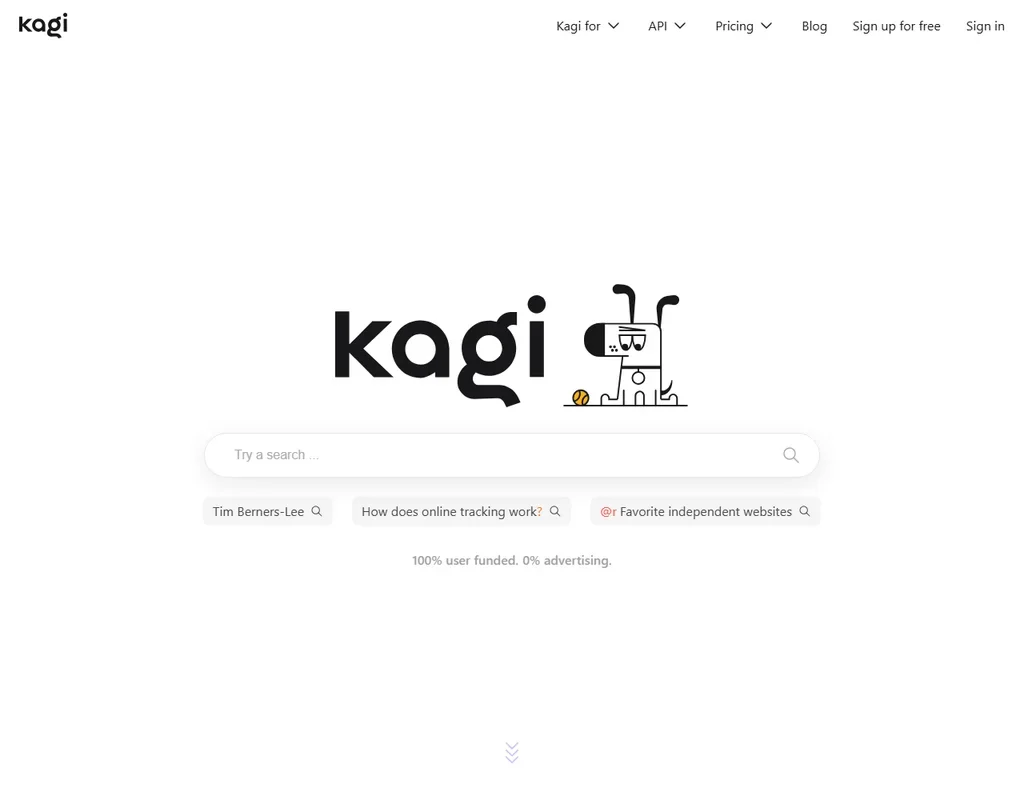
Kagi is a search engine and an AI assistant, Kagi Assistant, made by Kagi Inc., a company based in the United States. It runs in the browser, and Kagi Assistant also has native apps for iOS and Android. Search and the Assistant run on Kagi's servers and need a Kagi account. Kagi also makes the Orion browser, which is a separate product.
There is no ongoing free plan. New accounts get a one-time Trial of 100 searches and 100 Assistant interactions in total, and after that a paid plan is needed.
Searching with Kagi
A normal Kagi search returns web results, and ending a query with a question mark adds a Quick Answer: a short summary with its sources. Kagi Assistant is reached from the apps menu at the top right of every Kagi page, and you can switch its web access on or off. When it is on, the Assistant searches with Kagi Search.
The Assistant has a model picker under the prompt field. It offers Kagi's own two assistants, Kagi Quick and Kagi Research, which each orchestrate several models and tools, plus third-party models from OpenAI, Anthropic, Meta, Google, Mistral, Amazon, Alibaba, DeepSeek and others. The list also includes GPT 6.1 Terra, GPT 6 Luna, Gemini 3.8 Flash, DeepSeek V4 Pro, Qwen3.8 Max and Mistral Large 4.
Which models you get depends on the plan. Starter and Professional get Kagi Quick and the standard models, such as Claude 5.5 Haiku. Claude 5.5 Sonnet, Claude Opus 5.5, Claude Fable 5.1, GPT 6 Astra, GPT 6.1 Sol, Gemini 4 Argon, Kimi K3, GLM 5.3, Grok 4.7 and the other premium models are on Ultimate only.
Kagi Research
Kagi Research is the research mode, and it is on the Ultimate plan. It searches, reads the results, runs further searches based on what it found and writes everything up as a report. It can take up to 5 steps per query with roughly 15 tool calls. Along the way it can run Python in a sandbox for calculations, data processing and charts, and it can create or edit images. Kagi Quick does not generate images.
Kagi Research does not operate websites, fill in forms or control a computer.
Files, voice and organising chats
You can upload files to the Assistant for extra context: text, PDF, Word, PowerPoint, spreadsheets, images and audio, up to 30 MB in total. It also works from URLs you give it. A single message can run to 100,000 characters.
Prompts can be typed or dictated with the microphone button; there is no spoken back-and-forth conversation. Threads can be grouped into folders, and custom assistants keep their own instructions and model. There is no project workspace that holds files alongside chats.
Working with other people
The Team plans give a shared workspace where members share Lenses and domain rankings, so the whole team gets the same search customisations. Assistant threads can be shared by link on any plan.
Kagi plugs into BoltAI, Monarch Launcher and Alfred, and any app or browser that accepts an OpenSearch description can use Kagi as its search engine. Developers can buy the separate pay-as-you-go Kagi API, which covers Search, Extract, Summarizer, FastGPT and more. A hosted MCP server at mcp.kagi.com gives other AI tools Kagi's Search and Extract APIs; it needs an API key and is billed as API use.
Kagi pricing: what each plan gives
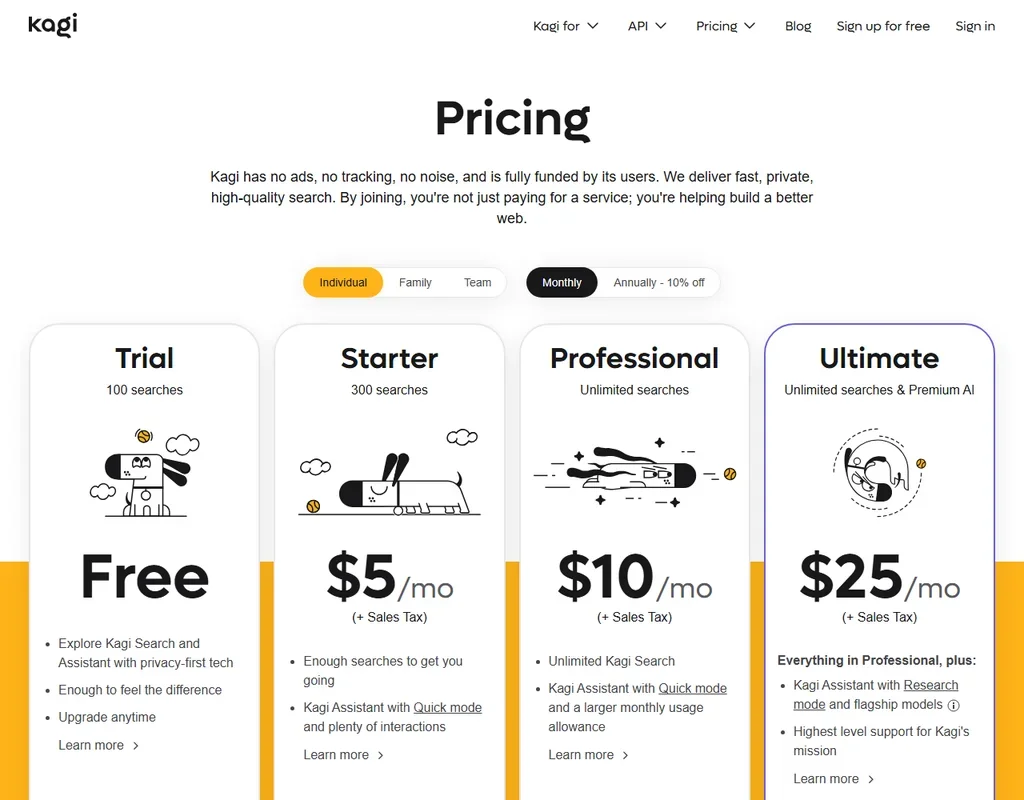
The free Trial is a one-time allowance of 100 searches and 100 AI interactions with standard models, in total rather than per month. It is limited by use, not by days.
- Starter is $5 a month, or $54 a year ($4.50 a month). It gives 300 searches a month, up to 300 AI interactions a month with standard models, and Kagi Translate.
- Professional is $10 a month, or $108 a year ($9 a month), with unlimited searches, Kagi Quick and the standard models.
- Ultimate is $25 a month, or $270 a year ($22.50 a month), with unlimited searches, the premium models and Kagi Research with its Python sandbox and image generation.
- Duo is two Professional accounts for $14 a month, or $151.20 a year.
- Family is Professional for up to 6 members for $20 a month, or $216 a year. Each family member can be upgraded to Ultimate for $15 a month.
- Team Professional is $10 per user a month and Team Ultimate is $25 per user a month, billed monthly only.
AI use on the paid plans is capped by token value equal to the plan price, so Ultimate includes $25 of model usage a month. Prices are before sales tax, and a month in which you do not use Kagi is credited back to your account.
Privacy and security
In Kagi's own words, when you use the Assistant "your data is never used to train AI models (not by us or by the LLM providers)". Team data is not used to train models either. Assistant threads are deleted after 24 hours of inactivity by default.
Kagi does not hold a SOC 2 report; its security has been independently audited by Illumant. Kagi sets out users' data protection rights under the GDPR and the CCPA in a Privacy Rights Addendum. Support runs through email at support@kagi.com, a help center and a community server on Discord, and bug reports and feature requests go to kagifeedback.org.
Who Kagi suits
Kagi suits people who search a lot and are willing to pay for a search engine, and who also want a choice of models from several AI companies in one assistant, with a promise that their chats never train any of them. Ultimate suits those who want Claude Opus 5.5, GPT 6 Astra or Gemini 4 Argon alongside a research mode that writes reports, runs Python and makes images, all for one monthly price.
It suits less well anyone who wants a free search engine, since the Trial runs out after 100 searches and does not renew. Starter caps searches at 300 a month, and Professional users who want the premium models or Kagi Research have to move up to Ultimate. Teams that need a SOC 2 report will not find one.
Frequently Asked Questions
Is Kagi free?
No. Kagi has a one-time free Trial of 100 searches and 100 AI interactions with standard models, after which a paid plan is needed. Starter costs $5 a month, Professional $10 and Ultimate $25, with lower rates for yearly billing.
Which AI models can I use in Kagi Assistant?
Starter and Professional get Kagi Quick and the standard models, such as Claude 5.5 Haiku. Ultimate adds Kagi Research and the premium models, including Claude 5.5 Sonnet, Claude Opus 5.5, Claude Fable 5.1, GPT 6 Astra, GPT 6.1 Sol, Gemini 4 Argon and Grok 4.7.
Does Kagi have a deep research mode?
Yes. Kagi Research, on the Ultimate plan, searches, reads, runs follow-up searches and writes a report, with up to 5 steps and about 15 tool calls per query. It can also run Python in a sandbox and create or edit images.
Does Kagi train AI on my chats?
No. Data from Kagi Assistant is never used to train AI models, either by Kagi or by the model providers, and team data is not used for training. Assistant threads are deleted after 24 hours of inactivity by default.