This help scout review draws on vendor docs, Reddit threads, product changelogs, and user commentary on G2, Capterra, and Trustpilot. The picture is mostly positive, occasionally frustrating, and specific enough to be useful before you commit to a subscription.

Founded in 2011. Help Scout has been around long enough to know exactly what it is and, more importantly, what it isn't. The positioning is human-first, and most of what they've shipped over the years tracks with that. Twelve thousand companies use it. That's not a rounding error.
What is Help Scout?
A customer support platform built around a shared inbox, with a knowledge base and an AI layer that's been expanding fast. The inbox is the core. Everything else, the Beacon chat widget, the Docs knowledge base, the AI features, sits on top of that.
Boston-based, profitable, largely bootstrapped for most of their existence. That independence is unusual at this scale, and it shows in product decisions. They don't chase every trend. The AI features arrived later than at some competitors, but the implementation is careful rather than rushed. That tracks.
The target is small to mid-sized support teams. Not solo operators. Not enterprise procurement committees. Teams somewhere in the middle who need structure without the overhead of a full ticketing platform. That sweet spot is where Help Scout has lived for over a decade.
The AI features are newer but genuinely integrated. AI Answers is the autonomous agent piece, living inside Beacon. The inbox gets an AI assistant for drafting, editing, and translation. Custom training pulls from your website or other sources you define. Honestly, it's a more coherent AI implementation than we expected from a company operating at this deliberate a pace.
Help Scout Features: Chatbot, Helpdesk & Support Automation Breakdown

The shared inbox is where most of Help Scout's reputation was built, and it holds up. Assignment, tagging, snooze, saved replies, and workflow automation are all present. The workflow engine handles routing and auto-tagging without requiring a developer. That matters for small teams without that resource.
SLAs work on a tiered basis. Standard at $30 a month gets one basic SLA policy. Plus at $54 unlocks two advanced SLA policies. Pro at $90 removes the cap entirely. Whether that split makes sense depends on your operation's complexity, but it's a reasonable ladder without much to argue about.
The Beacon widget is the customer-facing piece, and it does a lot in one container. Live chat runs through it. The AI Answers agent runs through it. Self-service content from Docs sites surfaces inside it. That consolidation is genuinely useful for smaller teams who don't want to manage five separate tools.
On the knowledge base side, multiple Docs sites are supported. They're searchable and connect to Beacon for in-chat self-service. The AI can pull from those docs to answer customer questions autonomously. That's the loop, and it's cleanly designed.
Workflow automation ships with every paid plan, though Standard gets basic workflows and Plus unlocks advanced workflows. Unlimited AI Drafts arrive at Plus as well. The inbox assistant handles first drafts and translation. Not magic, but it covers the repetitive parts without getting in the way. We've seen worse implementations from tools charging twice as much.
CRM integrations, specifically Salesforce and HubSpot, are gated to Plus and above. That's $54 a month minimum per user. Worth knowing before you build a budget around the Standard plan. Jira also comes in at Plus. The integration list beyond that includes a few others, Aircall and Zapier among them, covering most of a typical support stack.
API access is available with real developer documentation. Not a footnote API. An actual documented one.
Help Scout Bot Quality: How Well Does It Handle Real Customer Queries?
Help Scout claims AI Answers resolves 73% of interactions on average. Bold number. We'd normally be skeptical of a self-reported resolution rate, but the framing here is specific enough to be credible. Average resolution across their customer base, not a cherry-picked case study or a single power user account.
The AI Answers agent works by pulling from sources you configure. Your website, your Docs sites, custom content you define. It's not a generic model left to improvise, and that configuration step is exactly what separates a useful AI support tool from one that makes your customers angry. Unconfigured bots are the main reason bots have a bad reputation. Not great when vendors skip that part.
We're cautious about one thing. The exact AI model powering this is listed as proprietary. We don't know if that means a fine-tuned layer on top of something like GPT-4, a fully in-house build, or something else. Help Scout hasn't published that detail. Transparency on the underlying model would help teams evaluate accuracy and data handling more seriously. That's a real gap.
The human handover design is one of the more thoughtful pieces. Customers are reportedly within two clicks of a live agent from any AI interaction. No maze of deflection flows. No chatbot walls. That philosophy is consistent with the company's stated positioning and it shows up in the product mechanics. Fair.
Multilingual support exists through the AI inbox assistant for editing and translation. The exact language count isn't published, so a buyer with a non-English customer base should ask before committing.
Help Scout Channel Coverage: Which Platforms Does It Support?
Email is the foundation. Has been since 2011. Live chat comes through Beacon. Social channels, specifically Instagram and Facebook Messenger, connect through the integrations layer. WhatsApp messaging is included from Standard upward. Voice is covered via Aircall integration rather than natively.
Web is the main platform. iOS and Android apps exist for mobile support, and they're not afterthoughts. Teams handling customer conversations away from a desk should find them functional, though the mobile experience is naturally more limited than the web version.
The channel coverage is solid for this price point. It's not trying to compete with Zendesk on breadth. Honestly, that restraint keeps the product coherent. The Beacon widget pulling together chat, AI, and self-service in one place is the real channel story Help Scout is telling. The social integrations feel more like connective tissue than a primary proposition.
What's absent is native voice. If your support volume runs heavily on phone calls, Help Scout isn't the core system. It's the surrounding layer. Reasonable architecture for some teams. Deal-breaker for others.
Is Help Scout Easy to Set Up and Manage?
This is a genuine advantage. Across G2, Capterra, and Reddit threads, setup time comes up consistently as a positive. Not effortless, but faster than the alternatives. One pattern we kept seeing was teams going live in a day or two rather than weeks. That's meaningful for a team that's been drowning in an email alias.
The workflow builder is drag-and-drop enough for non-technical admins. Docs site setup is straightforward. Beacon configuration requires some thought but not engineering resources. Pointing AI Answers at your content sources is documented clearly. Easy setup is genuinely the story here, not just marketing copy.
Ongoing management gets friction at scale. Users on larger teams mention that permission structures and inbox organization can get messy as headcount grows. That's a common pattern for tools designed around smaller teams that get stretched past their intended size. Not a flaw exactly, just a product built for a specific scale.
Help Scout offers live classes and a searchable help center. Email support reportedly answers 99% of emails within 24 hours. Their own support site runs Beacon AI, which is either a neat dogfooding story or a mildly ironic one. No community forum exists, which is a gap for teams who prefer peer-to-peer troubleshooting over official documentation.
Help Scout Pricing: Is It Worth It for Support Teams?

There's a free plan, and it's a real one. Five users, one inbox, one Docs site, and 100 contacts per month. Not a trial with a countdown clock. A usable free tier for a very early-stage team.
Paid plans run $30 a month for Standard, $54 for Plus, and $90 for Pro. Per user. A team of ten on Plus is $540 a month, or $6,480 a year. Not outrageous for what you get, but the entry price undersells the actual commitment. Do the seat math before you anchor on the per-user number.
The CRM integrations sitting behind the Plus gate are the biggest pricing annoyance. Salesforce and HubSpot connectivity at $54 per user per month is a genuine inconvenience. Freshdesk and Gorgias both handle this differently, and buyers comparing options will notice.
The AI Answers feature is an add-on priced at $0.75 per resolution on a monthly basis. Pre-paid discounts are available, and there's a three-month free trial on AI Answers so you can see impact on response time before committing. That's a reasonable way to structure it. We're not skeptical of that.
No refund policy is publicly stated. We went through the pricing page and the help center and found nothing. Not unusual in SaaS, but worth knowing. The free trial option on paid plans partially covers that gap.
For e-commerce teams with heavy Shopify volume, the comparison against Gorgias changes the pricing story. Gorgias structures pricing around ticket volume rather than seats, which often works out cheaper for high-transaction, lower-agent-count operations.
Help Scout vs Zendesk: Which Customer Service AI Wins?
Most common comparison we saw. Zendesk is the obvious incumbent. Help Scout is the deliberate alternative.
Zendesk has more. More channels, more reporting depth, more enterprise configuration options. That's true and not really in dispute. What Zendesk also has is more complexity, a steeper setup curve, and a pricing model that tends to surprise you on the way up. We've seen that complaint across enough reviews to treat it as a pattern, not an outlier.
Help Scout's argument is that most support teams don't need Zendesk's ceiling. They need something that works, doesn't require a dedicated admin to maintain, and doesn't feel like a ticketing system from 2008. That argument holds for teams under roughly 50 agents. Above that, the math changes.
On AI specifically, Zendesk has invested heavily through acquisitions and integrations. Help Scout's AI layer is tighter and more opinionated. The 73% resolution claim from AI Answers is comparable to what Zendesk advertises for its own AI features, though the implementations differ in character. Help Scout's AI is designed to hand off gracefully. Zendesk's is designed to deflect volume at scale. Neither is wrong. Different priorities.
For teams that genuinely need enterprise-grade reporting, SLA complexity, or cross-channel orchestration at scale, Zendesk is the realistic choice. For everyone else, the extra cost and complexity is overhead. We don't think Help Scout loses that comparison for its target customer. Not even close.
Who Should Use Help Scout? (And Who Shouldn't)
Small to mid-sized support teams. Five to forty agents, clean inbox requirements, and a knowledge base that doesn't need a full-time content manager to stay functional. That's the fit.
SaaS companies. The product experience is polished in ways that B2B software buyers notice, and the setup speed matches the pace of a growing startup. The pricing makes sense at that scale.
E-commerce teams with straightforward needs can make it work. High-volume Shopify operations with complex return flows might find Gorgias handles that operational context better natively.
Enterprise support operations. Not the fit. The Pro plan gestures toward enterprise with dedicated onboarding, a strategic account manager, and preferred pricing on Aircall, but the product architecture doesn't scale the way a Zendesk or Kustomer deployment does. Organizations with complex routing needs, deep reporting requirements, or multi-brand structures will hit the ceiling. Fair warning.
Voice-first support teams should also look elsewhere. No native telephony. The Aircall integration helps but adds a dependency and a separate cost line.
Help Scout Review Verdict
A well-made product that's genuinely good at what it set out to do. The shared inbox is the best part. The AI layer is more considered than most competitors at this price point have managed to ship. Setup experience is better than average, consistently, across the reviews we cross-referenced on G2 and Capterra.
The gaps are real but specific. No published AI model transparency. Language count undocumented. CRM integrations gated higher than they should be. No refund policy in writing. No community forum.
None of those are reasons to walk away, but they're worth knowing before you sign. The pricing makes sense for a team sitting in the Standard to Plus range. The value gets thinner at Pro if you're not using the full SLA suite, advanced routing, and the dedicated onboarding you're paying for.
Help Scout is right for a lot of people. Just not everyone. Larger operations with appetite for more automation depth and enterprise configuration should compare something like Intercom or Zendesk side by side before deciding.
For the team that's outgrown a shared email alias but isn't ready to install an enterprise support platform, Help Scout is a reasonable place to land. The product earns the reputation it has. It doesn't dramatically exceed it.
How Help Scout compares
Help Scout scores 7.8 out of 10 among the helpdesks we rate. These two do the same job and are the closest to it, compared on what each vendor publishes.
Intercom
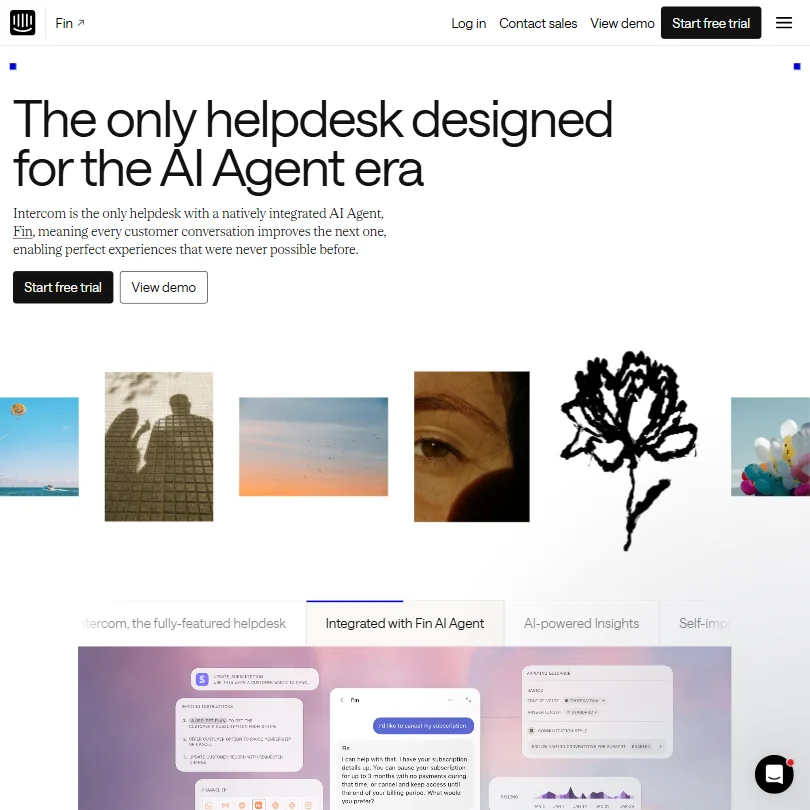
Help Scout has a free plan for up to 100 contacts a month; Intercom has none, starting at $39 a month per seat against Help Scout's $30 for Standard. Help Scout's AI answers in 50 languages against Intercom's 45, and states plainly it does not absorb account data into the model, where Intercom only offers an opt out. Intercom counters with ISO 27001 certification and three data regions; Help Scout holds neither an ISO certificate nor a region outside the US.
Pick Intercom if you want ISO 27001 certification and more data regions.
Pick Help Scout if you want to start free and keep AI off your data.
Gorgias
Help Scout has a free plan for up to 100 contacts a month; Gorgias has none, starting instead at $10 a month for 50 tickets. Gorgias's AI answers in 80 languages against Help Scout's 50, and reaches more channels, including voice and SMS, which Help Scout does not offer. Help Scout counters on privacy: its AI does not absorb account data into the model, while Gorgias's own AI learns across every brand's data with no opt out. Both are SOC 2 audited and HIPAA compliant.
Pick Gorgias if you want more AI languages and voice support.
Pick Help Scout if you want to start free and keep AI off your data.
Frequently Asked Questions
Does Help Scout have a free plan?
Yes, and it's a real one. Up to five users, one inbox, one Docs site, and 100 contacts per month. No trial countdown. Paid plans also come with a free trial period before billing starts. That free tier is enough for a very small team to genuinely evaluate the product, not just click around a demo environment.
How does Help Scout's AI work?
The AI runs in two places. AI Answers is the autonomous agent living inside Beacon, handling customer requests without human involvement, configured using your website or custom content sources. The inbox assistant is the other piece, helping agents draft replies, edit tone, and translate messages. Help Scout claims AI Answers resolves 73% of interactions on average. The underlying model powering it isn't publicly disclosed, which is worth keeping in mind if data handling is a concern for your team.
Is Help Scout good for help scout customer support software comparisons against larger platforms?
Against Zendesk and Intercom, Help Scout trades features for simplicity and usually wins on setup speed and ease of management. It's a credible alternative for teams that don't need the complexity those platforms carry. Against Freshdesk at the lower end, Help Scout's interface and AI integration tend to come out ahead in reviews, though Freshdesk offers a more generous free tier. The comparison that matters most is team size and whether you need deep reporting or multi-channel orchestration at scale. Help Scout is honest about not trying to win those categories. We appreciate that.