Every score is worked out from the vendor's own pages · How we score →Disclosure
SAASINSPECTOR
Design.com logo

Design.com Review

As an AI logo maker, Design.com generates a full logo from a business name and prompt, and its free plan lets you keep editing under GDPR-compliant terms. Full commercial ownership is available as a paid upgrade over the included license, and there is no separate brand kit of saved colors and fonts.

Visit Design.com →From $25/mo (Starter)

Research-based review. Features and prices are checked on the vendor's own website, and the score is worked out from those facts. We haven't tested it hands-on yet.

The verdict

Design.com works well for quick, free logo drafts you can keep editing, but full commercial ownership costs extra, unlike Looka's outright rights on any package you buy.

Pros

  • The free plan includes a genuine free tier: the finished logo downloads in PNG, JPG, SVG, EPS and PDF at no cost.
  • Editing the free logo is unlimited, with no cap on revisions.
  • AI generation works from a written prompt, and a separate AI Background Remover is included for editing images.
  • Commercial use of the logo is permitted, on both the free tier and every paid plan.
  • Design.com's privacy policy states GDPR compliance directly.
  • Templates cover business cards, social posts, letterheads, email signatures, websites and merchandise, numbering in the thousands.
  • An Exclusive License can be bought as a genuine one-time $145 payment instead of committing to a subscription.

Cons

  • Design.com has no stored brand kit feature; colours and fonts are not stored and carried between designs.
  • Full ownership of the logo requires the separate Exclusive License add-on; the license included in every base package is non-exclusive, meaning other customers can also purchase and use the same logo.
  • Design.com has no real-time collaboration and no comment or approval workflow.
  • No API is available.
  • Design.com doesn't offer a trademark search or registration service.
  • Design.com names no SOC 2 or similar security certification.
From $25/mo (Starter)Free plan Yes
7.8/10

Spec Score

Design.com against 4 AI logo makers
#2
of 4 AI logo makers
+0.7
vs the average
88%
from published facts
Ahead of other AI logo makers
Files and rights+2.0Privacy and trust+1.5Pricing+0.8
Behind other AI logo makers
Nothing clearly below the average
Every criterion
Tap a row for the facts
What you get8.0
-0.2 vs 8.2 avg25.6 of 32 points
Brand assets built from the logo6 brand assets2 / 2
You own the logo outrightyes2 / 2
Unlimited changes after buyingyes2 / 2
Brand kitno0 / 2
AI image editingyes1 / 1
Template libraryyes1 / 1
Why these numbers

Brand assets built from the logo: Counted from brand_kit_assets. 'Merch' from the homepage's T-Shirts design category. No favicon or brand_guidelines deliverable found (unlike sibling product Brandmark.io).

You own the logo outright: Only the Exclusive License upgrade (paid add-on, from $15/month or $145 one-time) grants full ownership; the Standard License included in every base package is explicitly non-exclusive ('other customers can also purchase and use the same logo').

Unlimited changes after buying: Also stated for the free tier: 'Edit your free logo till your heart's content.'

Brand kit: Checked the homepage, purchasing and downloads FAQs for a stored brand-kit feature (colors/fonts/logo library that other designs pull from); found only generic copy about 'infusing your brand colors, fonts, and layout' into individual designs, and no 'brand guidelines'/'brand kit' deliverable like Design.com's own sibling product Brandmark.io offers.

AI image editing: Listed as one of the site's AI tools in the main navigation.

Template library: Also '562,000+ templates' cited on the same page.

Files and rights10.0
+2.0 vs 8.0 avg18 of 18 points
File formats it delivers6 export formats3 / 3
Generates a whole design from a promptyes3 / 3
Commercial use allowedyes4 / 4
Why these numbers

File formats it delivers: Counted from export_formats. Static files from the same page: 'Vector files (EPS, SVG, PDF)... Raster files (PNG, JPG)'. EPS is not in the checklist's format enum so it is omitted here.

Generates a whole design from a prompt: Generates a full logo design from a business name/keyword prompt.

Commercial use allowed: Also confirmed for the free tier on the Free Logos page: 'Use your new free logo from Design.com for any commercial and non-commercial purpose'.

Pricing6.4
+0.8 vs 5.6 avg12.8 of 20 points
Cheapest logo package, one-time$1452.4 / 6
Free planyes4 / 4
Why these numbers

Cheapest logo package, one-time: Cheapest one-time package. Prices are prefixed 'Typically' on the vendor's page (may vary/promo). The FAQ literally shows the same $34/month figure for both Value and Premium, which looks like a vendor copy error but is quoted as written.

Free plan: Dedicated Free Logos landing page; no account expiry mentioned.

Support and reach8.0
+0.0 vs 8.0 avg9.6 of 12 points
Ways to reach support2 support channels4 / 6
Languages the app runs in5 interface languages4 / 4
Why these numbers

Ways to reach support: Counted from support_channels. The Contact page is a category-browsing help center (Purchasing, Subscription, Licenses, Downloads, etc.) plus an email address; no live chat widget, phone number or community forum found.

Languages the app runs in: Counted from interface_languages. Site language menu; regional variants for French (Canada) and Portuguese (Brazil).

Privacy and trust6.8
+1.5 vs 5.3 avg12.2 of 18 points
Does not train AI on what you uploadnot published, half points3.3 / 6.5
GDPRyes3.5 / 3.5
yesnonot published average for AI logo makers
How the Spec Score works

Scored from what Design.com publishes on its own site. Not a hands-on test.

Compared with 5 AI logo makers. Facts checked 8 Oct 2026.

A fact the vendor does not publish gets half the points, or the typical value for a number, and says so. It never counts as a no. How we score.

Design.com is an AI logo and brand maker: a written prompt generates a logo you can download free, or you can subscribe to unlock a wider set of design tools and a matching set of templates. Whether it suits you depends on whether the free logo download is enough, or whether you also need full legal ownership of the mark, which is a separate purchase either way.
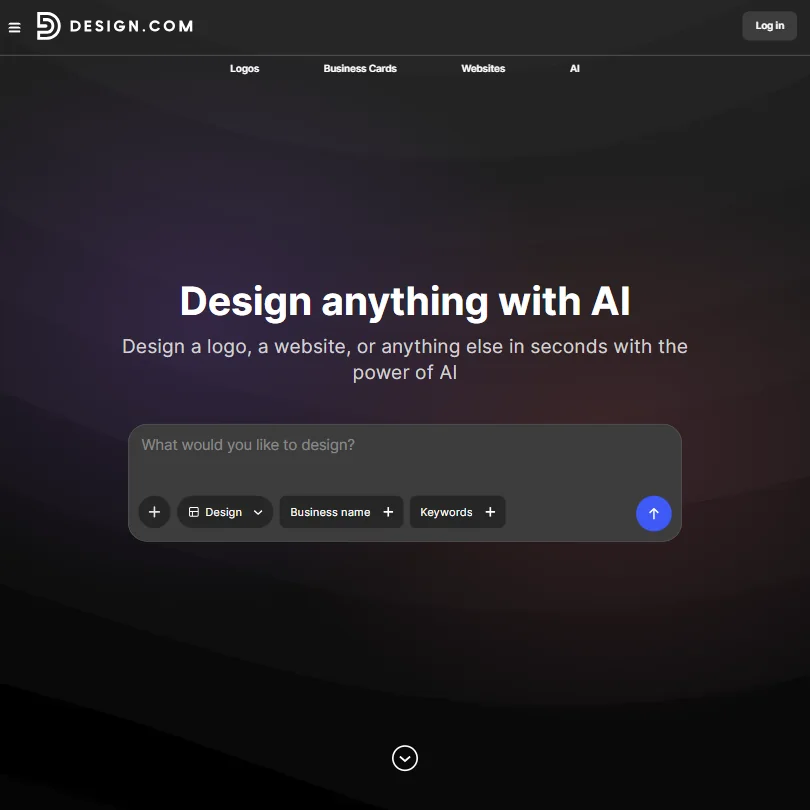
Design.com homepage screenshot
Design.com, Homepage

What is Design.com?

Design.com is made by DesignCrowd Pty Ltd, headquartered in Surry Hills, Australia. It runs in the browser; there's no dedicated app.

What Design.com gives you

A written prompt describing your business generates logo options, which you then adjust for font, color and layout. The finished logo downloads in PNG, JPG, SVG, EPS and PDF formats, and on the free tier that download costs nothing at all. Editing the logo, on the free tier or a paid one, is unlimited: you can return and make changes as many times as you like while your account or subscription stays active.

What that free or subscribed logo doesn't automatically include is full legal ownership. The license bundled with every package, including the paid tiers, is non-exclusive, meaning other customers can purchase and use the same logo design. Full, exclusive ownership requires a separate Exclusive License add-on.

Working with other people

Design.com has no real-time collaboration and no comment or approval workflow, and there's no API or third-party integrations. It doesn't maintain a stored brand kit that carries your colors and fonts automatically between separate designs; instead, thousands of templates cover business cards, social posts, letterheads, email signatures, websites and merchandise, which you apply to each design yourself. The tool runs in the browser only.

Design.com pricing: what each plan gives

There's a genuine free plan: the free logo editor and download, in PNG, JPG, SVG, EPS and PDF, cost nothing, though the wider set of design tools needs a paid plan for high-quality downloads. Starter costs $25 a month. Value costs $34 a month and adds a website. Premium is also listed at $34 a month and adds further tools on top of Value. No annual per-month figure is published for any of the three; the pricing page only says an annual plan brings a better rate, without stating a number.

There's no free trial, since the free plan already exists with no time limit. Full ownership of the logo is a separate Exclusive License: $15 a month, $60 a year (about $5 a month), or a one-time payment of $145.

Privacy and support

Design.com's privacy policy names GDPR directly as a standard it adheres to. It names no SOC 2 or similar certification, only SSL encryption. There's no single sign-on option. Commercial use is permitted on the free plan and every paid plan. Support is by email and a help center.

Who Design.com suits

Design.com suits someone who wants a real, no-cost logo download without a subscription, since the free tier includes vector and print-ready formats rather than a watered-down trial. It also suits someone who wants a written prompt to start from rather than a style questionnaire, and who's fine paying separately, later, for full ownership if they need it.

It suits less well anyone who wants a stored brand kit that carries colors and fonts automatically across every design, since that feature doesn't exist here, only templates you apply yourself. Anyone needing real-time collaboration, an API, or help with trademark registration should look elsewhere too, and anyone assuming a subscription includes full legal ownership of the logo should check first, since the base license bundled with every plan is non-exclusive.

Screenshots
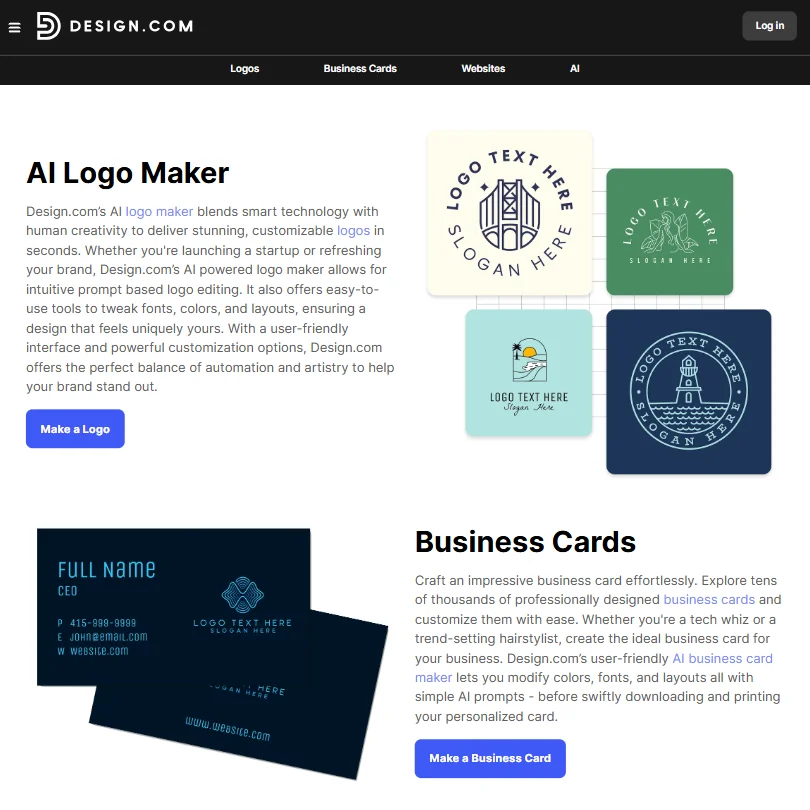
Design.com features screenshot
Design.com, Features

How Design.com compares

Design.com scores 7.8 out of 10 among the AI logo makers we rate. These three do the same job and are the closest to it, compared on what each vendor publishes.

7.8Design.com
vs
6.8Looka

Looka

Looka steps you through a guided picker for name, style, colors and symbol, while Design.com generates a full logo from a typed prompt and adds its own AI photo editing, which Looka does not offer. Looka's cheapest package is a one-time $35, while Design.com sells its logo as a subscription from $25 a month, with sole ownership a $145 one-time license on top; Looka's package includes a brand kit that Design.com's leaves out. Design.com delivers 6 export formats against Looka's 3. Both let you keep making changes once you've bought.

Pick Looka if you want a lower one-time price with a brand kit included.
Pick Design.com if you want more export formats and built-in AI photo editing.

Design.com vs Looka →
7.8Design.com
vs
8.2Turbologo

Turbologo

Turbologo builds your logo through a name, industry and style questionnaire and transfers full commercial and copyright rights once you buy, while Design.com generates a full design from a typed prompt and adds its own AI photo editing, which Turbologo does not offer. Turbologo runs its interface in 9 languages and its package includes a brand kit, which Design.com's does not. Design.com delivers 6 export formats against Turbologo's 3, and it offers a free plan that Turbologo does not.

Pick Turbologo if you want a bundled brand kit and an interface in several languages.
Pick Design.com if you want a free plan to start and built-in AI photo editing.

Design.com vs Turbologo →
7.8Design.com
vs
6.7Brandmark Logo Maker

Brandmark Logo Maker

Brandmark's cheapest package is a one-time $35, while Design.com is a subscription from $25 a month, though Brandmark only delivers 3 export formats against Design.com's 6 and skips the AI image editing that Design.com includes. Brandmark bundles a brand kit into its higher package; Design.com's package does not come with one. Both generate a full logo from a written prompt and both allow unlimited changes after you buy. Brandmark does not state GDPR compliance; Design.com does.

Pick Brandmark Logo Maker if you want the lower one-time price and a bundled brand kit.
Pick Design.com if you want more export formats, AI photo editing and a free plan to start.

Design.com vs Brandmark Logo Maker →

Frequently Asked Questions

Does Design.com have a free plan?

Yes. The logo editor and the finished logo download, in PNG, JPG, SVG, EPS and PDF, are free, with no time limit and unlimited edits. A paid plan is needed for high-quality downloads from Design.com's other design tools.

What does Design.com cost?

Starter costs $25 a month. Value costs $34 a month and adds a website. Premium is also listed at $34 a month. Full ownership of the logo is a separate Exclusive License, priced at $15 a month, $60 a year, or a one-time $145 payment.

Do you own the logo outright once you subscribe?

Not automatically. The license included with the free plan and every subscription tier is non-exclusive, meaning other customers can also purchase and use the same logo. Full, exclusive ownership requires buying the separate Exclusive License.

Can Design.com produce files ready for print?

Yes. Vector formats, SVG, EPS and PDF, are included alongside PNG and JPG, on the free tier as well as paid plans.

Design.com is featured in

Alternatives to Design.com

Other AI Design Tool options we've reviewed.

Figma logo

Figma

Product teams wanting one shared workspace for design systems, prototypes and developer handoff

8.1
Rank #2 of 8 AI UI design tools
Best:Teams and platforms10
Weakest:What you can make7
Free plan: yesFree trial: noAPI: yes
Price not publishedFree plan
96% from published facts · checked 19 Sep
→
Canva logo

Canva

Small teams making branded social posts, print and video without hiring a designer

7.8
Rank #3 of 8 AI graphic design tools
Best:Teams and platforms10
Weakest:What you can make7
Free plan: yesFree trial: yesAPI: yes
From $18Free plan
90% from published facts · checked 19 Sep
→
Visme logo

Visme

Brand teams producing polished decks and reports that export to almost any format

6.9
Rank #3 of 5 AI presentation makers
Best:Workflow and output7.2
Weakest:Teams and platforms5.5
Free plan: yesFree trial: noAPI: no
From $29Free plan
85% from published facts · checked 26 Sep
→
Adobe Firefly logo

Adobe Firefly

Creative Cloud users who want generation inside the apps they already use, from a vendor that does not train on their content

8.1
Rank #1 of 7 AI image generators
Best:Rights and privacy9.2
Weakest:Openness and support3
Weights published under a named licence: noDoes not train on what you make: yes
From $9.99Free plan
78% from published facts · checked 8 Oct
→
Krea logo

Krea

Designers who want one of the broadest model menus, plus a node canvas, an AI agent and an API

9.4
Rank #1 of 13 multi-model AI platforms
Best:For video10
Weakest:Privacy and trust7.2
SOC 2: yesOffers Veo 3.1: yesOffers Nano Banana Pro: yes
From $9Free plan
93% from published facts · checked 28 Oct
→
Wix logo

Wix

Small business owners building a site and store themselves, with a phone line for help

8.0
Rank #1 of 7 AI website builders
Best:Teams and platforms9.5
Weakest:Pricing7
Free plan: yesFree trial: noAPI: yes
From $17Free plan
85% from published facts · checked 19 Sep
→

User reviews

Review Design.com

Your rating

Reviews are moderated and appear once approved.