
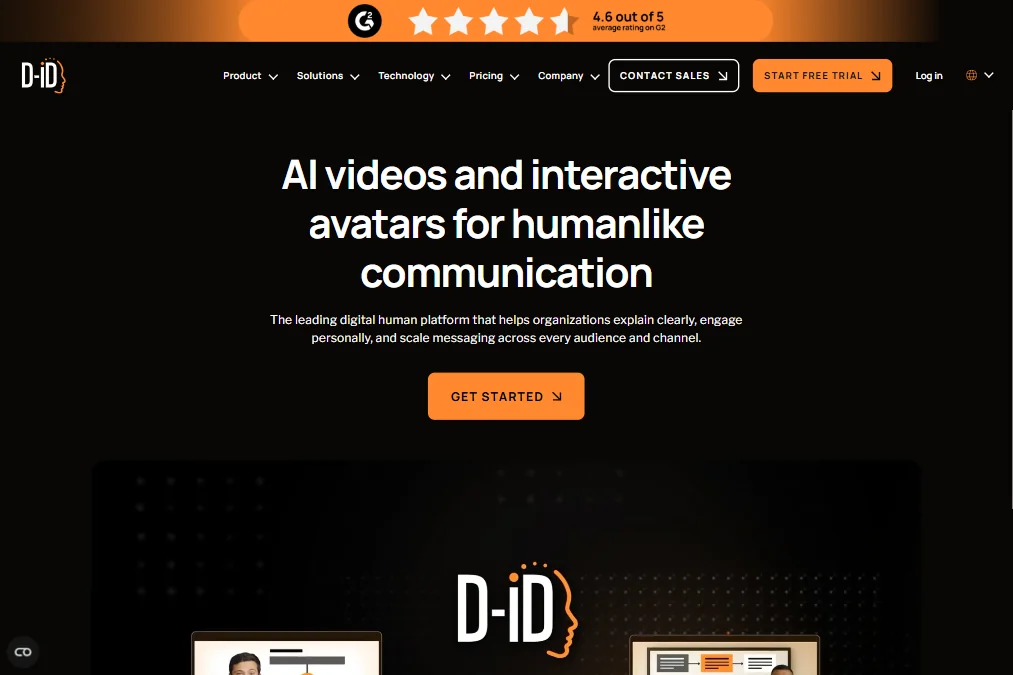
D-ID is a tool with genuine technical depth sitting behind a pricing and communication structure that doesn't always do it favors. Founded in 2017 in Tel Aviv, D-ID has been around longer than most of its competitors. That head start shows in some places. In others, the product still feels like it's figuring out what it wants to be.
What is D-ID?
D-ID started as a face de-identification company. Privacy tech, not video. Somewhere along the way, they flipped the problem: instead of hiding faces, they started animating them. That pivot landed them squarely in the AI avatar video space, and they've built from there into what is now a fairly broad platform.
The core product is talking head video generation. Feed it a script, pick an avatar, and it produces a video with synced lip movement and expressive facial animation. That's the loop most users are in. Beyond that, they've pushed into something more interesting: Visual AI Agents, which are real-time interactive avatars capable of holding conversations, not just playing back a video, but responding. That's not a standard feature for this category.
They claim support for over 120 languages. The simpleshow acquisition adds an explainer video angle to what was already a busy product. Whether that acquisition adds clarity or just more surface area is a fair question.
D-ID Features: Video Generation, Editing & AI Capabilities
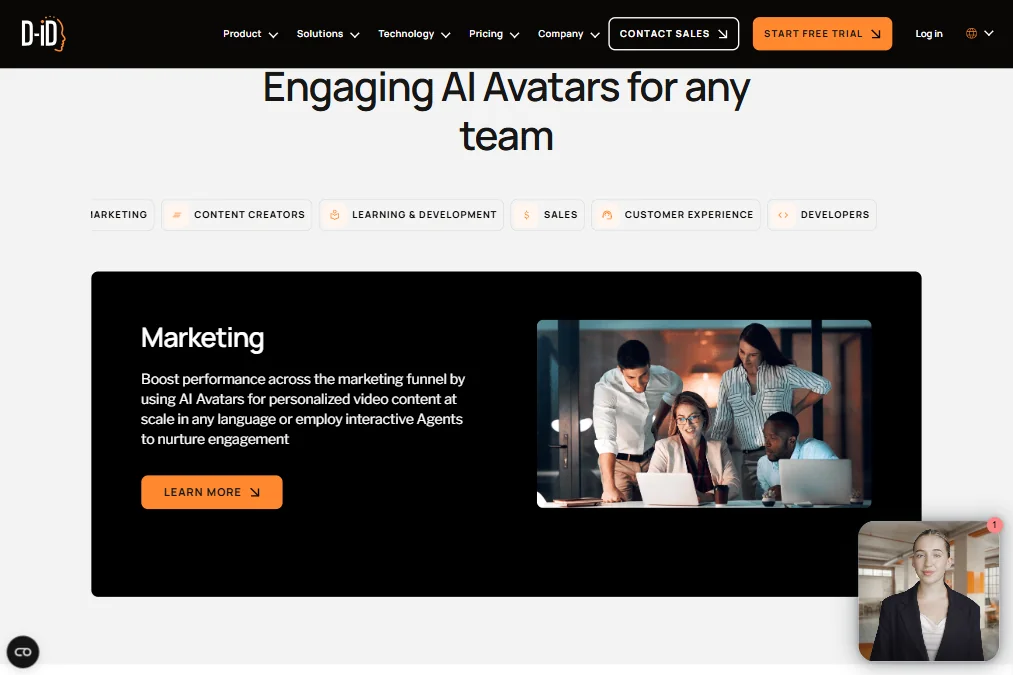
The feature set is wider than most people expect when they first hit the homepage.
Text-to-video is the starting point. Paste a script or upload a document, and the tool builds a video around it. The Video Studio layer adds brand customization: backgrounds, layouts, and media you bring in yourself. It's not a full nonlinear editor, but it's more than a template picker.
Avatars are where D-ID has real range. There are over 100 stock AI avatars. On top of that, you can bring a photo and animate it, or use an existing video as the avatar base. On higher plans, you can build a personal avatar that looks and sounds like you. Studio avatars, the higher-fidelity versions, sit behind Pro and above. Honestly, the depth here is one of the stronger parts of the product.
Voice cloning exists but is rationed by plan. One clone on Pro, three on Advanced. The text-to-speech layer covers 120-plus languages and includes premium voice options. From Pro onward, you can import a third-party voice. That's a useful escape valve when the built-in options don't match what you need.
The Visual AI Agents feature deserves its own sentence. It's a real-time interactive avatar you can deploy as a front-facing agent. Think customer support, onboarding flows, or any situation where a static video doesn't cut it. Few tools in this category offer anything comparable.
Batch processing exists, but only at Enterprise level. API access runs on all plans including the trial. That's a meaningful call for developers evaluating this as a platform, not just a web tool. The integration story beyond REST API is thin, at least from what we could confirm. No documented Zapier connection. No Adobe plugin. That's a real gap.
Team collaboration is Enterprise-only. That's a pattern we see in this category, but it still stings at the Pro level.
D-ID Video Quality: How Good Does the Output Actually Look?
The V4 Expressive Visual Agents model produces results that read as polished in most use cases.
Photo-animated avatars and lower-fidelity stock options produce results that look more mechanical than the studio avatars. The gap between the demo material on the homepage and what a Lite plan user actually gets is wider than you'd expect. That's not unusual for this category, but it's worth calling out.
Export resolution isn't publicly documented, which is frustrating. That's the kind of thing that should be on the pricing page.
D-ID AI Avatars & Voiceover: How Realistic Are They?
Realistic is a sliding scale in this category. D-ID's avatars sit in the upper half of that scale for the stock options, and further up for the studio and personal avatar tiers.
The expressiveness angle matters here. Most talking head tools produce avatars that are technically synced but emotionally flat. D-ID's V4 model makes a deliberate push toward natural movement, blinking patterns, and micro-expressions. Not every avatar hits that mark. But the ones that do look noticeably better than the category average.
Voice quality follows a similar pattern. The built-in TTS voices in 120-plus languages are fine. Premium voices are better. Voice cloning, when you get access to it, is where things get more useful for anyone building brand-specific content.
Watermarks don't fully disappear until the Advanced plan at $196 per month. Pro at $29 per month still carries an AI watermark. That's an unusual choice.
Is D-ID Easy to Use?
Mixed picture here. The web interface is clean enough that new users can produce a basic video without much friction. The learning curve steepens quickly once you try to customize layouts, build personal avatars, or use the API for anything non-trivial.
The Visual AI Agents feature, which is genuinely the most differentiated part of the product, doesn't have the kind of deep documentation it deserves. If you're trying to build an interactive agent for a real deployment, you'll be piecing things together.
The Studio, the agents, the avatar builder, and the voice settings all live in different corners. Not terrible, but not tight either.
We don't know if there's live chat support. Email support is confirmed. The help center is there. Community isn't publicly documented. For a platform targeting enterprise deployments and API-first users, the support infrastructure feels underbuilt.
D-ID Pricing: Is It Worth It for Creators & Teams?
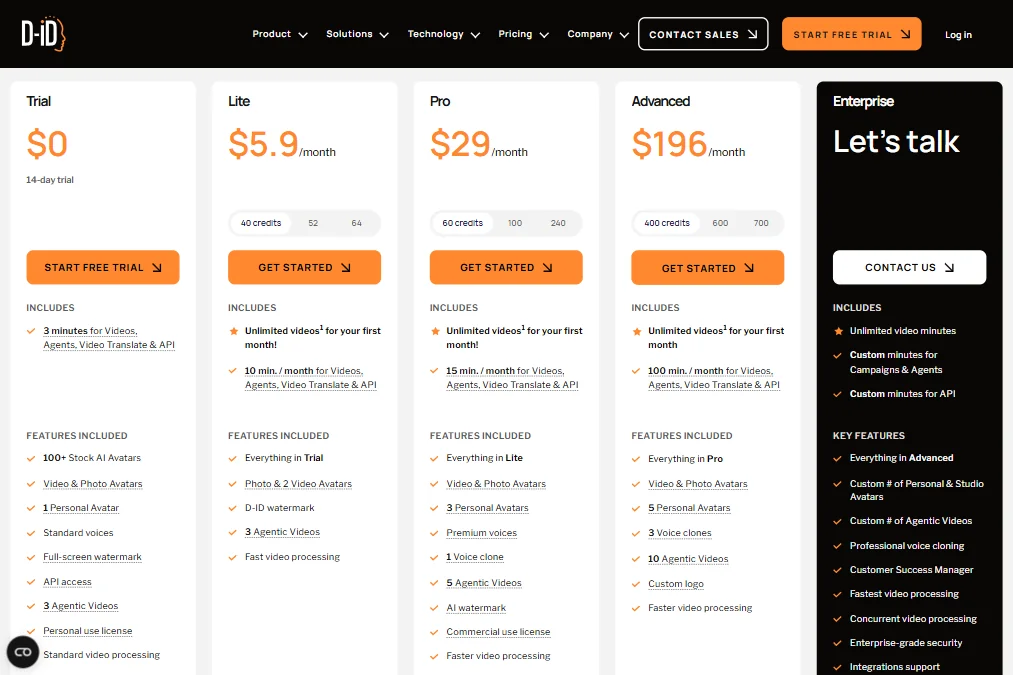
The pricing structure has a few moves worth understanding.
There's a 14-day free trial with 3 minutes of video included. No free plan after that. The entry point is $4.70 per month on Lite, billed annually. That plan has a watermark. Commercial rights don't kick in until Pro. Personal avatar access and voice cloning require Pro too.
The plans shown currently run at $5.90 per month for Lite, $29 for Pro, and $196 for Advanced on a monthly basis. Credit allocations scale accordingly, from 40 credits on Lite up to 400 on Advanced, with higher tiers available at each level. Enterprise is custom pricing, and that's where batch processing and team collaboration become available.
The refund policy isn't publicly stated. That's a problem. Paying at the Advanced level on an annual subscription, on a tool with no stated refund policy, is a real commitment.
The Lite entry price is low enough to feel accessible. But if you need commercial rights, a personal avatar, and no visible watermark, you're looking at the Advanced tier minimum, and the distance between the Lite headline price and that reality is where the pricing starts to feel misrepresented.
D-ID vs HeyGen: Which AI Video Tool Is Better?
These two get compared constantly, and for good reason. They overlap heavily on the surface: AI avatars, multilingual support, talking head video, voice options. Dig a little deeper and the differences matter.
HeyGen is more polished on the marketing and creator side. Its interface is tighter. Its avatar library is broader at comparable price points. For someone who wants to produce videos and move on, HeyGen often wins on workflow friction.
D-ID's edge is the Visual AI Agents feature. No equivalent exists in HeyGen at the time of writing. Building something interactive, an agent that talks back rather than just plays back, puts D-ID in a category of one within this comparison. The API-first posture also favors D-ID for developer-facing deployments.
On pricing, they're more comparable than they look. HeyGen's watermark and commercial rights structure has its own quirks. Neither tool makes the pricing story feel clean.
For pure L&D or enterprise training video use cases, Synthesia is worth putting in the comparison too. Better documentation, more template structure, and a support tier that's actually documented.
Who Should Use D-ID? (And Who Shouldn't)
Developers building interactive products. That's the clearest fit. API access on all plans and the Visual AI Agents capability point at a product-embedded use case that most competitors don't serve.
Marketing teams running multilingual campaigns at scale also have a reasonable case. 120-plus languages and batch processing at Enterprise level is a real offer. The catch is that batch processing doesn't arrive until you're on custom enterprise pricing. Budget accordingly.
Solo creators trying D-ID for YouTube or social content. The value proposition gets shakier.
Anyone who needs team collaboration or real-time production is looking at the wrong tool. Collaboration is Enterprise-only. Export resolution is documented in parts of D-ID's materials, but plan-by-plan limits should still be checked before committing.
D-ID Review Verdict
D-ID is a legitimate platform with a feature set that earns attention. The Visual AI Agents capability is genuinely differentiated, and the avatar quality at the upper tiers holds up. 1 million-plus users isn't a number you reach by being bad at what you do.
The frustrations are real too. The watermark situation across the lower plan tiers is odd for a tool charging real money. The refund policy gap is a trust problem that the company should fix. The support documentation doesn't match the complexity of the product they're building.
The simpleshow acquisition adds a new wrinkle, and it's not clear yet whether it tightens the product story or spreads it thinner. We'll watch that play out.
At $29 per month for Pro, D-ID is reasonably priced if you actually need what Pro delivers. At $196 for Advanced, you're betting on the quality ceiling holding. For most users, the tool will do what it claims. Enterprise buyers should ask about documentation and the refund policy before signing anything annual.
Not a perfect tool. Not a bad one either.
Frequently Asked Questions
Does D-ID have a free plan?
No. There's a 14-day free trial with 3 minutes of video included, and that's it. After the trial, the lowest paid option is Lite, starting at $4.70 per month billed annually. The trial does give API access, which is useful for developers who want to test the platform before committing.
What's the difference between D-ID's Lite and Pro plans?
Commercial rights. Lite doesn't include them. Pro at $29 per month does, along with personal avatar access, voice cloning for one clone, and third-party voice imports. Lite also carries a D-ID watermark on output. Pro carries an AI watermark, which is reduced further only at the Advanced level. The gap between the two plans is wider than the price difference suggests.
Can D-ID create interactive AI agents, not just videos?
Yes, and that's genuinely one of the more unusual things about the platform. The Visual AI Agents feature lets you build real-time conversational avatars that respond rather than simply play back. It's positioned for customer-facing deployments and product integrations. The documentation for this feature is thin, but the capability exists and isn't something most direct competitors match.











