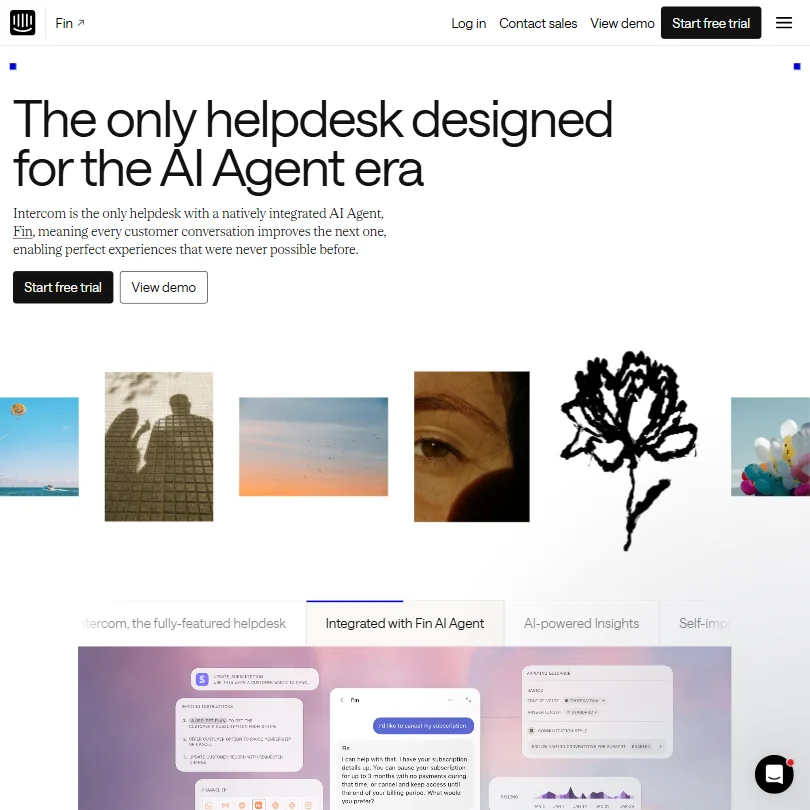
We started pulling on the Crisp thread after a handful of Reddit threads kept naming it as the cheaper alternative to Intercom. That's the positioning they're going for. Our research across user forums and vendor documentation suggests they're not entirely wrong, though the story gets more complicated once you move past the homepage.
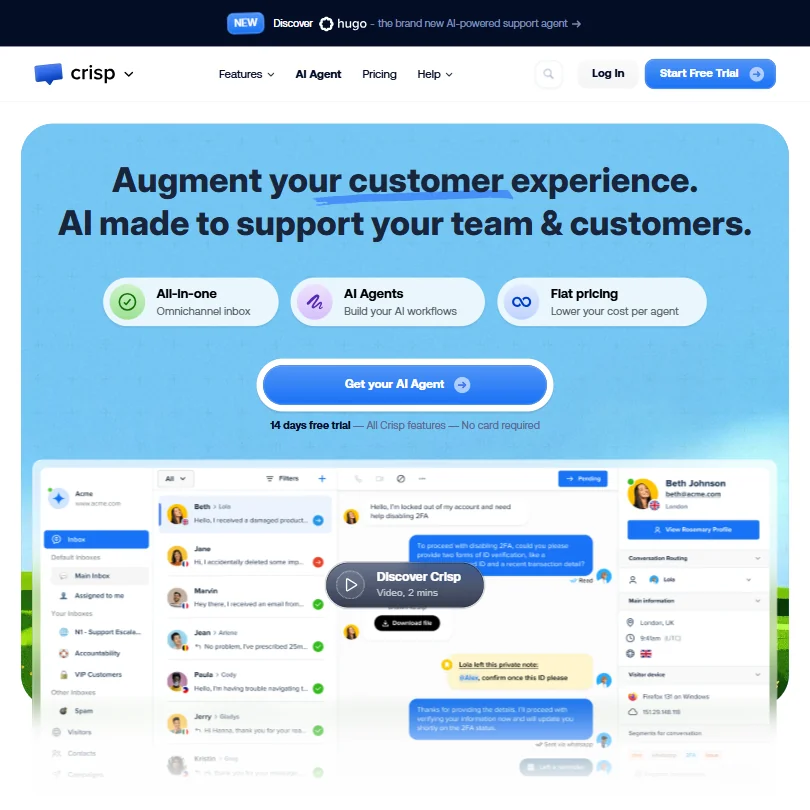
Founded in 2015 and based in Nantes, France, Crisp has been around long enough to have opinions written about it. Ten thousand companies, according to their own count. That number has been on the site for a while and doesn't come with much context, but it's not nothing.
What is Crisp?
Crisp bundles a shared inbox, chatbot builder, knowledge base, and its own AI agent called Hugo into one flat-fee workspace. One tool instead of a stack of five. One monthly bill instead of per-seat chaos. That's the model they're competing on, not raw AI horsepower.
It's aimed at SMBs and growing teams. Not enterprise, not solo operators. Enough features to replace several point solutions, not quite deep enough to satisfy a support team at scale.
Honestly, the positioning makes sense. The market between "tiny free chat widget" and "Intercom pricing" is real and underserved. Crisp is trying to sit in that gap.
Crisp Features: Chatbot, Helpdesk & Support Automation Breakdown
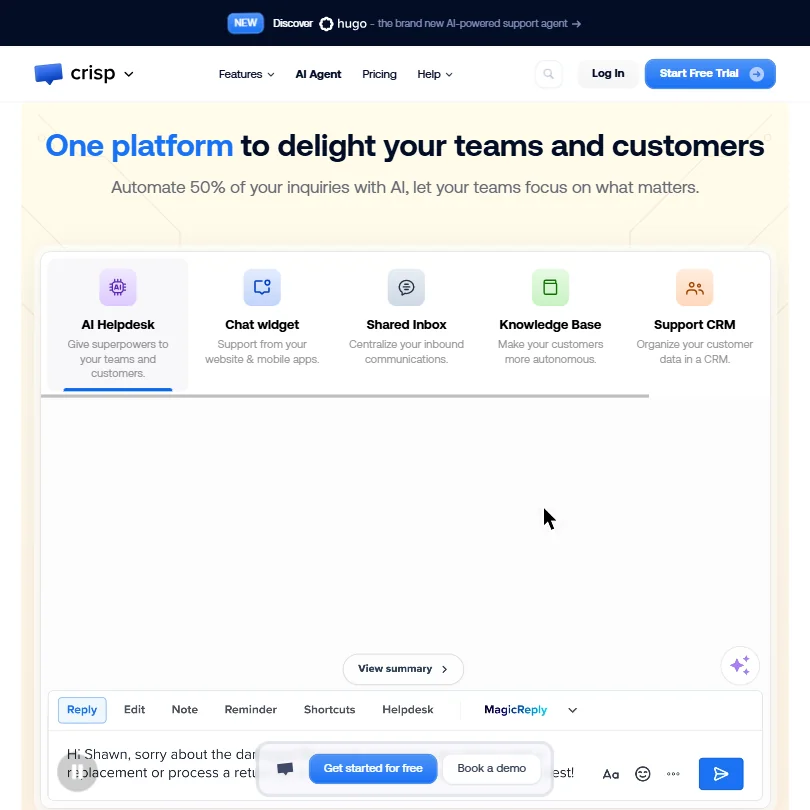
The feature set is wider than you'd expect at this price. The omnichannel inbox pulls conversations from WhatsApp, Facebook Messenger, email, and the website chat widget into one view. The chatbot builder sits alongside a workflow automation builder that's separate from Hugo. Two different things. That distinction trips people up early.
The knowledge base is built in, not bolted on. You write articles, publish them, and the AI can train on them. Hugo also ingests website content and PDFs.
Ticket management doesn't show up until Plus, which runs $295 a month per workspace. Mini at $45 and Essentials at $95 give you the inbox and chat tools but not a structured ticketing system. That matters if you're coming from a traditional helpdesk background. We don't buy the framing that an inbox alone replaces tickets for most teams.
White labelling lands at Plus too. The 100+ integrations figure also applies to Plus, not below it. The feature ladder is real and fairly steep between tiers.
One thing worth flagging on AI credits. Hugo runs on a usage-based credit system: Mini includes $5 a month in credits, Essentials gets $25, and Plus gets $75. When those credits run out, teams can flip on Pay-As-You-Go to keep Hugo running. Not a dealbreaker, but it means the AI costs aren't entirely flat, even if the base plan pricing is.
Crisp Bot Quality: How Well Does It Handle Real Customer Queries?
Hugo is proprietary, not a GPT wrapper with a logo on it. What that means in practice is less clear from public documentation. We couldn't find published deflection rate data from Crisp themselves. The "automate 50% of your inquiries" claim lives on the homepage without a citation.
We're skeptical of that number. Not because it's impossible, but because we see it on a lot of homepages.
What we kept seeing in forum discussions is that chatbot performance depends heavily on how well you've built your knowledge base. Teams who invested in solid documentation reported better outcomes. Teams who pointed Hugo at a thin FAQ page reported frustration. That's true of almost every AI support tool, but Crisp leans hard on the "easy setup" framing, so it bears repeating here.
Crisp Channel Coverage: Which Platforms Does It Support?
Channel coverage is one of the stronger parts of the product. Website chat, email, WhatsApp, and Facebook Messenger are confirmed. iOS and Android SDKs are available, as is a React Native SDK for mobile apps. The shared inbox pulls everything into one view.
That tracks with what SMBs actually need. Most small support teams aren't running twelve channels. They're running three or four.
Worth knowing on integrations. HubSpot is directly listed in Crisp's integration directory with two-way contact sync, deals, and CRM context. Salesforce is also listed. Crisp has an official Slack integration, available from Mini onward, that lets staff reply to customer messages directly from Slack while conversation history stays in Crisp. There's also a Zapier plugin with documented 2026 setup guides, connecting Crisp to 2,000+ apps according to Crisp's own integration page.
The earlier version of this review flagged those integrations as unconfirmed. Our cross-referencing of the vendor directory corrects that. They exist. Whether they behave well at your specific workflow is a separate question, and one to verify before committing.
Is Crisp Easy to Set Up and Manage?
The setup flow is documented in four steps: train the AI, build a workflow, test it, validate and measure. Clean on paper. In practice, the workflow builder and Hugo are separate tools that interact in ways that aren't immediately obvious. First-timers consistently report spending more time than expected getting AI workflows to behave correctly. That pattern showed up across multiple forum threads.
The free plan helps. Two seats, the website chat widget, mobile apps, and push notifications at no cost. No card required for the trial either. Genuine low-barrier entry, not a teaser.
The deeper you go into AI workflow configuration, the more technical it gets. That's the nature of this category, not specific to Crisp. But worth calibrating expectations before you start.
Crisp Pricing: Is It Worth It for Support Teams?
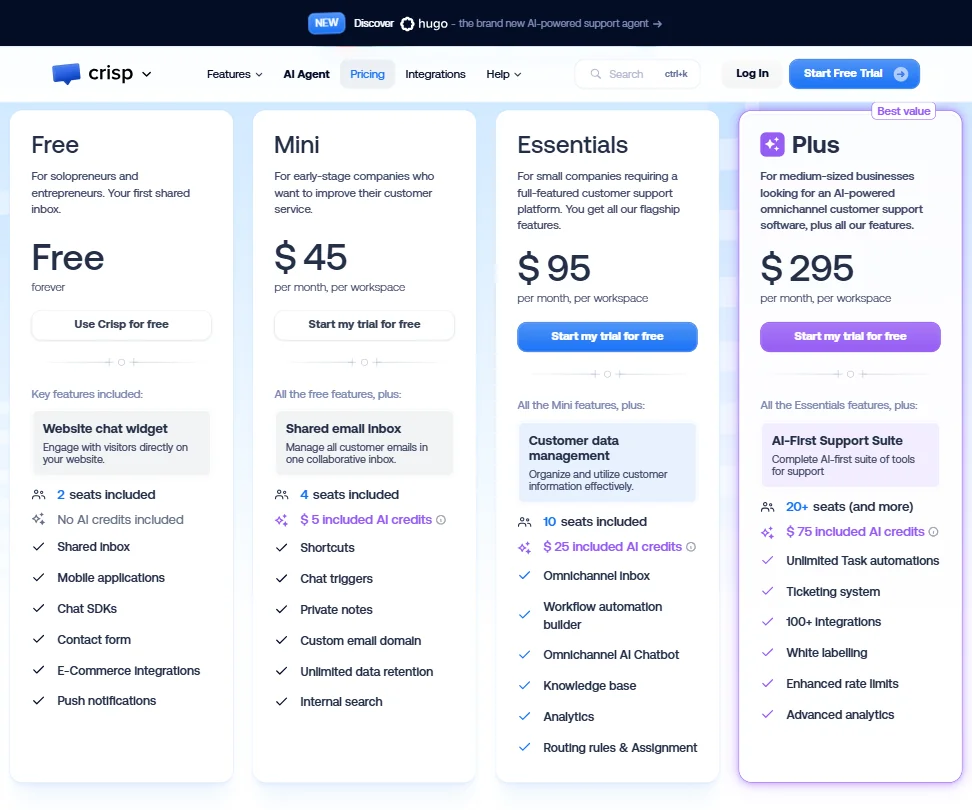
Four tiers publicly. Free forever with two seats. Mini at $45 a month per workspace, Essentials at $95, Plus at $295. Enterprise is custom, and that's where SLA management appears.
The flat workspace model is the thing they're proudest of. No per-conversation fees, no per-seat costs on the AI agent itself. That's a real differentiator against tools like Intercom, which can get expensive quickly once usage scales. Predictability has value, especially for teams trying to budget support costs a quarter out.
The catch is where the interesting features land. Ticketing, white labelling, and the full integration library all live at Plus. $295 a month. For an SMB, that's not small.
Compared to what we track across the AI customer service category, $45 a month for the entry tier sits above the rough category median of around $30. Not the cheapest option in the space. The free plan softens that somewhat. The refund policy isn't publicly stated, which is a minor but real annoyance.
Crisp vs Intercom: Which Customer Service AI Wins?
Intercom is the obvious comparison and Crisp knows it. The positioning is "Intercom's features, lower price." That's mostly accurate at the feature level. Where it falls apart is depth. Intercom's reporting and enterprise integrations are more mature. The gap in analytics capability shows up consistently in user comparisons.
Crisp wins on price predictability. Probably wins for teams under 50 people who don't need deep custom reporting or enterprise-grade audit trails. Intercom wins when you need multi-brand support or a richer ecosystem at scale.
For e-commerce teams specifically, Gorgias is worth a look before defaulting to either. Built for that use case in a way Crisp isn't.
We're not chasing a definitive winner call here. Fair. The right answer depends on team size and what you're willing to give up on either side.
Who Should Use Crisp? (And Who Shouldn't)
SMBs running support across two or three channels. That's the fit. Teams who want to consolidate their inbox, add a basic AI layer, and not pay Intercom prices will get real value here.
Early-stage companies. The free plan is genuinely useful, not just a teaser. Two seats and a working chat widget covers a lot of ground before you spend anything.
Who doesn't fit: teams that need structured ticketing from day one, because that's a Plus feature at $295, and teams with SLA requirements who'll hit the plan ceiling fast. Also, anyone expecting the 100+ integrations figure to apply below Plus is going to be surprised, and not in a good way.
Crisp Review Verdict
Crisp is a solid mid-tier option that doesn't quite punch at the level its marketing suggests. The omnichannel inbox is genuinely useful. Hugo as an AI support agent is credible, though the automation rate claims are unverified and we'd treat them cautiously. The flat pricing model is the strongest argument in its favor.
On the review side, G2 shows roughly 193 reviews at 4.5 out of 5. Capterra sits around 148 reviews at 4.6, last updated August 2026. Trustpilot tells a different story, 51 reviews and a 2.2 TrustScore. That divergence is notable. Trustpilot skews toward people who had a bad experience and wanted to tell someone, so a low score there isn't automatically damning. But 2.2 is a gap worth acknowledging, not explaining away.
The gaps are real. The integration library is thin below Plus. Ticketing is gated at $295 a month. No public refund policy. Not great.
There's a version of this product we'd recommend without reservation. They'd need to push more integrations down to lower tiers and publish actual deflection data for Hugo. Until then, it earns a cautious recommendation for the right team size, not a default pick for the category.
How Crisp compares
Crisp scores 7.1 out of 10 among the helpdesks we rate. These three do the same job and are the closest to it, compared on what each vendor publishes.
Tidio
Tidio's cheapest plan is $31.32 a month against Crisp's $45 a month, but Tidio sells its AI agent, Lyro, as a separate add-on rather than folding it into the plan price the way Crisp does. Crisp's AI also helps human agents directly, with a copilot and writing assistant; Tidio's equivalent tool is a separate product. Crisp hosts a customer help center from its Essentials plan; Tidio has none.
Pick Tidio if starting price and SLA policies out of the box matter.
Pick Crisp if you want AI credits and a help center included.
Intercom
Crisp offers a free plan forever; Intercom has none, only a 14 day trial. Intercom is cheaper to start, at $39 a month against Crisp's $45 a month, and is ISO 27001 certified where Crisp is not. Crisp keeps all data in the EU; Intercom lets you choose the US, EU or Australia. Both hand human agents a summary or copilot assist, and both host a customer facing help center.
Pick Intercom if you want more data region choices and ISO certification.
Pick Crisp if you want a free plan that never expires.
Zendesk
Zendesk undercuts Crisp on price at $25 a month against $45 a month, though Zendesk has no free plan while Crisp does. Zendesk answers in 80 languages against Crisp's 50, and offers five data regions including Japan and Australia; Crisp keeps everything in the EU only. Zendesk also gives customers a phone line for support, something Crisp does not offer, only chat and email.
Pick Zendesk if you want more languages, regions and phone support.
Pick Crisp if you want a forever free plan and EU only data.
Frequently Asked Questions
Does Crisp have a free plan?
Yes. The free plan includes two seats, a website chat widget, mobile apps, and push notifications, no credit card required. For a very small team just getting started, it covers the basics without asking for anything up front. No AI credits are included at the free tier, so Hugo isn't available until you move to a paid plan.
What is Hugo in Crisp?
Hugo is Crisp's proprietary AI support agent, separate from the workflow builder. It trains on your knowledge base, website content, and uploaded PDFs, then handles incoming queries automatically. Credits are allocated per plan: $5 worth on Mini, $25 on Essentials, $75 on Plus. Additional usage beyond those limits requires Pay-As-You-Go. Performance depends significantly on how much quality content you've given it to work with. Sparse documentation produces sparse results.
Is Crisp good for customer support automation?
A reasonable option for SMBs who want support automation without enterprise complexity or Intercom-level pricing. The chatbot builder and Hugo handle routine queries, and the shared inbox keeps channels in one place. Teams that need structured ticketing from day one, or deep CRM workflow integration below the Plus tier, should compare alternatives in the category before committing.