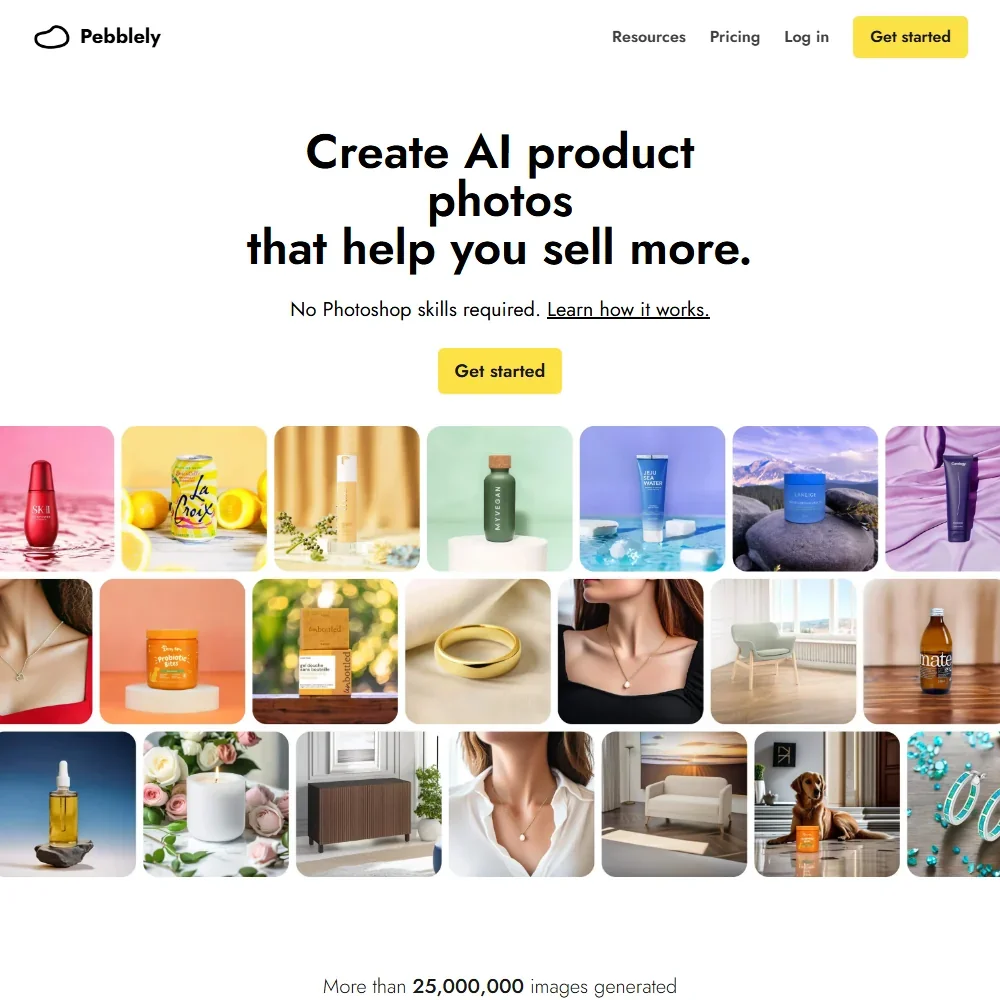
Pebblely is an AI product photography app: you upload a photo of your product and it places it in new scenes, from styled backgrounds to people holding it, sized for social and marketplace formats. What decides whether it suits you is how many images you need each month and whether you can work without background removal, an upscaler or shop integrations.
What is Pebblely?
Pebblely is made by Pebblely Pte Ltd and runs as a web app, with no mobile or desktop app. It was rebuilt from the ground up: the old background removal and cut-out step are gone, and the AI now places the uploaded product directly into a new scene, adding shadows and reflections to match.
Each product you upload is saved as a photo and reused every time you generate, which keeps the product the same across scenes. When you first sign up, the Home screen shows a set of sample products to start from.
Making product images with Pebblely
Scenes. You set a scene from a template, a custom prompt, a style reference image or a color. Pebblely has 100+ templates, with 40+ background themes inside the app, and preset colors (white, cream, sage, blue, tan and black) plus a custom color picker. A style reference image guides the AI toward your own look.
People and models. You can add people by prompt, for example a woman holding a serum bottle, and templates include jewelry worn on a model. Nothing keeps the same person across images, so each scene can show someone different.
Labels and text. Pebblely extracts the visible text from your product photo, including brand names, ingredients and dosage information, to keep labels and packaging copy correct in the new image. You can add extra text with hints for position and styling.
Edits and sizes. You edit a result by describing the change, such as warmer lighting or a darker background, and you can change the size while editing. Size presets cover social and marketplace formats, with the largest at 1920 pixels on the long side, such as a 1920 by 1080 landscape banner. Each size is generated fresh at those dimensions; there is no tool to extend an existing image.
High resolution. High-resolution mode uses a stronger model for sharper, more detailed results, at 2 credits an image. There is no separate upscaler for existing images.
Bulk generation. On Basic and Pro, you tick several products in your product list and generate images for all of them at once, up to 4 images per run, and group shots can show up to 5 products in one scene. Bulk runs work from the app's product list, not from a spreadsheet or product feed.
Pebblely makes still images only, with no video and no SVG export. There is no pose, sketch or depth control, no model trained on your own images, and no saved brand kit of colors, fonts or logos.
Working with other people
Plans differ only by monthly image count; there are no team seats or shared workspace. Pebblely has no shop or catalog integrations and no public API. Images are downloaded one at a time or in bulk, with size presets for Shopify and Instagram formats, and nothing is published or scheduled from the app. Support is by email at hello@pebblely.com, with an FAQ and a step-by-step guide.
Pebblely pricing: what each plan gives
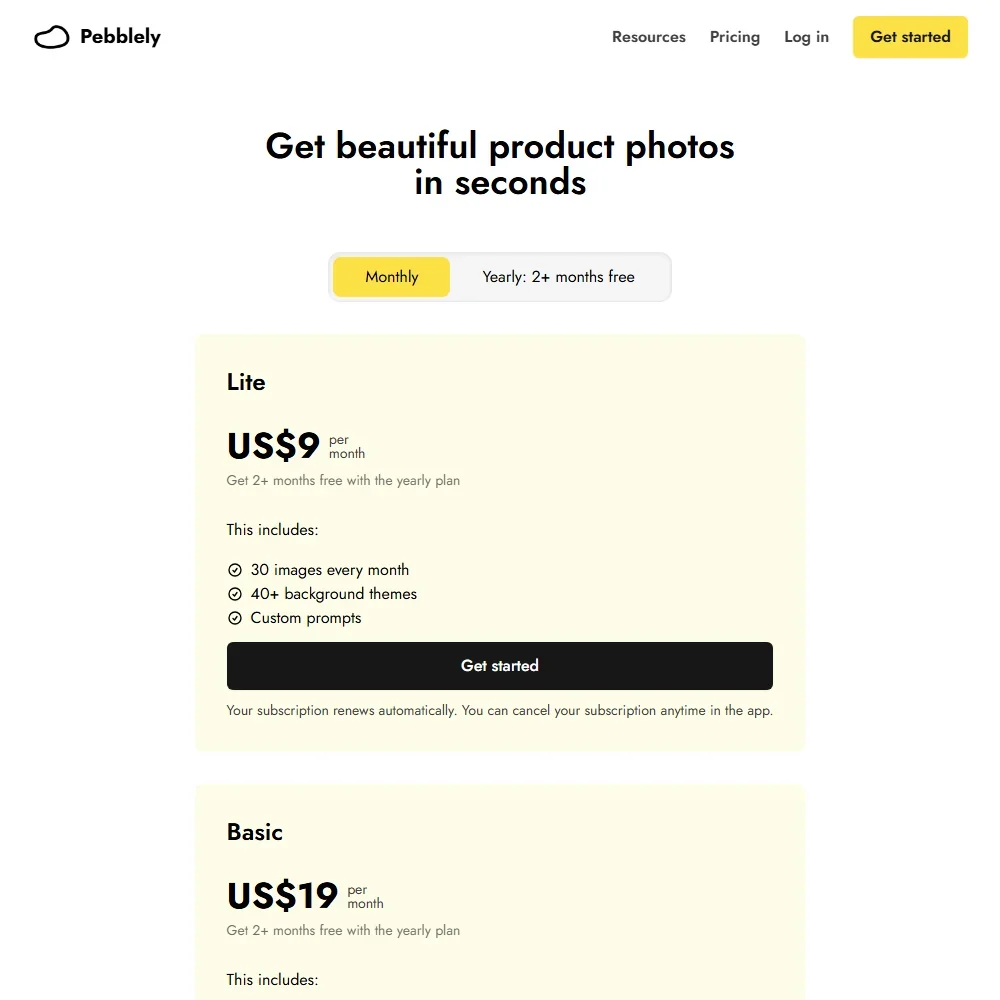
One credit makes one standard image, and high-resolution images cost 2 credits. Unused credits do not roll over to the next month.
- Lite: $9 a month, or $7.50 a month billed yearly, for 30 images a month (15 if every image is high resolution). No bulk generation.
- Basic: $19 a month, or $15 a month billed yearly ($179 a year), for 200 images a month, with bulk generation.
- Pro: $39 a month, or $32 a month billed yearly ($379 a year), for 500 images a month, with bulk generation.
There is no free trial. Pebblely does not offer refunds either, citing the high cost of generating AI images.
Privacy and image rights
Your uploaded images and the images you generate are not used for any AI training. You own the images you generate and can use them for your business on any plan.
Pebblely gives no guarantee that generated images do not infringe someone else's intellectual property, and the terms put that risk on you: "You assume all risks associated with using the images."
Who Pebblely suits
Pebblely suits small online sellers and makers who need a steady supply of lifestyle shots for listings and social posts without a photo shoot. The low entry price, product labels kept readable, people-holding-product scenes and a firm no-training promise make it easy to start, and Basic adds bulk generation for a whole range at once.
It suits less well brands that need cut-outs, large print-size files, a consistent model across a campaign or a saved brand kit. Teams will find no shared workspace or shop integration, and there is no free trial and no refund if the results disappoint.
Frequently Asked Questions
How much does Pebblely cost?
Lite costs $9 a month for 30 images, Basic $19 for 200 and Pro $39 for 500. Billed yearly, they cost $7.50, $15 and $32 a month.
Does Pebblely remove backgrounds?
No. Background removal was dropped when Pebblely was rebuilt. The AI places your uploaded product directly into a new scene instead.
Can Pebblely put my product in a person's hands?
Yes. You describe the scene, such as a woman holding your bottle, and templates include jewelry on a model. The same person is not kept across images.
Does Pebblely train AI on my product photos?
No. Uploaded images and generated images are not used for any AI training.