
UXPin is a code-backed UI design and prototyping tool built around Merge, which lets you design with real React components instead of static shapes, alongside Forge, an AI feature that turns a prompt or a screenshot into a UI using your own component library. Whether it suits you depends on whether your team already has, or wants, a real component library to design against, since UXPin's free plan and its AI model choice both narrow considerably below the Growth plan.

What is UXPin?
UXPin is headquartered in Gdansk, Poland. It runs on the web, and desktop apps exist for Mac and Windows; companion Mirror apps for iOS and Android preview prototypes on a device rather than editing them.
UXPin's Forge AI feature works with models from OpenAI and Anthropic. Named models include GPT 5-mini, GPT 5.1 and Claude Haiku 4.5.
Designing screens in UXPin
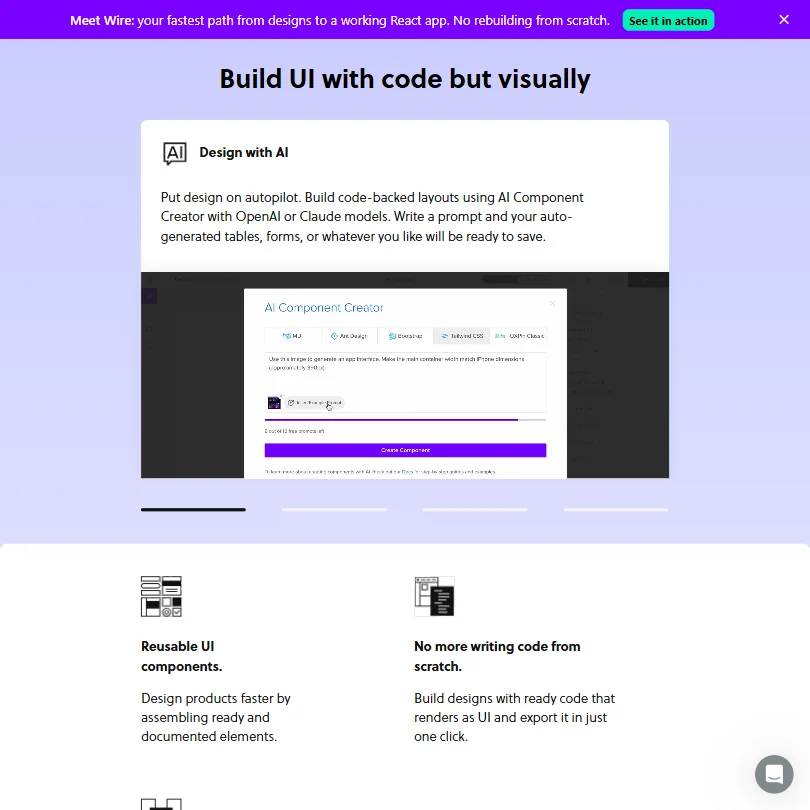
Forge turns a text prompt into a UI screen built from your own component library, and it can also take a screenshot, wireframe or sketch and recreate that UI with the same components.
Prototyping in UXPin includes interactions, states, conditional logic, expressions and variables, letting a prototype respond to input and branch rather than just click through static screens.
Design system features are available, with a dedicated design-system management tool on the Enterprise plan. UXPin exports production-ready React code, built on component libraries that include MUI, Bootstrap, Ant Design and Shadcn/ui, and dev handoff of specs, assets and code is available from Core upward, though not on the free plan. A Figma plugin is available on every plan, including free, and Sketch designs can be imported too.
Comments and stakeholder approval on prototypes give teams a way to give feedback directly on a design before it ships.
Working with other people
Real-time collaboration and public or team comments are available on every plan, including free. Storybook integration is available from Growth upward, and Git integration is limited to Enterprise.
Beyond Figma and Sketch, UXPin integrates with Slack from Core upward, and with Slack, FullStory and Jira from Growth upward. UXPin does not offer a public developer API; Forge instead lets you connect your own OpenAI or Anthropic API key so AI usage bills to your own account rather than UXPin's.
UXPin pricing: what each plan gives

UXPin's free plan includes 50 AI credits a month, limited to the GPT 5-mini model, a two-prototype limit, and no custom fonts, version history or dev handoff. Real-time collaboration, built-in design libraries, UI templates, the Figma plugin and Sketch import are all included on free.
Every plan starts with a 14-day free trial with access to all features, and no credit card is required; after the trial, you can choose a paid plan or continue on the limited free plan.
Core costs $49 a month per seat, or $29 a month per seat billed annually, and includes 200 AI credits a month across the GPT 5-mini, GPT 5.1 and Claude Haiku 4.5 models. Growth costs $69 a month per seat, or $40 a month per seat billed annually, and raises that to 500 AI credits a month with access to all of UXPin's models, plus Storybook integration, design systems, roles and permissions, SSO and 30 days of version history.
Extra AI credits can be bought on top of a plan, starting at 200 credits for $13 a month and rising to 2,000 credits for $115 a month.
Privacy and support
UXPin says it does not train or fine-tune its own models and does not use customer data to train any external AI system. Subscribers own the data they create in UXPin. UXPin's infrastructure, hosted by AWS, is SOC 2 certified, and UXPin states its approach to GDPR directly.
SSO is available on Growth and Enterprise, not on Free or Core. Support includes a knowledge base, email, chat and phone or Zoom support, with a dedicated Slack channel and account manager reserved for higher tiers.
Who UXPin suits
UXPin suits product design teams that already have, or want to build against, a real React component library, since Merge is built specifically to design with production components from Storybook or Git. It also suits teams that need prototypes with real logic, such as conditional branching and variables, rather than a simple click-through mockup.
It suits less well anyone looking for logo work, print output or social templates, since UXPin has none of those. Teams on a tight budget will find the free plan capped at two prototypes and a single AI model, and Storybook integration and SSO both require the Growth plan or above.
Screenshots
Frequently Asked Questions
Does UXPin have a free plan?
Yes. It includes 50 AI credits a month on the GPT 5-mini model, a two-prototype limit, and real-time collaboration, UI templates, the Figma plugin and Sketch import. Every plan, including paid ones, also starts with a 14-day free trial of every feature, with no credit card required.
What does UXPin cost?
Core costs $49 a month per seat, or $29 a month per seat billed annually. Growth costs $69 a month per seat, or $40 a month per seat billed annually. Enterprise is custom priced.
What is UXPin's Forge feature?
Forge is UXPin's AI feature: describe a UI in a prompt, or upload a screenshot, wireframe or sketch, and Forge recreates it using your own component library rather than generating a static image. It runs on OpenAI and Anthropic models, including GPT 5-mini, GPT 5.1 and Claude Haiku 4.5.
Does UXPin train AI on what I upload?
UXPin says it does not train or fine-tune its own models, and does not use customer data to train any external AI system.










