One brand, 20 posts a month, 30 days of analytics, 5 competitor profiles and 5 AI credits per brand each month make this the most analytical free plan here.
Best of · 12 tools ranked
Best Free AI Social Media Tools
Find the best free AI social media tools by what the free plan lets you run: channels or brands, scheduled posts, AI credits and analytics history. The list is grouped by kind, from schedulers and YouTube and Pinterest research to text-first writing, with the networks each plan reaches and the point where each one stops.
Updated 3 October 2026Ranked by our score, worked out from each vendor’s own pages.How we score →All AI Social Media →
Our top 3 Free AI Social Media Tools
The free plan gives limited access to basic SEO and video tools inside YouTube, with no card, so you can feel how title and tag scoring works before paying.
Writers who post on X, LinkedIn, Threads and Bluesky get a free plan with API and MCP access, which most schedulers keep for paid tiers.
Best free AI social media management tools
8 picksA free social media scheduler counts channels or brands, scheduled posts and AI credits, so a plan that suits one brand strains under three. Metricool covers one brand with analytics, Publer three accounts without X, and Buffer three channels with its AI assistant included. Pick Buffer for writing help, Metricool for results, Planable for client approvals, and Plann only for Instagram.
#ToolScoreFree plan gives youPaid from
1 brand, 20 posts/month, 30-day analytics, 5 competitor profiles, AI assistant (5 credits/brand/month)
↻ Renews monthlyPaid $20/moShow detailsHide details01 Metricool: Best for free analytics and competitor tracking7.2Score 7.2 out of 101 brand, 20 posts/month, 30-day analytics, 5 competitor profiles, AI assistant (5 credits/brand/month)↻ Renews monthly$20/moVisit site ↗ReviewDetailsCloseShow more about Metricool
1 brand, 20 posts/month, 30-day analytics, 5 competitor profiles, AI assistant (5 credits/brand/month)
↻ Renews monthlyPaid $20/mo
Show detailsHide detailsMetricool: Best for free analytics and competitor tracking
7.2Score 7.2 out of 101 brand, 20 posts/month, 30-day analytics, 5 competitor profiles, AI assistant (5 credits/brand/month)↻ Renews monthly$20/moVisit site ↗ReviewDetailsClose
One brand, 20 posts a month, 30 days of analytics, 5 competitor profiles and 5 AI credits per brand each month make this the most analytical free plan here. It reaches X, LinkedIn, Instagram, Facebook, TikTok, YouTube, Pinterest, Threads, Bluesky and Google Business. The AI allowance is the tight part. Pick it over Publer when X matters or you want to see results, and Starter lifts the analytics window.
- Single dashboard covers scheduling, analytics, ads management, and link-in-bio without requiring multiple subscriptions.
- The free tier is genuinely usable, offering one brand, 20 posts per month, 30 days of analytics history, and five competitor profiles.
- The Hashtag Tracker is a separate add-on rather than included in standard paid plans, adding potential extra cost.
1 user, 3 social accounts (no X), 10 scheduled posts per account, 25 drafts, 24-hour post history
Paid $5/moShow detailsHide details02 Publer: Best for scheduling to three accounts outside X7.0Score 7.0 out of 101 user, 3 social accounts (no X), 10 scheduled posts per account, 25 drafts, 24-hour post history$5/moVisit site ↗ReviewDetailsCloseShow more about Publer
1 user, 3 social accounts (no X), 10 scheduled posts per account, 25 drafts, 24-hour post history
Paid $5/mo
Show detailsHide detailsPubler: Best for scheduling to three accounts outside X
7.0Score 7.0 out of 101 user, 3 social accounts (no X), 10 scheduled posts per account, 25 drafts, 24-hour post history$5/moVisit site ↗ReviewDetailsClose
Three social accounts with 10 scheduled posts each, 25 drafts and 24 hours of post history make a workable free scheduler, but X is not on it. Professional adds X, unlimited scheduling and permanent post history, and Business adds analytics, best times and unlimited AI prompts. Pick it over Buffer for the drafts shelf and Spintax recycling later; skip it if X is your main channel.
- Publer's Professional plan starts at just $5 a month, making it one of the most affordable real social schedulers on the market.
- The free plan is genuinely functional, offering three social accounts and ten scheduled posts per account at no cost.
- X/Twitter is not available on the free tier, which is a notable omission for users who rely on that platform.
Free plan, limits not published
Paid $29/moShow detailsHide details03 SocialBu#6 of 19 AI social media management tools5.8Score 5.8 out of 10Free plan, limits not published$29/moVisit site ↗ReviewDetailsCloseShow more about SocialBu
Free plan, limits not published
Paid $29/mo
Show detailsHide detailsSocialBu#6 of 19 AI social media management tools
5.8Score 5.8 out of 10Free plan, limits not published$29/moVisit site ↗ReviewDetailsClose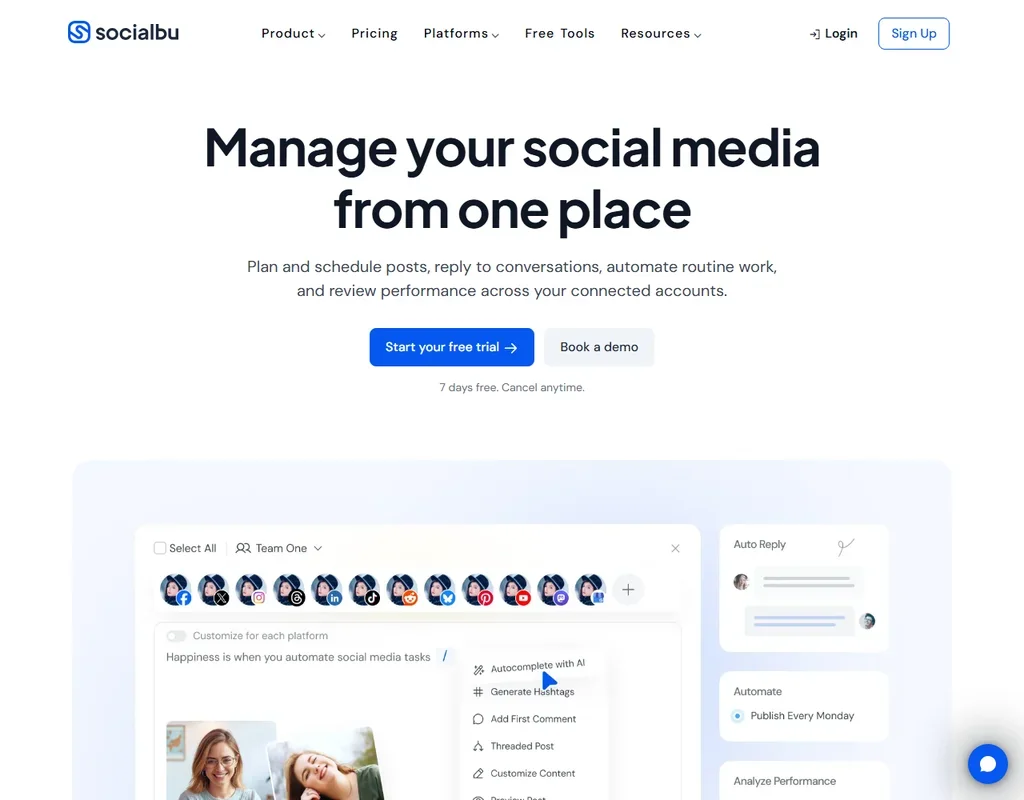
- All 12 networks, including Bluesky, Mastodon, Threads and Reddit, are on every plan, the free one included.
- Queues, post recycling and CSV bulk import keep a publishing calendar full with little manual work.
- Starter is a single-user plan; teams, the social inbox and advanced reporting start on Growth.
Up to 3 channels, 10 scheduled posts/channel, 100 ideas, 1 user, AI Assistant
Paid $6/moShow detailsHide details04 Buffer: Best for a free AI assistant while you schedule5.7Score 5.7 out of 10Up to 3 channels, 10 scheduled posts/channel, 100 ideas, 1 user, AI Assistant$6/moVisit site ↗ReviewDetailsCloseShow more about Buffer
Up to 3 channels, 10 scheduled posts/channel, 100 ideas, 1 user, AI Assistant
Paid $6/mo
Show detailsHide detailsBuffer: Best for a free AI assistant while you schedule
5.7Score 5.7 out of 10Up to 3 channels, 10 scheduled posts/channel, 100 ideas, 1 user, AI Assistant$6/moVisit site ↗ReviewDetailsClose
Three channels, 10 scheduled posts per channel, 100 saved ideas, one user, basic post metrics and the AI Assistant are all on the free plan, and the assistant is included on every plan. Essentials adds unlimited posts and advanced analytics for each channel. Pick it over Publer when you want AI writing help from day one, and over Metricool when scheduling matters more than reports.
- Per-channel billing model means solo creators and small businesses only pay for the accounts they actually connect, not a bloated seat-based tier.
- Covers 11 social media networks, giving broad platform support for most small business and creator use cases.
- Per-channel pricing becomes expensive and complicated for agencies managing 20 or more client accounts.
First 50 posts free, no time limit, no card needed
Paid $33/moShow detailsHide details05 Planable: Best for trialling client approvals on 50 posts5.6Score 5.6 out of 10First 50 posts free, no time limit, no card needed$33/moVisit site ↗ReviewDetailsCloseShow more about Planable
First 50 posts free, no time limit, no card needed
Paid $33/mo
Show detailsHide detailsPlanable: Best for trialling client approvals on 50 posts
5.6Score 5.6 out of 10First 50 posts free, no time limit, no card needed$33/moVisit site ↗ReviewDetailsClose
The first 50 posts are free with no time limit and no card, a total rather than a monthly allowance, so it suits a trial run of client approvals more than daily posting. Basic then allows 60 posts a month per workspace and four social pages, with analytics sold as an add-on. Choose it over Buffer for team and client review, and skip it as a solo daily poster.
- The visual interface mimics how posts actually look on real social platforms, giving clients immediate context without having to imagine the final result.
- Multi-level approval workflows allow content to move through staged sign-off processes, reducing the chaos of email chains and shared Google Docs.
- Post scheduling is capped at 60 posts per workspace monthly on Basic and 150 on Pro, which becomes a real constraint for busy agencies managing multiple brands.
7-day trial with your first ad creation free
Paid $32/moShow detailsHide details06 Predis.ai: Best for testing AI ad creative for a week4.1Score 4.1 out of 107-day trial with your first ad creation free$32/moVisit site ↗ReviewDetailsCloseShow more about Predis.ai
7-day trial with your first ad creation free
Paid $32/mo
Show detailsHide detailsPredis.ai: Best for testing AI ad creative for a week
4.1Score 4.1 out of 107-day trial with your first ad creation free$32/moVisit site ↗ReviewDetailsClose
There is no permanent free tier, only a 7-day trial that includes your first ad creation, so treat it as a test of AI ad creative rather than a free scheduler. Core then gives 1,300 credits a month, around 86 AI images or 9 videos, and no auto posting. Pick it over the schedulers when ads and video creative are the job, and use Buffer or Publer for plain free scheduling.
- Predis.ai combines AI ad generation, UGC video creation, and social scheduling in a single platform, which is rare at its price point.
- The tool uses advanced model infrastructure including Google Veo, Gemini, and ByteDance Seedance 2.0, which is unusually powerful for a tool starting at $32 a month ($24 billed yearly).
- Trying to operate across AI ads, UGC video, and scheduling simultaneously means the tool risks being a jack-of-all-trades without excelling in any single area.
1 brand, 1 user, 30 AI credits/mo, Instagram only, limited posts and analytics
↻ Renews monthlyPaid $15/moShow detailsHide details07 Plann: Best for Instagram-only brands starting out4.0Score 4.0 out of 101 brand, 1 user, 30 AI credits/mo, Instagram only, limited posts and analytics↻ Renews monthly$15/moVisit site ↗ReviewDetailsCloseShow more about Plann
1 brand, 1 user, 30 AI credits/mo, Instagram only, limited posts and analytics
↻ Renews monthlyPaid $15/mo
Show detailsHide detailsPlann: Best for Instagram-only brands starting out
4.0Score 4.0 out of 101 brand, 1 user, 30 AI credits/mo, Instagram only, limited posts and analytics↻ Renews monthly$15/moVisit site ↗ReviewDetailsClose
Free Forever covers one brand, one user and Instagram scheduling only, with 30 AI credits a month and five video posts. That suits a solo Instagram account and little else. Power User then opens scheduling across all platforms and the full AI suite. Pick it for an Instagram-first creator who wants caption and idea help; Publer and Buffer fit better once other networks matter.
- Visual drag-and-drop content calendar makes it easy to see and rearrange your Instagram grid weeks in advance.
- AI caption generation paired with 1,000+ templates significantly reduces time spent writing post copy.
- Free plan is severely limited to one brand, one user, Instagram only, and 30 AI credits, unsuitable for any real posting volume.
Limited free tier available for both Publish and Twitter tools
Paid $29.99/moShow detailsHide details08 Circleboom: Best for X account management beside scheduling3.2Score 3.2 out of 10Limited free tier available for both Publish and Twitter tools$29.99/moVisit site ↗ReviewDetailsCloseShow more about Circleboom
Limited free tier available for both Publish and Twitter tools
Paid $29.99/mo
Show detailsHide detailsCircleboom: Best for X account management beside scheduling
3.2Score 3.2 out of 10Limited free tier available for both Publish and Twitter tools$29.99/moVisit site ↗ReviewDetailsClose
Free tiers sit on both the Publish scheduler and the Twitter tool, and a 14-day trial covers every plan. As an official X developer it goes deeper on X account management than the general schedulers, though its analytics live mostly in the Twitter tool, not in Publish. Choose it over Typefully when you also want a multi-network scheduler, and over Buffer when X is the main channel.
- Circleboom holds official X Enterprise Developer status, giving it API access and capabilities that most third-party Twitter tools lack.
- The Twitter/X management tool offers deep follower and following analysis, account health metrics, and advanced competitor research via X Smart Account Search.
- Analytics are largely confined to the Twitter tool rather than Publish, creating a structural gap for users who want cross-platform performance data in one place.
Best free YouTube and Pinterest growth tools
3 picksA free YouTube SEO tool meters credits or features rather than posts. TubeBuddy gives limited basic SEO and video tools inside YouTube Studio, vidIQ a pot of 150 AI credits with trend and idea feeds, and Tailwind brings the same research habit to Pinterest. Pick vidIQ when ideas are the bottleneck, TubeBuddy when titles and tags are, Tailwind when your traffic comes from pins.
#ToolScoreFree plan gives youPaid from
Limited access to basic SEO and video tools, no credit card required
Paid $15/moShow detailsHide details09 TubeBuddy: Best for SEO scoring inside YouTube Studio6.8Score 6.8 out of 10Limited access to basic SEO and video tools, no credit card required$15/moVisit site ↗ReviewDetailsCloseShow more about TubeBuddy
Limited access to basic SEO and video tools, no credit card required
Paid $15/mo
Show detailsHide detailsTubeBuddy: Best for SEO scoring inside YouTube Studio
6.8Score 6.8 out of 10Limited access to basic SEO and video tools, no credit card required$15/moVisit site ↗ReviewDetailsClose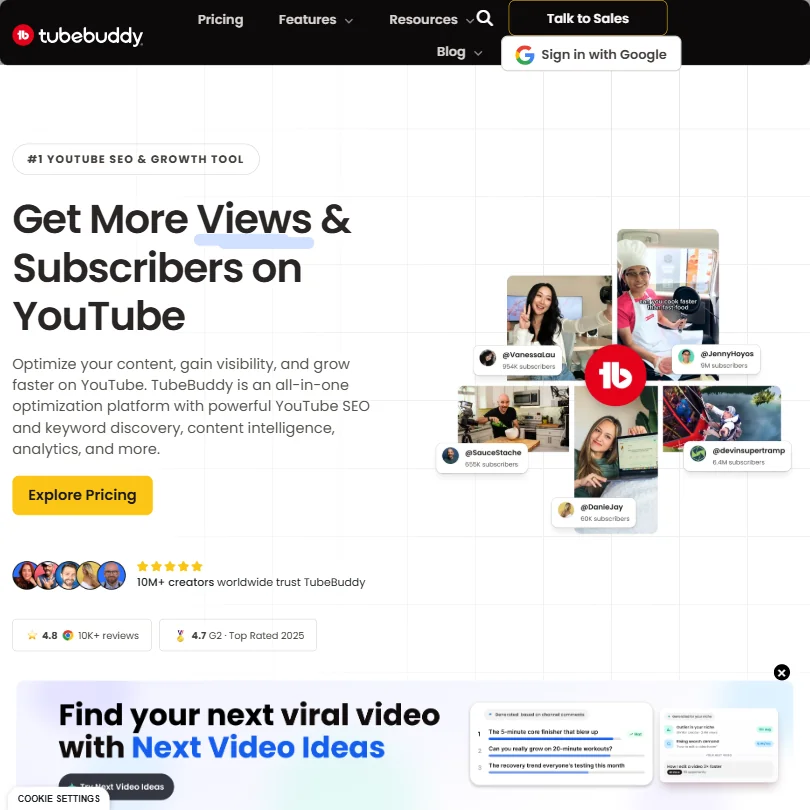
The free plan gives limited access to basic SEO and video tools inside YouTube, with no card, so you can feel how title and tag scoring works before paying. Pro adds content strategy and Shorts linking, while A/B thumbnail testing sits on higher tiers. It helps with videos you have already made, not making them. Choose it over vidIQ when YouTube is the only channel.
- Keyword Explorer helps creators find topics with real searchable volume and lower competition directly within YouTube's interface.
- SEO Studio scores titles and descriptions in real time and provides actionable suggestions without leaving YouTube Studio.
- A/B thumbnail testing, one of the most valuable features, is locked behind higher-priced subscription tiers.
150 AI Credits/month, niche trends, content ideas, AI Coach tips
↻ Renews monthlyPaid $19/moShow detailsHide details10 vidIQ: Best for YouTube ideas on a monthly credit pot6.7Score 6.7 out of 10150 AI Credits/month, niche trends, content ideas, AI Coach tips↻ Renews monthly$19/moVisit site ↗ReviewDetailsCloseShow more about vidIQ
150 AI Credits/month, niche trends, content ideas, AI Coach tips
↻ Renews monthlyPaid $19/mo
Show detailsHide detailsvidIQ: Best for YouTube ideas on a monthly credit pot
6.7Score 6.7 out of 10150 AI Credits/month, niche trends, content ideas, AI Coach tips↻ Renews monthly$19/moVisit site ↗ReviewDetailsClose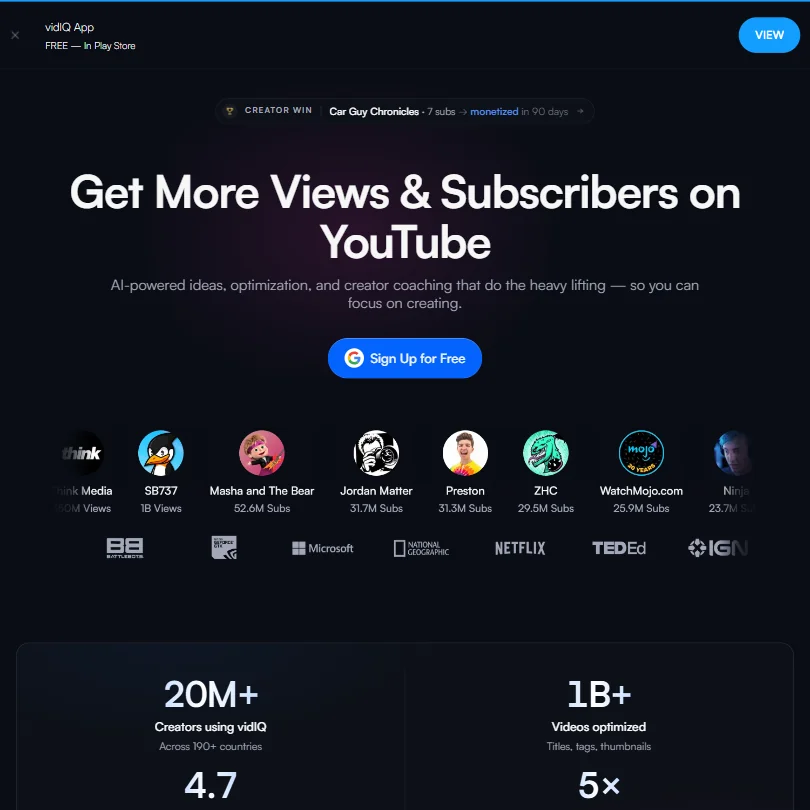
A monthly pot of 150 AI credits, niche trends, content ideas and AI Coach tips arrive free, so the plan rewards a few well-chosen questions over constant use. Boost lifts it to 2,000 credits with thumbnails and unlimited trend research. It covers YouTube, Instagram and TikTok, where TubeBuddy stays on YouTube. Pick it over TubeBuddy when finding video ideas is the harder part of your week.
- The free plan includes 150 AI credits per month and a basic ideas feed, offering more value than most competing tools at no cost.
- vidIQ extends beyond YouTube to cover Instagram Reels, a cross-platform expansion that competitors like TubeBuddy and Morningfame have not matched.
- The AI clipping tool produces generated clips rather than curated ones.
Free plan, limits not published
Paid $29.99/moShow detailsHide details11 Tailwindapp: Best for growing traffic from Pinterest6.5Score 6.5 out of 10Free plan, limits not published$29.99/moVisit site ↗ReviewDetailsCloseShow more about Tailwindapp
Free plan, limits not published
Paid $29.99/mo
Show detailsHide detailsTailwindapp: Best for growing traffic from Pinterest
6.5Score 6.5 out of 10Free plan, limits not published$29.99/moVisit site ↗ReviewDetailsClose
Pinterest is the point, with Instagram and Facebook alongside, and a free plan is listed. The paid Pro plan shows what the tool measures: 150 posts a month, 150 credits, 200 Post Designs and one account. Pick it over the general schedulers when Pinterest is your main traffic source, and over vidIQ or TubeBuddy when your audience reads and saves rather than watches.
- Tailwindapp has been Pinterest's longest-standing developer partner since 2012, giving it deep platform expertise and credibility.
- The SmartPin AI engine automatically generates Pin designs, titles, and keyword-rich descriptions from your website each week, reducing manual content creation.
- The tool is narrowly focused on Pinterest only, making it unsuitable for social media managers or teams handling multiple platforms or brand accounts.
More free AI social media tools
1 pickTypefully is the one tool here built for writing instead of scheduling everywhere: it drafts and posts text for X, LinkedIn, Threads and Bluesky, with API and MCP access on the free plan. Choose it for threads and short text posts, and keep a general scheduler beside it for Instagram, Facebook or TikTok.
#ToolScoreFree plan gives youPaid from
Free plan with API and MCP access, monthly post caps
↻ Renews monthlyPaid $99 per year/moShow detailsHide details12 Typefully: Best for writing posts for X, LinkedIn and Threads7.8Score 7.8 out of 10Free plan with API and MCP access, monthly post caps↻ Renews monthly$99 per year/moVisit site ↗ReviewDetailsCloseShow more about Typefully
Free plan with API and MCP access, monthly post caps
↻ Renews monthlyPaid $99 per year/mo
Show detailsHide detailsTypefully: Best for writing posts for X, LinkedIn and Threads
7.8Score 7.8 out of 10Free plan with API and MCP access, monthly post caps↻ Renews monthly$99 per year/moVisit site ↗ReviewDetailsClose
Writers who post on X, LinkedIn, Threads and Bluesky get a free plan with API and MCP access, which most schedulers keep for paid tiers. Monthly post caps are tight by category standards, and X analytics and AI writing features begin on Pro. It lists no training on your content. It skips Instagram, Facebook, TikTok, YouTube and Pinterest, so choose it over Buffer when text, not images, is the work.
- The free plan is genuinely usable, offering 15 posts per month, one social set, and API access, which most competitors lock behind paid tiers.
- Pixel-perfect preview lets users see exactly how posts will look before publishing, reducing formatting surprises across platforms.
- Monthly post caps are restrictive by category standards.
How to choose a free AI social media tool
Free social media tools are not all doing the same job, and the counts they put on a free plan reflect that. A scheduler counts channels and queued posts, a writing tool counts posts a month, a growth extension counts AI credits, and an approval tool counts posts in total. This guide sorts the page by job, shows what each free plan meters, and helps creators, social managers and small brands decide where to start.
Start with the job, not the tool
Social work for a creator or a small brand falls into five jobs, and the tools here are each built around one.
- Scheduling across networks. Lining posts up so you are not publishing by hand. Buffer, Publer and Metricool all schedule on a free plan, and Circleboom has a limited free tier on its Publish tool.
- Writing for X and LinkedIn. Drafting posts and threads in a calm editor with a preview of how they will look. Typefully is made for this, and it connects X, LinkedIn, Threads and Bluesky.
- Growing a video or pin channel. Finding topics and tightening titles. TubeBuddy and vidIQ sit on top of YouTube, and Tailwind does the same for Pinterest.
- Getting posts approved. Moving a draft past a client or a manager before it goes out. Planable is built around that sign-off step.
- Making visuals and captions. Plann plans an Instagram grid with AI captions, and Predis.ai turns prompts into ad creatives and short videos.
A tool that is excellent at one of these often does nothing at the others, so name your job before comparing counts.
| Job | Start with | Runner-up and the trade-off |
|---|---|---|
| Schedule to several networks | Buffer | Publer matches the queue size and adds drafts, but leaves X out of its free plan |
| Write posts for X | Typefully | Buffer posts to X too and covers 11 networks, without the focused editor |
| Manage a few brands | Metricool | Publer's free plan caps at one user and three accounts |
| Find YouTube topics | vidIQ | TubeBuddy runs the same job with a free tier of basic tools |
| Get client sign-off | Planable | Buffer's approvals begin on its paid Team plan |
| Plan an Instagram grid | Plann | Metricool covers Instagram plus many other networks |
What you actually get for free
The five kinds of tool meter five different things, so compare plans by whatever runs out first in your week.
- Schedulers. Posts and channels are the meter. Buffer allows up to 3 channels with 10 scheduled posts each and 100 saved ideas, and includes its AI Assistant on the free plan. Publer allows 3 accounts with 10 scheduled posts per account, 25 drafts and a 24-hour post history. Metricool allows 1 brand with 20 posts a month, 30 days of analytics and 5 competitor profiles.
- Writing tools. A monthly post count is the meter. Typefully allows 15 posts a month on one social set, with API access included on the free plan, which is rare at this tier.
- Growth extensions. Credits are the meter. vidIQ gives 150 AI credits a month along with niche trends and content ideas. TubeBuddy lists a free tier of basic SEO and video tools, and Tailwind has a free plan with no end date.
- Approval and visual tools. Planable gives your first 50 posts with no time limit, a running total rather than a monthly pot. Plann's free plan covers one brand and one user with Instagram scheduling, 30 AI credits a month and 5 video posts a month. Predis.ai offers a 7-day trial including a first ad creation, not a permanent free plan.
Which tool fits which social media user
- Writers building an audience on X and LinkedIn. Start with Typefully, because the editor shows a pixel-accurate preview and 15 posts a month fits a steady few a week. Add Buffer if you also want Instagram or YouTube covered.
- YouTube creators. Start with vidIQ, because 150 AI credits a month come with trend research and an ideas feed. Add TubeBuddy for title and tag scoring inside YouTube Studio, and Buffer or Publer to schedule the posts that promote each upload.
- Pinterest sellers and bloggers. Start with Tailwind, because it is built only for Pinterest and its SmartPin tool generates pin designs, titles and descriptions from your content. Pair it with a general scheduler for everything that is not a pin.
- Instagram-first creators. Start with Plann, because the visual calendar lets you rearrange the grid weeks ahead and 30 AI credits cover a month of caption drafts. Add Metricool when you want a second network or competitor profiles.
- Social managers with several brands. Start with Metricool, because its dashboard brings scheduling, analytics, competitor profiles and link-in-bio under one login. Add Publer for a separate queue of up to 3 accounts.
- Small brands answering to a client or boss. Start with Planable for its sign-off flow. Its 50 posts are a running total, so add Buffer for routine posts that need no approval.
Where free plans stop
| Limit | Tools | What happens at the limit |
|---|---|---|
| Posts a month | Typefully (15), Metricool (20) | New posts wait for the next month |
| Queued per channel or account | Buffer (10 per channel), Publer (10 per account) | You publish something before you can queue more |
| Total posts | Planable (50 in all) | There is no refill, so further work needs a paid plan |
| Channels, brands or users | Typefully (1 social set), Metricool (1 brand), Plann (1 brand), Publer (3 accounts), Buffer (3 channels) | A fourth channel or a second brand needs an upgrade |
| AI credits | Metricool (5 a month per brand), Plann (30), vidIQ (150) | Generation stops until the new month |
| Analytics history | Metricool (30 days), Publer (24-hour post history) | Longer history comes with Metricool Starter or Publer Professional |
The count to watch is the one that matches how you work. A creator posting daily to one channel meets Typefully's 15 early, while a manager with many small accounts meets Metricool's single brand first. Queue only what you plan to publish soon, because a queued post sits on a per-channel allowance until it goes out.
What you give up by staying free
Free plans mostly keep the networks and analytics you need for a working team behind paid tiers. Publer's free accounts leave out X, and its analytics, best times to post and competitor analysis arrive with Business. Typefully lists X analytics at Pro, and Buffer's hashtag manager and advanced analytics arrive with Essentials. TubeBuddy lists A/B thumbnail testing on higher plans.
The other cost is how much you can do in one place. Plann's free plan schedules to Instagram only, and Metricool's AI assistant gets 5 credits per brand a month, so it is a sample rather than a daily helper. Free plans are also single-user: Buffer, Publer and Plann each list one user.
Mistakes to avoid
- Counting posts but not channels. Buffer and Publer cap each channel or account, so three accounts hold up to 30 queued posts while Typefully's 15 are a monthly total. Compare them on your actual number of accounts.
- Picking Publer's free plan for X. X is not on the free tier. Use Typefully or Buffer for that network, and keep Publer for the others.
- Spending Metricool's 5 AI credits on first drafts. Use them where wording matters most, such as a launch post.
- Expecting a YouTube extension to schedule posts. TubeBuddy and vidIQ improve videos and titles and do not queue posts across networks. Pair them with a scheduler.
- Using Planable's 50 posts on drafts you will drop. The allowance is a running total, not a monthly pot. Save it for posts that need a real sign-off.
When it is worth paying
Moving up makes sense once you are choosing which channel to leave out, or holding a post back because the queue is full. A client asking for analytics history is another sign.
| If you are | Upgrade to | What changes |
|---|---|---|
| A writer on X | Typefully Pro | X analytics, AI writing features and up to 10 social sets |
| A small brand on several networks | Publer Professional | Unlimited scheduling and drafts, workspaces and X integration |
| A manager reporting to clients | Metricool Starter | Up to 5 brands, unlimited publishing and analytics history |
| A YouTube creator | vidIQ Boost | 2,000 AI credits, thumbnails and unlimited trend research |
| An Instagram creator | Plann Power User | Unlimited scheduling across all platforms and the full AI suite |
| A team with clients | Planable Basic | 60 posts per workspace a month, 4 social pages and unlimited users |
Check the trial before you pay. Publer Professional, Plann and Predis.ai offer 7 days, and Buffer and Circleboom offer 14. Buffer lists a saving of 2 months on annual billing. Buffer's paid plans bill per channel, so a solo creator pays for a single account and a small brand adds channels one at a time.
Using two free tools together
Because their meters differ, a scheduler plus a specialist covers more than either one.
- Write in Typefully, where the preview and distraction-free editor catch awkward posts.
- Schedule the finished posts in Buffer, which accepts more networks than Typefully.
- Review results in Metricool, whose 30 days of analytics cover a month of posts.
A second pairing suits video: use vidIQ to choose the topic and TubeBuddy to score the title, then queue the promotional posts in Publer.
What would this stack cost you?
Add our top picks (Metricool, TubeBuddy, Typefully) to the calculator and see the monthly total, then swap in the plans you would pay for.
How we picked
Every tool here is ranked by its score, and each score is worked out from the vendor’s own published pages: pricing, plans, features and terms. No score is adjusted by hand. All 12 tools have enough published facts to be scored, and on average 95% of each score comes from facts the vendor publishes. The facts behind these scores were checked between 16 September 2026 and 31 October 2026.
Scores compare tools that do the same job, which is why the list is grouped by job: a video editor and a grammar checker are never ranked against each other.
| Ranked as | On this page | What we score | Scoring guide |
|---|---|---|---|
| AI social media management tools19 reviewed | 8 | 6 criteria, 28 checked facts: publishing, pricing, AI content, agencies and teams, listening and competitors, privacy and support | How we score these → |
| YouTube and Pinterest growth tools3 reviewed | 3 | 5 criteria, 14 checked facts: research and testing, pricing, scheduling and reach, AI help, apps and support | How we score these → |
| X and LinkedIn growth tools6 reviewed | 1 | 5 criteria, 19 checked facts: growing an audience, pricing, where it posts, writing and repurposing, analytics and teams | How we score these → |
Common questions
Which free plan reaches the most networks?
Metricool and Buffer reach ten networks, including X, Instagram, TikTok and Pinterest, on their free plans. Publer also lists ten but keeps X for paid plans. Planable covers nine. Typefully is narrower on purpose, with X, LinkedIn, Threads and Bluesky, and Plann's free plan is Instagram only. Count networks before you count posts.
Is there a Buffer free alternative?
Publer is the closest, with three accounts, 10 scheduled posts each and 25 drafts, though X is excluded. Metricool trades posting room for analytics, with a single brand, a monthly post count and a 30-day look back. Planable's 50 free posts suit trying a client approval flow. Buffer keeps the edge on the free AI assistant.
What is a Hootsuite free alternative?
If you want a management dashboard, Metricool is the nearest free plan, with analytics, five competitor profiles and a social inbox listed on the product. Publer suits plain scheduling across ten networks, minus X on free. For approvals the free route is Planable's first 50 posts. None of the three covers several brands without paying.
Is there a free AI social media post generator?
Buffer includes its AI Assistant on every plan, including free. Metricool offers 5 AI credits per brand each month and Plann 30 a month on Instagram only. vidIQ's free credits generate YouTube ideas rather than posts, and Typefully's AI writing features begin on Pro. Buffer is the roomiest for plain post writing.
Can I post to X from a free plan?
Yes on Typefully, Metricool and Buffer, which list X. Publer excludes it on free and adds it with Professional, and Plann's free plan is Instagram only. TubeBuddy and vidIQ do not post to X at all, since they work on YouTube research. Circleboom is the specialist if X account management matters more than scheduling, with free tiers on both its Publish and Twitter tools.
Do free plans keep analytics history?
Only briefly. Metricool keeps 30 days of analytics and 5 competitor profiles, Buffer shows basic post metrics, and Publer keeps a 24-hour post history. Longer history is paid: Metricool Starter lists unlimited analytics history and Publer Professional lists permanent post history. If trends matter to you, copy the numbers somewhere safe each month before the window rolls past them.
Can one free account manage several brands?
Not really. Metricool and Plann give one brand each, Buffer and Publer give three channels or accounts, and Planable's 50 posts sit in a single workspace. Metricool Starter reaches 5 brands and Plann's Build plan 2. For several clients, a paid plan or one free account per brand is the practical route.