
teleportHQ is a visual website builder that generates a site from a prompt or a Figma import, then exports it as HTML, React or another framework's code, or publishes it directly on teleportHQ's own hosting. Whether it fits you depends on whether a 7-day trial is enough to judge it, since there is no lasting free plan.

What is teleportHQ?
teleportHQ is made by EVO FORGE SRL, based in Cluj-Napoca, Romania. It runs in the browser, and its AI turns a written prompt into a landing page, portfolio or full business site, which you then edit visually before publishing or exporting.
Building a site with teleportHQ
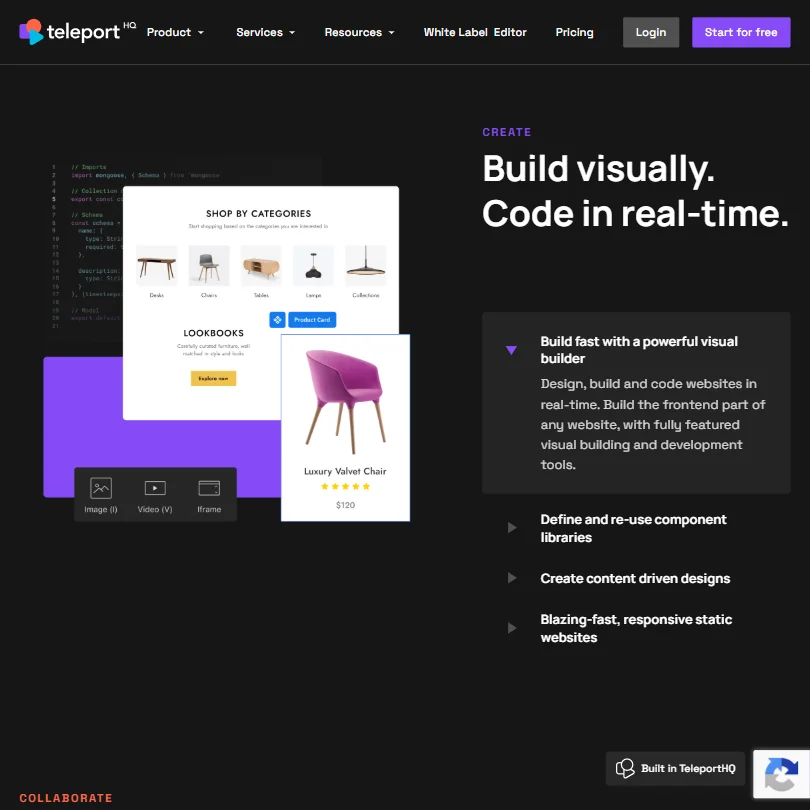
A prompt generates a website's structure and content, which the visual editor lets you refine afterward; a Figma Import feature brings an existing prototype in and turns it into developer-friendly code within minutes. A headless CMS integration connects to Strapi, Contentful, WordPress, Caisy or Flotiq, alongside teleportHQ's own dynamic blog tool, and an Online Store Builder generates a working online store with Stripe checkout through a guided setup.
AI-powered SEO and AEO tools optimize a site for both search engines and AI answer engines, and a localization feature creates versions of a site in other languages and regions. A finished site exports as HTML, CSS and JavaScript, or as React, Next.js, Vue, Nuxt or Angular code, though the trial plan is limited to previewing that code rather than downloading it. Hosting is one-click, deployed through Vercel, and one custom domain is included even on the trial; there is no bundled free domain, and extra domains cost $7 a month each.
Working with other people
Real-time collaboration lets a team work on the same project together, seeing what others edit. A global style guide keeps colors, components and fonts consistent across a project, and an API connects a project to external backend services. teleportHQ integrates with GitHub, Google Fonts and the CMS platforms above, and runs in the browser only. Single sign-on and full white-label reselling are both offered, but only on the custom-quoted Enterprise tier.
teleportHQ pricing: what each plan gives
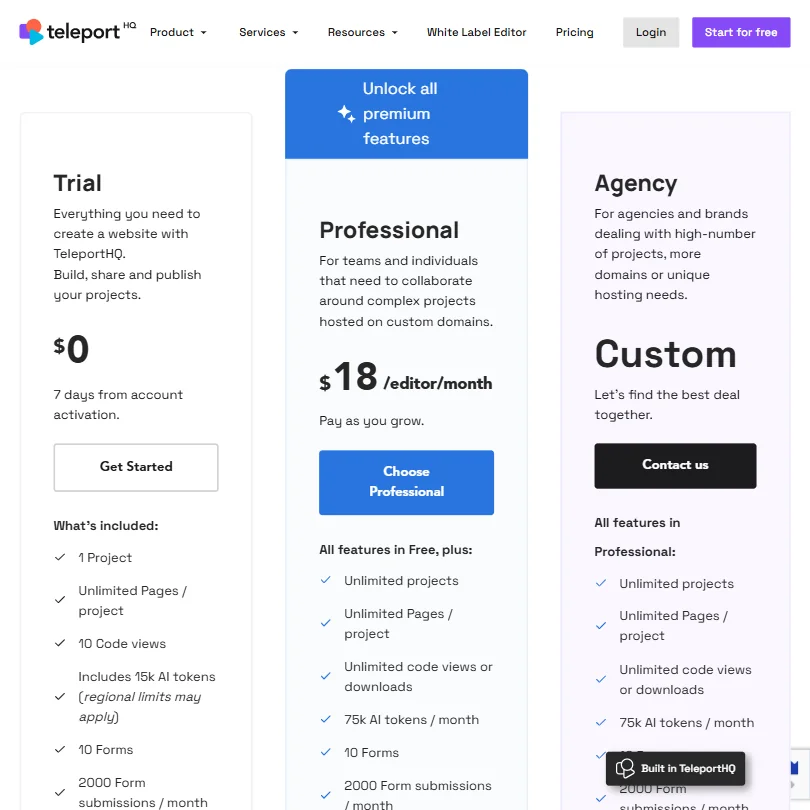
A 7-day trial, needing no credit card, gives 30,000 AI tokens to start plus 25,000 more if you subscribe during the trial. Pro is billed yearly at $14 a month, with 100,000 AI tokens a month and one editor seat; Premium is billed yearly at $28 a month, with 150,000 tokens a month. teleportHQ shows only the yearly rate; the plain monthly price is filled in by the page after loading and was not available to check.
Extra editor seats cost $9.99 a month each, and additional custom domains beyond the one included cost $7 a month, or $70 a year.
Privacy and support
Images uploaded to teleportHQ's Vision API are stored and used to further train its machine learning model, with no opt-out mentioned. teleportHQ holds no SOC 2 report, and states its privacy policy follows GDPR.
Support runs through email, live chat and a help center.
Who teleportHQ suits
teleportHQ suits people who want a working site generated from a prompt or an existing Figma design, then either published on its own hosting or exported as code in a specific framework. Its headless CMS connections and Online Store Builder with Stripe checkout suit sites that need content management or a store alongside the design.
It suits less well anyone who wants to try it for more than a week without paying, since the only free option is a 7-day trial rather than a lasting free plan. It also suits less well anyone uploading images they don't want used to train teleportHQ's own Vision API, since no opt-out is offered outside Enterprise.
Screenshots
How teleporthq.io compares
teleporthq.io scores 6.9 out of 10 among the AI website builders we rate. These three do the same job and are the closest to it, compared on what each vendor publishes.
Webflow
Webflow includes a free plan with no expiry, while teleportHQ's $0 tier is a 7-day trial. Once you pay, teleportHQ is cheaper to start, $14 a month against Webflow's $24. Webflow is SOC 2 certified and does not train its AI on what customers upload; teleportHQ has neither. TeleportHQ instead has a dedicated white-label track letting agencies resell it under their own brand, which Webflow does not offer. Both export the finished site as code, sell products, and manage content.
Pick Webflow if you want a free plan that never expires and SOC 2 certification.
Pick teleporthq.io if you plan to resell the builder under your own agency brand and want the cheaper paid plan.
Framer
TeleportHQ exports the finished site as code and lets you sell products through Stripe checkout, neither of which Framer offers; Framer publishes only to its own hosting. TeleportHQ also has a dedicated white-label track for agencies reselling it under their own brand. Framer is cheaper to start, $10 a month against teleportHQ's $14, includes a free plan that never expires where teleportHQ's $0 tier is a 7-day trial, and is SOC 2 and ISO 27001 certified, which teleportHQ is not. Framer also connects to more than double the integrations, 15 against 7.
Pick Framer if you want a free plan that never expires and SOC 2 certification.
Pick teleporthq.io if you need to export the site as code, sell products directly, or resell it white-label to clients.
Wix
TeleportHQ exports the finished site as downloadable code on paid plans, something Wix does not offer. Wix instead generates images inside its builder through Wixel and is SOC 2 certified, neither of which is true for teleportHQ. Wix includes a free plan with no expiry, while teleportHQ's $0 tier is a 7-day trial, and Wix runs on 3 platforms, with mobile apps for managing a site, against teleportHQ's browser-only builder. TeleportHQ has a dedicated white-label track for agencies reselling it under their own brand instead.
Pick Wix if you want a free plan that never expires and image generation built into the builder.
Pick teleporthq.io if you need to export the site as code and plan to resell it white-label to clients.
Frequently Asked Questions
Does teleportHQ have a free plan?
No. There's a 7-day free trial with no credit card required, giving 30,000 AI tokens to start, but no plan that lasts without payment.
What does teleportHQ cost?
Pro is $14 a month billed yearly, with 100,000 AI tokens a month, and Premium is $28 a month billed yearly, with 150,000 tokens a month. Both figures shown are the yearly rate; extra editor seats cost $9.99 a month each.
Can teleportHQ import a Figma design?
Yes. Its Figma Import feature brings a prototype in and converts it into developer-friendly code within minutes.
Does teleportHQ train AI on uploaded images?
Yes. Images uploaded to its Vision API are stored and used to further train teleportHQ's machine learning model, and no opt-out is mentioned.










