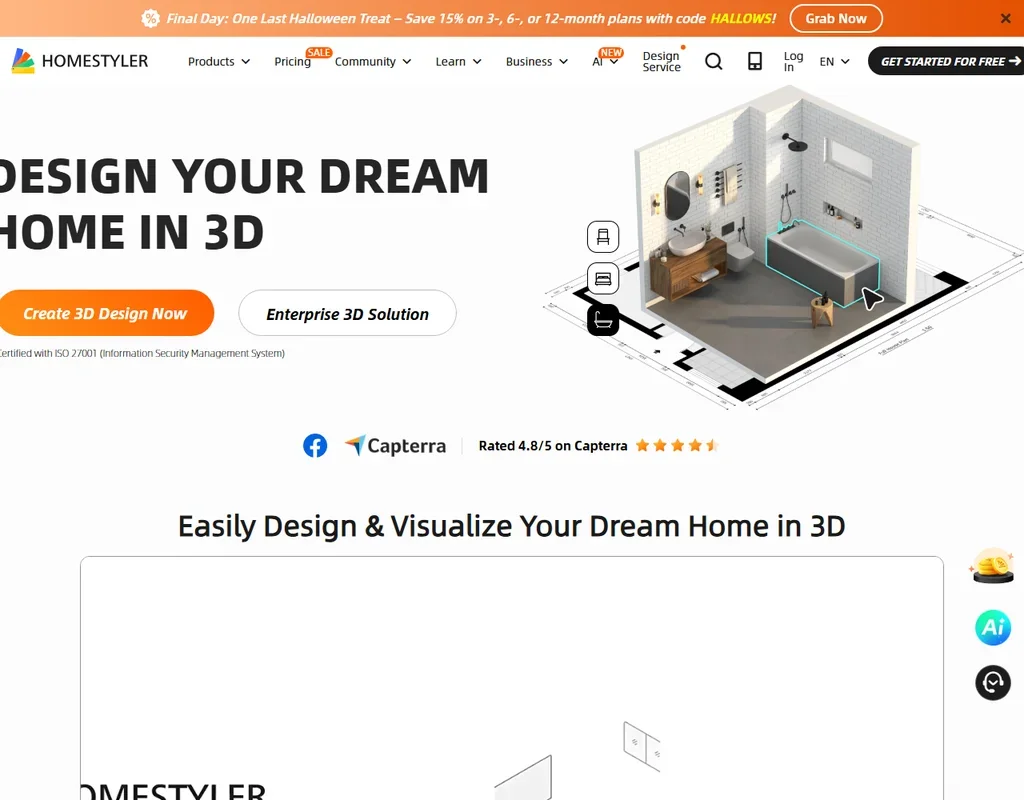
Homestyler is mainly a 3D home design and floor plan app: you draw a floor plan, furnish it in 3D from a large model library and render it in the cloud. On top sits an AI Studio that stages room photos, renders, animates and plans on monthly AI credits. What decides whether it suits you is whether you want a full 3D design tool, since the AI tools are an add-on to it, and the free plan gets only 3 AI credits in total.
What is Homestyler?
Homestyler originated at Autodesk and is now run by Homestyler (Shanghai) Technology Co., Ltd., in Shanghai, China, with Homestyler (HK) Limited as a second contracting party. It runs in the browser and as apps for iOS and Android phones and tablets.
The interface is available in English, French, Italian, Japanese, German, Indonesian, Polish, Korean, Arabic, Simplified Chinese, Traditional Chinese, Russian, Spanish and Portuguese.
Designing a room with Homestyler
The core of Homestyler is a cloud 3D floor planner and editor. You build a floor plan, or import an existing AutoCAD plan as a DWG file, including multi-floor plans, and furnish it from more than 100,000 free 3D models and materials. Finishes are set directly in the editor, for example with the Material Brush, and a Render Retouch tool adjusts a render afterwards. There are no plugins for SketchUp, Revit, Rhino or other CAD tools.
Designs are rendered in the cloud. Still images go up to 4K, and panorama renders up to 12K, with a quota of 6 12K renders a month on Master+ and Team. Pro+ includes video renders each month: 80 seconds at 540p, 30 seconds at 720p or 10 seconds at 1080p, with more on Master+ and Team.
The AI Studio adds a set of separate tools. AI Stager takes a room photo and explores different interior styles, layouts and concepts, at 10 credits per image. AI Planner creates a floor plan at 15 credits per plan. The studio also includes AI Render, AI Animator, AI Painter and AI Texturer, and AI Gardener generates flower borders, planting scenes and garden landscapes from text prompts. The Spark AI agent builds designs in 3D from a chat.
Premium templates come with Pro+ and above, and an Asset Market sells further templates and models. Pro+ also exports floor plans, bills of materials and construction drawings.
Working with other people
The Team plan is priced per seat and shares designs and a model library across the team, with a custom logo on renders. Clients or colleagues can comment on a panorama directly from a shared link, as part of the Team License. Enterprise adds single sign-on and custom API integration.
Homestyler pricing: what each plan gives
The free Basic plan gives the cloud 3D floor planner, unlimited 1K renders, more than 100,000 free 3D models and materials, 3 roof styles and 3 AI credits in total. 4K renders are bought each time or paid for with Homestyler coins, and free renders carry a Homestyler watermark that costs 9 coins per render to remove.
Prices for the paid plans are not published without signing in. Pro+ is an individual membership with 180 AI credits a month, unlimited watermark removal and premium templates. Master+ is also individual, with 380 AI credits a month. Team is priced per seat with 500 AI credits per seat each month. Enterprise is custom-priced. First-time subscribers on monthly auto-renew get a discounted first month.
Privacy and security
Single sign-on is on the Enterprise plan. The user agreement leaves commercial use of AI-generated content to you, and you carry the infringement risk.
Support for billing, subscriptions and account issues runs through email, with replies within 2 working days, alongside a help centre, video tutorials and a user forum.
Who Homestyler suits
Homestyler suits homeowners, students and interior designers who want to plan a home in 3D, from a floor plan through furnishing to rendered images, panoramas and videos, with AI staging and planning as extras. Its free plan is a real 3D planner with unlimited 1K renders, and design teams can share work and collect client comments on the Team plan.
It suits less well anyone who only wants to restyle a room photo with AI, since the free plan has just 3 AI credits in total and AI Stager uses 10 credits an image. Anyone who wants to compare prices before signing up will find that the paid plans show their prices only after sign-in.
Frequently Asked Questions
Is Homestyler free?
Yes. The Basic plan is free and includes the cloud 3D floor planner, unlimited 1K renders and more than 100,000 3D models and materials, with 3 AI credits in total. Free renders carry a watermark.
How much does Homestyler cost?
Prices for Pro+, Master+ and Team are shown only after you sign in, and Enterprise is custom-priced. Pro+ includes 180 AI credits a month, Master+ 380 and Team 500 per seat.
Can Homestyler redesign a room from a photo?
Yes. AI Stager takes a room photo and explores different styles, layouts and concepts, at 10 AI credits per image.
Can I import an AutoCAD floor plan into Homestyler?
Yes. Homestyler imports DWG files, including multi-floor plans, so plans drawn in AutoCAD can be brought into its 3D editor.