We pulled Chatling's documentation, cross-referenced G2 write-ups with Trustpilot feedback, and worked through what users report after a few weeks of actual deployment. A capable, no-code AI chatbot builder with a clear lane. It targets small teams who want AI-powered support across web and social channels without touching a single line of code. The product mostly delivers on that. Mostly.
What is Chatling?
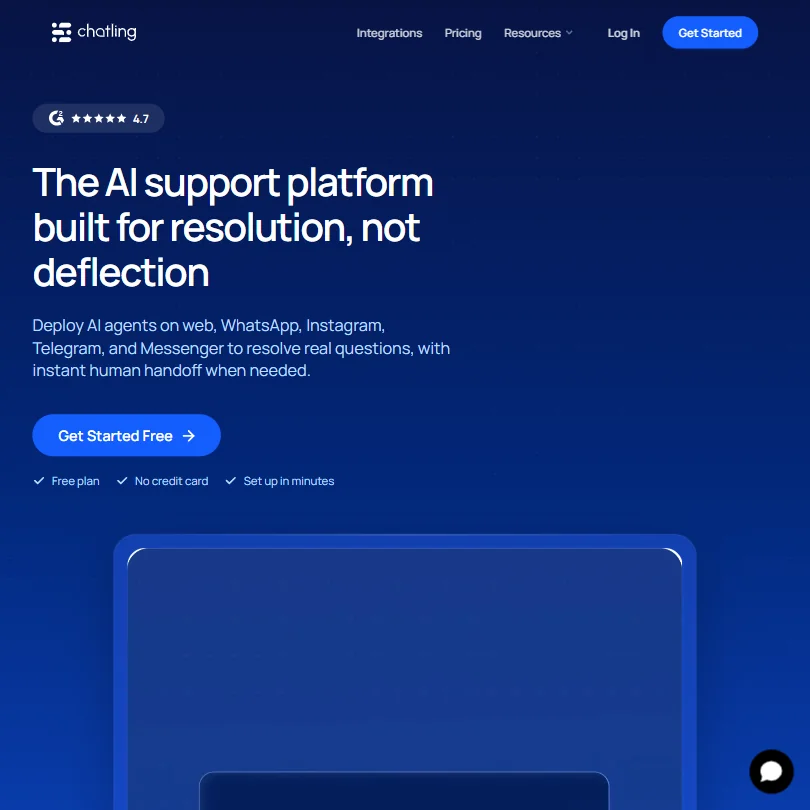
Chatling is an AI customer support platform that lets teams build chatbots trained on their own content, then deploy those bots across their website and major social messaging apps. No coding required. The core idea is that you point the system at your existing docs and help center, and it figures out how to answer customer questions from there.
We don't know when it was founded or where it's headquartered. The website doesn't say, and neither does anything else we found. Over 1,000 teams are listed as users on the homepage, ranging from solo founders to, per their copy, "global brands." We'd take "global brands" loosely. The review volume suggests a small-to-mid-sized customer base, not enterprise rollouts.
The free plan is real. 200 AI credits per month, one AI agent, and live chat included. No credit card. That's a genuinely useful on-ramp for testing whether the bot quality holds up on your content before you commit to anything paid.
Chatling Features: Chatbot, Helpdesk & Support Automation Breakdown
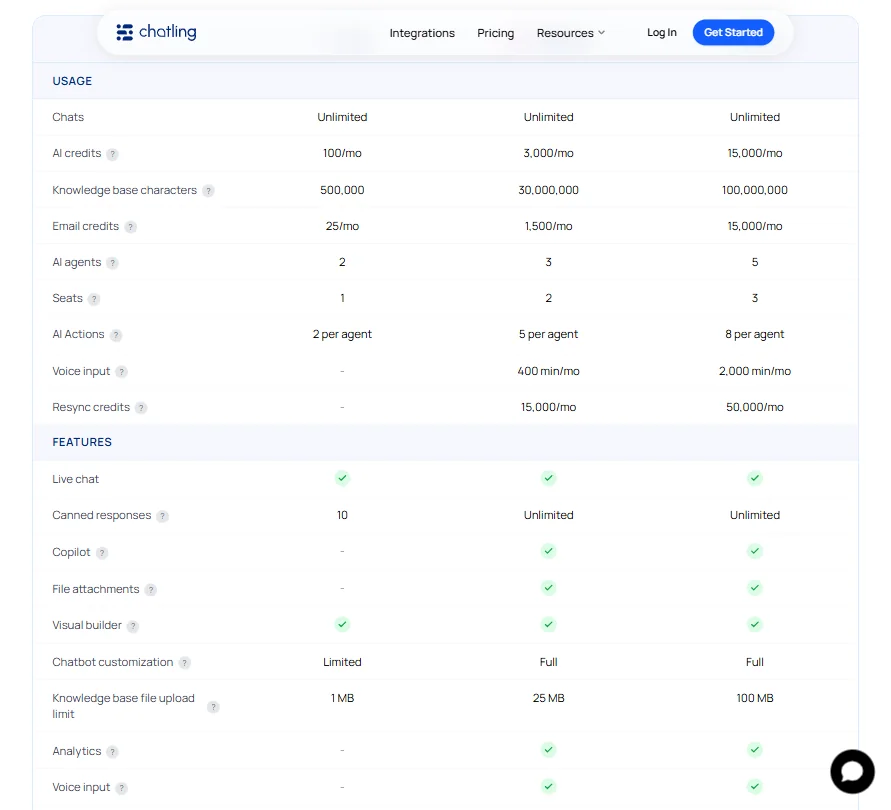
The main event is the AI chatbot builder, trained on a custom knowledge base. You can sync from a website, upload documents, or connect a help center. The Plus plan goes up to 100 million knowledge base characters, and Standard sits at 30 million. For most small support teams, that's more than enough room.
Live chat is built in. Team inbox, canned responses. It's not a helpdesk. There's no ticket management, no SLA controls. Anyone coming from Freshdesk or Zendesk expecting that infrastructure won't find it here.
Human handoff works. When the AI can't resolve something, it transfers the conversation with an AI-generated summary of what's been discussed. That context piece matters. Agents don't have to start from scratch. Honestly, that's one of the better handoff implementations we've seen at this price point.
Email automation exists in the form of email credits per plan. It's not email marketing. Think transactional or follow-up messages. The feature is easy to overlook on the pricing page.
White-label is available on Plus or as an add-on. API access kicks in on Standard and above. No publicly listed CRM integrations. No Zapier, no HubSpot, no Salesforce confirmed anywhere in the docs. That's a real gap, and we'll come back to it.
Chatling Bot Quality: How Well Does It Handle Real Customer Queries?
G2 reviewers consistently flag that the bot performs well when the knowledge base is clean and thorough. One reviewer who runs an analytics product said the bot scanned over 100 help articles and started responding in a way that matched how they'd answer questions themselves. That tracks with what Chatling's architecture is designed to do.
Where it falls down, per multiple reviews, is edge cases. Questions that fall outside the training content get deflected or answered with a generic fallback. Not unusual for this type of tool, but worth knowing. Bot quality is directly proportional to knowledge base quality. Reviewers who put in the setup work seem happy. Reviewers who expected magic without effort were less so.
Multilingual support covers 80 plus languages automatically. No configuration needed. Several G2 reviewers specifically mentioned accurate responses in German and Italian. We're not skeptical of that claim. The underlying model support is broad enough that multilingual quality should hold up for most European languages.
On models specifically. Chatling now publishes its full model roster directly on the pricing page, which is unusually transparent for this category. Standard and above unlock 34 models. The roster pulls from OpenAI, Anthropic, Google, xAI, DeepSeek and Mistral, covering names like Claude Sonnet 5, Gemini 3.6 Flash, Grok 4.2, and DeepSeek V3.2, and a few others. Free tier users get four models. That's a meaningful gap.
Chatling Channel Coverage: Which Platforms Does It Support?
This is where Chatling earns real points. Web embed is obvious. Beyond that, it covers WhatsApp, Telegram, Instagram, and Facebook Messenger, all managed from one inbox. For a Standard-tier tool, that's legitimate omnichannel chatbot coverage.
Competitors at this price often make you pick one or two channels. Chatling doesn't. Whether that matters depends entirely on where your customers actually are. If you're running support through WhatsApp and need an AI agent there, the options thin out fast. Chatling is one of the few at this tier that actually does it.
Is Chatling Easy to Set Up and Manage?
G2 reviewers in small business and founder roles consistently describe setup as fast. We cross-referenced their docs with those reviews, and the process looks straightforward: connect your content sources, configure the bot behavior, drop an embed code on your site. Done.
The dashboard doesn't appear to be complicated. No engineering required at any step. That's the whole pitch for the no-code crowd, and by most accounts it holds up. We've seen tools claim no-code and then bury the real work in configuration screens. Chatling doesn't seem to do that, based on what reviewers describe.
What we couldn't find: good documentation on analytics and reporting. The Standard plan includes chatbot analytics, per the pricing page, but the help center is described by users as basic. If you want granular insight into what queries the bot is missing or where customers are dropping off, it's not clear that Chatling gives you much to work with. That's a gap that grows over time.
Chatling Pricing: Is It Worth It for Support Teams?
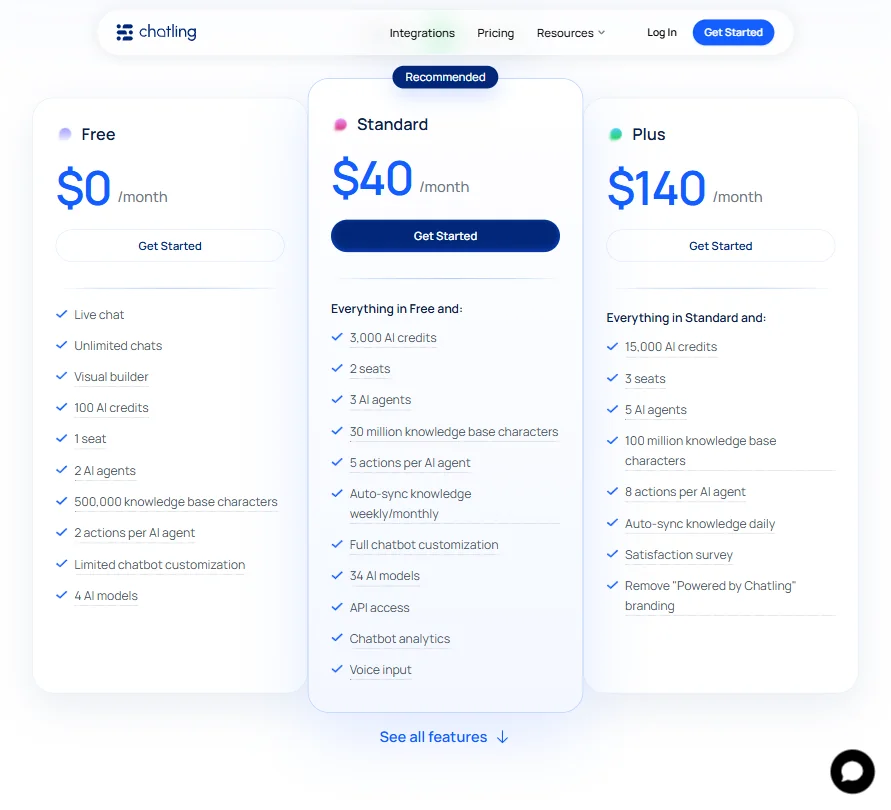
Three tiers. Free, Standard at $32 per month billed as $384 annually, and Plus at $112 per month billed as $1,344 annually. No enterprise tier listed. No refund policy published anywhere we could find. That last part is annoying.
The Standard plan includes 3,000 AI credits, two seats, three AI agents, and five actions per AI agent. Chatling sits above the category median price for what it is, and Tidio starts lower with more established integrations. The channel coverage on Standard is genuinely broad for that price, which is the main thing justifying the number.
The Plus plan adds 15,000 AI credits, three seats, five AI agents, and eight actions per AI agent. It also brings daily auto-sync, satisfaction survey tools, and removal of the "Powered by Chatling" branding. That's a steep jump from Standard. Teams sitting between the two plans will feel the gap.
We dug through the pricing page and found no indication of a money-back window. Worth asking support before committing to anything above Standard.
Chatling vs Tidio: Which Customer Service AI Wins?
Tidio has been in this space longer and shows up in more comparison posts for a reason. The integration list is more developed, and Shopify support is confirmed. For e-commerce teams, Tidio probably wins on raw ecosystem fit.
Chatling wins on channel breadth at the entry tier. WhatsApp and Telegram out of the box on Standard, with a unified inbox, is something Tidio doesn't match as cleanly at the same price. The AI-generated handoff summaries also feel more deliberate than what Tidio offers natively. Fair.
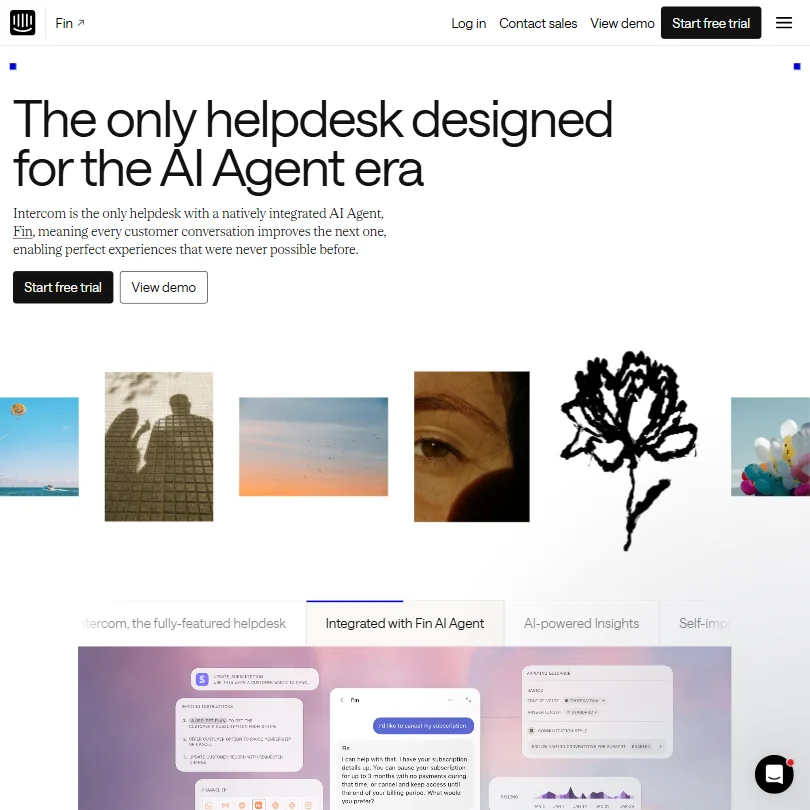
If missing CRM integrations are a dealbreaker, neither Chatling nor Tidio fully solves that. For teams that need deeper helpdesk infrastructure, something like Intercom is the more honest comparison, even though the price jumps considerably.
Who Should Use Chatling? (And Who Shouldn't)
Small support teams running multi-channel customer contact. That's the fit. Founders managing their own support across WhatsApp and their website. Small agencies wanting to white-label a chatbot for clients on the Plus plan.
Not the fit: any team that needs ticket management or SLA workflows. Also not the fit: anyone who relies heavily on HubSpot or Salesforce integrations. Those aren't there, and there's no indication they're coming soon.
Teams with complex, unpredictable query types should expect the bot to struggle. The knowledge base model works best when questions are answerable from existing documentation. High-variance support scenarios need more than that.
Chatling Review Verdict
Chatling does its core job reasonably well. The bot quality is solid when you feed it solid content. The channel coverage at Standard pricing is legitimately good, and the handoff experience is better than most at this tier.
The integration story is thin. No confirmed CRM connectors. The analytics picture is unclear. Pricing is slightly above category median without a strong reason to justify it beyond the channel breadth. The refund policy question stays unanswered.
We wouldn't push a team away from it. We also wouldn't oversell it. For a small team managing support across web and social channels, Chatling is a reasonable, probably underrated option. Just go in knowing the limits before you need to fight against them.
Frequently Asked Questions
Does Chatling have a free plan?
Yes, and it's functional. 200 AI credits per month, one AI agent, up to 500,000 knowledge base characters, four AI models, and live chat included. No credit card required. It's a real way to test the product before committing to Standard at $32 per month.
Which AI models does Chatling use?
The free plan supports four models. Standard and above open access to 34 models. Chatling now publishes the full roster on its pricing page, which is more transparent than most competitors bother to be. The list covers models from OpenAI, Anthropic, and Google, and a few others. If specific model availability matters to your workflows, the information is actually there to check.
Does Chatling support WhatsApp?
Yes. WhatsApp is supported as a deployment channel, along with Telegram, Instagram, and Facebook Messenger. All conversations feed into a single unified inbox. That multi-channel setup is one of the stronger things Chatling has going for it at the Standard pricing tier.