Gamma is the quickest route from a prompt to a deck you can share: it turns a prompt, outline or uploaded Word, PDF or Google Doc into slides, a document or a website, and publishes a live link.
Buying guide · 9 tools ranked
Best AI Presentation Makers
Find the best AI presentation makers, grouped by how you want to build a deck: from a written prompt, inside a design tool that keeps your brand, or straight from the AI assistant you already chat with. Each group trades speed against control, so pick the one that fits your next presentation, then check the free plan and export options before you start.
Our top 3 AI Presentation Makers
Adobe Express packs a lot into its free plan: more than 100,000 templates, over a million Adobe Stock assets and a brand kit, with exports to PPT, PDF and SVG and real-time co-editing.
ChatGPT fits someone who wants words and pictures for slides from one place: the free plan has unlimited text chat, web search and projects, with limited and slower image creation, and file uploads are unrestricted from Go.
Best AI presentation makers that build a deck from a prompt
4 picksThese tools turn a prompt, outline or document into a whole deck, and they split on free use and export. Gamma builds decks, documents and websites from a prompt and exports to PowerPoint and Google Slides on its free plan, though free decks carry its branding. Pitch adds on-brand decks and real-time team editing, with PowerPoint export from Plus. Beautiful AI reformats slides as you edit but has no free plan. Decktopus pulls brand colors, fonts and a logo from a website and builds a branded deck from a short prompt. Choose by whether you present from a link or hand over a PowerPoint file.
#ToolScorePriceWhy pick it
From $12free planGamma is the quickest route from a prompt to a deck you can share: it turns a prompt, outline or uploaded Word, PDF or Google Doc into slides, a document or a website, and publishes a live link.
Show detailsHide details01 Gamma: Best for a full deck from one prompt8.6Score 8.6 out of 10From $12free planGamma is the quickest route from a prompt to a deck you can share: it turns a prompt, outline or uploaded Word, PDF or Google Doc into slides, a document or a website, and publishes a live link.Visit site ↗ReviewDetailsCloseShow more about Gamma
From $12free plan
Gamma is the quickest route from a prompt to a deck you can share: it turns a prompt, outline or uploaded Word, PDF or Google Doc into slides, a document or a website, and publishes a live link.
Show detailsHide detailsGamma: Best for a full deck from one prompt
8.6Score 8.6 out of 10From $12free planGamma is the quickest route from a prompt to a deck you can share: it turns a prompt, outline or uploaded Word, PDF or Google Doc into slides, a document or a website, and publishes a live link.Visit site ↗ReviewDetailsClose
Gamma is the quickest route from a prompt to a deck you can share: it turns a prompt, outline or uploaded Word, PDF or Google Doc into slides, a document or a website, and publishes a live link. The free plan exports to PDF, PowerPoint, PNG and Google Slides, and imports existing PPTX files. Its 400 free credits are a one-time grant, decks carry Gamma branding until Plus, and every paid plan is billed per seat. Pitch suits teams better.
- Turns a written prompt, an outline or an uploaded Word document, PDF or Google Doc into a structured deck automatically.
- Imports existing PDF and PPTX files and exports finished decks to PDF, PPTX, PNG or Google Slides.
- Free plan output carries Gamma's own branding, which is only removed starting on the Plus plan.
From $15free planPick Pitch when a deck is a team effort: Pitch Agent builds an on-brand deck from a prompt and your files, several people edit in real time with comments and slide assignments, and data is stored in the EU.
Show detailsHide details02 Pitch: Best for teams editing on-brand decks together8.2Score 8.2 out of 10From $15free planPick Pitch when a deck is a team effort: Pitch Agent builds an on-brand deck from a prompt and your files, several people edit in real time with comments and slide assignments, and data is stored in the EU.Visit site ↗ReviewDetailsCloseShow more about Pitch
From $15free plan
Pick Pitch when a deck is a team effort: Pitch Agent builds an on-brand deck from a prompt and your files, several people edit in real time with comments and slide assignments, and data is stored in the EU.
Show detailsHide detailsPitch: Best for teams editing on-brand decks together
8.2Score 8.2 out of 10From $15free planPick Pitch when a deck is a team effort: Pitch Agent builds an on-brand deck from a prompt and your files, several people edit in real time with comments and slide assignments, and data is stored in the EU.Visit site ↗ReviewDetailsClose
Pick Pitch when a deck is a team effort: Pitch Agent builds an on-brand deck from a prompt and your files, several people edit in real time with comments and slide assignments, and data is stored in the EU. The free plan allows unlimited presentations with up to 5 members. Its 100 AI credits do not renew, free exports carry the Pitch logo, and PowerPoint export starts on Plus. Gamma exports PowerPoint on its free plan.
- Pitch Agent builds a full deck from a prompt and attached files and keeps it consistent with your brand.
- The Free plan allows unlimited presentations with up to 5 members.
- The Free plan's 100 AI credits do not renew once used.
From $45Beautiful AI suits business teams who keep fighting with layouts: Smart Slides realign and reformat as you add content, and a theme builder locks brand colors, fonts, logos and footers across every deck.
Show detailsHide details03 Beautiful AI: Best for slides that rearrange themselves as you edit4.8Score 4.8 out of 10From $45Beautiful AI suits business teams who keep fighting with layouts: Smart Slides realign and reformat as you add content, and a theme builder locks brand colors, fonts, logos and footers across every deck.Visit site ↗ReviewDetailsCloseShow more about Beautiful AI
From $45
Beautiful AI suits business teams who keep fighting with layouts: Smart Slides realign and reformat as you add content, and a theme builder locks brand colors, fonts, logos and footers across every deck.
Show detailsHide detailsBeautiful AI: Best for slides that rearrange themselves as you edit
4.8Score 4.8 out of 10From $45Beautiful AI suits business teams who keep fighting with layouts: Smart Slides realign and reformat as you add content, and a theme builder locks brand colors, fonts, logos and footers across every deck.Visit site ↗ReviewDetailsClose
Beautiful AI suits business teams who keep fighting with layouts: Smart Slides realign and reformat as you add content, and a theme builder locks brand colors, fonts, logos and footers across every deck. It does not train on your uploads, and Teams adds live data linking to charts and tables. There is no free plan, just a 14-day trial, no Google Slides export and no public API, so Gamma is cheaper to try.
- Builds a deck from a short topic, a detailed prompt, a pasted outline or an uploaded source document.
- A custom theme builder locks in a brand's colors, fonts, logos, icons and footers across every deck a team makes.
- Offers no free plan, only a 14-day trial of Pro or Team.
From $24.99For a solo presenter who wants a branded deck fast, Decktopus pulls colors, fonts and a logo from your website address and builds slides from a short prompt, or redesigns an existing PowerPoint or PDF with a new look.
Show detailsHide details04 Decktopus AI: Best for a branded deck from your website4.1Score 4.1 out of 10From $24.99For a solo presenter who wants a branded deck fast, Decktopus pulls colors, fonts and a logo from your website address and builds slides from a short prompt, or redesigns an existing PowerPoint or PDF with a new look.Visit site ↗ReviewDetailsCloseShow more about Decktopus AI
From $24.99
For a solo presenter who wants a branded deck fast, Decktopus pulls colors, fonts and a logo from your website address and builds slides from a short prompt, or redesigns an existing PowerPoint or PDF with a new look.
Show detailsHide detailsDecktopus AI: Best for a branded deck from your website
4.1Score 4.1 out of 10From $24.99For a solo presenter who wants a branded deck fast, Decktopus pulls colors, fonts and a logo from your website address and builds slides from a short prompt, or redesigns an existing PowerPoint or PDF with a new look.Visit site ↗ReviewDetailsClose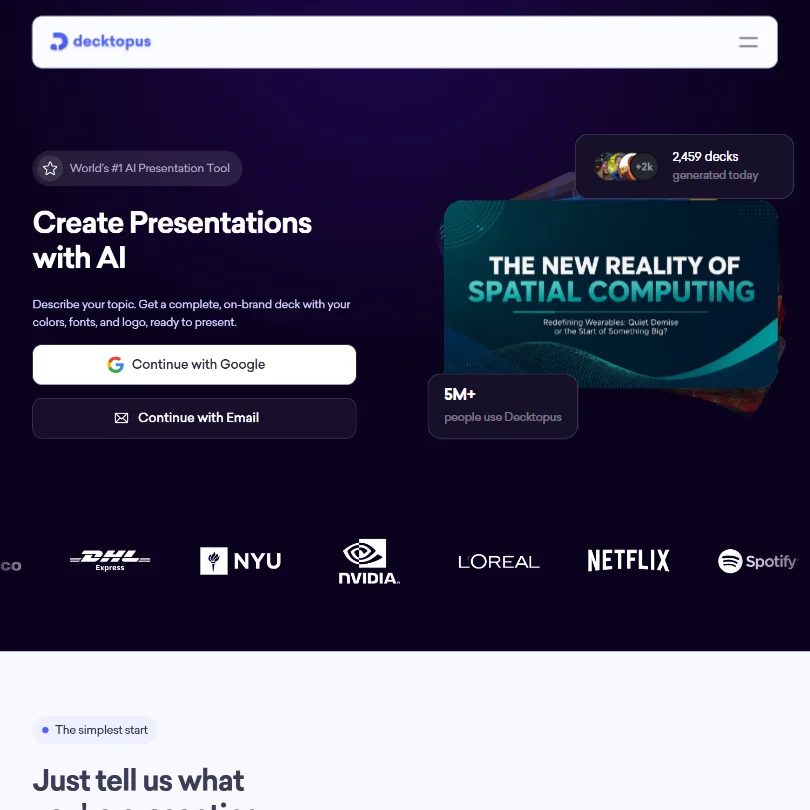
For a solo presenter who wants a branded deck fast, Decktopus pulls colors, fonts and a logo from your website address and builds slides from a short prompt, or redesigns an existing PowerPoint or PDF with a new look. Decks publish as a live link, and Business adds a custom domain. There is no free plan, just a signup grant of about 3 slides, and no real-time co-editing, so Pitch is the team choice.
- Generates a complete, branded deck directly from a short topic prompt.
- Can build a deck from an uploaded file or redesign an existing PowerPoint or PDF while keeping its content and changing its look.
- Offers no free plan, only a one-time signup credit grant good for about 3 slides.
Best design tools for branded AI presentations
3 picksIf the deck has to match your brand and sit alongside posts and documents, a design tool fits better than a deck generator. Canva has the largest template library of the three, and Magic Design turns a prompt into a presentation. Visme adds charts, data widgets and AI photo editing, though commercial use starts on Pro. Adobe Express gives free users a brand kit, exports to PPT and does not train on your personal content. Choose by whether you need commercial rights, PowerPoint export or a team editing together, and by which tool your other designs already live in.
#ToolScorePriceWhy pick it
From $9.99free planAdobe Express packs a lot into its free plan: more than 100,000 templates, over a million Adobe Stock assets and a brand kit, with exports to PPT, PDF and SVG and real-time co-editing.
Show detailsHide details05 Adobe Express: Best for a free brand kit with PowerPoint export8.6Score 8.6 out of 10From $9.99free planAdobe Express packs a lot into its free plan: more than 100,000 templates, over a million Adobe Stock assets and a brand kit, with exports to PPT, PDF and SVG and real-time co-editing.Visit site ↗ReviewDetailsCloseShow more about Adobe Express
From $9.99free plan
Adobe Express packs a lot into its free plan: more than 100,000 templates, over a million Adobe Stock assets and a brand kit, with exports to PPT, PDF and SVG and real-time co-editing.
Show detailsHide detailsAdobe Express: Best for a free brand kit with PowerPoint export
8.6Score 8.6 out of 10From $9.99free planAdobe Express packs a lot into its free plan: more than 100,000 templates, over a million Adobe Stock assets and a brand kit, with exports to PPT, PDF and SVG and real-time co-editing.Visit site ↗ReviewDetailsClose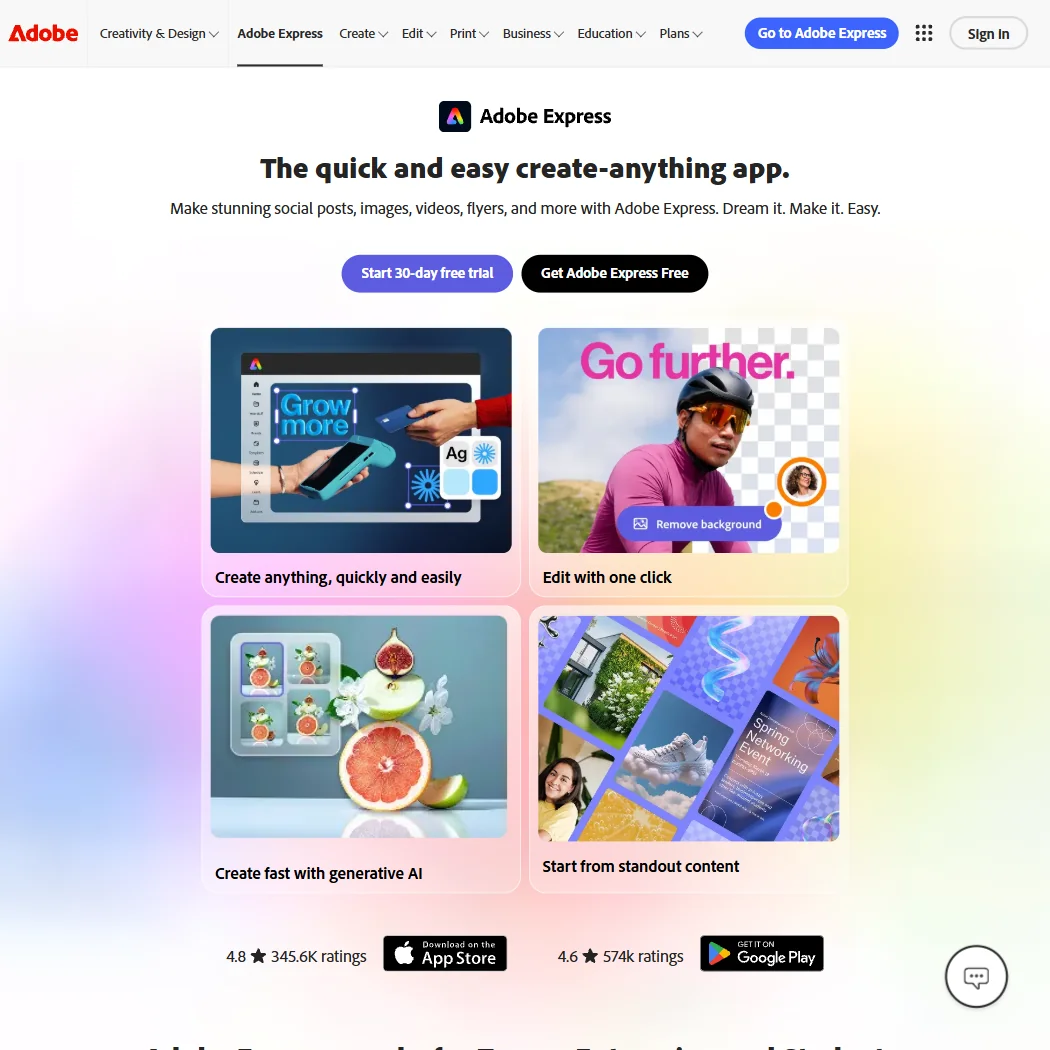
Adobe Express packs a lot into its free plan: more than 100,000 templates, over a million Adobe Stock assets and a brand kit, with exports to PPT, PDF and SVG and real-time co-editing. Adobe does not train its models on your personal content, and AI output is designed to be commercially safe. Generative AI on Premium is capped at 250 credits a month, and free users get community support. Canva has the bigger template library.
- The free plan alone includes more than 100,000 templates, over a million Adobe Stock photos, videos and music tracks, and more than 4,000 fonts, at no cost.
- Real-time co-editing and commenting let more than one person work on the same project together.
- Generative AI on the paid Premium plan is capped at 250 credits a month per user.
From $18free planCanva is the pick if the deck is one of many things you design: the free plan has more than 1.6 million templates, a Brand Kit with three colors and up to 20 AI uses, and Magic Design turns a prompt into a presentation.
Show detailsHide details06 Canva: Best for decks that match your other designs7.8Score 7.8 out of 10From $18free planCanva is the pick if the deck is one of many things you design: the free plan has more than 1.6 million templates, a Brand Kit with three colors and up to 20 AI uses, and Magic Design turns a prompt into a presentation.Visit site ↗ReviewDetailsCloseShow more about Canva
From $18free plan
Canva is the pick if the deck is one of many things you design: the free plan has more than 1.6 million templates, a Brand Kit with three colors and up to 20 AI uses, and Magic Design turns a prompt into a presentation.
Show detailsHide detailsCanva: Best for decks that match your other designs
7.8Score 7.8 out of 10From $18free planCanva is the pick if the deck is one of many things you design: the free plan has more than 1.6 million templates, a Brand Kit with three colors and up to 20 AI uses, and Magic Design turns a prompt into a presentation.Visit site ↗ReviewDetailsClose
Canva is the pick if the deck is one of many things you design: the free plan has more than 1.6 million templates, a Brand Kit with three colors and up to 20 AI uses, and Magic Design turns a prompt into a presentation. It runs on web, Windows, Mac, iOS and Android. AI use is capped, with an AI Pass add-on for more, and it trains on uploads unless you opt out. Adobe Express does not train on your content.
- The free plan includes over 1,000 design types, more than 1.6 million templates, more than 4.7 million stock photos, videos, graphics and audio clips, and 5GB of storage at no cost.
- Magic Design turns a written prompt into a finished design, extending the same approach to presentations and video.
- The AI Image Generator's Vector style produces a raster image with a vector look, not an editable vector or SVG file.
From $29free planVisme fits people whose decks carry numbers: it builds a presentation from a prompt, document or URL, with charts, data widgets and AI photo tools such as a background remover and upscaler in the same editor, and it exports to PowerPoint.
Show detailsHide details07 Visme: Best for decks and reports full of data6.9Score 6.9 out of 10From $29free planVisme fits people whose decks carry numbers: it builds a presentation from a prompt, document or URL, with charts, data widgets and AI photo tools such as a background remover and upscaler in the same editor, and it exports to PowerPoint.Visit site ↗ReviewDetailsCloseShow more about Visme
From $29free plan
Visme fits people whose decks carry numbers: it builds a presentation from a prompt, document or URL, with charts, data widgets and AI photo tools such as a background remover and upscaler in the same editor, and it exports to PowerPoint.
Show detailsHide detailsVisme: Best for decks and reports full of data
6.9Score 6.9 out of 10From $29free planVisme fits people whose decks carry numbers: it builds a presentation from a prompt, document or URL, with charts, data widgets and AI photo tools such as a background remover and upscaler in the same editor, and it exports to PowerPoint.Visit site ↗ReviewDetailsClose
Visme fits people whose decks carry numbers: it builds a presentation from a prompt, document or URL, with charts, data widgets and AI photo tools such as a background remover and upscaler in the same editor, and it exports to PowerPoint. The free Basic plan allows unlimited projects of up to 50 slides each, but projects carry Visme's logo and commercial use starts on Pro. It runs in the browser, with no desktop or mobile app listed.
- Generates a full presentation from a written prompt, choosing a style and filling in text, images and icons.
- Builds a deck from an uploaded document or a pasted URL as well as from a prompt.
- Commercial use of what you create is limited to the Pro plan and above; Basic and Starter are for personal use only.
Best AI assistants that make slides
2 picksIf you already use an AI assistant, it can do the thinking behind a deck: research, outline and the words on each slide. Claude's free plan includes web search, file creation, code execution and memory, and deep research starts on Pro. ChatGPT's free plan includes web search, projects and limited image creation, which Claude does not offer. Both suit the outline and wording best, so plan to bring the result into a deck maker. Gamma takes a pasted outline or uploaded document. Choose by which assistant you already pay for and whether you need images.
#ToolScorePriceWhy pick it
From $8free planChatGPT fits someone who wants words and pictures for slides from one place: the free plan has unlimited text chat, web search and projects, with limited and slower image creation, and file uploads are unrestricted from Go.
Show detailsHide details08 ChatGPT: Best for slide text and images in one chat8.8Score 8.8 out of 10From $8free planChatGPT fits someone who wants words and pictures for slides from one place: the free plan has unlimited text chat, web search and projects, with limited and slower image creation, and file uploads are unrestricted from Go.Visit site ↗ReviewDetailsCloseShow more about ChatGPT
From $8free plan
ChatGPT fits someone who wants words and pictures for slides from one place: the free plan has unlimited text chat, web search and projects, with limited and slower image creation, and file uploads are unrestricted from Go.
Show detailsHide detailsChatGPT: Best for slide text and images in one chat
8.8Score 8.8 out of 10From $8free planChatGPT fits someone who wants words and pictures for slides from one place: the free plan has unlimited text chat, web search and projects, with limited and slower image creation, and file uploads are unrestricted from Go.Visit site ↗ReviewDetailsClose
ChatGPT fits someone who wants words and pictures for slides from one place: the free plan has unlimited text chat, web search and projects, with limited and slower image creation, and file uploads are unrestricted from Go. Deep research stays limited until Plus. Go, the cheapest paid plan, does not unlock GPT-6.1 Sol or GPT-6 Astra and may include ads, and single sign-on waits for Business. Claude is the other choice when you need no images.
- The Free plan includes unlimited text chats with GPT-6 Luna, subject to abuse guardrails.
- Web search is included on every individual plan, including Free.
- Go, the cheapest paid plan, still does not unlock GPT-6.1 Sol, GPT-6 Astra or GPT-6 Sol, and may include ads.
From $20free planClaude suits people who start a deck by thinking it through: the free plan includes web search, file creation, code execution and memory, and deep research on Pro helps build a well-sourced outline.
Show detailsHide details09 Claude: Best for researching and writing the deck content7.8Score 7.8 out of 10From $20free planClaude suits people who start a deck by thinking it through: the free plan includes web search, file creation, code execution and memory, and deep research on Pro helps build a well-sourced outline.Visit site ↗ReviewDetailsCloseShow more about Claude
From $20free plan
Claude suits people who start a deck by thinking it through: the free plan includes web search, file creation, code execution and memory, and deep research on Pro helps build a well-sourced outline.
Show detailsHide detailsClaude: Best for researching and writing the deck content
7.8Score 7.8 out of 10From $20free planClaude suits people who start a deck by thinking it through: the free plan includes web search, file creation, code execution and memory, and deep research on Pro helps build a well-sourced outline.Visit site ↗ReviewDetailsClose
Claude suits people who start a deck by thinking it through: the free plan includes web search, file creation, code execution and memory, and deep research on Pro helps build a well-sourced outline. It runs on web, desktop and phone and connects to Google Drive, Gmail, Microsoft 365 and Notion. It does not generate photos or illustrations, and consumer chats train Anthropic's models unless you opt out. ChatGPT creates images in the same chat.
- The free plan already includes web search, file creation, code execution and memory across conversations.
- Deep research is available from the Pro plan up.
- The Opus and Fable models are only available from the Pro plan up.
How to choose an AI presentation maker
AI presentation tools all promise a deck from a prompt, but they differ on what you can do with it afterward. Some keep the deck on their own website, some export a PowerPoint file you can hand on, and some put their branding on free decks. How the free plan counts AI use, and whether that allowance ever renews, matters more than the first draft. This guide covers those differences, then matches the tools to the person presenting.
Start with the job, not the tool
The tools here do three jobs, and the job you need narrows the list fast.
- Generate a deck from a prompt. You type a topic or paste an outline and get finished slides. Gamma, Pitch, Beautiful AI and Decktopus are built for this, and Visme and Canva can do it inside a wider design tool.
- Design a branded deck. You start from templates and a brand kit and adjust the slides by hand, with AI help. Canva, Visme and Adobe Express are design tools that make presentations among many other formats.
- Draft the content with an assistant. You research, outline and write the talk before any design. Claude and ChatGPT are general AI assistants that handle this part, and ChatGPT also creates images.
The table shows where to start on any budget.
| Job | Free | Worth paying for |
|---|---|---|
| Deck from a prompt | Gamma (400 one-time credits, PowerPoint export) or Pitch (100 one-time credits) | Gamma Plus at $12 a month to remove branding, or Pitch Plus at $15 a month for PowerPoint export |
| Branded design | Canva or Adobe Express, both with a brand kit on the free plan | Adobe Express Premium at $9.99 a month, Canva Pro at $18 a month, or Visme Pro for commercial use |
| Content from an assistant | Claude or ChatGPT on their free plans | Claude Pro or ChatGPT Plus at $20 a month for deep research |
Free plans cover a few decks, but Gamma, Pitch and Visme put their branding on free output, and the AI credits in Gamma and Pitch do not renew. Pay first for the tool you will present from every week.
What the free plans actually give you
Each kind of tool rations something different, so the free plan that lasts depends on how you build slides.
- Deck generators. Gamma gives 400 credits once at signup and up to 10 cards per prompt, with export to PDF, PowerPoint, PNG and Google Slides and Gamma branding on the output. Pitch gives 100 AI credits that do not renew, unlimited presentations, up to 5 members, 2 external guests and 10GB of storage, with no PowerPoint export. Beautiful AI has no free plan, just a 14-day trial, and Decktopus gives 15 signup credits, about 3 slides.
- Design tools. Canva's free plan includes more than 1.6 million templates, one Brand Kit with three colors, 5GB of storage and up to 20 AI uses. Visme's free Basic plan allows unlimited projects of up to 50 slides with 500 MB of storage, with its logo on projects, for personal use. Adobe Express free includes templates, Adobe Stock, a brand kit and scheduling to one account per social network.
- AI assistants. Claude's free plan includes the Sonnet and Haiku models, web search, file creation, code execution and memory. ChatGPT's free plan includes unlimited text chat, web search, projects, limited deep research and limited image creation.
The one-time credits in Gamma and Pitch are the allowance to watch, because once spent they do not come back. Canva, Visme, Adobe Express and the assistants keep working on their free plans week after week.
Which tools fit which presenter
- A student or teacher on no budget. Start with Gamma, because the free plan exports to PowerPoint and Google Slides for class. Add Claude or ChatGPT on their free plans to research and outline the talk first.
- A founder making a pitch deck. Start with Pitch, because Pitch Agent keeps the deck on brand and paid plans show who opened your link. Add Decktopus if you want a deck styled from your website.
- A marketer with brand rules. Start with Canva or Adobe Express, because both hold a brand kit on the free plan and make the social posts that go with the talk. Add Beautiful AI when a team needs locked themes across every deck.
- A consultant presenting data. Start with Visme, since it combines charts, data widgets and AI photo editing, and Pro adds commercial use. Add Beautiful AI Teams for live data linking to charts and tables.
- A team that edits together. Start with Pitch, with real-time editing, comments and slide assignments for up to 5 members on the free plan. Gamma and Adobe Express also support real-time co-editing.
- Someone who must hand over a PowerPoint file. Start with Gamma, which exports PPTX on its free plan. Visme, Beautiful AI, Decktopus and Adobe Express export to PowerPoint too, and Pitch does from Plus.
One presentation, from idea to delivery
- Research the topic. Use Claude or ChatGPT with web search to gather facts, and deep research on Claude Pro or ChatGPT Plus for a longer report.
- Write the outline. Ask the assistant for a slide-by-slide outline with the key line for each slide, so the deck maker has a clear structure to follow.
- Generate the deck. Paste the outline into Gamma or Beautiful AI, give Pitch Agent your files, or let Decktopus redesign an existing PowerPoint or PDF.
- Apply your brand. Set colors, fonts and logo with Pitch's brand controls, Beautiful AI's theme builder, Decktopus's website import, or the brand kit in Canva or Adobe Express.
- Add visuals and data. Generate images in Gamma, Canva, Adobe Express or ChatGPT, and build charts in Visme. Claude does not generate images, so plan visuals elsewhere.
- Review with others. Share Gamma's view-and-comment mode with reviewers, or edit live in Pitch, Adobe Express or Beautiful AI Teams.
- Export or publish. Export a PowerPoint from Gamma, Visme or Adobe Express, or present from a live link in Gamma, Pitch or Decktopus.
- See who watched. Pitch tracks shared links on paid plans, and Gamma, Visme and Beautiful AI offer deck analytics.
Where free plans stop
| Limit | Tools | What happens when you hit it |
|---|---|---|
| One-time AI credits | Gamma (400), Pitch (100), Decktopus (15) | The AI stops generating until you pay for a plan |
| Branding on output | Gamma, Pitch, Visme | Free decks show the tool's logo, and Gamma removes it from Plus |
| No PowerPoint export | Pitch free | PowerPoint export starts on Plus |
| Slides per deck | Gamma (10 cards per prompt), Visme (50 slides per project) | Longer decks need Gamma Plus, with 20 cards per prompt, or more prompts |
| Personal use | Visme Basic and Starter | Commercial use starts on Pro |
| AI uses | Canva free (up to 20) | Canva Pro gives about 10 times the free allowance |
| Trial with an end date | Beautiful AI (14 days), Canva Pro and Adobe Express Premium (30 days) | The plan is paid once the trial ends |
Write your outline before you open a tool with one-time credits, so every generation goes on a real deck. If you present once a quarter, the free plans of Canva and Adobe Express will carry you further than a generator that stops when its credits are gone.
Privacy and who sees your decks
Decks often hold plans, numbers and client names long before anything is public. Several tools here state how they treat what you upload.
| Tool | Training on your content |
|---|---|
| Adobe Express | Adobe does not train its models on your personal content |
| Beautiful AI, Decktopus | Not used for training |
| Gamma, Canva, Claude | You can opt out |
Keep confidential decks in the first two rows, and switch training off in Gamma, Canva and Claude right after you sign up. Pitch stores its data in the EU, in Ireland, which helps teams with GDPR duties.
Mistakes to avoid
- Spending one-time credits on experiments. Gamma's 400 and Pitch's 100 free credits do not renew. Write the outline first in Claude or ChatGPT, so each generation counts.
- Promising a PowerPoint file from Pitch's free plan. PowerPoint export starts on Plus. Use Gamma's free export, or upgrade before the deadline.
- Using a free Visme deck for client work. Visme's Basic and Starter plans are for personal use. Move to Pro before a deck goes to a paying client.
- Expecting Claude to make the images. Claude does not generate photos or illustrations. Create visuals in ChatGPT, Gamma, Canva or Adobe Express.
- Forgetting per-seat pricing. Every Gamma paid plan, Pitch Team and Canva's paid plans charge per person. Count the seats before you invite the whole team.
When it is worth paying
You have outgrown a free plan when the logo on your slides starts to matter, when a client needs a PowerPoint file, or when you present often enough that one-time credits run out. Teams hit the next limit, which is shared brand themes and editing together.
| If you are | Upgrade to | What changes |
|---|---|---|
| Presenting often | Gamma Plus ($12 a month) | 1,000 monthly credits, up to 20 cards per prompt and no Gamma branding |
| Building decks with a team | Pitch Team ($23 a month per user) | Up to 25 members in one workspace |
| Keeping a brand consistent | Beautiful AI Pro ($45 a month, or $14.50 billed yearly) | Unlimited AI content generation, custom brand styling and AI images |
| Using Visme commercially | Visme Pro ($59 a month) | Commercial use, branding controls and collaboration |
| Researching talks in depth | Claude Pro or ChatGPT Plus ($20 a month) | Deep research, plus the Opus and Fable models on Claude or GPT-6.1 Sol on ChatGPT |
Yearly billing changes these prices a lot. Gamma Plus is $12 a month or $9 billed yearly, Beautiful AI Pro is $45 a month or $14.50 billed yearly, and Decktopus Pro is $24.99 a month, $19.99 on a 3-month plan or $9.99 billed yearly. Canva Pro and Adobe Express Premium both start with a 30-day trial and Beautiful AI with 14 days, while Gamma's free plan needs no credit card.
What would this stack cost you?
Add our top picks (Gamma, Adobe Express, ChatGPT) to the calculator and see the monthly total, then swap in the plans you would pay for.
How we picked
Every tool here is ranked by its score, and each score is worked out from the vendor’s own published pages: pricing, plans, features and terms. No score is adjusted by hand. All 9 tools have enough published facts to be scored, and on average 92% of each score comes from facts the vendor publishes. The facts behind these scores were checked between 19 September 2026 and 28 October 2026.
Scores compare tools that do the same job, which is why the list is grouped by job: a video editor and a grammar checker are never ranked against each other.
| Ranked as | On this page | What we score | Scoring guide |
|---|---|---|---|
| AI presentation makers5 reviewed | 5 | 5 criteria, 20 checked facts: what you can make, workflow and output, pricing, teams and platforms, privacy and trust | How we score these → |
| AI graphic design tools9 reviewed | 2 | 5 criteria, 23 checked facts: what you can make, workflow and output, pricing, teams and platforms, privacy and trust | How we score these → |
| AI assistants23 reviewed | 2 | 4 criteria, 13 checked facts: what it can do, where it works, pricing, privacy and trust | How we score these → |
Common questions
Can I move an AI deck into Google Slides?
Gamma exports finished decks straight to Google Slides, even on its free plan, and it can start from a Google Doc. Beautiful AI, Visme and Decktopus do not export to Google Slides, so with those you would export a PowerPoint file and open it there. If your school or company works in Google Slides, Gamma is the simplest route.
Can I make a presentation on my phone?
Gamma, Pitch, Canva and Adobe Express have iOS and Android apps, and Pitch and Canva add desktop apps too. Claude and ChatGPT run on phones for drafting the content. Beautiful AI and Visme run in the browser with no listed app, and Decktopus gives mobile access on paid plans through the browser rather than an app.
Can these tools turn an existing document into slides?
Most of them can. Gamma takes a Word document, PDF or Google Doc, and imports PDF and PPTX files. Beautiful AI builds from an uploaded source document, Visme from a document or a pasted URL, and Pitch Agent from your attached files. Decktopus can redesign an existing PowerPoint or PDF, keeping the content and changing the look.
Which AI models do these tools use?
Gamma names the most: Claude, ChatGPT and DALL-E, Gemini, Flux, Recraft, Playground, Ideogram, Luma and Leonardo. Beautiful AI states its AI tools are powered by Anthropic. Claude offers Anthropic's own models, with Sonnet and Haiku on the free plan, and ChatGPT offers OpenAI's GPT family. That matters if your company has approved one AI provider and not others.
Can I see who opened my presentation?
Pitch tracks shared links on its paid plans, which is useful for a pitch deck sent to investors. Gamma, Visme and Beautiful AI list deck analytics, and Decktopus lets you switch a live link between public and private. A PowerPoint file sent by email tells you nothing once it leaves, so present from a link when views matter.