SAASINSPECTOR
Decktopus AI logo

Decktopus AI Review

Creating AI-powered presentations and carousels faster

Visit Decktopus AIFrom $9.99/mo

Research-based review. We analyzed vendor documentation, customer reviews on G2, Capterra, and Reddit, and live pricing — not hands-on testing yet. We update as our team puts tools through real workflows.

The verdict

Decktopus AI is an AI-powered presentation maker designed to take users from a text prompt to a finished, branded slide deck with minimal manual effort. Its standout features include an in-app delivery coaching system called Loop and a Brand Kit that auto-applies company styles across all team decks. Scoring well for ease of use and novelty, it suits business users and content creators who prioritize speed over deep design control.

Pros

  • The AI generates a complete, formatted deck from a single text prompt, eliminating template hunting and manual layout work.
  • The built-in Loop feature provides real-time delivery coaching inside the app, a capability rarely bundled into presentation tools at this price point.
  • Brand Kit auto-application pulls colors and fonts directly from a website URL and applies them across all team-generated decks automatically.
  • AI image generation is included on all plans without requiring a paid upgrade.
  • A ChatGPT plugin integration allows users to generate decks directly from within ChatGPT conversations.
  • Social media carousel generation adds additional output range beyond standard presentations.
  • With 5 million users since its 2018 founding, the platform has demonstrated real-world adoption and product staying power.

Cons

  • Decktopus is not a broad AI graphic design suite — it lacks logo generation, background removal, and UI wireframing capabilities.
  • Users seeking deep design customization may find the AI-driven layout choices limiting compared to manual tools like PowerPoint or Canva.
  • PDF export options are limited to standard or compressed quality, which may not satisfy users needing high-fidelity output formats.
  • The product experience is heavily prompt-dependent, meaning output quality relies on how well users can describe their topic.
  • The ChatGPT plugin, while useful for existing ChatGPT users, is described as a minor integration that adds limited standalone value.
  • The review notes the product is not perfect, suggesting reliability or feature gaps exist that temper its otherwise promising pitch.
From $9.99/moFree plan YesFree trial No

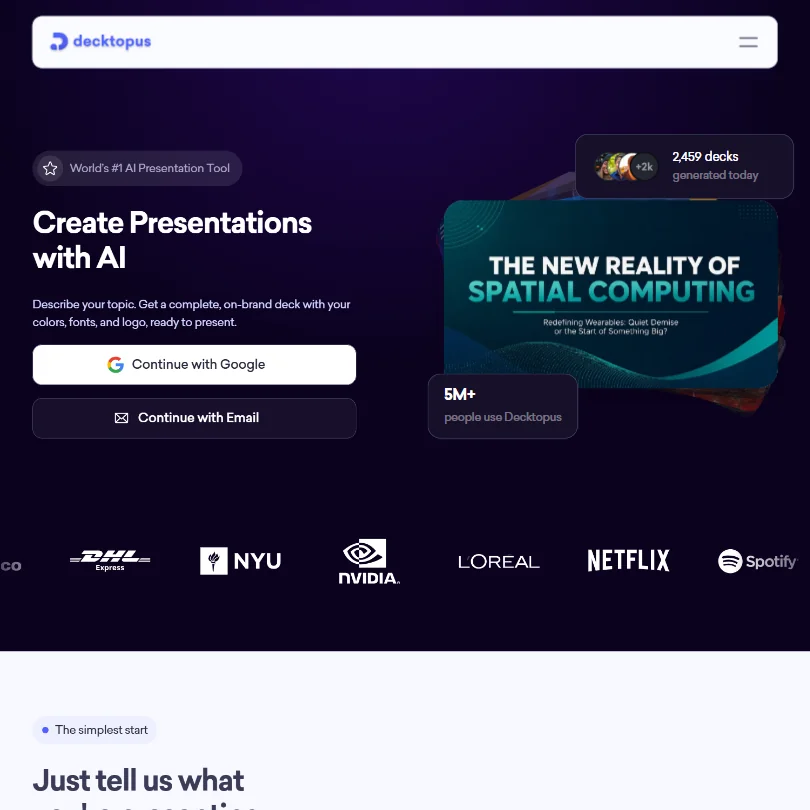
Decktopus AI has come up repeatedly in our research across G2 and Capterra. Founded in 2018, the company claims 5 million users and pitches itself as the fastest path from a text prompt to a finished presentation. When we cross-referenced their documentation with what reviewers actually report, the picture got more complicated than the homepage suggests.

Decktopus AI homepage screenshot
Decktopus AI — Homepage

What is Decktopus AI?

Type a prompt, get a deck. That's the whole model. The AI generates the slides, picks layouts, drops in content, and applies a visual theme, without you touching a template grid or adjusting font sizes for twenty minutes.

What sets it apart from Gamma or Tome is a feature called Loop. It's an in-app delivery coaching system built directly into the presentation workflow. You finish the deck, then practice your actual delivery inside the tool and get real-time feedback. We don't see that bundled at this price point elsewhere. Honestly, that caught us off guard.

There's also a ChatGPT plugin that lets you tag Decktopus inside a conversation and generate a deck from there. Minor on paper. For users who already live in ChatGPT for most of their work, it removes a real friction point.

Decktopus AI Features: Logo, Graphics, UI & Brand Design Capabilities

Decktopus AI features screenshot
Decktopus AI — Features

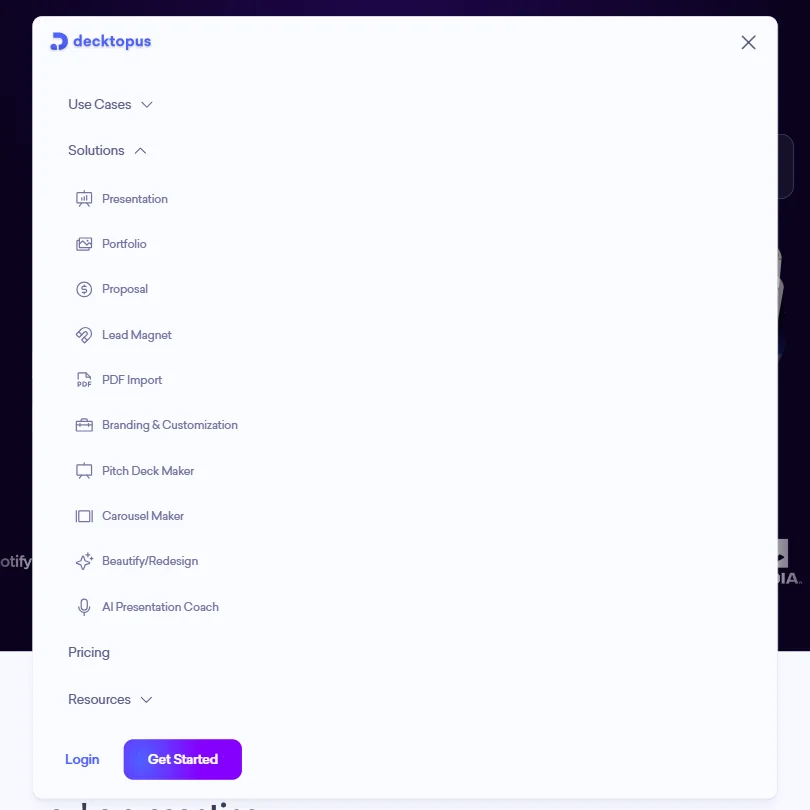
Scope first. This is a presentation tool, not a broad ai graphic design platform. No logo generation, no background removal, no UI wireframing. That's a deliberate product boundary, not a gap.

Within that boundary, the feature set covers the presentation workflow well. AI image generation is included across plans, not gated behind an upgrade. Brand Kit auto-application is the feature that kept coming up in business-focused G2 reviews. You paste a website URL, Decktopus pulls your brand colors and fonts, and applies them across generated decks. For anyone who has spent time correcting off-brand slides from a teammate, that's a real time-saver.

Social media carousels are also in. AI-generated, exportable. Secondary feature, not a headline one. Export options cover PDF in standard or compressed quality, along with PPT and PNG. No Figma export, no Google Slides sync.

Collaboration is not locked to Business only. Decktopus's own billing documentation confirms that Free and Pro users can collaborate with each other. Business adds organization-wide collaboration and seat management, but collaboration itself isn't a Business-only gate. Worth knowing if you read older reviews that say otherwise.

Decktopus AI Design Quality: How Good Are the AI-Generated Results?

This is where reviewer opinions split the hardest. G2 reviewers from marketing and sales backgrounds tend to rate the output well, particularly for structured formats like pitch decks and training materials. The AI handles slide hierarchy better than tools that just reformat bullet points.

The initial design output earns relatively strong marks compared to similar tools at this price point. The editing experience afterward is a different story. A February 2026 G2 reviewer specifically called editing "clunky," buggy, and frustrating. G2's own summary for the tool flags limited customization as a recurring theme. Not a one-off complaint.

We're skeptical of the "no editing required" framing. The generation is fast. Whether the output needs work depends entirely on how specific your prompt was and how particular you are about layouts. Most reviewers touched something up. That tracks.

Decktopus AI Templates & Assets: How Deep Is the Library?

Decktopus leans hard into AI generation, so a traditional template library isn't the point. You're not picking from a grid of 200 options. The AI makes those layout decisions for you.

Asset coverage comes from built-in AI image generation. No separate stock library subscription needed. Legitimate plus. What we couldn't confirm from reviews is how wide the design variety actually runs. Some Capterra reviewers mention that decks from different users start to look similar over time. Template variety sits well below what something like Visme offers for teams where visual range is a hard requirement.

Fair. Different product goals entirely.

Is Decktopus AI Easy to Use for Non-Designers?

The generation step is about as low-friction as it gets. Prompt in, deck out. If you've been staring at a blank slide, this will feel like a genuine shortcut.

Post-generation editing is harder. The editor is functional, not polished the way Canva's is. Non-designers in the reviews rate the experience well when they accept the AI's output with minor tweaks. The ones who try to rebuild a layout from scratch report more frustration. That's consistent with what you'd expect from a generation-first tool that wasn't designed around layer-by-layer control.

Loop, the in-app delivery coaching feature, is genuinely low-friction to start using. No complex setup, no separate account. Practice inside the tool, get feedback, adjust. Several G2 reviewers in sales roles called it out specifically. Not great that we can't point to a clean cluster of recent reviews confirming retention around it, but the feature is real and included in Pro.

Decktopus AI Pricing: Is It Worth It vs Hiring a Designer?

Decktopus AI pricing screenshot
Decktopus AI — Pricing

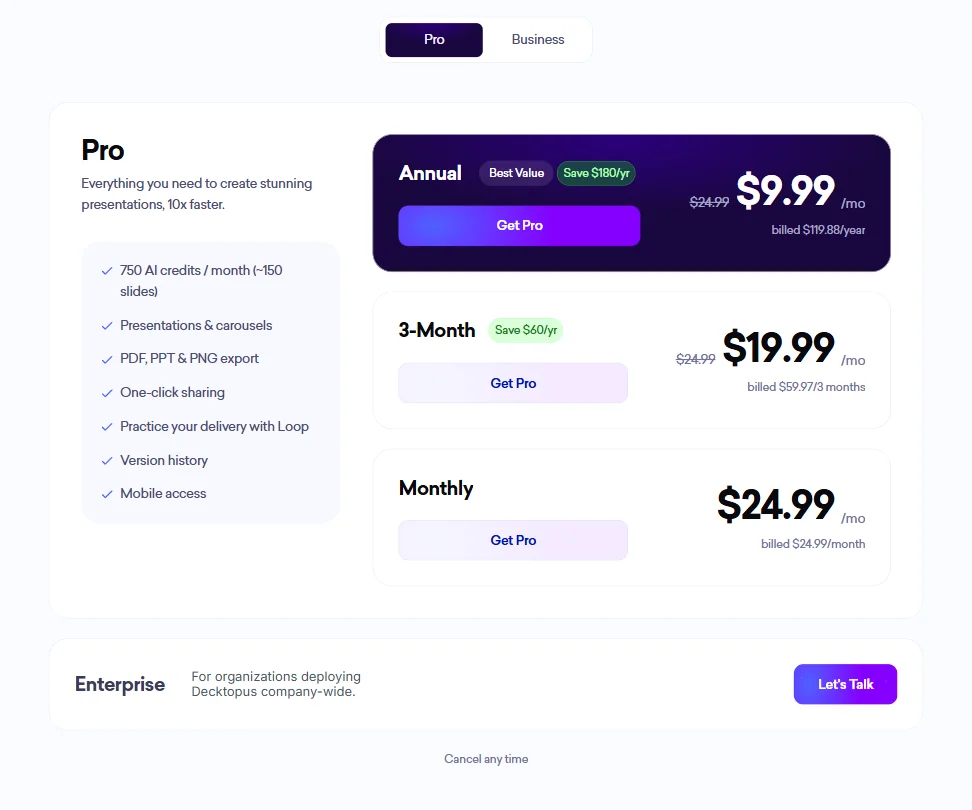
The Pro plan runs $9.99 a month billed annually, $119.88 billed at once. Billed every three months, it's $19.99 a month, so $59.97 per quarter. Month to month sits at $24.99. The annual plan lists a $24.99 original price crossed out, which puts the savings framing at $180 a year versus monthly billing.

Business pricing is published. Annual billing lands at $19.99 a month per user. The three-month billing option runs $39.99 a month, and monthly sits at $44.99. Enterprise is custom, which is standard.

There's no ongoing free plan. Decktopus's own documentation references a Free Account state, and Free users can collaborate with Pro users, so some free access exists. But the signup trial allowance isn't clearly documented on current credit help pages. The absence of a clearly scoped free tier is a real gap in a category where most direct competitors offer one. Gamma has a free tier. Canva has a free tier. Decktopus's free access is murky enough that we wouldn't call it a true free plan.

The refund policy isn't publicly stated anywhere we found. For an annual commitment at $119.88, that's a friction point. At $9.99 a month for what you get, including AI image generation and Loop, the Pro plan is defensible. The free-tier gap is the main complaint.

Decktopus AI vs Gamma: Which AI Design Tool Wins?

Gamma is the obvious comparison. Both generate presentations from a prompt and skip the traditional template workflow.

Where they diverge is on breadth and polish. Gamma carries a broader free tier and a more polished post-generation editing experience according to most comparative reviews we read. Decktopus has Loop, which Gamma doesn't offer. That's the clearest point of differentiation, and it's not a small one if delivery prep matters to you.

Brand Kit auto-application from a URL is another Decktopus edge. Gamma's branding tools exist, but the URL-to-brand-kit shortcut isn't there in the same way. For solo users who want a clean deck quickly, Gamma wins more often in reviews. For sales teams who care about delivery prep alongside deck creation, Decktopus makes a real case. Beautiful.ai comes up in the same conversation too, more template control, less AI generation speed, different tradeoff entirely.

Who Should Use Decktopus AI? (And Who Shouldn't)

Sales teams needing fast, on-brand decks. The clearest fit. Brand Kit auto-application and Loop coaching together form a coherent package for that workflow.

Business presenters who hate the blank-slide problem. Also a fit. The tool was built for exactly that situation, and the price point doesn't require a budget conversation.

Designers wanting fine-grained control. Not the fit. Anyone who thinks in layers and pixel nudges will hit the editor's ceiling fast.

Teams needing deep real-time collaboration. Check the Business pricing first. $19.99 a month per user annually is reasonable. $44.99 monthly is not, for a small team running without a commitment.

Decktopus AI Review Verdict

The tool does what it says. Prompt in, structured and designed presentation out, faster than doing it by hand. Loop is a real differentiator and not one we expected at this price point. The Brand Kit URL feature solves a genuine pain point for teams chasing consistent branding across many decks.

The weak spots are also real. No clearly defined free tier in a category where most competitors offer one. The post-generation editing experience is where users lose confidence in the tool, and the G2 record on that point is consistent enough to take seriously. The refund policy being invisible doesn't help, especially for annual buyers.

At $9.99 a month on annual billing, it's priced below most of what we track in this category. Solo professionals who present regularly and want to cut prep time have a clear case here. Teams should look at Business pricing carefully before committing, $19.99 annually per user is workable, but $44.99 monthly adds up fast.

We wouldn't tell you to skip it. We'd tell you to push the editor past the default output during any trial period and decide from there.

Frequently Asked Questions

Does Decktopus AI have a free plan?

Not a clearly defined one. Decktopus's own documentation references Free Account users who can collaborate with Pro users, so some free access exists. But the exact trial allowance at signup isn't clearly documented on current help pages, and we couldn't verify a specific slide count from public sources. In a category where Gamma, Canva, and others offer real free tiers, the ambiguity is a gap worth knowing about before you start the signup process.

Can Decktopus AI export to PowerPoint?

Yes. PPT export is available alongside PDF in standard or compressed quality, and PNG. No Google Slides sync, no Figma export. Teams running entirely in Google Workspace will need a workaround, and there isn't a native one right now.

Is Decktopus AI worth it compared to Gamma?

Depends on what you're optimizing for. Gamma has a broader free tier and a more polished editing experience for users who want control after generation. Decktopus has Loop, built-in delivery coaching that Gamma doesn't offer. At $9.99 a month on annual billing, Decktopus makes sense for users who want the deck and the delivery prep in one place, rather than building the deck somewhere and figuring out practice separately. For pure deck creation with minimal friction, Gamma wins more often in head-to-head reviews.

Decktopus AI is featured in

Alternatives to Decktopus AI

See all Decktopus AI alternatives →

Other AI Design Tool options we've reviewed.

User reviews

Review Decktopus AI

Your rating

Reviews are moderated and appear once approved.