
Our research on Sintra started with the homepage and ended somewhere in a Reddit thread where a solopreneur was trying to figure out whether any of the 12 AI "employees" actually worked without heavy hand-holding. We pulled vendor docs, combed through Product Hunt comments, and cross-referenced their pricing page against the actual feature set. What came back was a picture of a tool with a genuinely interesting premise that's still working out the kinks.
What is Sintra?
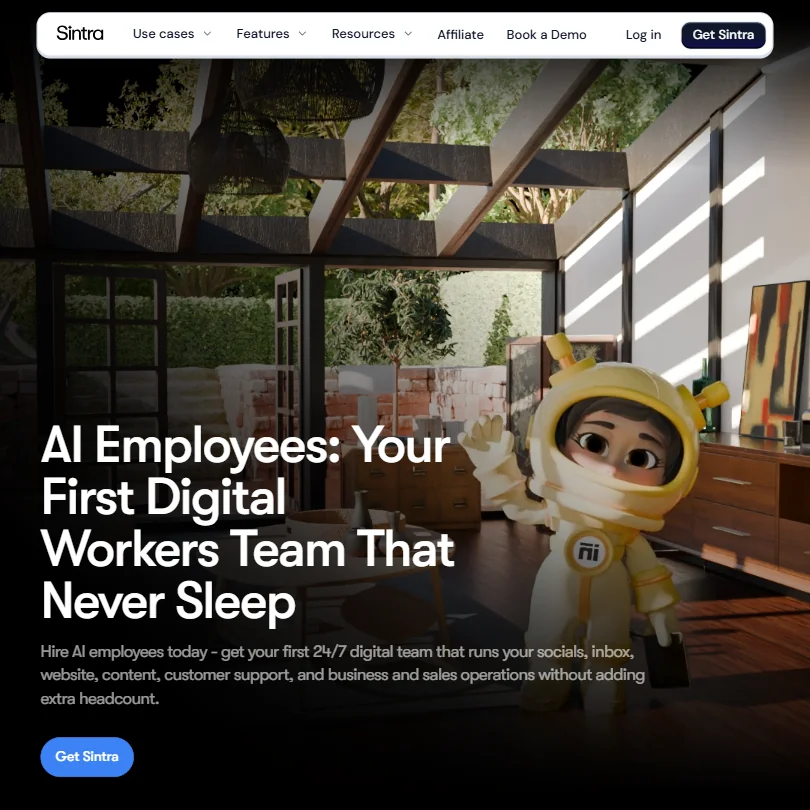
Sintra positions itself as a staffing agency you pay once a month. Instead of buying an AI writing tool, you hire a team of 12 named AI workers. There's Seomi for SEO and Penn for copywriting, plus Soshie for social media, Milli for sales, and a handful of others covering roles like data analysis and virtual assistance. Each one has a personality, a job title, and apparently 100,000+ industry data points baked in.
The underlying model is Claude 4.5 Sonnet. That's a real differentiator. Most tools in this category run GPT-4 variants. Sintra went a different direction, and honestly, that surprised us.
The connecting tissue is something called Brain AI. It's the brand memory layer. You feed it your tone of voice, your guidelines, your documents, and the AI workers pull from it. In theory, every output stays on-brand without you repeating yourself. We've seen worse ideas.
Sintra Features: What You Actually Get
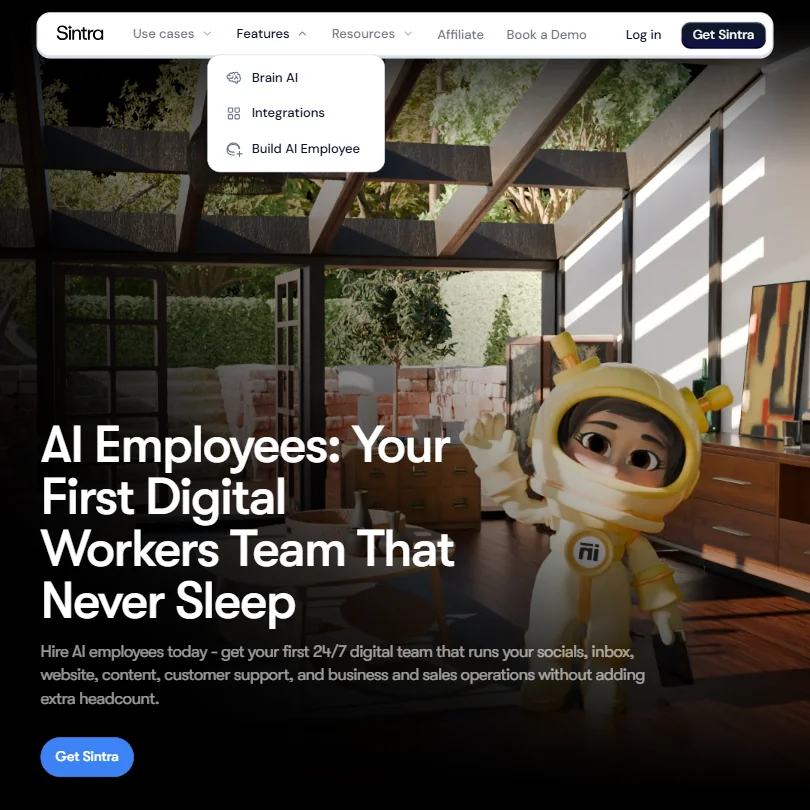
The feature set is wider than most. Long-form writing runs through Penn and Seomi. Short-form copy, cold emails, hooks, that's in there too. Seomi handles keyword research and SEO-optimized blog posts. Dexter covers competitor research and data analysis, and a few others round out the roster.
One-click "Use Cases" are essentially pre-built prompts. Things like writing a sales playbook or generating an email campaign. They lower the barrier for people who don't know how to prompt well.
Bulk image generation showing up as a built-in use case is genuinely unexpected for a tool that's primarily pitched as a writing product. We're not sure how good the output is. No hands-on testing here. But the breadth of that feature list is notable.
What's missing is also notable. No plagiarism checker. No grammar and style layer. No publicly documented API access. The pricing page lists 15+ integrations covering email, calendars, and a few others, but Sintra doesn't name them. That's irritating.
Sintra AI Output Quality: Is It Good Enough?
Sintra isn't on G2 or Capterra in any meaningful way at time of writing. Trustpilot coverage is thin. So we leaned on Product Hunt threads and Reddit. The pattern we kept seeing was positive first impressions followed by questions about depth. Users liked the persona framing. They found the Brain AI memory feature genuinely useful for staying consistent. Where complaints surfaced, they clustered around output that felt generic without significant prompting.
That tracks for Claude Sonnet as a base model. The model is capable. The real question is how much Sintra's layer on top adds versus just using the model directly. We're a little skeptical that 12 different personas built on the same underlying model produce meaningfully different output from each other.
Is Sintra Easy to Use?
Not web only, as it turns out. Sintra has iOS and Android apps, both listed in their respective app stores, and the Help Center explicitly covers using Helper chats on mobile. Worth knowing for solopreneurs who work across devices. The browser app remains the primary interface, but the mobile coverage is real.
The chat-based interface is the main way you interact with each AI worker. One-click Use Cases help. Brain AI setup is reportedly straightforward. What we couldn't verify is how much ramp-up time the initial brand configuration actually takes.
Support is an AI chatbot named Cassie, with human backup via email. There's a help center. No community forum. That's a sparse support infrastructure for a product at this price point. Not great.
Sintra Pricing: Is It Worth the Cost?
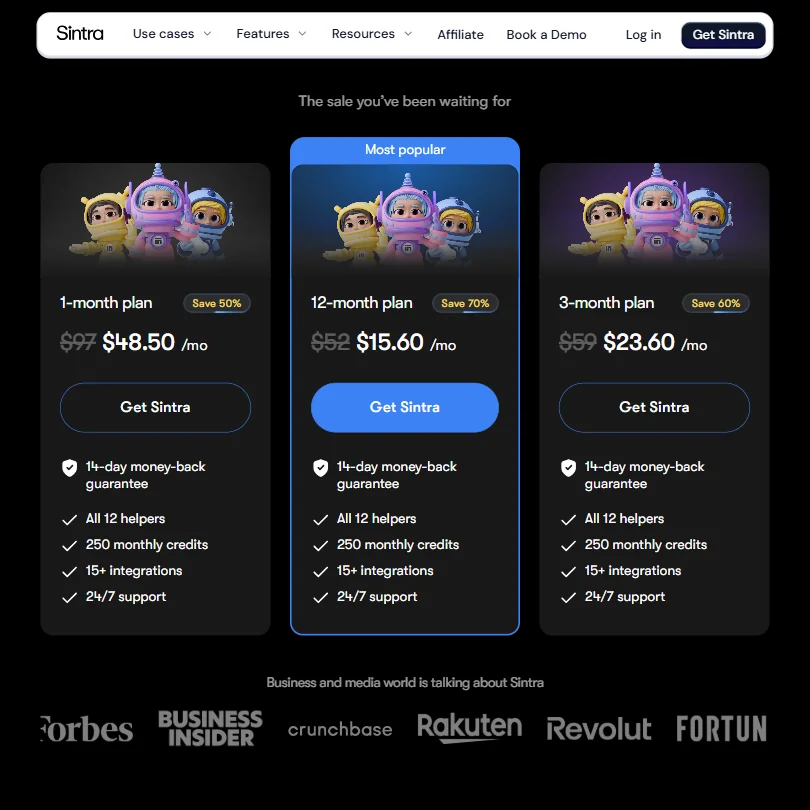
Three plans, all with the same feature set. The monthly plan runs $97 per month. Bill every three months and it drops to $59 per month. Go annual and it falls to $52 per month. Every plan includes all 12 helpers, 250 monthly credits, and 24/7 support. All three carry a 14-day money-back guarantee.
The gap between monthly and annual is significant, and it pushes people toward commitments before they've fully tested the tool. Honestly, that's a pretty common tactic. Doesn't make it less uncomfortable.
There is a 3-day free trial with 50 credits and no card required, which softens the entry considerably. You choose whether to pay after three days. That's a meaningful distinction from the money-back guarantee, which still requires upfront payment. The free trial is the lower-friction entry point, and Sintra's own materials make clear it's genuinely optional to continue.
No enterprise pricing is listed. No free plan exists beyond that trial. Half the tools in this category offer a permanent free tier. Sintra doesn't.
Sintra vs Jasper: Which Is Better?
Jasper AI is the more established product here. It has documented integrations, a stronger review trail, and a longer track record with marketing teams. Jasper also costs more on base plans and is built more explicitly for content teams than solo operators.
Sintra's angle is different. It's aiming at individual business owners who want to delegate entire functions, not just generate copy. The AI employee framing is more ambitious than what Jasper or Copy.ai offer. Whether that ambition translates into better output is the question Sintra can't fully answer yet, given the thin public feedback.
For pure content volume, Koala AI is a more proven bet at a lower price point.
Who Should Use Sintra? (And Who Shouldn't)
Solopreneurs building a personal brand. That's the most natural fit. Someone who needs a copywriter, an SEO person, and a social media manager but can't hire any of them. The AI employee framing clicks for that use case. Delegation feels concrete, not abstract.
Marketing teams at established companies. Less obvious. The missing integration specs, the no-API situation, and the thin enterprise story all push against it. There are better-documented options for that context.
Sintra Review Verdict
The concept is smart. Twelve specialized workers with brand memory is a better pitch than "yet another AI writing tool." Claude 4.5 Sonnet as the base model is a genuine differentiator in a category that mostly defaults to OpenAI.
The 3-day no-card trial changes the calculus a little. It lowers the entry cost to zero, which matters. What keeps this from being an easy recommendation is the supporting infrastructure, specifically the opaque integrations, no permanent free tier, and near-absent presence on major review platforms. Hard to verify the claims at scale when the feedback trail is this thin.
The bones are there. The proof isn't quite yet.
Frequently Asked Questions
Does Sintra have a free plan?
No permanent free plan. Sintra does offer a 3-day free trial with 50 credits and no card required. You decide whether to continue after those three days. Separately, all paid plans carry a 14-day money-back guarantee, but that one does require upfront payment. The trial and the guarantee are two different things, and conflating them is easy if you're moving fast through the pricing page.
What AI model does Sintra use?
Sintra runs on Claude 4.5 Sonnet, built by Anthropic. Notable choice. Most tools in this category default to GPT-4 variants, so Sintra went a different direction. Whether that model difference translates into meaningfully better output for your specific use case is genuinely hard to predict without testing it yourself. Fair.
What are Sintra AI helpers?
The 12 named AI workers the platform is built around. Each one is designed for a specific business role, SEO and copywriting being the two most prominently featured, with social media, sales, and a few others rounding out the set. They all pull from the same Brain AI memory layer you configure with your brand context. The "helper" framing is mostly a UX choice. Under the hood, they're specialized prompt configurations on top of the same base model.







