Napkin AI's public beta went live in August 2024. Just over two years old now, which is young by any measure, and it shows in the gaps. But the core mechanic is different enough from what we track in this category that dismissing it on age alone would be lazy analysis. We pulled vendor docs, Product Hunt threads, Reddit discussions, and what little structured review data exists before writing any of this.

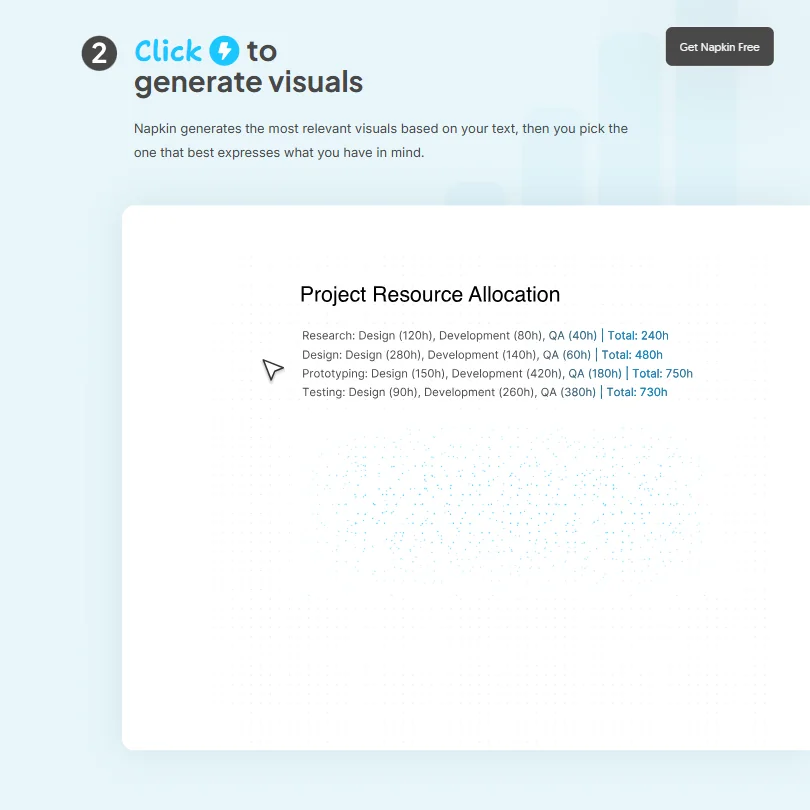
The loop is short. Paste text, get a visual. No prompt required. Pick from what the tool surfaces, adjust it, export it. That's either exactly what you need or completely beside the point, depending on your workflow.
What is Napkin AI?
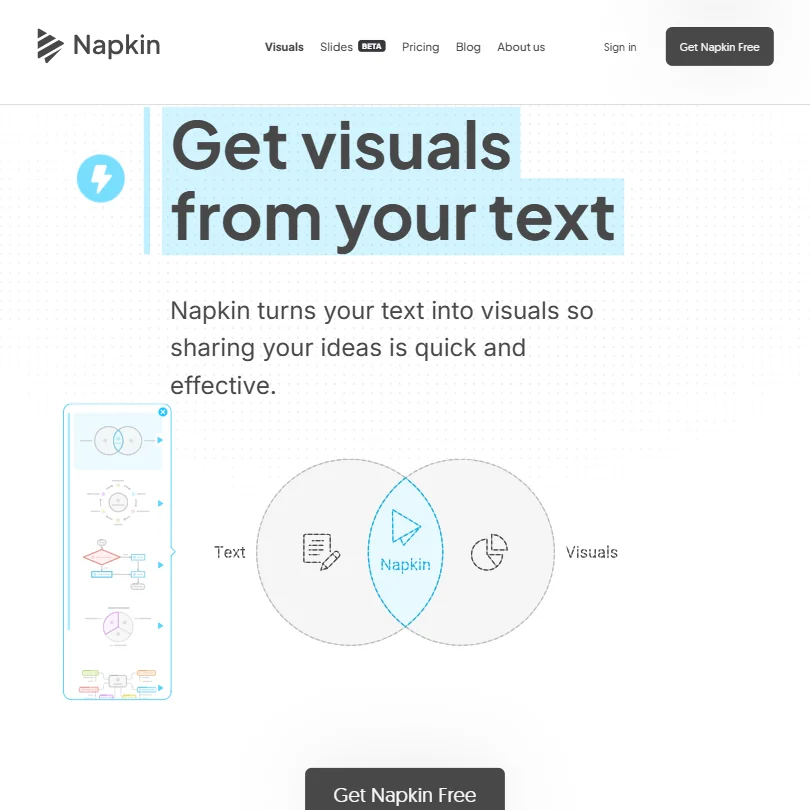
Web-based. No download. The whole product runs on a single premise: text goes in, visuals come out, specifically infographics, flowcharts, mind maps, and data charts generated by reading whatever you paste or import. No prompts. That distinction matters more than it sounds, because Canva, Visme, and most competing tools still require you to describe what you want before they build anything. Napkin reads what you already wrote.
The tool also includes Napkin Slides, currently in beta, which applies the same logic to full presentation decks. Import a doc, get slides. Early Product Hunt reactions were positive, though the beta label is doing real work there and we wouldn't treat it as a finished feature.
Six languages supported. English plus Spanish, French, Italian, Korean, and Portuguese. Honestly, most competitors at this price point don't bother with more than one or two, so that's a genuine point in Napkin's favor for a two-year-old product.
Napkin AI Features: Logo, Graphics, UI & Brand Design Capabilities

No logo generation. No UI wireframing, no animation, no background removal. The vendor docs don't pretend otherwise, which we appreciate. What it does cover: AI-generated infographics and diagrams, a Brand Studio that lets paid users apply custom colors and fonts, social media visuals, and the Slides beta.
The brand kit tiering is worth understanding. Free users get standard styles and built-in fonts. Plus opens three Brand Styles. Pro unlocks unlimited custom branding, including the ability to upload your own fonts. That gap between Plus and Pro is meaningful for consultants or agencies running multiple clients through one account.
Export formats break down cleanly. Free plan covers PNG and PDF. Plus and above unlock PPT and SVG. Import side handles PPT, DOC, PDF, HTML, and Markdown. No Figma export. No Adobe pipeline. That's a real constraint for anyone embedded in a design team workflow, not a minor footnote.
No API access. We're skeptical that changes soon, given where the product is in its lifecycle, and that's a hard ceiling for anyone thinking about building Napkin into an automated content process. Team management and shared billing exist on paid plans. Real-time co-editing does not appear to be a featured capability, based on what the docs actually describe. Fair, at this price.
Napkin AI Design Quality: How Good Are the AI-Generated Results?
This is where the product earns its reputation. The text-to-visual conversion is the headline feature and, based on aggregated user reports, it mostly delivers, which is a higher bar than it sounds for an AI design tool in 2024. A professor cited in Napkin's own testimonials used it for LinkedIn articles and described the output as professionally aligned. A project manager said it changed how they approach presentations. Reddit threads from 2024 echo that, with non-designers specifically noting how fast the output comes versus building diagrams manually in PowerPoint.
Consistency is the real caveat. Some text inputs produce genuinely strong visuals on the first pass. Others need significant manual cleanup. The tool surfaces multiple options to pick from, which helps, but it's not zero-effort. Closer to 80% of the way there automatically, based on what we kept seeing reported.
We didn't find many complaints about the visual style feeling generic. That surprised us. Most AI design tools at this price point produce output that looks like 2015 clip art. Napkin's output seems more considered, at least from what users share publicly. That tracks with the product positioning.
Napkin AI Templates & Assets: How Deep Is the Library?
Standard icons on the free plan. Bold icons unlock on Plus. Beyond that, Napkin's documentation is thin on specifics about how many templates or icon sets actually exist. We couldn't find a number anywhere in the vendor materials.
Every plan ships with built-in styles and fonts. Paid users can override those through Brand Studio. The Pro plan adds exclusive designs on top of that. Reasonable setup. Not a deep library play like Canva's, which has spent years accumulating assets. More of a "generate what you need from what you already wrote" approach.
Not great for someone who browses templates for inspiration before they know what they want to say. Fine, actually very fast, for someone who already knows the content and needs a visual form for it.
Is Napkin AI Easy to Use for Non-Designers?
Napkin's clearest strength. The whole product is built around removing the blank-page problem, and it largely succeeds. You write or paste content, and the tool builds structure from there, which is a genuinely different starting point than Canva, Beautiful.ai, or Gamma, all of which still expect you to initiate the design work.
Product Hunt comments from 2024 consistently called the learning curve flat. One user said they'd been waiting years for a tool that handled business diagrams without forcing them into PowerPoint's mediocre shape tools. That tracks. The editing layer lets you adjust colors, layout, and text on anything the AI generates. Nothing is locked. That matters because the AI won't nail it every time, and a tool that outputs something you can't touch would be useless fast.
The ceiling is real though. Pixel-perfect control isn't what this is built for. Users who want granular design decisions will hit the limit quickly and probably need something closer to Figma instead. Speed is the trade Napkin is making, and it's an explicit one.
Napkin AI Pricing: Is It Worth It vs Hiring a Designer?

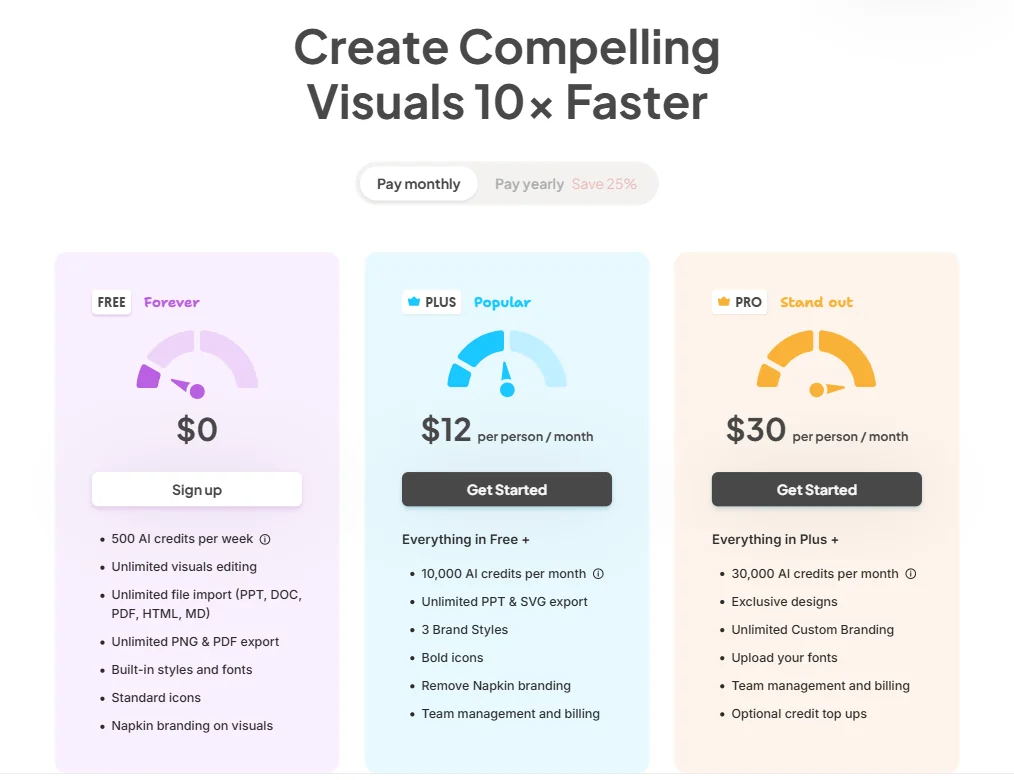
The free plan is more functional than most. 500 AI credits per week, unlimited visual editing, unlimited file import, unlimited PNG and PDF export, and built-in styles. The catch is Napkin branding on every visual. Enough to genuinely evaluate whether the tool fits before committing to anything.
Plus runs $12 per person per month, based on the current pricing page, which gets you 10,000 AI credits per month, unlimited PPT and SVG export, three Brand Styles, bold icons, and the watermark removed. Pro sits at $30 per person per month and adds 30,000 AI credits monthly, exclusive designs, unlimited custom branding, font uploads, and optional credit top-ups. Team management and billing are on both paid tiers.
In our database of reviewed tools in the AI design category, the category median runs around $16 per month. Plus at $12 comes in below that. Pro at $30 is above it, and the jump from Plus to Pro is steep enough that the feature list at Pro needs to actually matter to your workflow before paying for it.
Refund policy isn't stated publicly anywhere we could find. That's an annoyance. You're committing without knowing what happens after a billing cycle that doesn't work out.
Versus hiring a designer for one-off diagrams? Not close. Napkin wins on cost and speed by a wide margin. Versus Canva at its paid tier? Napkin is more focused and cheaper at the entry level. Kittl is worth a look if your needs lean toward graphic design rather than diagram generation, though it's coming from a different angle entirely.
Napkin AI vs Canva: Which AI Design Tool Wins?
Canva is the everything tool. Thousands of templates, photo editing, video, social posts, brand kits across multiple businesses. Wide by design.
Napkin is narrow on purpose. It doesn't try to match Canva's breadth and doesn't pretend to. It does one thing: turn written content into structured visuals. That focus means it's faster at that specific task than Canva, based on user comparisons we read repeatedly across forums.
Canva's AI features have improved meaningfully in the past year. They still require you to prompt or start from a template. Napkin skips that step by reading your existing text, which is a real workflow difference for anyone who already produces a lot of written content.
Canva wins on breadth. Social media templates, video editing, print assets, photo tools. If you need any of those regularly, Napkin isn't the answer. Napkin wins on diagram and infographic speed for content-heavy users, and it's not particularly close on that specific task.
Pricing comparison is straightforward. Canva Pro runs $15 per month. Napkin Pro is $30. Napkin Plus at $12 is the more useful comparison to Canva Pro for most use cases, assuming diagrams and presentations are the primary output.
Who Should Use Napkin AI? (And Who Shouldn't)
Consultants who produce a lot of slide decks and process diagrams. That's the fit. Fast output, professional enough quality, and the brand kit on Pro handles the multi-client scenario reasonably well.
Educators. The professor testimonial on Napkin's homepage isn't an accident. Anyone who writes long-form content and needs visuals to support it will find the workflow genuinely faster than any alternative we're aware of at this price.
Marketers producing LinkedIn content or blog posts with embedded visuals. Explicitly supported, and the social media output lane is there for it.
Product designers. Wrong category entirely. No wireframing, no design system support, no developer handoff. Graphic designers needing print-ready precision will hit limits fast. Anyone needing API access to build automated pipelines should look elsewhere. Napkin isn't there, and we don't expect it to be soon.
Napkin AI Review Verdict
Two years old, one clear mechanic, and it mostly works. Text comes in, visuals come out, and the quality holds up well enough that non-designers use the output without being embarrassed by it. That's a higher bar than it sounds in this category.
The gaps are real. No API, no Figma or Adobe export, support is email-only with a basic help center, and Napkin Slides is still in beta. You're betting on a roadmap, at least partially. At $12 per month for Plus, the risk is low enough that most of the target audience should just try it, especially given the free plan gives you 500 AI credits per week and unlimited editing before you spend anything.
We'd want clearer refund terms and a more developed support layer before recommending the Pro tier at $30 per person for a team running this at scale. The jump is significant and the support structure doesn't yet match it.
Focused tool. Knows what it is. Rarer than it sounds.
Frequently Asked Questions
Does Napkin AI require design experience to use?
No. The product is built specifically for people who write content but struggle to visualize it. You paste text, the AI surfaces diagram options, and you adjust from there. Most users we read about had no design background, and that appears to be the intended audience, not an accident of adoption.
What file formats can I export from Napkin AI?
PNG and PDF on the free plan. PPT and SVG unlock on Plus at $12 per person per month and above. No Figma export, no Adobe integration. If you need to hand files to a design team, you're working with those standard formats only, and that's a real constraint worth knowing before you commit.
Is there a free version of Napkin AI?
Yes, and it's more functional than most free tiers in this category. 500 AI credits per week, unlimited visual editing, unlimited file import, and PNG plus PDF export. Visuals carry Napkin branding. Paying $12 per month on Plus removes the watermark, bumps credits to 10,000 per month, and adds PPT and SVG output. The free plan gives you enough runway to make an informed decision before spending anything.