ManyChat automates the conversations that start in your Instagram comments and DMs, and it also covers TikTok, Messenger, WhatsApp, Telegram, SMS and email. Someone comments a word on your post, and ManyChat sends them a DM with your link. What decides whether it suits you is how many people you talk to each month, because every plan is priced by that number.
What is ManyChat?
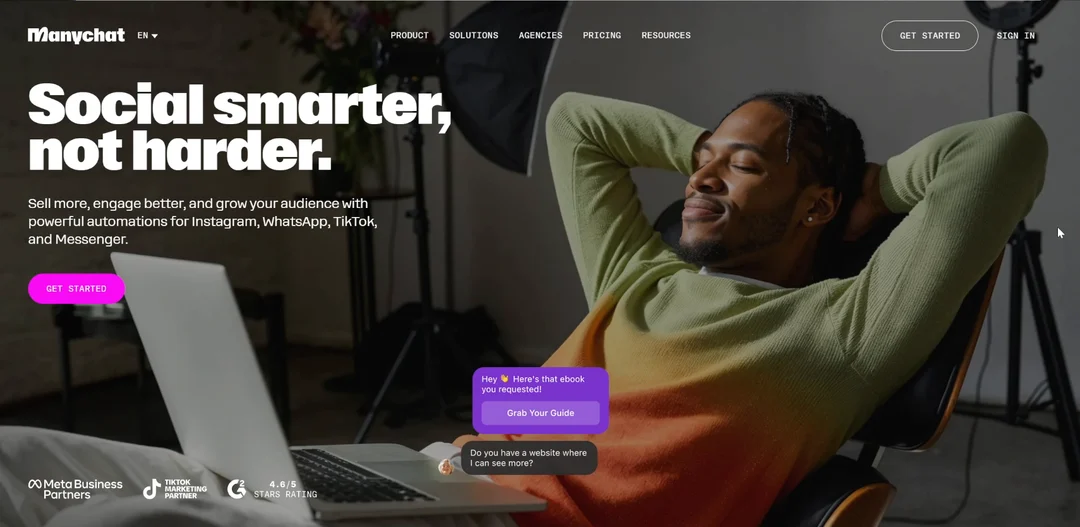
ManyChat is a chat marketing platform made by Manychat, Inc., a company based in West Hollywood, California. It describes itself as an official Meta Business Partner and a TikTok partner, which is how it connects to those accounts. You build and run it in the browser, and there are mobile apps for iOS and Android for answering messages on the go.
It is a cloud service only. All of its hosting providers are in the United States, and no other data region is offered.
What ManyChat does in your DMs and comments
The core of ManyChat is the automation builder. You can start from more than 60 ready-made templates or build a flow yourself. The triggers cover the ways people reach you on Instagram: a comment on a post or reel, a keyword in a DM, a reply or reaction to your story, a mention in someone else's story, a comment during a Live, and a link, QR code or website button that opens a DM. A welcome message can go to new followers, and a default reply catches messages that no other automation handles.
The best known use is comment to DM. You choose the post, or every post, and a keyword. When someone comments that word, ManyChat replies publicly under their comment and sends them a DM with your link, file or image. On a paid plan the flow can also check whether the person follows you and ask them to follow before it sends the link, collect an email address or phone number in the chat, tag contacts, split messages for an A/B test and route people by their answers.
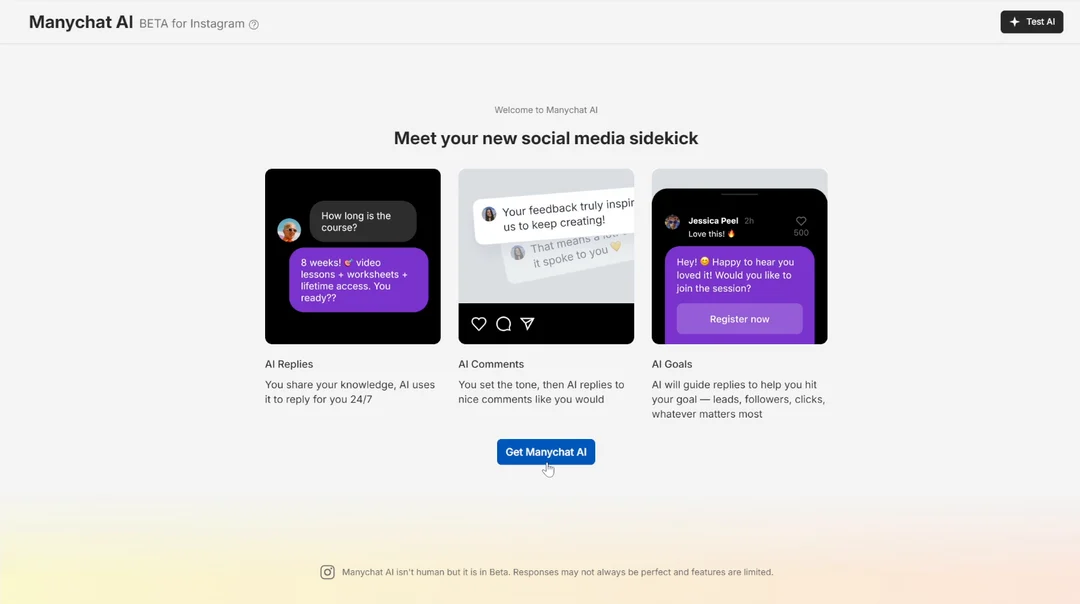
Manychat AI is the AI layer, and it comes with Pro, Business and Advanced. You teach it about your business by typing text and adding public links, which it reads one page at a time. AI Replies then answers questions in your DMs from that knowledge, AI Comments replies to positive comments and moves the conversation into DMs, and AI Goals steers a chat towards a click, a follow or a lead. AI intention recognition can start an automation from what someone means rather than an exact keyword. ManyChat labels the AI as beta for Instagram, and AI Replies is built for Instagram DMs.
ManyChat's own AI page still describes the AI as a paid add-on to Pro, while the current pricing table lists it inside Pro and the plans above it. The pricing table is the newer of the two.
Working with other people
Every plan has an Inbox where you or your team answer the conversations that need a person, across all connected channels, on desktop or the mobile app. Essential and above add roles and permissions, and Business and Advanced add a shared team Inbox that assigns conversations automatically, plus analytics on your team's response times.
Integrations start on Essential with Google Sheets. Pro adds Zapier, Make, HubSpot, Klaviyo, Mailchimp, Kit, ActiveCampaign, Flodesk, Twilio, Stripe, PayPal and Hotmart, connections to AI models including ChatGPT and Claude, and the ManyChat API. Automations can also send HTTP requests to other services.
ManyChat pricing: what each plan gives
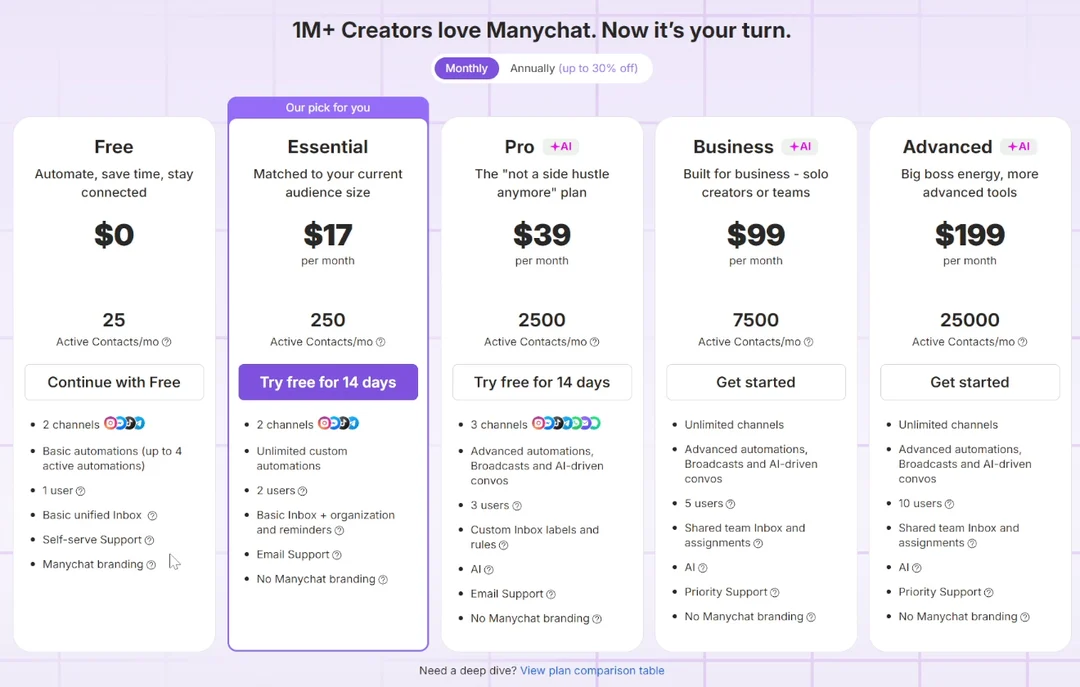
ManyChat prices every plan by active contacts: the number of different people you interact with in a month. One person counts once a month however many messages you exchange. On paid plans the automations keep running past the limit, and each extra contact is billed, with an optional cap you can set. Prices are in US dollars and the page notes that the final price depends on your billing country.
Free costs nothing and needs no card. It covers 25 active contacts a month, 2 channels, up to 4 live automations, keyword triggers and comment to DM with the public reply. Messages carry "Powered by Manychat" the first time you message a contact, and there is no data collection, follower check or AI. ManyChat does not say what happens on Free past 25 contacts.
Essential costs $17 a month, or $14 a month billed yearly, for 250 active contacts. It removes the ManyChat branding and adds unlimited automations, data collection, the follower check, 2 users and email support. Extra contacts cost $0.10 each.
Pro costs $39 a month, or $29 a month billed yearly, for 2,500 active contacts. It adds a third channel, including WhatsApp, SMS or email, broadcasts, Manychat AI, the integrations and API, and 3 users. Extra contacts cost $0.05 each and extra Inbox seats $25 a month.
Business costs $99 a month, or $69 billed yearly, for 7,500 contacts with every channel, 5 users and priority support. Advanced costs $199 a month, or $139 billed yearly, for 25,000 contacts and 10 users. Essential and Pro come with a 14-day free trial, and a plan cancelled within 30 days of purchase can be refunded.
Privacy and security
ManyChat holds SOC 2 Type II, ISO 27001 and ISO 42001, the standard for managing AI systems, and states GDPR and CCPA compliance with a data processing agreement. Its SOC 2 report is available through support. A public status page shows uptime for each part of the service.
ManyChat's AI terms let it use what goes into and comes out of its AI features to improve them. The same terms say the outside AI providers it uses are contractually barred from training on your content.
Support on Free is the help centre, an AI chat assistant and the community. Email support starts on Essential on business days, and Business and Advanced get priority email support.
Who ManyChat suits
ManyChat suits creators, small brands and marketers who get comments and DMs on Instagram and want every one of them answered with the right link, straight away. Essential is the realistic starting point for a business account: it removes the branding and covers ten times the people Free does, while Free works as a way to try the builder.
It suits a support team less well. Its AI learns from typed text and public links rather than a help centre or past tickets, its strongest features are built around Instagram, and the shared team Inbox and automatic assignment start on Business. A team answering customer tickets across a website and email will want a tool built around a helpdesk.
Frequently Asked Questions
Is ManyChat free?
Yes, there is a free plan with no card needed. It covers 25 people a month, 2 channels and up to 4 live automations, including comment to DM, and adds "Powered by Manychat" to the first message each contact gets.
Does ManyChat limit how many comments it answers?
No. The limit is active contacts, the number of different people you interact with in a month, not comments or messages. Someone who comments several times in a month still counts once.
Is the AI included or an add-on?
The current pricing table includes Manychat AI on Pro, Business and Advanced. Free and Essential do not have it.
Which channels does ManyChat work with?
Instagram, TikTok, Facebook Messenger and Telegram on every plan, with WhatsApp, SMS and email from Pro. Free and Essential connect 2 channels, Pro 3, and Business and Advanced all of them.