SAASINSPECTOR
LogoAI logo

LogoAI Review

Small business owners, entrepreneurs, and startups needing quick AI-generated logos and brand identity kits

Visit LogoAIFrom $29 one-time (Basic)

Research-based review. We analyzed vendor documentation, customer reviews on G2, Capterra, and Reddit, and live pricing — not hands-on testing yet. We update as our team puts tools through real workflows.

The verdict

LogoAI is a web-based AI logo generator built for small businesses and startups that need a professional brand identity quickly without hiring a designer. Operating since 2018 on a one-time payment model, it covers logos, social templates, business cards, and brand animations across three tiers. It scores well for simplicity and value but is intentionally narrow, lacking collaboration tools, Figma export, and broader design capabilities.

Pros

  • One-time payment model is genuinely rare in this category, making it a cost-effective alternative to subscription-based competitors.
  • LogoAI has been operating since 2018, giving it more longevity and stability than most AI logo generator competitors.
  • The core logo generation workflow is simple and fast — enter business name, pick a style, and get customizable results immediately.
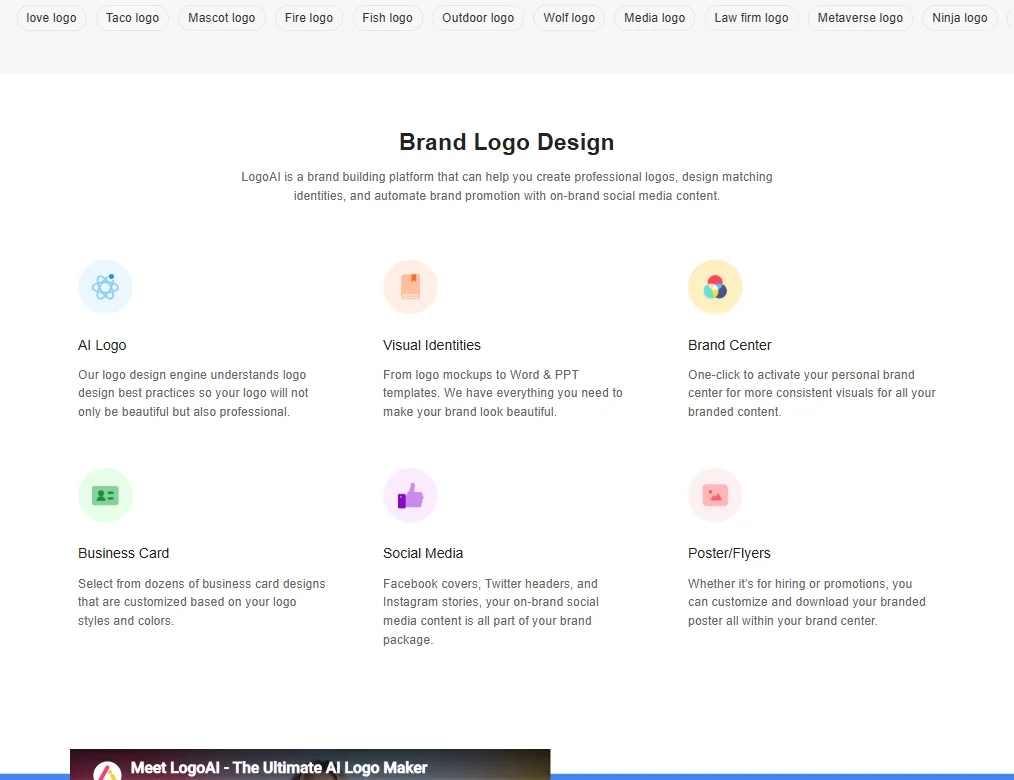
  • The Brand Center extends value beyond logos with social templates, business card layouts, poster and flyer files, and PowerPoint templates.
  • A Logo API is available for developers who want to integrate logo generation into their own products.
  • G2 reviewers in small business and startup roles consistently described the AI-generated output as clean and professional-looking for basic brand needs.
  • Claims to have served over 9 million businesses, suggesting a well-tested and widely validated product.
  • All brand assets — logos, social headers, business cards, and animations — are bundled into three clear one-time purchase tiers.

Cons

  • No desktop or mobile app exists — the product runs entirely in a browser with no offline access.
  • No team collaboration features, making it unsuitable for agencies or teams working on brand projects together.
  • No Figma export is available, limiting integration with professional design workflows.
  • Background removal functionality is not publicly documented anywhere, creating uncertainty about whether the feature exists.
  • No UI wireframing tools are included, so designers needing a broader toolkit will need to look elsewhere.
  • The tool is narrow by design, which sets a clear ceiling on what it can do for more complex branding needs.
  • The AI-generated results, while cleaner than expected, may still fall short for businesses needing highly differentiated or custom brand identities.
From $29 one-time (Basic)Free plan NoFree trial No

We pulled vendor documentation, Trustpilot data, G2 reviews, and Reddit threads before writing this logoai review. The picture that emerged is mixed. LogoAI has been running since 2018, claims over 9 million businesses served, and operates on a one-time payment model in a category where subscriptions are practically mandatory. The details under that are more complicated.

LogoAI homepage screenshot
LogoAI — Homepage

What is LogoAI?

San Francisco-based, browser-only, operational since 2018. That makes it older than most of what it competes against. No desktop app exists. No mobile app either.

The pitch is simple: answer a few questions about your business, the AI generates logo options, you customize, you pay to download. What they're actually selling is the full brand kit bundled around that logo. Business cards, social media headers, presentation templates, logo animation. Three one-time purchase tiers cover all of it.

That one-time model is genuinely rare in this category. Worth paying attention to.

LogoAI Features: Logo, Graphics, UI & Brand Design Capabilities

LogoAI features screenshot
LogoAI — Features

The core workflow is what you'd expect. Enter your business name, pick an industry, choose a style direction, and the engine generates options. Colors, fonts, and layout are all adjustable from there. That covers the logo side.

The Brand Center is where the product gets more interesting than a plain logo tool. It handles social templates for Facebook and Instagram formats, business card layouts, and print-ready poster files. The Brand plan adds PowerPoint templates and logo animation. A Logo API is also available for developers wanting to fold logo generation into their own products, which is a niche but real differentiator.

What's absent: no team collaboration, no Figma export. Background removal isn't documented anywhere we could locate. There's no UI wireframing, so anyone expecting a broader design toolkit should go look at Figma instead. LogoAI is deliberately narrow. That's not a flaw exactly, but it sets the ceiling early.

LogoAI Design Quality: How Good Are the AI-Generated Results?

Better than we expected from a $29 tool. Honestly. G2 reviewers in small business and startup roles consistently described the output as clean and professional enough for basic brand needs. The "looks generic" criticism that Looka draws more frequently didn't dominate what we saw about LogoAI.

The pattern that did show up is about customization limits. Once inside the editor, the adjustment range is shallower than the initial output suggests. Reviewers could move elements and swap colors, but structural edits weren't really available. What the first pass produces is roughly what the final product looks like.

That tracks. These tools generate to a ceiling, and LogoAI's ceiling is usable. Not remarkable.

LogoAI Templates & Assets: How Deep Is the Library?

The asset library is functional. Social content templates cover Facebook, Instagram, and Twitter formats. Business card and flyer templates exist and appear print-ready. PPT templates are locked behind the $99 Brand plan, which matters before you commit to a cheaper tier.

Hard numbers on library size don't appear anywhere in the marketing copy. "Multiple logo design options" is the kind of language that tells you nothing. Reviewers don't specifically complain about variety, but they don't praise depth either. Adequate. Not the kind of library that pulls anyone away from Canva.

We're skeptical of anyone claiming AI logo tools have genuinely deep asset libraries right now. Most don't. LogoAI isn't worse than average here, but it isn't pulling ahead either.

Is LogoAI Easy to Use for Non-Designers?

Pretty easy. The questionnaire-driven entry point removes most friction for people who don't know design vocabulary. You're not picking from 400 typefaces. You're describing a feel, and the tool interprets that.

G2 reviews from non-designers skew positive on the overall experience. The flow from prompt to logo preview is described as quick, and the editor doesn't require design knowledge to operate. Most positive reviews cite ease of use as the primary reason for satisfaction, which is consistent across what we cross-referenced.

The counterpoint surfaces more on Trustpilot. The paywall arrives before you see final file quality. You design, you like what you see, you pay, then you discover the resolution or format isn't what you assumed. That's a process issue, not strictly a UX issue, but it contributes to frustration in the reviews.

LogoAI Pricing: Is It Worth It vs Hiring a Designer?

LogoAI pricing screenshot
LogoAI — Pricing

Three tiers, all one-time payments. The Basic plan at $29 gets you logo files but no vector formats. Pro at $59 adds SVG and EPS. Brand at $99 adds logo animation, PPT templates, and the full brand identity file set.

No subscription. That's a real advantage. Looka and Tailor Brands both push toward recurring plans, which accumulates fast for a small business that needed a logo once and moved on.

The refund situation is where things get uncomfortable. LogoAI has a refund policy page, but the FAQ language around it is hedged. Partial refunds are referenced specifically in the context of discount code issues, which is a strange carve-out to highlight. Reddit threads from 2023 and 2024 surface complaints about difficulty getting refunds after downloading files. We can't verify the volume, but the refund process isn't buyer-friendly in practice, based on what we read. Fair warning.

At $29 to $99 against a designer quoting $300 minimum, the math favors LogoAI. That's not a close call.

LogoAI vs Looka: Which AI Design Tool Wins?

Looka is the closest direct comparison. Both tools are AI-first, both target small businesses, and both use a style questionnaire entry point. Output quality at the logo level is broadly similar.

The structural difference is pricing. Looka charges $96 per year for brand kit access. LogoAI's $99 Brand plan is a one-time payment covering comparable territory. For a solo founder or small business with no ongoing design needs, LogoAI wins on price structure. Not a complicated conclusion.

Where Looka has a real edge: review volume. LogoAI has 19 reviews on G2. Looka has a small number of reviews on G2 as well, but its presence across Capterra and Trustpilot gives more documented user experiences to draw from. That gap matters when you're trying to assess reliability at scale.

Wix Logo Maker is worth a mention for anyone already on Wix. The integration convenience is real. Otherwise it's not a compelling standalone option against either LogoAI or Looka.

Who Should Use LogoAI? (And Who Shouldn't)

Solo founders needing a logo and a few brand files, once, with no ongoing cost. That's the fit the pricing model was built for.

Early-stage startups that need to look credible fast without a design budget. LogoAI handles that without a subscription eating runway.

Designers and agencies. Not this tool. The editing depth isn't there, export options are limited, and collaboration doesn't exist. Picsart covers more creative ground for teams that need flexibility alongside AI generation.

Anyone planning to iterate heavily post-purchase should think carefully. This tool is built for people who pick something and ship it, not for people who'll revisit the design six times over two months.

LogoAI Review Verdict

LogoAI does what it says it does. The logo output is decent. The one-time pricing is the clearest selling point in a category that keeps defaulting to subscriptions.

The problems are real, though. The Trustpilot rating is low, and the support infrastructure is thin: email only, a basic FAQ, no live chat, no community. When something goes wrong post-purchase, that becomes very relevant very quickly. Customization depth is limited. The refund experience, based on what we read, is not smooth.

This is a tool that works well on the happy path. Pay, download, done. Step off that path and the experience degrades noticeably.

For a one-time logo purchase under $100, it's a reasonable option. We wouldn't call it the best in the category, but we wouldn't tell someone to avoid it either. Go in with clear expectations about what the editor can and can't do, and don't assume the $29 tier is the practical minimum for most use cases. It isn't.

Frequently Asked Questions

Does LogoAI have a free plan?

No. You can go through the entire generation process without paying, but you can't download anything without purchasing a plan. Basic starts at $29. The free experience is an extended preview, not a usable free tier. Fair to call it what it is.

Do I own the logo I create with LogoAI?

Not exactly, and the distinction matters. Purchasing a LogoAI design gives you a licence to use the logo, but LogoAI does not transfer trademark, copyright, or service-mark rights under that licence. The phrase "full commercial rights" overstates what the terms actually promise. Read the licence language carefully before purchase, especially if trademark registration is part of your plan.

Can LogoAI produce vector files?

Yes, but not at the cheapest tier. SVG and EPS formats are included starting at the Pro plan, which is $59. The Basic plan at $29 gives you raster files only. Anyone who needs scalable files for print, signage, or future design work should treat Pro as the practical minimum, not a nice-to-have upgrade.

LogoAI is featured in

Alternatives to LogoAI

See all LogoAI alternatives →

Other AI Design Tool options we've reviewed.

User reviews

Review LogoAI

Your rating

Reviews are moderated and appear once approved.