We spent a few weeks pulling together vendor documentation, G2 review patterns, Reddit threads, and whatever pricing signals Kustomer lets slip publicly. This kustomer review landed in a more positive place than we expected going in. The product is genuinely ambitious. The gaps are real too, and we'll get to them.
What is Kustomer?
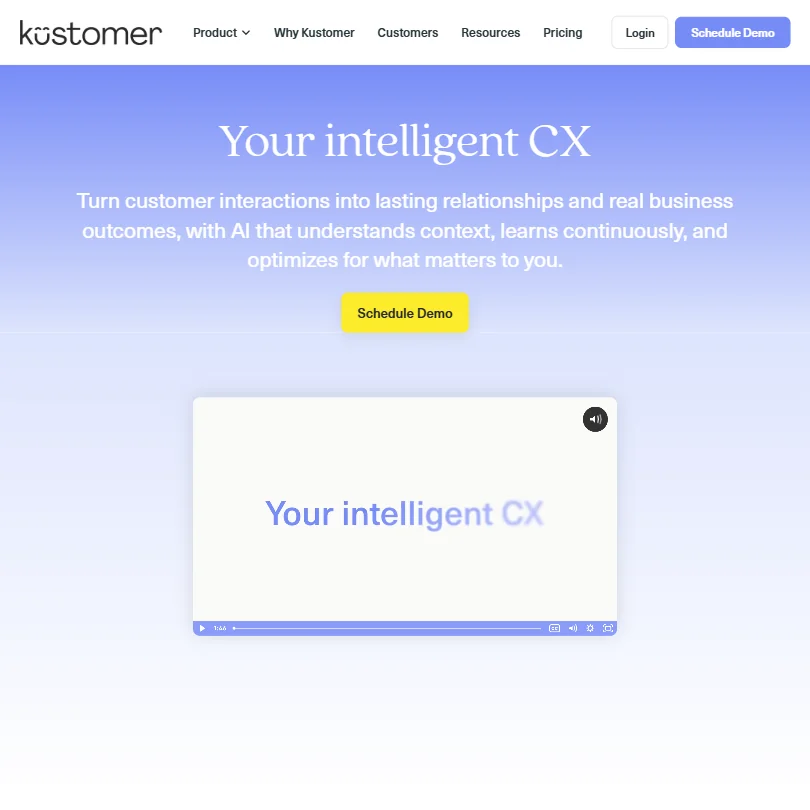
Founded in 2015 and headquartered in New York, Kustomer built its platform around a single idea that the support ticket is the wrong unit of analysis. Instead, everything gets organized around the customer. One continuous timeline. Every interaction, every order, every conversation, across every channel, attached to a person rather than a case number.
Meta acquired Kustomer in 2022, then sold a majority stake back to the founders in 2023. That ownership history matters because it explains some of the platform's depth. Meta poured resources into it. The current team came back with a cleaner product vision.
The platform markets itself as AI-native, not AI-added. That distinction is worth taking seriously here. Most competitors bolted AI onto ticketing infrastructure that was designed before large language models existed. Kustomer claims it was built with AI at the center. Based on how the product is structured, that claim holds up better than most.
600+ companies use it today. Mostly B2C and B2B brands with real support volume. Not a tool for a two-person startup answering five emails a day.
Kustomer Features: Chatbot, Helpdesk & Support Automation Breakdown

The AI layer is called Kustomer AI and it has four named components. Concierge is the autonomous agent that handles conversations without human involvement. Envoy surfaces real-time signals to human agents mid-conversation. Architect is the workflow and automation builder. Data Explorer handles reporting and analytics.
That's not just branding. The architecture actually separates these functions in ways that matter when you're configuring the system.
On the helpdesk side, conversation routing works through business rules and SLA management. There's no separate ticketing system bolted on. Conversations are conversations. Routing logic handles the rest.
The knowledge base setup includes internal articles for agents, a public-facing portal for customers, a Knowledge Base Assistant, and a Search Assistant. Two functions for two audiences. The AI pulls from both when generating responses.
Email automation runs through the same omnichannel layer as chat. You're not configuring two separate systems. That's a meaningful time saver in practice, and G2 reviewers in operations roles flag it as one of the cleaner parts of the setup.
Human handover includes real-time summaries when a conversation moves from AI to agent. Proactive signals from Envoy tell agents what the customer is likely trying to do before the agent types a word. Honestly, that feature gets undersold on their homepage.
AI Profiles and the AI Agent Studio let teams customize how the AI behaves. You can connect external knowledge sources. The system is designed to learn continuously from resolved conversations rather than requiring manual retraining on a fixed schedule.
Kustomer Bot Quality: How Well Does It Handle Real Customer Queries?
The Concierge agent is goal-oriented. That's the phrase Kustomer uses, and based on what we cross-referenced between their docs and G2 reviews, it's reasonably accurate. The bot doesn't just match keywords to canned responses. It tracks customer intent across a conversation and adjusts.
Real-time intent detection is doing heavy lifting here. The system reads context from the full customer timeline, not just the current message. That means a customer who placed three orders in the last month and is now asking about a return gets treated differently than a first-time buyer asking the same question. That's the theory. In practice, reviewers in e-commerce and retail consistently describe bot resolution rates they couldn't get from previous tools.
Treat the homepage claim that G2 gives it a perfect 5.0 from 500+ reviews with caution. That number looks polished, and G2 tends to show slightly different numbers depending on when you pull them. Take it as a signal, not a measurement.
What we kept seeing in review patterns: agents reporting that the AI handles routine queries well and escalates edge cases appropriately. The complaints weren't about bot accuracy. They were about configuration time and initial setup complexity, which we'll cover separately.
Multilingual support is baked in, not an add-on. Two-way message translation works across all languages. For brands operating across multiple regions, that matters more than it sounds.
Kustomer Channel Coverage: Which Platforms Does It Support?
Live chat. Email. WhatsApp Business. Facebook. Instagram. All under one roof.
The social channel limits are worth knowing before you buy. Facebook connects up to 50 pages. Instagram handles up to 50 accounts. WhatsApp Business caps at 5 accounts. For most companies, those limits are irrelevant. For large multi-brand operators, they might create problems.
iOS and Android apps exist for agents working off desktop. The web platform is where most configuration happens.
Omnichannel coverage here is legitimately strong and it's unified. Conversations from any channel land on the same customer timeline. An agent picking up a WhatsApp message can see the email thread from two days ago and the chat from last week. No tab switching between systems.
The integration list includes Shopify and Salesforce as the main named connectors. The REST API runs at 2,000 requests per minute. There's also MCP Server support and inbound and outbound webhooks for custom builds. HubSpot and Slack aren't listed as native integrations, which is a gap worth flagging. Not a dealbreaker for everyone. A dealbreaker for some.
Is Kustomer Easy to Set Up and Manage?
This is where the review trail gets more complicated. The product is deep. That depth is also what makes it harder to get running.
G2 reviewers who work in operations or IT roles tend to rate the initial setup as time-consuming. Not broken. Just involved. The Architect workflow builder requires real configuration. Business rules, routing logic, AI Profiles, knowledge base connections. None of it is plug-and-play.
Reddit threads from 2024 surface a recurring pattern. Teams with a dedicated CX ops person or an internal admin get up and running in a few weeks. Teams without that resource hit walls. That's not a knock unique to Kustomer. It's true of Zendesk and Salesforce Service Cloud too. But the learning curve is real and worth pricing in.
The documentation is comprehensive. Help Center, developer docs, product update logs, a glossary. What's missing is a proper community forum. No public community means you're leaning on documentation and email support when you get stuck. That's a real gap when you're troubleshooting something obscure at 9pm.
Once configured, day-to-day management seems to smooth out based on what reviewers describe. The AI continuous learning model means the system improves without regular manual intervention. That part tracks.
Kustomer Pricing: Is It Worth It for Support Teams?

There's no pricing on the site. At all. Custom quotes only, across every tier. Contact sales.
We dug through their pricing page and found nothing. That's intentional. Kustomer is selling to companies with real support operations and real budgets, and they price accordingly. Based on third-party sources and user reports from 2023 and 2024, annual contracts tend to start somewhere in the range that makes this a serious line item, not an impulse purchase.
No free plan. No free trial. No refund policy stated publicly.
That's a harder sell for teams that want to test before committing. Competitors like Zendesk offer trial periods and published pricing tiers. Kustomer doesn't. If you need to build an internal business case with a number attached, you're going into a sales call to get it.
We're not chasing that. It's a legitimate frustration and it showed up repeatedly in reviews. The upside is that the enterprise buying process tends to include a demo, a proof of concept, and negotiated terms. So you're not flying blind. You're just flying slower.
For companies where this fits, the value argument is around replacing multiple point solutions with one platform. CRM, helpdesk, AI agent, knowledge base, analytics. If you're currently paying for two or three separate tools that don't talk to each other well, the consolidation math can work out.
Kustomer vs Zendesk: Which Customer Service AI Wins?
Zendesk has been around since 2007. Kustomer since 2015. That decade of infrastructure difference shows in some areas and doesn't matter at all in others.
Zendesk has more integrations. More third-party apps in its marketplace. A larger community. Published pricing. A free trial. For teams that want to self-serve their way through setup, Zendesk is easier to evaluate.
Kustomer wins on the data model. The customer timeline architecture is genuinely better for teams that care about context. Zendesk still thinks in tickets. Kustomer thinks in relationships. That's not marketing language. It's a real architectural difference that shows up in agent workflows.
On AI quality, Kustomer's investment in Concierge and the continuous learning model appears more purpose-built than Zendesk's AI layer, which has gone through multiple rebrands and acquisitions. Test both before making a firm call, but the architecture suggests Kustomer's approach is more coherent.
Gorgias is worth mentioning here too. For e-commerce brands specifically, Gorgias is a sharper, more focused tool. It integrates deeply with Shopify and keeps the interface tight. Kustomer does more. Gorgias does e-commerce support better for teams that don't need the broader CRM layer.
Who Should Use Kustomer? (And Who Shouldn't)
High-volume B2C brands with complex customer relationships. That's the fit. Retail, subscription, DTC, anything where a customer's history across dozens of interactions actually matters to how you handle the next one.
B2B companies with long customer lifecycles work here too. Kustomer's timeline model is as useful for SaaS account support as it is for consumer brands.
Who shouldn't use it? Small teams. The setup cost in time and configuration is real. A five-person support team doesn't need this level of infrastructure, and they'll feel the weight of it. Look elsewhere.
Teams that need Slack integration, Zapier automation, or HubSpot connection out of the box. Those aren't confirmed native integrations. You'd be relying on the API and webhooks to bridge those gaps.
Anyone who needs pricing transparency before entering a sales conversation. That's not how Kustomer operates.
Kustomer Review Verdict
The platform is serious. It's not overselling itself relative to what the product actually does, which is rarer than it should be in this category.
The AI layer is thoughtfully structured. The customer timeline model is the right way to think about support data. The omnichannel coverage is strong. The continuous learning model for Concierge is the feature that separates it from most competitors doing AI-on-top-of-tickets.
The pricing opacity is genuinely annoying and it creates a real barrier for teams trying to evaluate options quickly. The setup complexity is a real cost. The missing community forum is a smaller but real gap.
For the right company, this is a platform worth the evaluation process. The evaluation process is just slower and more involved than buyers used to self-serve SaaS will expect.
Frequently Asked Questions
Does Kustomer have a free trial?
No. There's no free plan and no free trial listed anywhere on the site. Getting access means going through the sales demo process. That's a real friction point, especially for teams comparing multiple tools at once. Plan for at least a few weeks between first contact and a proper evaluation.
What AI features does Kustomer actually include?
The AI layer has four components: Concierge handles autonomous customer conversations, Envoy surfaces real-time signals to human agents, Architect manages workflows and automation, and Data Explorer covers reporting. Beyond that, there's real-time intent detection, two-way message translation across all languages, and continuous self-optimization that improves the system from resolved conversations without manual retraining.
How does Kustomer compare to Zendesk for enterprise support teams?
Zendesk has more third-party integrations and published pricing, which makes it easier to evaluate without a sales call. Kustomer's customer timeline model is structurally better for teams where customer history directly affects how support should be handled. The AI approaches are different in meaningful ways. Zendesk's has evolved through acquisitions. Kustomer's was designed with AI as the organizing principle from the start. For pure ticket volume, either can handle it. For context-aware support at scale, Kustomer has the better architecture.