SAASINSPECTOR
CorelDRAW logo

CorelDRAW Review

CorelDRAW is a vector editor that generates artwork from a text prompt and traces raster images into vector paths, with spot colour tools for print. It offers a template library, and its licence can be bought once as a one-time purchase you own outright.

Visit CorelDRAWFrom $22.42/mo

Research-based review. Features and prices are checked on the vendor's own website, and the score is worked out from those facts. We haven't tested it hands-on yet.

The verdict

CorelDRAW is worth paying for designers who want to own their vector editor outright with a one-time purchase, instead of paying for Illustrator's subscription-only licence.

Pros

  • It can be bought once as a one-time purchase of the current 2026 version, which you own outright and keep.
  • Its AI Generate docker turns a written prompt into an editable vector with the Text-to-vector feature.
  • Pantone colour palettes are included free of charge in both CorelDRAW and Corel PHOTO-PAINT.
  • Corel states your creative work is never used to train its AI features or third-party AI models.

Cons

  • There is no permanent free plan, only a 15-day free trial.
  • The one-time purchase excludes CorelDRAW Web, cloud asset storage and free access to future version updates.
  • It has no real-time co-editing and no comments or review workflow built in.
From $22.42/moFree plan NoFree trial Yes
6.6/10

Spec Score

CorelDRAW against 3 vector editors
#3
of 3 vector editors
-0.4
vs the average
89%
from published facts
Ahead of other vector editors
What it adds beyond the basics+0.6
Behind other vector editors
Privacy and trust-1.9Workflow and output-1.3
Every criterion
Tap a row for the facts
What it adds beyond the basics8.8
+0.6 vs 8.2 avg30.8 of 35 points
Opens Illustrator .ai and .eps filesyes1.7 / 1.7
Generates artwork from a promptyes1.7 / 1.7
Traces a raster image into vector pathsyes1.4 / 1.4
Spot colour for printyes1.4 / 1.4
Works in CMYK for printnot published, half points0.7 / 1.4
Union, subtract and intersect on shapesnot published, half points0.5 / 1
AI image editingyes0.7 / 0.7
Template libraryyes0.7 / 0.7
Why these numbers

Opens Illustrator .ai and .eps files: The comparison matrix names 'Adobe product support' as a feature line, which is the vendor's own (generic, not file-extension-specific) wording for Illustrator/Adobe file compatibility; it does not itself spell out .ai/.eps or state import vs. export.

Generates artwork from a prompt: Text-to-vector AI, new in the 2026 version.

Traces a raster image into vector paths: PowerTRACE tool, listed as 'IMPROVED' for the 2026/2025 versions in the compare table.

Spot colour for print: Also 'Latest PANTONE(R) Color Palettes' listed in the compare table.

AI image editing: Also 'Remix images with AI' (prompt-based photo edits).

Template library: Subscription gets 800+ plus a cloud template library; one-time purchase versions get 200+.

Workflow and output5.1
-1.3 vs 6.4 avg11.2 of 22 points
File formats it exports2 export formats1 / 3
Where it runs3 platforms2.5 / 3
Apps it connects to1 integrations1 / 2
Third-party pluginsnot published, half points0.6 / 1.2
Comments and approvalno0 / 0.8
Why these numbers

File formats it exports: Counted from export_formats. Also exports WebP (outside this checklist's enum).

Where it runs: Counted from platforms. CorelDRAW Web is browser-based and is a subscriber-exclusive feature per the compare table (marked '-' for one-time purchase).

Apps it connects to: Counted from integrations. 'Adobe product support', 'Microsoft product support' and 'AutoCAD DWG/DXF support' are also named in the compare table but read as file-format compatibility rather than named service integrations, so not listed here.

Comments and approval: Checked the product overview, features and compare pages; no comments/approval workflow found.

Pricing6.5
+0.3 vs 6.2 avg16.3 of 25 points
Cheapest paid plan, monthly$22.423 / 5
Sells a licence you own outrightyes2.5 / 2.5
Free planno0 / 1.5
Free trial15 days1 / 1
Why these numbers

Cheapest paid plan, monthly: The vendor publishes only the yearly rate per month; that figure is used. US figures from Paul's US screenshots 2026-09-21, replacing the PLN the page geo-served (145.83/mo and 3,499 one-time, incl. VAT). $269.00 a year is $22.42 a month.

Sells a licence you own outright: The one-time purchase buys the current 2026 version outright (not an older one), but per the compare table it excludes many subscriber-exclusive features and apps (CorelDRAW Web, cloud asset management/storage, exclusive brushes/templates) and does not include free access to future version updates ('Latest and greatest' is marked as not included for one-time purchase).

Free plan: From the product page's own FAQ accordion (collapse-faq3).

Free trial: Also stated in the FAQ: 'we offer an obligation-free 15-day trial'.

Privacy and trust4.5
-1.9 vs 6.4 avg8.1 of 18 points
Does not train AI on what you uploadyes3.5 / 3.5
SOC 2no0 / 1.5
GDPRno0 / 1
Source published under an open licenceno0 / 2
Ways to reach support2 support channels1 / 2
Why these numbers

Does not train AI on what you upload: Product-page FAQ, specific to creative content.

SOC 2: Checked the privacy policy for 'SOC 2' and 'ISO 27001': zero hits. No trust/compliance page was found on corel.com or coreldraw.com in this pass.

GDPR: The privacy policy addresses European residents' statutory rights at length and names an EU controller entity, but the term 'GDPR' (or 'General Data Protection Regulation') itself never appears anywhere in the privacy policy or cookie policy checked.

Source published under an open licence: Commercial proprietary software; no open-source licence claim found anywhere in the pages checked.

Ways to reach support: Counted from support_channels. help_center = the support/knowledge-base site (support.corel.com); community = the linked CorelDRAW Community forum.

yesnonot published average for vector editors
How the Spec Score works

Scored from what CorelDRAW publishes on its own site. Not a hands-on test.

Compared with 3 vector editors. Facts checked 21 Sep 2026.

A fact the vendor does not publish gets half the points, or the typical value for a number, and says so. It never counts as a no. How we score.

CorelDRAW Graphics Suite is Corel's vector illustration and page-layout software for logos, print work and illustration, sold both as a subscription and as a one-time purchase of the current version. What decides whether it suits you is largely that choice: pay monthly for the full feature set including its web app, or pay once and keep a smaller version of the software outright.
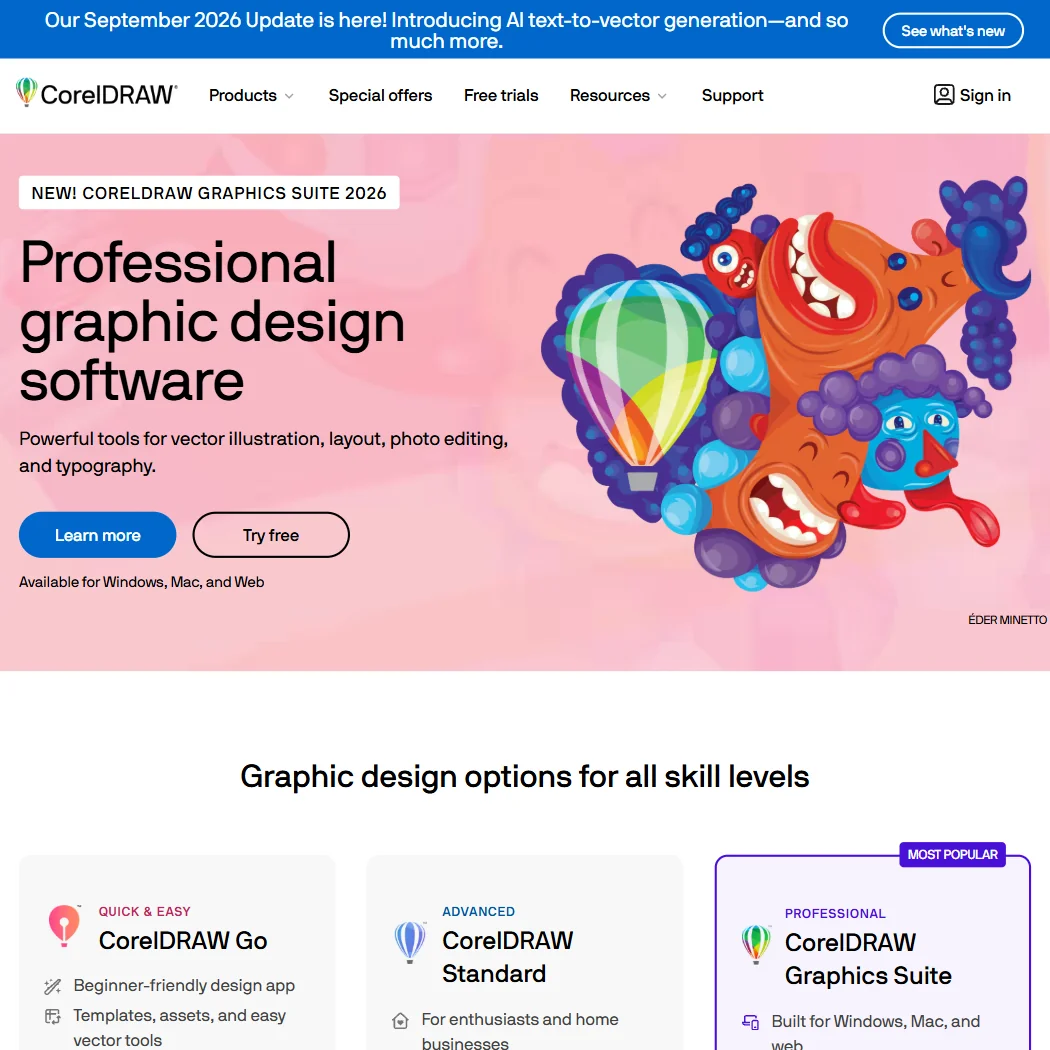
CorelDRAW homepage screenshot
CorelDRAW, Homepage

What is CorelDRAW?

CorelDRAW is made by Corel, a company headquartered in Ottawa, Canada. It runs on Windows and Mac desktops, and as CorelDRAW Web, a browser-based companion app that requires signing in to a Corel account.

Drawing and editing vectors in CorelDRAW
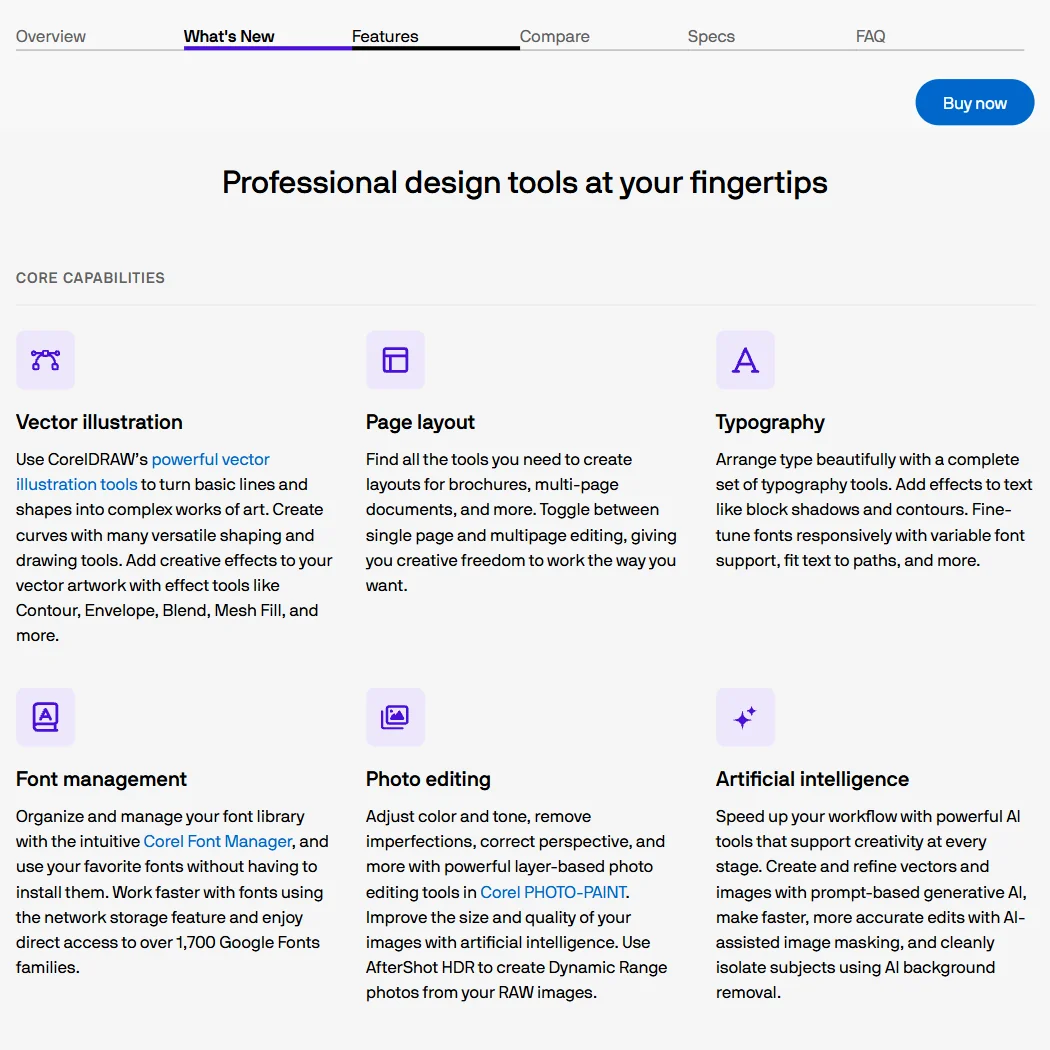
CorelDRAW's PowerTRACE tool converts a bitmap image into vector artwork, and its compare table lists Adobe product support for working with files from Adobe applications, alongside AutoCAD DWG and DXF support. Mesh Fill gives objects gradients that blend across a shape, type can be fit to a path as part of its typography tools, and Multipage View lets you manage several pages or artboards side by side within a project. Pantone colour palettes are included free of charge in both CorelDRAW and Corel PHOTO-PAINT. Export includes jpg and pdf, with PDF/X and PDF/A support and AI-powered JPEG artifact removal.

CorelDRAW's AI Generate docker turns a written prompt into an editable vector with its Text-to-vector feature, and separately generates AI bitmap images from a prompt. In Corel PHOTO-PAINT, AI tools remove photo backgrounds in one click and assist with subject selection and masking, and Nano Banana powers near-instant AI photo edits from a prompt. The subscription plan includes 2,000 monthly AI credits, with more available to purchase; the one-time purchase includes 2,000 one-time credits instead.

Working with other people

CorelDRAW has no real-time co-editing and no comments or review workflow built in. It has a scripting automation API through VBA, Visual Studio Tools for Applications on Windows, and JavaScript, and it can publish directly to WordPress. Support runs through Corel's help centre and its community forum.

CorelDRAW pricing: what each plan gives
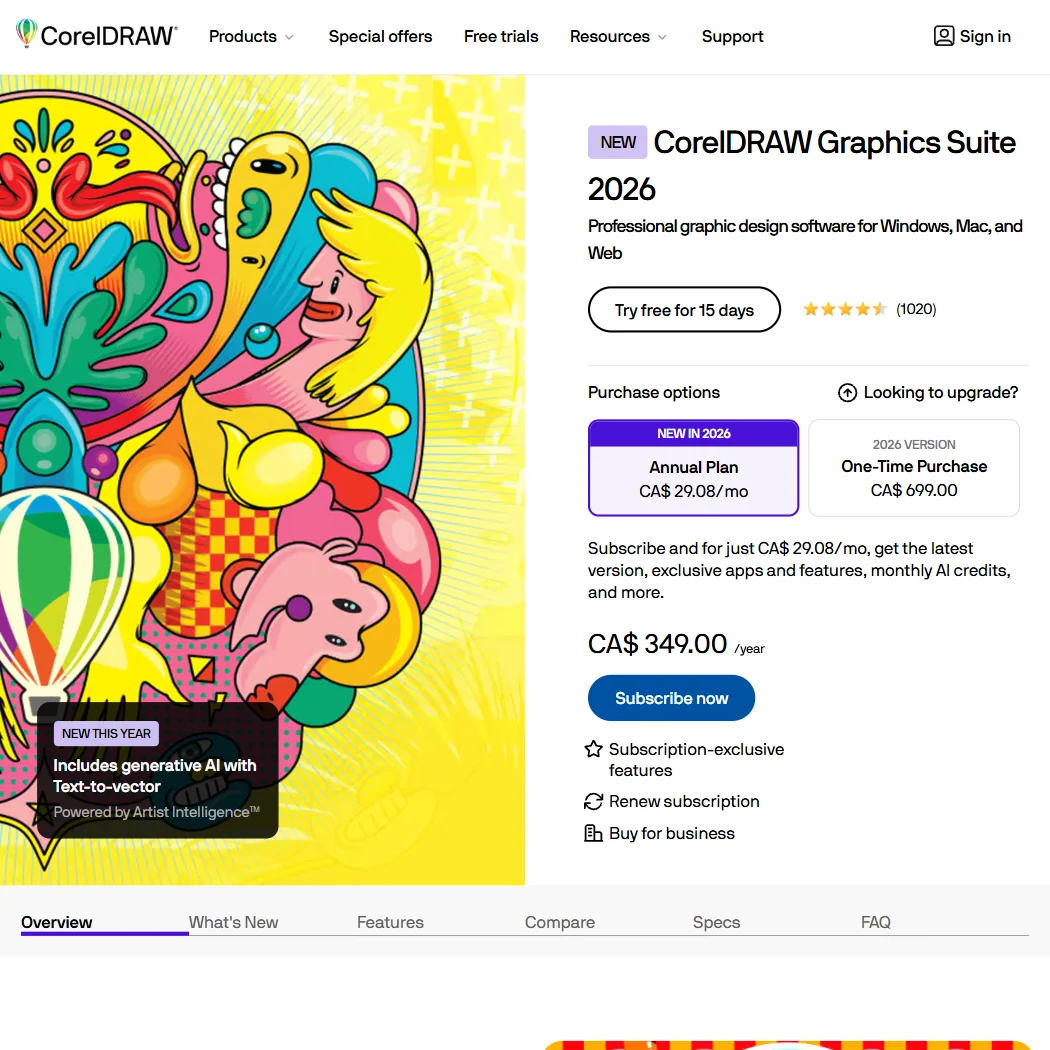
CorelDRAW pricing screenshot
CorelDRAW, Pricing

The Annual Plan subscription is $22.42 a month, billed as $269.00 a year; a promotional banner running this week offers unlimited AI vector generations at that same regular price rather than a discount. Subscribers get 800 or more templates plus a cloud template library, 2,000 monthly AI credits, and CorelDRAW Web. CorelDRAW Graphics Suite 2026 is also sold as a one-time purchase for $549.00: you own that version outright and keep it, but it comes with only 200 or more templates and 2,000 one-time credits, and it excludes CorelDRAW Web, cloud asset storage and free access to future version updates. There is no permanent free plan; a 15-day free trial is offered instead.

Privacy and support

Corel says it does not use your artwork to train its AI features or third-party AI models. Its privacy policy does not name SOC 2 or ISO 27001 compliance, and while it addresses European users' data rights at length and names an EU entity, it does not name GDPR specifically. Support runs through Corel's help centre and community forum.

Who CorelDRAW suits

CorelDRAW suits anyone who wants the option to buy a version outright rather than subscribe, alongside AI tools that generate both vectors and bitmap images from a prompt and free access to Pantone colour palettes for print work. Its Multipage View and typography tools also suit multi-page print and layout projects.

It suits less well anyone who wants real-time co-editing or built-in review workflows, since neither exists, or anyone weighing the one-time purchase who needs CorelDRAW Web or future version updates, since those are subscription-only.

Frequently Asked Questions

How much does CorelDRAW cost?

The Annual Plan subscription is $22.42 a month ($269.00 a year). CorelDRAW Graphics Suite 2026 is also sold as a one-time purchase for $549.00, which you own outright, though with fewer templates and no CorelDRAW Web. A 15-day free trial is available; there is no permanent free plan.

Does CorelDRAW open files from other design tools?

Its compare table lists Adobe product support for working with files from Adobe applications, plus AutoCAD DWG and DXF support.

Can CorelDRAW generate vector art from a text prompt?

Yes, through its AI Generate docker's Text-to-vector feature, which turns a written prompt into an editable vector. It can also generate AI bitmap images from a prompt.

Does CorelDRAW train its AI on my work?

No. Corel states your creative work in CorelDRAW is never used to train its AI features or third-party AI models.

Screenshots

CorelDRAW features screenshot
CorelDRAW, Features
CorelDRAW is featured in

Alternatives to CorelDRAW

See all CorelDRAW alternatives →

Other AI Design Tool options we've reviewed.

Figma logo

Figma

Product teams wanting one shared workspace for design systems, prototypes and developer handoff

8.1
Rank #2 of 6 AI UI design tools
Best:Teams and platforms10
Weakest:What you can make7
Free plan: yesFree trial: noAPI: yes
Price not publishedFree plan
96% from published facts · checked 19 Sep
Canva logo

Canva

Small teams making branded social posts, print and video without hiring a designer

7.8
Rank #4 of 7 AI graphic design tools
Best:Teams and platforms10
Weakest:What you can make7
Publishes or schedules to social: yes
From $18Free plan
90% from published facts · checked 19 Sep
Visme logo

Visme

Brand teams producing polished decks and reports that export to almost any format

6.5
Rank #2 of 4 AI presentation makers
Best:Workflow and output7.2
Weakest:Privacy and trust5
Free plan: yesFree trial: noAPI: yes
From $29Free plan
92% from published facts · checked 20 Sep
Adobe Firefly logo

Adobe Firefly

Creative Cloud users who want generation inside the apps they already use, from a vendor that does not train on their content

7.0
Rank #4 of 7 AI image generators
Best:What it makes8.8
Weakest:Openness and support3
Does not train on what you make: yes
From $9.99Free plan
74% from published facts · checked 22 Sep
Krea logo

Krea

Designers who want one of the broadest model menus, plus a node canvas, an AI agent and an API

9.0
Rank #2 of 13 multi-model AI platforms
Best:For video10
Weakest:Pricing6
SOC 2: yesOffers Veo 3.1: yesOffers Nano Banana Pro: yes
From $35Free plan
93% from published facts · checked 19 Sep

Wix

Small business owners building a site and store themselves, with a phone line for help

8.0
Rank #1 of 6 AI website builders
Best:Teams and platforms9.5
Weakest:Pricing7
Generates images inside the builder: yes
From $17Free plan
85% from published facts · checked 19 Sep

User reviews

Review CorelDRAW

Your rating

Reviews are moderated and appear once approved.






