
SAASINSPECTOR
Inkscape logo

Inkscape Review

Inkscape, a vector editor, is a free, open-source project with no company behind it. It traces raster images into vector paths, offers union, subtract and intersect tools for shapes, and can be extended with third-party Python extensions. It has no AI features.

Research-based review. Features and prices are checked on the vendor's own website, and the score is worked out from those facts. We haven't tested it hands-on yet.

The verdict

Inkscape suits designers who want a free, open-source vector editor for tracing artwork and building shapes with boolean tools, without a subscription.

Pros

  • It is free and open-source under the GNU General Public License, with no paid tier at all.
  • A dedicated boolean operations module handles combining, subtracting and intersecting overlapping paths.
  • Its Pencil and Eraser tools support pressure-sensitive tablet input for variable-width strokes.
  • It is extensible through a documented Python extension API, with third-party and custom extensions installable.

Cons

  • It does not save files out to native Adobe Illustrator .ai format.
  • It does not support Pantone colour libraries; it offers CIELAB, Adobe Color Book and Adobe Swatch Exchange palettes instead.
From FreeFree plan YesFree trial No
6.7/10

Spec Score

Inkscape against 3 vector editors
#2
of 3 vector editors
-0.3
vs the average
91%
from published facts
Ahead of other vector editors
Pricing+2.3Privacy and trust+1.1
Behind other vector editors
What it adds beyond the basics-2.0Workflow and output-1.7
Every criterion
Tap a row for the facts
What it adds beyond the basics6.2
-2.0 vs 8.2 avg21.7 of 35 points
Opens Illustrator .ai and .eps filesyes1.7 / 1.7
Generates artwork from a promptno0 / 1.7
Traces a raster image into vector pathsyes1.4 / 1.4
Spot colour for printno0 / 1.4
Works in CMYK for printyes1.4 / 1.4
Union, subtract and intersect on shapesyes1 / 1
AI image editingno0 / 0.7
Template libraryyes0.7 / 0.7
Why these numbers

Opens Illustrator .ai and .eps files: Opens .eps (eps_input.inx) and .ps (ps_input.inx) files, and also exports (E)PS per the 1.0 release notes' '(E)PS Export' section.

Generates artwork from a prompt: Checked the 1.4 and 1.0 release notes for 'generative', 'machine learning', 'artificial intelligence' and 'prompt': zero hits in either. No prompt-based generation feature exists.

Traces a raster image into vector paths: Trace Bitmap feature, exposed as the object_trace action; also has its own dialog-trace.glade UI file in the source tree.

Spot colour for print: Checked the 1.4 and 1.0 release notes for 'Pantone' and 'spot color': zero hits in either. Supported palette formats named are CIELAB, Adobe Color Book and Adobe Swatch Exchange, not Pantone.

Works in CMYK for print: Explicitly described as limited support, not a full native CMYK working/editing space; the internal color model is RGB. Said plainly rather than rounding up to a bare true.

Union, subtract and intersect on shapes: Core path-boolop module implementing union/difference/intersect/exclude style operations, backed by a dedicated booleans-builder tool in src/ui/tools.

AI image editing: Same check; no AI-assisted editing feature found in the release notes checked.

Template library: Ships a template dialog (File > New From Template) with built-in and custom templates.

Workflow and output4.7
-1.7 vs 6.4 avg10.3 of 22 points
File formats it exports4 export formats2 / 3
Where it runs2 platforms1.5 / 3
Apps it connects to0 integrations0 / 2
Third-party pluginsyes1.2 / 1.2
Comments and approvalno0 / 0.8
Why these numbers

File formats it exports: Counted from export_formats. SVG is the native save format. Also exports (E)PS/PS (outside this checklist's enum) per the 1.0 release notes '(E)PS Export' section, and many raster formats via the extensions repo (png, jpg confirmed by filename; others like TIFF/BMP not itemised here).

Where it runs: Counted from platforms. Also available on GNU/Linux (confirmed live via the project's own Snap Store listing, snapcraft.io/inkscape), which is outside this checklist's platform enum (web/windows/mac/ios/android). No iOS, Android or browser version found.

Apps it connects to: Counted from integrations. Desktop app with no named third-party SaaS integrations found in the pages read; extensibility is via its own extension system (Python scripts), not named integrations.

Third-party plugins: Third-party and custom extensions (Python, using the inkex package) can be installed; documented extension architecture at inkscape.gitlab.io/extensions.

Comments and approval: No comments/approval workflow found in the release notes or extension docs checked.

Pricing8.5
+2.3 vs 6.2 avg21.3 of 25 points
Cheapest paid plan, monthly$05 / 5
Sells a licence you own outrightnot published, half points1.3 / 2.5
Free planyes1.5 / 1.5
Free trialnot published, typical value used0.8 / 1
Why these numbers

Cheapest paid plan, monthly: Free, with no paid tier to price. No vendor, no price, no sales page. inkscape.org itself could not be reached live; wiki.inkscape.org and the GitLab repos confirm the project has no purchase flow of any kind.

Free plan: Whole app is free forever, not a tier of a paid product. inkscape.org/about (the usual source for this line) could not be reached live; this footer line is repeated on multiple inkscape.org pages and confirmed independently by the Snap Store listing (License: GPL-3.0).

Privacy and trust7.5
+1.1 vs 6.4 avg13.5 of 18 points
Does not train AI on what you uploaddoes not applyn/a
SOC 2does not applyn/a
GDPRdoes not applyn/a
Source published under an open licenceyes2 / 2
Ways to reach support2 support channels1 / 2
Why these numbers

Source published under an open licence: GNU General Public License v3-or-later, OSI-approved. Independently confirmed by the project's own Snap Store listing (License: GPL-3.0, snapcraft.io/inkscape).

Ways to reach support: Counted from support_channels. community = the project's GitLab issue tracker (bug tracker) and wiki.inkscape.org development community; help_center = the extension/developer documentation at inkscape.gitlab.io and the wiki user-manual pages. inkscape.org's own forum, mailing-list and chat pages could not be reached live in this pass, so no email/chat/phone channel is claimed beyond what was confirmed here.

yesnonot published average for vector editors
How the Spec Score works

Scored from what Inkscape publishes on its own site. Not a hands-on test.

Compared with 3 vector editors. Facts checked 21 Sep 2026.

A fact the vendor does not publish gets half the points, or the typical value for a number, and says so. It never counts as a no. How we score.

Inkscape is a free, open-source vector editor for drawing logos, icons and illustration, with no company behind it and no account of any kind. It suits people who want a capable vector tool without paying anything, and it suits less well anyone who needs AI generation tools or native Adobe Illustrator file saving, since it has neither.
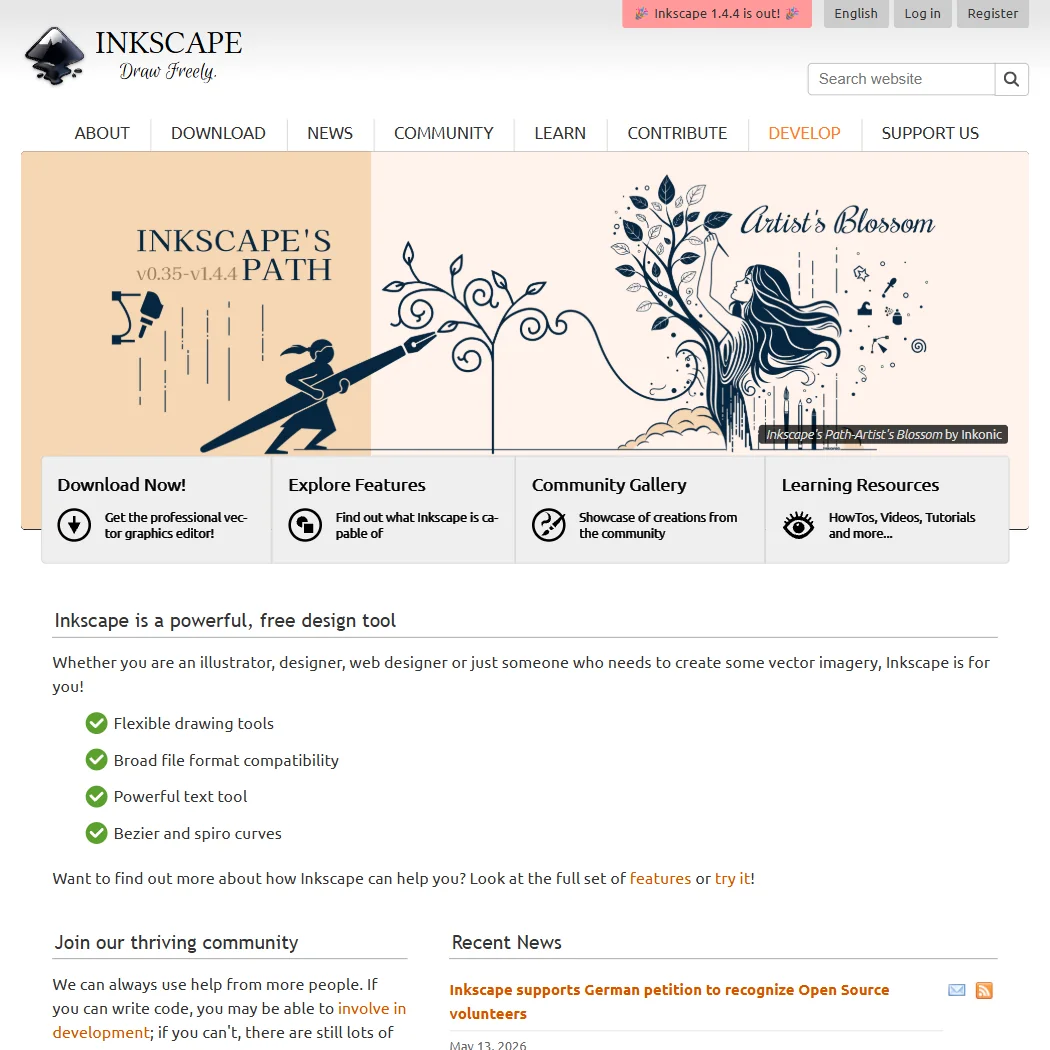
Inkscape homepage screenshot
Inkscape, Homepage

What is Inkscape?

There is no company behind Inkscape: it is an open-source project that began in 2003, forked from an earlier project called Sodipodi. It is an installed desktop application for Windows and macOS, also available on Linux, and it requires no account: nothing about your work is sent anywhere.

Drawing and editing vectors in Inkscape

SVG is Inkscape's native format. It opens .eps and .ps files and exports to png, jpg, svg, pdf and PostScript, but it does not save out to native .ai format; Adobe Illustrator files come through the PDF or EPS-compatible route, or through a separate extension that cleans up SVG files already exported from Illustrator. Trace Bitmap converts a raster image into editable vector paths, and a dedicated boolean operations module handles combining, subtracting and intersecting overlapping paths. Inkscape supports mesh gradients, text set on a path, and pressure-sensitive tablet input for its Pencil and Eraser tools. Multi-page documents, called Pages rather than artboards, were added in version 1.2. CMYK is described as limited support, added to colour palettes and colour conversion, since the application's internal colour model is RGB. Inkscape does not support Pantone colour libraries; its palette formats are CIELAB, Adobe Color Book and Adobe Swatch Exchange. It has no AI generation, image or editing features of any kind.

Working with other people

Inkscape is built for one person editing locally: it has no real-time co-editing and no comments or review workflow. It is extensible through a documented Python extension API, and third-party or custom extensions can be installed alongside the stock ones. Support runs through the project's own bug tracker and its development wiki and documentation, rather than a company help desk.

Inkscape pricing: what it costs
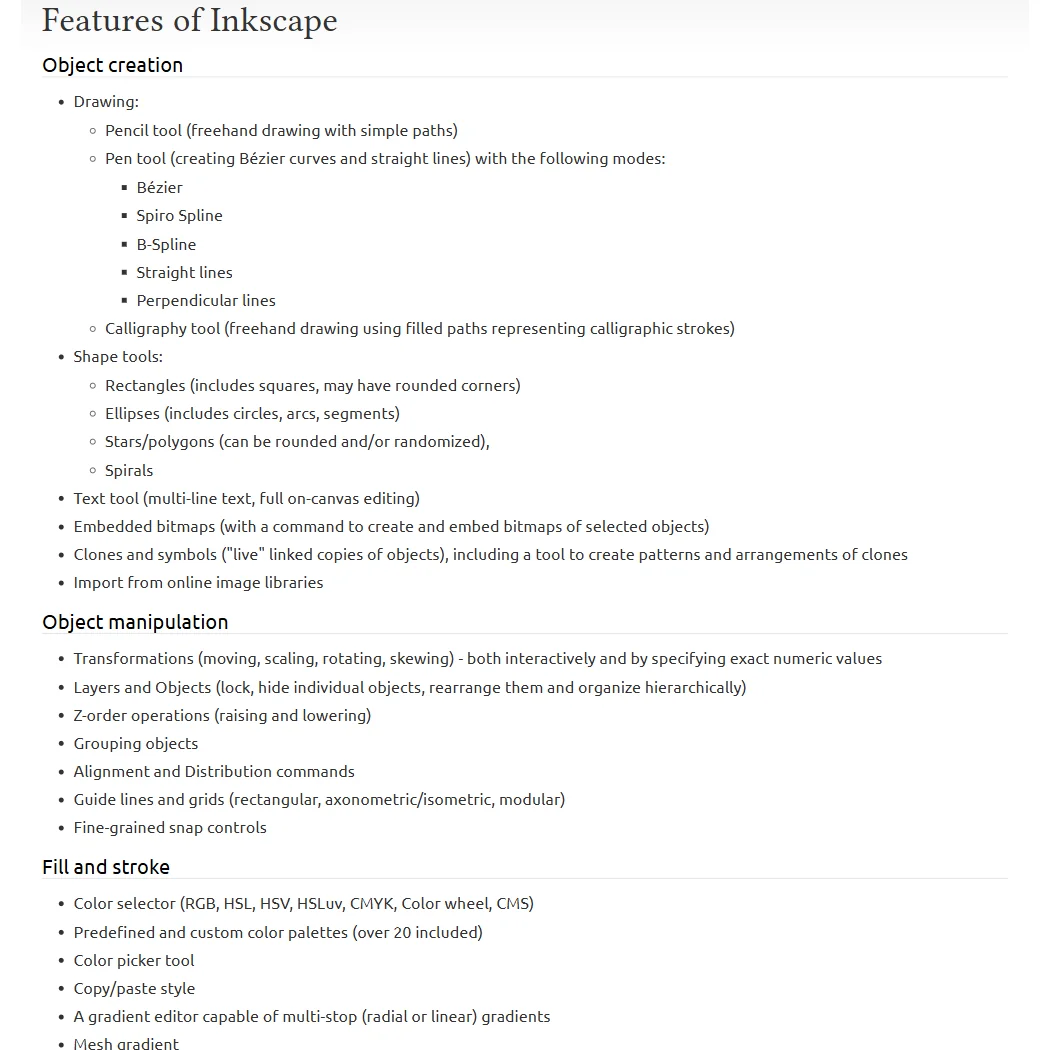
Inkscape features screenshot
Inkscape, Features

Inkscape is free, with no paid tier at all. There is nothing to trial and nothing to subscribe to: the whole application is open-source software licensed under the GNU General Public License.

Privacy and support

Questions about training on your work, SOC 2 and GDPR do not really arise for Inkscape: it is installed desktop software with no account and no vendor server that your files pass through. Support is community-run, through the project's bug tracker and its wiki-based documentation.

Who Inkscape suits

Inkscape suits anyone who wants a free, full-featured vector editor with boolean path operations, mesh gradients, multi-page documents and pressure-sensitive drawing, and who is comfortable relying on a bug tracker and wiki rather than a support line. It also suits anyone who wants their files to stay off any server, since nothing requires an account.

It suits less well anyone who needs AI generation tools, since Inkscape has none, or anyone who needs to save work out to native Adobe Illustrator format, since that is not supported.

How Inkscape compares

Inkscape scores 6.7 out of 10 among the vector editors we rate. These two do the same job and are the closest to it, compared on what each vendor publishes.

6.7Inkscape
vs
7.7Adobe Illustrator

Adobe Illustrator

Inkscape is free, open source software with no company behind it and no price at all. Illustrator is subscription only, at $22.99 a month, with no way to own it outright beyond a 7-day free trial. Illustrator generates vector artwork from a text prompt and works with spot colour for print; Inkscape does neither, and its CMYK support uses an internal RGB colour model. Both open Illustrator's own .ai and .eps files and support union, subtract and intersect operations on shapes.

Pick Adobe Illustrator if you need AI generation, spot colour or full CMYK support.
Pick Inkscape if you want free open source software with no subscription.

Inkscape vs Adobe Illustrator →
6.7Inkscape
vs
6.6CorelDRAW

CorelDRAW

CorelDRAW generates artwork from a text prompt with its built in AI; Inkscape has no prompt based generation at all. CorelDRAW costs $22.42 a month, or a one-time purchase to own the licence outright, while Inkscape carries no price of any kind. Inkscape supports union, subtract and intersect operations on shapes, though its CMYK support runs on an internal RGB colour model. Both trace raster images into vector paths and ship a template library.

Pick CorelDRAW if you want AI generated artwork or the licence you own.
Pick Inkscape if you want it free forever with the source code open.

Inkscape vs CorelDRAW →

Frequently Asked Questions

Is Inkscape really free?

Yes. Inkscape has no paid tier of any kind: the whole application is open-source software under the GNU General Public License, with nothing to subscribe to and nothing to trial.

Does Inkscape open the files I already have?

It opens .eps and .ps files and its native format is SVG, but it does not save out to native .ai format; Illustrator files need to come through a PDF or EPS-compatible route instead.

Does Inkscape support pressure-sensitive tablets?

Yes, for its Pencil and Eraser tools, which can vary stroke and eraser width with a pressure-sensitive input device.

Does Inkscape collect or train on my files?

The question does not really apply: Inkscape is installed software with no account and no server your work passes through, so there is nothing of yours collected or sent anywhere.

Inkscape is featured in

Alternatives to Inkscape

Other AI Design Tool options we've reviewed.

Figma logo

Figma

Product teams wanting one shared workspace for design systems, prototypes and developer handoff

8.1
Rank #2 of 6 AI UI design tools
Best:Teams and platforms10
Weakest:What you can make7
Free plan: yesFree trial: noAPI: yes
Price not publishedFree plan
96% from published facts · checked 19 Sep
Canva logo

Canva

Small teams making branded social posts, print and video without hiring a designer

7.8
Rank #4 of 7 AI graphic design tools
Best:Teams and platforms10
Weakest:What you can make7
Publishes or schedules to social: yes
From $18Free plan
90% from published facts · checked 19 Sep
Visme logo

Visme

Brand teams producing polished decks and reports that export to almost any format

6.5
Rank #2 of 4 AI presentation makers
Best:Workflow and output7.2
Weakest:Privacy and trust5
Free plan: yesFree trial: noAPI: yes
From $29Free plan
92% from published facts · checked 20 Sep
Adobe Firefly logo

Adobe Firefly

Creative Cloud users who want generation inside the apps they already use, from a vendor that does not train on their content

7.0
Rank #4 of 7 AI image generators
Best:What it makes8.8
Weakest:Openness and support3
Does not train on what you make: yes
From $9.99Free plan
74% from published facts · checked 22 Sep
Krea logo

Krea

Designers who want one of the broadest model menus, plus a node canvas, an AI agent and an API

9.0
Rank #2 of 13 multi-model AI platforms
Best:For video10
Weakest:Pricing6
SOC 2: yesOffers Veo 3.1: yesOffers Nano Banana Pro: yes
From $35Free plan
93% from published facts · checked 19 Sep

Wix

Small business owners building a site and store themselves, with a phone line for help

8.0
Rank #1 of 6 AI website builders
Best:Teams and platforms9.5
Weakest:Pricing7
Generates images inside the builder: yes
From $17Free plan
85% from published facts · checked 19 Sep

User reviews

Review Inkscape

Your rating

Reviews are moderated and appear once approved.





