Designers who want one of the broadest model menus, plus a node canvas, an AI agent and an API
Best of · 14 tools ranked
Best Multi-Model AI Tools Under $30/mo
Find the best multi-model AI platforms under $30 a month when you want the top video and image models in one place and a plan that can cover client work. Plans are compared by credits, watermarks, commercial licenses and whether your uploads train the vendor's models, with the step up that each entry plan leaves you facing.
Updated 3 October 2026Ranked by our score, worked out from each vendor’s own pages.How we score →All Multi-Model AI Platforms →
Our top 3 Multi-Model AI Tools Under $30/mo
No free plan, so every tier is paid, and prices are set by location. The entry Premium plan gives 20K credits a month, a commercial AI license and unlimited generation on a rotating set of models, including Nano Banana 2 and Kling 2.5.
Pro replaces 50 daily credits with 300 a day plus a bonus of 1,000 credits, or 25,000 on a yearly term, and its commercial rights arrive with paid plans, along with training runs of up to 1,000 images.
Best Multi-Model AI Tools Under $30/mo, ranked
#ToolScoreEntry plan includesStarts at
Basic: 5,000 compute units a month
✓ Free plan tooFrom $9Show detailsHide details01 Krea#1 of 13 multi-model AI platforms9.4Score 9.4 out of 10Basic: 5,000 compute units a month✓ Free plan too$9Visit site ↗ReviewDetailsCloseShow more about Krea
Basic: 5,000 compute units a month
✓ Free plan tooFrom $9
Show detailsHide detailsKrea#1 of 13 multi-model AI platforms
9.4Score 9.4 out of 10Basic: 5,000 compute units a month✓ Free plan too$9Visit site ↗ReviewDetailsClose
- Krea's free plan gives 100 compute units a day with no credit card required, full access to the real time image models.
- It includes current third party models: Kling 3.0, Veo 3.1, Seedance 2.0, Nano Banana Pro, GPT-IMG-2 and Flux 2.
- The free plan cannot generate video at all; video concurrency is set to zero.
Premium: 20K credits a month. A promotion sometimes cuts the yearly rate further.
From $20Show detailsHide details02 Magnific: Best for unlimited generation on a rotating model set9.4Score 9.4 out of 10Premium: 20K credits a month. A promotion sometimes cuts the yearly rate further.$20Visit site ↗ReviewDetailsCloseShow more about Magnific
Premium: 20K credits a month. A promotion sometimes cuts the yearly rate further.
From $20
Show detailsHide detailsMagnific: Best for unlimited generation on a rotating model set
9.4Score 9.4 out of 10Premium: 20K credits a month. A promotion sometimes cuts the yearly rate further.$20Visit site ↗ReviewDetailsClose
No free plan, so every tier is paid, and prices are set by location. The entry Premium plan gives 20K credits a month, a commercial AI license and unlimited generation on a rotating set of models, including Nano Banana 2 and Kling 2.5. Premium+ adds 45K credits and unlimited generations, the step for heavy users. It says it does not train on your uploads. Pick it over Affogato when unlimited generation on some models matters.
- Every paid plan includes a commercial AI license, so nothing generated needs a separate license before use.
- Every paid plan also includes credit free unlimited generation on a rotating set of models, including Nano Banana 2 and Kling 2.5.
- Magnific has no free plan; every tier is a paid subscription.
Starter
✓ Free plan tooFrom $19Show detailsHide details03 Higgsfield: Best for the newest video models, watermark removed9.0Score 9.0 out of 10Starter✓ Free plan too$19Visit site ↗ReviewDetailsCloseShow more about Higgsfield
Starter
✓ Free plan tooFrom $19
Show detailsHide detailsHiggsfield: Best for the newest video models, watermark removed
9.0Score 9.0 out of 10Starter✓ Free plan too$19Visit site ↗ReviewDetailsClose
Starter removes the free account's watermark, which is the main thing it buys, at a price that is the same billed monthly or yearly. Its credits cover only a handful of videos, so frequent video makers hit the limit and move to Plus. Seedance 2.0, Kling 3.0, Veo 3.1, Nano Banana Pro, GPT Image 2 and Flux 2 share one pool. Its terms let your content train its models. Choose it over Pika for the newest video models.
- Kling 3.0, Veo 3.1, Seedance 2.0, Nano Banana Pro, GPT Image 2 and Flux 2 are all on the account alongside Higgsfield's own Soul models.
- Seedance 2.0 generates synchronized dialogue and sound in the same pass as the video.
- Every generation on the free account carries a visible watermark.
Runnit Hobby: 10,000 credits/month
✓ Free plan tooFrom $10.99Show detailsHide details04 RunDiffusion: Best for private LoRA training and ComfyUI8.0Score 8.0 out of 10Runnit Hobby: 10,000 credits/month✓ Free plan too$10.99Visit site ↗ReviewDetailsCloseShow more about RunDiffusion
Runnit Hobby: 10,000 credits/month
✓ Free plan tooFrom $10.99
Show detailsHide detailsRunDiffusion: Best for private LoRA training and ComfyUI
8.0Score 8.0 out of 10Runnit Hobby: 10,000 credits/month✓ Free plan too$10.99Visit site ↗ReviewDetailsClose
Hobby gives 10,000 credits a month and, unlike the free plan, includes LoRA training on RunDiffusion's own Flux Trainer. Runnit Pro raises credits to 30,000 and beyond, where heavy users go. It states that customer data never trains outside or foundational models. It lists Kling 3.0 Pro, Veo 3.1 and Nano Banana Pro but not Seedance 2.0, and per-model token costs show only inside the app. Pick it over Tensor for ComfyUI with privacy.
- A free plan gives up to 100 tokens a day with access to ComfyUI and Auto1111 and 10 GB of storage.
- It trains its own Juggernaut and Photo Flux fine-tunes in house, alongside other companies' models like Kling 3.0 Pro, Veo 3.1 and Nano Banana Pro.
- Seedance 2.0 is not among the models listed; the site names Bytedance Seedance 1.5 Pro instead.
Standard: 2,000 credits/month
From $24Show detailsHide details05 Affogato: Best for the full model library from day one7.9Score 7.9 out of 10Standard: 2,000 credits/month$24Visit site ↗ReviewDetailsCloseShow more about Affogato
Standard: 2,000 credits/month
From $24
Show detailsHide detailsAffogato: Best for the full model library from day one
7.9Score 7.9 out of 10Standard: 2,000 credits/month$24Visit site ↗ReviewDetailsClose
Every plan includes the full library of more than 170 models, so nothing sits behind a higher tier, and stills come out watermark-free from the cheapest Standard plan, with a commercial license and no training on uploads by default. Standard's 2,000 credits a month are what push you to Ultra at 7,000. There is no unlimited generation and no per-model credit cost. Pick it over Magnific when model count matters more than unlimited use.
- Affogato offers more than 170 other companies' models in one workspace, covering video and image generation.
- Every plan unlocks the full model library, so no model is locked behind a higher tier.
- There is no free plan; every tier starts at a paid subscription.
Starter: 1,500 credits/month
✓ Free plan tooFrom $15Show detailsHide details06 Scenario: Best for training models on your own art7.8Score 7.8 out of 10Starter: 1,500 credits/month✓ Free plan too$15Visit site ↗ReviewDetailsCloseShow more about Scenario
Starter: 1,500 credits/month
✓ Free plan tooFrom $15
Show detailsHide detailsScenario: Best for training models on your own art
7.8Score 7.8 out of 10Starter: 1,500 credits/month✓ Free plan too$15Visit site ↗ReviewDetailsClose
Starter gives 1,500 credits a month, about what free's 50 daily credits add up to, plus the commercial license that free output lacks. Pro and Max add unlimited relaxed generation, and Pro adds custom model training, so those are the reasons to move up. Standard accounts let it use your content for its own AI improvement, and only an Enterprise contract changes that. Pick it over OpenArt for a canvas and training on your own assets.
- The free plan gives 50 credits every day with no credit card required.
- Paid plans include a full commercial license to sell or deliver work to clients without royalties.
- Free plan output is for personal and evaluation use only, with no commercial rights.
Pro: 300/day + 1000 permanent bonus credits (monthly term) or 25000 permanent bonus credits (yearly term)
✓ Free plan tooFrom $9.90Show detailsHide details07 Tensor: Best for SDXL checkpoints and a daily credit pot7.6Score 7.6 out of 10Pro: 300/day + 1000 permanent bonus credits (monthly term) or 25000 permanent bonus credits (yearly term)✓ Free plan too$9.90Visit site ↗ReviewDetailsCloseShow more about Tensor
Pro: 300/day + 1000 permanent bonus credits (monthly term) or 25000 permanent bonus credits (yearly term)
✓ Free plan tooFrom $9.90
Show detailsHide detailsTensor: Best for SDXL checkpoints and a daily credit pot
7.6Score 7.6 out of 10Pro: 300/day + 1000 permanent bonus credits (monthly term) or 25000 permanent bonus credits (yearly term)✓ Free plan too$9.90Visit site ↗ReviewDetailsClose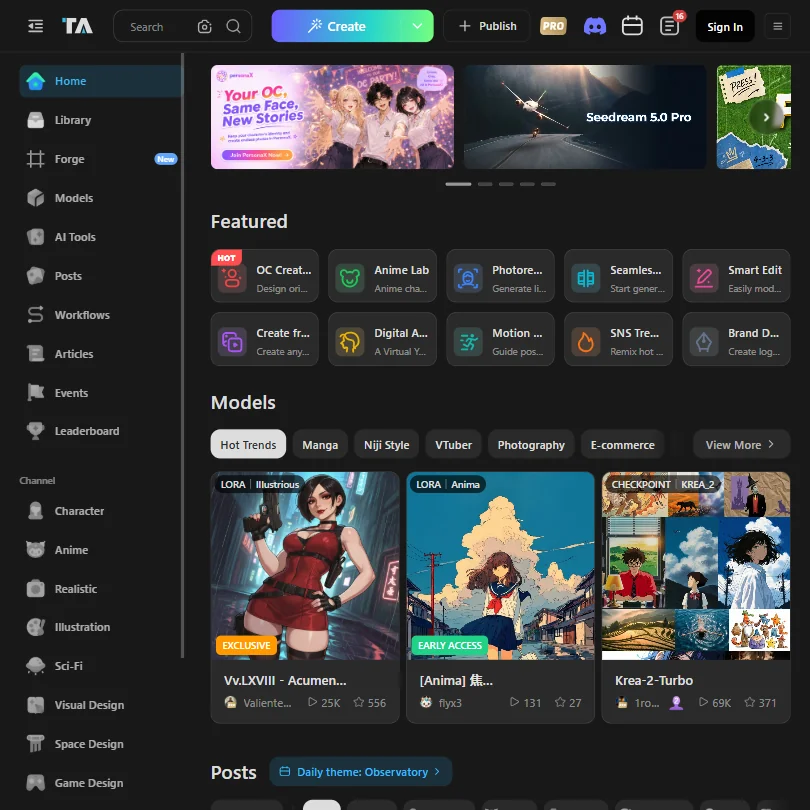
Pro replaces 50 daily credits with 300 a day plus a bonus of 1,000 credits, or 25,000 on a yearly term, and its commercial rights arrive with paid plans, along with training runs of up to 1,000 images. The fast-generation pool stops at 200 generations a month and there is no team plan, so a studio outgrows it. Choose it over SeaArt AI for SDXL and Illustrious community models, and over RunDiffusion on price.
- The free Starter plan never expires and includes 50 credits a day for image and video generation.
- Even the free plan gives access to more than a million community models and LoRAs.
- The Pro plan's fast-generation pool is capped at 200 generations a month, not unlimited.
Starter: 4,000 credits/month
From $14Show detailsHide details08 OpenArt: Best for training a model on your own images7.0Score 7.0 out of 10Starter: 4,000 credits/month$14Visit site ↗ReviewDetailsCloseShow more about OpenArt
Starter: 4,000 credits/month
From $14
Show detailsHide detailsOpenArt: Best for training a model on your own images
7.0Score 7.0 out of 10Starter: 4,000 credits/month$14Visit site ↗ReviewDetailsClose
There is no ongoing free tier, only a one-time grant of credits, so Starter's 4,000 credits are the first real plan, and it already removes the watermark but carries no commercial rights, which begin at Plus. About two dozen outside models are on it, including Kling, Seedance, Nano Banana Pro and GPT Image, with model training from your reference images. It does not train on uploads. Pick it over Affogato to train a style.
- Commercial use rights are included from the Plus plan upward.
- Starter, the cheapest paid plan, already removes the OpenArt watermark.
- There is no ongoing free plan, only a one-time set of free credits at signup.
Beginner: 9,000 credits/month
✓ Free plan tooFrom $5.99Show detailsHide details09 SeaArt AI: Best for unlimited images and phone apps7.0Score 7.0 out of 10Beginner: 9,000 credits/month✓ Free plan too$5.99Visit site ↗ReviewDetailsCloseShow more about SeaArt AI
Beginner: 9,000 credits/month
✓ Free plan tooFrom $5.99
Show detailsHide detailsSeaArt AI: Best for unlimited images and phone apps
7.0Score 7.0 out of 10Beginner: 9,000 credits/month✓ Free plan too$5.99Visit site ↗ReviewDetailsClose
Standard is the plan that fits this ceiling: unlimited image generation with no credit cost, 54,000 credits a month, about 9,000 images, and first and last frame control for video, which Beginner lacks. Unlimited use of the named video and image models stays with Master. LoRA training is on every plan, with its priority queue from Professional. Pick it over PicLumen for a bigger credit pool and iOS and Android apps.
- The free plan does not require payment to start creating.
- Beginner, the cheapest paid plan at $5.99 a month, already removes the watermark from video downloads.
- Video first and last frame control is limited to Standard, Professional and Master; it is not on Beginner.
Lite: 750 credits/month
✓ Free plan tooFrom $7.59Show detailsHide details10 PicLumen: Best for a full commercial license on Standard6.5Score 6.5 out of 10Lite: 750 credits/month✓ Free plan too$7.59Visit site ↗ReviewDetailsCloseShow more about PicLumen
Lite: 750 credits/month
✓ Free plan tooFrom $7.59
Show detailsHide detailsPicLumen: Best for a full commercial license on Standard
6.5Score 6.5 out of 10Lite: 750 credits/month✓ Free plan too$7.59Visit site ↗ReviewDetailsClose
Standard gives 2,500 Lumens a month, about 2,500 images or 100 videos, with a full commercial license and Relax Mode's unlimited images once Lumens run out. Lite carries a limited license, which is the reason to jump. It offers no API and no SOC 2 certification, and its privacy policy has no GDPR reference. Choose it over SeaArt AI to get Veo 3.1, Kling 3.0 and Midjourney together; Pro adds 6,000 Lumens above it.
- PicLumen has a standing free plan with 20 Lumens a day, enough for about 20 images or one video.
- The cheapest paid plan, Lite, is watermark-free for $7.59 a month.
- The free plan carries no commercial-use rights.
Starter: 900 credits/month
✓ Free plan tooFrom $8Show detailsHide details11 Pika: Best for watermark-free clips with lip sync6.2Score 6.2 out of 10Starter: 900 credits/month✓ Free plan too$8Visit site ↗ReviewDetailsCloseShow more about Pika
Starter: 900 credits/month
✓ Free plan tooFrom $8
Show detailsHide detailsPika: Best for watermark-free clips with lip sync
6.2Score 6.2 out of 10Starter: 900 credits/month✓ Free plan too$8Visit site ↗ReviewDetailsClose
Starter adds 900 monthly credits to a free plan that has none, and both stay watermark-free, but a commercial license starts at Creator, which sits above this page's line. That makes it a plan for personal clips, not client delivery. Pika 2.5, Seedance, Veo 3.1 and Wan 3.0 are on the account, with lip sync and clip extension. Its terms allow training on your content. Pick it over Flova for clean clips when no license is needed.
- Pika combines its own Pika 2.5 video model with Seedance, Veo 3.1, Wan 3.0 and GPT Image 2.5 in one account.
- The free plan and the $10 Starter plan are both watermark-free.
- Kling and Flux are not among the models Pika lists.

#12Birdwalk: Best for short-form video planned by an assistant
Creator: A$12 monthly wallet credits
From $15Show detailsHide details12Birdwalk: Best for short-form video planned by an assistantn/aCreator: A$12 monthly wallet credits$15Visit site ↗ReviewDetailsCloseShow more about Birdwalk
#12Birdwalk: Best for short-form video planned by an assistant
Creator: A$12 monthly wallet credits
From $15
Show detailsHide detailsBirdwalk: Best for short-form video planned by an assistant
n/aCreator: A$12 monthly wallet credits$15Visit site ↗ReviewDetailsClose
Priced in Australian dollars with no free plan, Creator gives A$12 of monthly wallet credits and Seedance video up to 4K for 10 seconds, while Standard raises that to A$24.50 and the model's full video length. A Claude-powered assistant plans shots and scaffolds scenes, and it states that it does not train on your content or prompts. Flux 2 is not listed. Pick it over Flova for short-form clips with planning help and clear training terms.
- Birdwalk gives you Kling 3 Pro, Kling O3 4K, Veo 3.1 4K, Seedance 2.5 and 2.0 4K, Nano Banana Pro and GPT Image 2 in one account.
- The built-in Birdwalk Assistant, powered by Claude, plans shots and scaffolds scenes for you.
- Birdwalk has no free plan; every tier requires payment.
Entry: 3,000 credits/month
From $10Show detailsHide details13 getimg.ai: Best for image jobs run through an API5.3Score 5.3 out of 10Entry: 3,000 credits/month$10Visit site ↗ReviewDetailsCloseShow more about getimg.ai
Entry: 3,000 credits/month
From $10
Show detailsHide detailsgetimg.ai: Best for image jobs run through an API
5.3Score 5.3 out of 10Entry: 3,000 credits/month$10Visit site ↗ReviewDetailsClose
Entry gives 3,000 credits a month, and Core reaches 15,000 at $30, the top of this page's budget, with commercial use on every paid plan and an API with Node.js and Python SDKs. There is no free plan and no unlimited mode, and video comes from two models, Grok Imagine Video 1.5 and Wan 3.0. Pick it over Affogato for image work through an API, and skip it if video variety matters.
- Commercial use is allowed on all paid plans.
- It offers a wide range of third-party image models, including Qwen Image 3.0 Pro, Grok Imagine Image 2.0, Seedream 5.0 Pro, GPT Image 2, Nano Banana 2 and FLUX 2.
- There is no free plan.
Starter: 2,800/month on annual billing (2,000 base + 800 bonus); 2,400/month on monthly billing (2,000 + 400)
From $20Show detailsHide details14 Flova AI: Best for planning scenes on an agent canvas4.5Score 4.5 out of 10Starter: 2,800/month on annual billing (2,000 base + 800 bonus); 2,400/month on monthly billing (2,000 + 400)$20Visit site ↗ReviewDetailsCloseShow more about Flova AI
Starter: 2,800/month on annual billing (2,000 base + 800 bonus); 2,400/month on monthly billing (2,000 + 400)
From $20
Show detailsHide detailsFlova AI: Best for planning scenes on an agent canvas
4.5Score 4.5 out of 10Starter: 2,800/month on annual billing (2,000 base + 800 bonus); 2,400/month on monthly billing (2,000 + 400)$20Visit site ↗ReviewDetailsClose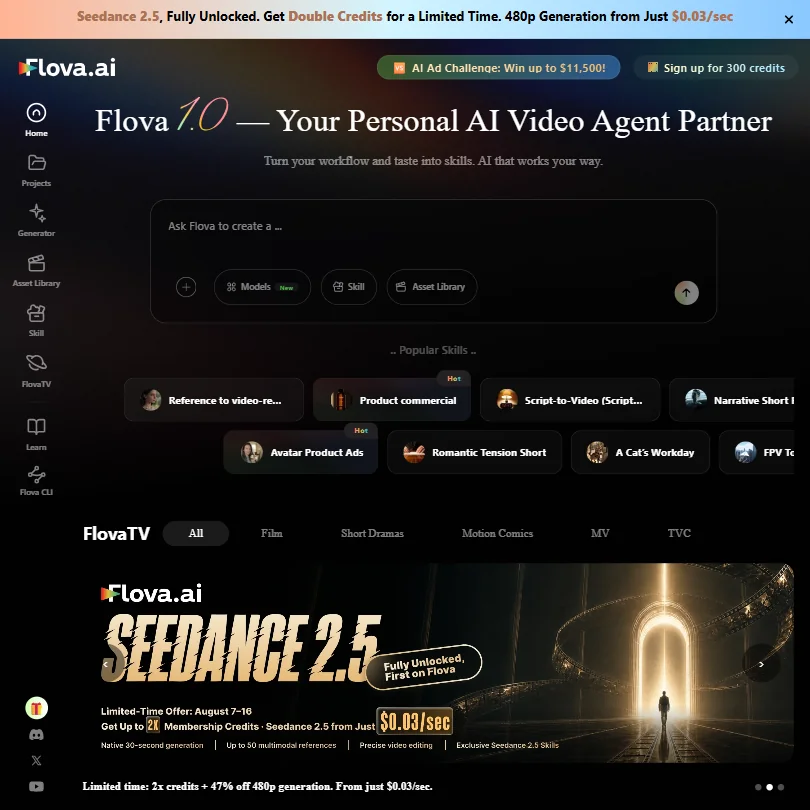
Credits scale with billing here: Starter gives 2,400 a month billed monthly or 2,800 billed yearly, with watermark-free export and commercial use on every plan but no free plan. Its Chat Model is unlimited and free on every plan, though no other model is. Terms allow training on your inputs and outputs unless you negotiate otherwise, and Kling, Veo and Flux 2 are not offered. Pick it over Birdwalk for the Agent Canvas, narration and music.
- Commercial use is included on every plan.
- Watermark-free export is included on every plan, starting from Starter.
- There is no free plan.
How to choose a multi-model AI platform under $30 a month
Around this budget the platforms start to look alike on paper: the same Kling, Veo, Seedance and GPT Image names appear on most of them. What separates them is how the credits are spent, which license comes with the plan, and whether your uploads are used for training. This guide covers the jobs the platforms are built for, what an entry plan really counts, and how to pick one for client work, social posting or style building.
Start with the job, not the tool
Four jobs explain most of the page, and each platform is stronger at one.
- Reaching many headline models in one account. Magnific, Higgsfield, Affogato, Birdwalk, PicLumen and Scenario all list the big video and image models. Affogato lists more than 170 and says every plan opens the whole library.
- Working with open models and training your own style. Tensor.Art and RunDiffusion host community and open tools, SeaArt AI trains LoRAs on every plan, and OpenArt trains characters and models from reference images.
- Directing a video project with an agent. Flova AI uses an Agent Canvas that breaks a project into tasks, and Birdwalk's assistant plans shots and scenes. Higgsfield's Supercomputer agent picks models from a plain description.
- Pouring out images and edits. SeaArt AI and PicLumen are built around volume, and getimg.ai adds upscaling, editing and API access.
Pick the job that fills most of your month, then compare the meter.
| Job | Start with | Runner-up and the trade-off |
|---|---|---|
| Every top model in one account | Magnific | Affogato has a smaller starting pot and opens its whole library on every plan |
| Work for clients | Affogato | Flova AI includes commercial use and watermark-free export on every plan, without Kling or Veo |
| Social clips on a budget | Higgsfield | Pika Starter is watermark-free but carries no commercial license |
| Train a style | Tensor.Art | RunDiffusion includes LoRA training from its Hobby plan |
| Many images, low price | SeaArt AI | getimg.ai has no free plan but allows commercial use on every paid plan |
What the price actually buys
Entry plans are quoted in credits, but a credit is a different thing on each platform, so read the unit before the number.
- Large pools with built-in extras. Magnific Premium gives 20,000 credits, a commercial license on every paid plan and credit-free generation on a rotating set of models. RunDiffusion Hobby gives 10,000 credits and LoRA training, and SeaArt AI Beginner gives 9,000 credits, about 1,500 images.
- Mid-size pools. OpenArt Starter gives 4,000 credits and removes the watermark, with image generations running 5 to 50 credits and video 100 to 800 or more. Flova AI Starter gives 2,400 credits billed monthly or 2,800 annually, with image models at 3 to 25 credits and video at 4 to 150 credits a second.
- Small pools, full libraries. Affogato Standard gives 2,000 credits, and Scenario Starter gives 1,500. Affogato does not publish what a credit buys on a named model, and Scenario's per-model costs appear only in the app.
- Counted outputs. PicLumen Lite gives 750 Lumens for about 750 images or 30 videos. Birdwalk Creator gives A$12 of wallet credits, 5 GB of storage and Seedance video up to 4K for up to 10 seconds.
Which tool fits which creator
- Freelancers delivering to clients. Start with Magnific, because every paid plan includes a commercial license. Affogato and Flova AI also include one on every paid plan, and getimg.ai allows commercial use throughout.
- Social video makers. Start with Higgsfield, because Starter removes the watermark and the account lists Kling 3.0, Veo 3.1 and Seedance 2.0. Add Pika for lip sync clips, remembering its Starter plan carries no commercial license.
- Style and character builders. Start with Tensor.Art or SeaArt AI for the cheapest LoRA training, and move to Scenario Pro when you want training with licensed output, since paid Scenario plans carry a full commercial license.
- Storytellers who want an agent. Start with Flova AI, because its Agent Canvas keeps scripts, storyboards and clips in one place, or Birdwalk, which lists Seedance 2.5 and Kling 3 Pro alongside an assistant powered by Claude.
- Image-heavy hobbyists. Start with SeaArt AI, whose Standard plan adds unlimited image generation, or PicLumen, whose Relax Mode continues images after your Lumens run out on Standard.
- Artists who dislike lock-in to one model. Start with Affogato, because no model sits behind a higher tier.
Where the entry plans stop
| Limit | Tools | What happens at the edge |
|---|---|---|
| Commercial license | OpenArt (Plus and up), Pika (Creator and up), PicLumen (a limited one on Lite, a full one on Standard), Tensor.Art (any paid plan) | Work is not cleared for clients until that tier |
| Monthly credits | Affogato (2,000), Scenario (1,500), Flova AI (2,400), OpenArt (4,000) | Generation waits for the new month or costs more |
| Clip length | Birdwalk Creator (10 seconds of Seedance) | Standard lifts it to the model's full length |
| Training | Scenario (Pro and up), OpenArt (capped by plan), RunDiffusion (from Hobby) | Lower tiers cannot train, or train fewer models |
| Unlimited modes | SeaArt AI (Standard), PicLumen (Standard), Affogato (none), Flova AI (its Chat Model only) | Credits meter everything below that |
| Pricing region | Magnific (set by location), Birdwalk (Australian dollars) | The advertised price is not the price everywhere |
Check the license first, then the pool. A pool that lasts all month is no help when the output cannot be delivered, while a smaller pool with a clear license can serve a freelancer fine.
What the cheapest plan leaves out
Most of what entry plans lack is on the paid-up rungs of the same platform. OpenArt Starter has no commercial rights, Scenario Starter cannot train a model, Birdwalk Creator shortens video, and Affogato offers unlimited generation on no tier. Flova AI's Chat Model is unlimited and free, but no other model has a relaxed allowance.
Breadth is the other trade. Flova AI does not list Kling, Veo or Flux 2, RunDiffusion names Seedance 1.5 Pro in place of Seedance 2.0, and Scenario lacks Veo 3.1. Those gaps are fine if your work does not need them, and costly if your whole style depends on one model.
Privacy and who sees your work
Training terms differ more than any other detail on this page.
| Tool | Training on your content |
|---|---|
| RunDiffusion | Never used to train third-party or foundation models |
| OpenArt | Uploads and creations are not used for training |
| Birdwalk | States it does not use content or prompts for training |
| Magnific | Not used for training |
| Affogato | Not used for training |
| Higgsfield | Trains on content by default, and stops only if you delete it or close the account |
| Scenario | Default use to improve its AI; only an Enterprise contract changes that |
| Pika | Default use for training, and no switch you can flip yourself |
| Flova AI | Its terms allow training on inputs and outputs unless you negotiate |
Put client and personal reference images on the top five, and treat uploads to the bottom four as training material. Tensor.Art's Pro plan adds private, unlisted models for work you do not want listed.
Mistakes to avoid
- Comparing credit counts across platforms. Magnific's 20,000 and Affogato's 2,000 measure different things. OpenArt prices video at 100 to 800 or more credits, and Flova AI prices it per second, so compare the cost of one clip you would actually make.
- Using OpenArt Starter or Pika Starter for client deliveries. Both are watermark-free, and neither includes a commercial license. Move to OpenArt Plus or Pika Creator first.
- Expecting a free test on the paid-only platforms. Magnific, Affogato, Birdwalk, getimg.ai and Flova AI have no free plan. Try Scenario's daily pot, PicLumen's free plan or RunDiffusion's 30-minute trial first.
- Uploading client references where training is on by default. Flova AI, Scenario and Pika may use what you upload. Use one of the top five in the table above.
- Reading Birdwalk's A$ price as dollars. Birdwalk charges in Australian dollars, so convert the plan before comparing with a US-dollar platform.
When to move up a plan
Move up when a missing license, a short clip or an empty pool starts to cost you work.
| If you are | Upgrade to | What changes |
|---|---|---|
| Producing a lot on Magnific | Magnific Premium+ | 45,000 credits and unlimited generations |
| Delivering to clients from OpenArt | OpenArt Plus | Commercial use rights and 12,000 credits |
| Training models on Scenario | Scenario Pro | 5,000 credits, custom model training and unlimited relaxed generation |
| Making longer video on Birdwalk | Birdwalk Standard | 25 GB of storage and Seedance at its full length |
| Burning credits on Flova AI | Flova AI Basic | 6,500 credits billed monthly, 8,000 annually |
| Posting on PicLumen with clients | PicLumen Standard | A full commercial license and Relax Mode |
Billing shapes the real cost. Higgsfield Starter costs the same monthly or yearly, Flova AI hands out more credits on annual billing, and OpenArt, PicLumen, SeaArt AI and Pika all drop on yearly terms. Magnific notes that promotions sometimes cut its yearly rate further.
Using two budget platforms together
Two cheaper plans can beat one expensive plan when their strengths do not overlap.
- Plan the project with Flova AI or Birdwalk, whose agents turn a description into shots.
- Generate the hero frames on a platform with a license you can rely on, such as Magnific or Affogato.
- Practice new styles on Tensor.Art or SeaArt AI first, where LoRA training costs the least.
A second pairing suits social teams: draft on PicLumen or Pika for volume, then re-render the winners on a platform that carries a commercial license.
How we picked
Every tool here is ranked by its score, and each score is worked out from the vendor’s own published pages: pricing, plans, features and terms. No score is adjusted by hand. 13 of the 14 tools have enough published facts to show a score, and on average 87% of each score comes from facts the vendor publishes. The facts behind these scores were checked between 19 September 2026 and 28 October 2026.
| Ranked as | On this page | What we score | Scoring guide |
|---|---|---|---|
| Multi-model AI platforms14 reviewed | 14 | 5 criteria, 28 checked facts: for video, for images, pricing, workflow and teams, privacy and trust | How we score these → |
Common questions
Which cheap multi-model AI platform has the most models?
Affogato lists more than 170 models from other companies, with the full library on every plan. Magnific packages more than thirty video, image and audio models on one credit pool, and OpenArt gives about two dozen on every plan. If breadth is the goal, Affogato leads, though it has no unlimited generation and does not publish what a credit buys on a named model.
Is there an AI platform with unlimited generation under $30 a month?
On some models, yes. Magnific's paid plans include unlimited generation on a rotating set, SeaArt AI Standard includes unlimited images, PicLumen Standard adds Relax Mode images, and some Higgsfield image models are unlimited on paid plans. Flova AI's chat model is unlimited, but nothing else is. Affogato, getimg.ai and Birdwalk offer no unlimited mode.
Why are some platforms priced in Australian dollars or by location?
Birdwalk is a Sydney-registered company and prices every tier in Australian dollars, with credits shown as a wallet amount. Magnific sets plan prices by location, so the figure you pay depends on where you buy. The other platforms here show a single dollar price. Compare totals in your own currency before choosing between two close plans.
How many credits does one AI video cost?
It varies widely by model. Flova AI prices video at 4 to 150 credits a second, with Seedance 2.5 at 15 to 96. OpenArt runs video at 100 to 800 or more credits depending on model, length and resolution, and an image at 5 to 50. Higgsfield prices each model per generation. Short clips on cheaper models stretch a monthly pot furthest.
Which platform can train a custom character or style?
Magnific builds a consistent character from your reference images, up to 200 characters a year on Premium+. OpenArt offers Character Training and LoRA training, with about 13 personalized models on Starter. RunDiffusion includes LoRA training from Hobby, Scenario from Pro, and Higgsfield's Soul ID needs at least 20 of your own photos. SeaArt AI lists LoRA training on every plan.
Do I get more credits if I pay yearly?
Sometimes. Flova AI's Starter gives 2,800 credits a month billed yearly instead of 2,400, and its larger plans show the same gap. Tensor's yearly term adds a 25,000 credit bonus in place of 1,000. OpenArt Starter falls from $14 to $13 a month. Higgsfield charges the same either way, and getimg.ai bills every plan monthly.