Flova AI is an agent-driven platform for making video, images, music and narration, using models from other companies rather than one of its own. It has no free plan and trains on your inputs by default, so what it suits depends on whether its Agent Canvas workflow and credit pricing fit your budget and privacy needs.
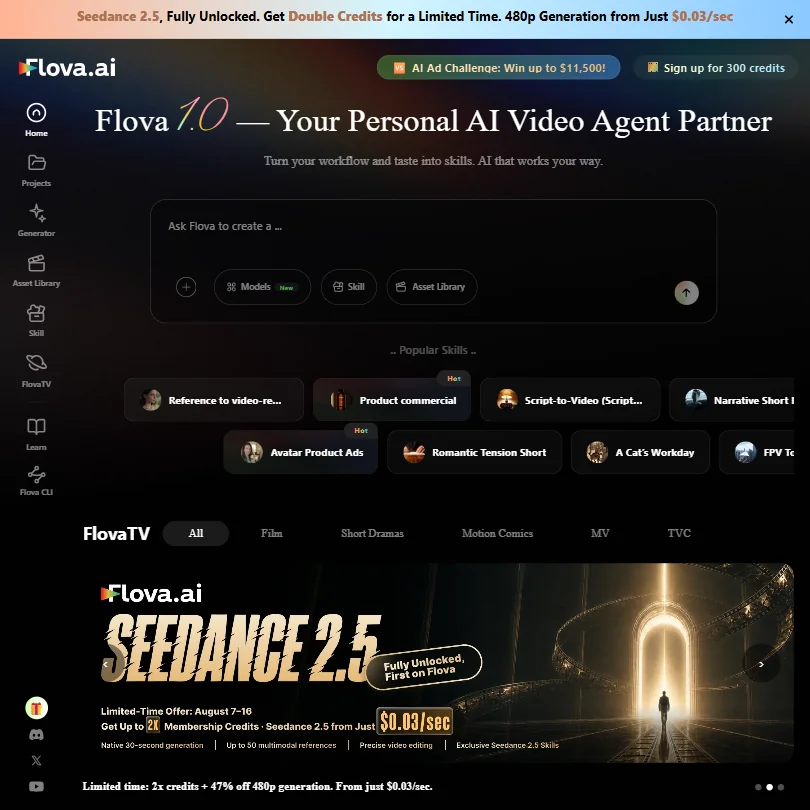
What is Flova AI?
Flova AI runs as a web app, built around an AI agent that breaks a video project into tasks and picks the model or skill for each step. It has no models of its own: every image, video and audio model on the platform comes from another company. Four personal plans, Starter, Basic, Plus and Pro, are all paid; a separate Team plan is priced per seat.
Other companies' models on Flova AI
For video, Flova AI offers Seedance 2.5, Seedance 2.0, Wan 3.0, Wan 3.0 Prime, MiniMax H3 and MiniMax H3 Max. For images, it offers Nano Banana 2, GPT Image 2.5, GPT Image 2.5 Sunburst and GPT Image 2.5 Flare. For audio, it offers Suno and ElevenLabs. Seedance 2.0 and Nano Banana 2 are on the list, but Nano Banana Pro is not, and GPT Image 2 itself is not offered, only GPT Image 2.5. Kling, Veo and Flux 2 are not among the models listed.
What you can make with Flova AI
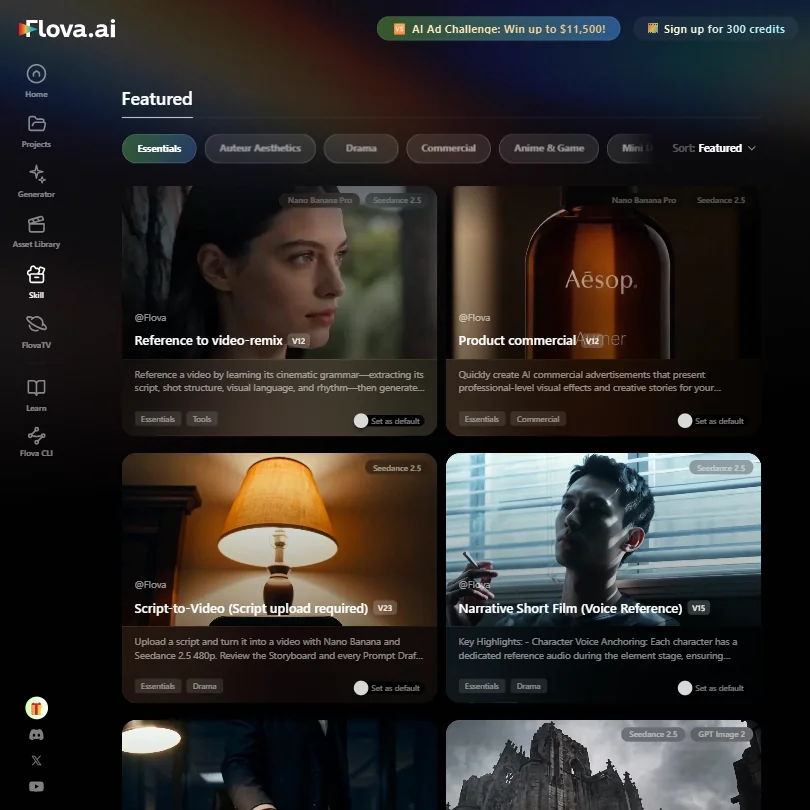
Video and image generation run on the third-party models above, with Image and Video HD Enhancement, Flova's name for an upscaler, included on every plan. Suno and ElevenLabs add music and narration alongside the picture.
Workflows, agents and teams
Agent Canvas keeps scripts, storyboards, shots, assets and generated clips connected in one visual workspace, and the Flova AI Agent breaks a project into tasks and picks the right skill for each one. A Flova CLI connects with coding agents such as Codex and Claude Code. Team plans add seat management, credit allocation by a team admin, and project access management, on top of Flova's Chat Model, which is unlimited and free on every plan.
Flova AI pricing: what each plan gives
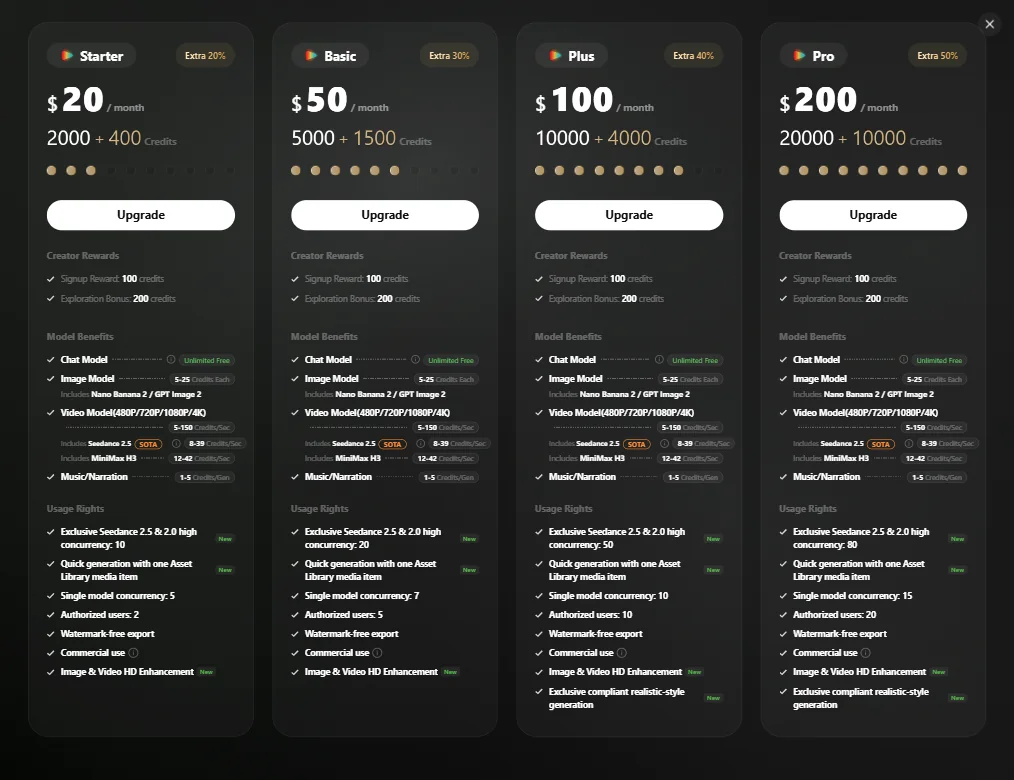
Starter costs $20 a month, or $17 a month billed annually. Basic costs $50 a month, or $42 billed annually. Plus costs $100 a month, or $84 billed annually. Pro costs $200 a month, or $167 billed annually.
Credits scale with billing: Starter gives 2,400 credits a month billed monthly or 2,800 billed annually, Basic gives 6,500 or 8,000, Plus gives 14,000 or 18,000, and Pro gives 30,000 or 40,000. Image models cost 3 to 25 credits each, video models cost 4 to 150 credits a second depending on resolution, Seedance 2.5 costs 15 to 96 credits a second, MiniMax H3 costs 12 to 42 credits a second, and music or narration costs 1 to 5 credits a generation.
Flova also runs a limited-time promotion pricing GPT Image 2.5 and Seedance 2.5 directly in dollars per unit on annual billing: GPT Image 2.5 at 1K runs from $0.012 an image on Starter down to $0.008 on Pro, and Seedance 2.5 at 480p runs from $0.036 a second on Starter down to $0.025 on Pro. Chat Model generation is unlimited and free on every plan, but no other model has an unlimited or relaxed allowance.
Privacy and support
Commercial use and watermark-free export are included on every plan, from Starter up. Flova's terms say that unless otherwise agreed, inputs, outputs and user interactions may be used to train, enhance and improve its models, with no self-serve opt-out. Its privacy policy addresses GDPR. Support runs through email at support@flova.ai and a Discord community.
Who Flova AI suits
Flova AI suits people who want an agent to plan and carry out a video project across Agent Canvas, using a broad set of third-party video, image and audio models including Seedance 2.5, Nano Banana 2, Suno and ElevenLabs, with team plans for shared credit and seat management.
It suits less well anyone who wants a free trial before paying, or who does not want their inputs and outputs used to train Flova's models by default. It also does not offer Kling, Veo, Flux 2 or GPT Image 2 itself.
How Flova AI compares
Flova AI scores 4.5 out of 10 among the multi-model AI platforms we rate. These three do the same job and are the closest to it, compared on what each vendor publishes.
Pika
Pika's cheapest plan is $10 a month against Flova AI's $20, and Pika includes a free plan that Flova AI does not offer. Pika offers Veo 3.1, which Flova AI does not list among its 6 video models, though both include Seedance 2. Pika also offers lip sync and image editing, while Flova AI has a canvas workflow. The terms of both let them train AI on your uploads.
Pick Pika if you want Veo 3.1, a free plan and a lower price.
Pick Flova AI if you want canvas workflows for building multi-step scenes.
Higgsfield
Higgsfield's cheapest plan is $19 a month against Flova AI's $20, and Higgsfield includes a free plan plus unlimited generation on some models, which Flova AI lacks. Higgsfield also offers Kling 3, Veo 3.1, Nano Banana Pro and Flux 2, none of which are on Flova AI's list of 6 video and 4 image models. Both include a canvas workspace and an AI agent. Higgsfield only guarantees no training on your uploads for enterprise accounts; Flova AI trains on uploads by default.
Pick Higgsfield if you want Kling 3, Veo 3.1 and a free plan.
Pick Flova AI if you want a simpler lineup without paying for extra workflow tools.
OpenArt
OpenArt's cheapest plan is $14 a month against Flova AI's $20, and lists far more video models, 14 against Flova AI's 6, including Nano Banana Pro among its image models, which Flova AI does not offer. Flova AI includes a canvas workspace; OpenArt does not list one. Both run an AI agent for multi-step jobs. OpenArt confirms it does not train AI on your uploads; Flova AI trains on uploads by default.
Pick OpenArt if you want more models and no AI training on your uploads.
Pick Flova AI if you want a canvas workspace for building scenes.
Frequently Asked Questions
Does Flova AI have a free plan?
No. Starter, Basic, Plus and Pro are all paid personal plans, and Team is priced per seat.
Which models does Flova AI offer?
Video comes from Seedance 2.5, Seedance 2.0, Wan 3.0, Wan 3.0 Prime, MiniMax H3 and MiniMax H3 Max. Images come from Nano Banana 2, GPT Image 2.5, GPT Image 2.5 Sunburst and GPT Image 2.5 Flare. Audio comes from Suno and ElevenLabs.
What does each Flova AI plan cost and make?
Starter is $20 a month for up to 2,800 credits, Basic is $50 for up to 8,000, Plus is $100 for up to 18,000, and Pro is $200 for up to 40,000, with annual billing giving the higher credit figure.
Does Flova AI train on my uploads?
Yes, by default. Its terms let it use your inputs, outputs and interactions to train its models unless you have a separate agreement.










