Every score is worked out from the vendor's own pages · How we score →Disclosure
SAASINSPECTOR
Upscayl logo

Upscayl Review

Upscayl is a free, open-source AI image upscaler that runs entirely on your own computer, with no internet connection needed. It is best for anyone who wants unlimited offline upscaling at no cost, with an optional paid cloud tier for extra models and face enhancement.

Visit Upscayl →From $9.99/mo

Research-based review. Features and prices are checked on the vendor's own website, and the score is worked out from those facts. We haven't tested it hands-on yet.

The verdict

Worth downloading for anyone who wants free offline upscaling; pay for Upscayl Cloud only if you need face enhancement, the API or commercial-use models.

Pros

  • The desktop app is free, open source and unlimited on your own computer.
  • Processing happens on your machine, with no internet connection needed.
  • Images upscale up to 16x, with a Batch Upscayl mode for many files.
  • Your images are not used to train AI models.

Cons

  • It fixes pixelation while enlarging but cannot de-blur or adjust focus.
  • Face enhancement is on Upscayl Cloud, not the free desktop app.
  • The Cloud trial covers 10 credits, with input up to 8 MP.
From $9.99/moFree plan YesFree trial Yes
7.9/10

Spec Score

Upscayl against 6 AI image upscalers
#1
of 6 AI image upscalers
+1.1
vs the average
81%
from published facts
Ahead of other AI image upscalers
Pricing+3.7Where it runs+3.5
Behind other AI image upscalers
What it does-1.2
Every criterion
Tap a row for the facts
What it does5.8
-1.2 vs 7.0 avg23.2 of 40 points
Largest upscale16x upscale2.5 / 3
Restores facesyes1.5 / 1.5
Removes noise and blurno0 / 1
Creative mode that adds new detailnot published, half points0.8 / 1.5
Upscales videonot published, half points1 / 2
Plugins for other apps0 plugins0 / 1
Why these numbers

Restores faces: Upscayl Cloud only; not in the desktop app.

Removes noise and blur: It fixes pixelation while enlarging but does not remove blur.

Plugins for other apps: Counted from plugins. No Photoshop, Lightroom, Figma, WordPress, Shopify or Zapier plugin is named.

Where it runs10.0
+3.5 vs 6.5 avg15 of 15 points
Runs on your own computeryes3 / 3
Public APIyes3 / 3
Where it runs4 platforms4 / 4
Why these numbers

Public API: Documented at docs.upscayl.org.

Where it runs: Counted from platforms. Upscayl Cloud runs in the browser.

Pricing10.0
+3.7 vs 6.3 avg30 of 30 points
Cheapest paid plan, monthly$9.995 / 5
Free planyes2 / 2
A licence you own outrightyes2 / 2
Open sourceyes1 / 1
Why these numbers

Cheapest paid plan, monthly: Cloud Pro with 100 credits on monthly billing; $89.99 a year on annual billing. The desktop app is free.

Free plan: The desktop app is free with no limits; Upscayl Cloud also has a free trial with 10 credits.

A licence you own outright: The desktop app is free and open source, so there is nothing to renew.

Privacy and trust7.0
-0.4 vs 7.4 avg10.5 of 15 points
Does not train AI on what you uploadyes4 / 4
SOC 2not published, half points0.8 / 1.5
GDPRnot published, half points1 / 2
Ways to reach support2 support channels1.3 / 2.5
Why these numbers

Does not train AI on what you upload: The desktop app processes images locally and never uploads them.

Ways to reach support: Counted from support_channels. Email support@upscayl.org; community help on GitHub and Telegram.

yesnonot published average for AI image upscalers
How the Spec Score works

Scored from what Upscayl publishes on its own site. Not a hands-on test.

Compared with 6 AI image upscalers. Facts checked 31 Oct 2026.

A fact the vendor does not publish gets half the points, or the typical value for a number, and says so. It never counts as a no. How we score.

Upscayl is a free, open-source AI image upscaler for Windows, Mac and Linux that runs entirely on your own computer. Upscayl Cloud is a newer paid tier with extra models, face enhancement, models cleared for commercial use and an API. What decides whether it suits you is whether free, offline enlargement is enough, or whether you need what the cloud tier adds.
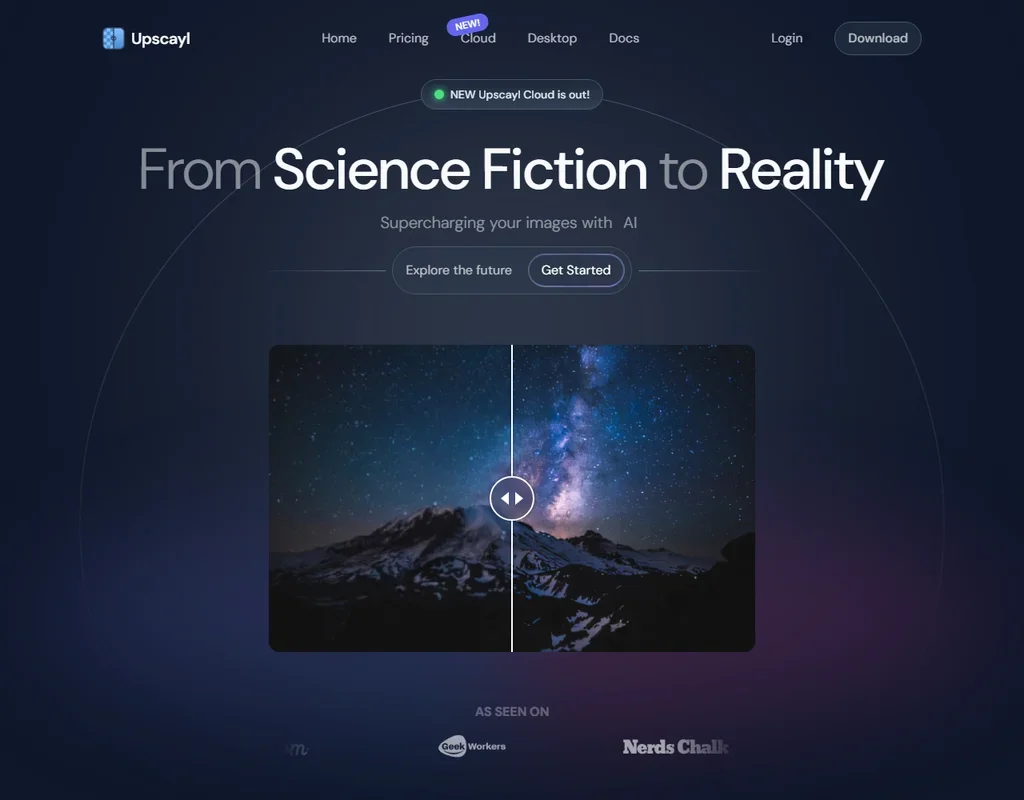
Upscayl homepage screenshot
Upscayl, Homepage

What is Upscayl?

Upscayl Desktop is free and open source under the AGPL-3.0 licence, and it is available for Linux, macOS and Windows. You download it once and it is yours for good, with nothing to renew.

The desktop app does all of its processing on your own machine and needs no internet connection. Upscayl Cloud runs in the browser and is sold as monthly credits or one-time bundles.

Its backend is fully open source under the AGPLv3 licence, with the code on GitHub, where the community also helps with questions. Because the desktop app is free with no limits, there is no per-image charge and no cap on how many images you enlarge on your own computer.

Upscaling with Upscayl

Upscayl enlarges images up to 16x. It improves low-resolution and pixelated images as it enlarges them, but it cannot de-blur an image or adjust its focus.

The desktop app has a Batch Upscayl mode for processing a folder of images in one go, and Upscayl Cloud accepts up to 20 images at a time. Face enhancement, which restores and enhances facial details, is part of Upscayl Cloud and not the desktop app.

Output size on the cloud tier depends on the plan: up to 256 MP on Pro, and up to 64 MP input and 512 MP output on Business. Upscayl Cloud also offers AI image generation alongside the upscaler.

What the paid cloud tier adds
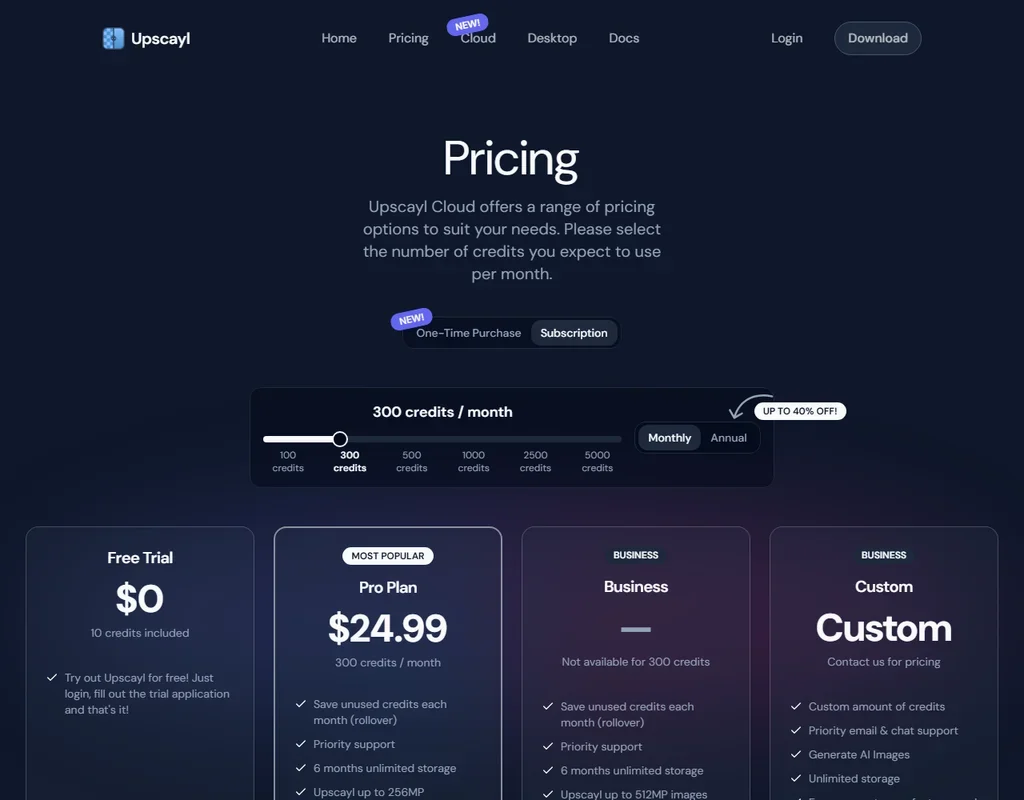
Upscayl pricing screenshot
Upscayl, Pricing

Everything the desktop app does is free and unlimited on your own computer. Upscayl Cloud adds extra models, face enhancement, processing in the browser and an API for building upscaling into your own applications, documented at docs.upscayl.org.

Upscayl Cloud is made for commercial use: you can upscale images for your business, clients or projects, and the Cloud models all allow commercial usage. Help comes from Upscayl's support team by email and from the community on GitHub and Telegram.

Upscayl pricing: what each plan gives

Upscayl Desktop is free and open source, with no limits on your own computer. Upscayl Cloud has a free trial with 10 credits, for input up to 8 MP and output up to 64 MP; you log in and fill out a trial application to get it. One credit upscales one image.

  • Cloud Pro 100: $9.99 a month, or $89.99 a year, for 100 credits a month, with output up to 256 MP.
  • Cloud Pro 300: $24.99 a month, or $219.99 a year, for 300 credits a month.
  • Cloud Pro 500: $39.99 a month, or $339.99 a year, for 500 credits a month.
  • Cloud Business: 1,000 to 5,000 credits a month, with output up to 512 MP.
  • One-time credits: 50 credits for $9.99 that never expire.

Annual billing lowers the monthly cost: Cloud Pro 100 works out to $7.50 a month at $89.99 a year, Pro 300 to $18.33 a month and Pro 500 to $28.33 a month. One-time credits suit occasional cloud jobs, since they never expire.

Privacy and security

Your images are not used to train AI models. The desktop app processes images locally and never uploads them, so your photos stay on your own computer.

Support runs by email at support@upscayl.org, with community help on GitHub and Telegram.

Who Upscayl suits

Upscayl suits anyone who wants a free AI upscaler that works offline on Windows, Mac or Linux and want unlimited enlargement up to 16x without uploading anything. The open-source licence and batch mode make it a practical tool for large folders of images, and the cloud tier is there for anyone who later needs face enhancement, an API or commercial-use models.

It suits less well anyone who needs to fix blurry or out-of-focus photos, since Upscayl cannot de-blur or adjust focus. Face enhancement means paying for Upscayl Cloud, and the cloud trial is small, at 10 credits with input up to 8 MP.

Frequently Asked Questions

Is Upscayl really free?

Yes. Upscayl Desktop is free and open source under the AGPL-3.0 licence, with no limits on your own computer. Upscayl Cloud is a separate paid tier from $9.99 a month for 100 credits.

Does Upscayl need an internet connection?

No. Upscayl Desktop does all of its processing on your local machine and needs no internet connection. Upscayl Cloud runs in the browser.

Can Upscayl fix blurry photos?

No. Upscayl improves low-resolution and pixelated images as it enlarges them, but it cannot de-blur an image or adjust its focus.

Does Upscayl train AI on my images?

No. Your images are not used to train AI models, and the desktop app never uploads them.

Upscayl is featured in

Alternatives to Upscayl

See all Upscayl alternatives →

Other AI Design Tool options we've reviewed.

Figma logo

Figma

Product teams wanting one shared workspace for design systems, prototypes and developer handoff

8.1
Rank #2 of 8 AI UI design tools
Best:Teams and platforms10
Weakest:What you can make7
Free plan: yesFree trial: noAPI: yes
Price not publishedFree plan
96% from published facts · checked 19 Sep
→
Canva logo

Canva

Small teams making branded social posts, print and video without hiring a designer

7.8
Rank #3 of 8 AI graphic design tools
Best:Teams and platforms10
Weakest:What you can make7
Free plan: yesFree trial: yesAPI: yes
From $18Free plan
90% from published facts · checked 19 Sep
→
Visme logo

Visme

Brand teams producing polished decks and reports that export to almost any format

6.9
Rank #3 of 5 AI presentation makers
Best:Workflow and output7.2
Weakest:Teams and platforms5.5
Free plan: yesFree trial: noAPI: no
From $29Free plan
85% from published facts · checked 26 Sep
→
Adobe Firefly logo

Adobe Firefly

Creative Cloud users who want generation inside the apps they already use, from a vendor that does not train on their content

8.1
Rank #1 of 7 AI image generators
Best:Rights and privacy9.2
Weakest:Openness and support3
Weights published under a named licence: noDoes not train on what you make: yes
From $9.99Free plan
78% from published facts · checked 8 Oct
→
Krea logo

Krea

Designers who want one of the broadest model menus, plus a node canvas, an AI agent and an API

9.4
Rank #1 of 13 multi-model AI platforms
Best:For video10
Weakest:Privacy and trust7.2
SOC 2: yesOffers Veo 3.1: yesOffers Nano Banana Pro: yes
From $9Free plan
93% from published facts · checked 28 Oct
→
Wix logo

Wix

Small business owners building a site and store themselves, with a phone line for help

8.0
Rank #1 of 7 AI website builders
Best:Teams and platforms9.5
Weakest:Pricing7
Free plan: yesFree trial: noAPI: yes
From $17Free plan
85% from published facts · checked 19 Sep
→

User reviews

Review Upscayl

Your rating

Reviews are moderated and appear once approved.