Every score is worked out from the vendor's own pages · How we score →Disclosure
SAASINSPECTOR
Tripo AI logo

Tripo AI Review

Tripo AI is an AI 3D model generator that turns text, a single image or several views into textured, game-ready models. It is best at clean topology, with quad retopology, polycount control and part segmentation, plus auto rigging and plugins for the main engines.

Visit Tripo AI →From $20/mo

Research-based review. Features and prices are checked on the vendor's own website, and the score is worked out from those facts. We haven't tested it hands-on yet.

The verdict

Worth paying for if you want game-ready models with private, commercial rights at a low cost per model; the catch is a free plan that is public and non-commercial.

Pros

  • Quad retopology rebuilds a mesh to a polygon count you set.
  • Paid plans keep inputs and outputs out of training data.
  • Pro gives 3,000 credits a month, about 200 models.
  • The DCC Bridge connects to Blender, Unity, Unreal, Maya, Godot, Roblox and more.

Cons

  • Free plan models are public and for non-commercial use only.
  • Texturing, PBR and auto rigging each cost credits on top of the model.
  • Multi-view input and the DCC Bridge need a paid plan.
From $20/moFree plan YesFree trial No
8.5/10

Spec Score

Tripo AI against 6 AI 3D model generators
#2
of 6 AI 3D model generators
+1.0
vs the average
100%
from published facts
Ahead of other AI 3D model generators
What it makes+1.8Privacy and trust+1.5Files and tools+0.7
Behind other AI 3D model generators
Nothing clearly below the average
Every criterion
Tap a row for the facts
What it makes10.0
+1.8 vs 8.2 avg40 of 40 points
Rigs a character for animationyes2 / 2
Animates a modelyes2 / 2
Builds one model from several viewsyes1.5 / 1.5
PBR materialsyes1.5 / 1.5
Quad topologyyes1.5 / 1.5
You set the polygon countyes1.5 / 1.5
Why these numbers

Rigs a character for animation: 20 credits.

Builds one model from several views: Paid plans.

PBR materials: PBR adds 5 credits.

You set the polygon count: Triangle topology from 500 to 20,000 polygons.

Files and tools8.5
+0.7 vs 7.8 avg17 of 20 points
File formats it exports6 formats4 / 4
Plugins for 3D apps and game engines7 plugins4 / 4
Where it runs1 platform0.5 / 2
Why these numbers

File formats it exports: Counted from export_formats.

Plugins for 3D apps and game engines: Counted from engine_plugins. DCC Bridge on paid plans. Also Cocos, ZBrush and MetaTailor.

Where it runs: Counted from platforms. Tripo Studio runs in the browser. Plugins connect it to desktop 3D tools.

Pricing7.0
-0.3 vs 7.3 avg17.5 of 25 points
Cheapest paid plan, monthly$203 / 4
Free planyes2.5 / 2.5
Free models may be used commerciallyno0 / 2
Paid models stay privateyes1.5 / 1.5
Why these numbers

Free models may be used commercially: Free users grant Tripo all rights to their inputs and outputs.

Paid models stay private: Paid plans make models private; free plan models are public.

Privacy and trust7.2
+1.5 vs 5.8 avg10.8 of 15 points
Does not train AI on what you uploadtrue4 / 4
SOC 2no0 / 1.5
GDPRyes2 / 2
Ways to reach support2 support channels1.3 / 2.5
Why these numbers

Does not train AI on what you upload: This applies to paid users. Free users grant Tripo full rights to what they create, and the privacy policy says anonymised prompts and outputs may be used to improve the service.

SOC 2: ISO/IEC 27001:2022 certified; no SOC 2 report is named.

GDPR: The privacy policy sets out EEA and UK legal bases and rights.

Ways to reach support: Counted from support_channels. Help centre at tripo3d.ai/help; enterprise support at business@tripo3d.ai.

yesnonot published average for AI 3D model generators
How the Spec Score works

Scored from what Tripo AI publishes on its own site. Not a hands-on test.

Compared with 6 AI 3D model generators. Facts checked 31 Oct 2026.

A fact the vendor does not publish gets half the points, or the typical value for a number, and says so. It never counts as a no. How we score.

Tripo AI generates 3D models from text, one image or several views, with AI texturing, PBR maps, quad retopology, part segmentation, auto rigging and animation. Whether it suits you depends mostly on the licence: free plan models are public and for non-commercial use, while paid plans make models private, allow commercial use and keep your work out of training.
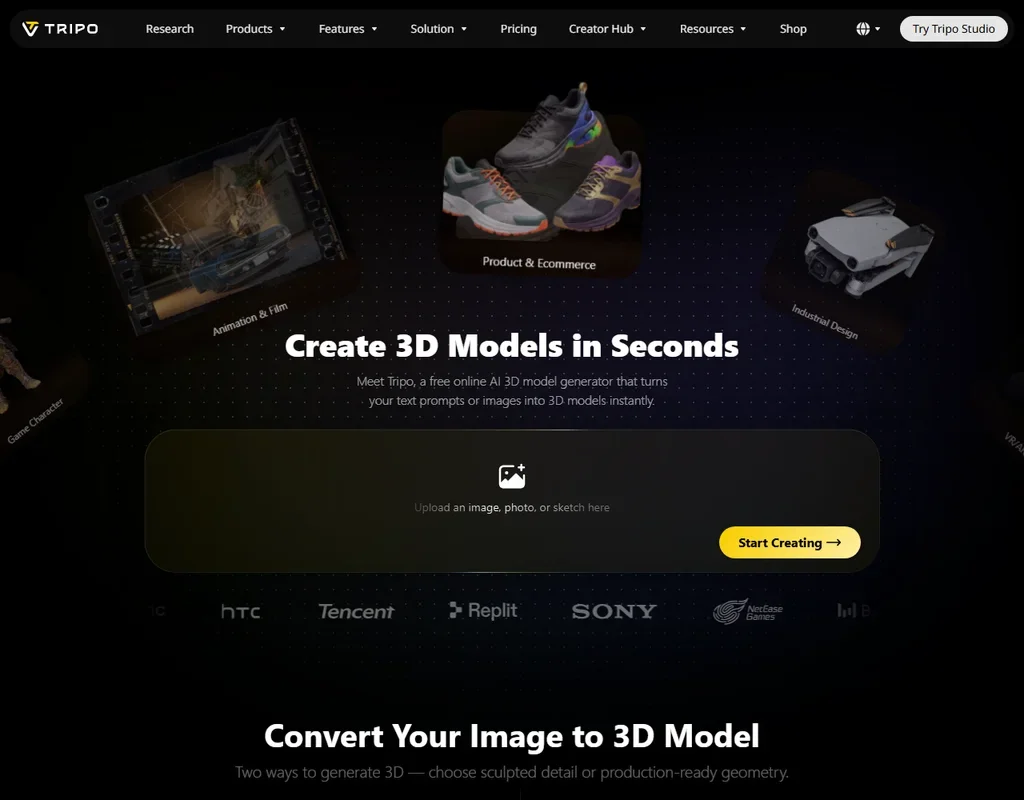
Tripo AI homepage screenshot
Tripo AI, Homepage

What is Tripo AI?

Tripo AI's editor is Tripo Studio, which runs in the browser. Plugins connect it to desktop 3D tools and game engines, and the Tripo API is sold separately.

The product is aimed at game and 3D printing creators who want game-ready models at a low cost per model. Pro and Max cost the same per month whether you pay monthly or yearly.

Making 3D models with Tripo AI

Tripo makes models from a text prompt, from one image, or from a batch of images. Multi-view images to 3D combines front, side, back and three-quarter views into one more complete model, and it is on paid plans. Part segmentation splits a model into its parts.

Texturing applies base colour, normal, roughness and metallic maps in one step, with textures up to 8K on Max. For topology, Tripo converts a triangle mesh to clean quad topology. You set a target polygon count and Tripo rebuilds the mesh from 500 to 10,000 polygons as quads, or from 500 to 20,000 polygons as triangles.

Auto rigging builds an animation-ready rig from an uploaded mesh. Animation comes from pre-made motion libraries or from custom text-to-motion.

In credits, an HD model generation costs 15, texturing adds 10, PBR adds 5, and auto rigging costs 20. Models export as FBX, OBJ, GLB, USDZ, STL or 3MF.

On paid plans, the DCC Bridge connects Tripo to Blender, 3ds Max, Unity, Unreal, Maya, Godot and Roblox, as well as Cocos, ZBrush and MetaTailor.

Working with other people

The Team plan is priced per seat, with 90,000 credits a month shared across the team. The Tripo API is sold separately from the app plans, with enterprise plans for larger needs.

Tripo AI pricing: what each plan gives
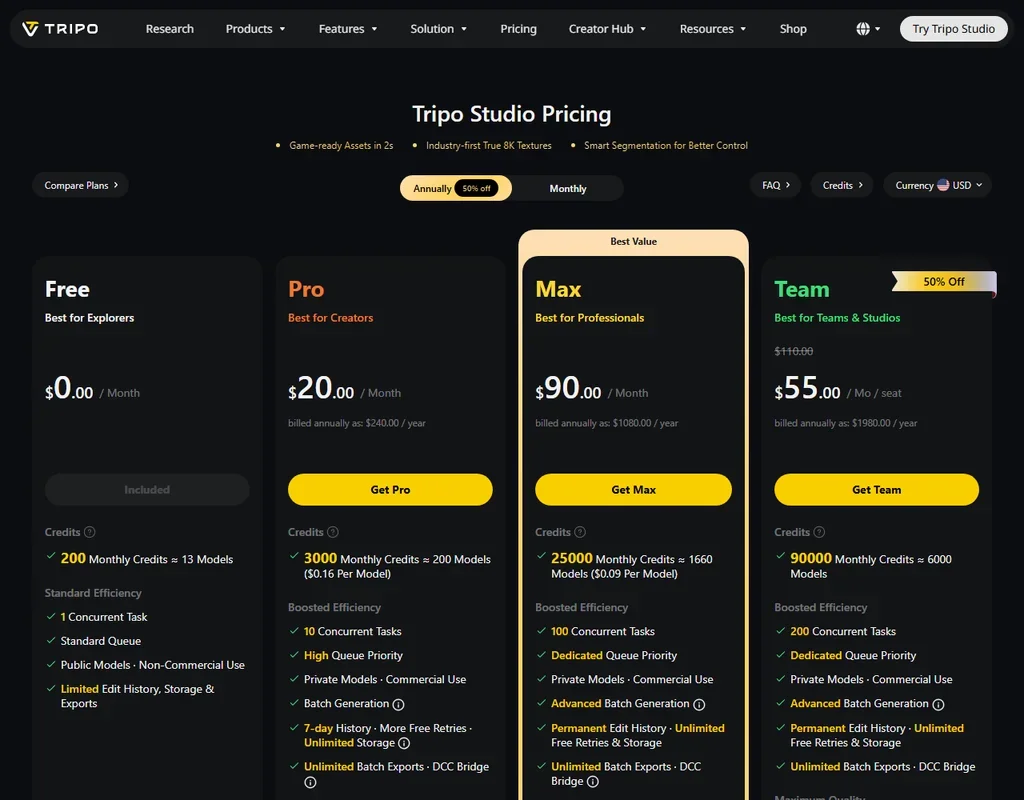
Tripo AI pricing screenshot
Tripo AI, Pricing

The free plan gives 200 credits a month, about 13 models, with one task at a time, 15 exports (on the H2.5 model), 10 stored models and a one-day edit history. Free models are public and for non-commercial use.

Pro costs $20 a month, or $240 a year, for 3,000 credits a month, about 200 models. Max costs $90 a month, or $1,080 a year, for 25,000 credits a month, about 1,660 models, with textures up to 8K. Both make models private and allow commercial use. Team costs $110 a seat each month, or $55 a seat a month billed yearly, with 90,000 shared credits a month.

Credit packs run from $10 for 1,000 credits up to $1,000 for 130,000 credits.

Privacy and security

On paid plans, Tripo does not train on your work: "Company will not use Inputs and Outputs as training data to train, validate, test, or improve any AI Technology." Paid customers hold the rights to their inputs and outputs. On the free plan, you grant Tripo all rights to your inputs and outputs, and anonymised prompts and outputs may be used to improve the service.

Tripo is ISO/IEC 27001 certified, and its privacy policy sets out legal bases and rights for the EEA and UK. Support runs by email at support@tripo3d.ai, with a help centre and a business address for enterprise questions.

Who Tripo AI suits

Tripo AI suits game and 3D printing creators who want game-ready models with quad retopology and polycount control, and who will pay for a plan to get private models and commercial rights. Pro's credit allowance works out to about 200 models a month, and the plugins reach Blender, Unity, Unreal, Maya and more.

It suits less well anyone who wants to use free models in commercial work, since the free plan is non-commercial and gives Tripo all rights to what you create. Anyone counting credits should note that texturing, PBR and rigging each cost credits on top of the model itself.

Frequently Asked Questions

How much does Tripo AI cost?

Tripo AI has a free plan with 200 credits a month. Pro is $20 a month and Max is $90 a month, the same whether billed monthly or yearly. Team is $110 a seat monthly or $55 a seat billed yearly.

Can I use Tripo AI models commercially?

On paid plans, yes: models are private and licensed for commercial use. Free plan models are public and for non-commercial use.

Can I control the polygon count in Tripo AI?

Yes. You set a target polygon count and Tripo rebuilds the mesh as quads from 500 to 10,000 polygons, or as triangles from 500 to 20,000.

Does Tripo AI train on my models?

Not on paid plans, where inputs and outputs are not used as training data. On the free plan, anonymised prompts and outputs may be used to improve the service.

Tripo AI is featured in

Alternatives to Tripo AI

See all Tripo AI alternatives →

Other AI Design Tool options we've reviewed.

Figma logo

Figma

Product teams wanting one shared workspace for design systems, prototypes and developer handoff

8.1
Rank #2 of 8 AI UI design tools
Best:Teams and platforms10
Weakest:What you can make7
Free plan: yesFree trial: noAPI: yes
Price not publishedFree plan
96% from published facts · checked 19 Sep
→
Canva logo

Canva

Small teams making branded social posts, print and video without hiring a designer

7.8
Rank #3 of 8 AI graphic design tools
Best:Teams and platforms10
Weakest:What you can make7
Free plan: yesFree trial: yesAPI: yes
From $18Free plan
90% from published facts · checked 19 Sep
→
Visme logo

Visme

Brand teams producing polished decks and reports that export to almost any format

6.9
Rank #3 of 5 AI presentation makers
Best:Workflow and output7.2
Weakest:Teams and platforms5.5
Free plan: yesFree trial: noAPI: no
From $29Free plan
85% from published facts · checked 26 Sep
→
Adobe Firefly logo

Adobe Firefly

Creative Cloud users who want generation inside the apps they already use, from a vendor that does not train on their content

8.1
Rank #1 of 7 AI image generators
Best:Rights and privacy9.2
Weakest:Openness and support3
Weights published under a named licence: noDoes not train on what you make: yes
From $9.99Free plan
78% from published facts · checked 8 Oct
→
Krea logo

Krea

Designers who want one of the broadest model menus, plus a node canvas, an AI agent and an API

9.4
Rank #1 of 13 multi-model AI platforms
Best:For video10
Weakest:Privacy and trust7.2
SOC 2: yesOffers Veo 3.1: yesOffers Nano Banana Pro: yes
From $9Free plan
93% from published facts · checked 28 Oct
→
Wix logo

Wix

Small business owners building a site and store themselves, with a phone line for help

8.0
Rank #1 of 7 AI website builders
Best:Teams and platforms9.5
Weakest:Pricing7
Free plan: yesFree trial: noAPI: yes
From $17Free plan
85% from published facts · checked 19 Sep
→

User reviews

Review Tripo AI

Your rating

Reviews are moderated and appear once approved.