We started pulling this SiteGPT review together by going through vendor docs, their pricing page, and whatever user feedback we could find scattered across Reddit and Product Hunt. SiteGPT isn't on G2 or Capterra yet, which tells you something about where it sits in the market. Founded in 2023, it's a young product. Our research kept circling back to one honest question: does a single-purpose website chatbot builder justify its price when the AI customer service category is this crowded?
What is SiteGPT?
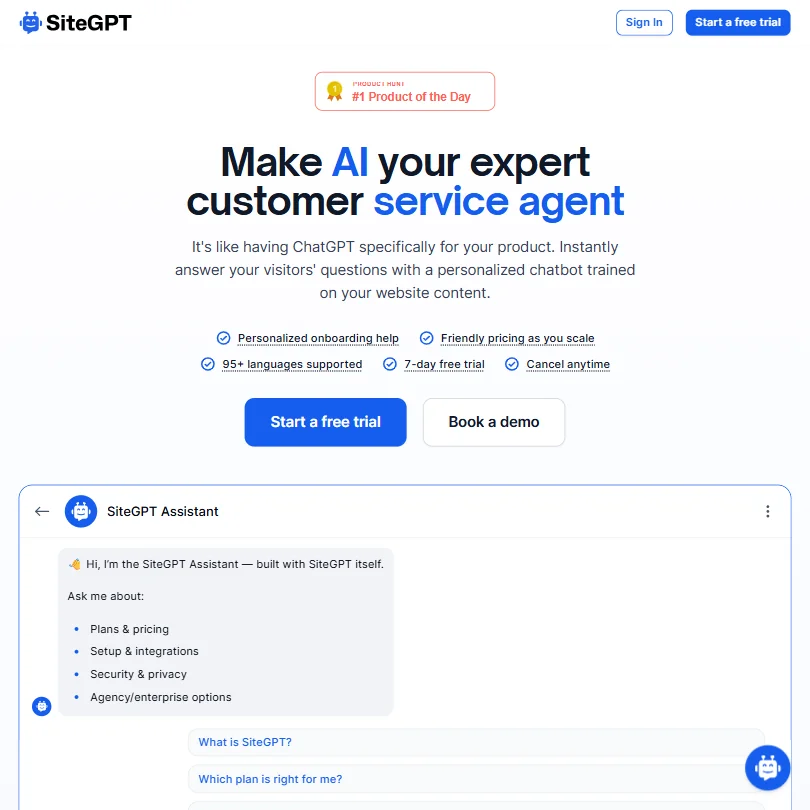
SiteGPT trains a chatbot on your own content. You hand it a URL, or a file, or raw text, and it learns from that. The chatbot then sits on your site and answers questions using what it absorbed. That's the core idea.
It runs on GPT-4.1 and GPT-4.1-mini under the hood. Both are OpenAI models. The pitch is that your chatbot won't wander off into generic GPT territory because it's tethered to your actual content. There's also a lead capture function, a human handover button, and a weekly email digest for your team. Not a platform play. A focused tool.
Honestly, the positioning is cleaner than most tools in this category manage.
SiteGPT Features: Chatbot, Helpdesk & Support Automation Breakdown
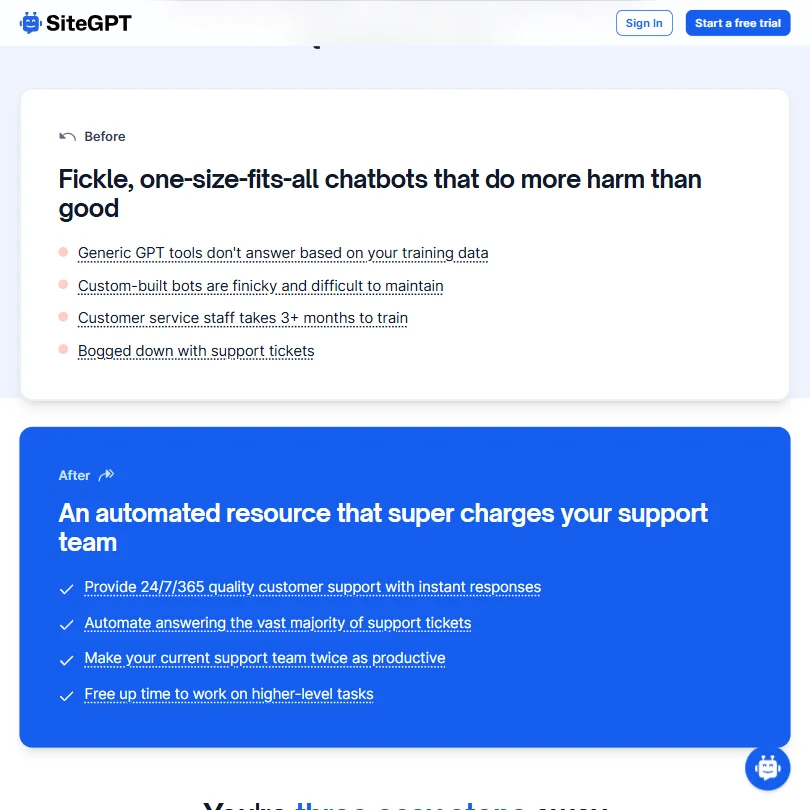
The custom training pipeline is where the product spends most of its energy. You can feed it via URL scrape, file uploads, or pasted text. Once it's trained, you can refine it using real conversation history and feedback. That feedback loop is genuinely useful, and not something every tool in this tier bothers to build.
Lead capture is built in. The chatbot can collect contact info during a conversation, which stops you from needing a separate form tool for basic qualification. The weekly email digest ships every Monday with performance data. Low-lift reporting, but it exists.
What's missing is harder to ignore. No native ticketing. At all. If a conversation needs to become a support ticket, you're routing it through Zendesk, and that integration only unlocks on Scale or Enterprise. That's $429/mo minimum, per the pricing page. For teams on Starter or Growth, human escalation is a live agent hand-off button. Nothing more structured than that. The absence of any native helpdesk layer is a real gap for anyone running more than a handful of conversations a day.
White labeling costs extra. $39/mo on top of your plan price to remove SiteGPT branding. That's a full Starter plan's worth of extra spend just to hide the badge. Not great.
SiteGPT Bot Quality: How Well Does It Handle Real Customer Queries?
The model quality argument holds up on paper. GPT-4.1 is a capable foundation. Limiting responses to trained content reduces the hallucination problem that plagues general-purpose chatbots. We cross-referenced what their documentation claims with Product Hunt comments and a handful of Reddit threads from 2024 and 2025.
The pattern we kept seeing: users reported the bot handles FAQs well when the training data is clean and thorough. When the source content is patchy, the bot goes thin fast. Expected behavior, not a product flaw exactly, but it means your results depend heavily on how organized your own content is before you start. Garbage in, garbage out. That tracks.
One thing that came up more than once was the quick prompts feature, which surfaces pre-set questions to start conversations. Small thing. But it reduces abandonment at the chat opening, and that matters more than vendors usually admit. The AI conversation insights feature, which only appears on Scale at $429/mo, is supposed to surface patterns across those conversations over time. We haven't seen enough user commentary on it to call it proven.
SiteGPT Channel Coverage: Which Platforms Does It Support?
Web embed, iOS app, and a WordPress plugin. That's the channel list. No native presence in email or SMS. No WhatsApp yet, but Messenger is supported.
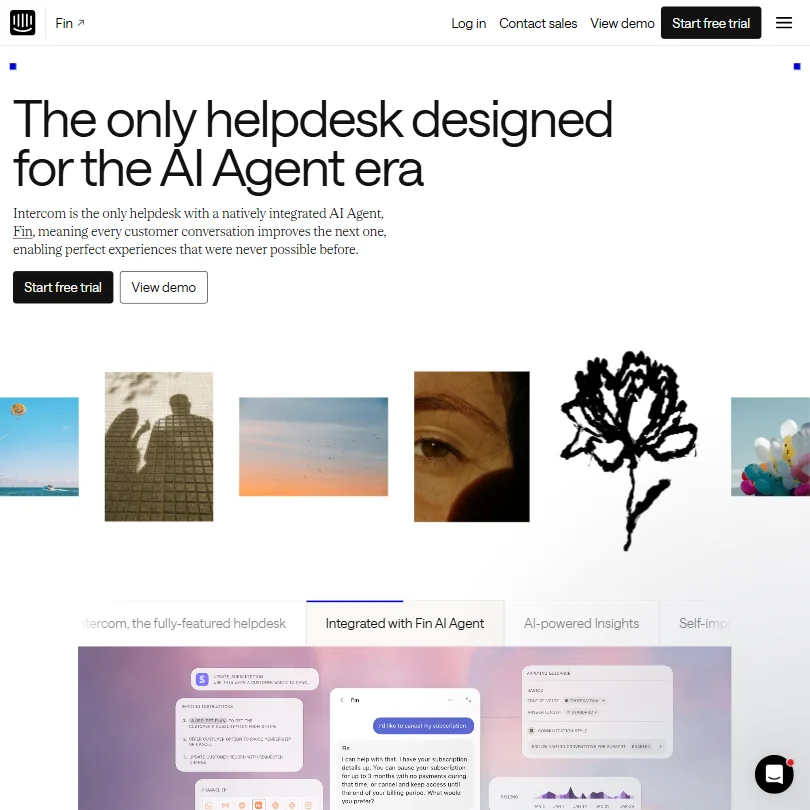
Slack is listed as a native integration, which is useful internally but isn't a customer-facing support channel. Webhooks exist, but only on Scale tier and above, per what we pulled from the pricing page. The integrations page names Crisp and Zendesk as the headline connections. For a tool launched in 2023, the channel coverage is narrow even by early-stage standards. We've seen worse from tools this young, but competitors like Intercom cover significantly more ground at comparable or lower effective cost-per-channel.
No Zapier, no HubSpot. Not publicly stated, anyway, and if it existed it'd be on the homepage.
Is SiteGPT Easy to Set Up and Manage?
This is where SiteGPT earns its clearest positive marks. The setup process is three steps: point it at a URL, embed the chatbot, then improve it over time. Users on Product Hunt and Reddit consistently described getting a working chatbot live in under an hour. We don't doubt it.
The WordPress plugin removes even that friction for WordPress sites. Onboarding help is listed as personalized, though what that means in practice seems to vary by plan. For small teams without dedicated technical staff, the setup story is genuinely one of the better ones we've come across in this category. No engineering required to get something functional. That's not a given.
The support situation is less flattering. SiteGPT uses its own chatbot for customer support queries, which is on-brand but also a bit circular. There's an email address listed and a basic FAQ section. No community forum, no live human chat. The help documentation doesn't go deep. Fair, for the price point. Less fair once you're on Scale at $429/mo.
SiteGPT Pricing: Is It Worth It for Support Teams?
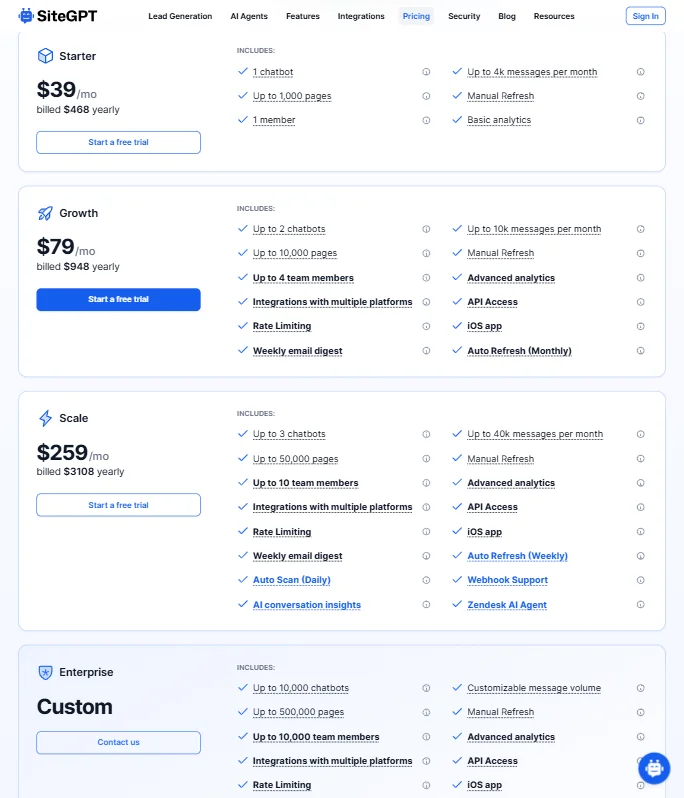
Four tiers. Starter at $59/mo, Growth at $129/mo, Scale at $429/mo, and Enterprise at custom pricing. No free plan, just a 7-day free trial. Those prices are pulled directly from the current pricing page, and we'd note they sit higher than some older reviews reflect. The category median in our database sits around $29/mo. SiteGPT's Starter at $59/mo is well above that line.
API access doesn't appear until Growth. Zendesk integration requires Scale. Auto Refresh goes weekly only at Scale, monthly at Growth, and manual at Starter. White labeling costs another $39/mo on top of whichever plan you're on. By the time you've assembled what a mid-sized support team actually needs, you're looking at well over $400/mo before Enterprise conversations begin.
That's not outrageous for what Scale includes, things like Auto Scan Daily, AI conversation insights, and Webhook Support. But it's a steep climb from Starter. The price-to-feature ratio at the lower two tiers doesn't particularly favor SiteGPT. We've seen tighter packages.
SiteGPT vs Tidio: Which Customer Service AI Wins?
Tidio has been in the market longer and has a free tier. That alone shifts the comparison before anything else.
Where SiteGPT has the edge is content-trained specificity. Tidio's AI is more general-purpose, which means it can go off-script in ways SiteGPT is designed to prevent. For companies whose chatbot needs to stay on-brand and accurate to their specific documentation, SiteGPT's approach has real merit. Tidio wins on integrations though, by some distance. CRM connections, e-commerce hooks, broader channel coverage. If your support workflow touches more than a website embed, Tidio is more likely to fit without custom work.
SiteGPT is the more focused tool. Tidio is the more connected one. For pure chatbot accuracy against your own content, SiteGPT has a real argument. For anything beyond that, Tidio has the advantage. We're skeptical of any framing that calls this a close call for teams with complex support stacks.
Who Should Use SiteGPT? (And Who Shouldn't)
Small SaaS teams with a help center or documentation site. That's the obvious fit. Setup is fast, the bot stays on your content, and you don't need a developer. If your support volume is mostly FAQ-shaped and your content is already well-organized, SiteGPT will probably do the job.
E-commerce teams. Look elsewhere. No Shopify integration is publicly confirmed, no order tracking hooks, nothing purpose-built for transactional support. Gorgias is the more honest comparison there. Teams that need ticketing, SLA tracking, or multi-channel coverage should also recalibrate. This tool wasn't built for that, and adding it later through integrations gets expensive fast, especially with Zendesk locked behind $429/mo.
Agencies wanting a white-labeled chatbot product to resell face a $98/mo minimum before the badge disappears, $59/mo Starter plus $39/mo white label fee. Worth doing the math on that before committing.
SiteGPT Review Verdict
SiteGPT does one thing well: it turns your website content into a functional chatbot without much friction. The GPT-4.1 foundation is solid, the setup story is genuinely easy, and the feedback refinement loop is smarter than it sounds. Those aren't nothing.
The problems pile up outside that core. No ticketing, narrow channel coverage, integration depth that requires the most expensive tier to get useful. A pricing structure that starts above the category median and climbs steeply as you add features. The tool works, but it doesn't work well enough across enough surfaces to compete with most of the category at this price point.
We'd take it seriously for one specific use case: a small product or SaaS company that wants a tightly controlled, content-accurate chatbot on their site and nothing more. Everyone else will hit its walls before long.
Frequently Asked Questions
Does SiteGPT have a free plan?
No. There's a 7-day free trial, but no ongoing free tier. Paid plans start at $59/mo for the Starter plan. In a category where a meaningful share of the tools we track offer a permanent free option, that's a real disadvantage for teams that want to test before committing.
Can SiteGPT handle multiple languages?
Yes, 95+ languages are listed. The multilingual support is one of the stronger spec points in SiteGPT's feature set. Whether response quality holds consistently across less common languages is harder to verify without hands-on testing, but the coverage breadth is there on paper.
Does SiteGPT integrate with Zendesk?
Yes, but only on the Scale plan, which runs $429/mo per the current pricing page. If you're on Starter or Growth, you get the human handover button but no Zendesk ticket routing. For teams that already run Zendesk as their support backbone, that paywall is worth factoring into the real cost before you sign up.